12 Best Vibe Coding Tools in 2026 for Founders, Designers and Developers
Twelve tools for building apps by describing them, with the right pick for every skill level.
On this page
Last updated: 22 November 2026
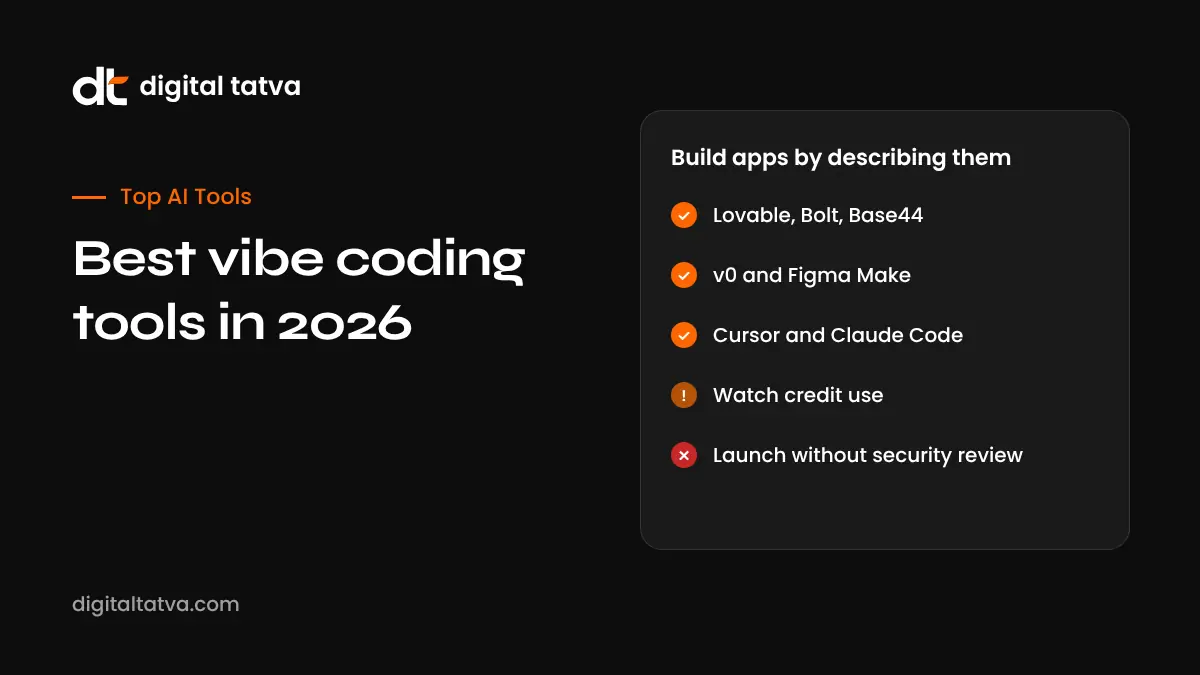
Quick answer: The best vibe coding tools in 2026 are Lovable (the most visited app builder, about 33 million web visits in October 2026), Bolt.new, Base44 (owned by Wix), Replit Agent, Vercel v0, Google AI Studio’s app builder, Claude (Artifacts and Claude Code), Cursor, Windsurf, Figma Make, Canva Code and Microsoft’s Copilot Code (announced for December 2026). Non-coders should start with Lovable, Base44 or Bolt; designers with Figma Make or v0; developers with Cursor or Claude Code. Whatever you choose, plan for security review, real data handling and a way to export your code before you put a vibe-coded app in front of customers.
Key takeaways
- Vibe coding means building software by describing what you want and letting AI write the code.
- Browser app builders are fastest for prototypes; AI code editors are better for production software.
- Credit-based pricing means heavy iteration can cost more than the headline plan price.
- Code export and backend ownership decide how easily you can grow beyond the tool.
- Security, authentication and data protection still need human checks.
What is vibe coding?
Vibe coding is building apps by describing them in plain language and refining the result through conversation, instead of writing code line by line. The term spread in 2025 and became mainstream in 2026, as tools improved enough for founders, marketers and designers to ship working internal tools and prototypes. For the full background, read what is vibe coding.
The category is now one of the busiest in AI. In October 2026, Lovable drew about 33 million web visits and Cursor about 29 million, while Replit fell about 16% between June and October as competition increased, according to Semrush estimates published by Exploding Topics.
Best vibe coding tools compared
| # | Tool | Type | Best for | Code export |
|---|---|---|---|---|
| 1 | Lovable | Browser app builder | Startup MVPs and SaaS prototypes | Yes, two-way GitHub sync |
| 2 | Bolt.new | Browser app builder | Fast full-stack prototypes | Yes |
| 3 | Base44 | Browser app builder | Internal tools for non-technical teams | Partial on paid plans |
| 4 | Replit Agent | Cloud IDE and agent | Learning and hosted apps in one place | Yes |
| 5 | Vercel v0 | UI and app generator | React and Next.js interfaces | Yes |
| 6 | Google AI Studio | Model playground with app builder | Free experiments with Gemini | Yes |
| 7 | Claude (Artifacts and Claude Code) | Assistant and coding agent | Small tools to serious projects | Yes |
| 8 | Cursor | AI code editor | Developers shipping production code | Your own repository |
| 9 | Windsurf | AI code editor | Developers wanting an agentic editor | Your own repository |
| 10 | Figma Make | Design to app | Designers prototyping interactions | Limited |
| 11 | Canva Code | Simple interactive builder | Calculators, quizzes and widgets | Limited |
| 12 | Copilot Code | Microsoft app builder | Microsoft 365 organisations | Not yet known |
The 12 best vibe coding tools in detail
1. Lovable
Lovable is the most popular browser app builder. You describe an app, it builds a React front end with a Supabase back end for data and logins, and you refine it in chat or with visual edits. Two-way GitHub sync lets developers take over the code later.
Best for: founders building MVPs and SaaS prototypes.
Watch out for: credit use during long debugging loops, and Supabase security rules that need checking. See our Lovable review.
2. Bolt.new
Bolt.new from StackBlitz runs a full development environment in your browser, so it can install packages and run apps instantly. It is quick for full-stack prototypes and supports several frameworks.
Best for: fast experiments and developers who want to see the code.
Watch out for: token usage on large projects. See Lovable vs Bolt.
3. Base44
Base44, acquired by Wix in June 2025, includes a managed database, authentication and hosting, so non-technical teams can build internal tools without setting up anything else.
Best for: operations teams building dashboards, trackers and simple portals.
Watch out for: backend code is not exportable. See Base44 vs Lovable.
4. Replit Agent
Replit combines a cloud coding environment, an AI agent, databases and hosting. It is a good place to learn, because you can see and edit everything the agent writes.
Best for: learners and small apps that need hosting in the same place.
Watch out for: agent usage costs on big changes. See how to use Replit Agent.
5. Vercel v0
v0 generates high-quality React and Next.js interfaces using modern component libraries, and can deploy straight to Vercel. It is a favourite with designers and front-end developers.
Best for: landing pages, dashboards and UI components.
Watch out for: complex back ends need more work. See how to use v0.
6. Google AI Studio
Google AI Studio is mainly a playground for Gemini models, but its build mode turns prompts into working web apps that use Gemini. With about 63 million web visits in October 2026, it is one of the most used AI developer tools, and it is free to start.
Best for: AI-powered prototypes using Gemini.
Watch out for: free tier data may be used to improve Google products; check terms. See how to use Google AI Studio.
7. Claude: Artifacts and Claude Code
Claude covers the full range. Artifacts let anyone build small interactive tools, calculators and pages inside a chat. Claude Code is a full coding agent for real repositories. Many people start with Artifacts and graduate to Claude Code.
Best for: quick tools in chat, and serious agentic coding.
Watch out for: usage limits on heavy coding. See how to use Claude Artifacts and best AI coding agents for the terminal.
8. Cursor
Cursor is an AI-first code editor with a strong agent mode. It is where many vibe-coded prototypes go when they need to become production software, because you own the repository and can use proper testing and deployment.
Best for: developers and technical founders.
Watch out for: you need basic development knowledge. See our Cursor review.
9. Windsurf
Windsurf is another agentic AI editor that competes directly with Cursor, with an agent that can plan and carry out multi-file changes.
Best for: developers comparing AI editors.
Watch out for: fast-changing plans and features. See Windsurf vs Cursor.
10. Figma Make
Figma Make turns designs and prompts into interactive prototypes and simple apps inside Figma, so designers can test flows with real interactions.
Best for: designers validating ideas before development.
Watch out for: it is not a production back end. See our Figma AI review.
11. Canva Code
Canva Code lets Canva users create interactive elements such as calculators, quizzes and small widgets by describing them, then place them in designs and Canva websites.
Best for: marketers and teachers adding interactivity.
Watch out for: limited for full apps. See how to use Canva AI.
12. Microsoft Copilot Code
At Ignite 2026, Microsoft announced Copilot Code for building apps from plain language inside the Microsoft ecosystem, promised for December. It is likely to appeal to organisations that already govern their data in Microsoft 365.
Best for: Microsoft-centred organisations, once available.
Watch out for: details and pricing were not final at announcement. See Microsoft Ignite 2026.
Best vibe coding tool by skill level
| You are | Start with | Move to when you grow |
|---|---|---|
| Non-technical founder | Lovable or Bolt | Cursor or Claude Code with a developer |
| Operations or business team | Base44 or Canva Code | Lovable or an internal developer |
| Designer | Figma Make or v0 | v0 plus a developer |
| Student or learner | Replit or Google AI Studio | Cursor |
| Developer | Cursor, Windsurf or Claude Code | Multiple agents with code review |
How to vibe code an app the right way
- Write a one-page brief. Who uses the app, the three main tasks and what data it stores.
- Build the smallest version. Ask for one core flow first, then add features one at a time.
- Use version control. Connect GitHub or use the tool’s history so you can roll back.
- Test with real users early. Five people using it beats fifty more prompts.
- Check security. Review logins, database access rules, secrets and payments, ideally with a developer.
- Plan the handover. Make sure the code can be exported and maintained outside the tool.
Common vibe coding mistakes
- Exposed keys and open databases: AI-built apps often ship with weak database rules or API keys in the front end.
- Endless fix loops: if the AI keeps breaking something, roll back and describe the problem differently.
- No tests: ask the tool to write tests for core features.
- Ignoring costs: credits disappear quickly during debugging.
- Personal data without care: follow data protection rules for any customer information.
Illustrative example: A boutique consultancy builds a client intake portal in Lovable over a weekend, connects it to GitHub and asks a freelance developer to spend half a day reviewing database rules and login settings before launch. The developer finds one table readable by any user and fixes it before real client data goes in. This is an illustrative scenario, not a client story.
Checklist before launching a vibe-coded app
- Database access rules reviewed.
- No secret keys in front-end code.
- Logins and password resets tested.
- Backups and code export in place.
- Privacy policy and data handling covered.
- Costs estimated for expected users.
How Digital Tatva can help
Built a new product with AI? The next challenge is getting found. Digital Tatva helps new apps and SaaS products get recommended in ChatGPT, Gemini, Claude and Perplexity. See AEO for startups and our AEO services.
Launching something new? Request an AEO audit or try the free AI visibility checker.
Frequently asked questions
What is the best vibe coding tool for beginners?
Lovable and Bolt are the easiest for building full apps without coding. Base44 is simplest for internal tools because hosting and the database are built in.
What is the best vibe coding tool for developers?
Cursor, Windsurf and Claude Code, because they work with your own repository, tests and deployment process.
Is vibe coding free?
Most tools have free tiers with limited credits. Google AI Studio and Claude Artifacts are good free starting points. Serious projects usually need a paid plan.
Can I build a real business on a vibe-coded app?
Yes, many do, but get security and data handling reviewed and make sure you can export and maintain the code.
Lovable or Bolt: which is better?
Lovable is stronger for full apps with logins and data; Bolt is quicker for flexible prototypes. See Lovable vs Bolt.
Is vibe-coded software secure?
Not automatically. Common issues include open database rules and exposed keys. Always review security before using real data.
Do I own the code from vibe coding tools?
Usually yes, but check each tool’s terms. Lovable, Bolt, v0 and code editors let you export or sync code; some builders limit back-end export.
Can vibe coding tools build mobile apps?
Several can build mobile-friendly web apps, and some support native mobile frameworks. Publishing to app stores still needs extra setup.
Will vibe coding replace developers?
No. It lets more people build simple software and makes developers faster, but complex, secure and scalable products still need engineering skills.
How much does vibe coding cost per month?
Typical paid plans start around $20 to $25 a month, with heavy users spending much more through extra credits.
Product details, prices and features are checked at the time of writing and can change. Sources are linked in the text so you can check them yourself.
How does your brand appear in AI answers?
We test the questions your buyers ask across the major AI assistants and search engines, then show you what to fix first.
Get an AI Visibility Audit