12 Best AI Coding Agents for the Terminal in 2026 (CLI Tools Compared)
Claude Code, Codex CLI, Antigravity CLI, OpenCode and eight more terminal coding agents compared.
On this page
Last updated: 22 November 2026
Quick answer: The best AI coding agents for the terminal in 2026 are Claude Code (the strongest all-round agent for large codebases), OpenAI Codex CLI (open source and included with ChatGPT plans), Google’s Antigravity CLI (which replaced Gemini CLI), GitHub Copilot CLI (best if your team already pays for Copilot), OpenCode (open source and works with almost any model, with searches up about twelvefold in a year), Aider (git-first pair programming), Goose (an extensible open-source agent from Block), Cursor CLI, Devin CLI, Qwen Code, Crush and Amp. Choose by three things: which models you want to use, how you want to pay (subscription, credits or your own API key) and how much control you need over what the agent can run.
Key takeaways
- Terminal agents read your repository, edit files, run commands and tests, and can open pull requests.
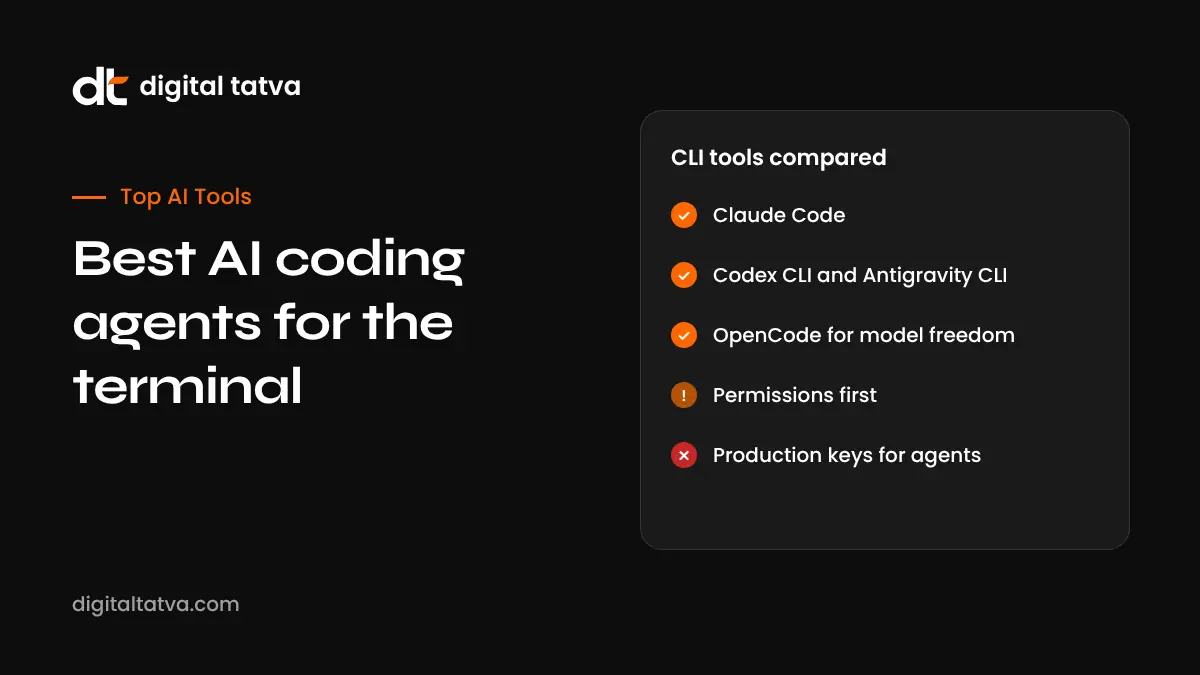
- Vendor agents (Claude Code, Codex, Antigravity, Copilot) are the most polished; open-source agents (OpenCode, Aider, Goose, Crush) give you model choice.
- Agents can now run in parallel or as coordinated teams, so review and testing matter more than ever.
- Permissions are the biggest safety lever: start in read-only or ask-before-running mode.
- Most developers use two agents: one main agent and one for second opinions and code review.
What is a terminal coding agent?
A terminal coding agent is an AI tool you run from the command line inside a project. Unlike autocomplete in an editor, it plans a change, reads the files it needs, edits code across many files, runs your build and tests, reads the errors and tries again until the task is done or it needs your input. Many also connect to tools through MCP, so they can read tickets, query databases or check documentation.
Interest in this category exploded in 2026. Searches for Claude Code run into the hundreds of thousands a month, and open-source alternatives such as OpenCode grew about twelvefold year on year in RisingTrends data. If you are new to the idea, read what is vibe coding first, then come back here.
Best AI coding CLI tools compared
| # | Tool | Made by | Open source? | Models | Best for |
|---|---|---|---|---|---|
| 1 | Claude Code | Anthropic | No | Claude | Complex changes in large codebases |
| 2 | Codex CLI | OpenAI | Yes | OpenAI GPT-6 family | ChatGPT subscribers, cloud tasks |
| 3 | Antigravity CLI | No | Gemini 4 | Google users, parallel agents | |
| 4 | GitHub Copilot CLI | GitHub | No | Multiple providers | Teams already on Copilot |
| 5 | OpenCode | Open-source community | Yes | Almost any provider or local model | Model freedom |
| 6 | Aider | Open-source community | Yes | Any provider | Git-first pair programming |
| 7 | Goose | Block | Yes | Any provider | Extensible agents with MCP |
| 8 | Cursor CLI | Cursor | No | Multiple providers | Cursor users working in the terminal |
| 9 | Devin CLI | Cognition | No | Cognition SWE models and others | Delegating whole tasks |
| 10 | Qwen Code | Alibaba | Yes | Qwen and compatible models | Low-cost coding with Qwen |
| 11 | Crush | Charm | Yes | Any provider | A polished open-source terminal experience |
| 12 | Amp | Sourcegraph | No | Multiple providers | Teams sharing agent threads |
Pricing changes often in this category, especially as vendors move to credit-based billing, so check each vendor’s current plan page before you commit.
The 12 best terminal coding agents in detail
1. Claude Code
Claude Code is the agent many professional developers treat as the benchmark. It runs in the terminal, in VS Code and JetBrains, as a desktop app, on the web and on mobile, using Anthropic’s Claude models such as Sonnet 5.5 and Opus 5.5, with Fable 5.2 for the hardest problems. It is good at understanding large codebases, planning multi-step changes and following project rules in a CLAUDE.md file. The cheapest way in is a Claude Pro subscription; heavy users move to Max plans or the API.
Best for: complex refactors, unfamiliar codebases and long autonomous tasks.
Watch out for: usage limits and API costs on big tasks. See how to use Claude Code and how to reduce Claude Code costs.
2. OpenAI Codex CLI
Codex CLI is OpenAI’s open-source terminal agent. It shares usage with ChatGPT plans, including limited access on the free plan, and connects to the Codex app and cloud for parallel tasks and pull requests. It runs on the GPT-6 family, including GPT-6.2 Astra for hard problems and Sol for faster work.
Best for: ChatGPT subscribers and teams that want cloud tasks alongside local work.
Watch out for: early users reported that Astra can be harder to steer on long autonomous runs. See how to use OpenAI Codex and Claude Code vs Codex.
3. Google Antigravity CLI
Google replaced Gemini CLI with the Antigravity CLI in 2026; consumer access to Gemini CLI ended on 18 June 2026. Antigravity combines a desktop app with an Agent Manager, the CLI and an SDK. In November 2026 Google added a swarm mode, where a coordinator sends parallel work to several agents, and Gemini 4 Neon can coordinate faster Hydrogen subagents.
Best for: Google AI subscribers and teams that want parallel agents.
Watch out for: migrating old Gemini CLI scripts and extensions. See how to use Google Antigravity.
4. GitHub Copilot CLI
Copilot CLI brings GitHub Copilot’s agent to the terminal, tied into GitHub issues, pull requests and Actions. It suits organisations that already manage Copilot seats and policies. Copilot now bills AI usage in credits, so agent-heavy work needs budget monitoring.
Best for: teams standardised on GitHub and Copilot.
Watch out for: credit consumption. See GitHub Copilot AI credits explained.
5. OpenCode
OpenCode is an open-source terminal agent with a polished interface that works with dozens of model providers, including Anthropic, OpenAI, Google, open models through routers and local models. Its fast growth reflects developers wanting one interface regardless of which model is best this month.
Best for: developers who switch models often or want to use local models.
Watch out for: you manage your own API keys and costs.
6. Aider
Aider is one of the oldest open-source AI pair programmers. It works directly with git, commits each change with a clear message and builds a map of your repository so the model sees relevant context. It supports almost any model.
Best for: developers who want small, reviewable commits.
Watch out for: less autonomous than newer agents by default.
7. Goose
Goose is an open-source agent from Block that runs locally and is built around extensions, many of them MCP servers. It can do coding and wider automation tasks, such as working with internal tools.
Best for: engineering teams building custom agent workflows.
Watch out for: extension quality varies; review what each one can access.
8. Cursor CLI
Cursor’s command-line agent brings the same agent behind the Cursor editor to the terminal and to scripts and CI. It is a natural choice if your team already pays for Cursor.
Best for: Cursor users who also want terminal and automation workflows.
Watch out for: plan limits shared with the editor. See our Cursor review and Cursor alternatives.
9. Devin CLI
Cognition offers Devin through a desktop app and CLI. In November 2026 it launched SWE-2 Flash, a faster and cheaper coding model, with free use through 30 November for some paid plans. Devin is designed for delegating complete tasks rather than step-by-step pairing.
Best for: teams that want to hand off well-defined tickets.
Watch out for: clear task specs are essential.
10. Qwen Code
Qwen Code is Alibaba’s open-source command-line agent, tuned for Qwen coding models. It is a low-cost option, especially with Qwen’s subscription plans or open models you host yourself.
Best for: cost-sensitive coding and teams already using Qwen.
Watch out for: check where hosted API data is processed. See best Chinese AI models.
11. Crush
Crush, from the terminal tooling company Charm, is an open-source coding agent with a carefully designed terminal interface, support for many providers and MCP.
Best for: developers who live in the terminal and care about the experience.
Watch out for: a smaller community than the biggest open-source agents.
12. Amp
Amp, from Sourcegraph, is an agent available in the terminal and editors that emphasises sharing threads with teammates, so others can see how a change was made.
Best for: teams that want visibility into how agents work.
Watch out for: usage-based costs on heavy tasks.
Vendor agents vs open-source agents
| Factor | Vendor agents | Open-source agents |
|---|---|---|
| Examples | Claude Code, Codex, Antigravity, Copilot CLI | OpenCode, Aider, Goose, Crush, Qwen Code |
| Model choice | Mostly the vendor’s own models | Any provider or local model |
| Polish and tuning | Tuned closely to their models | Varies by project |
| Billing | Subscriptions or credits | Your own API keys or free local models |
| Data control | Vendor terms apply | More control, especially with local models |
How to choose a terminal coding agent
- Start from the model you trust. If Claude performs best on your code, Claude Code is the obvious start. If you want flexibility, try OpenCode.
- Match billing to usage. Subscriptions suit steady daily use; API keys suit occasional heavy jobs.
- Test on a real ticket. Give two agents the same bug fix and compare the diff, tests and time.
- Set permissions. Begin with approval required for commands and file writes outside the project.
- Add project instructions. A short file explaining build commands, style rules and do-not-touch areas improves every agent.
- Keep humans on review. Use AI code review tools plus human review before merging.
Safety rules for coding agents
- Never give agents production credentials; use test environments.
- Run agents in containers or sandboxes for untrusted code.
- Review MCP servers and extensions before connecting them.
- Watch for prompt injection in issues, web pages and dependencies the agent reads.
- Log what agents run and keep a way to stop them.
See AI agent security for a fuller checklist.
Illustrative example: A four-developer agency uses Claude Code as its main agent and OpenCode with a cheaper model for routine tasks such as writing tests and updating dependencies. Every agent change goes through a pull request with automated tests and one human review, and agents never see production keys. This is an illustrative scenario, not a client story.
Checklist: rolling out a coding agent
- Main agent chosen after a real-ticket test.
- Billing model and monthly budget set.
- Permissions and sandboxing configured.
- Project instruction file written.
- Review process and tests required before merge.
- Secrets kept out of agent reach.
How Digital Tatva can help
If you build developer tools, developers increasingly ask AI assistants which tool to use. Digital Tatva helps software companies get recommended accurately in ChatGPT, Claude, Gemini and Perplexity. See AEO for SaaS and our AEO services.
Do AI assistants recommend your developer product? Request an AEO audit or try the free AI visibility checker.
Frequently asked questions
What is the best AI coding agent for the terminal?
Claude Code is the most widely recommended for complex work. Codex CLI is a strong choice for ChatGPT subscribers, and OpenCode is the best open-source option if you want to choose your own models.
Is Gemini CLI still available?
No. Google replaced Gemini CLI with the Antigravity CLI, and consumer access to Gemini CLI ended on 18 June 2026.
Is Codex CLI free?
The CLI is open source, and ChatGPT’s free plan includes limited Codex access. Heavier use needs a paid ChatGPT plan or API usage.
What is OpenCode?
An open-source AI coding agent for the terminal that works with many model providers and local models.
Can I use a terminal coding agent with local models?
Yes. OpenCode, Aider, Goose and Crush can connect to local models through tools like Ollama or LM Studio, though local models are usually weaker than frontier models.
Are AI coding agents safe?
They can be with sandboxing, limited permissions, no production secrets and human review. Without those controls they can run harmful commands or leak data.
Claude Code or Cursor?
Claude Code is agent-first and terminal-first; Cursor is an editor with a strong agent built in. Many developers use both. See Claude Code vs Cursor.
Do coding agents replace developers?
No. They speed up writing and changing code, but people still decide what to build, review changes and own quality and security.
How much do AI coding agents cost?
From free tiers and open-source tools with your own API keys to subscriptions of about $20 a month and much more for heavy professional use. Costs depend on model and volume.
Can several coding agents work together?
Yes. Tools such as Antigravity’s swarm mode and parallel cloud tasks in Codex and Claude Code let several agents work on different parts of a task at once.
Product details, prices and features are checked at the time of writing and can change. Sources are linked in the text so you can check them yourself.
How does your brand appear in AI answers?
We test the questions your buyers ask across the major AI assistants and search engines, then show you what to fix first.
Get an AI Visibility Audit