Best AI Code Review Tools in 2026 (Compared for Teams of Every Size)
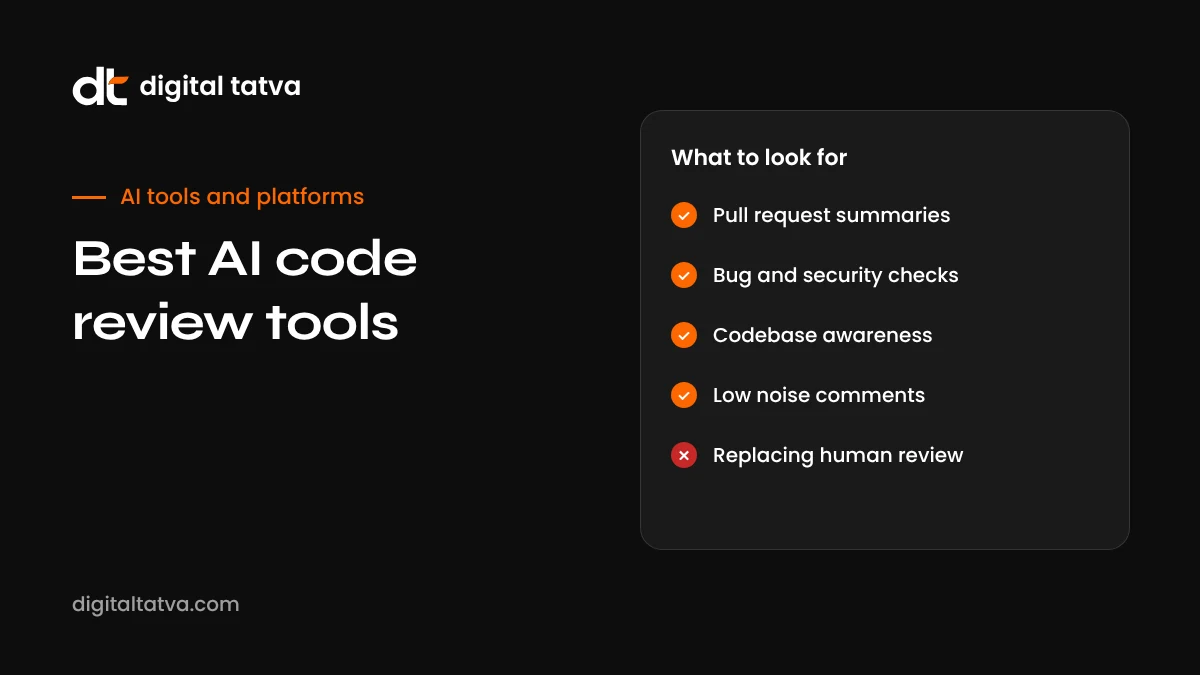
AI code review tools comment on pull requests, catch bugs and security issues, and summarise changes before a human reviewer looks. Here are the best AI code review tools in 2026, how they differ, what they cost and how to roll one out without drowning your team in noise.
On this page
- Key takeaways
- Why use AI code review?
- Comparison table
- The best AI code review tools, reviewed
- How to choose: the five questions that matter
- What AI reviewers catch well, and what they miss
- Rolling out an AI reviewer without annoying your team
- Security and privacy checklist
- Pricing models explained
- Open source projects
- An illustrative trial: comparing two reviewers
- Recommendations by team type
- AI code review and AI-generated code
- Measuring return on investment
- Common mistakes
- Writing project rules that improve AI review
- How AI review fits with traditional tools
- Our take
- Getting developers to trust the AI reviewer
- Bottom line
- Frequently asked questions
Last updated: 13 November 2026
Quick answer: The best AI code review tools in 2026 are CodeRabbit (best all-rounder across GitHub, GitLab, Bitbucket and Azure DevOps), Greptile (best whole-codebase understanding), Graphite (best for teams using stacked pull requests), Qodo Merge (most generous free tier), CodeAnt AI (review plus security scanning), GitHub Copilot code review (simplest for teams already on Copilot), Cursor Bugbot (bug-focused, low noise) and Sourcery (budget option for small teams). Coding agents such as OpenAI Codex and Claude can also review pull requests. Choose based on your Git platform, how much context the reviewer needs, your security requirements and how your team reacts to comment volume.
Key takeaways
- AI reviewers speed up reviews and catch issues early, but do not replace human judgement.
- Tools differ mainly in context depth, noise level, platform support and security features.
- Pricing models vary: per seat, per review or usage based, so estimate your pull request volume.
- Low-noise configuration is essential; too many trivial comments and developers stop reading.
- Run a two to four week trial on real pull requests and measure what the tool actually catches.
- Keep humans responsible for design, product decisions and final approval.
Why use AI code review?
Code review is one of the most valuable and most delayed parts of software development. Reviewers are busy, pull requests wait, and subtle bugs slip through. AI code review tools read every pull request as soon as it opens, summarise what changed, flag likely bugs, security problems and missing tests, and suggest fixes. Human reviewers then spend their time on architecture, product logic and maintainability rather than catching typos and obvious mistakes.
With coding agents generating more code than ever, automated review has become even more important. More pull requests, often written partly by AI, need a fast first pass before a human signs off.
Comparison table
| Tool | Best for | Platforms | Pricing model |
|---|---|---|---|
| CodeRabbit | All-round PR review with low noise | GitHub, GitLab, Bitbucket, Azure DevOps | Per developer; free for open source |
| Greptile | Deep codebase context | GitHub first | Per seat with included reviews, then per review |
| Graphite | Stacked PRs and review workflow | GitHub | Free personal tier, paid team plans |
| Qodo Merge | Generous free tier, structured walkthroughs | Major Git platforms | Free developer tier, paid teams |
| CodeAnt AI | Review plus security scanning | Multiple platforms | Per user |
| GitHub Copilot code review | Teams already using Copilot | GitHub only | Included with Copilot plans, with usage-based elements |
| Cursor Bugbot | Bug-focused review without style comments | GitHub | Usage based per run |
| Sourcery | Solo developers and small teams | GitHub focused | Low monthly price; free for open source |
| Coding agents (Codex, Claude) | Teams already using an agent platform | Mainly GitHub | Included in agent plans or API usage |
Pricing changes often; several tools moved to usage-based billing in 2026. Check each vendor’s current pricing.
The best AI code review tools, reviewed
1. CodeRabbit: best all-rounder
CodeRabbit reviews pull requests automatically, posting a summary of changes (often with diagrams), inline comments on likely issues, and suggestions you can apply with one click. It runs linters and security analysis alongside AI review, and learns from your feedback over time. Its broad platform support across GitHub, GitLab, Bitbucket and Azure DevOps makes it a safe default for mixed environments. Reviewers often praise its relatively low noise compared with early AI reviewers.
Choose it if: you want one reliable reviewer that works across platforms. Watch out for: per-developer pricing adds up for large teams.
2. Greptile: best codebase understanding
Greptile indexes your whole repository, so it understands how a change in one file affects others. That helps it catch issues a diff-only reviewer misses, such as breaking a function used elsewhere. You can write custom rules in plain language, for example “flag any new database query without pagination”.
Choose it if: your codebase is large and interconnected. Watch out for: per-review charges beyond included limits on busy repositories.
3. Graphite: best for stacked pull requests
Graphite combines an AI reviewer with tools for stacked pull requests, a merge queue and a review inbox. Teams that break work into small, dependent pull requests get both workflow and review in one place, with concise AI feedback.
Choose it if: your team works with stacked PRs or wants a better review workflow overall.
4. Qodo Merge: best free tier
Qodo Merge (from the company formerly known as CodiumAI) offers structured pull request walkthroughs, improvement suggestions and a question-and-answer interface in comments, plus credits for IDE and CLI use. Its free developer plan is among the most generous, though its monthly review allowance was reduced in 2026.
Choose it if: you want to start free or work in a small team.
5. CodeAnt AI: best review plus security
CodeAnt AI combines pull request review with static security analysis, secrets detection, infrastructure-as-code scanning and dependency checks, with merge gating from one dashboard. It suits teams that want to consolidate code quality and security tools.
Choose it if: security and compliance are top priorities.
6. GitHub Copilot code review: simplest for Copilot users
If your team already uses GitHub Copilot, its built-in code review can summarise changes, comment inline and automatically review every pull request without adding another vendor. In 2026, reviews on private repositories began using Actions minutes and AI credits, which makes costs less predictable, so monitor usage.
Choose it if: you are all-in on GitHub and Copilot.
7. Cursor Bugbot: best low-noise bug finder
Bugbot focuses only on issues likely to break in production and deliberately skips style and convention comments. Developers who are tired of noisy reviewers appreciate this focus. It moved to usage-based pricing per run in 2026.
Choose it if: you want fewer, higher-value comments and already use Cursor.
8. Sourcery: best budget option
Sourcery provides clean, actionable pull request feedback at a low price for individuals and small teams, and is free for open source.
Choose it if: you are a solo developer or small team on GitHub with a tight budget.
9. Coding agents: Codex, Claude and others
Coding agents increasingly include review capabilities. OpenAI Codex can review pull requests and scan for security issues, and other agents offer similar features. If your team already pays for an agent platform, try its review feature before adding a separate tool. See how to use OpenAI Codex.
How to choose: the five questions that matter
- Which Git platform do you use? GitHub-only teams have the most choice. GitLab, Bitbucket and Azure DevOps users should shortlist tools with proven support.
- How much context does review need? For large, interconnected codebases, repository-wide indexing catches more real issues than diff-only review.
- How sensitive is your code? Check data retention, training policies, certifications and self-hosted options for regulated industries.
- How much noise will your team tolerate? Some tools comment on everything; others focus on high-severity issues. Developers ignore reviewers that cry wolf.
- What is your pull request volume? Per-seat, per-review and usage-based pricing produce very different bills depending on how many pull requests you open.
What AI reviewers catch well, and what they miss
| Usually good at | Often weak at |
|---|---|
| Null and undefined handling, off-by-one errors, unhandled exceptions | Whether the feature solves the right business problem |
| Obvious security issues such as injection and exposed secrets | Subtle architectural trade-offs and long-term maintainability |
| Missing tests and edge cases | Performance under real production data and traffic |
| Inconsistent naming and duplicated logic | Team-specific context that is not written down |
| Summarising large diffs for reviewers | Knowing when a “bad” pattern is a deliberate, documented exception |
The best results come from combining AI review with clear team rules, good tests and experienced human reviewers.
Rolling out an AI reviewer without annoying your team
- Start with one repository and a willing team.
- Configure severity so only meaningful issues are posted, and turn off comments already covered by your linter and formatter.
- Add project rules describing conventions, risky areas and patterns to flag.
- Give feedback on bad comments; many tools learn from reactions.
- Measure for two to four weeks: issues caught that humans missed, false positives, time to first review and time to merge.
- Decide with data, then expand to other repositories.
Security and privacy checklist
- Confirm whether your code is stored, for how long, and whether it is used to train models.
- Look for security certifications such as SOC 2 and options for enterprise data controls.
- For regulated or highly sensitive code, consider self-hosted or virtual private cloud deployments where offered.
- Limit repository access to what the reviewer needs.
- Review your company’s AI policy; see our AI usage policy template.
Pricing models explained
| Model | How it works | Best for | Risk |
|---|---|---|---|
| Per developer seat | Fixed monthly fee per developer | Teams with steady, high pull request volume | Paying for inactive seats |
| Per review | Included reviews, then a fee per extra review | Teams with moderate, predictable volume | Spikes during busy releases |
| Usage based per run | Charged per review run, often by pull request size | Teams with low or variable volume | Hard to predict monthly bills |
| Bundled with another tool | Included in Copilot or an agent plan, sometimes with usage limits | Teams already paying for that tool | Hidden limits and overage charges |
Estimate your monthly pull requests and average size, then model the cost under each tool’s pricing before committing. Revisit after three months with real data.
Open source projects
Many AI review tools are free for public open source repositories, including CodeRabbit, Greptile, Sourcery and CodeAnt AI. For maintainers overwhelmed by contributions, an AI reviewer can provide quick first feedback to contributors, flag obvious issues and summarise large changes, letting maintainers focus on direction and community. Configure it to be friendly and constructive, because contributors may be new to the project.
An illustrative trial: comparing two reviewers
Here is how a small product team might run a fair comparison. Over three weeks, they enable two AI reviewers on the same repository, each posting to a separate check so developers can see both. For every pull request, the reviewing engineer marks each AI comment as useful, not useful or wrong. At the end, they compare the number of genuine bugs each tool caught that humans had missed, the share of useful comments, and how often developers said a tool slowed them down. They also note costs under each pricing model at their actual pull request volume. The tool with the best ratio of useful comments to noise, at an acceptable cost, wins. This simple process avoids choosing based on marketing claims or a single impressive demo.
Recommendations by team type
| Team | Recommended starting point |
|---|---|
| Solo developer or freelancer | Sourcery, Qodo Merge free tier or your coding agent’s review feature |
| Startup on GitHub with Copilot | GitHub Copilot code review, then evaluate CodeRabbit if you need more depth |
| Growing team across GitHub and GitLab | CodeRabbit |
| Large monorepo with complex dependencies | Greptile |
| Team using stacked pull requests | Graphite |
| Security-focused or regulated business | CodeAnt AI or an enterprise plan with strong data controls |
| Team frustrated by noisy reviews | Cursor Bugbot or a carefully configured CodeRabbit |
| Agency maintaining many client sites | CodeRabbit for multi-platform support, with per-client rules |
AI code review and AI-generated code
As more code is written by agents such as Codex, Claude Code, Antigravity and Cursor’s Composer, automated review becomes a key quality gate. Agent-written pull requests can be large, confident and subtly wrong. Useful practices include requiring an AI review on every agent pull request, asking agents to explain their changes in the description, enforcing tests, and labelling agent pull requests so human reviewers know what to look for. For more on agents, see best AI coding assistants, Windsurf vs Cursor and Google Antigravity.
Measuring return on investment
To decide whether an AI reviewer is worth paying for, track a few simple numbers before and after adoption:
- Time to first review: how long pull requests wait for any feedback.
- Time to merge: from opening to merging.
- Escaped defects: bugs found after release that a review could have caught.
- Useful comment rate: the percentage of AI comments that led to a change.
- Reviewer hours: rough time senior developers spend on reviews.
If the tool saves even a couple of hours of senior developer time per week, or prevents one serious production bug a quarter, it usually pays for itself. If developers routinely ignore its comments, reconfigure it or try another tool.
Common mistakes
- Turning on every rule and flooding pull requests with comments.
- Letting AI approval replace human approval for important changes.
- Ignoring false positives instead of tuning the tool.
- Skipping data and security checks before connecting private repositories.
- Not measuring results, so you cannot tell whether it is helping.
- Adding several overlapping reviewers that repeat each other.
Writing project rules that improve AI review
Most AI reviewers let you add instructions in plain language or a configuration file. Good rules dramatically improve relevance. Examples:
- “Flag any database query in the API layer that does not use pagination.”
- “All user-facing strings must go through the translation helper.”
- “Do not comment on formatting; Prettier handles it.”
- “Treat changes to the payments folder as high risk and check for missing tests.”
- “Our date format is ISO 8601; flag any other format in API responses.”
- “Ignore generated files in the /generated directory.”
Keep rules short and specific, review them quarterly, and remove rules that cause noise without catching real issues.
How AI review fits with traditional tools
AI reviewers work best as one layer in a broader quality system, not a replacement for it:
| Layer | Role |
|---|---|
| Formatters and linters | Automatically enforce style and simple rules |
| Type checkers | Catch type errors before runtime |
| Automated tests | Prove behaviour works as expected |
| Static security analysis | Find known vulnerability patterns |
| AI code review | Spot logic bugs, missing cases and risky changes, and summarise pull requests |
| Human review | Judge design, product fit and long-term maintainability |
When each layer does its own job, AI reviewers can focus on what they do best instead of repeating what a linter already checks.
Our take
AI code review has moved from novelty to standard practice in 2026, especially as coding agents produce more pull requests. CodeRabbit is the safest all-round choice, Greptile stands out for deep context, Graphite suits teams who want a better review workflow, and Copilot code review is the easiest add-on for GitHub-centred teams. Whatever you choose, tune it for low noise, pair it with strong tests and keep humans responsible for the decisions that matter. Measured that way, a good AI reviewer is one of the highest-return AI tools a development team can adopt.
Getting developers to trust the AI reviewer
Even the best tool fails if developers ignore it. Trust builds when the reviewer is accurate, relevant and respectful of people’s time. A few practices help:
- Explain why you are adopting it. Frame the tool as a way to get faster feedback and reduce tedious review work, not as surveillance or a judgement of anyone’s skill.
- Start quiet. Begin with summaries and high-severity issues only, then add more categories once the team sees value.
- Make feedback easy. Encourage developers to react to unhelpful comments so the tool and your rules improve.
- Share wins. When the reviewer catches a real bug before release, mention it in team channels. Concrete examples persuade more than vendor claims.
- Keep humans accountable. Make it clear that approval still belongs to a person, and that the AI’s role is to assist rather than to decide.
- Review the setup monthly. Check which rules generate the most ignored comments and adjust them.
Teams that follow these steps typically see adoption grow naturally, because developers come to rely on the fast first pass and the summaries that make large pull requests easier to understand. Teams that skip them often end up with a noisy bot that everyone has learned to scroll past.
Bottom line
For most teams, start with one well-configured AI reviewer rather than several overlapping ones. CodeRabbit is a safe default across platforms, Copilot code review is convenient for GitHub-centred teams already paying for Copilot, and Greptile is worth testing for large, interconnected codebases. Measure useful comments against noise for a month, keep humans responsible for approval, and revisit your choice yearly as pricing and capabilities change.
Frequently asked questions
What is the best AI code review tool?
CodeRabbit is the best all-rounder for most teams. Greptile is best for deep codebase context, and Copilot code review is simplest for teams already on GitHub Copilot.
Can AI replace human code review?
No. AI catches many bugs and issues quickly, but humans are still needed for design, product logic, trade-offs and final approval.
Is there a free AI code review tool?
Several tools offer free tiers or are free for open source, including Qodo Merge’s developer plan, Graphite’s personal tier and free open-source plans from CodeRabbit, Greptile and Sourcery.
Do AI code reviewers work with GitLab and Bitbucket?
Some do. CodeRabbit supports GitHub, GitLab, Bitbucket and Azure DevOps. Others are GitHub first or GitHub only.
Which AI code reviewer is best for GitLab?
CodeRabbit is a strong choice because it supports GitLab alongside GitHub, Bitbucket and Azure DevOps. Check other tools’ current GitLab support before choosing.
How do I reduce noisy AI review comments?
Configure severity thresholds, disable style comments covered by linters, add project rules and give feedback on unhelpful comments.
Is my code safe with AI review tools?
Check each vendor’s data retention, training policy and security certifications, and choose enterprise options for sensitive code.
Can coding agents like Codex review pull requests?
Yes. Codex and other agents can review pull requests, which is convenient if your team already uses them.
How much does AI code review cost?
From free tiers to around $20 to $50 per developer per month for paid team plans, with some tools charging per review or per run.
Do AI code reviewers support Indian startups’ budgets?
Yes. Free tiers, open source plans and low-cost options such as Sourcery and Qodo Merge make AI review accessible for small teams.
How quickly can I set up an AI code reviewer?
Most tools install as a GitHub or GitLab app in minutes. Tuning rules and severity for your team usually takes a few weeks of feedback.
Product details, prices and features are checked at the time of writing and can change. Sources are linked in the text so you can check them yourself.
How does your brand appear in AI answers?
We test the questions your buyers ask across the major AI assistants and search engines, then show you what to fix first.
Get an AI Visibility Audit