Best AI Dubbing Tools for Video Translation in 2026 (Including Hindi)
AI dubbing tools translate your videos into other languages, often in your own voice and with lip sync. Here are the best AI dubbing tools in 2026, including options for Hindi and Indian languages, plus platform features on YouTube and Instagram, workflows, quality checks and costs.
On this page
- Key takeaways
- Quick comparison
- The best AI dubbing tools, reviewed
- How AI dubbing works
- What to expect from quality in 2026
- Choosing the right tool
- Dubbing into Hindi and Indian languages
- A step-by-step dubbing workflow
- Quality checklist before publishing
- Costs and how to control them
- Consent, ethics and disclosure
- Dubbing for YouTube growth and discoverability
- Combining dubbing with AI avatars and voice tools
- Common mistakes
- Use cases by industry
- An illustrative example: an ed-tech course
- Dubbing vs subtitles: which do you need?
- Testing tools fairly before you buy
- Our take
- Planning a multilingual video programme
- Final tip: start with one video
- Frequently asked questions
Last updated: 13 November 2026
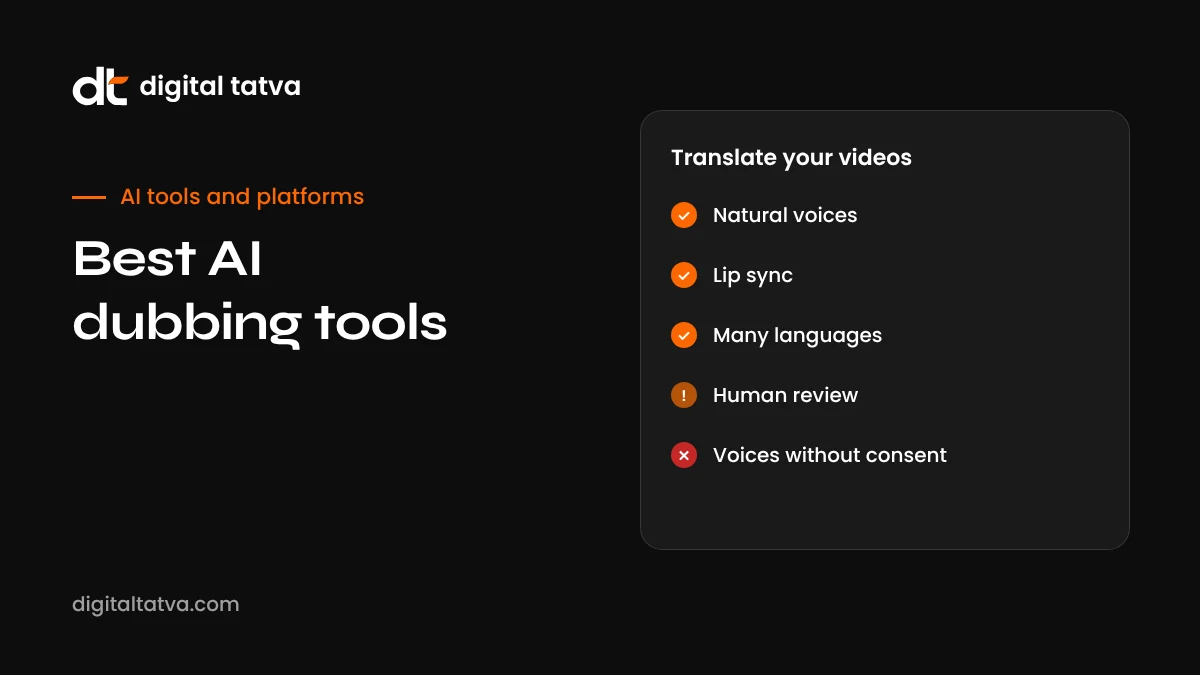
Quick answer: The best AI dubbing tools in 2026 are HeyGen (best overall for talking-head videos, with lip sync and voice cloning in 175+ languages), ElevenLabs (best voice quality for audio-only dubbing), Rask AI (best for high-volume creators and multi-speaker videos), Synthesia (best for corporate training), Dubverse (best budget option for Hindi, Tamil, Telugu and Bengali), and Camb.ai and Deepdub for studio and broadcast work. Platforms are also adding built-in options, such as YouTube’s automatic dubbing and Meta’s AI translations for Reels. Choose based on whether your face is on screen (lip sync matters), your target languages, video volume and budget, and always have a native speaker review important translations.
Key takeaways
- AI dubbing can turn one video into many language versions in minutes instead of weeks.
- Lip sync matters most when a speaker’s face is visible; audio-only dubbing suits screen recordings and voiceovers.
- Voice cloning keeps the original speaker’s voice, which builds trust and brand consistency.
- Indian language quality varies by tool; test Hindi and regional languages with your own content.
- Pricing is usually per minute or credit, and lip sync costs more.
- Native speaker review, consent and AI disclosure remain essential.
Quick comparison
| Tool | Best for | Lip sync | Voice cloning | Languages |
|---|---|---|---|---|
| HeyGen | Talking-head and presenter videos | Yes | Yes | 175+ |
| ElevenLabs | Audio-only dubbing with realistic voices | No | Yes | Many major languages |
| Rask AI | High-volume creators, multi-speaker videos | On higher tiers | Yes, in many languages | 135+ |
| Synthesia | Corporate and training videos | Yes | Varies by plan | 130+ |
| Dubverse | Budget dubbing in Indian languages | Enterprise only | Higher tiers | Focused list including major Indian languages |
| Camb.ai | Studios, broadcasters and developers | Varies | Expressive voices | 150+ |
| Deepdub | Film, TV and streaming | Studio workflows | Yes, preserving performance | 130+ |
| YouTube auto dubbing | YouTube creators | Expanding | Varies | Selected languages |
Prices and features change frequently, so check each tool’s site. Entry plans start from a few dollars a month for audio-focused tools and around $20 to $40 a month for video tools with lip sync.
The best AI dubbing tools, reviewed
1. HeyGen: best overall for talking-head video
HeyGen’s video translation transcribes your video, translates it, generates speech in a voice close to the original speaker and re-animates the mouth to match the new language. When a person is visibly speaking, this lip sync makes a big difference to how natural the result feels. It supports more than 175 languages and works well for founder videos, course lessons, product explainers and ads. It also offers avatar videos if you want to create new content from scripts. Read our full guide on how to use HeyGen.
Watch out for: lip sync uses more credits; review translations carefully.
2. ElevenLabs: best voice quality for audio dubbing
ElevenLabs is known for some of the most natural AI voices available. Its dubbing tools preserve the original speaker’s voice and tone across languages, and its studio lets you edit the translated script and timing. It does not re-animate lips, so it suits podcasts, voiceovers, audiobooks, screen recordings and videos where the speaker is not on camera.
Watch out for: no lip sync; credits are shared across features.
3. Rask AI: best for high-volume creators
Rask AI targets creators and businesses translating many videos. It detects multiple speakers and gives each a distinct voice, supports more than 135 languages and offers voice cloning in many of them. Lip sync is available on higher tiers.
Watch out for: lip sync and extra minutes add to cost.
4. Synthesia: best for corporate training
Synthesia is popular with enterprise learning and communications teams. It translates videos with lip sync and is designed for brand-safe, compliant workflows, often alongside its AI avatar presenters.
Watch out for: priced and designed for organisations rather than solo creators.
5. Dubverse: best budget option for Indian languages
Built in India, Dubverse focuses on Hindi, Tamil, Telugu, Bengali and other regional languages at accessible prices. It suits educators, creators and businesses targeting Indian audiences who need clear dubbing without enterprise budgets.
Watch out for: narrower language list; lip sync only on enterprise tiers.
6. Camb.ai: best for studios and developers
Camb.ai offers API-grade dubbing with expressive voices and support for many languages, aimed at broadcasters, studios and developers building localisation into products. It has been used for live and sports content.
7. Deepdub: best for film and streaming
Deepdub focuses on entertainment, preserving actors’ emotional performance across languages for film, television and streaming. It works through sales conversations rather than self-serve plans.
8. Built-in platform dubbing
Platforms are building dubbing directly into their apps. YouTube has rolled out automatic dubbing to many creators for selected languages, letting viewers choose an audio track. Meta has introduced AI translations for Reels on Facebook and Instagram in selected languages, including Hindi in some markets, with lip sync options. These are convenient and free, but offer less control over translation quality and voice. Check availability in YouTube Studio and Meta’s creator tools.
How AI dubbing works
- Transcription: speech is converted to text, often with speaker identification.
- Translation: the transcript is translated, ideally adapting idioms and timing rather than translating word for word.
- Voice generation: new speech is generated, often cloned from the original speaker’s voice.
- Timing: the new audio is aligned with the video, sometimes speeding up or slowing down speech to fit.
- Lip sync (optional): the speaker’s mouth movements are re-animated to match the new language.
- Mixing: background music and effects are preserved or rebuilt under the new voice.
Each step can introduce errors, which is why the best tools let you edit the transcript and translation before generating the final video.
What to expect from quality in 2026
AI dubbing has improved dramatically, but it is not perfect. Expect excellent results for clear, single-speaker content such as tutorials, explainers and talking-head marketing videos. Expect more editing for fast speech, overlapping speakers, slang, jokes, songs and emotional performances. Lip sync looks most convincing in medium shots and less so in extreme close-ups. Voice clones capture tone and timbre well but may sound slightly flatter in emotional moments. Knowing these limits helps you choose which videos to dub and where human editing matters most.
Choosing the right tool
| Your situation | Recommended tool |
|---|---|
| Founder or creator on camera, global audience | HeyGen |
| Podcast, voiceover or screen recording | ElevenLabs |
| Many videos a month with several speakers | Rask AI |
| Company training in many languages | Synthesia |
| Indian audience on a budget | Dubverse, or HeyGen and ElevenLabs for higher quality |
| YouTube channel wanting more international views | YouTube auto dubbing, upgrading to a dedicated tool for key videos |
| Instagram and Facebook Reels | Meta’s AI translations where available, or HeyGen for more control |
| Studio, broadcaster or streaming service | Camb.ai or Deepdub |
Dubbing into Hindi and Indian languages
India is one of the most important markets for AI dubbing, with hundreds of millions of people preferring video in Hindi and regional languages. Educators, ed-tech platforms, fintech and insurance companies, D2C brands and creators can reach far larger audiences by dubbing English content.
Tips for better results:
- Test each language separately. Quality varies between Hindi, Tamil, Telugu, Bengali, Marathi, Gujarati and others, and between tools.
- Choose natural register. Many audiences prefer conversational Hindi with common English words over formal, Sanskritised Hindi.
- Fix names and terms in the translated script, including brand names, product names and technical words.
- Localise examples such as currency, places and cultural references where possible.
- Get a native speaker review before publishing, especially for finance, health or legal topics.
- Add subtitles too. Many viewers watch on mute, and subtitles improve accessibility and search.
For broader context on AI and regional languages, see AI tools for Indian languages and multilingual AEO.
A step-by-step dubbing workflow
- Start with clean source audio: one speaker at a time, minimal background noise and music on a separate track if possible.
- Upload and choose languages, starting with your highest-value market.
- Review and edit the transcript to fix recognition errors before translation.
- Edit the translation for natural phrasing, terminology and length.
- Generate the dub, with lip sync only where faces are visible.
- Native speaker check for accuracy, tone and pronunciation.
- Add subtitles in the same language.
- Publish with localised titles and descriptions, so people can find the video in search.
Quality checklist before publishing
- Is the translation accurate, including numbers, dates and names?
- Does it sound natural to a native speaker, not word-for-word?
- Are brand and product names pronounced correctly?
- Does the timing feel natural, without rushed or stretched speech?
- If lip sync is used, does it look natural at normal viewing speed?
- Are background music and sound effects balanced under the new voice?
- Are on-screen text and graphics translated or explained?
- Are subtitles accurate and in sync?
- Is AI dubbing disclosed where required?
Costs and how to control them
Dubbing tools usually charge by minutes of video or credits, with lip sync, extra languages and voice cloning costing more. To control costs:
- Start with your best-performing videos rather than dubbing everything.
- Use audio-only dubbing when faces are not visible.
- Trim videos before dubbing to remove intros and dead time.
- Prioritise languages based on audience data, such as YouTube Analytics geography.
- Use free platform dubbing on YouTube and Meta for lower-priority content.
- Track results: views, watch time and conversions per language, and stop dubbing languages that do not perform.
Consent, ethics and disclosure
Voice cloning makes dubbing feel personal, but it raises ethical questions. Only clone voices with clear consent, including employees and guests in interviews. Make sure translations do not change the meaning of what someone said. Follow platform rules on labelling synthetic or altered media, and be especially careful with news, politics, health and finance content, where mistranslation can mislead viewers. For company guidelines, see our AI usage policy template.
Dubbing for YouTube growth and discoverability
Dubbed videos can open entirely new audiences on YouTube, especially when combined with localised titles, descriptions and thumbnails. YouTube’s multi-language audio tracks let one video serve many languages, consolidating views and engagement. For discoverability in Google and AI assistants, add translated captions and transcripts, and publish supporting content in the same languages on your website. See YouTube for AEO.
Combining dubbing with AI avatars and voice tools
Dubbing is one part of a wider multilingual video toolkit. If you produce many explainers, it can be more efficient to create avatar videos directly in each language with HeyGen or Synthesia rather than recording in English and dubbing. For podcasts and audio content, ElevenLabs can generate multilingual versions with your cloned voice. For editing your original recordings before dubbing, Descript speeds up cleanup; see our Descript review. And for generating new footage or B-roll to accompany dubbed content, video generators like Google Flow can help; see how to use Google Flow.
Common mistakes
- Publishing without native review, leading to embarrassing or misleading errors.
- Dubbing noisy source audio, which degrades both transcription and voice quality.
- Using lip sync everywhere, paying extra for videos where faces are not visible.
- Ignoring on-screen text, leaving English graphics in a Hindi video.
- Forgetting localised metadata, so dubbed videos are hard to find.
- Cloning voices without consent.
Use cases by industry
| Industry | How AI dubbing helps |
|---|---|
| Education and ed-tech | Translate lessons into Hindi and regional languages to reach students outside major cities |
| SaaS and B2B | Localise product demos and onboarding for international customers |
| D2C and ecommerce | Dub product videos and ads for regional campaigns |
| Healthcare | Patient education videos in local languages, with clinical review |
| Financial services | Explain products and safety tips in customers’ preferred languages, with compliance review |
| Corporate training | Consistent training across offices in different countries |
| Creators | Grow international audiences without re-recording |
| Real estate | Property walkthroughs for buyers in other regions or abroad |
An illustrative example: an ed-tech course
Imagine an online course provider with 40 English lessons on spreadsheet skills, each around eight minutes, presented by an instructor on camera. They start by dubbing the five most popular lessons into Hindi with HeyGen, keeping the instructor’s voice and using lip sync. A Hindi-speaking teacher reviews each translation, adjusting terms like “pivot table”, which learners usually say in English. They add Hindi subtitles and localised titles, then compare enrolments and completion rates for Hindi and English versions over a month. If the Hindi lessons perform well, they expand to the full course and test Tamil and Telugu next, using Dubverse or ElevenLabs for screen-recording sections where the instructor is not visible. This staged approach keeps costs controlled and lets data decide which languages to invest in.
Dubbing vs subtitles: which do you need?
Subtitles are cheaper and preserve the original voice, but require reading, which many viewers find tiring on mobile or prefer to avoid. Dubbing makes content feel native and works for audiences with lower literacy or those watching while doing other things. For most businesses, the best approach is both: dub high-value content and add subtitles to everything. Subtitles also give search engines text to index.
Testing tools fairly before you buy
- Pick two or three test clips: one with you on camera, one screen recording, and one with multiple speakers or background music.
- Dub each clip into your top language in two or three tools using free trials.
- Blind review: ask native speakers to rate each version for accuracy, naturalness and voice similarity without knowing which tool made it.
- Check editing tools: how easy is it to fix a mistranslated phrase or mispronounced name?
- Calculate cost per finished minute at your expected volume, including lip sync where needed.
- Check data and rights terms, especially voice cloning and content ownership.
Our take
AI dubbing has become good enough to change how businesses and creators think about language. A single video can now reach audiences in Hindi, Tamil, Spanish or Japanese within hours. HeyGen is the best all-round choice when you appear on camera, ElevenLabs leads on voice quality for audio-focused content, Rask AI suits volume, Synthesia suits enterprise training, and Dubverse offers an affordable route into Indian languages. Free platform dubbing on YouTube and Meta is a useful starting point. Whatever you use, invest in clean source audio, careful translation review by native speakers and honest disclosure, because quality and trust are what turn new-language views into real customers.
Planning a multilingual video programme
If you plan to dub regularly rather than occasionally, treat it as a programme with clear goals. Start by deciding which business outcome dubbing should support: more course enrolments in Hindi-speaking states, more demo requests from Latin America, or higher engagement from regional audiences on YouTube. That goal tells you which videos and languages to prioritise.
Next, set a simple production standard. Decide which videos always get lip sync, which get audio-only dubbing and which only get subtitles. Create a glossary of brand names, product terms and phrases that must be translated in a specific way, and share it with reviewers. Agree who reviews each language and how quickly, so dubbed versions do not sit unpublished.
Finally, measure. Track views, watch time, comments and conversions for each language version separately, and compare them with the original. Languages that perform well deserve more investment, such as localised thumbnails, dedicated community replies and written content on your website in the same language. Languages that do not perform after a fair test can be paused. A quarterly review of these numbers keeps your dubbing budget focused on the audiences that actually respond, and gives you evidence when deciding whether to upgrade to a more expensive tool or plan.
For agencies managing several clients, keep a separate glossary and reviewer list per client, and record which tool and settings were used for each video so results can be reproduced and compared over time.
Final tip: start with one video
If you are new to AI dubbing, do not start by translating your whole library. Choose one video that already performs well, dub it into one language your audience data supports, have a native speaker review it, and publish it with localised titles and subtitles. Watch the results for a month. That single experiment will teach you more about tool quality, review effort, audience response and real costs than any comparison table, and it gives you a solid basis for deciding how far to scale.
Frequently asked questions
What is the best AI dubbing tool?
HeyGen is the best all-round choice for videos with a visible speaker because of its lip sync and voice cloning. ElevenLabs is best for audio-only dubbing.
What is the best AI dubbing tool for Hindi?
HeyGen, ElevenLabs and Rask AI all support Hindi, and Dubverse is a budget option built in India for Hindi and regional languages. Test with your own content and have a native speaker review.
Can AI dubbing keep my own voice?
Yes. Many tools clone the original speaker’s voice so the dubbed version sounds like you, after a consent process.
Is AI dubbing good enough for professional use?
For explainers, training, tutorials and marketing, often yes with review. For films, drama and emotional content, studio-grade tools and human oversight are still important.
Does YouTube offer free AI dubbing?
YouTube has rolled out automatic dubbing to many creators for selected languages. Availability and languages vary, so check YouTube Studio.
How much does AI dubbing cost?
From a few dollars a month for audio-focused plans to $20 to $100 or more for video tools with lip sync, usually priced by minutes or credits.
Can I dub YouTube Shorts and Instagram Reels?
Yes. Most tools handle short vertical videos, and YouTube and Meta offer built-in translation features for short-form content in selected languages.
How long does AI dubbing take?
Usually minutes for a short video. Review and editing by a native speaker typically takes longer than the automated dubbing itself.
Is lip sync necessary?
Only when the speaker’s face is clearly visible. For screen recordings, slides and voiceovers, audio-only dubbing is usually enough and cheaper.
Is AI dubbing legal?
Yes, when you own the content or have rights to it and have consent from speakers whose voices are cloned. Disclose AI dubbing where platforms require it.
Product details, prices and features are checked at the time of writing and can change. Sources are linked in the text so you can check them yourself.
How does your brand appear in AI answers?
We test the questions your buyers ask across the major AI assistants and search engines, then show you what to fix first.
Get an AI Visibility Audit