How to Use HeyGen to Make AI Avatar Videos (Step-by-Step Guide)
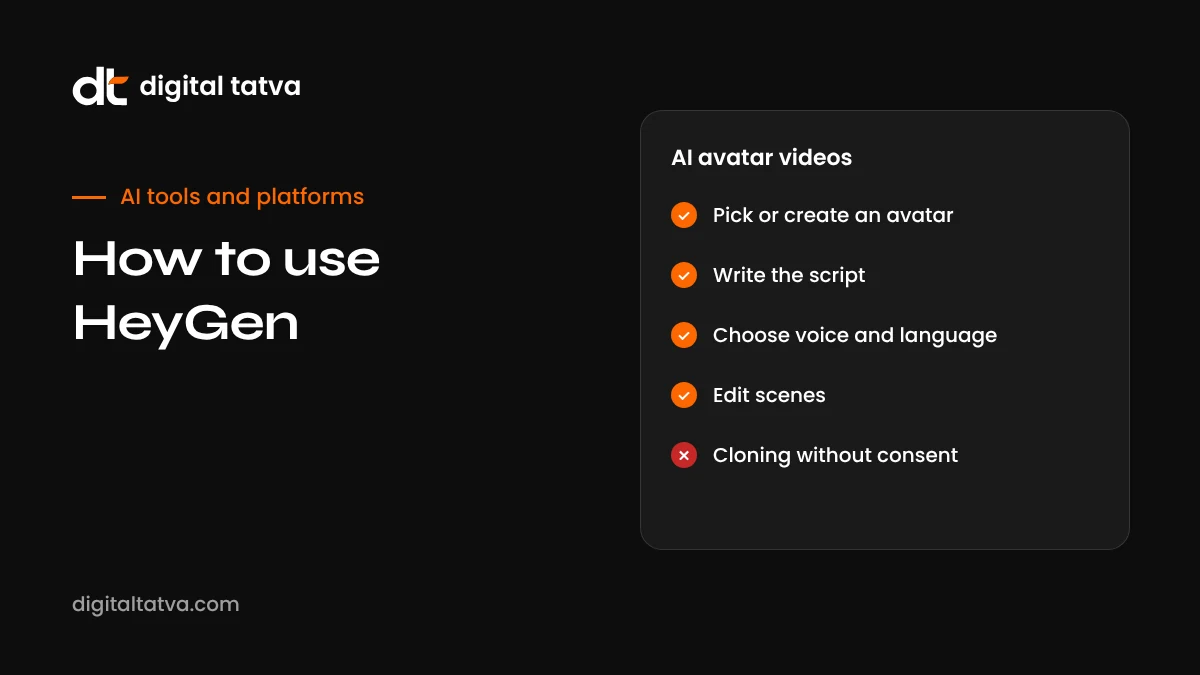
HeyGen turns a script into a presenter video using a stock avatar or a digital twin of you, and can translate videos into other languages with lip sync. This guide covers plans and credits, creating your avatar, writing scripts that sound human, video translation, and responsible use.
On this page
- Key takeaways
- What is HeyGen?
- HeyGen plans and credits
- Avatar types explained
- How to make your first HeyGen video
- How to create your own digital twin
- Cloning your voice
- Writing scripts that sound human
- Video translation and dubbing
- 12 practical ways to use HeyGen
- HeyGen for Indian businesses
- HeyGen vs alternatives
- Consent, disclosure and responsible use
- Getting your avatar videos found
- Common mistakes and how to avoid them
- A simple monthly workflow
- Our take
- Designing scenes that hold attention
- Frequently asked questions
Last updated: 13 November 2026
Quick answer: HeyGen is an AI video platform that creates talking-presenter videos from a script. Sign up at heygen.com, choose a stock avatar or create your own digital twin from a short recorded video, paste or write your script, pick a voice (or clone your own), add backgrounds, slides or screen recordings, and generate. HeyGen can also translate existing videos into many languages with lip sync while keeping the speaker’s voice. A free plan lets you try it with short, watermarked videos; paid plans add longer videos, more credits, custom avatars without watermarks and team features. Only create avatars of people who have given clear consent, and tell viewers when a presenter is AI generated.
Key takeaways
- HeyGen is best for presenter-style videos: explainers, training, sales outreach, product walkthroughs and announcements.
- You can use stock avatars, an avatar made from your own video, or an animated photo avatar.
- Video translation dubs existing footage into other languages with lip sync.
- Credits are used per minute, and newer, more realistic avatar models cost more credits.
- Short, conversational scripts produce far more natural results than long formal paragraphs.
- Consent, disclosure and honest messaging are essential when using AI presenters.
What is HeyGen?
HeyGen is one of the most widely used AI avatar video tools. Instead of filming yourself every time you need a video, you write a script and HeyGen produces a video of an avatar speaking it, with natural lip movements and gestures. You can build scenes with text, images, slides and screen recordings, much like a simple video editor.
The platform has expanded far beyond basic talking heads. It now offers more expressive avatar models, photo avatars that animate a single still image, interactive real-time avatars for support and demos, an AI video agent that drafts videos from a brief, video translation into well over a hundred languages, and an API for developers and automation tools.
HeyGen plans and credits
HeyGen offers a free plan and several paid tiers. Based on recent published pricing, the free plan allows a few short watermarked videos per month, the Creator plan costs around $29 a month (less when billed annually), and business and enterprise tiers add seats, integrations and higher limits. Usage is measured in credits per minute of video, with older avatar models using fewer credits and newer, more realistic models and the video agent using more. Translation also uses credits, with lip sync costing more than voice-only dubbing.
Pricing and credit rates change frequently, including a credit rate change reported in October 2026, so check HeyGen’s official pricing page and estimate your monthly minutes before choosing a plan. Some users have reported billing and cancellation frustrations, so read the renewal terms carefully.
Avatar types explained
| Avatar type | How it is made | Best for |
|---|---|---|
| Stock avatars | Hundreds of ready-made presenters | Quick explainers when you do not want to appear yourself |
| Digital twin (instant avatar) | A short video of you speaking to camera | Personal brand content, founder updates, sales videos |
| Photo avatar | A single still photo, animated to match audio | Simple talking clips when you cannot record video |
| Interactive avatar | A real-time avatar that responds in conversation | Website assistants, support, demos, training role-play |
How to make your first HeyGen video
- Sign up at heygen.com and choose the free plan to start.
- Create a new video and pick a format: landscape for YouTube and websites, portrait for Reels, Shorts and Stories.
- Choose an avatar from the stock library, or create your own (see below).
- Add your script. Paste text into the script box for each scene. Keep sentences short.
- Select a voice and language, or use your cloned voice. Preview and adjust pronunciation or pauses.
- Design the scene. Add a background, your logo, text overlays, images or slides.
- Preview each scene and fix awkward phrasing and timing.
- Generate and download the video, then add captions if they are not already included.
How to create your own digital twin
A digital twin is an avatar that looks and sounds like you. It is the most powerful HeyGen feature for founders, consultants, coaches and creators, because it lets you publish regular videos without filming each one.
- Prepare your setup. Use a quiet room, soft even lighting from the front, a plain or tidy background, and a phone or camera at eye level on a tripod.
- Dress simply. Solid colours work better than busy patterns, which can flicker in generated video.
- Record the footage HeyGen asks for. Usually this is a short clip of you speaking naturally to camera. Look into the lens, use natural gestures and keep your head reasonably still.
- Complete the consent step. HeyGen asks you to confirm that you are the person in the video, often by recording a consent statement. This protects people from having avatars made without permission.
- Wait for processing, then test the avatar with a short script.
- Refine. If the result looks stiff or the lip sync drifts, re-record in better light or with more natural movement.
Your avatar will only ever be as good as your source footage, so spending an extra ten minutes on lighting and sound pays off in every future video.
Cloning your voice
You can pair your avatar with a cloned version of your own voice. Voice cloning works from a short audio sample, but cleaner and longer samples, recorded without background noise or echo, sound noticeably better. Read a varied passage in your natural speaking style, including questions and a few numbers, so the clone learns your rhythm. Test it on a script with the names, products and places you mention most, and fix any mispronunciations with HeyGen’s pronunciation tools or by spelling words phonetically in the script.
Writing scripts that sound human
The most common reason AI avatar videos feel robotic is the script, not the avatar. Text written for reading rarely works when spoken. Follow these rules:
- Write how you talk. Use contractions, short sentences and everyday words.
- One idea per sentence. Long sentences with several clauses sound unnatural.
- Front-load the hook. State the benefit or question in the first five seconds.
- Use pauses. Add breaks between ideas so the delivery breathes.
- Read it aloud first. If you stumble, the avatar will sound awkward too.
- Keep it short. Most marketing and social videos work best between 30 and 90 seconds.
- End with one clear action. Visit a page, book a call, reply to an email.
| Written style (avoid) | Spoken style (use) |
|---|---|
| Our organisation provides comprehensive answer engine optimization solutions designed to enhance visibility. | We help your business show up when people ask ChatGPT and Google’s AI for recommendations. |
| Kindly be advised that the aforementioned offer is valid until month end. | Quick heads up: this offer ends on the 30th. |
| Utilise the link provided below to schedule a consultation. | Tap the link below to book a free 20-minute call. |
You can use ChatGPT, Claude or Gemini to draft scripts, then edit them in your own voice. Our guide to ChatGPT prompts for LinkedIn includes ideas you can adapt for short video scripts.
Video translation and dubbing
HeyGen’s video translation is one of its most practical features for businesses with multilingual audiences. You upload an existing video, choose target languages, and HeyGen transcribes the speech, translates it, generates a voice similar to the original speaker, and can adjust lip movements to match the new language.
- Start with a clean source video. Clear audio, one speaker at a time and minimal background music give the best results.
- Choose your languages. For Indian audiences, Hindi, Tamil, Telugu, Marathi, Bengali and Gujarati are common choices; check which are supported with lip sync.
- Review the transcript and translation. Correct names, product terms and anything translated too literally.
- Decide on lip sync. Lip sync looks more natural but uses more credits. Voice-only dubbing may be enough for screen recordings and slide videos.
- Have a native speaker check the result before publishing, especially for sales or legal content.
For a wider comparison, see our list of the best AI dubbing tools and our guide to AI tools for Indian languages.
12 practical ways to use HeyGen
| Use case | How it works | Tip |
|---|---|---|
| Website explainer | A 60-second video at the top of a service page explaining what you do | Answer the visitor’s main question in the first sentence |
| FAQ videos | Short videos answering your most common customer questions | Publish them on YouTube and embed them on your FAQ page |
| Personalised sales outreach | Videos that greet prospects by name and reference their company | Keep personalisation honest and relevant, never creepy |
| Product walkthroughs | Avatar plus screen recording explaining features | Show the screen most of the time; use the avatar for intro and outro |
| Employee onboarding | Welcome and policy videos that are easy to update | Update the script instead of reshooting when policies change |
| Training and courses | Lesson videos for internal teams or online courses | Break topics into 3 to 5 minute modules |
| Social media updates | Weekly tips or news in vertical format | Add bold captions; many people watch without sound |
| Multilingual campaigns | Translate a winning ad into regional languages | Have native speakers review before running ads |
| Event promotion | Invitation and reminder videos for webinars and meetups | Include date, time and one clear registration step |
| Customer support | How-to videos linked from help articles | Match the video title exactly to the question people ask |
| Internal announcements | Leadership updates for distributed teams | Disclose that the presenter is an AI avatar of the leader |
| Interactive website assistant | A real-time avatar that answers visitor questions | Limit it to topics you can answer accurately and route complex queries to a human |
HeyGen for Indian businesses
For businesses in India, HeyGen’s biggest advantage is language. One well-made explainer in English can become versions in Hindi and several regional languages, reaching customers who prefer to watch in their own language. Coaching institutes, ed-tech platforms, insurance and fintech companies, real estate developers and D2C brands are natural fits.
A few practical tips:
- Match language to audience. A Gujarat-focused campaign may need Gujarati and Hindi; a pan-India one may need Hindi plus two or three regional languages.
- Use Hinglish where natural. Many audiences prefer everyday mixed language over formal translations.
- Localise examples, such as prices in rupees, local festivals and familiar places.
- Check pronunciation of brand names, city names and product terms in every language.
- Disclose AI use clearly, especially in regulated categories such as finance, insurance and health.
If your audience asks AI assistants questions in their own language, pair video with multilingual web content. See multilingual AEO.
HeyGen vs alternatives
| Tool | Strengths | Consider if |
|---|---|---|
| HeyGen | Realistic avatars, digital twins, broad translation, interactive avatars, API | You want an all-round avatar and translation platform |
| Synthesia | Enterprise focus, training and corporate communications | You produce large volumes of training content in a big organisation |
| Colossyan | Learning and development features, interactive training | You build courses and quizzes for staff |
| D-ID | Photo-based talking avatars and conversational agents | You want simple talking photos or chat-style avatars |
| ElevenLabs | Voice generation and dubbing | You need voices and translation but not on-screen avatars |
| Descript | Editing real video by editing the transcript | You prefer filming yourself and editing quickly; see our Descript review |
| Google Flow and Veo | Cinematic generated video with sound | You need scenes and B-roll rather than a presenter; see how to use Google Flow |
Consent, disclosure and responsible use
AI avatars raise real ethical questions. A realistic video of a person saying something they never said can mislead viewers and damage trust. HeyGen has consent checks for custom avatars, but responsibility ultimately sits with the person publishing the video.
- Only create avatars of people who have clearly agreed, ideally in writing, including employees and spokespeople.
- Agree how the avatar may be used, for how long, and what happens if the person leaves the company.
- Disclose AI use. A simple line such as “This video uses an AI avatar” in the description or on screen builds trust.
- Never fake testimonials. A stock avatar pretending to be a happy customer is deceptive and may break advertising rules.
- Avoid sensitive claims. Health, financial and legal content needs expert review whoever presents it.
- Follow platform rules. YouTube, Meta and other platforms increasingly require labels on realistic synthetic content.
- Protect data. Do not paste confidential customer information into scripts unless your plan and policies allow it. Our AI data privacy guide covers the basics.
Getting your avatar videos found
A video only helps your business if people see it. To make HeyGen videos discoverable in Google, YouTube and AI assistants:
- Publish important videos on YouTube with a clear, question-based title, a descriptive summary and chapters.
- Add accurate captions and a transcript. Text helps search engines and AI systems understand what the video covers.
- Embed videos on relevant pages of your website, near text that answers the same question.
- Use VideoObject schema on pages with key videos; see schema markup for AEO.
- Answer real questions. Videos titled after the exact questions customers ask are more likely to be surfaced. See YouTube for AEO.
Common mistakes and how to avoid them
| Mistake | Fix |
|---|---|
| Long, formal scripts | Rewrite in short, spoken sentences and read aloud before generating |
| Poor source footage for a digital twin | Re-record with good light, a steady camera and clean audio |
| Avatar talking for the whole video | Mix in screen recordings, product shots, text and B-roll |
| Unchecked translations | Have a native speaker review every language version |
| Wrong pronunciation of names | Use pronunciation tools or phonetic spelling in the script |
| Running out of credits | Estimate monthly minutes and use cheaper avatar models for drafts |
| No disclosure | Add a short AI disclosure line to the description or end card |
A simple monthly workflow
- Collect questions. List ten questions customers asked this month from calls, emails and DMs.
- Write short scripts. One 45 to 60 second answer per question, in plain spoken language.
- Generate with your avatar in both landscape and vertical formats.
- Translate the top three into the languages your customers use most.
- Publish and repurpose: YouTube, website FAQ pages, Instagram Reels, LinkedIn and WhatsApp.
- Review results monthly and make more of what people watch and act on.
This turns your everyday customer conversations into a growing library of helpful videos, without monthly filming days.
Our take
HeyGen is one of the most mature AI avatar tools available, and its translation features make it especially valuable for multilingual markets like India. It works best for clear, informational videos where the message matters more than the performance: explainers, training, product walkthroughs and FAQs. It is not a replacement for authentic customer stories or genuine human connection. Use it to scale helpful content, keep scripts conversational, check every translation, and always be honest with viewers about when they are watching an AI presenter.
Designing scenes that hold attention
An avatar speaking against a plain background for two minutes quickly becomes tiring. Good HeyGen videos look more like a well-edited presentation than a webcam recording. Mix these elements:
- Change the layout every few sentences, moving the avatar from full screen to a corner bubble while slides or screenshots take over.
- Use on-screen text for key points, such as numbers, steps or prices, so viewers remember them.
- Add relevant B-roll from your own footage, product photos or AI-generated scenes.
- Brand consistently with your logo, colours and fonts in every video, using a saved template.
- Caption everything, because many people watch social video on mute.
- Finish with an end card showing one action and where to take it.
HeyGen’s templates and its ability to import slides and PDFs make this easier: you can turn an existing presentation into a narrated video in minutes, then refine the pacing.
Frequently asked questions
Is HeyGen free?
There is a free plan for trying HeyGen with a small number of short, watermarked videos per month. Paid plans remove watermarks and add longer videos and more credits.
Can I make an avatar of myself in HeyGen?
Yes. You record a short video of yourself speaking to camera and complete a consent step, and HeyGen creates a digital twin you can use with any script.
How does HeyGen video translation work?
You upload a video and choose target languages. HeyGen transcribes, translates and dubs it in a voice similar to the original speaker, with optional lip sync.
Does HeyGen support Hindi?
Yes. HeyGen supports Hindi and many other languages for voices and translation, with quality varying by language and voice.
Is it legal to use AI avatars in marketing?
Generally yes, if you have consent from the person whose likeness is used, avoid misleading claims and follow platform and advertising rules on AI disclosure.
Can I clone my voice in HeyGen?
Yes. Voice cloning uses a short sample of your voice; longer, clean samples produce better results.
What is the best use of HeyGen for small businesses?
Explainer videos, FAQ answers, product walkthroughs, onboarding videos and multilingual versions of existing content.
What are good HeyGen alternatives?
Synthesia, Colossyan and D-ID are common alternatives for avatar videos, and dubbing tools such as ElevenLabs suit translation-only needs.
How realistic are HeyGen avatars?
Modern avatars are very convincing in short, well-lit videos, especially when created from good source footage. Long videos and extreme close-ups can reveal small imperfections.
Can I use HeyGen videos on YouTube and Instagram?
Yes, subject to HeyGen’s terms and each platform’s rules on labelling AI-generated or altered content.
Does HeyGen offer an API?
Yes. Developers can use HeyGen’s API to generate and translate videos automatically, for example from a content management system or automation tool.
How do I make HeyGen videos sound less robotic?
Write short, conversational sentences, add natural pauses, use a cloned voice from a clean recording and preview each scene before generating the final video.
Can HeyGen videos include my product screen?
Yes. Combine the avatar with screen recordings, slides or images to show your product while the avatar explains it.
Is HeyGen suitable for training employees?
Yes. It is widely used for onboarding and training videos, which are easy to update by editing the script instead of reshooting.
Product details, prices and features are checked at the time of writing and can change. Sources are linked in the text so you can check them yourself.
How does your brand appear in AI answers?
We test the questions your buyers ask across the major AI assistants and search engines, then show you what to fix first.
Get an AI Visibility Audit