How to Use v0 by Vercel to Build Websites and UI Fast
v0 by Vercel turns plain-language prompts and screenshots into React and Next.js interfaces you can edit, connect to GitHub and deploy on Vercel. This guide covers plans and credits, prompting, Design Mode, GitHub sync, deployment, limits and practical use cases.
On this page
- Key takeaways
- What is v0?
- v0 plans and pricing
- How to build your first page
- A prompt template that works
- Design Mode and visual editing
- Working with GitHub and teams
- Connecting data and services
- Best use cases for v0
- Building pages that rank and get cited
- Choosing the right model tier
- Who should use v0?
- Common mistakes with v0
- v0 vs other AI builders
- An illustrative project: a campaign landing page in an afternoon
- Tips from experienced users
- Limits to keep in mind
- Understanding the code v0 creates
- Working with designers
- Security and privacy basics
- Using v0 to rebuild an old website section
- Our take
- Bottom line
- Frequently asked questions
Last updated: 13 November 2026
Quick answer: v0 is Vercel’s AI app and UI builder. You describe a page, component or app in plain language (or upload a screenshot or Figma design), and v0 generates working React code using Next.js, Tailwind CSS and shadcn/ui components, with a live preview. To use it, sign in at v0.app, start a chat with a detailed prompt, refine the result with follow-up requests or point-and-click Design Mode, connect a GitHub repository so each chat works on its own branch, and deploy to Vercel in one click. The free plan includes a small monthly credit allowance; paid plans start around $20 a month. v0 is strongest for front-end interfaces, landing pages and dashboards; complex back-end logic still needs careful development.
Key takeaways
- v0 produces clean, modern React and Next.js code rather than locked-in page builder output.
- It is excellent for landing pages, dashboards, internal tools and UI prototypes.
- Design Mode lets you adjust colours, spacing and layout visually without prompting.
- GitHub integration and one-click Vercel deployment make it practical for real projects.
- Credits vary by model tier, so heavy use of the most capable models can be costly.
- Authentication, payments and business logic need careful review before launch.
What is v0?
v0 began in 2023 as a tool for generating user interface components from text. It has since grown into an agentic builder that can plan multi-step tasks, create multi-page apps, fix its own errors, look up references and connect to outside services. Because it is made by Vercel, the company behind Next.js, its output follows modern conventions that developers recognise, and projects deploy smoothly to Vercel’s hosting.
That makes v0 popular with two very different groups: developers who want to skip the repetitive parts of building interfaces, and founders, designers and marketers who want working pages without waiting for a development sprint.
v0 plans and pricing
| Plan | Approximate price | Highlights |
|---|---|---|
| Free | $0 | Small monthly credit allowance and daily message limits |
| Premium | About $20 a month | More usage, option to buy extra credits, Figma import, API access |
| Team | About $30 per user a month | Shared credits and centralised billing |
| Business | About $100 per user a month | Stronger privacy defaults such as training opt-out |
| Enterprise | Custom | Single sign-on, access controls and service agreements |
v0 offers model tiers with different capability and cost. The most capable tier uses credits fastest, so use cheaper tiers for simple edits and save the strongest for complex tasks. Pricing changes regularly, so confirm on v0’s site.
How to build your first page
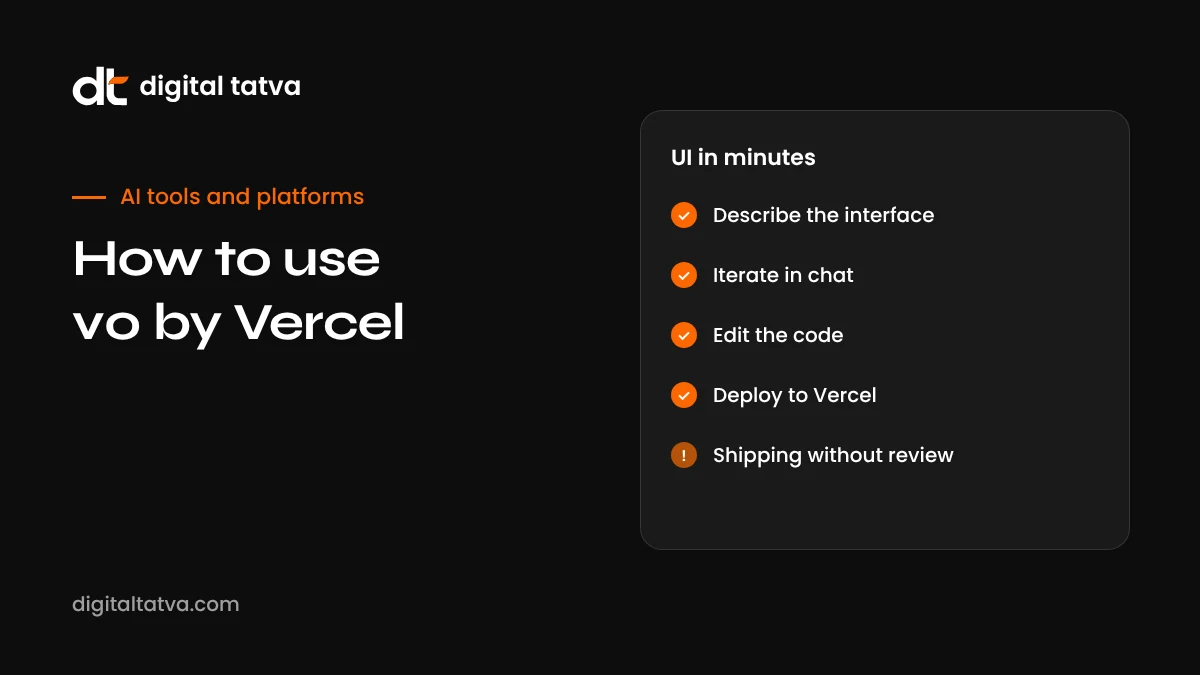
- Sign in with your Vercel, GitHub or email account.
- Start a new chat and describe what you want in detail (see the prompt template below).
- Add references. Upload a screenshot of a layout you like, a hand sketch or a Figma frame on supported plans.
- Review the preview. Click through, resize the preview to check mobile, and open the code to see the structure.
- Refine with follow-ups, one change at a time.
- Use Design Mode for visual tweaks to colours, spacing and typography.
- Connect GitHub if you want version control and collaboration.
- Deploy to Vercel for a live preview URL, then connect your domain when ready.
A prompt template that works
v0 does its best work when you describe the page like a brief to a designer and developer. Include:
- Purpose and audience: “A landing page for an AEO consultancy aimed at marketing heads at mid-sized Indian companies.”
- Sections in order: hero, problem, services, process, proof, FAQ, contact.
- Content: paste your real headlines, copy and service names rather than letting v0 invent them.
- Brand: colours (for example primary #FD6702 and near-black text), font style, flat or rounded design, no gradients.
- Behaviour: sticky header, mobile menu, FAQ accordion, form validation.
- Constraints: accessible contrast, semantic HTML, fast loading, no heavy animations.
Example: “Build a single-page site for a dental clinic in Pune. Sections: hero with headline ‘Gentle dental care for the whole family’ and a Book Appointment button, services grid with six services, a three-step ‘What to expect’ section, patient FAQ accordion with five questions, and a contact section with address, hours and a Google Maps link. Calm white and teal design, rounded cards, large readable text, mobile first, accessible colours.”
Design Mode and visual editing
Design Mode lets you click elements in the preview and adjust properties such as colours, spacing, fonts and layout without writing a prompt. Changes update the underlying code. It is ideal for the fiddly last 10 percent of design work, like adjusting padding or button sizes, where describing the change in words takes longer than doing it. Use prompts for structural changes and Design Mode for polish.
Working with GitHub and teams
Connecting v0 to GitHub turns it from a toy into a real development tool. Each chat can work on its own branch, and you can open pull requests for review, so developers can check changes before they reach the main site. Merging can trigger a Vercel deployment automatically. For teams, this means designers and marketers can propose changes in v0 while developers keep control over what ships.
- Connect your GitHub account and choose or create a repository.
- Start a v0 chat for each feature or page, so changes stay isolated on their own branch.
- Review the diff and preview deployment.
- Open a pull request and ask a developer to review.
- Merge to deploy.
Connecting data and services
v0 can connect generated apps to external services through Vercel’s integrations, such as databases, authentication providers and AI APIs, and can work with data sources for dashboards. Environment variables can be imported from your Vercel project. This makes it possible to build working internal tools and dashboards, not just static pages. However, treat back-end features with care: check authentication rules, database permissions and error handling, and keep secrets out of client-side code.
Best use cases for v0
| Use case | Why v0 fits |
|---|---|
| Landing pages for campaigns | Fast, attractive, easy to deploy and iterate |
| Startup MVP front ends | Modern stack that developers can extend later |
| Internal dashboards | Charts, tables and filters built quickly from data |
| Design prototypes | Clickable prototypes that are real code, not mockups |
| Component libraries | Generate consistent components using your design system |
| Interactive tools | Calculators, configurators and quizzes for lead generation |
| Rebuilding outdated pages | Turn a screenshot of an old page into a modern version |
Building pages that rank and get cited
A beautiful page is not automatically a findable page. If you use v0 for marketing pages, make sure the output supports SEO and AI visibility:
- Server-rendered content. Next.js can render pages on the server, which helps search engines and AI crawlers read your content. Ask v0 to keep key text in server components rather than loading it only with client-side JavaScript. See JavaScript rendering for AI crawlers.
- Proper headings. One H1, logical H2s and H3s, and question-style headings for FAQ content.
- Metadata. Ask for page titles, meta descriptions and Open Graph tags using Next.js metadata.
- Structured data. Add Organization, Service, Product or FAQPage schema where relevant. See schema markup for AEO.
- Answer-first copy. Lead sections with direct answers. See answer-first content.
- Image alt text and performance. Use Next.js image optimisation and descriptive alt text.
- Crawler access. Check robots.txt and any bot protection settings so search and AI crawlers can reach the site. See robots.txt for AI crawlers.
You can simply include these requirements in your prompt: “Use semantic HTML, server components for all text content, Next.js metadata, FAQPage JSON-LD for the FAQ section and descriptive alt text.”
Choosing the right model tier
v0 offers different model tiers, often described as smaller and faster versus larger and more capable. A practical rule: use the lighter tier for copy changes, styling tweaks and small components; use the mid tier for full pages and moderate logic; and reserve the most capable tier for complex multi-page apps, tricky bugs and data-heavy dashboards. Checking your credit balance after a session shows which tasks are expensive, so you can adjust your habits within the first week or two.
Who should use v0?
v0 is a strong fit for startup founders building an MVP front end, marketers who need landing pages quickly, designers who want their work to become real code, and developers who want to skip boilerplate. It is less ideal for people who want a drag-and-drop website editor with no code at all, for teams on non-React frameworks, or for apps where most of the complexity is in the back end rather than the interface.
Common mistakes with v0
- Letting v0 write your content. Placeholder copy is generic. Paste your real content.
- Too many changes in one prompt. It increases credit use and the chance of breaking something.
- Using the most expensive model for everything. Match the model tier to the task.
- Skipping mobile checks. Always test at phone width.
- Ignoring accessibility. Check contrast, focus states and form labels.
- Shipping back-end code unreviewed. Have a developer check authentication, database rules and secrets.
- No version control. Connect GitHub early so you can roll back.
v0 vs other AI builders
| Tool | Best for |
|---|---|
| v0 | Polished React and Next.js interfaces, Vercel deployment, developer-friendly code |
| Replit Agent | All-in-one full-stack apps with hosting, databases and mobile apps; see Replit Agent |
| Lovable and Bolt | Prompt-to-app builders with popular back-end integrations |
| Claude artifacts | Quick prototypes, tools and pages inside a chat; see Claude artifacts |
| AI website builders | Non-technical users who want hosted sites with editors; see best AI website builders |
| AI UI and UX design tools | Design exploration before code; see best AI tools for UI and UX design |
An illustrative project: a campaign landing page in an afternoon
Imagine a marketing manager at a SaaS company needs a landing page for a webinar on AI search. Here is how a v0 session might go.
- Brief: She pastes the webinar title, date, speakers, three key takeaways, registration form fields and brand colours, and asks for a fast, accessible Next.js page.
- First result: A clean page with hero, agenda, speakers, takeaways and a form. The speaker cards are too large on mobile.
- Design Mode: She reduces card padding and image sizes visually.
- Form logic: “Validate email format and company name, show a success message and send submissions to our form endpoint.” She adds the endpoint as an environment variable rather than in code.
- SEO: “Add metadata, Event schema in JSON-LD and descriptive alt text for speaker photos.”
- Review: She connects GitHub, opens a pull request, and a developer checks the form handling.
- Launch: Merge triggers deployment, and she connects a subdomain.
Without v0, the same page might have waited a week or two in a development queue. With it, the main work happens in an afternoon, and developers spend their time reviewing rather than building from scratch.
Tips from experienced users
- Start from a strong reference. A screenshot of a layout you like gets you closer than words alone.
- Define a design system early. Ask v0 to set colours, spacing and type scales as variables, then reuse them in every page.
- Build component by component for complex pages, then assemble.
- Name things clearly. Ask for meaningful component and file names so the code is maintainable.
- Keep a prompt log. Save prompts that produced great results for reuse.
- Review the code even if you are not a developer. Ask v0 to explain the structure in plain English.
- Watch credits during big refactors and use lighter models for small edits.
Limits to keep in mind
v0’s output is web-first React and Next.js. If your team uses Vue, Svelte or Angular, you will need to adapt the code. Native mobile apps are outside its focus. Back-end capabilities depend on integrations and careful configuration, so complex business logic, payments and permissions still need experienced developers. And because the smoothest workflow runs through Vercel, consider hosting costs and portability if you plan to grow significantly.
Understanding the code v0 creates
Even if you are not a developer, knowing the basics of what v0 produces helps you work with it and with developers.
| Technology | What it does |
|---|---|
| React | A library for building interfaces from reusable components such as buttons, cards and forms |
| Next.js | A framework built on React that handles pages, routing, server rendering and performance |
| Tailwind CSS | A styling approach using small utility classes directly in the markup |
| shadcn/ui | A collection of accessible, customisable components that v0 commonly uses |
| TypeScript | JavaScript with types, which catches many mistakes before code runs |
Because this is a mainstream stack, it is easy to hire developers who can maintain and extend v0 projects, which is a real advantage over closed page builders.
Working with designers
For teams with designers, v0 works well as a bridge between design and code. Designers can import Figma frames on supported plans or upload screenshots, then refine the result in Design Mode. Developers receive real components rather than static mockups. The key is agreeing on a design system first, including colours, typography, spacing and component styles, so every generated page fits the brand. Without that, each page can drift slightly, and inconsistencies add up.
Security and privacy basics
- Keep API keys and secrets in environment variables, never in client-side code or prompts.
- Check that forms validate inputs on the server, not only in the browser.
- Review who can access dashboards and internal tools, and protect them with authentication.
- Do not paste confidential customer data into prompts.
- Choose a plan with appropriate data controls for company work, and follow your AI usage policy.
Using v0 to rebuild an old website section
Many businesses have outdated pages that are hard to update. v0 can help modernise them step by step:
- Screenshot the old page and paste its real text into the prompt.
- Describe what to keep (content, structure, brand colours) and what to improve (layout, mobile, speed, clarity).
- Ask for an answer-first structure so the main point appears at the top.
- Add missing essentials such as FAQs, clear calls to action and schema.
- Compare old and new with colleagues and a few customers before replacing the live page.
- Set up redirects if any URLs change, so you keep search rankings and links.
This is especially useful for service pages, pricing pages and FAQ pages, which are often the pages AI assistants rely on when describing a business. Our guide to pages AI assistants cite explains why.
Our take
v0 is one of the best AI tools for turning ideas into real, modern web interfaces. Its code is clean and mainstream, Design Mode makes polishing easy, and GitHub plus Vercel integration makes it practical for teams rather than just a demo toy. Its limits are mostly about scope: it shines on front ends, landing pages and dashboards, while complex back ends still need engineering care. Give it real content, a clear brand, and requirements for accessibility and SEO, and it can save weeks of work.
Bottom line
v0 is at its best when you treat it as a fast, skilled front-end collaborator rather than a magic button. Give it real content, a clear brand, a reference layout and explicit requirements for accessibility and SEO, and it will produce clean, modern React and Next.js pages that developers can maintain. Use Design Mode for polish, GitHub for version control and review, and Vercel for quick previews and deployment.
Keep its limits in mind. Back-end logic, authentication, payments and data permissions need careful engineering and review, whatever tool generated the first draft. Credits can disappear quickly if you use the most capable model for every small change, so match model tiers to the task. And if your team does not use React, budget time to adapt the output.
For marketers and founders, the practical win is speed: campaign pages, prototypes and internal dashboards that once waited weeks in a development queue can now be drafted in an afternoon and reviewed by developers before launch. That shift lets small teams test more ideas, learn faster from real users and reserve engineering time for the work that genuinely needs it.
Frequently asked questions
Is v0 free?
Yes, v0 has a free plan with a small monthly credit allowance and daily message limits. Paid plans add more usage and features.
What code does v0 generate?
Mainly React with Next.js, styled with Tailwind CSS and shadcn/ui components.
Can v0 build a full website?
Yes, it can build multi-page sites and apps. Complex back-end features such as payments and user roles need careful setup and review.
Do I have to host on Vercel?
No. You can export the code and host it elsewhere, but one-click deployment and environment setup work most smoothly on Vercel.
Can v0 turn a design into code?
Yes. You can upload screenshots, and paid plans support importing Figma designs.
Is v0 good for beginners?
It is approachable for beginners, but understanding basic web concepts helps you review the code and deploy safely.
Can v0 build mobile apps?
It builds responsive web apps that work on phones. For native mobile apps, tools like Replit Agent with React Native may suit better.
Can I edit v0 code by hand?
Yes. v0 includes a code editor with diff views, and when connected to GitHub you can edit the code in any editor you like.
Does v0 use my code for training?
It depends on your plan and settings. Business and Enterprise plans offer stronger privacy defaults, including training opt-out. Check your settings before using confidential material.
Can v0 make my site faster?
It can generate performant Next.js pages and suggest optimisations, but you should still test speed with tools like PageSpeed Insights after deployment.
v0 vs Replit Agent: which is better?
v0 excels at polished web interfaces in the Next.js ecosystem. Replit Agent offers a more all-in-one full-stack environment with hosting and databases. See how to use Replit Agent.
How long does it take to build a landing page with v0?
A first version often takes minutes. Polishing copy, design, accessibility and SEO, then reviewing and deploying, usually takes a few hours.
Can v0 use my brand fonts and colours?
Yes. Specify them in your prompt or define them as design tokens, and v0 will apply them consistently across components.
Product details, prices and features are checked at the time of writing and can change. Sources are linked in the text so you can check them yourself.
How does your brand appear in AI answers?
We test the questions your buyers ask across the major AI assistants and search engines, then show you what to fix first.
Get an AI Visibility Audit