How to Use Claude Artifacts: Build Docs, Apps and Dashboards in Chat
Claude artifacts turn a conversation into something you can use: a document, a diagram, a small web app, a calculator or a dashboard, shown beside the chat and shareable by link. Here is how to create, edit, publish and share artifacts, with prompts and use cases for marketers and small businesses.
On this page
- Key takeaways
- What are Claude artifacts?
- Types of artifacts you can create
- How to create your first artifact
- Writing prompts that produce great artifacts
- Prompt examples by use case
- Publishing and sharing artifacts
- AI-powered artifacts: simple apps without coding
- Where artifacts fit in an AI search strategy
- Iterating effectively
- 10 ways marketers and small businesses use artifacts
- Artifacts vs other AI building tools
- Limits to keep in mind
- A walkthrough: building an AEO readiness quiz
- Using artifacts with your own data
- Design tips for better-looking artifacts
- Common problems and fixes
- Team and business use
- When not to use an artifact
- Getting started checklist
- Our take
- Frequently asked questions
Last updated: 13 November 2026
Quick answer: Artifacts are standalone pieces of content that Claude creates during a conversation, such as documents, code, diagrams, interactive web pages, small apps, calculators and dashboards. They appear in a dedicated panel beside the chat so you can view, test and refine them without losing the conversation. To use them, ask Claude to build something concrete (“Create an interactive pricing calculator for my web design services”), review the result, ask for changes in plain language, and then copy, download, publish or share it by link. Published artifacts are private until you choose to share them, and some can even call Claude themselves to become small AI-powered tools. Always test anything you plan to use with real customers.
Key takeaways
- Artifacts are substantial, reusable outputs that live beside the chat, not inside the message flow.
- They can be documents, code, diagrams, websites, interactive tools and more.
- You improve artifacts by describing changes; Claude updates the same artifact and keeps versions.
- Artifacts can be published and shared with a link, and others can open or remix them.
- Some artifacts can use Claude inside them, creating simple AI apps without coding.
- Test calculations, links and data handling before using an artifact publicly.
What are Claude artifacts?
When you chat with most AI assistants, everything they produce sits inside the conversation as text. Claude’s artifacts work differently. When Claude produces something substantial and self-contained, such as a full document, a web page or a working tool, it places it in a separate panel. You can read it, interact with it, switch between versions and keep chatting about it on the left.
This makes Claude feel less like a chatbot and more like a collaborator that builds things. Ask for a pricing calculator and you get a working calculator. Ask for a process diagram and you get a diagram you can look at, not code describing one.
Types of artifacts you can create
| Type | Examples |
|---|---|
| Documents | Reports, proposals, guides, one-page briefs, meeting notes |
| Code | Scripts, snippets, functions, configuration files |
| Web pages | Landing page drafts, microsites, event pages, link-in-bio pages |
| Interactive tools | Calculators, quizzes, checklists, configurators, simple games |
| Data visualisations | Charts and dashboards from data you paste or upload |
| Diagrams | Flowcharts, process maps, org charts, timelines |
| Graphics | Simple SVG illustrations, icons, layout mockups |
| AI-powered apps | Tools that send user input to Claude, such as a tagline generator or a FAQ assistant |
Depending on your plan and settings, Claude may also offer ready-made formats for things like documents, slide decks and spreadsheets that open in their own editors. The exact options vary, so look at what your Claude account offers.
How to create your first artifact
- Open Claude on the web, desktop app or mobile app. Artifacts are generally on by default; if not, check the feature settings.
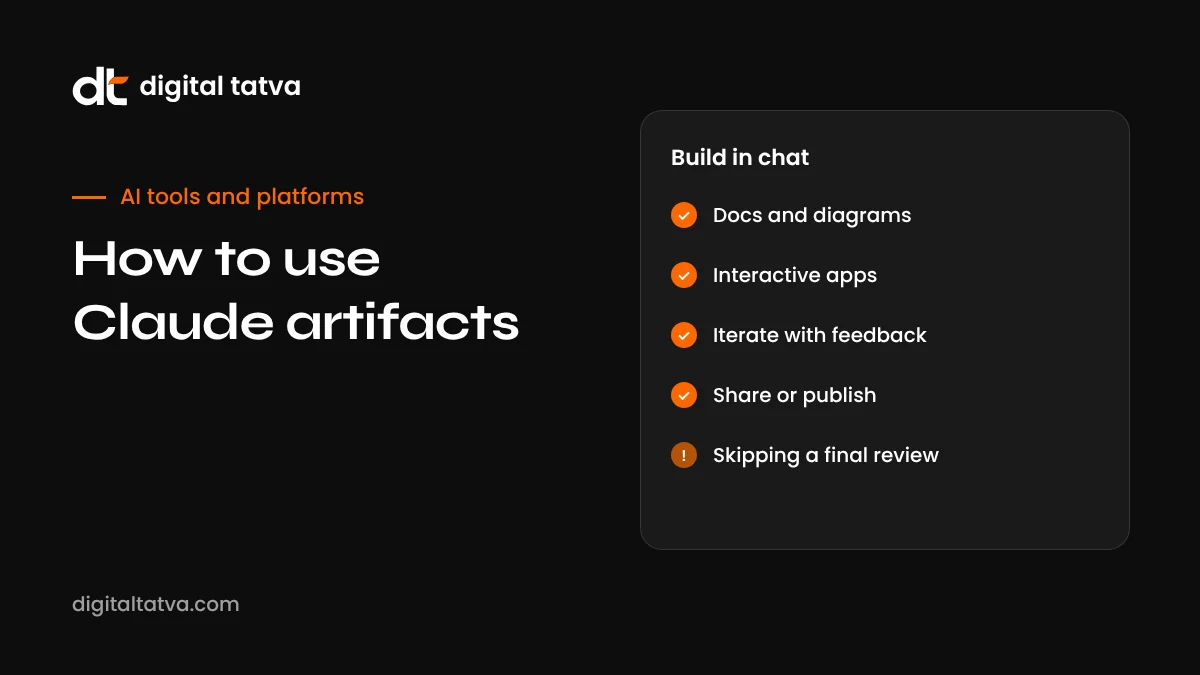
- Ask for something concrete and self-contained. For example: “Build an interactive ROI calculator for a social media agency. Inputs: monthly ad spend, average order value, conversion rate. Show estimated revenue and return. Use orange as the accent colour.”
- Review it in the panel. Try the inputs, read the text, click the buttons.
- Ask for changes in plain language. “Add a field for agency fee and subtract it from the return. Make the result text larger.”
- Compare versions. Use the version controls to go back if a change made things worse.
- Use it. Copy the content or code, download it, or publish and share it.
Writing prompts that produce great artifacts
The quality of an artifact depends heavily on how clearly you describe it. A strong request covers:
- What it is: “a one-page proposal”, “a quiz”, “a dashboard”.
- Who it is for: “for clinic owners with no technical background”.
- What it must do: inputs, outputs, sections, interactions.
- What it should look like: colours, fonts, layout, tone.
- Constraints: “works on mobile”, “no external libraries”, “under 500 words”.
- Real content: paste your actual prices, services or data rather than letting Claude invent them.
Prompt examples by use case
| Use case | Example prompt |
|---|---|
| Lead magnet quiz | “Build a 7-question quiz titled ‘Is your website ready for AI search?’ Score each answer, show a result band (low, medium, high) with tailored advice, and a button linking to our audit page.” |
| Pricing calculator | “Create a calculator for a catering business: number of guests, menu tier (basic, premium, deluxe with these prices), add-ons. Show total with GST at 5 percent.” |
| Campaign dashboard | “Here is a CSV of last month’s ad results. Build a dashboard with total spend, leads, cost per lead, and a bar chart by campaign.” |
| Process diagram | “Draw a flowchart of our client onboarding: enquiry, call, proposal, contract, kickoff, first report.” |
| Event page | “Make a single-page site for a community meetup in Ahmedabad on 12 December, with agenda, speakers, venue map link and a register button.” |
| Content brief | “Create a content brief document for an article on ‘AEO for dentists’ with target questions, outline, internal links and FAQs.” |
| AI tool | “Build a small app where a user enters their business type and city, and Claude suggests five Google Business Profile post ideas.” |
Publishing and sharing artifacts
Once an artifact is useful, you can share it. Publishing creates a link to a hosted version of the artifact. A few things to know:
- Private by default. A published artifact is not public until you share its link, and you choose who receives it.
- Remixing. People who open a shared artifact can often remix it in their own Claude account, creating their own copy to modify.
- AI usage. When an AI-powered artifact calls Claude, usage generally counts against the viewer’s own Claude account rather than yours, which makes sharing simple tools practical.
- Updating. If you improve the artifact, you can republish so the link shows the latest version.
- Unpublishing. You can stop sharing if you no longer want the link to work.
Before sharing widely, check that the artifact contains no private information, such as client names, internal prices or personal data.
AI-powered artifacts: simple apps without coding
One of the most interesting capabilities is building artifacts that use Claude inside them. For example, you can describe a “LinkedIn headline generator” where a user types their role and goals, and the artifact asks Claude for suggestions and displays them. You do not need to write code or manage API keys; Claude builds the interface and the logic.
Good candidates for AI-powered artifacts:
- Idea generators for social posts, product names or blog topics.
- Simple writing helpers, such as a polite email rewriter.
- Study aids that quiz users and explain answers.
- Internal tools for your team, such as a tool that turns meeting notes into action items.
Keep them focused on one job, give clear instructions about tone and limits, and test with several different inputs before sharing.
Where artifacts fit in an AI search strategy
For businesses focused on visibility in Google and AI assistants, artifacts can support content in a few ways. Interactive tools such as calculators and checkers give people a reason to visit and link to your site. Clear diagrams and comparison tables make complex topics easier to understand, which can help both readers and the AI systems that summarise pages. And structured briefs help writers produce consistent, answer-first content at scale.
The key is that tools and visuals should be genuinely useful and accurate. A thin, gimmicky tool rarely earns attention. A calculator that answers a real question your customers ask, with transparent assumptions, can become one of your most valuable pages. Read more in our guides to pages AI assistants cite and Claude SEO.
Iterating effectively
Artifacts improve fastest when you give specific feedback:
- One change at a time for complex tools, so you can tell what broke if something goes wrong.
- Describe what you see, not just what you want: “The total does not update when I change the guest count.”
- Share screenshots of problems or of designs you like.
- Ask Claude to explain how a calculation works, then check it against a known example.
- Use versions. If an update goes wrong, return to the previous version and try a different instruction.
10 ways marketers and small businesses use artifacts
- Interactive lead magnets. Quizzes and assessments that collect interest and point to a service page.
- Quote and pricing calculators. Help prospects estimate costs before calling.
- Campaign reports. Turn exported data into a clean visual summary for clients or managers.
- Landing page drafts. Test layouts and copy before a developer builds the final version.
- Process documentation. Diagrams and checklists for onboarding staff or clients.
- Content briefs. Structured briefs for writers with questions, outlines and links.
- Social media planners. A simple monthly calendar layout with post ideas.
- Training quizzes. Test staff on product knowledge or policies.
- Proposal one-pagers. Polished summaries of an offer for a specific client.
- Internal mini-tools. Small helpers, such as a UTM link builder or a meta description length checker.
If you plan to put a tool on your website, consider how it affects your visibility. Useful, original tools can attract links and mentions, which helps both SEO and AI visibility. See brand mentions for AEO and original research for AEO.
Artifacts vs other AI building tools
| Tool | Best for | Consider when |
|---|---|---|
| Claude artifacts | Fast documents, tools and pages inside a conversation | You want something working in minutes without a separate tool |
| ChatGPT writing and code blocks | Inline drafts and code snippets | You mainly work in ChatGPT; see ChatGPT Canvas is gone |
| v0 by Vercel | Production-quality web UI with React | You plan to deploy a real web app; see how to use v0 |
| Replit Agent | Full apps with databases and hosting | You need logins, data storage and deployment; see how to use Replit Agent |
| Claude Code and coding agents | Work inside real codebases | You are a developer working on an existing project |
Limits to keep in mind
- Not a full hosting platform. Artifacts are great for prototypes and simple tools, but complex apps with user accounts and databases need proper development.
- Calculations need checking. Claude can make arithmetic or logic errors. Test with known inputs.
- External resources may be restricted. Artifacts run in a controlled environment, so some external scripts, APIs or images may not load.
- Browser storage is limited. Do not rely on an artifact to store important data unless it offers a proper storage feature.
- Accessibility and branding. Check colour contrast, font sizes and mobile layout before sharing with customers.
- Privacy. Do not paste customer personal data into prompts or artifacts unless your plan and policies allow it.
A walkthrough: building an AEO readiness quiz
To show how the process feels in practice, here is an illustrative build of a lead magnet quiz for an agency website.
- First prompt: “Build an interactive quiz called ‘Is your website ready for AI search?’ with 8 yes or no questions about crawler access, schema, FAQs, reviews, author pages, page speed, Google Business Profile and brand mentions. Score 1 point per yes. Show results: 0 to 3 ‘Needs work’, 4 to 6 ‘On the way’, 7 to 8 ‘In good shape’, each with three tips. Clean design, white background, orange buttons, mobile friendly.”
- Review: Answer the questions yourself and check the score and result text are correct.
- Refine copy: “Make the questions shorter and friendlier. Avoid jargon such as ‘schema’ in the question text; explain it in a small hint instead.”
- Add a call to action: “Add a button under the result that says ‘Get a free AI visibility check’ and links to our checker page.”
- Accessibility check: “Make sure buttons have visible focus states and the text contrast meets WCAG AA.”
- Publish: Publish the artifact and share the link, or copy the code into your website with your developer’s help.
In practice this kind of build takes well under an hour, including testing. Compare the result with our own AI visibility checker for ideas on what to include.
Using artifacts with your own data
Artifacts become far more useful when they work with real information. You can paste tables, upload spreadsheets or share documents, and ask Claude to turn them into a dashboard, summary or tool. Tips:
- Remove personal data you do not need before uploading.
- Describe what each column means if names are unclear.
- Ask Claude to state assumptions, such as how it handles missing values.
- Spot-check a few numbers in the artifact against the source.
Design tips for better-looking artifacts
Claude can produce attractive designs, but generic prompts often lead to generic results. To get something that looks like your brand:
- Give exact colours. “Primary #FD6702, text near-black, light grey background” is better than “make it modern”.
- Name your fonts or describe the feel: “clean sans-serif, generous spacing”.
- Describe hierarchy. What should a visitor notice first, second and third?
- Share a reference. Upload a screenshot of your website or a design you like.
- Ask for mobile first. Most visitors will open shared links on a phone.
- Remove clutter. Ask Claude to cut decorative elements that do not help the user.
Common problems and fixes
| Problem | Fix |
|---|---|
| Claude replies in text instead of creating an artifact | Ask explicitly: “Create this as an artifact” or describe it as a standalone document or app |
| A button or calculation does not work | Describe exactly what you did and what happened; ask Claude to fix that function only |
| Design looks generic | Provide brand colours, fonts and a reference screenshot |
| Text is too long | Set word limits per section and ask for scannable formatting |
| Images do not load | Use simple SVG graphics or upload your own images where supported |
| Changes break other parts | Return to the previous version and make smaller, more specific requests |
Team and business use
On team and enterprise plans, artifacts can be shared within your organisation, which makes them useful for internal tools, training materials and reporting templates. Agree a few simple rules: who can publish externally, how client data is handled, and where final versions are stored. Our AI usage policy template covers the basics.
When not to use an artifact
Artifacts are not always the right tool. A quick answer, a short explanation or a single paragraph is better as a normal reply. Complex software that needs secure logins, payments or a database should be built by developers with proper tools and testing. And anything that makes regulated claims, such as financial projections, medical guidance or legal templates, needs expert review whatever tool produced it.
Getting started checklist
- Pick one repetitive task or one customer question you could turn into a tool or document.
- Write a clear prompt with purpose, audience, features, design and real data.
- Build, test with real examples and refine with specific feedback.
- Check accuracy, accessibility and privacy.
- Publish and share with a small group first, gather feedback, then share more widely.
- Keep a copy of the final version and the prompt you used, so you can rebuild or update it later.
Our take
Artifacts are one of the clearest examples of AI moving from answering questions to producing usable work. For marketers, consultants and small business owners, they make it realistic to build a quiz, calculator, dashboard or polished document in an afternoon without a developer. The skill that matters most is not coding but clear thinking: knowing what you want to build, who it is for and how you will check that it works. Start small, test carefully and keep a human eye on everything you publish.
Frequently asked questions
What is an artifact in Claude?
An artifact is a standalone output, such as a document, code, diagram or interactive web page, that Claude creates and shows in a separate panel beside the conversation.
Are Claude artifacts free?
Artifacts are available on Claude’s free and paid plans, with usage limits depending on your plan.
Can I share a Claude artifact?
Yes. You can publish an artifact and share its link. Published artifacts are private until you choose to share them.
Can artifacts use AI inside them?
Yes. Some artifacts can send input to Claude and show the response, creating simple AI-powered apps.
Can I edit an artifact myself?
You can ask Claude to make changes, copy the content into your own editor, or download it. Some formats also allow direct editing.
Can I use artifacts on my website?
You can copy the code of a web page or tool and add it to your site, or link to a published artifact. Test it carefully first.
What is the difference between artifacts and ChatGPT Canvas?
Both offered side-by-side work, but ChatGPT removed Canvas in 2026 in favour of inline writing blocks. Claude’s artifacts remain a separate panel and can be published as interactive pages.
Do I need to know how to code to use artifacts?
No. You describe what you want in plain language and Claude writes the code. Basic understanding helps when troubleshooting or adding a tool to your website, but it is not required.
Can artifacts work on mobile?
Yes. You can view and use artifacts in Claude’s mobile apps, and shared links open in mobile browsers. Ask Claude to design for mobile screens from the start.
Can I turn an artifact into a real website?
You can copy the HTML and code into your website or hosting platform. For anything beyond a simple page, have a developer review it for security, performance and accessibility.
Are artifacts safe to share with customers?
They can be, if you check the content, test calculations and avoid putting private data in them. Treat them like any web page you publish.
Can I build a website entirely with Claude artifacts?
You can build simple pages and microsites, but for a full business website with many pages, a CMS, analytics and forms, use a proper website platform or developer-built site.
Do shared artifacts show my chat history?
Sharing an artifact shares the artifact itself, not your full conversation. Still, check that the artifact contains nothing private before sharing.
Can artifacts connect to my business data?
Some can work with data you provide in the chat or through supported features. Avoid exposing sensitive data in shared artifacts.
Product details, prices and features are checked at the time of writing and can change. Sources are linked in the text so you can check them yourself.
How does your brand appear in AI answers?
We test the questions your buyers ask across the major AI assistants and search engines, then show you what to fix first.
Get an AI Visibility Audit