How to Use Replit Agent to Build an App (Agent 4 Guide)
Replit Agent builds working web and mobile apps from plain-language descriptions, with hosting, databases and deployment built in. This guide covers Agent 4, plans and effort-based credits, how to plan and prompt an app, checkpoints, deployment and how to avoid surprise bills.
On this page
- Key takeaways
- What is Replit Agent?
- Replit plans and pricing
- Before you start: plan your app on paper
- Step-by-step: building your first app
- Writing prompts the Agent understands
- Agent 4 features explained
- Controlling costs with effort-based pricing
- Databases, logins and deployment
- Security checklist before going live
- Great first projects for Replit Agent
- Replit Agent vs other AI app builders
- Who should use Replit Agent?
- Common mistakes
- Using Replit Agent for marketing and business
- An illustrative build: a cake order app
- Our take
- Testing your app properly
- Working with a developer later
- Bottom line
- Frequently asked questions
Last updated: 13 November 2026
Quick answer: Replit Agent is an AI app builder inside Replit that turns a plain-language description into a working app, then hosts and deploys it. To use it, sign in at replit.com, describe your app on the home screen (who it is for, the main screens, the data it stores and any logins), review the plan the Agent proposes, and let it build. Agent 4 works on an infinite canvas with a task board, can run parallel sub-agents for the frontend, backend and landing page, and saves work as checkpoints you can review or roll back. You can then test the preview, ask for changes, connect a database and publish. Pricing is effort based, so each checkpoint costs more or less depending on the work; set budgets and build in small steps to avoid surprise bills.
Key takeaways
- Replit Agent is one of the fastest ways for non-developers to get a real, hosted app online.
- Agent 4 adds a visual canvas, a task board, parallel sub-agents and multi-artifact projects.
- Checkpoints let you review and roll back work, which is essential for safe iteration.
- Effort-based credits mean costs vary by task; small, specific requests keep bills predictable.
- Built-in databases, storage and hosting are convenient but can create lock-in.
- Anything handling payments, personal data or logins needs careful security review.
What is Replit Agent?
Replit started as an online coding environment where you could write and run code in a browser. Replit Agent turned it into an AI app builder: you describe what you want, and the Agent writes the code, installs packages, sets up a database, runs the app and fixes errors it finds along the way. Because Replit also provides hosting, you can deploy the result to a live URL without setting up servers.
Agent 4, Replit’s 2026 headline release, changed the experience from a linear chat to an infinite canvas where you can plan, branch and connect parts of a project. A task board coordinates work, and parallel sub-agents can build different parts, such as the frontend, backend and a landing page, at the same time. One project can produce several artifacts, including a web app, a mobile app built with React Native and Expo, a landing page or a pitch deck, all sharing the same design context.
Replit plans and pricing
| Plan | Approximate price | Highlights |
|---|---|---|
| Free | $0 | Daily Agent credits, one published app, public code |
| Core | About $25 a month ($20 billed annually) | Monthly usage credits, private code, a few collaborators |
| Pro | About $100 a month | Larger credits with rollover, more builders and viewers |
| Enterprise | Custom | Security, admin and compliance features |
Agent work is billed by effort per checkpoint. Published reviews describe trivial edits costing cents and complex multi-file features costing several dollars, with the exact cost visible after the work is done. Hosting is billed separately depending on deployment type. Check Replit’s pricing page for current figures.
Before you start: plan your app on paper
The single biggest factor in a successful Replit Agent build is how clearly you describe the app. Ten minutes of planning saves hours of corrections and a lot of credits. Write down:
- Who it is for: “Front-desk staff at a dental clinic” or “customers booking a cake order”.
- The problem it solves in one sentence.
- Main screens: for example, login, dashboard, booking form, admin list.
- Data to store: such as customers (name, phone), appointments (date, time, status).
- User roles: who can see and change what.
- Must-have features for version one, and nice-to-haves for later.
- Look and feel: brand colours, simple or playful, mobile first.
Keep version one small. A working app with three features is far more useful than a half-built app with fifteen.
Step-by-step: building your first app
- Sign in at replit.com and choose to create with Agent.
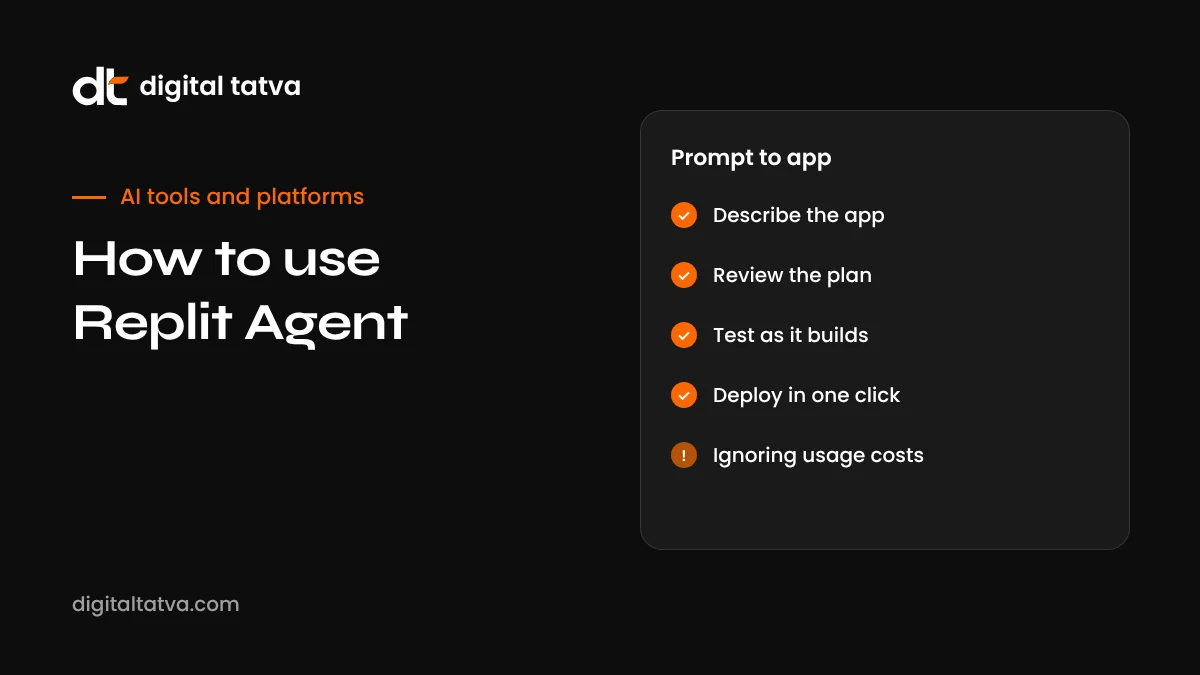
- Paste your plan as the first prompt. For example: “Build a simple appointment booking app for a dental clinic. Patients can pick a date and time slot and enter name and phone. Staff log in to see, confirm or cancel bookings. Store data in a database. Clean, mobile-friendly design in white and orange.”
- Review the Agent’s plan. Agent 4 proposes a plan and tasks before building. Remove anything you do not need and correct misunderstandings now, when it is cheapest.
- Let it build the first checkpoint. Watch the task board and the preview as screens appear.
- Test like a user. Click every button, submit forms with good and bad data, try it on your phone.
- Request changes one at a time. “On the booking form, show only slots between 10 am and 7 pm, every 30 minutes, Monday to Saturday.”
- Review each checkpoint and roll back if a change breaks something.
- Add authentication and data protections once the core flow works.
- Deploy to a live URL and connect a custom domain if needed.
Writing prompts the Agent understands
| Vague prompt | Clear prompt |
|---|---|
| Make it better | Increase button size on mobile, add spacing between form fields and make the submit button orange |
| Add payments | Add a Razorpay checkout for a fixed ₹500 deposit on the booking page; store payment status with the booking; use test mode for now |
| Fix the bug | When I submit a booking with a past date, the app crashes. Show an error message instead and prevent past dates |
| Add admin stuff | Add an admin page listing bookings in a table with filters for date and status, and a button to export as CSV |
Specific prompts lead to smaller, cheaper checkpoints and fewer side effects.
Agent 4 features explained
Infinite canvas
Instead of a long chat thread, Agent 4 lays your project out visually. You can see components, plans and artifacts, branch ideas and connect pieces. It makes larger projects easier to reason about.
Task board and parallel sub-agents
The Agent breaks work into tasks on a kanban-style board and can assign independent tasks to sub-agents running in parallel, such as building the API while another designs the landing page. This speeds up larger builds but can also increase spending, so watch costs.
Checkpoints
Every meaningful unit of progress becomes a checkpoint. Review what changed, test it, and accept or roll back. Treat checkpoints like save points in a game: never move on from a broken one.
Multi-artifact projects
One project can produce a web app, a mobile app, a landing page and even a pitch deck or video with shared branding. This is useful for founders validating an idea who need several assets quickly.
Long-running work
Agent 4 can work on larger tasks for long sessions. Long runs are powerful but expensive if the direction is wrong, so set clear goals and check in on progress.
Controlling costs with effort-based pricing
Effort-based pricing is fair in principle, because simple edits cost little and complex features cost more, but it makes bills harder to predict. Reviewers have reported that the Agent sometimes adds more files, packages and abstractions than a small task needs, which increases cost. To stay in control:
- Plan before building. Fixing a plan costs nothing; rebuilding a wrong feature costs credits.
- Ask for one feature per request. Bundling many changes into one checkpoint concentrates cost and risk.
- Say what not to do: “Do not add new libraries; keep this change to the booking form component.”
- Set usage alerts or spending limits in your account settings.
- Review spending after each session to learn which kinds of requests are expensive.
- Edit small things yourself. Changing a colour or a line of text by hand is free.
- Pause parallel agents when you are not sure about the direction.
Databases, logins and deployment
Replit provides managed Postgres, object storage and its own database service, and the Agent can set these up automatically. Deployment options include static hosting for simple sites, autoscaling deployments that charge based on requests, scheduled jobs and reserved virtual machines for always-on apps.
| Need | Typical choice |
|---|---|
| Simple landing page or brochure site | Static deployment |
| App with variable traffic | Autoscale deployment |
| Daily report or data sync | Scheduled deployment |
| Always-on service or bot | Reserved VM |
Built-in services are convenient, but think about the future. If you expect to move the app elsewhere later, consider portable choices such as a standard Postgres provider and a widely used authentication service, and keep your code in a Git repository from day one.
Security checklist before going live
AI-built apps can work perfectly in a demo and still have security gaps. Before sharing your app with real users:
- Authentication: confirm that private pages cannot be opened without logging in, and that users can only see their own data.
- Secrets: store API keys in Replit’s secrets manager, never in code.
- Input validation: test forms with empty, very long and unusual inputs.
- Payments: use your payment provider’s official integration and test mode before going live.
- Personal data: collect only what you need and explain how you use it in a privacy notice. Indian businesses should consider obligations under the Digital Personal Data Protection Act.
- Backups: make sure your database is backed up.
- Expert review: for apps handling money, health or sensitive personal data, have an experienced developer review the code.
Great first projects for Replit Agent
| Project | Why it works well |
|---|---|
| Internal lead tracker | Simple data, a few users, clear value |
| Booking or enquiry form with admin view | Common pattern the Agent handles well |
| Quote or pricing calculator | Clear logic and inputs, easy to test |
| Event registration site | Form, list, export and email confirmation |
| Inventory checklist for a small shop | Basic database with search and filters |
| MVP for a startup idea | Validate with real users before investing in a full build |
| Data dashboard from a spreadsheet | Visualise existing business data |
Replit Agent vs other AI app builders
| Tool | Strength | Choose it when |
|---|---|---|
| Replit Agent | Full-stack apps with built-in hosting, databases and mobile support | You want an idea online quickly with minimal setup |
| v0 by Vercel | High-quality React and Next.js interfaces | UI quality and Vercel deployment matter most; see how to use v0 |
| Lovable and Bolt | Fast prompt-to-app builders with popular backends | You want a similar experience with different integrations |
| Claude artifacts | Quick tools and pages inside a chat | You need a simple calculator, quiz or page in minutes; see Claude artifacts |
| OpenAI Codex and coding agents | Working in an existing codebase | You have developers and a repository; see OpenAI Codex |
| AI code editors | Everyday development with AI help | You are a developer building long-term; see Windsurf vs Cursor |
Who should use Replit Agent?
Replit Agent suits founders validating an idea, small business owners who need a simple internal tool, marketers building interactive tools, students learning how apps fit together, and developers who want to prototype quickly before committing to a full build. It is less suited to large engineering teams with established codebases, highly regulated products, or apps where every infrastructure decision must be controlled. In those cases, coding agents and AI editors working inside your own repository give more control.
Common mistakes
- Starting with a huge spec. Build the smallest useful version first.
- Accepting checkpoints without testing. Problems compound if you build on a broken step.
- Vague change requests that cause large rewrites and big bills.
- Leaving code public on the free plan when it contains business logic or sensitive details.
- Skipping security checks because the app “works”.
- Not keeping a copy of the code in Git.
- Over-relying on the Agent for small edits you could make yourself in seconds.
Using Replit Agent for marketing and business
Marketers and small business owners increasingly use AI app builders for tools that support growth, such as interactive calculators, quizzes, lead capture forms, event microsites and simple client portals. Useful tools can attract links and mentions, which helps both SEO and AI visibility. Make sure tools load quickly, work on mobile, have clear explanations in HTML text and are linked from relevant pages. Our guides to agent-ready websites and technical AEO cover the details that help search engines and AI assistants understand them.
An illustrative build: a cake order app
To show how a real session might go, here is an illustrative example of a home baker in Surat building an order app.
- Plan: Customers choose a cake type, size, flavour, message and delivery date, then submit with name and phone. The baker logs in to see orders, mark them as confirmed or delivered, and export a weekly list.
- First prompt: The baker pastes the plan with brand colours and a request for a mobile-first design and a WhatsApp click-to-chat button.
- Plan review: The Agent proposes online payments; the baker removes them for version one to keep it simple.
- First checkpoint: A working order form and admin list. Testing reveals that past delivery dates are allowed.
- Fix: “Only allow delivery dates at least two days from today.” A small, cheap checkpoint.
- Polish: Add photos of real cakes, a simple price guide and a confirmation message.
- Security check: Confirm the admin page requires login and that order data is not publicly visible.
- Deploy: Publish to a live URL, connect a custom domain and share the link on Instagram and WhatsApp.
Version two might add payment deposits or delivery zones, but only after real customers have used version one.
Our take
Replit Agent has made it genuinely possible for non-developers to build and launch useful apps, and Agent 4’s canvas, task board and parallel agents make larger projects more manageable. The trade-offs are cost predictability and the temptation to build too much too fast. The people who succeed with it plan clearly, build in small checkpoints, test like real users and treat security seriously. Used that way, it is one of the most empowering AI tools available for founders, marketers and small businesses.
Testing your app properly
The Agent tests some things itself, but you know how your users behave. Before sharing the app, run through a simple test plan:
- Happy path: complete the main task from start to finish as a normal user.
- Wrong inputs: empty fields, letters in phone numbers, very long names, emojis, past dates.
- Different devices: a small Android phone, an iPhone, a laptop and a tablet.
- Slow connections: use your phone on mobile data to see how the app loads.
- Different roles: log in as a normal user and as an admin, and check each sees only what they should.
- Two users at once: ask a colleague to use the app at the same time and check nothing clashes.
- After deployment: repeat the main tests on the live URL, not just the preview.
Write down every problem, then fix them one at a time with focused prompts. You can also ask the Agent to write automated tests for the most important flows so future changes do not quietly break them.
Working with a developer later
Many successful products start as an AI-built prototype and later move to a development team. To make that transition smooth, keep the code in Git, write a short README describing what the app does and how data is structured, avoid unusual shortcuts, and keep a list of known issues. A developer can then review, harden and extend the app rather than starting from scratch.
Bottom line
Replit Agent turns a clear idea into a working, hosted app faster than almost any other tool, which makes it valuable for founders, marketers and small businesses who need prototypes, internal tools or simple products without a development team. Agent 4’s canvas, task board, parallel agents and checkpoints make larger projects more manageable.
The trade-offs are cost predictability, the temptation to overbuild and the security responsibilities that come with real users. Plan clearly, build in small checkpoints, test like a user, set spending alerts and get expert review for anything involving payments or personal data. Used with that discipline, it can take you from idea to live product in days rather than months.
Frequently asked questions
Is Replit Agent free?
Replit has a free plan with daily Agent credits and one published app with public code. Serious projects usually need a paid plan.
Do I need to know how to code to use Replit Agent?
No, but basic understanding helps you describe requirements, test features and spot problems. For anything handling sensitive data, involve an experienced developer.
What is a checkpoint in Replit Agent?
A checkpoint is a saved unit of the Agent’s work that you can review, accept or roll back. Agent 4 pricing is based on the effort each checkpoint takes.
Can Replit Agent build mobile apps?
Yes. Agent 4 can create React Native and Expo mobile apps alongside web apps in the same project.
Can I export my code from Replit?
Yes. You can download code or connect a Git repository, though apps using Replit’s built-in database and services may need work to move elsewhere.
How do I avoid high Replit bills?
Plan first, build in small checkpoints, set usage alerts or budgets, and avoid vague requests that make the Agent rewrite large parts of the app.
Is Replit Agent good for production apps?
It is excellent for prototypes, internal tools and small apps. Larger production systems and regulated industries need stronger engineering processes and review.
How long does it take to build an app with Replit Agent?
A simple working prototype can take under an hour. A polished app with logins, data rules and testing usually takes several sessions over days.
Can I use my own domain with a Replit app?
Yes. Deployed apps can be connected to a custom domain through Replit’s deployment settings.
Replit Agent vs v0: which should I use?
Replit Agent builds full-stack apps with hosting and databases. v0 focuses on high-quality web interfaces, often deployed on Vercel. See our v0 guide.
What happens if Replit Agent breaks my app?
Roll back to the previous checkpoint, then make a smaller, more specific request. Keeping code in Git gives you an extra safety net.
Can I hire a developer to continue a Replit project?
Yes. Developers can work in Replit directly or pull the code from Git into their own environment.
Does Replit Agent work on mobile?
Replit has mobile apps for checking and editing projects, though complex builds are easier on a computer.
Product details, prices and features are checked at the time of writing and can change. Sources are linked in the text so you can check them yourself.
How does your brand appear in AI answers?
We test the questions your buyers ask across the major AI assistants and search engines, then show you what to fix first.
Get an AI Visibility Audit