Windsurf vs Cursor in 2026: Devin Desktop or Cursor, Which AI Code Editor to Choose?
Windsurf is now Devin Desktop, after Cognition renamed it in June 2026. Here is how Devin Desktop and Cursor compare on agents, models, pricing, privacy and team fit, plus which AI code editor suits solo developers, startups and larger teams.
On this page
- Key takeaways
- What happened to Windsurf?
- Side-by-side comparison
- Pricing compared
- Agents compared in practice
- Model access
- Which should you choose?
- How to run a fair two-week pilot
- Strengths and weaknesses
- Other AI coding tools to consider
- Getting the most from any AI editor
- Security and privacy considerations
- A short history of both editors
- Day-to-day experience
- Migrating between them
- Use cases: which editor fits which job
- What both get wrong sometimes
- Our verdict
- Team rollout tips
- Questions to ask before buying
- Costs beyond the subscription
- For non-developers and agencies
- Frequently overlooked differences
- Bottom line for busy readers
- Frequently asked questions
Last updated: 13 November 2026
Quick answer: Windsurf no longer exists under that name. Cognition, the company behind the Devin agent, acquired Windsurf in July 2025 and renamed it Devin Desktop on 2 June 2026, replacing its Cascade agent with Devin Local and adding Devin Cloud for background tasks. Cursor remains a separate AI code editor built around its Composer agent and cloud agents. Choose Cursor if you want a polished in-editor agent, competitive team seat pricing and strong privacy defaults. Choose Devin Desktop if you want frontier models from several labs inside one allowance, plugins for VS Code and JetBrains, or a path to delegating whole tasks to cloud agents. The best way to decide is a two-week pilot on your real codebase.
Key takeaways
- Windsurf was renamed Devin Desktop in June 2026; existing plans and settings carried over.
- Cursor’s strengths are its editor experience, Composer agent and cloud agents that open pull requests.
- Devin Desktop’s strengths are multi-lab model access, IDE plugins and integration with Devin Cloud.
- Pricing structures differ: compare total cost including any separately billed model usage.
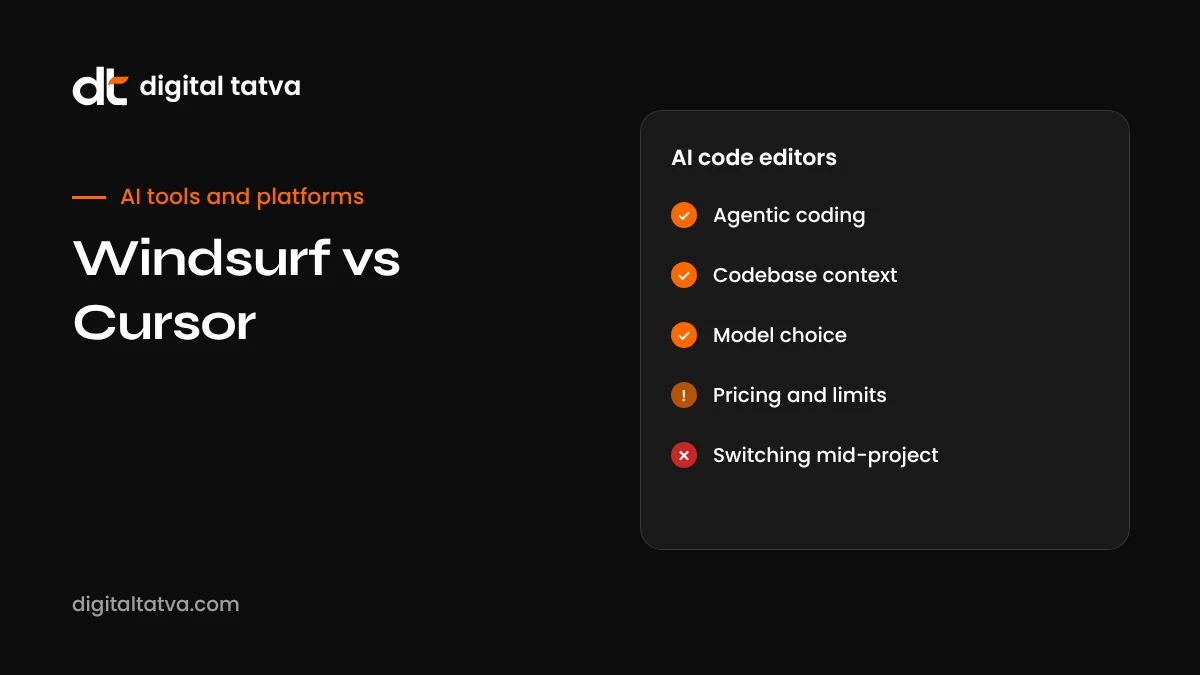
- Both offer local and cloud agents; review and testing discipline matters more than the tool.
- Run a pilot measuring time to merge and review effort before committing a team.
What happened to Windsurf?
Windsurf began as the AI editor from Codeium. In 2025, after a planned acquisition by OpenAI fell through and Google licensed technology and hired key staff, Cognition announced on 14 July 2025 that it would acquire Windsurf. On 2 June 2026, Cognition renamed the product Devin Desktop through an automatic update. Plans, settings, extensions and MCP connections carried over, and the old Windsurf website now points to Devin’s site. The Cascade agent that made Windsurf popular reached end of life on 1 July 2026 and was replaced by Devin Local.
People still search for “Windsurf vs Cursor”, so this comparison uses both names. In practice, you are now comparing Devin Desktop with Cursor.
Side-by-side comparison
| Aspect | Devin Desktop (formerly Windsurf) | Cursor |
|---|---|---|
| Local agent | Devin Local (replaced Cascade) | Composer, with supervised diff approval |
| Cloud agents | Devin Cloud for asynchronous tasks | Cloud Agents running in isolated machines that produce pull requests |
| Command line | Devin CLI | Cursor CLI |
| Editor options | Standalone IDE plus plugins for VS Code and JetBrains | Standalone editor based on VS Code |
| Models | Models from major labs plus Cognition’s own models, within plan allowances | Cursor’s own models plus major lab models on higher tiers, with some usage billed separately |
| Privacy | Enterprise options including private deployment | Privacy Mode available on all tiers |
| Best for | Developers wanting multi-model access and task delegation | Developers wanting a refined in-editor experience |
Pricing compared
Both products restructured plans in 2026, and published figures vary by source, so treat these as approximate and confirm on each site. Devin Desktop has been reported with a free tier, a Pro plan around $20 a month, a higher Max tier, and team plans with a base fee plus per-seat pricing. Cursor has been reported with a free tier and several paid tiers, with access to third-party models on higher plans and some model usage billed at provider rates on top of the subscription, plus team plans priced per seat without a base fee.
The practical lesson: estimate a month of your real usage, including which models you use most, before comparing. A cheaper subscription can become more expensive if your preferred models are billed separately.
Agents compared in practice
Cursor’s Composer
Composer works inside the editor. You describe a change, it plans and edits across files, and you approve diffs before they apply. Developers like how tightly it fits into normal editing: you can switch between writing code yourself, using inline suggestions and handing larger edits to Composer without leaving the file you are in. Cloud Agents extend this by running tasks in isolated machines and returning pull requests, which suits backlog items you do not need to watch.
Devin Desktop’s Devin Local and Devin Cloud
Devin Local plays a similar role to Composer for interactive work in the editor, inheriting the “flow” style that made Cascade popular. The bigger strategic difference is Devin Cloud: Cognition’s product direction centres on asynchronous agents that take whole tasks, work independently and report back. Devin Desktop is increasingly the entry point into that ecosystem. If your team wants to delegate entire tickets to agents, this integration is a meaningful advantage.
Model access
Model choice matters because different models excel at different tasks. Some developers prefer Claude models for careful reasoning on large codebases, others prefer GPT or Gemini models for speed or specific languages, and each editor’s own models are tuned for in-editor work.
- Devin Desktop has been positioned around access to models from several major labs within a plan’s usage allowance, plus Cognition’s own coding models.
- Cursor emphasises its own Composer models, with third-party models available on higher tiers and some usage billed at provider rates.
If you rely heavily on one specific frontier model, check exactly how each plan includes and bills it.
Which should you choose?
| If you are | Consider | Why |
|---|---|---|
| A solo developer wanting frontier models cheaply | Devin Desktop | Multi-lab models within a single allowance on its Pro plan |
| A developer who values editor polish | Cursor | Refined in-editor agent and inline experience |
| A team on JetBrains IDEs | Devin Desktop | Plugins for JetBrains without switching editors |
| A cost-sensitive team mostly using built-in models | Cursor | Per-seat team pricing without a base fee |
| An enterprise needing private deployment | Devin Desktop | Enterprise deployment options |
| A team wanting background agents that open pull requests | Either | Both offer cloud agents; test which fits your workflow |
| A team happy in VS Code with GitHub | Also consider GitHub Copilot | Stays inside your current editor and GitHub workflow |
How to run a fair two-week pilot
- Pick five to eight developers with different experience levels.
- Split them across both tools, or have each person use both on different tasks.
- Use real backlog work: bugs, small features, tests and refactors.
- Track metrics: time from ticket start to merged pull request, review comments per pull request, bugs found later, and model usage costs.
- Collect qualitative feedback: what felt faster, what was frustrating, what they trusted.
- Check admin needs: single sign-on, user management, billing, privacy settings and data terms.
- Decide with data, not demos.
Strengths and weaknesses
| Devin Desktop | Cursor | |
|---|---|---|
| Strengths | Multi-lab models in one allowance, VS Code and JetBrains plugins, clear path to async task delegation, enterprise deployment options | Polished editor experience, strong in-editor agent, Privacy Mode on all tiers, competitive per-seat team pricing, stable brand and community |
| Weaknesses | Several name changes in a few years, higher team base costs reported, some quotas not clearly quantified | Some third-party model usage billed separately, requires switching to its editor, no private deployment option reported |
Other AI coding tools to consider
Devin Desktop and Cursor are not the only choices. Depending on your workflow, these may fit better:
- GitHub Copilot: AI help and agents inside VS Code, JetBrains and GitHub, ideal for teams that want to keep their current setup.
- OpenAI Codex: a coding agent in the ChatGPT desktop app, terminal, IDE and cloud; see how to use OpenAI Codex.
- Claude Code: Anthropic’s agent for terminal and IDE work, valued for careful reasoning.
- Google Antigravity: Google’s agent-first platform with parallel agents; see how to use Google Antigravity.
- Replit Agent and v0: for building new apps from prompts rather than working in an existing codebase.
Our roundup of the best AI coding assistants compares them in more depth, and the best AI code review tools covers automated review.
Getting the most from any AI editor
- Write a project rules file describing conventions, test commands and boundaries, so agents behave consistently.
- Keep tasks small and reviewable, especially early on.
- Insist on tests for agent changes and run them yourself.
- Review every diff as you would a colleague’s pull request.
- Protect secrets and use privacy settings appropriate to your code.
- Measure outcomes rather than relying on how fast it feels.
- Revisit your choice yearly. This market changes quickly; the best tool this year may not be the best next year.
Security and privacy considerations
Both tools send code context to AI models to generate suggestions and edits. Before rolling out to a team, review the data terms, retention settings and any training opt-outs, enable privacy features, and confirm the setup meets client contracts and regulations. For sensitive or regulated code, consider enterprise plans with stronger controls, private deployment where available, or limiting AI use to specific repositories. Our AI data privacy guide and AI usage policy template cover the basics.
A short history of both editors
| Period | Windsurf / Devin Desktop | Cursor |
|---|---|---|
| 2022 to 2023 | Codeium offers AI autocomplete extensions | Cursor launches as an AI-first editor based on VS Code |
| 2024 | Codeium launches the Windsurf editor with the Cascade agent | Cursor grows rapidly with Composer and strong autocomplete |
| 2025 | OpenAI deal falls through; Cognition acquires Windsurf in July | Cursor adds background and cloud agents |
| 2026 | Renamed Devin Desktop in June; Cascade replaced by Devin Local | Composer evolves further and plans are restructured |
The history matters because it shows direction. Devin Desktop is increasingly a doorway into Cognition’s autonomous agent platform, while Cursor continues to focus on being the best place to write code with AI at your side.
Day-to-day experience
Beyond agents, much of a developer’s day involves small interactions: tab completions, quick inline edits, asking questions about a function, renaming across files. Cursor’s fast, context-aware tab completion has long been one of its most praised features, and many developers say it is what keeps them on Cursor even more than the agent. Devin Desktop inherits Windsurf’s smooth “flow” experience, where the agent tracks what you are doing and offers relevant help, and its IDE plugins let developers keep familiar editors. The best way to judge these small but important differences is to use each for a few days on real work, because they are hard to capture in a feature table.
Migrating between them
Because both are based on, or integrate with, the VS Code ecosystem, moving between them is relatively easy. Settings, keybindings and many extensions transfer, and your code lives in Git regardless of editor. The main migration work is rewriting project rules files for the new tool’s format, learning its agent workflow, and adjusting team billing and privacy settings. Plan a short overlap period where developers can use both while they adjust.
Use cases: which editor fits which job
| Job | Better fit | Notes |
|---|---|---|
| Fast iteration on a front-end feature | Cursor | Tab completion and Composer keep you in flow |
| Delegating a backlog of small tickets | Devin Desktop with Devin Cloud, or Cursor Cloud Agents | Both can return pull requests; compare quality on your tickets |
| Enterprise Java in IntelliJ | Devin Desktop plugin | Avoids switching editors |
| Comparing several frontier models on one task | Devin Desktop | Multi-lab models within the plan |
| Privacy-sensitive startup on a budget | Cursor | Privacy Mode on all tiers |
| Large refactor with strong tests | Either | Test coverage matters more than the editor |
| Learning to code | Either | Use the agent to explain, not just to write |
What both get wrong sometimes
No AI editor is perfect. Common issues reported across both include agents making more changes than requested, confidently using outdated library APIs, weakening tests to make them pass, and losing track of context in very large repositories. The fixes are the same in both: clear rules files, small tasks, careful review, strong tests and a habit of asking the agent to explain its changes. Teams that adopt these habits get far more value than teams that simply switch tools hoping for better results.
Our verdict
For most individual developers and small teams who want the smoothest in-editor experience, Cursor remains an excellent default. For developers who want broad access to frontier models in one plan, prefer JetBrains or want to grow into autonomous agents that take whole tasks, Devin Desktop, the product formerly known as Windsurf, is a strong alternative. Both are mature, capable tools in 2026. The deciding factors are your editor preferences, model needs, team size and budget, so run a short pilot, measure real outcomes and choose the one your developers actually enjoy using.
Team rollout tips
Whichever editor you choose, a structured rollout avoids frustration. Start with a small group of enthusiastic developers who can create shared rules files and prompt examples. Hold a short internal session showing real before-and-after examples from your own codebase. Agree on review standards for agent-generated pull requests, such as requiring tests and a clear description of what the agent changed. Set spending alerts for model usage. After a month, gather feedback and adjust settings, rules and plans. Teams that treat AI editors as a process change, not just a software purchase, see the biggest gains.
Questions to ask before buying
- Which models will our developers actually use most, and how are they billed on each plan?
- Do we need single sign-on, user provisioning, audit logs or invoice billing?
- What are the data retention and training terms, and do they satisfy our clients’ contracts?
- Do we need private or on-premises deployment?
- Which editors does the team use today, and how disruptive is switching?
- How will we measure whether the tool improves delivery, not just how it feels?
- What is our plan if pricing or ownership changes again?
Getting written answers to these questions from both vendors, especially on billing and data, avoids unpleasant surprises after rollout.
Costs beyond the subscription
When comparing, include costs that do not appear on pricing pages: time spent reviewing agent output, onboarding and training, extra continuous integration minutes from agents opening more pull requests, and separately billed model usage. A tool that is slightly more expensive per seat can still be cheaper overall if its output needs less correction. That is why measuring review effort during your pilot is just as important as measuring speed.
For non-developers and agencies
Marketing agencies and small businesses sometimes ask whether they should buy an AI code editor for website work. If you have a developer, either editor will speed up tasks like theme changes, schema implementation, performance fixes and landing page builds. If you do not, simpler tools such as v0 or Replit Agent, or a managed website platform, are usually a better starting point. See how to use v0 and the best AI website builders.
Frequently overlooked differences
Feature tables rarely capture the details that shape daily experience. A few differences worth testing during a pilot:
- Indexing large repositories. How quickly each editor indexes a big monorepo, and how well its agent finds relevant files without being told, can vary noticeably by project.
- Handling of rules files. Both support project-level instructions, but they differ in format and how strictly agents follow them. Port your conventions carefully and check whether agents respect them.
- Terminal and test integration. Watch how each agent runs tests, reads failures and iterates. An agent that runs the right tests automatically saves a lot of time.
- Diff review experience. Some developers prefer reviewing many small diffs, others one larger change. Notice which tool’s review flow fits your team.
- Offline and network restrictions. In companies with strict networks or proxies, check that each tool works reliably behind your firewall.
- Extension compatibility. Confirm the extensions your team relies on, such as language servers, linters and debuggers, work smoothly.
- Support and roadmap. Given how quickly this market changes, look at how often each product ships updates and how responsive support is for business customers.
Writing down observations on these points during the pilot gives you a far more reliable basis for the decision than first impressions or benchmark scores published by vendors.
Bottom line for busy readers
If you want the short version: try Cursor first if editor polish and team price matter most, and try Devin Desktop first if you want broad frontier model access, JetBrains support or a path to autonomous cloud agents. Give each a fair trial on real work, measure time to merge and review effort, check data terms, and let your developers’ experience decide. Both are strong tools in 2026, and the habits you build around them matter more than the logo on the window.
Frequently asked questions
Is Windsurf still available?
Windsurf was renamed Devin Desktop on 2 June 2026. Existing users were updated automatically with their plans and settings.
What replaced Windsurf’s Cascade agent?
Devin Local replaced Cascade, which reached end of life on 1 July 2026.
Is Cursor better than Devin Desktop?
Neither is universally better. Cursor is often preferred for its in-editor experience; Devin Desktop for multi-model access, IDE plugins and cloud task delegation.
Can I use Devin Desktop inside VS Code or JetBrains?
Yes. Devin Desktop offers plugins for VS Code and JetBrains in addition to its standalone IDE.
Which is cheaper for a team?
It depends on team size and model usage. Compare per-seat costs, base fees and separately billed model usage over a realistic month.
Do both support Claude, GPT and Gemini models?
Both offer access to major lab models, but how access is included or billed differs by plan. Check current plan details.
Is my code private?
Both offer privacy controls. Cursor provides Privacy Mode on all tiers; Devin Desktop offers enterprise deployment options. Review each provider’s data terms.
Did Windsurf users lose their settings?
No. The rename to Devin Desktop happened through an automatic update, and plans, settings, extensions and MCP connections carried over.
Which editor is better for beginners?
Both are approachable. Cursor’s in-editor experience is often praised for its simplicity, while Devin Desktop’s plugins let beginners stay in a familiar editor. Ask the agent to explain code as you learn.
Should I switch from VS Code?
Not necessarily. Devin Desktop has a VS Code plugin, and GitHub Copilot works inside VS Code. Cursor requires switching to its editor, which is VS Code based.
Do Cursor and Devin Desktop work offline?
Their AI features need an internet connection, because models run in the cloud.
Can I use both editors?
Yes. Some developers keep both installed and choose per project, though teams benefit from standardising on one.
Product details, prices and features are checked at the time of writing and can change. Sources are linked in the text so you can check them yourself.
How does your brand appear in AI answers?
We test the questions your buyers ask across the major AI assistants and search engines, then show you what to fix first.
Get an AI Visibility Audit