Gemini vs Perplexity in 2026: Which AI Search Tool Is Better?
Gemini and Perplexity both answer questions with live web information, but they are built for different jobs. This comparison covers search quality and citations, deep research, models, integrations, pricing, privacy and which tool suits students, marketers, researchers and businesses.
On this page
- Key takeaways
- The quick comparison
- Answer quality and citations
- Deep research compared
- Models and intelligence
- Integrations and ecosystem
- Pricing compared
- Head-to-head tests you can run yourself
- Which should you choose?
- Privacy and data
- Accuracy: what to watch for
- Which one is “more accurate”?
- Strengths and weaknesses at a glance
- Tips to get better answers from either
- What this means for businesses: visibility in both
- Gemini vs Perplexity vs ChatGPT
- Our verdict
- Everyday user experience
- Mobile and browser experience
- Using both together: a practical workflow
- Common mistakes when choosing between them
- Bottom line
- Frequently asked questions
Last updated: 13 November 2026
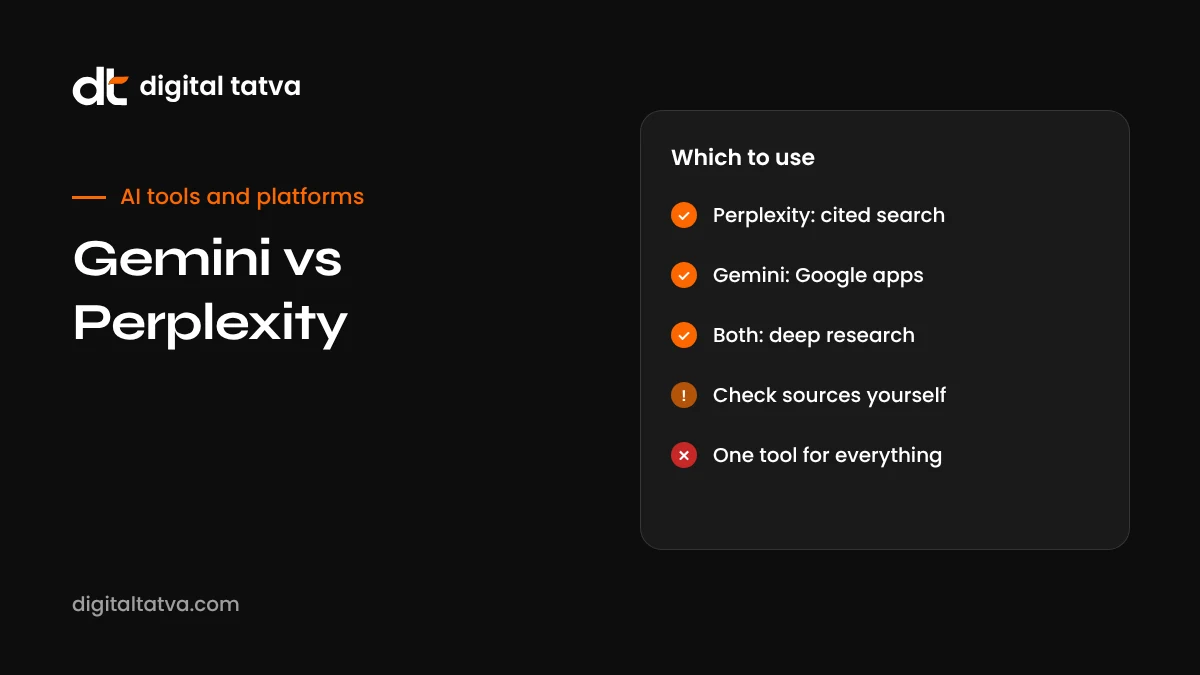
Quick answer: Choose Perplexity if your priority is research with clear citations: it is built as an answer engine that shows sources for almost every claim, lets you pick models from several labs, and offers deep research, Labs for reports and apps, and the free Comet browser. Choose Gemini if you live in Google’s ecosystem: it connects to Gmail, Docs, Drive, Calendar, Maps and YouTube, has strong multimodal and voice features through Gemini Live, and comes bundled with Google AI plans that include storage and other perks. For most people, both free tiers are worth trying; heavy researchers often prefer Perplexity, while Google Workspace users usually get more from Gemini.
Key takeaways
- Perplexity is search-first and citation-heavy; Gemini is an all-round assistant deeply tied to Google services.
- Both offer deep research modes that read many sources and write structured reports.
- Perplexity lets paid users choose models from OpenAI, Anthropic, Google and xAI; Gemini uses Google’s models.
- Gemini’s integrations with Gmail, Drive, Maps and YouTube are its biggest advantage.
- Paid plans start around $20 a month for both, with premium tiers for heavy users.
- For businesses, both are important places to be visible, because people use them to choose products and providers.
The quick comparison
| Feature | Gemini | Perplexity |
|---|---|---|
| Core identity | General AI assistant across Google products | AI answer engine focused on cited search |
| Citations | Shows sources when using search, with a double-check feature | Sources shown prominently for nearly every answer |
| Models | Google’s Gemini models | In-house Sonar plus selected models from several labs on paid plans |
| Deep research | Yes, with Google Search and your Google files | Yes, with fast multi-source reports |
| Integrations | Gmail, Docs, Drive, Calendar, Maps, YouTube, Android | File uploads, connectors, Comet browser, some health and finance tools in select regions |
| Voice and camera | Gemini Live with camera and screen sharing | Voice mode in apps |
| Browser | Gemini in Chrome | Comet, free on desktop and mobile |
| Paid plans | Google AI Plus, Pro, Ultra | Pro, Max, education and enterprise plans |
Answer quality and citations
Perplexity was designed around one idea: every answer should show where it came from. Its answers typically list numbered sources, and you can click through to verify claims. This makes it popular with students, journalists, analysts and marketers who need to check facts. Perplexity also post-trains the models it offers, so answers tend to be concise and focused on precise information rather than chatty conversation.
Gemini can search the web and show sources, and it offers a double-check option that highlights statements supported or contradicted by search results. Its strength is synthesis across many kinds of input, such as combining a web search with your emails, a PDF from Drive and a YouTube video. For pure “what does the web say about X, with sources” questions, many users find Perplexity more transparent; for “help me understand and act on this using my stuff”, Gemini often wins.
Deep research compared
Both tools offer a deep research mode that reads many sources and produces a structured report.
| Aspect | Gemini Deep Research | Perplexity Deep Research |
|---|---|---|
| Sources | Google Search plus, optionally, your Gmail, Drive and other Google content | Web sources with detailed citations |
| Speed | Several minutes for complex reports | Typically a few minutes |
| Output | Long reports that can be exported to Google Docs, with audio overviews in some cases | Structured reports with sources, exportable; Labs can turn research into dashboards, slides or apps |
| Best for | Research mixing public and personal or company information | Fast, well-cited market and topic research |
For a full walkthrough of research modes across tools, see how to use deep research. Whichever you use, read the sources behind key claims; deep research reports can still contain errors or outdated information.
Models and intelligence
Gemini runs on Google’s own Gemini model family, which in 2026 includes the Gemini 3.x generation, with faster Flash models for everyday use and more capable Pro models on paid plans. Google’s advantage is tight integration between its models, Search and its products.
Perplexity takes a different approach. Its default is its in-house Sonar model, tuned for search answers, and paid users can switch to models from other labs, including OpenAI, Anthropic, Google and xAI. This flexibility appeals to power users who like comparing answers from different models on the same question.
Integrations and ecosystem
Gemini
- Works across Gmail, Docs, Sheets, Slides, Drive, Calendar, Keep, Maps, YouTube and Google Home.
- Built into Android phones, Chrome and Google Workspace for business.
- Gemini Live offers natural voice conversations with camera and screen sharing; see how to use Gemini Live.
- Google AI plans can bundle extras such as cloud storage and creative tools like Flow for AI video.
Perplexity
- Comet, its AI browser, is free on desktop and mobile and lets the assistant work across tabs and pages.
- Labs can build reports, dashboards, slides and simple web apps from research.
- Spaces organise research threads and files for projects or teams.
- Distribution deals mean Perplexity appears inside other products and services.
- Some health and finance connectors are available in specific regions.
Pricing compared
| Tier | Gemini (Google AI plans) | Perplexity |
|---|---|---|
| Free | Gemini app with everyday models and limits | Unlimited quick searches, limited advanced searches |
| Standard paid | Google AI Plus and Pro tiers, with Pro around $20 a month in many markets | Pro around $20 a month or $200 a year |
| Premium | Google AI Ultra for the most capable models and highest limits | Max around $200 a month for advanced agent tools |
| Education | Student offers vary by country | Education Pro around $10 a month |
| Business | Gemini in Google Workspace plans | Enterprise Pro and Enterprise Max per seat |
Prices vary by country, and both companies have run promotions in India through telecom and student partnerships in the past. Check current offers in your region before paying.
Head-to-head tests you can run yourself
Rather than relying on reviews, try the same questions in both tools. Here are five tests that reveal real differences:
- Current events: “What changed in Google’s latest core update, and what should site owners do?” Compare freshness and sources.
- Comparison research: “Compare the top three project management tools for a 10-person agency in India, with pricing in rupees where available.” Check accuracy and citations.
- Local search: “Best South Indian breakfast places near me open now.” Compare use of maps and reviews.
- Personal context: “Summarise my emails from the accountant this month and list deadlines.” Only Gemini can do this with Gmail connected.
- Deep report: “Write a market overview of the Indian D2C skincare market with sources.” Compare depth, structure and source quality.
Score each answer on accuracy, sources, clarity and usefulness. Most people find each tool wins different tests, which is why many keep both.
Which should you choose?
| If you are | Best choice | Why |
|---|---|---|
| A researcher, journalist or analyst | Perplexity | Citations front and centre, model choice, fast deep research |
| A Google Workspace user | Gemini | Works with your emails, files and calendar |
| An Android phone user | Gemini | Built into the phone, with Gemini Live and connected apps |
| A student writing assignments | Perplexity for sourcing, Gemini for drafting in Docs | Combine strengths, and always check sources |
| A marketer doing competitor research | Perplexity | Quick, cited overviews of markets and competitors |
| A small business owner planning daily work | Gemini | Calendar, Maps, Gmail and Docs in one assistant |
| A power user comparing models | Perplexity | Switch between models from several labs |
Privacy and data
Both services store conversation history by default and offer settings to manage or delete it. Gemini’s activity is managed through your Google account’s Gemini Apps Activity, and some conversations may be reviewed to improve services. Perplexity offers history and data settings in its app, with enterprise plans providing stronger controls. For company use, choose business or enterprise plans with clear data protections, and avoid entering confidential client data in consumer accounts. Our AI data privacy guide explains what to check.
Accuracy: what to watch for
Citations make it easier to check answers, but they do not guarantee accuracy. Both tools can misread a source, combine facts incorrectly, rely on outdated pages or cite low-quality websites. Practical habits:
- Open the sources behind any claim you plan to repeat or act on.
- Prefer primary sources such as official sites, documentation and original research.
- Check dates, especially for prices, laws and fast-moving topics.
- Ask the tool to show conflicting views when topics are contested.
- For health, legal and financial decisions, consult qualified professionals.
Which one is “more accurate”?
People often ask which tool makes fewer mistakes. The honest answer is that accuracy depends heavily on the question, the model selected, how recent the topic is and the quality of available sources. Perplexity’s citations make errors easier to spot, which can make it feel more trustworthy, while Gemini’s access to Google’s index and Knowledge Graph gives it strong coverage of well-established facts and local information. Independent comparisons published in 2026 give mixed results, with each winning different categories. The safest approach is to treat both as research assistants: use them to find and summarise information quickly, then verify anything important at the source.
Strengths and weaknesses at a glance
| Gemini | Perplexity | |
|---|---|---|
| Strengths | Google ecosystem integration, Android and Gemini Live, multimodal input, local search via Maps, bundled Google AI plan perks | Transparent citations, model choice, fast deep research, Labs, Spaces, free Comet browser |
| Weaknesses | Sources less prominent in some answers, features vary by region and plan, best value only if you use Google services | Limited access to your personal accounts and files, legal disputes around some agent features, premium tier is expensive |
Tips to get better answers from either
- Be specific about context: location, audience, budget and time frame.
- Ask for sources and the date of the information.
- Request structure: “Answer in a table comparing price, features and best for.”
- Follow up rather than starting new threads, so context carries forward.
- Challenge the answer: “What would someone who disagrees say?”
- Use deep research for important decisions and quick search for simple facts.
What this means for businesses: visibility in both
For businesses, the more important question is not which tool you personally prefer, but whether your brand appears when customers use either one. Gemini and Perplexity choose sources differently, so it pays to understand both.
| Factor | Gemini | Perplexity |
|---|---|---|
| Main source of information | Google Search index, Knowledge Graph, Maps and Business Profiles, YouTube | Its own web index and crawling, plus search partners |
| Local businesses | Google Business Profile and reviews matter a lot | Directories, review sites and local publications |
| Crawler to allow | Googlebot for Search; Google-Extended controls some AI training uses | PerplexityBot |
| What tends to be cited | Pages that rank well and answer clearly, plus Google properties | Clear, factual, recent pages; publications, forums and reviews |
Practical steps that help with both: answer customer questions clearly on your site, keep business details consistent everywhere, earn genuine reviews and mentions in trusted publications, use structured data, and make sure AI crawlers are not accidentally blocked. Read our guides to Gemini SEO, Perplexity SEO, the AI crawlers list and how AI search engines work.
If you want to know how your brand currently appears in Gemini, Perplexity and other assistants, try our free AI visibility checker or request an AEO audit.
Gemini vs Perplexity vs ChatGPT
Many people also ask how both compare with ChatGPT. In broad terms, ChatGPT is the most general-purpose assistant with a huge user base, strong writing and coding, Projects, agents and voice; Gemini is the best-integrated with Google’s ecosystem; and Perplexity is the most research-focused with the clearest citations. See ChatGPT vs Google Search and NotebookLM vs ChatGPT for related comparisons.
Our verdict
There is no single winner, because Gemini and Perplexity are optimised for different jobs. Perplexity is the better pure research tool: fast, transparent about sources and flexible about models. Gemini is the better everyday assistant if you use Google services, because it can act on your email, files, calendar and maps, and it shines on Android with Gemini Live. Many professionals use Perplexity to research and Gemini to get things done. Start with both free tiers, run the tests above on questions from your real work, and pay for the one you reach for most.
Everyday user experience
Gemini
Gemini feels like a general assistant that happens to search. You can ask it to draft an email, plan a trip, explain a concept, summarise a PDF, create an image or start a voice conversation, and it decides when to look things up. On Android it can be summoned from anywhere and work with what is on screen. The trade-off is that sources are sometimes less prominent than in Perplexity, so you may need to ask for them or use the double-check option.
Perplexity
Perplexity feels like a search engine that writes. You type a question, it searches and answers with numbered citations, and suggested follow-up questions encourage you to dig deeper. Spaces keep research organised by topic, and Labs can turn findings into a report or a small app. The interface is focused and fast, which researchers appreciate, but it is less suited to tasks that depend on your personal accounts or files outside what you upload.
Mobile and browser experience
On phones, Gemini has a clear advantage on Android because it is part of the operating system, with power-button access, screen context and connected apps. On iPhone both are available as apps. In the browser, Gemini is integrated into Chrome for many users, while Perplexity’s Comet is a full AI browser that is free on desktop and mobile. Comet has faced legal disputes over automated shopping on some retail sites, which is a reminder to use agentic browsing features carefully on logged-in accounts. For a broader look at AI browsers, see our review of ChatGPT Atlas and its alternatives.
Using both together: a practical workflow
- Research in Perplexity: gather a cited overview of a topic, competitor or market, and save it in a Space.
- Verify key sources by opening the most important citations.
- Move to Gemini to turn findings into a Google Doc, a slide outline or an email to your team, using your Drive files for context.
- Schedule follow-ups in Calendar through Gemini and set reminders for decisions.
- Revisit monthly by re-running the same Perplexity research to spot changes.
Common mistakes when choosing between them
- Judging from one question. Each tool wins different types of questions. Test a range of real tasks before deciding.
- Ignoring your ecosystem. If your work runs on Gmail, Drive and Calendar, Gemini’s integrations may matter more than small differences in answer quality.
- Paying for both too early. Free tiers are capable. Upgrade the one you reach for daily, and only when you hit its limits.
- Trusting citations without reading them. A cited answer can still misread its source. Open the sources for anything important.
- Using consumer accounts for client work. Choose business or enterprise plans with appropriate data protections for confidential information.
- Forgetting the business side. If you run a company, check how both tools describe your brand, not just which one you prefer to use.
A practical rule: use Perplexity when you need to know what the web says and where it says it, and Gemini when you need to act on information inside your Google world. Revisit the choice every few months, because both products ship major updates frequently, including new models, research features and integrations. What feels like a clear winner today may change after the next release cycle, so keep your workflow flexible and your prompts portable.
Bottom line
If you can only pick one, choose Perplexity for research you need to cite and Gemini for an everyday assistant that works across your Google apps and Android phone. If you can use both, let Perplexity gather and verify information and let Gemini turn it into documents, emails and plans. Either way, open the sources behind important claims, and keep checking how both tools describe your own business.
Frequently asked questions
Is Perplexity better than Gemini for research?
For cited web research, many users prefer Perplexity because sources are central to every answer. Gemini is stronger when research involves your own Google files or Google services.
Is Gemini free?
Yes. The Gemini app has a free tier, with Google AI plans adding more capable models, higher limits and extra features.
Is Perplexity free?
Yes. Perplexity’s free plan includes unlimited quick searches and a limited number of advanced searches per day. Pro and Max plans add more.
Which is better for students?
Both are useful. Perplexity’s citations help with research papers, and it offers education pricing. Gemini integrates with Google Docs and Classroom-style workflows. Always check sources and follow your institution’s rules.
Can Perplexity use Gemini models?
Yes. Perplexity’s paid plans include access to selected models from several companies, including Google’s Gemini models, alongside its own Sonar models.
Can I use Perplexity and Gemini for free in India?
Both have free tiers available in India, and both companies have run promotional offers through Indian telecom operators and student programmes. Check current offers in your account.
Which is better for SEO and content research?
Perplexity is excellent for quickly seeing which sources AI cites on a topic, while Gemini helps you understand how Google’s ecosystem presents information. Use both when researching AI visibility.
Which has better privacy?
Both offer settings to control history and data use. Review each provider’s privacy settings and choose business plans for company data.
Which is better for local search, like restaurants and shops?
Gemini benefits from Google Maps and Google Business Profile data, which makes it strong for local questions.
How do I get my business mentioned in Gemini and Perplexity?
Create clear, factual content, keep business information consistent, earn reviews and mentions, and make sure AI crawlers can access your site. See our guides to Gemini SEO and Perplexity SEO.
Which is better for coding questions?
Both can help, but dedicated coding assistants are usually better. Perplexity is useful for finding documentation; Gemini integrates with Google’s developer tools.
Do Gemini and Perplexity show ads?
Advertising approaches change over time. Check each product’s current experience, and treat any sponsored content as advertising.
Product details, prices and features are checked at the time of writing and can change. Sources are linked in the text so you can check them yourself.
How does your brand appear in AI answers?
We test the questions your buyers ask across the major AI assistants and search engines, then show you what to fix first.
Get an AI Visibility Audit