ChatGPT Atlas Review: What Happened to OpenAI’s AI Browser and What to Use Now
ChatGPT Atlas was OpenAI's AI-powered web browser. It launched in October 2025 and shut down on 9 August 2026, with its browser folded into the new ChatGPT desktop app. Here is an honest review of what Atlas did well, why it ended, and the best AI browser alternatives now.
On this page
- Key takeaways
- What ChatGPT Atlas was
- Atlas timeline
- What Atlas did well
- Where Atlas fell short
- Why OpenAI shut Atlas down
- What replaced Atlas: the ChatGPT desktop app
- Atlas features and where to find them now
- What using Atlas was like day to day
- Who should use what now
- Atlas vs Comet: how the two AI-first browsers compared
- If you still have Atlas installed
- The best ChatGPT Atlas alternatives in 2026
- How to choose an AI browser
- Safety tips for any agentic browser
- What Atlas taught website owners
- The bigger picture: the AI browser race
- Our verdict on Atlas
- Frequently asked questions
Last updated: 13 November 2026
Quick answer: ChatGPT Atlas was OpenAI’s AI web browser, released for macOS on 21 October 2025. It put ChatGPT in a sidebar on every page, offered inline text editing, optional browser memories and an agent mode that could carry out tasks on websites for paid users. It never reached Windows or mobile. In March 2026 OpenAI announced it would combine Atlas, the ChatGPT desktop app and Codex into one app, and Atlas officially shut down on 9 August 2026. Its browsing features now live inside the unified ChatGPT desktop app for Mac and Windows, launched on 9 July 2026. If you want a dedicated AI browser today, the main alternatives are Gemini in Chrome, Perplexity Comet, Microsoft Edge with Copilot, Dia, Opera Neon and Brave with Leo.
Key takeaways
- Atlas was a macOS-only Chromium browser built around ChatGPT, and it lasted under ten months.
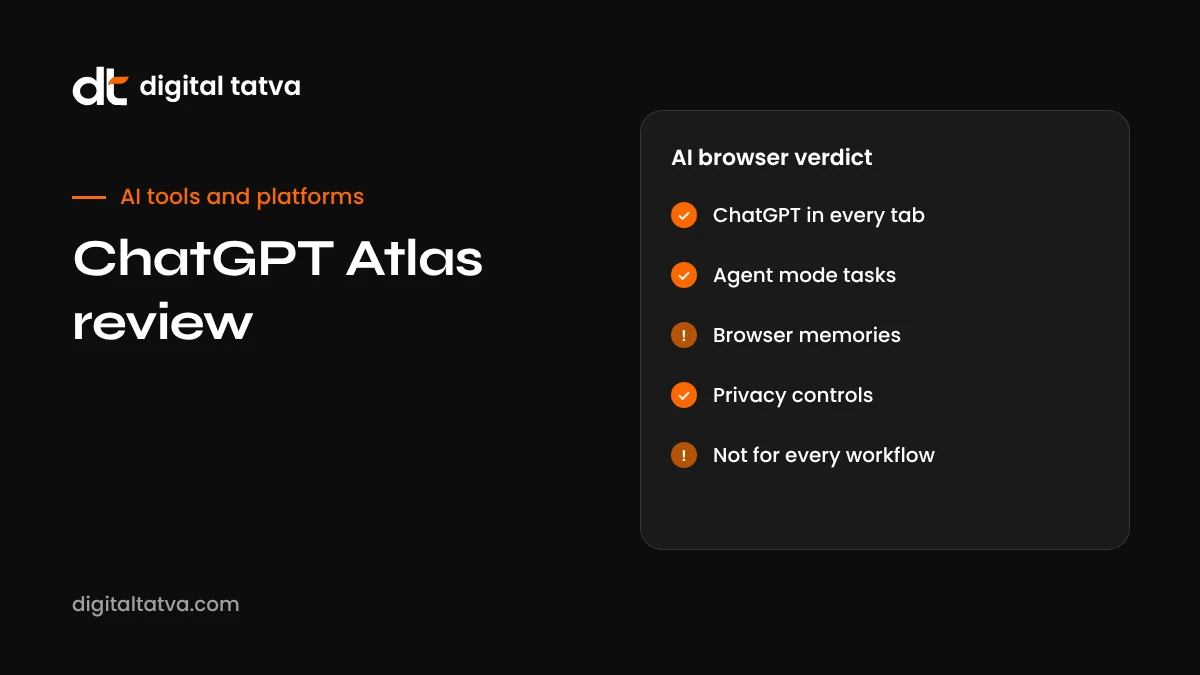
- Its best ideas were the always-available sidebar, inline “cursor chat” editing and agent mode.
- Privacy and security concerns around agent mode and browser memories followed it from launch.
- OpenAI folded the browser into a single ChatGPT desktop app with Chat, Work and Codex modes.
- You can also add ChatGPT to Chrome’s sidebar through OpenAI’s extension.
- For most people, an AI assistant inside the browser they already use is now the simplest choice.
What ChatGPT Atlas was
Atlas was OpenAI’s attempt to make the web browser itself an AI product. Instead of opening ChatGPT in a tab and copying text back and forth, Atlas placed ChatGPT alongside every page you visited. You could ask questions about an article, compare products across tabs, summarise a long report or ask it to rewrite a paragraph you were typing in a web form.
It was built on Chromium, the same open-source engine behind Chrome and Edge, so most websites and many extensions worked normally. It launched for macOS only, with Windows and mobile versions promised as “coming soon”. Those versions never shipped.
Atlas arrived shortly after Perplexity released its Comet browser, and many observers saw both as attempts to challenge Google’s control of how people start their searches. For marketers, Atlas was interesting for a different reason: it showed how AI assistants might read and act on websites on a user’s behalf, a trend we cover in agentic search and how to build an agent-ready website.
Atlas timeline
| Date | What happened |
|---|---|
| 21 October 2025 | Atlas launched for macOS, with agent mode for paid plans |
| Late October 2025 | Security researchers raised concerns about memory and agent features; OpenAI disputed one reported attack |
| November 2025 | Vertical tabs, passkey support and an option to set Google as default search were added |
| January 2026 | Tab groups and an “Auto” mode switching between ChatGPT answers and Google results were added |
| 19 March 2026 | OpenAI announced plans to combine Atlas, the ChatGPT desktop app and Codex into one app |
| 9 July 2026 | The unified ChatGPT desktop app launched for Mac and Windows, with a built-in browser |
| 9 August 2026 | Atlas officially shut down |
What Atlas did well
The ChatGPT sidebar
The most useful everyday feature was simple: a ChatGPT panel that already knew what page you were on. Reading a dense research paper, a legal document or a product page, you could ask “what are the three main arguments here?” or “does this laptop have a backlit keyboard?” without copying anything. For research-heavy work, this saved real time.
Cursor chat
Atlas let you select text in any text field, such as an email draft or a form, and ask ChatGPT to rewrite, shorten or change its tone in place. It felt natural and removed the friction of switching windows.
Agent mode
For Plus and Pro subscribers, agent mode let ChatGPT click, type and navigate across websites to complete tasks, such as gathering information from several pages, filling a shopping cart or drafting a booking. It was impressive in demos and occasionally useful in practice, but it was slow, needed close supervision and sometimes stopped on pages it could not handle.
Browser memories
An optional feature let Atlas remember context from pages you visited, so ChatGPT could refer back to them later. It was opt-in, but it raised understandable privacy questions.
Where Atlas fell short
- Mac only. Most of the world’s desktop users are on Windows, and they never got Atlas.
- Switching cost. People are attached to their browser, bookmarks, passwords and extensions. A new browser has to be dramatically better to justify a switch, and Atlas was helpful rather than transformative.
- Agent reliability. Agent mode was slow and imperfect on complex sites, so many users tried it once and went back to doing tasks themselves.
- Security and privacy questions. AI agents that read web pages can be targeted by prompt injection, where hidden text on a page tries to give the agent instructions. Critics also raised concerns about browser memories.
- Overlap with ChatGPT itself. Much of what Atlas did could also be done in the ChatGPT app or a Chrome extension, which blurred its purpose.
Why OpenAI shut Atlas down
OpenAI framed the decision as part of simplifying ChatGPT. Rather than maintaining separate apps for chat, coding and browsing, it built one desktop app with three modes: Chat, Work and Codex. The built-in browser lets the Work and Codex agents open websites, use online tools and handle files, which was the most strategically important part of Atlas. Company leaders had signalled earlier in 2026 that OpenAI would cut back on side projects and scattered interfaces, and Atlas was one of the casualties.
From a user’s point of view, the browsing capability did not disappear. It moved from a standalone browser into the ChatGPT app, where it is used mainly by agents rather than as your everyday browser.
What replaced Atlas: the ChatGPT desktop app
| Mode | What it does |
|---|---|
| Chat | The familiar ChatGPT conversation interface |
| Work | An agent for longer office-style tasks such as research, documents and spreadsheets, using the built-in browser and files |
| Codex | OpenAI’s coding agent for developers; see how to use OpenAI Codex |
The app runs on both Mac and Windows, which immediately reaches more people than Atlas did. The older desktop app was renamed ChatGPT Classic. If you simply want ChatGPT next to the pages you read, OpenAI’s Chrome extension can add it to Chrome’s sidebar without changing browsers.
Atlas features and where to find them now
If you relied on a particular Atlas feature, here is where you can find something similar today.
| Atlas feature | Closest option now |
|---|---|
| ChatGPT sidebar on any page | ChatGPT Chrome extension, Gemini in Chrome, Copilot in Edge, Comet assistant |
| Ask about multiple tabs | Gemini in Chrome, Edge Copilot Mode, Comet |
| Cursor chat inline editing | Writing tools in the Chrome extension, Copilot in Edge, built-in writing aids in Dia |
| Agent mode on websites | ChatGPT Work and agent features in the ChatGPT desktop app; agent features in Comet, Edge and Chrome |
| Browser memories | ChatGPT memory inside ChatGPT; similar features in some AI browsers |
| Auto mode mixing AI answers and Google results | Google AI Mode and AI Overviews in Chrome; ChatGPT search |
For a deeper look at how ChatGPT remembers context across chats, see AI memory explained. For longer research tasks, how to use deep research covers the research modes in ChatGPT, Gemini and other tools.
What using Atlas was like day to day
Based on OpenAI’s documentation and the many published reviews from launch onwards, everyday use of Atlas followed a fairly consistent pattern. The first few days felt novel: asking questions about articles, getting quick summaries of long pages and rewriting emails in place. After a week or two, most people settled into using the sidebar for a handful of tasks, mostly summarising, explaining and comparing, while browsing normally the rest of the time.
Agent mode was where expectations and reality diverged most. Reviewers praised it for simple, well-defined tasks such as collecting information from a set of pages, but found it slow and fragile on complex sites with pop-ups, logins or unusual layouts. Many concluded that, for now, agents were better at preparing work for a human to finish than at finishing it themselves.
The other recurring theme was the switching cost. Even people who liked Atlas often kept Chrome or Safari open alongside it for work accounts, extensions or habit. That split attention is one reason browser features built into existing browsers have proved easier to adopt than entirely new browsers.
Who should use what now
| If you are | A sensible choice |
|---|---|
| A ChatGPT Plus or Pro user on Mac or Windows | The ChatGPT desktop app, plus the Chrome extension for in-page help |
| A Google Workspace user | Gemini in Chrome |
| A Microsoft 365 business user | Edge with Copilot |
| A student or researcher who cites sources | Perplexity Comet, or Perplexity alongside your usual browser |
| A writer who wants a calmer interface | Dia |
| Privacy-first | Brave with Leo |
| A developer | The ChatGPT desktop app’s Codex mode; see also best AI coding assistants |
Atlas vs Comet: how the two AI-first browsers compared
Because they launched within weeks of each other, Atlas and Perplexity’s Comet were often compared directly. Both were Chromium-based and put an assistant beside every page, but their personalities differed. Atlas felt like ChatGPT with a browser attached: strong at conversation, writing and reasoning about a page. Comet felt like a search engine turned into a browser: strong at finding sources, citing them and pulling information together across sites. Comet also reached Windows and mobile, while Atlas stayed on macOS. For people choosing today, Comet remains available, while Atlas’s strengths have moved into the ChatGPT desktop app.
If you still have Atlas installed
Atlas no longer works, but the app may still sit in your Applications folder. Before deleting it, check whether you still need anything stored only in it. Bookmarks and passwords imported from another browser usually still exist in that original browser. If you saved passwords directly in Atlas, check OpenAI’s help centre for current guidance on exporting or migrating that data, and move important logins to a password manager. Then remove the app and any related login items from your Mac’s settings.
The best ChatGPT Atlas alternatives in 2026
If you liked the idea of Atlas, there are several AI browsers and browser assistants worth trying. Features and pricing change often, so check each product’s site for the current details in your country.
| Option | Best for | Platforms | Notes |
|---|---|---|---|
| Gemini in Chrome | People who already live in Chrome and Google Workspace | Desktop and mobile, availability varies by country | Ask about pages and tabs, with agentic browsing features rolling out |
| Perplexity Comet | Research-heavy users who want an AI-first browser | Desktop and mobile | Built around Perplexity search with an assistant that can act on pages |
| Microsoft Edge with Copilot | Windows users and Microsoft 365 workplaces | Windows, macOS, mobile | Copilot Mode adds multi-tab reasoning and actions |
| Dia | People who want a calm, chat-centred browser | macOS and expanding | From The Browser Company, makers of Arc |
| Opera Neon | Early adopters interested in agentic tasks | Desktop | Opera’s agent-focused browser |
| Brave with Leo | Privacy-focused users | Desktop and mobile | Built-in assistant with a privacy-first approach |
| ChatGPT extension for Chrome | ChatGPT fans who do not want to switch browsers | Chrome desktop | ChatGPT in the Chrome sidebar |
Gemini in Chrome
For most people, this is the path of least resistance. You keep your existing browser, bookmarks and passwords, and gain an assistant that can summarise pages, answer questions across open tabs and, increasingly, carry out simple tasks. If your work runs on Gmail, Docs and Calendar, the integration is a real advantage. Our Gemini SEO guide explains how Gemini reads and cites websites.
Perplexity Comet
Comet is the closest spiritual successor to Atlas: a full browser built around an AI assistant. It suits people who research constantly, because every page can become a starting point for a cited answer. As with any agentic browser, review what the assistant does on sites where you are logged in. See Perplexity SEO for how Perplexity chooses sources.
Microsoft Edge with Copilot
Edge’s Copilot Mode offers a similar experience to Atlas for Windows users, with the added benefit of integration with Microsoft 365 in work environments. If your company already uses Copilot, this may be the most practical choice. See Copilot SEO.
Dia
Dia focuses on making chat a natural part of browsing, with a cleaner, less cluttered interface. It is a good fit for writers and knowledge workers who want help without a busy toolbar.
The ChatGPT desktop app plus your normal browser
Many former Atlas users have settled on a simple combination: their usual browser for everyday browsing, and the ChatGPT desktop app for longer research or agent tasks using its built-in browser. This keeps personal browsing separate from agent activity, which some people find reassuring.
How to choose an AI browser
- Start with your current browser. Check what AI features it already offers. Switching browsers costs time and habits.
- Decide which assistant you trust most. If you prefer ChatGPT, Gemini, Copilot or Perplexity answers, choose the browser built around it.
- Check platform support. Make sure it works on every device you use.
- Read the privacy settings. Look at what is stored, for how long, and whether it is used for training.
- Test agent features on low-risk tasks. Try research or comparison tasks before letting an agent near accounts, payments or work systems.
- Give it two weeks. AI browsers change habits slowly. Judge after real use, not first impressions.
Safety tips for any agentic browser
The concerns raised about Atlas apply to every AI browser that can read pages and take actions:
- Prompt injection is a real risk. Web pages can contain hidden text that tries to instruct an AI agent. Do not let agents act unsupervised on sites you do not trust.
- Use logged-out modes where available for research tasks, so the agent cannot access your accounts.
- Never let an agent enter passwords or payment details on your behalf without watching each step.
- Review memory settings. Turn off or clear browser memories you do not need.
- Keep work and personal browsing separate. Follow your company’s AI usage policy; see our AI usage policy template and AI data privacy for business.
What Atlas taught website owners
Even though Atlas is gone, the shift it represented is not. AI assistants increasingly read web pages directly, summarise them in sidebars and act on them through agents. For businesses, that means:
- Content must be clear when summarised. If an assistant reduces your page to three bullet points, are they the right three? Use answer-first content.
- Key information should be in HTML text. Prices, specs, policies and contact details hidden in images or scripts are easy for agents to miss.
- Forms and checkouts should be simple. Agents struggle with confusing flows, just as people do.
- AI crawler access matters. Check which AI user agents your site allows; see the AI crawlers list.
- AI referral traffic is measurable. Track it in GA4; see track AI traffic in GA4.
If you want to know how AI assistants currently read and describe your website, our free AI visibility checker is a quick place to start.
The bigger picture: the AI browser race
Atlas launched into a crowded and fast-moving market. Perplexity had just released Comet, Google was adding Gemini directly into Chrome, Microsoft was building Copilot Mode into Edge, and smaller companies such as The Browser Company and Opera were experimenting with agent-first browsers. Each was betting that the browser would become the main place where people and AI agents meet the web.
A year later, the picture looks different. The companies that already owned a browser with hundreds of millions of users, Google and Microsoft, had a natural advantage, because they could add AI features without asking anyone to switch. Newer AI-first browsers found loyal niches, especially among researchers and early adopters, but mass switching did not happen. OpenAI’s decision to fold Atlas into its desktop app reflects that reality: rather than fight for the default browser, it focused on making its own agents capable of browsing when they need to.
The next phase is likely to be less about browsers and more about agents that can use any website, whether through a browser, an API or a protocol such as those being developed for agentic commerce. We explain that shift in agentic search and Google UCP and agentic checkout.
Our verdict on Atlas
Atlas was a genuinely useful product with a few clever ideas, especially the context-aware sidebar and inline editing. It was also an early experiment, limited to one platform and asking people to change one of their most ingrained habits. In the end, OpenAI decided that the browser was more valuable as a tool for its agents than as a standalone product. That decision probably reflects where AI browsing is heading: less about which browser you use, and more about which assistant is working alongside you.
Frequently asked questions
Is ChatGPT Atlas still available?
No. OpenAI shut Atlas down on 9 August 2026. Its browsing features now live inside the ChatGPT desktop app.
When was ChatGPT Atlas released?
Atlas was released for macOS on 21 October 2025.
Was Atlas ever available on Windows?
No. Windows and mobile versions were announced as coming soon but never shipped. The unified ChatGPT desktop app does run on Windows.
What replaced ChatGPT Atlas?
The ChatGPT desktop app, launched on 9 July 2026, with Chat, Work and Codex modes and a built-in browser for agent tasks.
Can I still use ChatGPT inside my browser?
Yes. OpenAI’s Chrome extension adds ChatGPT to Chrome’s sidebar, and you can use ChatGPT on the web in any browser.
What is the best alternative to ChatGPT Atlas?
It depends on your setup. Chrome users may prefer Gemini in Chrome, Edge users have Copilot, and people who want an AI-first browser can try Perplexity Comet or Dia.
Was Atlas safe to use?
Atlas used standard browser security, but its agent and memory features raised concerns about prompt injection and privacy, as with all AI agents that read web pages.
What did Atlas mean for websites and SEO?
It showed that AI assistants increasingly read and act on web pages for users, so clear, well-structured, crawlable pages matter more than ever.
Product details, prices and features are checked at the time of writing and can change. Sources are linked in the text so you can check them yourself.
How does your brand appear in AI answers?
We test the questions your buyers ask across the major AI assistants and search engines, then show you what to fix first.
Get an AI Visibility Audit