NotebookLM vs ChatGPT: Which Is Better for Research and Studying?
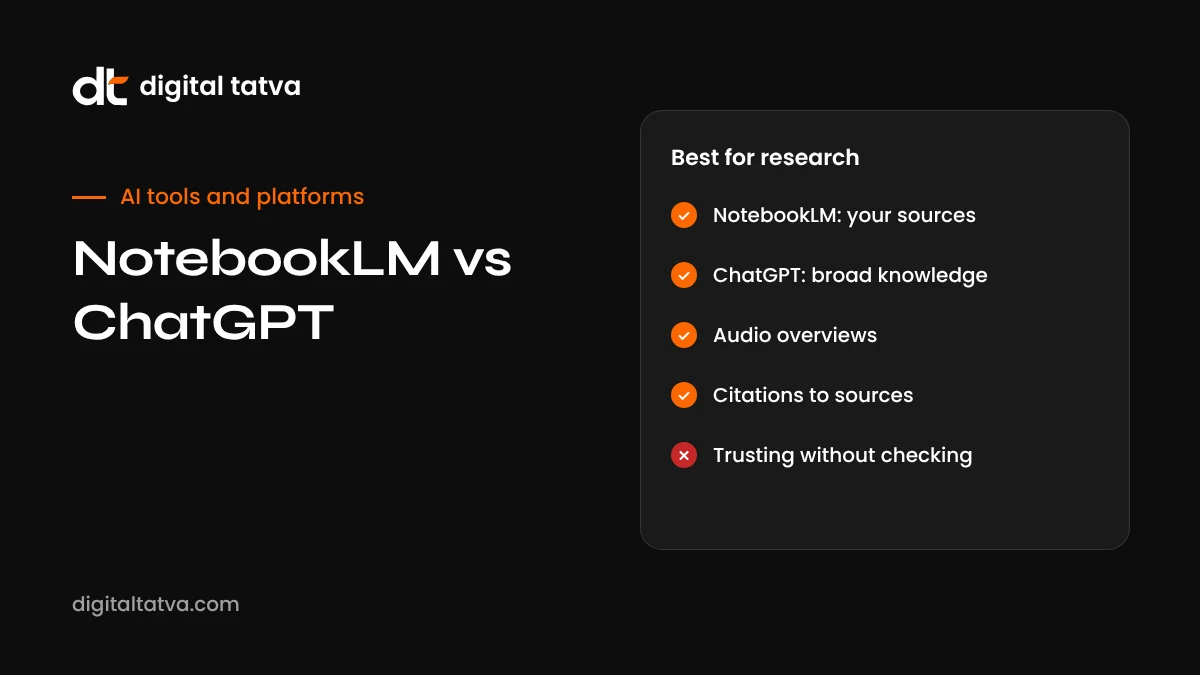
NotebookLM answers only from the sources you give it, with citations, audio and video overviews and study tools. ChatGPT is a general assistant that can search the web, write, code and use agents. This comparison explains which to use for research, studying, client work and content, and how to combine them.
On this page
- Key takeaways
- The core difference
- Feature comparison
- What changed in NotebookLM in 2025 and 2026
- Research workflows compared
- Studying and learning
- Use cases: which tool to pick
- NotebookLM vs ChatGPT Projects
- Pricing compared
- Privacy and data
- A combined workflow for consultants and marketers
- A combined workflow for students
- Limitations to know
- Getting started with NotebookLM
- Getting the most from ChatGPT for research
- Prompts that work well in NotebookLM
- Accuracy test: try this yourself
- Audio and video overviews: are they useful?
- NotebookLM and ChatGPT for content teams and SEO
- Who should choose which?
- Our verdict
- Tips for better results in both tools
- Frequently asked questions
Last updated: 13 November 2026
Quick answer: Use NotebookLM when you want answers grounded strictly in your own sources, such as PDFs, Google Docs, slides, websites and YouTube videos, with inline citations back to the exact passage, plus study aids like audio overviews, video overviews, flashcards, quizzes and mind maps. Use ChatGPT when you need a general assistant that can search the web, reason broadly, write and edit, code, analyse data and run agents. NotebookLM reduces made-up answers because it focuses on what you upload; ChatGPT is more flexible but draws on general knowledge too. Many students, researchers and consultants use both: NotebookLM to understand a set of documents, and ChatGPT to turn that understanding into finished work.
Key takeaways
- NotebookLM is source-grounded: it answers from your uploaded material and cites it.
- ChatGPT is general-purpose: web search, writing, coding, analysis, voice and agents.
- NotebookLM’s audio and video overviews make it excellent for learning and revision.
- In 2026 NotebookLM gained Gemini 3.5, mobile apps, a cloud computer for code and many export formats on top tiers.
- ChatGPT Projects offer a similar “folder of sources” approach but mix in general knowledge.
- For important work, use both and check citations either way.
The core difference
NotebookLM and ChatGPT start from opposite assumptions. NotebookLM assumes the truth is in the documents you provide. It reads them, answers questions using only that material, and shows numbered citations you can click to see the exact passage. If the answer is not in your sources, it is designed to say so rather than invent one.
ChatGPT assumes you want a capable assistant for almost anything. It can use your files, but it also draws on its broad training and can search the web. That makes it more flexible and creative, but it can blend general knowledge with your sources and occasionally state things confidently that are not in them.
Feature comparison
| Feature | NotebookLM | ChatGPT |
|---|---|---|
| Grounding | Answers from your sources, with inline citations | Uses your files, general knowledge and web search |
| Sources supported | PDFs, Google Docs and Slides, websites, YouTube videos, audio and more | Many file types, web search, connected apps |
| Learning tools | Audio overviews, video overviews, flashcards, quizzes, mind maps, study guides | Explanations, quizzes on request, voice tutoring |
| Research | Deep research to find and add web sources to a notebook | Deep research reports across the web |
| Writing and editing | Summaries, briefing documents, reports | Full drafting and editing of any content |
| Coding and data | Cloud computer for code and data tasks on top tiers | Code, data analysis and Codex agents |
| Organisation | Notebooks per topic | Projects with files, instructions and chats |
| Mobile | iOS and Android apps | iOS and Android apps |
What changed in NotebookLM in 2025 and 2026
| Date | Update |
|---|---|
| July 2025 | Video Overviews arrive, turning sources into narrated visual explainers |
| August 2025 | Overviews expand to more than 80 languages |
| November 2025 | Deep Research and expanded file support |
| Early 2026 | More visual formats such as infographics and cinematic-style video overviews roll out |
| 29 May 2026 | Mobile apps available more widely on iOS and Android |
| 8 June 2026 | Gemini 3.5, a secure cloud computer per notebook and many downloadable output formats for top-tier subscribers |
The June 2026 update is notable: NotebookLM can now write and run code in a secure cloud environment and export results as charts, documents, spreadsheets, presentations, images and data files. At launch this was limited to Google AI Ultra and certain Workspace customers, so check what your plan includes.
Research workflows compared
Researching a set of documents
Imagine you have 15 PDFs: industry reports, a client brief and interview transcripts. In NotebookLM, upload them to one notebook and ask questions such as “What are the three most common customer complaints across the interviews?” Every answer links to the exact passages, so you can verify quickly. In ChatGPT, you can upload the same files to a Project and ask the same questions, and it will often produce a more polished narrative, but you need to ask for quotes and check that it has not added outside assumptions.
Researching a new topic from scratch
ChatGPT’s deep research is excellent for exploring a topic you know little about, searching widely and producing a report. NotebookLM’s deep research focuses on finding sources to add to a notebook, after which all answers are grounded in those sources. A strong workflow is to discover sources with ChatGPT or NotebookLM’s research feature, then analyse them in NotebookLM.
Turning research into deliverables
ChatGPT is generally stronger at turning findings into finished content: blog posts, proposals, emails and presentations in your voice. NotebookLM can produce briefing documents, study guides and, on top tiers, exportable files, but it is designed more for understanding than for polished marketing writing.
Studying and learning
NotebookLM has become a favourite study tool because it turns your course material into many formats:
- Audio overviews: two AI hosts discuss your material like a podcast, great for commutes.
- Video overviews: narrated visual explainers built from your sources.
- Flashcards and quizzes: generated from your notes and textbooks.
- Mind maps: visual maps of how concepts connect.
- Study guides and briefing documents: condensed summaries with key terms.
ChatGPT is a strong tutor in a different way: it explains concepts flexibly, adapts to your level, answers follow-up questions and can run voice tutoring sessions. A powerful combination is to learn from your actual course material in NotebookLM, then use ChatGPT to explain difficult ideas in different ways and test you with new problems.
Use cases: which tool to pick
| Task | Better choice | Why |
|---|---|---|
| Revising for an exam from your notes | NotebookLM | Grounded answers, flashcards, quizzes and audio overviews |
| Understanding a long legal contract or policy | NotebookLM | Citations point to exact clauses; still consult a professional |
| Writing a blog post from research | ChatGPT | Better at polished, structured writing in your voice |
| Analysing customer interview transcripts | NotebookLM | Find patterns with citations to specific quotes |
| Exploring a brand-new topic on the web | ChatGPT | Broad web search and deep research |
| Preparing a client briefing from their documents | NotebookLM, then ChatGPT | Understand first, then write |
| Coding or data analysis | ChatGPT | Stronger coding tools and Codex; NotebookLM’s cloud computer suits simpler tasks |
| Learning on the go | NotebookLM | Audio overviews in many languages |
| Daily assistant for many tasks | ChatGPT | Voice, apps, agents and broad capabilities |
NotebookLM vs ChatGPT Projects
ChatGPT Projects are the closest equivalent to a NotebookLM notebook. Both let you collect files and chats around one topic. The differences:
- Grounding: NotebookLM sticks to sources; Projects add files to ChatGPT’s general knowledge.
- Citations: NotebookLM cites by default; in Projects you should ask for quotes.
- Outputs: NotebookLM excels at overviews and study aids; Projects excel at drafting, coding and multi-step work.
- Instructions: Projects support custom instructions for tone and rules; NotebookLM focuses on the sources.
- File limits: both depend on plan; check current limits.
Read our guide to how to use ChatGPT Projects for setup tips.
Pricing compared
NotebookLM has a free tier with limits on notebooks, sources and daily generations. Higher limits and advanced features come through Google AI subscriptions and Google Workspace plans, with the newest features often arriving first on the top Ultra tier. ChatGPT has a free plan and paid plans including Go, Plus, Pro and business tiers, with deep research, Projects, voice and agent features varying by plan. If you already pay for one ecosystem, start there: Google AI or Workspace subscribers get more from NotebookLM, while ChatGPT subscribers get Projects and deep research included.
Privacy and data
Both tools process the documents you upload. Google states that NotebookLM does not use personal data from your notebooks to train its models for consumer accounts, and Workspace customers get enterprise data protections; ChatGPT offers data controls and business plans that exclude data from training by default. For confidential client documents, health records or legal files, use business or education plans with clear protections and follow your organisation’s policies. See our AI data privacy guide.
A combined workflow for consultants and marketers
- Collect sources. Gather the client brief, past reports, competitor pages, survey results and relevant industry studies.
- Build a notebook. Upload everything to NotebookLM and generate a briefing document.
- Interrogate the material. Ask questions like “What objections do customers raise most often?” and “Which competitors are mentioned positively?”, checking citations.
- Listen while commuting. Generate an audio overview to absorb the material before meetings.
- Draft in ChatGPT. Paste the key findings (with quotes) into a ChatGPT Project and draft the proposal, strategy or content plan.
- Fact-check the draft against NotebookLM’s cited passages before sending.
This approach combines NotebookLM’s accuracy with ChatGPT’s writing strength, and keeps a clear trail from every claim back to its source.
A combined workflow for students
- Upload lecture notes, slides and textbook chapters to a NotebookLM notebook per subject.
- Generate a study guide and mind map to see how topics connect.
- Use flashcards and quizzes for active recall, and audio overviews for revision on the move.
- Ask ChatGPT to explain tricky concepts in simpler terms or with new examples.
- Practise with ChatGPT by asking for exam-style questions, then check answers against your notes in NotebookLM.
- Write your own answers, and follow your institution’s academic integrity rules.
Limitations to know
NotebookLM
- Only as good as your sources: missing or outdated documents mean missing or outdated answers.
- Less suited to creative writing and polished marketing copy.
- Advanced features often arrive first on premium tiers.
- Source and notebook limits on the free plan.
ChatGPT
- Can blend general knowledge with your documents, which may introduce errors.
- Citations need to be requested and checked.
- Long conversations can lose track of details from early in the chat.
- Usage limits on advanced features depend on plan.
Getting started with NotebookLM
- Go to NotebookLM and sign in with your Google account, or install the mobile app.
- Create a notebook for one topic, client or course.
- Add sources: upload PDFs, link Google Docs and Slides, paste website URLs or YouTube links, or use research to find sources.
- Read the auto-generated summary to check the sources were understood.
- Ask questions in the chat and click citations to verify.
- Use the studio panel to create audio or video overviews, study guides, flashcards, quizzes, mind maps and other outputs.
- Save useful answers as notes inside the notebook.
Getting the most from ChatGPT for research
- Use a Project per research topic with your key files and instructions.
- Ask for quotes and page references: “For each claim, quote the sentence from the source file.”
- Separate sources from opinions: “First list what the documents say, then give your analysis separately.”
- Use deep research for broad web questions, and check its sources.
- Ask for counter-arguments to avoid one-sided conclusions.
For more ways to use ChatGPT for structured research, see how to use deep research.
Prompts that work well in NotebookLM
| Goal | Prompt |
|---|---|
| Summarise | “Give me a one-page briefing of these sources with the five most important points and supporting citations.” |
| Compare | “Compare how each report describes market size and growth. Show differences in a table.” |
| Find gaps | “What questions do these sources leave unanswered?” |
| Extract quotes | “List direct customer quotes about pricing, with the source for each.” |
| Explain simply | “Explain the main argument of chapter 3 as if to a first-year student.” |
| Timeline | “Create a timeline of key events mentioned across all sources.” |
Accuracy test: try this yourself
A simple test shows the difference in grounding. Upload a document that contains a deliberately unusual fact, for example an internal policy stating that refunds are processed within 11 days. Then ask both tools, “How long do refunds take?”
- NotebookLM should answer “11 days” and cite the passage.
- ChatGPT will usually also find it if the file is uploaded, but if the file is missing or the question is vague, it may give a typical industry answer instead.
Now ask about something not in the document, such as “What is the refund policy for international orders?” NotebookLM should say the sources do not cover it. ChatGPT may offer a general answer, which is useful for brainstorming but risky if you treat it as your policy. This is why NotebookLM is preferred for policy, compliance and client-document questions, and why ChatGPT should be explicitly told to answer only from provided files when accuracy matters.
Audio and video overviews: are they useful?
NotebookLM’s overviews are among its most loved features. Audio overviews present your material as a conversation between two AI hosts, which many people find easier to absorb than reading. Video overviews add visuals, diagrams and key points. They work well for revision, onboarding new team members to a project, or getting the gist of long reports before a meeting. Their limits: they simplify, sometimes emphasise unexpected points, and are not a substitute for reading critical sections yourself. You can usually steer them with instructions about focus, audience and length.
NotebookLM and ChatGPT for content teams and SEO
Content and SEO teams can use both tools to produce better-researched, more trustworthy articles, which matters for search rankings and AI citations alike.
- Build a source notebook per topic containing original research, expert interviews, product documentation and customer feedback. Use NotebookLM to extract facts and quotes with citations.
- Draft with ChatGPT using those verified facts, in an answer-first structure with question headings and FAQs. See answer-first content.
- Add original insight. AI assistants and search engines increasingly reward content with first-hand experience and original data; see original research for AEO.
- Keep a source trail so editors can check every important claim.
- Refresh regularly by updating the notebook with new sources and revising articles; see content refresh for AEO.
Who should choose which?
Choose NotebookLM first if you are a student, teacher, researcher, lawyer, analyst or consultant who works mainly with a defined set of documents and needs to trust where every answer comes from. Choose ChatGPT first if you are a marketer, founder, developer or generalist who needs one assistant for writing, research, coding, planning and everyday tasks. If your work regularly includes both understanding documents and producing polished outputs, the free tiers of both are enough to build the combined workflow described above before deciding whether to pay for either.
Our verdict
NotebookLM and ChatGPT are less rivals than partners. NotebookLM is the best tool available for deeply understanding a defined set of documents, with citations that make verification easy and overviews that make learning enjoyable. ChatGPT is the better all-round assistant for exploring new topics, writing finished work, coding and taking action. If you study, research or advise clients, use NotebookLM to understand the material and ChatGPT to create from it. If you only want one tool, choose based on your main job: understanding sources (NotebookLM) or getting varied work done (ChatGPT).
Tips for better results in both tools
- Curate sources carefully. In NotebookLM, a focused set of high-quality documents produces better answers than dozens of loosely related files. Remove outdated versions.
- Name sources clearly so citations are easy to recognise, for example “2026 customer survey results” rather than “final_v3.pdf”.
- Ask precise questions. “What reasons for cancellation appear in the interviews, ranked by frequency?” beats “What do customers think?”
- Separate facts from interpretation. Ask for what the sources say first, then for analysis, so you can see where the tool is reasoning beyond the evidence.
- Use ChatGPT for structure. Once you have verified findings, ask ChatGPT to organise them into a report, presentation outline or content plan.
- Keep a decision log. Note which conclusions came from which sources, so colleagues can check your work later.
- Refresh notebooks. When new reports or data arrive, add them and remove superseded ones, then regenerate briefings.
These habits turn both tools from clever toys into dependable research partners. They also make it far easier to defend your conclusions when a client, manager or examiner asks where a particular claim came from, because every important point traces back to a named source.
Frequently asked questions
Is NotebookLM better than ChatGPT?
For answering questions strictly from your own documents with citations, NotebookLM is usually better. For general tasks, writing, coding and web research, ChatGPT is more versatile.
Is NotebookLM free?
Yes. NotebookLM has a free tier. Higher tiers through Google AI plans and Workspace add more notebooks, sources and advanced features.
Does NotebookLM make things up?
It is designed to answer only from your sources, which reduces made-up answers, but it can still misinterpret material. Check the cited passages.
Can ChatGPT answer only from my documents?
You can instruct it to, especially within a Project, but it is not as strictly grounded as NotebookLM. Ask it to quote sources for each claim.
What are NotebookLM audio overviews?
They are podcast-style conversations generated from your sources, useful for learning on the go. They are available in many languages.
Can NotebookLM search the web?
Yes. It can suggest and add web sources through research features, and all answers remain attributed to the sources in your notebook.
Can I export from NotebookLM?
You can copy answers and notes, export briefing content, and on top tiers download outputs such as documents, spreadsheets, presentations and charts.
Which is better for students?
NotebookLM is excellent for studying course material; ChatGPT is helpful for explanations and practice. Follow your institution’s rules on AI use.
Can I use NotebookLM for client work?
Yes, for analysing client documents, if your data agreements allow it. Business and Workspace plans offer stronger data protections.
Does NotebookLM support Hindi?
Overviews and answers support many languages, including Hindi. Quality depends on the language and your source material.
Can NotebookLM create quizzes?
Yes. NotebookLM can generate quizzes and flashcards from your sources, which makes it useful for revision and training.
Can ChatGPT create audio overviews like NotebookLM?
Not in the same podcast-style format, but ChatGPT voice can discuss and explain your material conversationally.
Which is better for long PDFs?
NotebookLM is usually better for extracting cited answers from long PDFs; ChatGPT is better for turning those findings into new writing.
Can I use NotebookLM on my phone?
Yes. NotebookLM has mobile apps for iOS and Android, useful for reviewing notebooks and listening to audio overviews on the go.
Is NotebookLM good for team research?
Yes. Notebooks can be shared, and Workspace plans add stronger controls for business use.
Product details, prices and features are checked at the time of writing and can change. Sources are linked in the text so you can check them yourself.
How does your brand appear in AI answers?
We test the questions your buyers ask across the major AI assistants and search engines, then show you what to fix first.
Get an AI Visibility Audit