AI Crawlers List: Every Major AI Bot and What It Does
A practical list of AI crawlers from OpenAI, Anthropic, Perplexity, Google, Microsoft, Apple, Meta and others, grouped into training, search and user-fetch bots, with advice on which to allow.
On this page
- Key takeaways
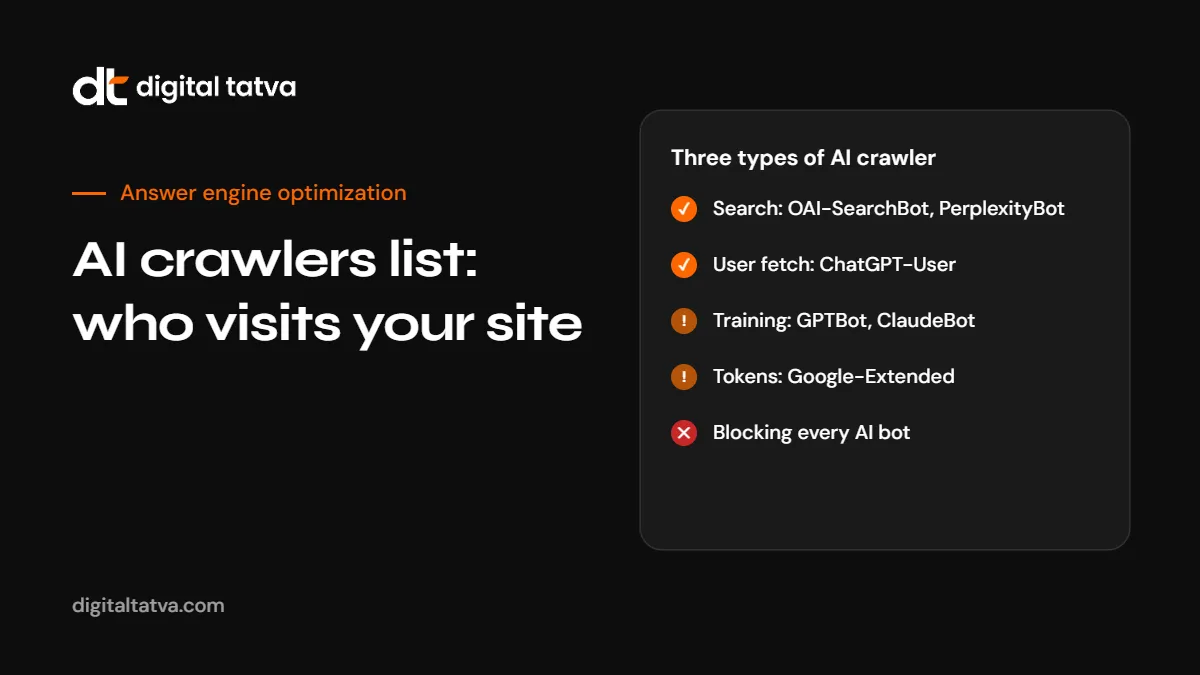
- The three types of AI crawler
- AI crawlers list: the main bots
- OpenAI crawlers
- Anthropic crawlers
- Perplexity crawlers
- Google crawlers and controls
- Microsoft, Apple, Meta and others
- Which AI crawlers should you allow?
- Recommended setups by business type
- How to verify a real AI crawler
- Platform notes
- Example robots.txt for AI crawlers
- robots.txt is not the whole story
- How to see which AI crawlers visit your site
- What happens if you block each crawler
- Keeping your AI crawler rules current
- Common mistakes with AI crawlers
- How Digital Tatva can help
- Frequently asked questions
Last updated: 7 November 2026
Quick answer: AI crawlers are bots run by AI companies to collect web content for model training, to build search indexes for AI answers, or to fetch a page when a user asks about it. The main ones are OpenAI’s GPTBot, OAI-SearchBot and ChatGPT-User; Anthropic’s ClaudeBot, Claude-SearchBot and Claude-User; Perplexity’s PerplexityBot and Perplexity-User; Google’s Googlebot and the Google-Extended control token; Microsoft’s Bingbot; Apple’s Applebot and Applebot-Extended; Meta’s Meta-ExternalAgent; Common Crawl’s CCBot; and others such as Amazonbot, Bytespider and DuckAssistBot. For most businesses, the smart setup is to allow the search and user-fetch bots that can send you visibility, and decide separately whether to allow training bots.
Key takeaways
- AI crawlers fall into three groups: training crawlers, search crawlers and user-triggered fetchers. Each has a different effect on your visibility.
- Blocking a training crawler such as GPTBot or ClaudeBot does not remove you from that company’s AI search, as long as you allow its search crawler.
- Some controls, such as Google-Extended and Applebot-Extended, are tokens in robots.txt rather than separate crawlers.
- User-triggered fetchers may not follow robots.txt in the same way, because a person asked for the page.
- Crawler names and rules change. Check each company’s official documentation before making major changes.
The three types of AI crawler
| Type | What it does | Effect of allowing | Effect of blocking |
|---|---|---|---|
| Training crawler | Collects content that may be used to train AI models | Your content may help shape future models | Future content is excluded from that company’s training |
| Search crawler | Builds an index used to find and cite sources in AI answers | Your pages can be cited and linked in AI search | Your pages are unlikely to appear as sources |
| User-triggered fetcher | Opens a page when a user’s request needs it | AI tools can read your page when someone asks about it | AI tools may fail to open your page for users |
The most common mistake we see is a business blocking every AI bot to protect its content from training, and accidentally removing itself from AI search at the same time. Separating these three types solves that.
AI crawlers list: the main bots
| User agent | Company | Type | Used for |
|---|---|---|---|
| GPTBot | OpenAI | Training | Content that may be used to train OpenAI models |
| OAI-SearchBot | OpenAI | Search | Surfacing and linking pages in ChatGPT search |
| ChatGPT-User | OpenAI | User fetch | Opening pages when a ChatGPT user’s request needs them |
| ClaudeBot | Anthropic | Training | Content that could contribute to Claude model training |
| Claude-SearchBot | Anthropic | Search | Indexing content to improve Claude’s search results |
| Claude-User | Anthropic | User fetch | Opening pages when a Claude user asks a question |
| PerplexityBot | Perplexity | Search | Surfacing and linking sites in Perplexity results; Perplexity says it is not used for training foundation models |
| Perplexity-User | Perplexity | User fetch | Fetching pages when a Perplexity user asks a question |
| Googlebot | Search | Google Search, including AI Overviews and AI Mode | |
| Google-Extended | Control token | Controls use of content for Gemini model training and grounding; not a separate crawler | |
| GoogleOther | Other | Google’s crawler for research and development uses outside Search | |
| Bingbot | Microsoft | Search | Bing search, which also supports Microsoft Copilot |
| Applebot | Apple | Search | Siri, Spotlight and Safari search features |
| Applebot-Extended | Apple | Control token | Controls use of content for Apple’s generative AI training; not a separate crawler |
| Meta-ExternalAgent | Meta | Training | Content for Meta’s AI models and products |
| Meta-ExternalFetcher | Meta | User fetch | Fetching pages for user actions in Meta AI products |
| CCBot | Common Crawl | Training (indirect) | Open web archive widely used to train AI models |
| Amazonbot | Amazon | Search and AI | Amazon services including Alexa answers |
| Bytespider | ByteDance | Training | Content for ByteDance AI products |
| DuckAssistBot | DuckDuckGo | User fetch | Fetching pages for DuckDuckGo’s AI-assisted answers |
| MistralAI-User | Mistral AI | User fetch | Fetching pages for Mistral’s Le Chat assistant |
This list covers the crawlers most businesses need to think about. New ones appear regularly, and companies sometimes rename or split their bots. Check each company’s official crawler documentation before you make important changes.
OpenAI crawlers
OpenAI separates its crawlers clearly:
- GPTBot collects content that may be used to train OpenAI’s models. Blocking it opts your future content out of training.
- OAI-SearchBot crawls pages so they can be shown and linked in ChatGPT search. If you want to appear as a source in ChatGPT answers, allow it.
- ChatGPT-User fetches pages when a user’s request in ChatGPT needs them. Because a person asked, OpenAI has said robots.txt rules may not apply to it in the same way.
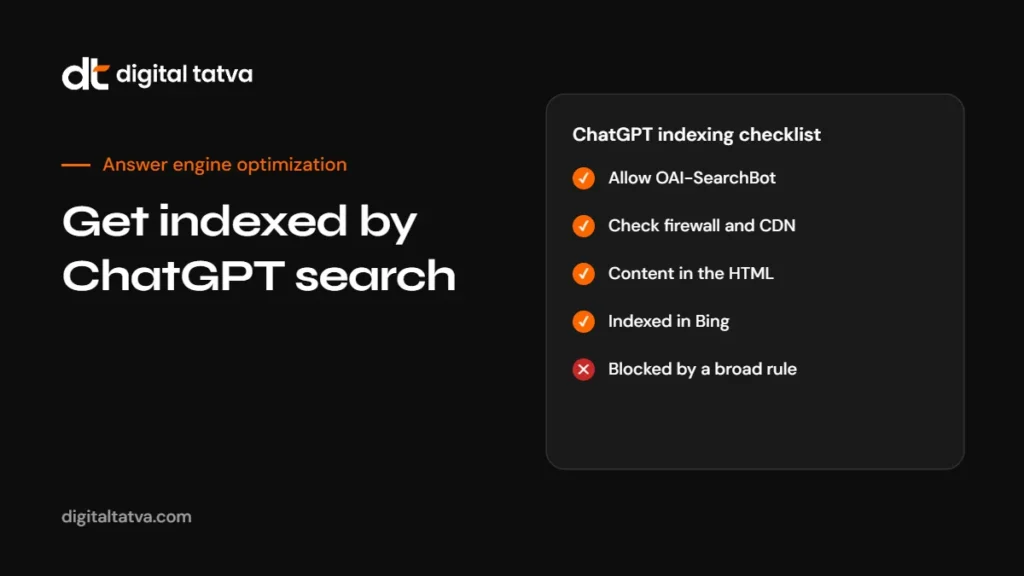
A common setup is to allow OAI-SearchBot and ChatGPT-User and block GPTBot, which keeps you in ChatGPT search while opting out of training. Our guide to getting indexed by ChatGPT search covers the full process.
Anthropic crawlers
Anthropic, the company behind Claude, uses three bots:
- ClaudeBot collects content that could contribute to training. Blocking it signals that your future content should be excluded from training datasets.
- Claude-SearchBot crawls to improve search results for Claude users. Blocking it stops your content being indexed for Claude’s search, which may reduce your visibility there.
- Claude-User opens pages when a Claude user asks a question. Blocking it may reduce visibility in user-directed searches.
Older guides mention user agents such as “anthropic-ai” and “Claude-Web”. Anthropic’s current documentation focuses on the three bots above.
Perplexity crawlers
- PerplexityBot surfaces and links websites in Perplexity’s search results. Perplexity says it is not used to crawl content for AI foundation models, and it respects robots.txt.
- Perplexity-User fetches pages when a user asks Perplexity a question. Perplexity says that because a user requested the fetch, it generally ignores robots.txt rules.
If you want to appear in Perplexity answers, allow PerplexityBot. Our Perplexity SEO guide explains what else it looks for.
Google crawlers and controls
Google is different from other AI companies because its AI features are part of Google Search.
- Googlebot crawls for Google Search. AI Overviews and AI Mode draw on the Search index, so Googlebot access is what matters for those features.
- Google-Extended is a robots.txt token, not a separate crawler. It lets you control whether content Google crawls can be used to train Gemini models and for grounding in Gemini apps and Vertex AI. It does not affect your inclusion or ranking in Google Search, and it does not remove you from AI Overviews.
- GoogleOther is used by Google teams for research and development crawling outside Search.
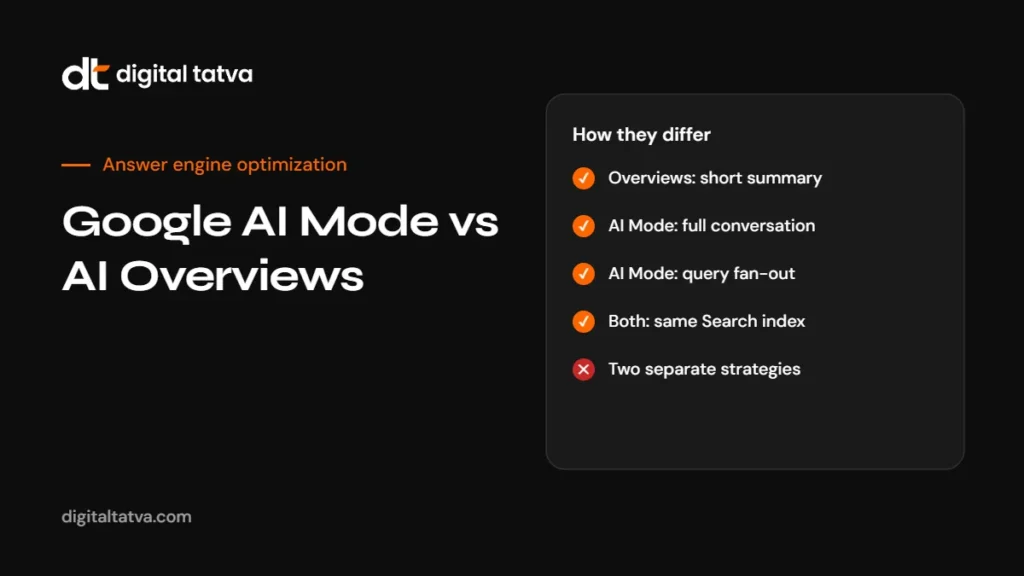
Blocking Googlebot to avoid AI Overviews would remove you from Google Search entirely, which is almost never a good idea. See Google AI Mode vs AI Overviews for how those features work.
Microsoft, Apple, Meta and others
Bingbot
Bingbot powers Bing search, which also supports Microsoft Copilot answers and is widely reported to be one of the sources behind ChatGPT search. Blocking Bingbot can hurt visibility in several AI assistants at once.
Applebot and Applebot-Extended
Applebot crawls for Apple’s search features in Siri, Spotlight and Safari. Applebot-Extended is a control token: disallowing it tells Apple not to use your content to train its generative AI models, while Applebot can still crawl for search features.
Meta-ExternalAgent and Meta-ExternalFetcher
Meta-ExternalAgent collects content for Meta’s AI models and products. Meta-ExternalFetcher fetches pages for user-initiated actions. Decide on Meta-ExternalAgent the same way you decide on other training crawlers.
CCBot
Common Crawl builds an open archive of the web that many AI developers use for training. Blocking CCBot reduces the chance your content ends up in datasets built from that archive, but it does not affect any company’s live AI search.
Amazonbot, Bytespider, DuckAssistBot and MistralAI-User
Amazonbot supports Amazon services including Alexa. Bytespider collects content for ByteDance AI products and has been reported in the past to crawl heavily. DuckAssistBot fetches pages for DuckDuckGo’s AI-assisted answers. MistralAI-User fetches pages for Mistral’s Le Chat assistant.
Which AI crawlers should you allow?
There is no single right answer, but here is the decision most of our clients make:
| Crawler group | Typical recommendation | Reason |
|---|---|---|
| Search engines: Googlebot, Bingbot, Applebot | Allow | Core search visibility, including AI Overviews, AI Mode and Copilot |
| AI search crawlers: OAI-SearchBot, Claude-SearchBot, PerplexityBot | Allow | Needed to be cited in ChatGPT, Claude and Perplexity answers |
| User fetchers: ChatGPT-User, Claude-User, Perplexity-User, DuckAssistBot | Allow | Lets AI tools read your page when someone asks about you |
| Training crawlers: GPTBot, ClaudeBot, Meta-ExternalAgent, CCBot, Bytespider | Your choice | Affects whether your content helps train future models, not live AI search |
| Control tokens: Google-Extended, Applebot-Extended | Your choice | Affects training and grounding use, not core search |
Businesses that want maximum visibility often allow training crawlers too, on the basis that models trained on accurate information about them are more likely to describe them correctly. Publishers that sell content often block them. Both are reasonable. What is rarely reasonable is blocking search crawlers by accident.
For a deeper look at the training decision, see our guide to the AI training opt-out with robots.txt.
Recommended setups by business type
| Business type | Search and user bots | Training bots | Why |
|---|---|---|---|
| Service business or consultancy | Allow | Usually allow | Visibility and accurate descriptions matter more than protecting content |
| B2B software | Allow | Usually allow | Buyers research in AI tools; accurate product knowledge helps |
| Ecommerce brand | Allow | Allow or block | Product pages need visibility; training use is a brand choice |
| News publisher or paid content | Allow search, consider user bots | Often block | Content is the product, so training use may need a licence |
| Membership or course platform | Allow public pages only | Often block | Protect paid content, keep marketing pages visible |
| Healthcare, finance or legal | Allow public pages | Your choice | Accurate public information helps AI give safer answers |
Whatever you decide, keep paid or private content behind authentication. robots.txt alone does not protect it.
How to verify a real AI crawler
Anyone can put “GPTBot” or “ClaudeBot” in a user agent string. If you see suspicious traffic claiming to be an AI crawler, verify it:
- Check published IP ranges. OpenAI and other companies publish the IP addresses their crawlers use. Compare the request IP.
- Use reverse DNS for search engines. Googlebot and Bingbot can be verified by reverse DNS lookup to their official domains, followed by a forward lookup.
- Use your CDN’s verified bot list. Many CDNs label verified bots automatically.
- Look at behaviour. Real crawlers usually request robots.txt and follow consistent patterns. Impostors often hammer specific URLs.
Block impostors at the firewall. Do not change robots.txt for them, because they ignore it anyway.
Platform notes
WordPress
SEO plugins such as Yoast let you edit robots.txt, and some security plugins add AI bot blocking. Check both, and make sure the “discourage search engines” setting is off.
Shopify
Customise rules through the robots.txt.liquid template. Check any bot protection apps.
Webflow
Edit robots.txt in site settings. Make sure staging domains are not indexed.
Cloudflare
Review AI bot blocking options and verified bot settings. A single toggle can block AI search crawlers across your whole site.
Example robots.txt for AI crawlers
This example allows search and user-fetch bots and blocks training crawlers. Adjust it to your own decision.
# AI search and user-triggered fetchers: allow
User-agent: OAI-SearchBot
User-agent: ChatGPT-User
User-agent: Claude-SearchBot
User-agent: Claude-User
User-agent: PerplexityBot
User-agent: Perplexity-User
Allow: /

# AI training crawlers: block
User-agent: GPTBot
User-agent: ClaudeBot
User-agent: CCBot
User-agent: Meta-ExternalAgent
User-agent: Bytespider
Disallow: /

# Training and grounding control tokens
User-agent: Google-Extended
User-agent: Applebot-Extended
Disallow: /

# Everyone else, including Googlebot and Bingbot
User-agent: *
Allow: /

Sitemap: https://www.example.com/sitemap.xml
Grouping several user agents above one set of rules is valid in the robots.txt standard, but if you are unsure, write a separate block for each bot. Our guide to checking AI crawler access in robots.txt shows how to test that your rules do what you intend.
robots.txt is not the whole story
robots.txt is a request, not a lock. Well-behaved crawlers follow it, but:
- Some user-triggered fetchers may not follow it in the same way, as their operators explain.
- Firewalls, CDNs and hosting security can block bots even when robots.txt allows them.
- Content loaded only by JavaScript may be invisible to some crawlers even when they are allowed.
- Bad actors can fake user agent names. Companies such as OpenAI publish IP ranges so you can verify real requests.
If you need to truly prevent access, use server-level controls. If you want visibility, check that nothing at the server level blocks the bots you allowed.
How to see which AI crawlers visit your site
- Check server logs. Filter requests by user agent for the names in this list.
- Check your CDN dashboard. Many CDNs show bot traffic by category and let you see which AI bots were allowed or blocked.
- Verify IPs for important bots. Compare request IPs against published ranges to rule out impostors.
- Watch response codes. Repeated 403 or 429 responses to AI bots usually mean a firewall or rate limit is stopping them.
- Run a quick external check. Our free AI visibility checker reads your robots.txt and tests access the way AI crawlers would.
What happens if you block each crawler
| If you block | You lose | You keep |
|---|---|---|
| GPTBot | Future training use by OpenAI | ChatGPT search visibility, if OAI-SearchBot is allowed |
| OAI-SearchBot | Citations in ChatGPT search answers | Training choice is separate |
| ClaudeBot | Future training use by Anthropic | Claude search visibility, if Claude-SearchBot is allowed |
| Claude-SearchBot | Indexing for Claude’s search results | Training choice is separate |
| PerplexityBot | Citations in Perplexity results | Nothing for training, which Perplexity says it does not use this bot for |
| Google-Extended | Use in Gemini training and grounding | Google Search, AI Overviews and AI Mode |
| Googlebot | Google Search entirely, including AI features | Almost nothing; rarely a good idea |
| Bingbot | Bing, and likely Copilot and some ChatGPT search visibility | Google visibility |
| CCBot | Inclusion in Common Crawl’s future archives | All live AI search visibility |
Keeping your AI crawler rules current
The AI crawler landscape changes every few months. Companies launch new bots, split one bot into several, or change what an existing bot does. Anthropic, for example, now documents three separate bots where older guides listed different names. A rule written in 2024 may block the wrong things in 2026.
A simple routine keeps you safe:
- Review twice a year. Check this list and each company’s official documentation for changes.
- Check your logs. Look for new AI user agents you have not made a decision about.
- Retest access. After any change to robots.txt, your CDN or your hosting, run a quick access check.
- Write down your policy. A short note on which types of bots you allow and why makes future decisions faster and keeps your team consistent.
Common mistakes with AI crawlers
- One rule for all bots. Blocking every AI crawler removes you from AI search along with training.
- Using outdated names. Blocking old user agents that no longer exist while newer bots get through, or the reverse.
- Forgetting the CDN. robots.txt says yes while the firewall says no.
- Blocking Googlebot to avoid AI Overviews. This removes you from Google Search entirely.
- Assuming Google-Extended affects AI Overviews. It does not.
- Setting and forgetting. Review your rules at least twice a year as new crawlers appear.
How Digital Tatva can help
Getting AI crawler access right is one of the fastest wins in AI visibility. Our technical AEO service reviews robots.txt, CDN and firewall rules, server logs and rendering, then sets up crawler access that matches your goals: visible in AI search, with training use under your control. It is part of every AI visibility audit we run.
Check your AI crawler access now. Run our free AI visibility checker, or request an AI visibility audit for a full review of how AI tools find and describe your business.
Frequently asked questions
What are AI crawlers?
AI crawlers are bots run by AI companies to collect content for training, build indexes for AI search answers or fetch pages when a user asks about them.
What is the difference between GPTBot and OAI-SearchBot?
GPTBot collects content that may be used to train OpenAI’s models. OAI-SearchBot crawls pages so they can appear as sources in ChatGPT search.
What is ClaudeBot?
ClaudeBot is Anthropic’s crawler for collecting content that could contribute to training Claude models. Anthropic also runs Claude-SearchBot for search and Claude-User for user-requested fetches.
Should I block AI crawlers?
Most businesses should allow AI search crawlers and user fetchers so they can appear in AI answers, and decide separately about training crawlers.
Does blocking Google-Extended remove me from AI Overviews?
No. Google-Extended controls use of content for Gemini training and grounding. AI Overviews and AI Mode are part of Google Search and depend on Googlebot.
Do all AI crawlers respect robots.txt?
Major training and search crawlers say they do. User-triggered fetchers may not follow robots.txt in the same way, and some crawlers have been reported to ignore it. Use server-level controls if you need to enforce a block.
How do I know which AI bots visit my site?
Check server logs and your CDN’s bot reports for the user agents in this list, and verify important ones against the IP ranges their operators publish.
Can Digital Tatva set up AI crawler access for my site?
Yes. AI crawler access is part of our technical AEO service and every AI visibility audit.
Product details, prices and features are checked at the time of writing and can change. Sources are linked in the text so you can check them yourself.
How does your brand appear in AI answers?
We test the questions your buyers ask across the major AI assistants and search engines, then show you what to fix first.
Get an AI Visibility Audit