ChatGPT Indexing: How to Get Your Website Indexed by ChatGPT Search
There is no submit button for ChatGPT. Here is how ChatGPT search finds pages, how to allow OAI-SearchBot, why Bing matters and how to check whether ChatGPT can see your site.
On this page
- Key takeaways
- How ChatGPT search finds web pages
- Step 1: Allow OAI-SearchBot in robots.txt
- Step 2: Check your firewall, CDN and hosting
- Step 3: Make your content readable without JavaScript
- Step 4: Get indexed well in Bing
- Step 5: Remove indexing blockers on the page
- Step 6: Build internal links to the pages that matter
- Step 7: Keep content fresh and dated
- How to tell if ChatGPT can see your site
- Troubleshooting: why OAI-SearchBot is not visiting
- Platform notes
- What to expect after you fix indexing
- Indexed but never cited? What to do next
- Does llms.txt help ChatGPT index my site?
- ChatGPT indexing vs Google indexing
- Special cases
- A ChatGPT indexing checklist
- How Digital Tatva can help
- Frequently asked questions
Last updated: 7 November 2026
Quick answer: There is no “submit to ChatGPT” button. To get your website indexed by ChatGPT search, allow OpenAI’s search crawler, OAI-SearchBot, in robots.txt and in your firewall or CDN, make sure your pages return a 200 status and show their main content in the HTML, and get your site indexed well in Bing, which is widely reported as one of the search sources ChatGPT draws on. Submit an XML sitemap in Bing Webmaster Tools, use IndexNow for fast updates, and link important pages from your own site. Indexing makes you eligible to appear; being cited still depends on how useful and trusted your page is.
Key takeaways
- ChatGPT search finds pages through OpenAI’s own crawler and third-party search providers. Bing visibility matters.
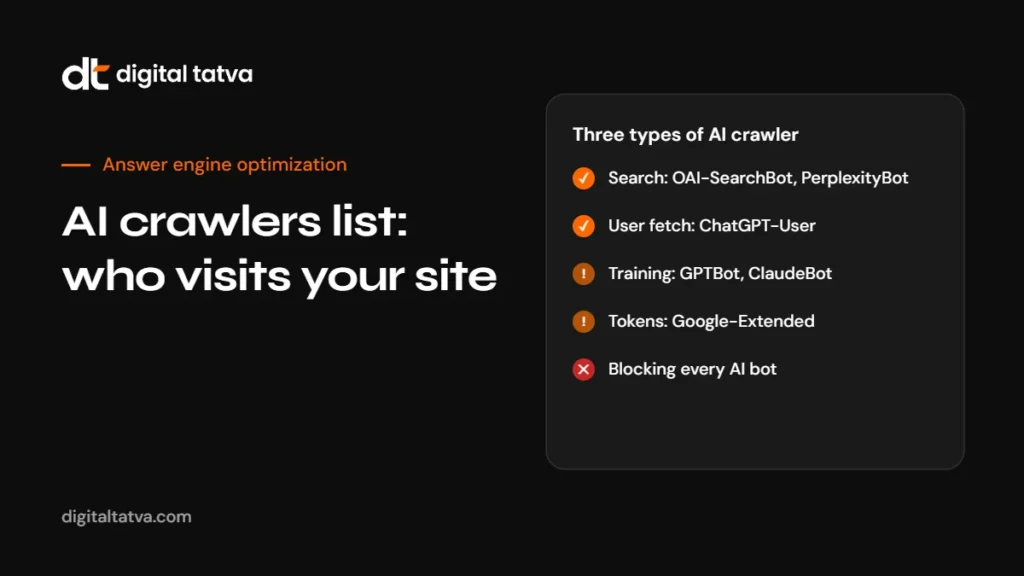
- OAI-SearchBot is the crawler that decides whether you can appear in ChatGPT search. GPTBot is for model training and is a separate choice.
- Most “ChatGPT cannot find my site” problems are technical: blocked bots, firewall rules, JavaScript-only content or noindex tags.
- Indexing is the entry ticket, not the prize. Clear answers, accurate facts and mentions on trusted sites decide whether you get cited.
- You can test access yourself in minutes with our free AI visibility checker.
How ChatGPT search finds web pages
When ChatGPT decides it needs current information, or when a user asks it to search, it looks up pages on the web, reads them and writes an answer with links to its sources. To do that, it needs to know your pages exist and be allowed to read them.
OpenAI runs several crawlers with different jobs:
| User agent | What it does | Effect of blocking it |
|---|---|---|
| OAI-SearchBot | Crawls pages so they can be surfaced and linked in ChatGPT search | Your pages are unlikely to be shown as sources in ChatGPT search answers |
| ChatGPT-User | Fetches a page when a user’s request in ChatGPT needs it | ChatGPT may not be able to open your page when a user asks about it |
| GPTBot | Collects content that may be used to train OpenAI’s models | Your future content is excluded from training; it does not control search visibility |
OpenAI also uses third-party search providers to find results. Bing has long been reported as one of them, which is why Bing indexing is part of every ChatGPT visibility checklist. OpenAI does not publish the full detail of how it combines sources, so the practical approach is to cover both: allow OAI-SearchBot and be well indexed in Bing.
Step 1: Allow OAI-SearchBot in robots.txt
Open yourdomain.com/robots.txt and look for rules that block OpenAI crawlers or all bots. A setup that allows ChatGPT search while opting out of training looks like this:
User-agent: OAI-SearchBot
Allow: /

User-agent: ChatGPT-User
Allow: /

User-agent: GPTBot
Disallow: /

Sitemap: https://www.example.com/sitemap.xml
If you are happy for your content to be used in training too, you can allow GPTBot as well. The key point is that blocking GPTBot does not have to mean blocking ChatGPT search. Many sites block both by accident with a broad rule.
Watch for these common mistakes:
User-agent: *followed byDisallow: /, which blocks every crawler that respects robots.txt.- Security plugins or SEO plugins that add AI bot blocks automatically.
- Different robots.txt files on
wwwand non-wwwversions, or on staging domains that leak into production.
OpenAI has said changes to robots.txt can take around a day to be picked up by its systems, so allow some time after editing. For a full list of AI user agents, see our AI crawlers list, and for allow and block patterns, our guide to AI crawler access in robots.txt.
Step 2: Check your firewall, CDN and hosting
robots.txt is only one gate. Many sites allow OAI-SearchBot in robots.txt but block it at the network level without knowing.
- CDN bot rules. Services such as Cloudflare offer settings that block AI crawlers. Check bot management and any “block AI bots” toggle.
- Web application firewalls. Rules that challenge unknown bots, rate-limit aggressively or require JavaScript challenges can stop crawlers.
- Hosting security. Some hosts block automated traffic by default. Check your host’s security panel.
- Geo-blocking. If you block traffic from certain countries, crawlers based there may be blocked too.
- Login walls and cookie gates. Content behind a login or a heavy consent wall cannot be read.
Check your server logs for requests with OAI-SearchBot in the user agent. If you see none at all over several weeks, or only error responses, something is blocking it.
Step 3: Make your content readable without JavaScript
Some AI crawlers do not run JavaScript the way a browser does. If your page’s main text only appears after scripts load, a crawler may see an empty shell. To check:
- Open your page and choose “View page source” in your browser, not “Inspect”.
- Search for a sentence from the main content.
- If it is not in the source, the content is loaded by JavaScript.
Fixes include server-side rendering, static generation or pre-rendering for important pages. Our guide to JavaScript rendering and AI crawlers covers the options for common frameworks.
Step 4: Get indexed well in Bing
Because ChatGPT search is widely reported to draw on Bing among its sources, Bing indexing is one of the most useful things you can do.
- Verify your site in Bing Webmaster Tools. You can import directly from Google Search Console to save time.
- Submit your XML sitemap. Include only canonical, indexable pages that return a 200 status.
- Use IndexNow. IndexNow lets you notify participating search engines, including Bing, the moment a page is added or updated. Many CMS plugins support it.
- Check coverage. Use the URL inspection tool in Bing Webmaster Tools to confirm key pages are indexed.
- Fix Bing-specific issues. Bing reports crawl errors, blocked resources and SEO issues that Google sometimes ignores.
Bing indexing also powers Microsoft Copilot, so this step helps in two AI assistants at once. See our Copilot SEO guide.
Step 5: Remove indexing blockers on the page
Check each important page for signals that tell crawlers to stay away:
- noindex tags: a
robotsmeta tag orX-Robots-Tagheader with noindex. - Wrong canonical tags: a canonical pointing to a different page, or to the homepage.
- Status codes: pages should return 200. Soft 404s, redirect chains and 5xx errors waste crawl attempts.
- Orphan pages: pages with no internal links are hard for any crawler to find.
- Duplicate versions: http and https, www and non-www, trailing slash variants. Pick one and redirect the rest.
Step 6: Build internal links to the pages that matter
Crawlers discover pages by following links. If your best page on a topic is buried four clicks deep with no internal links, it is less likely to be crawled often. Link to key pages from your navigation, related articles and hub pages. Our guide to internal linking for AEO explains how to build topic hubs that both search engines and AI tools understand.
Step 7: Keep content fresh and dated
ChatGPT search tends to favour current information for topics that change, such as prices, features, rules and rankings. Show a visible “last updated” date, update facts when they change and resubmit through IndexNow. Our guide to refreshing content for AEO covers a simple update routine.
How to tell if ChatGPT can see your site
There is no official ChatGPT index report, but you can build a clear picture:
| Check | How | Good sign |
|---|---|---|
| robots.txt | Read the file and test OAI-SearchBot rules | OAI-SearchBot allowed |
| Server logs | Filter requests by user agent | Regular OAI-SearchBot requests with 200 responses |
| Bing index | Bing Webmaster Tools URL inspection | Key pages indexed |
| Direct test | Ask ChatGPT to search for a specific page title or a unique phrase from your page | ChatGPT finds and links the page |
| Brand test | Ask ChatGPT about your company with search on | Answer cites your site |
| Referral traffic | GA4 referrals from chatgpt.com | Some sessions arriving from ChatGPT |
Our AI visibility checker tests robots.txt, crawler access, schema and sitemap in one go. For traffic, see tracking AI traffic in GA4.
Troubleshooting: why OAI-SearchBot is not visiting
| Symptom | Likely cause | Fix |
|---|---|---|
| No OAI-SearchBot requests in logs at all | Blocked in robots.txt, or blocked by CDN before reaching your server | Check robots.txt, then CDN bot settings and firewall logs |
| Requests return 403 | Firewall or security plugin rejecting the bot | Allow OpenAI’s published crawler IP ranges or the verified bot category |
| Requests return 429 | Rate limiting | Relax limits for verified search crawlers |
| Requests return 200 but pages never appear | Content not in HTML, thin content or other pages answer better | Check page source, improve the answer, earn mentions |
| Only the homepage gets crawled | Weak internal linking or missing sitemap | Submit a sitemap in Bing and link key pages from navigation |
| Old content appears in answers | Updates not picked up yet | Use IndexNow, update the visible date, request recrawl in Bing |
Platform notes
WordPress
Check your SEO plugin and any security plugin for AI bot blocking options. Many SEO plugins edit robots.txt for you. Make sure “discourage search engines” is off in Reading settings, and that tag or archive pages you do not need are set to noindex so crawlers focus on real content. Several plugins add IndexNow support.
Shopify
Shopify generates robots.txt automatically, and you can customise it through the robots.txt.liquid template. Product and collection pages are usually crawlable by default. Check any apps that add bot protection.
Webflow
Webflow lets you edit robots.txt in site settings and generates a sitemap automatically. Content is server-rendered, which suits AI crawlers well. Check that staging subdomains are not indexed instead of your main domain.
Custom sites behind Cloudflare
Review the bot settings carefully. Cloudflare offers options to block AI crawlers and to manage verified bots. If you want ChatGPT visibility, make sure OAI-SearchBot and ChatGPT-User are not caught by a blanket block.
What to expect after you fix indexing
- First day or two: robots.txt changes start to take effect for OpenAI’s systems.
- First one to two weeks: OAI-SearchBot requests appear in your logs. Bing starts indexing submitted pages.
- Two to six weeks: ChatGPT can find your pages when you search for them directly, and brand questions start citing your site.
- Months two to six: category and comparison citations grow as content and outside mentions improve.
These are typical patterns, not promises. New domains and highly competitive categories take longer.
Indexed but never cited? What to do next
Being indexed only makes you eligible. ChatGPT picks a few sources from many candidates, and it tends to pick pages that answer the question best. If you are indexed but rarely cited, focus on these:
- Answer the exact question. Put a direct answer in the first two or three sentences under a heading that matches the question. See answer-first content.
- Be specific. Prices with dates, named options, steps in order, comparison tables.
- Show who you are. A clear about page, named authors and consistent brand facts. See entity SEO for AEO.
- Earn outside mentions. ChatGPT often cites review sites, comparison articles and publications. Being mentioned there matters. See brand mentions for AEO.
- Add structured data. Organization, Product, FAQ and Article schema that matches visible content. See schema markup for AEO.
Our full guide to how to get your website cited by ChatGPT goes deeper, and ChatGPT SEO covers the complete optimization picture.
Does llms.txt help ChatGPT index my site?
llms.txt is a proposed file that lists the most useful pages on a site for language models. It is easy to add and does no harm, but OpenAI has not said that ChatGPT search uses it to discover or rank pages. Treat it as an optional extra after the steps above, not as a replacement for crawler access and Bing indexing. Our guide to building an llms.txt file explains how to create one properly if you decide to.
ChatGPT indexing vs Google indexing
| Aspect | ChatGPT search | |
|---|---|---|
| Main crawler | Googlebot | OAI-SearchBot, plus third-party search providers |
| Submission tool | Google Search Console | None directly; Bing Webmaster Tools helps |
| Fast update signal | Sitemaps and URL inspection | IndexNow through Bing, sitemaps |
| Index report | Page indexing report | None; infer from logs, tests and referrals |
| Training control | Google-Extended token | GPTBot rules |
| What appears | Ranked results, AI Overviews, AI Mode | A written answer with a few cited sources |
The biggest practical difference is visibility of data. Google tells you which pages are indexed. ChatGPT does not, so you need logs, direct tests and referral tracking to build the picture.
Special cases
New websites
A brand-new domain has no history, few links and no mentions. Indexing can take longer. Submit to Bing, use IndexNow, link from any existing profiles you own, and earn a few genuine mentions from relevant sites. Expect a few weeks before ChatGPT search reliably finds you.
Large sites
Sites with thousands of pages should make sure sitemaps are clean, crawl budget is not wasted on thin or duplicate pages, and the most important pages are well linked. Thin archive pages such as tag pages can be set to noindex so crawlers focus on real content.
Single-page apps and web apps
If your marketing site is built as a single-page app, server-side rendering or pre-rendering for public pages is usually essential.
Multilingual sites
Use clear URL structures and hreflang so search engines and AI crawlers can tell which page serves which language and market.
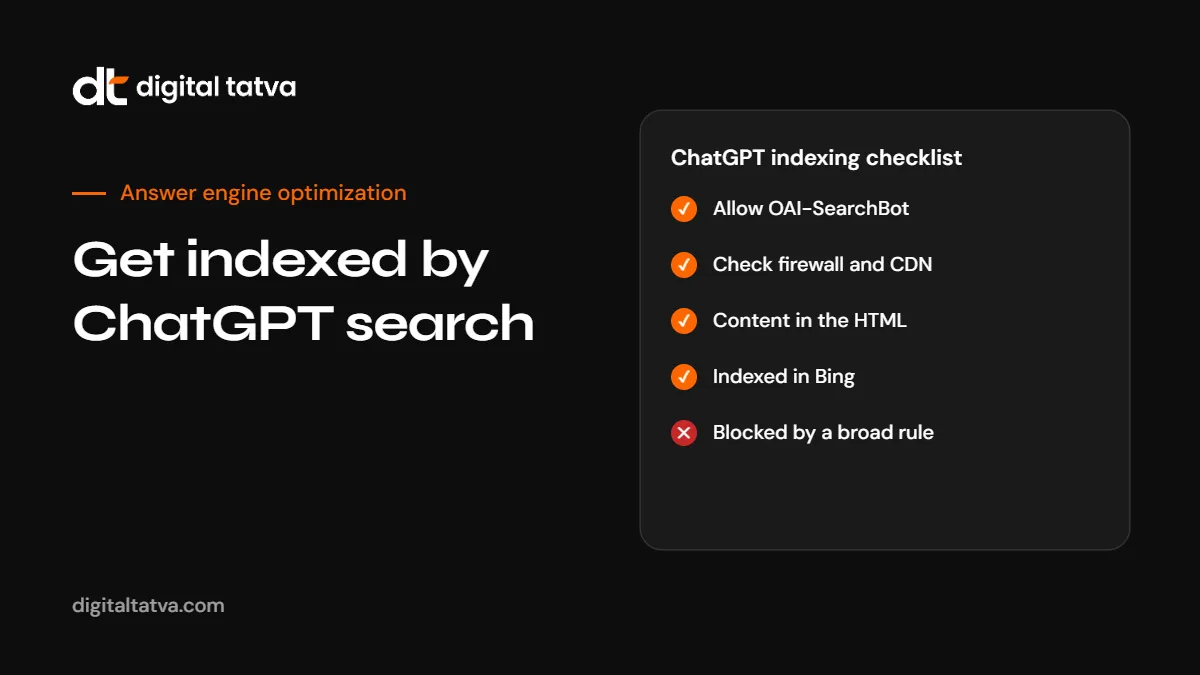
A ChatGPT indexing checklist
- OAI-SearchBot and ChatGPT-User allowed in robots.txt.
- No firewall, CDN or hosting rule blocking OpenAI crawlers.
- Main content visible in the page source without JavaScript.
- Site verified in Bing Webmaster Tools with a clean sitemap.
- IndexNow set up for new and updated pages.
- No noindex tags or wrong canonicals on key pages.
- Key pages linked from navigation and related content.
- Visible “last updated” dates on time-sensitive pages.
- OAI-SearchBot visible in server logs with 200 responses.
- GA4 tracking set up for chatgpt.com referrals.
For the full technical picture beyond ChatGPT, see the technical AEO checklist.
How Digital Tatva can help
If ChatGPT cannot find your site, the cause is usually one of a handful of technical issues, and they are quick to fix once identified. Our technical AEO service checks robots.txt, firewall and CDN rules, rendering, Bing indexing, structured data and internal linking, then fixes what is blocking AI crawlers. For the bigger picture of how ChatGPT and other AI tools describe you, start with an AI visibility audit.
Not sure if ChatGPT can see your site? Run our free AI visibility checker for an instant technical check, or request an AI visibility audit for a full review of how AI tools find and describe your business.
Frequently asked questions
How do I submit my website to ChatGPT?
There is no submission form. Allow OAI-SearchBot in robots.txt and your firewall, get indexed in Bing with a sitemap and IndexNow, and make sure your content is readable in the page HTML.
Does ChatGPT use Google or Bing to find websites?
OpenAI uses its own crawler and third-party search providers. Bing is widely reported as one of those sources. OpenAI does not publish full details, so being indexed in Bing and allowing OAI-SearchBot covers the main routes.
What is the difference between GPTBot and OAI-SearchBot?
GPTBot collects content that may be used to train OpenAI’s models. OAI-SearchBot crawls pages so they can appear as sources in ChatGPT search. You can block one and allow the other.
How long does it take for ChatGPT to index my site?
OpenAI has said robots.txt changes can take about a day to take effect. Discovery of new pages depends on crawling and on Bing indexing, which can take from days to a few weeks for new sites.
Why is my website not showing in ChatGPT?
Common causes are blocked crawlers in robots.txt or a firewall, JavaScript-only content, noindex tags, poor Bing indexing, or simply that other pages answer the question better.
Does blocking GPTBot remove my site from ChatGPT search?
No. GPTBot controls training use. ChatGPT search visibility depends on OAI-SearchBot and search providers.
Does llms.txt get my site indexed by ChatGPT?
OpenAI has not said it uses llms.txt for search. It is optional and harmless, but crawler access and Bing indexing matter far more.
Can Digital Tatva fix ChatGPT indexing issues?
Yes. Our technical AEO service finds and fixes crawler, rendering and indexing problems, and our AI visibility audit shows how ChatGPT and other AI tools describe your business.
Product details, prices and features are checked at the time of writing and can change. Sources are linked in the text so you can check them yourself.
How does your brand appear in AI answers?
We test the questions your buyers ask across the major AI assistants and search engines, then show you what to fix first.
Get an AI Visibility Audit