
Can AI Crawlers Read JavaScript? Rendering for AEO Explained
Most AI crawlers fetch your HTML and stop there. If your content only appears after JavaScript runs, ChatGPT, Claude and Perplexity may never see it. Here is how to check and fix it.
On this page
Last updated: 30 October 2026
Quick answer: Mostly no. A December 2024 study by Vercel and MERJ found that none of the major AI crawlers from OpenAI, Anthropic and Perplexity executed JavaScript: they read the HTML your server sends and stop. Google’s crawler renders JavaScript, so a site can rank in Google and still be close to blank for ChatGPT or Claude. Server-side rendering or static generation fixes it.
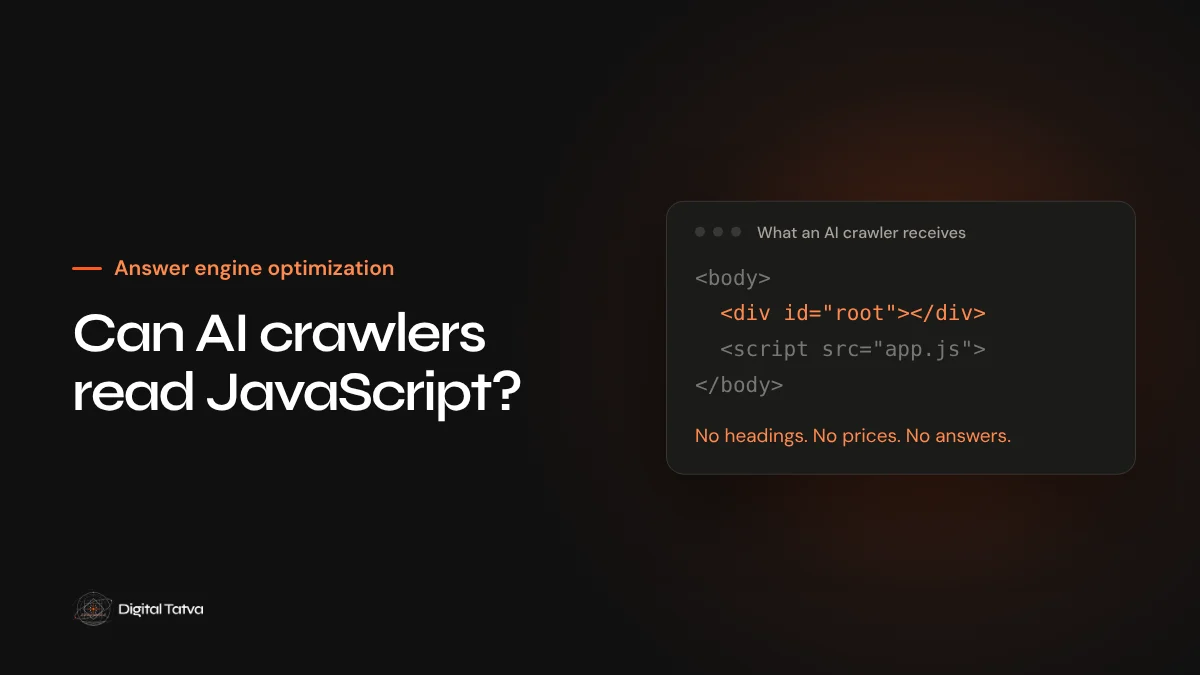
Modern websites built with React, Vue, Angular or similar frameworks often send the browser an almost empty page and fill it in with JavaScript. People never notice. Googlebot has handled this for years. Many AI crawlers do not, and that gap explains a lot of “we rank fine but AI never mentions us” conversations.
Key takeaways
- OpenAI, Anthropic and Perplexity crawlers read the initial HTML and do not run your scripts.
- Googlebot and Applebot do render JavaScript, which is why the problem hides behind good Google rankings.
- Test with JavaScript switched off or with curl: what you see is roughly what AI crawlers see.
- Server-side rendering, static generation or prerendering puts content back in the HTML.
- Key facts, prices, FAQs and product details matter most. Fix those pages first.
What the research found
Vercel and MERJ analysed crawler traffic across Vercel’s network and reported that GPTBot, OAI-SearchBot, ChatGPT-User, ClaudeBot and PerplexityBot fetched JavaScript files but did not execute them. Content that was already in the initial HTML, including JSON data embedded in the page, could still be read. Gemini, which uses Google’s infrastructure, and Applebot did render JavaScript.
| Crawler | Renders JavaScript? | What it sees |
|---|---|---|
| Googlebot (Search, AI Overviews, Gemini) | Yes | The rendered page |
| Applebot | Yes | The rendered page |
| GPTBot, OAI-SearchBot, ChatGPT-User | No | Initial HTML only |
| ClaudeBot and other Anthropic crawlers | No | Initial HTML only |
| PerplexityBot | No | Initial HTML only |
Crawlers change, so treat this as the safe assumption rather than a permanent rule: if a fact matters, it should be in the HTML.
How to test your own site in ten minutes
- View the source, not the page. Open a key page, choose View Page Source and search for a sentence from your main content. If it is missing, it is being added by JavaScript.
- Turn JavaScript off. In Chrome DevTools, open the command menu, choose Disable JavaScript and reload. What remains is close to what AI crawlers receive.
- Fetch it like a bot. Run
curl -A "OAI-SearchBot" https://www.example.com/page/and read the response. - Check the important parts. Headings, the answer paragraph, prices, product specifications, FAQs, author names and internal links should all be there.
The fixes, from best to quickest
| Approach | How it works | Good for |
|---|---|---|
| Server-side rendering (SSR) | The server builds the full HTML for each request | Apps with changing content, such as Next.js or Nuxt sites |
| Static site generation (SSG) | Pages are built to HTML ahead of time | Marketing sites, blogs, documentation |
| Prerendering | A service renders pages and serves the HTML to bots | Older single page apps you cannot rebuild yet |
| Progressive enhancement | Core content in HTML, JavaScript adds extras | Any site, as a design rule going forward |
Avoid serving bots content that differs from what users see. Prerendering should return the same content, just already rendered.
What to fix first
You rarely need to rebuild everything. Start with the pages AI engines are most likely to cite: service and product pages, pricing, comparison pages, FAQs, your About page and your best guides. Tabs, accordions and “load more” buttons deserve special attention, because their content is often injected only after a click.
A worked example
Picture a software company whose pricing page is built as a single page app. In the browser, visitors see three plans with prices, limits and a comparison table. In the raw HTML, there is a page title, an empty <div id="root"> and a list of script files. Google renders the scripts and indexes the plans. A crawler that does not run JavaScript sees no prices at all.
When a buyer asks ChatGPT “How much does this tool cost?”, the assistant has nothing from the official page to work with. It may quote a two year old review, a competitor’s comparison page or a forum guess. The company then wonders why AI keeps getting its pricing wrong.
The fix in this case is usually small: render the pricing page on the server, or generate it as static HTML at build time. The design does not change. The difference is that the plans are in the first response every crawler receives.
A checklist for development teams
- Main heading, opening answer and body text present in the initial HTML.
- Navigation links as real
<a href>elements, not click handlers. - FAQ answers and accordion content in the HTML, hidden with CSS if needed rather than loaded on click.
- Structured data printed by the server, not injected later by a tag manager.
- Product and pricing data rendered on the server or at build time.
- Canonical, title and meta description present before any script runs.
- Pagination and “load more” lists available as crawlable URLs.
Adding these checks to your release process prevents the problem returning with the next redesign.
Built on a JavaScript framework? Our Technical AEO service tests what each AI crawler actually receives.
Frequently asked questions
Does Google still render JavaScript for AI Overviews?
Yes. AI Overviews and AI Mode use Google’s normal indexing, which renders JavaScript. The risk is mainly with other AI crawlers.
Is WordPress affected?
Usually not. Standard WordPress themes send full HTML. Problems appear with heavy page builders that load content by script, or with headless setups that render on the client.
Will structured data in JavaScript be read?
Only if it is in the initial HTML. JSON-LD injected after load by a tag manager may be missed by crawlers that do not run scripts.
Is this the same as cloaking?
No, as long as bots and people get the same content. Rendering on the server simply delivers that content in a form every crawler can read.
Sources
- The rise of the AI crawler, Vercel and MERJ, December 2024
- Understand JavaScript SEO basics, Google Search Central
- Overview of OpenAI crawlers, OpenAI
Product details, prices and features are checked at the time of writing and can change. Sources are linked in the text so you can check them yourself.
How does your brand appear in AI answers?
We test the questions your buyers ask across the major AI assistants and search engines, then show you what to fix first.
Get an AI Visibility Audit