How to Make Your Website Agent-Ready: A Practical Checklist for 2026
AI agents now browse, compare and fill in forms for people. Here is how to make your website easy for them to read and use: access, structure, forms, identity checks and the new agent readiness scores.
On this page
- Key takeaways
- Why agents matter now
- Crawlers, AI fetchers and agents: the difference
- The agent-ready checklist
- Agent readiness scores
- Agent readiness by business type
- Recognising agent traffic in analytics
- What not to do
- A 30-day agent readiness plan
- Before and after: an agent-friendly pricing section
- How to check your site the way an agent would
- Questions to ask your developer or agency
- How Digital Tatva can help
- Frequently asked questions
Last updated: 9 November 2026
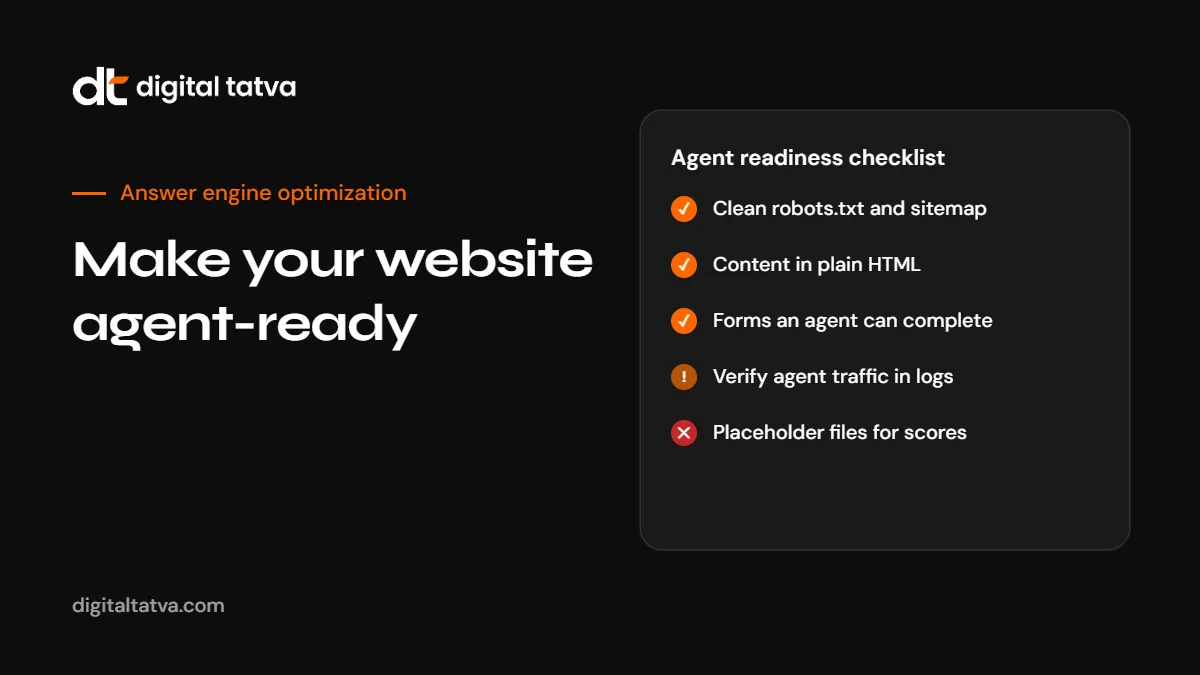
Quick answer: An agent-ready website is one that AI agents can find, read and use on a person’s behalf. Agents such as ChatGPT dots, Google’s Gemini agent and Google-Agent now browse sites, compare options and fill in forms for users. To get ready: keep robots.txt and sitemaps clean, put your main content in plain HTML, state prices, policies and availability in text, make forms simple and clearly labelled, avoid unnecessary CAPTCHAs on low-risk actions, and learn to recognise and verify agent traffic in your logs. Protect sensitive actions with real authentication rather than robots.txt. Tools such as Cloudflare’s agent readiness scanner give a useful checklist, but treat the score as a guide, not a goal.
Key takeaways
- Agents are a new kind of visitor: they act for a person, often with a specific task such as comparing prices or booking.
- The basics of agent readiness are the basics of good websites: clear content, fast pages, simple forms.
- Google-Agent fetches pages when a user asks an AI assistant to do something, and Google says it does not follow robots.txt.
- Verification standards such as Web Bot Auth and published IP ranges help you tell real agents from impostors.
- Do not add placeholder files just to raise a readiness score.
Why agents matter now
For most of the web’s history, visitors were either people or crawlers. In 2026 a third kind became common: AI agents acting for a person. Examples include:
- OpenAI’s dots, always-on ChatGPT agents with their own cloud computer and browser. See ChatGPT dots.
- Google’s Gemini agent for work, which plans tasks and connects to company systems. See Gemini agent.
- Claude Duet, Anthropic’s proactive agent with its own cloud browser. See Claude Duet.
- Computer use models such as GPT-6.1 Terra that operate a browser like a person. See GPT-6.1 Terra.
- Agentic checkout in Google AI Mode through the Universal Commerce Protocol. See Google AI Mode direct checkout.
Google’s CEO has described search as being absorbed into an agentic layer, and Cloudflare’s leadership has compared agent optimization to a new version of SEO. Whatever the label, the direction is clear: more of your visitors will be software working for someone. For background, see agentic search.
Crawlers, AI fetchers and agents: the difference
| Visitor type | Example | What it does | Follows robots.txt? |
|---|---|---|---|
| Search crawler | Googlebot, OAI-SearchBot | Crawls continuously to build an index | Yes |
| User-triggered fetcher | ChatGPT-User, Claude-User, Perplexity-User | Opens a page when a user’s question needs it | Varies by company |
| Browsing agent | Google-Agent, agents running in a cloud browser | Navigates, compares and completes tasks for a person | Google says Google-Agent does not |
Google-Agent identifies itself with a “compatible; Google-Agent” user agent string. Google’s position is that a fetch a human starts should behave like that person using Chrome, so robots.txt does not apply. If you need to restrict an action, use authentication, not robots.txt. See our AI crawlers list for the bots that do follow robots.txt.
The agent-ready checklist
1. Access
- robots.txt allows the search crawlers you want, with no accidental broad blocks. See AI crawler robots.txt.
- Your CDN or firewall does not block verified AI crawlers and agents you want to serve.
- An XML sitemap lists your important pages.
- Pages return correct status codes, without redirect chains.
2. Readable content
- Main content appears in the HTML source, not only after JavaScript runs. See JavaScript rendering and AI crawlers.
- Headings describe what each section is about.
- Important facts are in text: prices, sizes, availability, opening hours, delivery times, return windows.
- Images that carry information have descriptive alt text.
- Tables are real HTML tables, not images of tables.
3. Clear commercial facts
Agents compare. If your price, plan limits or delivery time are missing, an agent may skip you for a competitor that states them.
- A pricing page with current prices or clear ranges, dated.
- Plain statements of what is included and excluded.
- Shipping, returns, cancellation and refund policies in text.
- Product data that matches your Merchant Center feed and marketplaces.
4. Usable forms and flows
- Every form field has a visible, descriptive label.
- Buttons say what they do: “Book appointment”, not “Submit”.
- Error messages explain what went wrong and how to fix it.
- Multi-step flows show where the user is and what comes next.
- Low-risk actions such as checking availability do not require CAPTCHAs.
Accessible forms help agents and people with disabilities alike. If a screen reader can use your form, an agent usually can too.
5. Structured data
- Organization, LocalBusiness, Product, Service or Event schema that matches visible content. See schema markup for AEO.
- Consistent names, addresses and phone numbers across your site and profiles.
6. Identity and security
- Log user agents and compare important ones against published IP ranges.
- Watch for Web Bot Auth, a protocol Google and others are testing that signs requests so you can verify an agent’s identity.
- Require real authentication for accounts, payments and personal data.
- Rate-limit by behaviour rather than blocking all automation.
See AI agent security for the risks agents bring.
Agent readiness scores
Cloudflare has launched a scanner at isitagentready.com that scores a site from 0 to 100 on how ready it is for AI agents to discover, read and interact with it. It checks items such as robots.txt rules, sitemap availability, content negotiation (including Markdown versions for agents), well-known endpoints and emerging specifications such as Content Signals and MCP-related files.
How to use it sensibly:
- Choose the right preset. The default “All Checks” includes API, authentication and commerce checks. A content or service site should use the “Content Site” preset, which can change the score substantially.
- Fix universal items first: robots.txt, sitemaps, clean HTML.
- Treat emerging specs as optional until they are widely adopted.
- Do not add dummy files or placeholder endpoints just to raise the number.
- Compare more than one tool as others appear.
Google’s own AI optimization guide says special AI files and Markdown versions are not needed for its AI features. Different companies are pulling in different directions, which is another reason to focus on fundamentals. See Google’s AI optimization guide.
Agent readiness by business type
| Business | Agent tasks to expect | Priority fixes |
|---|---|---|
| Ecommerce | Compare products, check stock, find discounts, buy | Complete product data, clear policies, Merchant Center accuracy, simple checkout |
| Local services | Check hours, book appointments, compare prices | Business Profile accuracy, booking forms, price lists |
| B2B software | Compare plans, read documentation, request demos | Public pricing, clear plan limits, readable docs, simple demo forms |
| Travel and hospitality | Check availability, compare rooms, book | Availability in text, room details, booking flow without heavy CAPTCHAs |
| Professional services | Shortlist providers, check expertise and fees | Service pages, team credentials, fee guidance, contact forms |
Recognising agent traffic in analytics
Agents do not always show up cleanly in analytics. Some run in real browsers and look like people, some identify themselves, and some arrive as referrals from AI products. Practical steps:
- Segment traffic by known AI referrers such as chatgpt.com, perplexity.ai and gemini.google.com. See tracking AI traffic in GA4.
- Check server logs for agent user agents such as Google-Agent and ChatGPT-User.
- Watch for sessions that complete forms unusually fast or follow very consistent paths.
- Add “an AI assistant” as an option in “How did you hear about us?”.
What not to do
- Do not block all automation. You may block the agents bringing buyers.
- Do not rely on robots.txt to protect sensitive actions.
- Do not hide prices behind “contact us” if competitors publish them.
- Do not add hidden instructions for AI on pages. They are unreliable and can damage trust.
- Do not chase scores with placeholder files.
A 30-day agent readiness plan
- Week 1: run an agent readiness scan with the right preset, check robots.txt, sitemap and CDN bot settings.
- Week 2: confirm main content and key facts are in HTML; add missing prices, policies and specifications.
- Week 3: review your top three forms for labels, buttons, error messages and unnecessary CAPTCHAs.
- Week 4: set up log monitoring for agent user agents and AI referrers, and review authentication on sensitive actions.
Before and after: an agent-friendly pricing section
An illustrative example for a web design studio.
Before
Every project is unique. Contact us for a custom quote tailored to your needs.
After
Website design pricing (updated November 2026)
- Starter site, up to 5 pages: ₹45,000 to ₹70,000, delivered in 3 to 4 weeks.
- Business site, up to 15 pages with blog: ₹90,000 to ₹1,60,000, delivered in 5 to 7 weeks.
- Ecommerce site: from ₹1,80,000, depending on products and integrations.
Prices include design, development and basic SEO setup. Content writing and hosting are extra. Book a free 20-minute call to get an exact quote.
An agent comparing studios for a person can now include you with real numbers. Use your own figures.
How to check your site the way an agent would
- Open a key page and use “View page source”. Can you find the main text and prices?
- Turn off JavaScript in your browser and reload. Is the page still usable?
- Try your main form using only the keyboard. Can you complete it?
- Ask an AI assistant with browsing to find your price, opening hours or return policy. Does it get the right answer?
- Ask it to compare you with a competitor. What information does it say is missing?
Questions to ask your developer or agency
- Is our main content server-rendered or only rendered in the browser?
- Which bots does our CDN or firewall block, and why?
- Do our forms have proper labels and clear error messages?
- Where do we use CAPTCHAs, and are they needed on each step?
- Can we log and identify agent traffic such as Google-Agent?
- What authentication protects accounts, payments and personal data?
How Digital Tatva can help
Agent readiness is part of our technical AEO service. We review crawler and agent access, content structure, commercial facts, forms and security, then fix what stops AI tools from reading and using your site. It sits within our wider answer engine optimization work.
Check how AI tools see your site. Run our free AI visibility checker or request an AI visibility audit.
Frequently asked questions
What is an agent-ready website?
A website that AI agents can find, read and use on a person’s behalf, with clear content, accessible forms and sensible access rules.
What is Google-Agent?
A Google user agent that fetches pages when a person asks an AI assistant to research or complete a task. Google says it does not follow robots.txt.
How do I block AI agents from sensitive pages?
Use authentication, rate limits and server rules. robots.txt is not enough for user-triggered agents.
What is Cloudflare’s agent readiness score?
A free scanner at isitagentready.com that scores a site from 0 to 100 on readiness for AI agents. Use the preset that matches your site type.
Do I need Markdown versions of my pages for agents?
Some scanners check for them, but Google says they are not needed for its AI features. Fix fundamentals first.
Will agents replace website visits?
Some tasks will happen without a person visiting your site. That makes clear, accurate information on your site more important.
How do I know if agents visit my site?
Check server logs for agent user agents, segment AI referrers in analytics and watch for unusual form behaviour.
Can Digital Tatva make my site agent-ready?
Yes. Agent readiness is part of our technical AEO service.
Product details, prices and features are checked at the time of writing and can change. Sources are linked in the text so you can check them yourself.
How does your brand appear in AI answers?
We test the questions your buyers ask across the major AI assistants and search engines, then show you what to fix first.
Get an AI Visibility Audit