GPT-6.1 Terra: OpenAI’s Computer Use Model, Pricing and Use Cases
GPT-6.1 Terra is OpenAI's faster, cheaper model for computer use and agent work, priced at $1 per million input tokens and $5 per million output tokens. Here is what it does, how it compares with GPT-6.1 Sol and GPT-6 Astra, and when to use it.
On this page
- Key takeaways
- What GPT-6.1 Terra is for
- Specifications
- GPT-6.1 Terra pricing
- What OpenAI says about performance
- Where you can use Terra
- Terra vs Sol vs Astra: which to use
- Practical use cases
- Cost example
- Risks and limits of computer use
- What it means for website owners
- Calling Terra through the API
- Choosing a reasoning effort level
- Designing a safe computer use workflow
- Terra in ChatGPT Work and Codex: tips
- Terra compared with other computer use options
- Frequently asked questions
Last updated: 9 November 2026
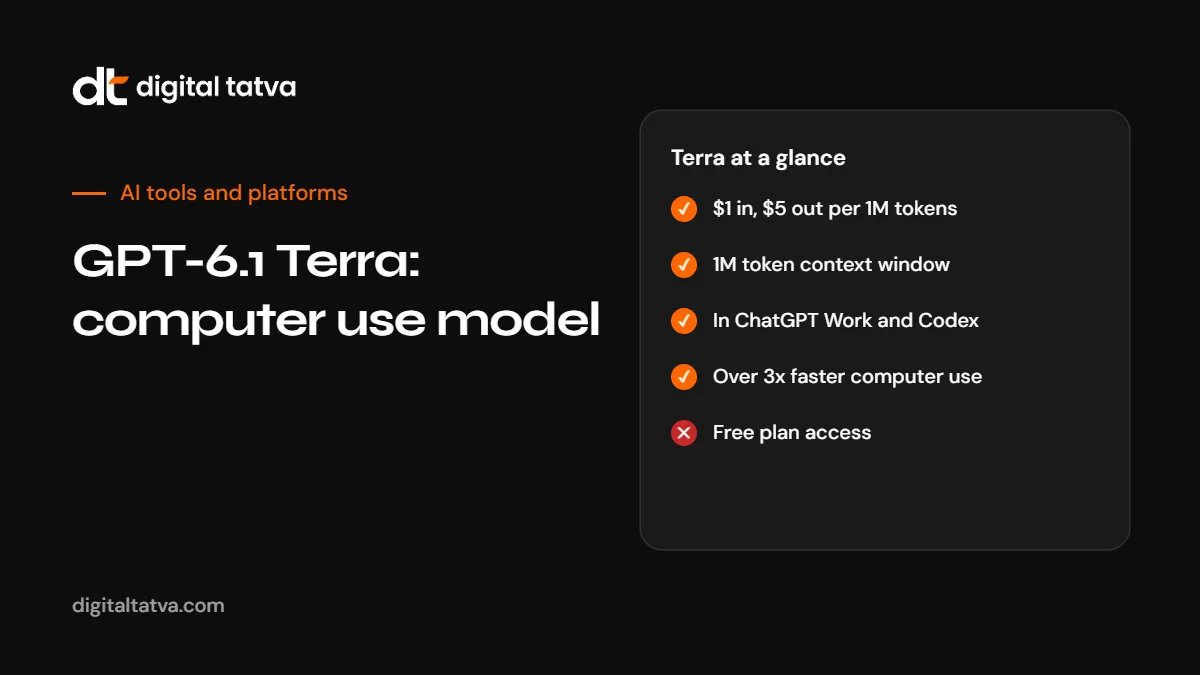
Quick answer: GPT-6.1 Terra is an OpenAI model released on 26 October 2026, built for computer use, coding and everyday agent work at lower cost. It costs $1 per million input tokens and $5 per million output tokens through the API, half the price of GPT-6.1 Sol, with a context window of about 1.05 million tokens and up to 128,000 output tokens. OpenAI says it completes computer use tasks more than three times faster than GPT-6 Astra and GPT-6.1 Sol. In ChatGPT it is available in ChatGPT Work and Codex for Plus, Pro, Enterprise and Edu users, and it is rolling out in GitHub Copilot. Use Terra for high-volume agent tasks and browser automation; use a stronger model for the hardest reasoning.
Key takeaways
- Terra is OpenAI’s cost-efficient model for operating computers and browsers, coding and agent workflows.
- API pricing is $1 input, $0.05 cached input and $5 output per million tokens, with Batch and Flex at half price.
- Requests over 272,000 input tokens are charged at higher rates across the whole request.
- OpenAI reports large gains over the previous Terra generation on agent and terminal benchmarks. These are vendor-reported figures.
- Free ChatGPT users do not get Terra in ChatGPT Work or Codex.
What GPT-6.1 Terra is for
OpenAI’s GPT-6 generation has several models for different jobs. Terra is the one designed to do practical work quickly and cheaply: clicking through web apps, filling in forms, reading screens and documents, writing and running code, and handling everyday office tasks such as drafting proposals, reading technical drawings and editing video, according to OpenAI’s launch materials.
“Computer use” means the model looks at a screen, decides what to click or type, and repeats until the task is done. It is how agents like ChatGPT’s dots and Codex operate software that has no API. For the wider model family, see GPT-6 models explained.
Specifications
| Specification | GPT-6.1 Terra |
|---|---|
| Release date | 26 October 2026 |
| API model ID | gpt-6.1-terra |
| Context window | About 1,050,000 tokens |
| Maximum output | 128,000 tokens |
| Knowledge cut-off | 1 June 2026 |
| Inputs and outputs | Text and image input, text output |
| Reasoning effort | None, low, medium (default), high, xhigh and max |
| Fine-tuning | Not supported at launch |
GPT-6.1 Terra pricing
| Item (per 1M tokens) | GPT-6.1 Terra | GPT-6.1 Sol |
|---|---|---|
| Input | $1.00 | $2.00 |
| Cached input | $0.05 | $0.10 |
| Output | $5.00 | $10.00 |
| Batch and Flex | 50% off standard | 50% off standard |
| Fast processing | 2x standard | 2x standard |
Two pricing details are easy to miss:
- Long-context surcharge. Requests with more than 272,000 input tokens are charged at twice the input and cache rates and 1.5 times the output rate, and this applies to the entire request.
- Cache writes. Writing to the prompt cache costs $1.25 per million tokens for 30 minutes or $2.50 for 12 hours, while reading cached input is very cheap at $0.05.
Reasoning tokens count as output, so higher reasoning effort costs more. See prompt caching explained, batch API savings and how to estimate AI API costs.
What OpenAI says about performance
All figures below are reported by OpenAI and have not been independently verified at the time of writing.
| Test | Reported result |
|---|---|
| Terminal-Bench 4.0 (max reasoning) | 50.3%, compared with 21.5% for GPT-5.6 Terra |
| Agents’ Last Exam (medium reasoning) | 15 percentage points above GPT-5.6 Terra at about a third of the task cost |
| Computer use speed | More than three times faster than GPT-6 Astra and GPT-6.1 Sol |
| Error rate on difficult factual prompts | 16.7% at low reasoning, compared with 53.6% before; 4.3% at maximum reasoning |
The pattern is clear even with healthy scepticism about vendor benchmarks: Terra is much better than the previous Terra generation, and it is aimed at speed and cost rather than topping every leaderboard.
Where you can use Terra
| Product | Availability |
|---|---|
| ChatGPT Work | Plus, Pro, Enterprise and Edu. See how to use ChatGPT Work |
| Codex | Plus, Pro, Enterprise and Edu. See Claude Code vs Codex |
| OpenAI API | Available by model ID. See OpenAI API pricing |
| GitHub Copilot | Rolling out across editors, Copilot CLI and cloud agents on paid plans. See GitHub Copilot AI Credits |
Terra vs Sol vs Astra: which to use
| Task | Good fit | Why |
|---|---|---|
| Browser automation, form filling, screen reading | Terra | Built for computer use and much faster |
| High-volume agent steps | Terra | Half the price of Sol |
| Everyday coding and terminal work | Terra | Strong terminal results at low cost |
| The hardest reasoning or research problems | A stronger model such as Sol or Astra | More capability per task when cost matters less |
| Simple classification or extraction | A smaller, cheaper model | Terra may be more than you need |
Many teams route tasks between models: Terra for routine steps and a stronger model for planning or review. See model routing explained and the cheapest AI model for each task.
Practical use cases
- Marketing operations: pull figures from several web dashboards that lack APIs and assemble a weekly report.
- Ecommerce: update product listings across marketplace seller portals.
- Finance and admin: download invoices from supplier portals and log them in a spreadsheet.
- QA testing: click through a web app to check that key flows work after a release.
- Research: visit competitor sites and record prices and features in a table.
- Coding: fix failing tests and small bugs in a repository through Codex.
Cost example
Suppose an agent task uses 200,000 input tokens (mostly screenshots and page text, half of it cached) and 20,000 output tokens. At Terra’s standard rates:
- Uncached input: 100,000 tokens at $1 per million = $0.10
- Cached input: 100,000 tokens at $0.05 per million = $0.005
- Output: 20,000 tokens at $5 per million = $0.10
- Total: about $0.21 per task, before any cache write charges.
The same task at Sol’s rates would cost roughly twice as much. Real costs depend on screenshots, reasoning effort and retries, so test on your own workload.
Risks and limits of computer use
- Mistakes in real systems. A misclick can submit the wrong form. Start in test environments and require approval for consequential actions.
- Prompt injection. Web pages can contain text designed to mislead agents. See AI agent security.
- Logins and payments. Keep credentials and payments under human control.
- Site terms. Some websites prohibit automated access. Check before automating.
- Long-context cost. Watch the 272,000-token threshold.
What it means for website owners
Cheaper, faster computer use means more agents visiting websites on people’s behalf. Sites that are easy for agents to read and use, with clear text, labelled forms and plain prices, will be easier for these agents to work with. See how to make your website agent-ready.
Calling Terra through the API
A minimal request with OpenAI’s Python SDK looks like this. Check OpenAI’s documentation for the current computer use tool configuration, which needs extra setup for screenshots and actions.
from openai import OpenAI
client = OpenAI()

resp = client.responses.create(
    model="gpt-6.1-terra",
    reasoning={"effort": "low"},
    input="Extract the invoice number, date and total from this text: ...",
)
print(resp.output_text)
Start with low reasoning for extraction and simple steps, and raise it only when results fall short.
Choosing a reasoning effort level
| Level | Good for |
|---|---|
| None or low | Extraction, classification, routine clicks in known interfaces |
| Medium (default) | Most agent tasks and everyday coding |
| High or xhigh | Tricky debugging, multi-step planning |
| Max | The hardest tasks where accuracy matters more than cost |
OpenAI’s own figures show the factual error rate falling sharply at higher reasoning, from 16.7% at low to 4.3% at maximum on difficult prompts. For anything factual that customers will see, test higher levels or add a verification step.
Designing a safe computer use workflow
- Start in a sandbox: a test account or staging environment, not production.
- Limit permissions: give the agent access only to the apps and data the task needs.
- Write precise instructions: name the site, the steps and what “done” looks like.
- Require approval before submitting forms, sending messages or spending money.
- Log every action with screenshots so you can review what happened.
- Add a stop rule: if the page looks unexpected, the agent should stop and ask.
- Review results regularly and refine instructions.
Terra in ChatGPT Work and Codex: tips
- Be specific about the output format, such as “a table with columns A, B and C”.
- Give examples of good results for repeated tasks.
- Break big jobs into smaller tasks so errors are caught early.
- Watch usage limits: Codex and ChatGPT Work tasks count toward your plan’s limits.
See how to use ChatGPT agent and ChatGPT message limits.
Terra compared with other computer use options
| Option | Strength |
|---|---|
| GPT-6.1 Terra | Speed and low cost for computer use and agents |
| ChatGPT dots | Persistent agents that run Terra-style work in the background. See ChatGPT dots |
| Claude Duet | Proactive agent with approval-first actions. See Claude Duet |
| Gemini agent | Company-wide agent across Workspace and Microsoft 365. See Gemini agent |
| Automation tools (n8n, Zapier) | Reliable fixed workflows through APIs. See n8n vs Zapier |
Where a site has a proper API, a fixed automation is usually cheaper and more reliable than computer use. Use computer use for interfaces without APIs.
Frequently asked questions
What is GPT-6.1 Terra?
An OpenAI model released on 26 October 2026 for computer use, coding and agent work at lower cost and higher speed.
How much does GPT-6.1 Terra cost?
$1 per million input tokens, $0.05 per million cached input tokens and $5 per million output tokens, with Batch and Flex at half price.
What is the context window of GPT-6.1 Terra?
About 1.05 million tokens, with up to 128,000 output tokens.
Can free ChatGPT users use Terra?
Terra in ChatGPT Work and Codex is for Plus, Pro, Enterprise and Edu users.
Is Terra better than GPT-6.1 Sol?
Terra is faster and half the price, and OpenAI says it is over three times faster at computer use. Sol may be better for the hardest reasoning tasks.
Can Terra use my computer?
It can operate browsers and computers through products such as ChatGPT Work and Codex, within the permissions you give.
Is GPT-6.1 Terra available in GitHub Copilot?
Yes, it is rolling out across Copilot on paid plans.
Are Terra’s benchmark results independent?
The figures are reported by OpenAI. Test it on your own tasks before committing.
Product details, prices and features are checked at the time of writing and can change. Sources are linked in the text so you can check them yourself.
How does your brand appear in AI answers?
We test the questions your buyers ask across the major AI assistants and search engines, then show you what to fix first.
Get an AI Visibility Audit