Microsoft Copilot Chat Limits for Unlicensed Users: What Changed and What to Do
Since 2 November 2026, Microsoft has been applying usage limits to more Copilot Chat features for people without a Microsoft 365 Copilot licence, with larger organisations affected from 9 November. Here is what changed, what admins can and cannot do, and how to decide whether to buy licences.
On this page
- Key takeaways
- What changed
- What users see
- How this fits Microsoft’s wider changes in 2026
- What admins should do now
- Should you buy Microsoft 365 Copilot licences?
- A fair licence pilot in four weeks
- Alternatives to consider
- Tips for users who hit limits
- Free Copilot Chat vs Microsoft 365 Copilot
- Template: message to staff
- Criteria for approving licence requests
- Estimating the business case
- What partners and resellers should know
- Frequently asked questions
Last updated: 9 November 2026
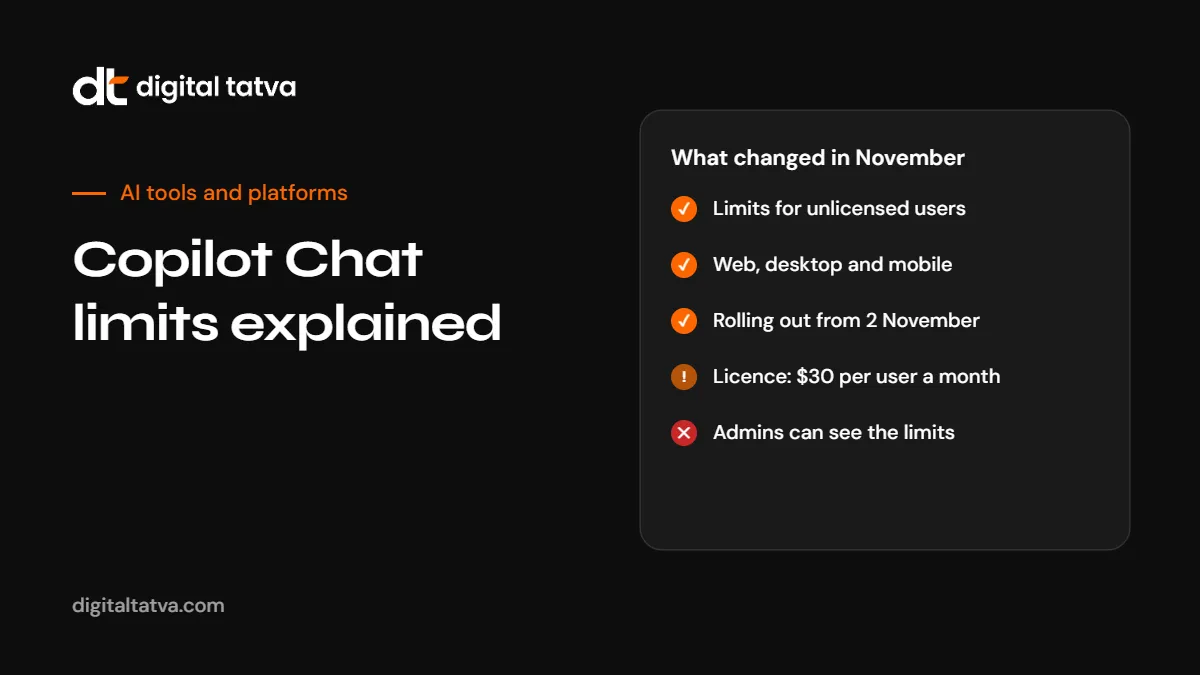
Quick answer: Copilot Chat is included with business Microsoft 365 subscriptions, but in November 2026 Microsoft started applying “fair use” limits to more of its features for users who do not have a paid Microsoft 365 Copilot licence. Rollout began on 2 November for organisations with up to 2,000 Microsoft 365 licences and from 9 November for larger ones. The limits apply on web, desktop and mobile. Microsoft does not publish the limit values, they can change during the day, and admins cannot view or adjust them. When users hit a limit, they see when the feature will be available again and, in many organisations, an option to request a licence. Image generation was already limited. Microsoft 365 Copilot costs $30 per user per month.
Key takeaways
- Users without a Microsoft 365 Copilot licence face more limits in Copilot Chat from November 2026.
- Microsoft has not named all affected features or published thresholds.
- Admins cannot see or change the limits, but can manage self-service licence requests and purchases.
- Earlier in 2026, Copilot inside Word, Excel, PowerPoint and OneNote became available only with a paid licence.
- Decide on licences by role and measured value, not because of a limit message.
What changed
| Item | Details |
|---|---|
| Who is affected | Users in commercial tenants without a Microsoft 365 Copilot licence |
| Where | Copilot Chat on web, desktop and mobile |
| When | From 2 November 2026 for organisations with up to 2,000 licences; from 9 November for larger organisations |
| Which features | Image generation was already limited; Microsoft is extending limits to additional features without naming them all, and says limits may expand over time |
| Thresholds | Not published; set by Microsoft and may vary through the day |
| Admin control | None over the limits themselves |
| Message center | MC1536158 and MC1536163, “Limits in Copilot Chat” |
What users see
- When a limited feature is unavailable, users get an in-product message with the time it will be available again.
- A response already being written is completed, not cut off.
- In most organisations, the message includes an upgrade or request button for a Microsoft 365 Copilot licence.
- If the organisation allows self-service purchases, users may be able to buy a licence immediately.
How this fits Microsoft’s wider changes in 2026
- 15 April 2026: Copilot inside Word, Excel, PowerPoint and OneNote became available only with a Microsoft 365 Copilot licence. Unlicensed users see “Copilot Chat (Basic)”, and licensed users get priority when capacity is tight.
- November 2026: fair use limits extend to more Copilot Chat features for unlicensed users.
- Copilot Business usage billing: default usage billing for new Copilot Business licences bought through partners moved from 1 December 2026 to January to March 2027, with a default limit of 4,000 Copilot Credits per user per month, according to reporting on Microsoft’s partner notice.
The direction is consistent: free Copilot Chat stays as an entry point, and heavier or more advanced use moves to paid licences. For plan details, see Microsoft Copilot pricing.
What admins should do now
- Brief the help desk. Microsoft recommends telling support staff that some Copilot Chat features are limited for unlicensed users, so tickets are handled quickly.
- Review self-service licence settings. Decide whether users can request licences, buy them directly, or neither. Admins can disable direct purchases per product.
- Set an approval process for licence requests, with criteria by role.
- Communicate to staff what Copilot Chat is for, what the limits mean and how to request more.
- Track who hits limits. Requests show demand. Partners can also see which customers’ users are hitting limits.
- Revisit your AI policy so staff do not switch to unapproved tools with company data. See our AI usage policy template.
Should you buy Microsoft 365 Copilot licences?
Microsoft 365 Copilot costs $30 per user per month, and Microsoft 365 Copilot Business is the option aimed at small and mid-sized businesses. A limit message is not by itself a reason to buy. Use a simple test:
| Question | If yes |
|---|---|
| Does this person spend hours a week in Word, Excel, PowerPoint or Outlook on drafting, analysis or summarising? | A licence may pay for itself |
| Do they need Copilot to work with company files and email securely? | A licence adds value over free chat |
| Do they mostly ask general questions occasionally? | Free Copilot Chat or another tool may be enough |
| Can you measure time saved in a pilot? | Run a pilot with a small group first |
See how to measure AI ROI and AI team plans explained.
A fair licence pilot in four weeks
- Week 1: pick 5 to 15 users across roles who hit limits or ask for Copilot most.
- Week 1: record a baseline: time spent on recurring tasks such as reports, meeting notes and drafting.
- Weeks 2 to 3: give them licences and short training on specific tasks.
- Week 4: measure time saved and quality, and collect feedback.
- Decide which roles get licences, and review again in three months.
Alternatives to consider
Depending on your needs and policies, other options may fit some users better:
| Option | When it fits |
|---|---|
| Free Copilot Chat within limits | Occasional general questions |
| Microsoft 365 Copilot | Heavy Microsoft 365 users needing work data access |
| ChatGPT Business | Teams wanting ChatGPT’s tools and agents. See Copilot vs ChatGPT |
| Gemini in Google Workspace | Organisations on Google Workspace. See Gemini vs Copilot |
| Claude Team | Writing, analysis and coding-heavy teams |
Whatever you choose, make sure company data stays in approved tools. See AI data privacy for business.
Tips for users who hit limits
- Check the time shown in the message and try again later.
- Combine several small requests into one clear request.
- Use the request button if Copilot is important for your role, and explain the tasks you use it for.
- Do not paste company data into unapproved consumer tools as a workaround.
See how to use Microsoft Copilot for tips on getting more from each request.
Free Copilot Chat vs Microsoft 365 Copilot
| Capability | Copilot Chat without a licence | Microsoft 365 Copilot licence |
|---|---|---|
| General web-grounded chat | Yes, with fair use limits on some features | Yes, with priority access |
| Copilot inside Word, Excel, PowerPoint and OneNote | No, since April 2026 (“Copilot Chat (Basic)” label) | Yes |
| Image generation | Limited | Higher capacity |
| Priority when capacity is tight | No | Yes |
| Admin visibility of limits | None | Standard licence management |
Exact feature lists change often, so check Microsoft’s current documentation for your tenant.
Template: message to staff
Admins can adapt this short note for an intranet post or email:
Changes to Copilot Chat
From November, Microsoft limits some Copilot Chat features for people without a Microsoft 365 Copilot licence. If you see a limit message, it will show when the feature is available again. If Copilot is important to your daily work, use the request button in the message and briefly explain which tasks you use it for. Please do not paste company information into AI tools that are not approved by IT. Questions: [help desk contact].
Criteria for approving licence requests
A clear rule makes approvals fair and quick. For example, approve when at least two of these are true:
- The person spends five or more hours a week drafting, summarising or analysing in Microsoft 365 apps.
- They lead meetings and need summaries and follow-ups regularly.
- Their role involves large spreadsheets or reports.
- They support customers or colleagues with written responses.
- A manager confirms a measurable use case.
Review approved licences after 90 days and reassign unused ones.
Estimating the business case
A simple way to test value: if a licence costs $30 a month and a person’s time is worth more than that in two or three hours saved per month, the licence can pay for itself, provided the time saved is real and used well. Measure in a pilot rather than assuming. See how to measure AI ROI.
| Role | Typical tasks Copilot can help with |
|---|---|
| Managers | Meeting recaps, status reports, email drafts |
| Finance | Excel analysis, variance explanations, report drafts |
| Sales | Proposal drafts, account summaries, follow-up emails |
| HR | Policy drafts, job descriptions, FAQ answers |
| Marketing | Content drafts, campaign summaries, presentation outlines |
What partners and resellers should know
Microsoft tells partners that users who hit limits are showing interest in paid Copilot, and resellers can see in Microsoft’s partner portal which customers have users hitting limits. If you are a customer, expect outreach from your reseller, and use your own pilot data to decide.
Frequently asked questions
Why am I seeing limits in Copilot Chat?
From November 2026, Microsoft applies usage limits to more Copilot Chat features for users without a Microsoft 365 Copilot licence.
When did the Copilot Chat limits start?
From 2 November 2026 for organisations with up to 2,000 licences, and from 9 November for larger organisations.
What are the exact limits?
Microsoft does not publish them. They are set by Microsoft and can vary during the day.
Can admins change the limits?
No. Admins cannot view or adjust them, but can manage licence requests and purchases.
Which features are limited?
Image generation was already limited. Microsoft is extending limits to other features without listing them all.
How much does a Microsoft 365 Copilot licence cost?
$30 per user per month for Microsoft 365 Copilot. Copilot Business is the option for smaller businesses.
Will my answer stop mid-response if I hit a limit?
No. A response already in progress is completed.
Do the limits apply to consumer Copilot?
The notices cover users in commercial Microsoft 365 tenants without a Microsoft 365 Copilot licence.
Product details, prices and features are checked at the time of writing and can change. Sources are linked in the text so you can check them yourself.
How does your brand appear in AI answers?
We test the questions your buyers ask across the major AI assistants and search engines, then show you what to fix first.
Get an AI Visibility Audit