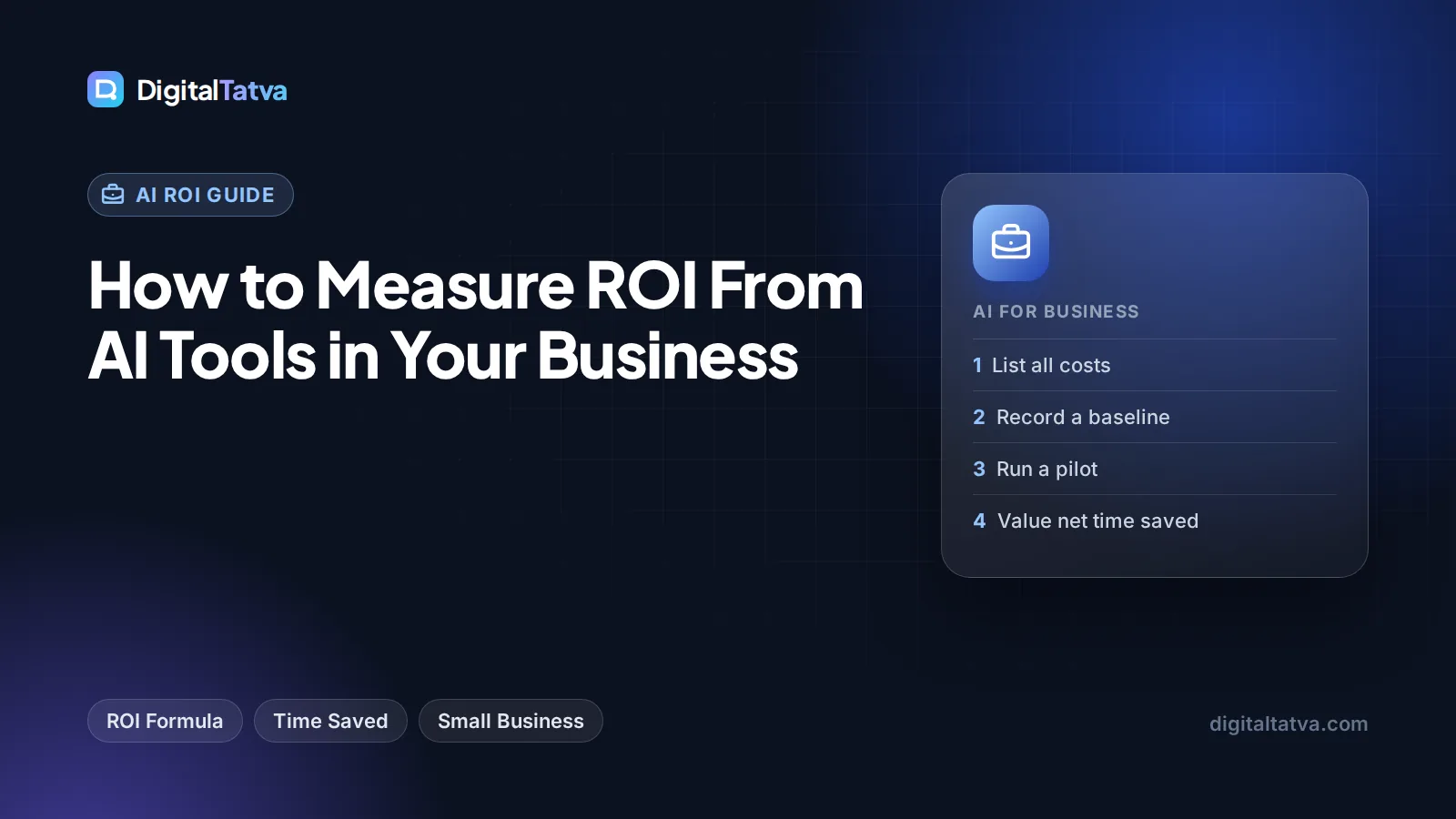
How to Measure ROI From AI Tools in Your Business
A simple AI ROI formula, a worked example with real 2026 plan prices, the metrics to track by team, and a 30-day pilot method for small businesses.

On this page
- Key takeaways
- The AI ROI formula, explained in plain words
- Step 1: list every cost, not just the subscription
- Step 2: measure a baseline before you switch AI on
- Step 3: choose the right value metrics for each team
- Worked example: AI ROI for a small marketing team
- How to run a 30-day AI ROI pilot
- Common mistakes that inflate or hide AI ROI
- Beyond time saved: quality, risk and revenue
- Frequently asked questions
- Next steps: measure one workflow this month
To measure AI ROI, add up everything an AI tool costs you (subscriptions, setup time, review time and add-ons), put a money value on what it gives back (hours saved, extra output, faster sales or lower outside spend), and use this formula: ROI = (value gained minus total cost) divided by total cost, times 100. The hard part is not the math. It is measuring a fair baseline before you start and counting the time people spend checking AI output.
This guide gives you a simple formula, a worked example with real 2026 plan prices, the metrics to track by team, and a 30-day method that works for a small business or agency without a data team.
Key takeaways
- AI ROI = (value gained minus total cost) / total cost x 100. Measure it monthly, per tool or per workflow.
- Total cost is more than the subscription. Include setup, training, review time, usage overages and integration tools.
- Value comes from four sources: time saved, extra output, revenue lift and avoided costs. Time saved is the easiest to measure.
- Always measure a baseline first. Without “before” numbers, AI ROI turns into a guess.
- Count net time saved, after review and fixes. This single habit keeps your numbers honest.
The AI ROI formula, explained in plain words
Return on investment compares what you got with what you spent. For AI tools, the standard formula works fine:
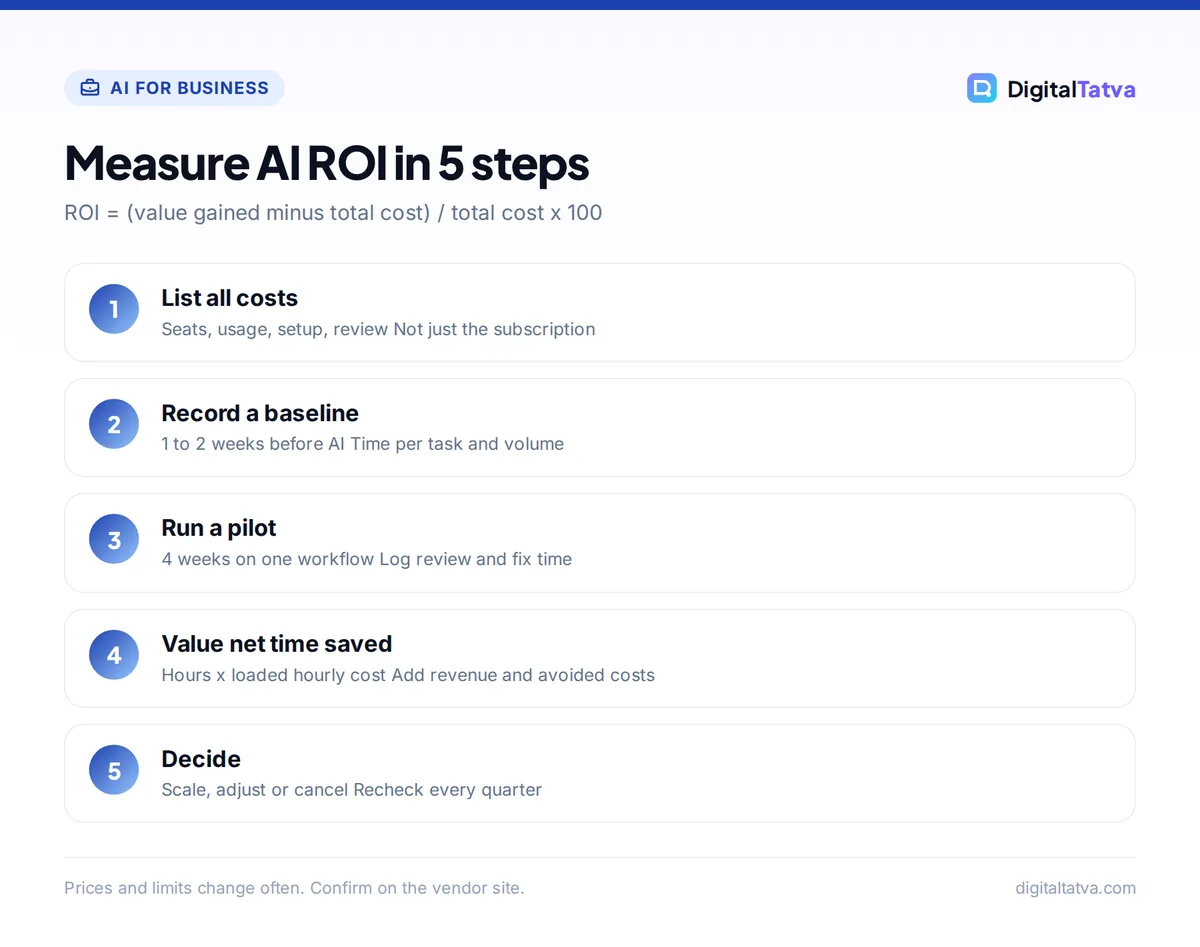
AI ROI (%) = (Value gained - Total cost) / Total cost x 100

Value gained = (Net hours saved x Loaded hourly cost)
             + Extra revenue attributable to AI
             + Outside costs avoided

Total cost   = Subscriptions + Usage or API spend
             + Setup and training time (spread over 12 months)
             + Integration and add-on tools
Two terms need a short explanation:
- Net hours saved means time saved after you subtract the time spent writing prompts, reviewing output and fixing mistakes. If a blog draft used to take 4 hours and now takes 1.5 hours of prompting plus 1 hour of editing, the net saving is 1.5 hours, not 2.5.
- Loaded hourly cost is what an hour of a person’s time really costs the business: salary or fee plus overheads such as benefits, office and software. For freelancers, use your billable rate or the rate you want to earn.
A related number worth tracking is the payback period: how many months it takes for the value gained to cover one-off costs such as setup and training. A tool with a high ROI but a long payback is riskier for a cash-tight small business.
Step 1: list every cost, not just the subscription
Most AI ROI calculations look great because they only count the monthly fee. Real costs are wider. Use this checklist:
| Cost type | Examples | How to measure |
|---|---|---|
| Subscriptions | ChatGPT Business at $25/user/month, Claude Pro at $20/month, Grammarly Pro at $12/member/month (annual) | Invoices or card statements |
| Usage and API spend | Token costs, AI credits, overage charges | Vendor billing dashboard |
| Setup and training | Writing prompt libraries, building custom GPTs, team training sessions | Hours logged x loaded hourly cost |
| Review and quality control | Fact checking, editing, approvals | Time tracking during the pilot |
| Integrations | Zapier or Make plans that connect AI to your apps | Invoices |
| Risk and compliance | Policy writing, data handling checks, legal review | One-off hours |
Watch for seat minimums and plan structure. ChatGPT Business needs at least 2 seats, and Claude Team has a 2 seat minimum too. Our explainer on when AI team plans actually save money walks through when shared seats beat individual subscriptions. If you build on an API, use our guide to estimating AI API costs before you build so usage spend does not surprise you.
Watch out: Usage-based billing makes cost harder to predict. GitHub Copilot, for example, moved to AI credits in June 2026, with overage at $0.01 per credit. Check your billing dashboard monthly rather than assuming the plan price is the whole cost.
Step 2: measure a baseline before you switch AI on
ROI depends on a “before” number. Pick 3 to 5 tasks you expect AI to speed up and record, for one to two weeks:
- How long each task takes, from start to approved output
- How many you complete per week
- Error or revision rates (for example, how many drafts need a second round)
- Any outside spend tied to the task, such as freelance writers or transcription services
Keep the method simple. A shared spreadsheet where people log task, start time and end time is enough. If you already use a project tool with time tracking, export from there.
Tip: Measure the same tasks, done by the same people, during a normal week. Avoid launch weeks or holidays, which distort both the baseline and the AI numbers.
Step 3: choose the right value metrics for each team
AI creates value in four ways. Time saved is the most common and easiest to prove. Revenue lift is the most valuable but the hardest to attribute.
| Team | Typical AI use | Metrics to track | Value type |
|---|---|---|---|
| Marketing | Drafts, social posts, ad copy, briefs | Hours per asset, assets per week, revision rounds | Time saved, extra output |
| Customer support | AI replies, help center answers, chatbots | First response time, tickets per agent, resolution rate | Time saved, avoided hiring |
| Sales | Follow-up emails, call notes, proposals | Proposals sent, reply rate, time to proposal | Revenue lift |
| Operations | Reports, data cleanup, automation | Hours per report, errors found | Time saved, fewer errors |
| Founders and freelancers | Research, admin, client communication | Billable hours freed, clients served | Extra revenue |
For support teams, per-outcome pricing makes the math cleaner. Intercom’s Fin, for example, is billed at $0.99 per resolution, so you can compare that directly with your cost per human-handled ticket. Our guide to AI customer support tools covers setup and pricing models. Agencies can find workflow ideas in our guide to AI for marketing agencies, including how to price AI-assisted work.
Worked example: AI ROI for a small marketing team
Note: This example is illustrative. The plan prices are real list prices as of September 2026, but the hours saved and hourly cost are assumptions chosen to show the arithmetic. Use your own baseline numbers.
Imagine a four-person content team at a small agency. They adopt ChatGPT Business for drafting and research, plus Grammarly Pro for two editors.
Monthly costs
- ChatGPT Business, 4 Standard seats at $25/user/month (monthly billing): $100
- Grammarly Pro, 2 members at $12/member/month (annual billing): $24
- Setup and training: 10 hours at an assumed $15 loaded hourly cost = $150 one-off, spread over 12 months: $12.50
- Total monthly cost: $136.50
Monthly value
- Assumed net time saved: 3 hours per person per week, after review and fixes
- 4 people x 3 hours x 4.33 weeks = 52 hours per month
- 52 hours x $15 = $780 per month
The result
ROI = ($780 - $136.50) / $136.50 x 100
    = $643.50 / $136.50 x 100
    = about 471%

Payback on setup = $150 / ($780 - $124 subscriptions)
                 = $150 / $656
                 = about 0.23 months (roughly one week)
Sensitivity check: what if savings are smaller?
Now assume the team only saves 1 net hour per person per week. That is 4 x 1 x 4.33 = about 17.3 hours, worth about $260 a month. ROI becomes ($260 minus $136.50) / $136.50 x 100, or roughly 90%. Still positive, but much less impressive.
The lesson: net hours saved is the number that decides ROI. Spend most of your measurement effort there. If the team needs only one paid seat, or could use annual billing (ChatGPT Business drops to $20/user/month annually), costs fall further. Our comparison of annual vs monthly AI plans explains when committing makes sense.
How to run a 30-day AI ROI pilot
- Pick one workflow. Choose a frequent, measurable task such as blog drafts, support replies or weekly reports. One clear workflow beats a vague “use AI more” goal.
- Record the baseline. Log time per task and volume for one to two weeks before using AI.
- Set up the tool properly. Write a shared prompt template, create a project or custom GPT, and agree on review rules. Track these setup hours as cost.
- Run the pilot for four weeks. People log the same fields as the baseline, plus review and fix time.
- Calculate net time saved. Baseline time minus AI time, including review. Multiply by loaded hourly cost.
- Check quality. Compare revision rates, error counts or customer feedback. Faster but worse output is not a win.
- Decide: scale, adjust or cancel. Scale tools with clear ROI, fix workflows with weak results, and cancel subscriptions nobody uses.
Good prompts shorten the review step, which raises net savings. Our prompt engineering guide covers the techniques that make output usable on the first pass, and our list of AI prompts for small business owners gives ready-made starting points.
Common mistakes that inflate or hide AI ROI
Do
- Measure net time saved, including review
- Use loaded hourly cost, not just salary
- Track ROI per tool and per workflow
- Recheck numbers every quarter as plans and prices change
Avoid
- Counting gross time saved and ignoring editing
- Assuming saved hours turn into money automatically
- Paying for seats people do not use
- Ignoring quality, compliance and data risks
The second mistake matters most. Saved hours only create value if they go somewhere useful: more client work, faster delivery, or not hiring for a role you would otherwise need. If saved time disappears into longer meetings, real ROI is close to zero. Write down where freed time will go before the pilot starts.
Unused seats are the most common leak. Review usage reports each month and remove inactive users. Our guide to saving money on AI subscriptions lists 12 practical ways to cut spend, and our breakdown of which AI subscriptions are worth paying for helps you decide what to keep.
Save money: Before buying team seats, check whether a cheaper individual plan covers the need. ChatGPT Go is $8/month and Claude Pro is $17/month on annual billing. For one person doing light drafting, these can deliver most of the value at a fraction of the cost.
Beyond time saved: quality, risk and revenue
Some AI value does not show up in hours. Consider tracking these alongside your ROI number:
- Quality: fewer typos, more consistent brand voice, better first drafts. Measure with revision rounds or a simple 1 to 5 reviewer score.
- Speed to market: launching a campaign or proposal days earlier can matter more than the hours saved.
- Revenue lift: more proposals sent, more product listings published, faster replies to leads. Attribute carefully, and compare with a period or team that did not use AI.
- Risk: data leaks, wrong facts or copyright issues are real costs. A clear AI usage policy for your team reduces them and should be part of your setup cost.
Ecommerce businesses often see value in output volume, such as product descriptions and ad variants. Our guide to AI for ecommerce covers measurable uses. If you are still choosing tools, start with our list of the best AI tools for small business owners and our practical guide to using AI without a big budget.
Frequently asked questions
What is a good ROI for AI tools?
There is no universal benchmark, and published averages vary widely in method. A practical rule: any tool should pay back its subscription plus setup within a few months, and keep a clearly positive ROI after counting review time. If ROI falls close to zero after an honest net-time calculation, change the workflow or cancel the tool.
How do you calculate time saved by AI?
Measure how long a task takes before AI, then measure the same task with AI, including prompting, reviewing and fixing output. The difference is net time saved. Multiply it by how often the task happens per month and by the loaded hourly cost of the person doing it. Use at least two weeks of data for each side.
Should I include employee training in AI ROI?
Yes. Training, prompt library setup and policy writing are real costs. Log the hours, multiply by loaded hourly cost, and spread the total over 12 months so one-off effort does not distort a single month. Training usually pays off by improving prompt quality and cutting review time, which raises net savings.
How often should I measure AI ROI?
Measure monthly during a pilot, then quarterly once a tool is part of normal work. Plans, prices and features change often in 2026, and usage-based billing can drift upward. A quarterly check lets you remove unused seats, switch to annual billing for proven tools, and cancel tools whose value has faded.
Can a small business measure AI ROI without special software?
Yes. A shared spreadsheet with columns for task, person, date, time taken, AI used (yes or no) and review time is enough. Add a cost tab with subscription invoices and setup hours. The formula needs only a few totals, so you can calculate ROI in minutes once the logs are in place.
Next steps: measure one workflow this month
Pick the task your team repeats most, log a two-week baseline, run a four-week pilot with one tool, and calculate ROI with the formula above using net time saved. Keep tools that clearly pay back, fix or drop the rest, and repeat the check every quarter. Small, honest measurements beat big, optimistic estimates every time.
For current plan details, see the ChatGPT Business overview, Claude pricing page and Grammarly plans page. AI pricing changes often, so confirm current prices on each vendor’s site before you calculate your own ROI.
Pricing and features are checked at the time of writing and can change. Some links may be affiliate links, which never affect our verdicts.



