GitHub Copilot AI Credits Explained: New Billing, Budgets and Copilot Fusion
GitHub Copilot now bills chat, agents and code review in AI Credits, includes Copilot at no seat charge for some GitHub Enterprise customers, and has made Copilot Fusion generally available. Here is how the credits work, what each plan includes and how to keep costs under control.
On this page
- Key takeaways
- How AI Credits work
- Plans and included credits
- Budgets and cost controls
- Code review costs
- Copilot Fusion
- Which models can Copilot use?
- How to keep Copilot costs predictable
- Other GitHub Universe 2026 announcements
- Copilot vs alternatives on cost
- Cost scenarios for a small team
- Setting up budgets: a quick walkthrough
- Reducing credit usage without slowing developers
- What changes on 1 December 2026
- Frequently asked questions
Last updated: 9 November 2026
Quick answer: GitHub Copilot now bills most AI usage, including chat, agent mode, the cloud agent and code review, in AI Credits, where one credit equals $0.01. Copilot Business costs $19 per user per month with 1,900 pooled credits, and Copilot Enterprise costs $39 with 3,900 pooled credits. At GitHub Universe on 28 October 2026, GitHub announced that some GitHub Enterprise Cloud customers get Copilot at no seat charge but with no included credits, so usage is billed from the first request, and launched Copilot Standalone at $10 per user per month with no credits. Inline code completions and next edit suggestions are not billed in credits. Copilot Fusion, now generally available, picks models and workflows per task, and paid plans get 30% off model costs until 30 November 2026. Set budgets carefully, because an enterprise budget does not stop spending unless you turn that on.
Key takeaways
- One AI credit is one US cent. Agent mode and the cloud agent can make many model calls per task.
- Completions and next edit suggestions stay free of credits, even at a $0 budget.
- User-level budgets are hard stops. Enterprise budgets only stop spending if “Stop usage when budget limit is reached” is enabled.
- Code review averages about $0.25 (Lite), $1.50 (Balanced) and $10 (Max) per review, according to GitHub’s figures.
- Fusion has no separate charge. You pay each called model’s rate.
How AI Credits work
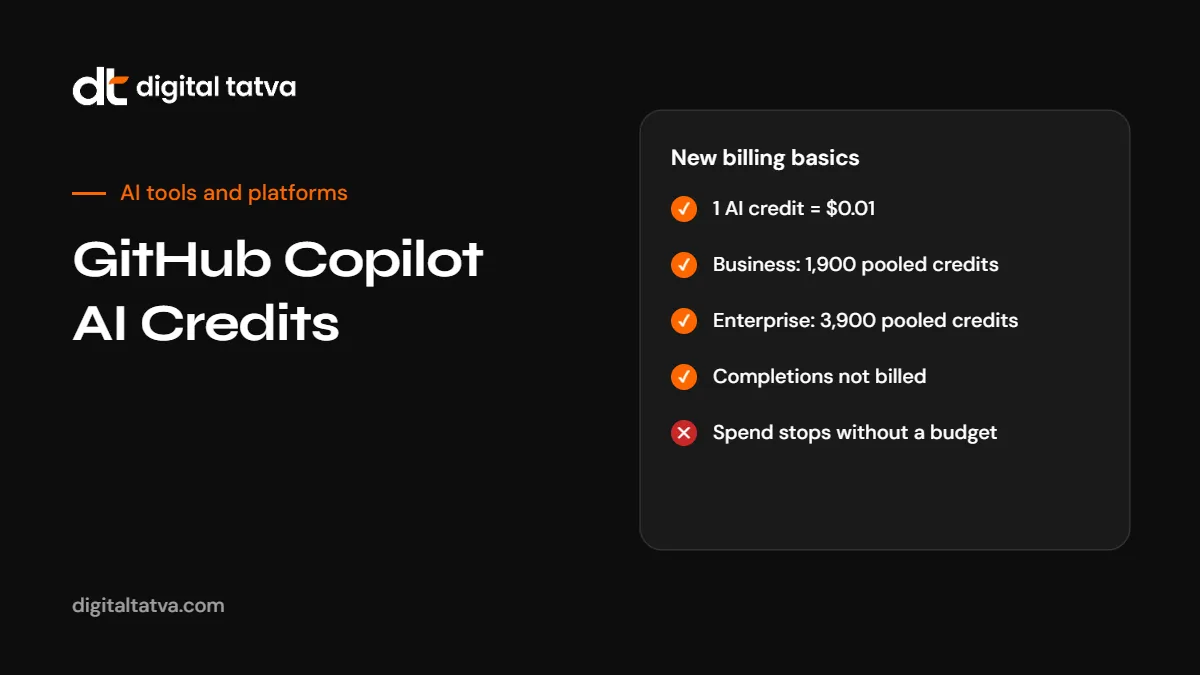
GitHub moved Copilot to usage-based billing during 2026. Instead of a fixed number of “premium requests”, most AI features now consume AI Credits based on the models and work involved. One credit equals $0.01.
| Feature | Billed in credits? |
|---|---|
| Inline code completions | No |
| Next edit suggestions | No |
| Copilot Chat | Yes |
| Agent mode | Yes, often several model calls per task |
| Cloud agent | Yes |
| Code review | Yes, by effort level |
| Copilot Automations and Agentic Workflows | Yes |
Plans and included credits
| Plan | Price per user per month | Included credits | Notes |
|---|---|---|---|
| Copilot Business | $19 | 1,900, pooled | Equal to $19 of usage |
| Copilot Enterprise | $39 | 3,900, pooled | Equal to $39 of usage |
| GitHub Enterprise bundle | $0 seat charge | None | For Enterprise Cloud customers with a GitHub or Microsoft account team; usage billed from the first request |
| Copilot Standalone | $10 | None | For users without a GitHub Enterprise licence |
A useful rule of thumb from analysis of these prices: Standalone is cheaper than Business only if average monthly usage stays below about $9, and cheaper than Enterprise only below about $29. Heavy users are usually better off on plans with included credits. For individual plans, see GitHub Copilot pricing.
The GitHub Enterprise bundle cannot be combined with Business or Enterprise seats in the same organisations, is not available for GitHub Enterprise Server, and will open to self-serve customers in stages.
Budgets and cost controls
Budgets can be set in US dollars at the user, cost centre, organisation and enterprise levels. How they behave matters:
| Budget type | Behaviour |
|---|---|
| User-level budget | Hard stop when reached |
| Enterprise budget | Does not stop spending unless “Stop usage when budget limit is reached” is enabled |
| Out of budget | Chat, code review and cloud agent need available budget; users keep access to completions |
| Automations | Credit limits per run, day, week or month can now be set; existing automations stay uncapped until someone sets a limit |
GitHub does not publish a default budget amount and warns that agent mode and the cloud agent make several model calls per task. The gh aw forecast command estimates monthly AI credit spend for Agentic Workflows.
Code review costs
| Effort level | Average cost per review (GitHub’s figures) |
|---|---|
| Lite | About $0.25 |
| Balanced | About $1.50 |
| Max (public preview) | About $10 |
Admins can cap the effort level. A team running Max reviews on every pull request could spend far more than expected, so set Balanced as the default and reserve Max for critical changes. Copilot approvals can now count toward required pull request reviews, off by default, with controls over which file paths it can approve.
Copilot Fusion
Copilot Fusion became generally available on 28 October 2026. It is a model picker option that selects models and orchestration for each task, using three workflows: Single, Cascade and Critique. There is no separate Fusion fee; you pay the standard rate of each model it calls.
- Paid plans get 30% off model costs until 30 November 2026. GitHub’s documentation does not say what happens afterwards; without the discount, the same usage would cost about 43% more.
- GitHub claims Fusion Max scores 60 on the Artificial Analysis Coding Agent Index, within two points of Claude Code with Opus 5.5 Max, at about half the cost and tokens per task. Artificial Analysis confirmed the cost and token figures ($5.59 versus $11.42 per task) but not the time claim.
- Some users reported Fusion missing from their accounts shortly after launch, so availability may vary during rollout.
For how routing works in general, see model routing explained.
Which models can Copilot use?
Copilot offers several providers’ models. OpenAI’s GPT-6.1 Terra is rolling out across Copilot on paid plans, for example. Model choice affects credit usage, so pick cheaper models for routine work. See GPT-6.1 Terra and the best AI coding assistants.
How to keep Copilot costs predictable
- Set user-level budgets as hard stops for most developers, with higher limits for power users.
- Enable “Stop usage when budget limit is reached” on enterprise budgets if you need a firm cap.
- Cap code review effort at Balanced by default.
- Set limits on Automations and Agentic Workflows, and forecast with
gh aw forecast. - Review usage weekly during the first month on new billing.
- Use cheaper models for simple chat and routine tasks.
- Plan for 1 December, when the 30% Fusion discount period ends.
Other GitHub Universe 2026 announcements
- Agentic Workflows are generally available, running read-only by default in a sandboxed container.
- Agent Merge lets Copilot fix failing workflows and merge conflicts in the cloud.
- The GitHub Copilot SDK will become the Microsoft Copilot SDK, with no date and no action needed now.
Copilot vs alternatives on cost
Usage-based billing makes comparisons harder, because cost depends on how much agent work you do. Compare your real usage across tools rather than list prices. See Cursor vs GitHub Copilot, Claude Code vs Codex and how to reduce Claude Code costs.
Cost scenarios for a small team
These illustrative scenarios show how credits behave. Real usage varies by model, task size and agent activity.
| Team | Plan | Included value | What to watch |
|---|---|---|---|
| 5 developers, mostly completions and some chat | Business | 9,500 pooled credits ($95) | Likely within the pool; completions are free of credits |
| 5 developers using agent mode daily | Business | 9,500 pooled credits ($95) | Agent tasks make many calls; set user budgets and review weekly |
| 10 developers with code review on every pull request | Enterprise | 39,000 pooled credits ($390) | Max reviews at about $10 each add up quickly; cap effort |
| Occasional user without GitHub Enterprise | Standalone ($10) | No credits | All chat and agent use is billed; may cost more than Business for active users |
Setting up budgets: a quick walkthrough
- Open your enterprise or organisation billing settings on GitHub and find Copilot usage and budgets.
- Create a default user budget that covers normal use, for example a few dollars above the included credits per person.
- Create higher budgets for named power users or cost centres.
- Turn on “Stop usage when budget limit is reached” at the enterprise level if you need a firm ceiling.
- Cap code review effort in Copilot policy settings.
- Set limits on Automations per run, day, week or month.
- Add alerts and assign someone to review usage each week for the first month.
Reducing credit usage without slowing developers
- Lean on completions for routine code, since they are not billed in credits.
- Use smaller models for quick questions and explanations.
- Give agents clear, scoped tasks so they make fewer exploratory calls.
- Keep repositories tidy with good README files and instructions, so agents find context faster.
- Review agent runs that cost the most and see what went wrong.
- Use Fusion’s Single workflow for simple tasks and reserve Critique for important changes.
What changes on 1 December 2026
The 30% discount on model costs for paid plans runs until 30 November 2026. From 1 December, unless GitHub announces otherwise, the same usage costs more. Before then:
- Record your average daily credit use in November.
- Multiply by about 1.43 to estimate December costs without the discount.
- Adjust budgets and model choices if the result is above your plan.
Frequently asked questions
What are GitHub Copilot AI Credits?
The unit GitHub uses to bill Copilot AI usage such as chat, agents and code review. One credit equals $0.01.
How many credits does Copilot Business include?
1,900 pooled credits per user per month, at $19 per user.
How many credits does Copilot Enterprise include?
3,900 pooled credits per user per month, at $39 per user.
Are code completions billed in credits?
No. Inline completions and next edit suggestions are not billed in credits and remain available at a $0 budget.
What is Copilot Standalone?
A $10 per user per month option with no included credits, for users without a GitHub Enterprise licence.
Do enterprise budgets stop spending automatically?
Only if “Stop usage when budget limit is reached” is enabled. User-level budgets are hard stops.
What is Copilot Fusion?
A model picker option that chooses models and workflows per task. It has no separate fee, and paid plans get 30% off model costs until 30 November 2026.
How much does Copilot code review cost?
About $0.25 for Lite, $1.50 for Balanced and $10 for Max per review on average, according to GitHub.
Product details, prices and features are checked at the time of writing and can change. Sources are linked in the text so you can check them yourself.
How does your brand appear in AI answers?
We test the questions your buyers ask across the major AI assistants and search engines, then show you what to fix first.
Get an AI Visibility Audit