Genie 4: Google DeepMind’s World Model Explained
Genie 4 generates interactive worlds you can move through and change with text prompts, now with native audio and longer sessions. Here is what world models are, what Genie 4 can do, who can use it and what it could mean for games, film, robotics and marketing.
On this page
- Key takeaways
- What is a world model?
- What is new in Genie 4
- Who can use Genie 4
- Use cases Google highlights
- What it could mean for marketers and creators
- Limitations
- Genie 4 vs AI video generators
- Why world models matter beyond entertainment
- How to prepare
- How a world model session works, step by step
- Prompting tips for world models
- Practical ideas to test when access opens
- Responsible use
- Glossary
- Frequently asked questions
Last updated: 9 November 2026
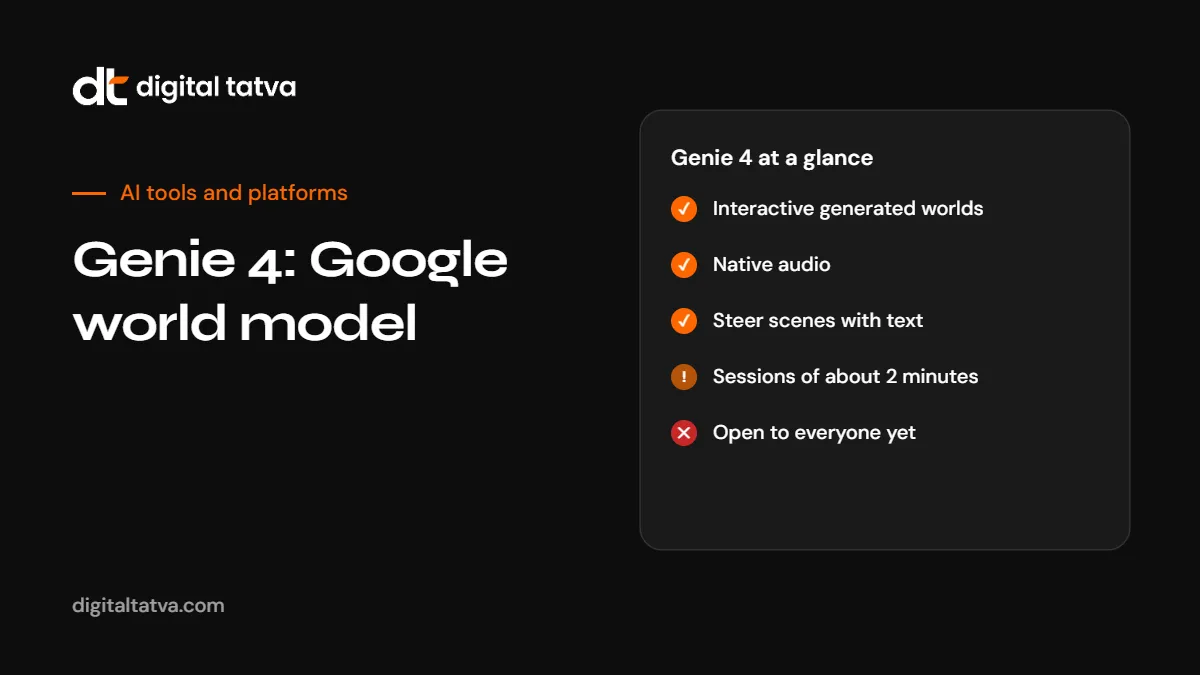
Quick answer: Genie 4 is Google DeepMind’s latest world model, announced on 27 October 2026. A world model generates an interactive environment in real time that you can move through and change, rather than a fixed video. Genie 4 adds native audio, lets users steer a scene mid-session with natural-language prompts, produces more realistic worlds according to Google, and runs experiences for about two minutes, roughly double Genie 3. It uses Gemini 3.8 Flash to help with simulations. Google pitches it for film pre-visualisation, game prototyping and training environments for robots and AI agents. It is a research preview for trusted testers, with access for Google AI Ultra subscribers described as coming soon.
Key takeaways
- World models generate interactive, explorable spaces, not just videos.
- Genie 4 adds sound and real-time text steering, and roughly doubles session length to about two minutes.
- Google warns details and object permanence can drift as a session runs longer.
- Access is limited to trusted testers for now. Project Genie sign-ups currently run on Genie 3.
- The near-term value is prototyping and simulation, not finished products.
What is a world model?
Most generative AI produces a fixed output: text, an image, a video clip. A world model produces an environment that responds to you. You move forward and the model generates what you would see next. You ask for rain and the scene changes. Each frame is generated in real time based on what came before and what you do.
This matters for two reasons. First, it makes interactive experiences, like simple games or virtual walkthroughs, possible without building 3D assets by hand. Second, it gives AI agents and robots a place to practise. A robot can learn to navigate thousands of simulated kitchens before entering a real one. For background on related AI concepts, see what is generative AI and what is agentic AI.
What is new in Genie 4
| Feature | Genie 4 | Compared with Genie 3 |
|---|---|---|
| Interactive worlds | Generated in real time | Same idea |
| Realism | More realistic, according to Google | Less realistic |
| Audio | Native audio generation | Not a headline feature |
| Steering | Change the scene mid-session with natural-language prompts | More limited |
| Session length | About two minutes | About one minute |
| Helper model | Uses Gemini 3.8 Flash for simulation | Earlier models |
Google had not published resolution, frame rate, model size or benchmarks at the time of writing, and independent reviewers had not tested Genie 4 directly. The realism gains rest on Google’s own demonstrations.
Who can use Genie 4
- Now: a research preview for trusted testers.
- Coming soon: Google AI Ultra subscribers, according to Google.
- Project Genie: Google has a sign-up form for Project Genie, which currently runs on Genie 3.
- API: no public API announced.
There is no pricing yet. If you want early access, Google AI Ultra is the most likely route once it opens. See Gemini pricing.
Use cases Google highlights
| Use | How a world model helps |
|---|---|
| Film pre-visualisation | Explore a scene’s layout, camera paths and mood before shooting |
| Game prototyping | Test a game idea’s feel in minutes rather than weeks |
| Robot training | Create varied, safe environments for robots to practise in |
| AI agent training | Give agents interactive worlds to learn tasks |
What it could mean for marketers and creators
Genie 4 is not a marketing tool yet, but the direction is worth watching:
- Interactive concepts: explore a store layout, event space or product setting before building it.
- Campaign pre-visualisation: test the look and feel of a video concept before production.
- Playable experiences: simple branded worlds or game-like teasers, once access widens and quality improves.
Google also launched a separate experimental tool called Playground in October 2026 for building and sharing simple games from text prompts with no coding. For video generation available today, see how to use Google Flow and Veo and the best AI video generators.
Limitations
- Drift: Google warns that details and object permanence can shift as a simulation runs longer. Things you saw a minute ago may not look the same when you return.
- Short sessions: about two minutes is long for a world model but short for real use.
- Limited access: trusted testers only for now.
- Unknown specifications: resolution, frame rate and pricing are not public.
- Rights and realism: realistic generated worlds featuring real places or people raise the same disclosure questions as other synthetic media. See EU AI Act Article 50 for marketers.
Genie 4 vs AI video generators
| Aspect | World model (Genie 4) | Video generator (Veo, Kling, Runway) |
|---|---|---|
| Output | Interactive environment | Fixed video clip |
| Control | Move and steer in real time | Prompt, then edit and regenerate |
| Length | About two minutes per session | Seconds to minutes per clip |
| Best for | Exploration, prototyping, simulation | Finished marketing and social video |
| Availability | Trusted testers | Widely available |
See Runway vs Kling and Sora alternatives.
Why world models matter beyond entertainment
Training robots and agents in the real world is slow, expensive and sometimes dangerous. World models let them practise in millions of simulated situations first. Google’s other October announcements, including a robotics version of Gemini 4 Argon, point in the same direction: AI that acts in the physical world needs safe places to learn. For Google’s model family, see Gemini 4 Argon.
How to prepare
- Join the Project Genie waitlist if interactive worlds are relevant to your work.
- Experiment with today’s video tools to build skills in prompting scenes and camera movement.
- Think about which concepts you would test in a world model first: spaces, product settings or game ideas.
- Watch for Google AI Ultra access and any API announcement.
How a world model session works, step by step
Based on how Google describes Genie, a typical session looks like this:
- Describe a world. Write a prompt such as “a rainy night market in an Indian city, neon signs, food stalls, wet streets”, or start from an image.
- Enter it. The model generates the first view and you begin to move, using keyboard or controller-style inputs.
- Explore. As you move, each new view is generated from what came before and your actions.
- Steer. Type a change mid-session, such as “make it morning” or “add a street musician”, and the world updates.
- Listen. Genie 4 generates sound to match the scene, such as rain, crowds or music.
- End or restart. Sessions last about two minutes, after which you start again.
Prompting tips for world models
Prompting a world is different from prompting an image. You are describing a place that has to hold together as you move through it.
- Describe the space, not one view. “A narrow lane lined with shops on both sides” works better than a single camera angle.
- Set time, weather and lighting so the world has a consistent mood.
- Name a few anchor objects that should stay put, such as a fountain or a gate, to help consistency.
- Keep it simple at first. Busy scenes with many moving people are more likely to drift.
- Use steering prompts for changes rather than restarting, to see how the model adapts.
Many of the same skills apply to video generation today. See how to make an AI video.
Practical ideas to test when access opens
| Team | Idea | What you learn |
|---|---|---|
| Retail and real estate | Walk through a concept store or show flat layout | How a space feels before building it |
| Events | Explore an event venue concept with stages and stalls | Flow and placement ideas |
| Film and video | Pre-visualise a scene’s setting and camera path | Shot ideas before production |
| Games and apps | Prototype a level or world mood | Whether an idea is fun before coding |
| Training and education | Simulate a workplace or historical setting | Engaging, explorable learning scenes |
Treat these as experiments. Outputs will not be accurate enough for engineering or legal decisions, and details can drift.
Responsible use
- Do not present generated worlds as real places or events. Realistic synthetic media can mislead.
- Disclose AI generation when sharing realistic outputs publicly, especially in the EU. See EU AI Act Article 50 for marketers.
- Avoid real people and trademarks in generated worlds unless you have the rights.
- Keep provenance data such as watermarks intact. See SynthID Detector guide.
Glossary
| Term | Meaning |
|---|---|
| World model | An AI model that generates an interactive environment in real time |
| Object permanence | Objects staying the same when you look away and back |
| Steering prompt | A text instruction that changes the world during a session |
| Pre-visualisation | Planning a film scene’s look and camera work before shooting |
| Simulation for robotics | Virtual environments where robots practise before acting in the real world |
Frequently asked questions
What is Genie 4?
Google DeepMind’s latest world model, announced on 27 October 2026, which generates interactive environments in real time with native audio.
What is a world model?
An AI model that generates an environment you can move through and change, frame by frame, rather than a fixed video.
How long can a Genie 4 session last?
About two minutes, roughly double Genie 3’s one minute.
Can I use Genie 4 now?
Only trusted testers can use it. Google says access for Google AI Ultra subscribers is coming soon.
Does Genie 4 generate sound?
Yes. Native audio is one of its main new features.
What is Genie 4 used for?
Google highlights film pre-visualisation, game prototyping and training environments for robots and AI agents.
Is there a Genie 4 API?
No public API had been announced at the time of writing.
What are Genie 4’s main limitations?
Short sessions, limited access, unpublished specifications, and details or objects that can drift over longer sessions.
Product details, prices and features are checked at the time of writing and can change. Sources are linked in the text so you can check them yourself.
How does your brand appear in AI answers?
We test the questions your buyers ask across the major AI assistants and search engines, then show you what to fix first.
Get an AI Visibility Audit