Runway vs Kling: Which AI Video Generator Wins in 2026?
Runway vs Kling compared for 2026: Gen-4.5 vs Kling 3.0 quality, plan prices, real cost per second, editing tools and commercial use, plus who should pick each.

On this page
Runway is the better choice in 2026 if you want a complete creative studio with clear, published pricing, editing tools and several top video models in one subscription. Kling is the better choice if you mainly want realistic human motion and native audio at a lower price per second, and you are comfortable with pricing that changes by region and promotion. The twist: Runway now offers Kling 3.0 inside its own app, so many creators do not have to choose at all.
Below we compare Runway and Kling on video quality, pricing, cost per second, features, commercial use and workflow, using Runway’s official plan details and the best available Kling figures as of 8 October 2026.
Key takeaways
- Runway Standard costs $15 a month ($12 yearly) for 625 credits, about 52 seconds of its flagship Gen-4.5 video.
- Kling’s Standard plan is listed by third-party trackers at about $10 a month for 660 credits, with first-month discounts. Kling’s official pricing page would not load for us.
- At 1080p with native audio, Kling 3.0 uses about 12 credits per second, the same rate as Runway Gen-4.5, but Kling’s credits appear cheaper per dollar.
- Runway includes Kling 3.0, Seedance and other partner models, plus editing tools like Aleph, Act-Two and 4K upscaling.
- Free tiers on both are for testing: Kling’s free output is watermarked without commercial rights, and Runway Free gives 125 one-time credits.
Quick verdict: Runway or Kling?
Pick Runway if you are an agency, filmmaker or marketer who needs predictable budgets, team features and more than one model. Its pricing page converts credits into seconds of video for each model, which makes client quotes much easier. Pick Kling if you are a solo social creator who wants lifelike people, dancing, sports or product motion in short clips, and you mostly work in Kling’s own app.
If you are still deciding whether you need generative video at all, our list of the best AI video generators for creators and marketers covers eight more options, including Google Veo and avatar tools.
| Criteria | Runway | Kling AI |
|---|---|---|
| Best for | Agencies, filmmakers, multi-model workflows | Realistic motion and short social clips |
| Flagship model | Gen-4.5 (plus Kling 3.0 and Seedance inside) | Kling 3.0 and Omni variants |
| Free plan | 125 one-time credits | About 66 credits a day, expire in 24 hours, watermarked |
| Entry paid plan | Standard $15/mo ($12 yearly), 625 credits | Standard about $10/mo list, 660 credits (unverified) |
| Mid plan | Pro $35/mo ($28 yearly), 2,250 credits | Pro about $37/mo list, 3,000 credits (unverified) |
| Top self-serve plan | Max $95/mo ($76 yearly), 9,500 credits | Ultra about $180/mo, 26,000 credits (unverified) |
| Credit rate | Gen-4.5: 12 credits per second | Kling 3.0: about 6 to 30 credits per second by resolution |
| Price transparency | High, seconds per model listed | Low, prices vary by region and promotion |
Video quality and models
Runway: Gen-4.5 and a model marketplace
Runway’s own Gen-4.5 handles text-to-video and image-to-video with strong camera control and a polished, cinematic look. Its bigger advantage in 2026 is choice. The app also lists third-party models, including Kling 3.0, Nano Banana Pro and Seedance, so when one model struggles with a shot you can try another without leaving the project. In September 2026, Runway added Kling models to its MCP connector and launched plugins for Premiere Pro, After Effects and DaVinci Resolve.
Runway also offers editing and performance tools beyond generation: Aleph for restyling and editing existing footage, Act-Two for animating a character from a performance video, Ruby for converting SDR to HDR, and unlimited 4K upscaling on paid plans.
Kling: lifelike motion and native audio
Kling, from Kuaishou, is known for natural human movement and physics. Kling 3.0 can generate video with native audio, and higher tiers unlock 1080p and 4K output. Many social creators use it for short, realistic clips of people, food and products. Quality comparisons are subjective, and both companies ship updates often, so we suggest running the same prompt through each tool on a free plan before you commit.
Tip: Write your shot like a director: subject, action, camera move, lens, lighting and mood. A good starting image (made in an image generator) often matters more than the video model. Our list of the best AI image generators helps you pick one.
Pricing compared: the real cost per second
Both tools sell credits, so the sticker price only tells you half the story. Here is the arithmetic for the entry plans, using one second of finished 1080p-class video as the unit.
Runway
Runway’s official pricing page lists Standard at $15 a month (or $12 yearly) with 625 credits, Pro at $35 ($28 yearly) with 2,250 credits, and Max at $95 ($76 yearly) with 9,500 credits. Gen-4.5 uses 12 credits per second, as Runway’s credits help article confirms.
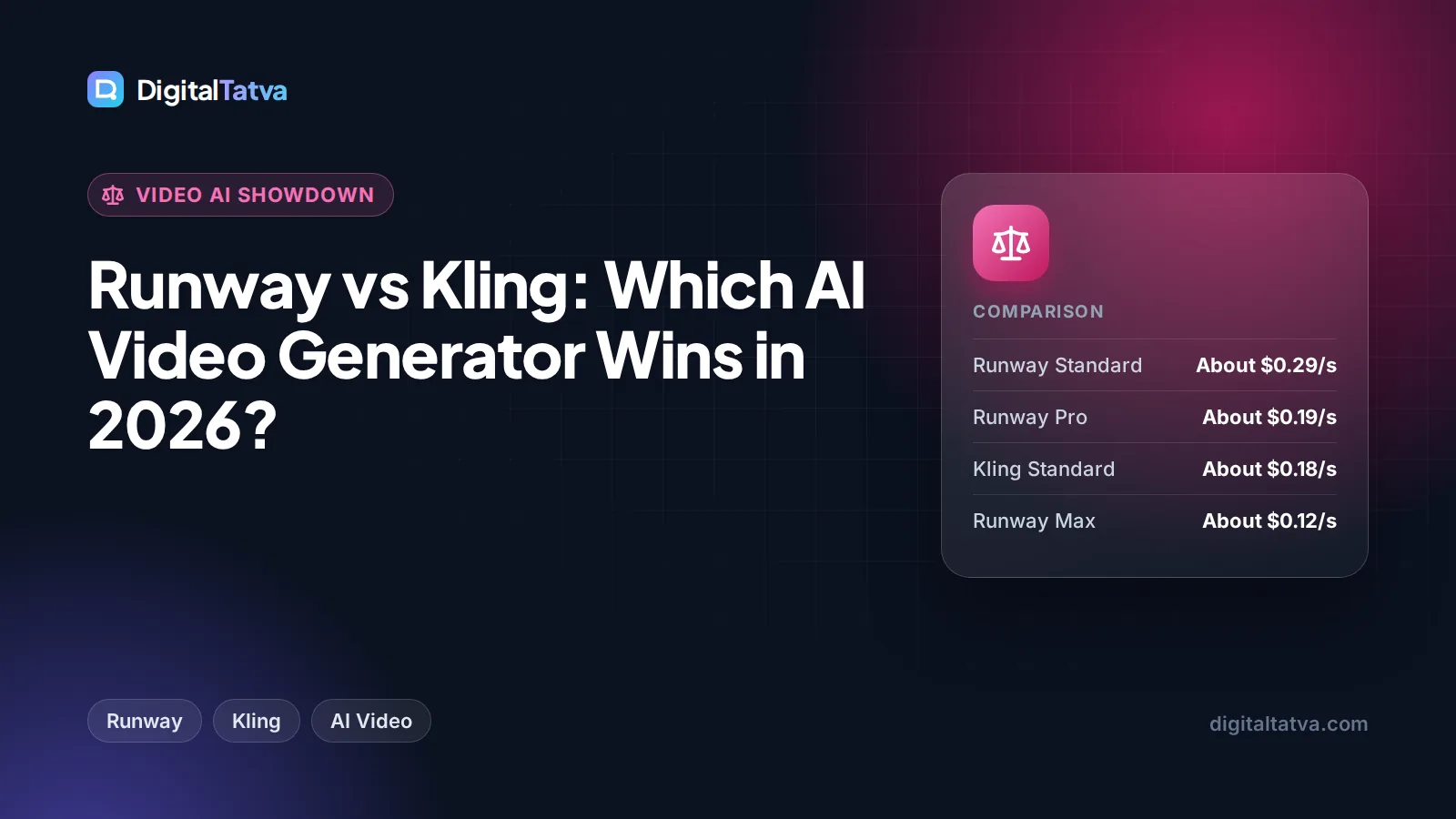
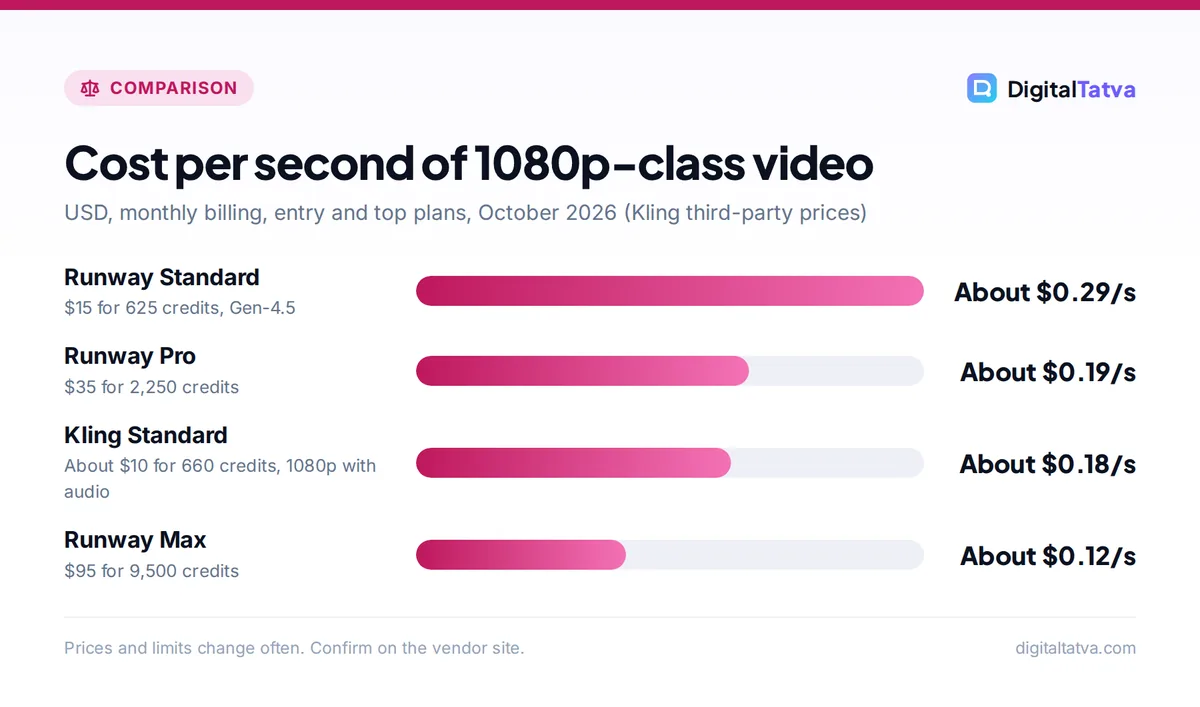
- Standard monthly: $15 / 625 credits = $0.024 per credit, so about $0.29 per second of Gen-4.5.
- Pro monthly: $35 / 2,250 = about $0.0156 per credit, so about $0.19 per second.
- Max monthly: $95 / 9,500 = $0.01 per credit, so about $0.12 per second.
Cheaper Gen-4 Turbo footage roughly doubles the seconds you get. Our full Runway pricing breakdown covers rollover rules, top-ups and the Team plan.
Kling
Kling does not publish a stable price list, and its membership page did not load during our research. Third-party trackers in September 2026 listed Standard at about $10 a month (often $6.99 for the first month), Pro at about $37, Premier at about $92 and Ultra at about $180, with yearly billing about a third cheaper on the first three. Kling 3.0 reportedly uses about 6 credits per second at 720p without audio, 12 per second at 1080p with native audio, and 30 per second at native 4K.
- Standard at about $10 for 660 credits is roughly $0.015 per credit.
- At 1080p with audio (12 credits per second), that is about $0.18 per second, or about 55 seconds a month.
- At 720p without audio (6 credits per second), the same plan stretches to about 110 seconds.
Watch out: Kling prices differ by country, app store and promotion, and first-month deals renew at higher rates. Always check the price on your own account before budgeting a client project.
Remember that every AI video needs retries. If you keep one take in three, your real cost per usable second is about three times the figures above, on either platform.
Save money: If you pay for Runway already, try Kling 3.0 inside Runway before buying a separate Kling plan. One subscription with several models is usually cheaper than two half-used ones. More ideas in our guide to saving money on AI subscriptions.
Features and workflow
Where Runway is stronger
- Projects and teams: Paid plans include projects, Brand Kits on Pro and Max, custom voice clones and a new Team plan with a shared credit pool of 6,900 credits per seat.
- Editing: Aleph edits and restyles real footage, which Kling does not focus on.
- Integrations: Runway MCP, plus plugins for Premiere Pro, After Effects and DaVinci Resolve.
- Exports: Max adds HDR, ProRes and image sequence export.
Where Kling is stronger
- Motion realism: its reputation rests on believable people and physics.
- Native audio: sound generated with the clip at higher resolutions.
- Daily free credits: a renewing free allowance, though it expires every 24 hours.
For finishing either tool’s clips, you will still want an editor for captions, cuts and music. See our list of the best AI video editors for YouTube and Reels. Adobe’s September 2026 Premiere update even brings Runway and Kling models into the Premiere timeline through its Generative Media Tool.
Commercial use, privacy and safety
Kling’s free tier adds a watermark and does not include commercial rights, according to third-party guides; paid tiers remove the watermark and allow commercial use. Runway’s pricing page did not state commercial terms when we checked, though paid plans have historically allowed commercial use. For client work on either tool, read the current terms of service.
Kling is developed by Kuaishou, a Chinese company. If your organization has rules about where data is processed, check the privacy policy before uploading client footage or faces. Our business guide to AI data privacy lists the questions to ask any AI vendor, and our AI usage policy template helps you set team rules.
Choose Runway if, choose Kling if
Choose Runway if
- You need published, predictable costs for client budgets.
- You want several models (Gen-4.5, Kling 3.0, Seedance) in one place.
- You edit real footage as well as generating new clips.
- You work in a team or inside Adobe and DaVinci tools.
Choose Kling if
- You mainly make short, realistic social clips of people and products.
- You want native audio with your clips at a lower price per second.
- You are a solo creator who can live with variable pricing.
Still unsure? Follow our step-by-step guide on how to make an AI video from text in 30 minutes with each tool’s free credits and compare the results yourself.
Frequently asked questions
Is Kling better than Runway?
Kling is often preferred for realistic human motion and native audio at a lower cost per second, while Runway is better as a complete studio with editing tools, team features and several models. Since Runway now offers Kling 3.0 inside its app, a Runway subscription gives you access to both styles, which suits many creators best.
Is there a free version of Runway or Kling?
Yes, both have free tiers. Runway Free gives 125 one-time credits, enough for roughly 10 seconds of Gen-4.5. Kling’s free tier reportedly gives about 66 credits a day that expire after 24 hours, with watermarked output and no commercial rights. Both are fine for testing prompts, not for client work.
How much does Kling AI cost?
Kling’s official prices could not be confirmed, and they vary by region and promotion. Third-party trackers list Standard at about $10 a month for 660 credits, Pro at about $37, Premier at about $92 and Ultra at about $180, with yearly discounts on most tiers. Check the membership page in your account for your exact price.
Can I use Kling inside Runway?
Yes. Runway lists Kling 3.0 among the third-party models available in its app, and in September 2026 it added Kling models such as Kling 3.0 and Kling O3 to Runway MCP. Usage is paid with your Runway credits, so you can compare Gen-4.5 and Kling side by side on one plan.
Which is cheaper per second of video?
On entry plans, Kling appears cheaper. Runway Standard works out to about $0.29 per second of Gen-4.5 on monthly billing, while Kling Standard is roughly $0.18 per second at 1080p with audio, based on third-party prices. Runway Max drops to about $0.12 per second for heavy users.
Verdict: Runway for studios, Kling for social realism
Runway is our overall pick for agencies, marketers and filmmakers because its pricing is transparent, its toolset goes beyond generation, and it includes Kling 3.0 and other partner models. Start with Standard at $15 a month, or Pro at $35 once you produce weekly. Kling is a strong, cheaper choice for solo creators focused on lifelike short clips, as long as you check your local price first. Video AI plans change often, so confirm current prices and credit rates on each vendor’s site before you subscribe.
Related reading: Synthesia vs HeyGen for avatar videos and the best AI tools for YouTubers.
Pricing and features are checked at the time of writing and can change. Some links may be affiliate links, which never affect our verdicts.