10 Best AI Tools for YouTubers From Script to Thumbnail
The 10 best AI tools for YouTubers in 2026, from ChatGPT scripts and vidIQ research to Descript edits, OpusClip Shorts, ElevenLabs voiceovers and Canva thumbnails.

On this page
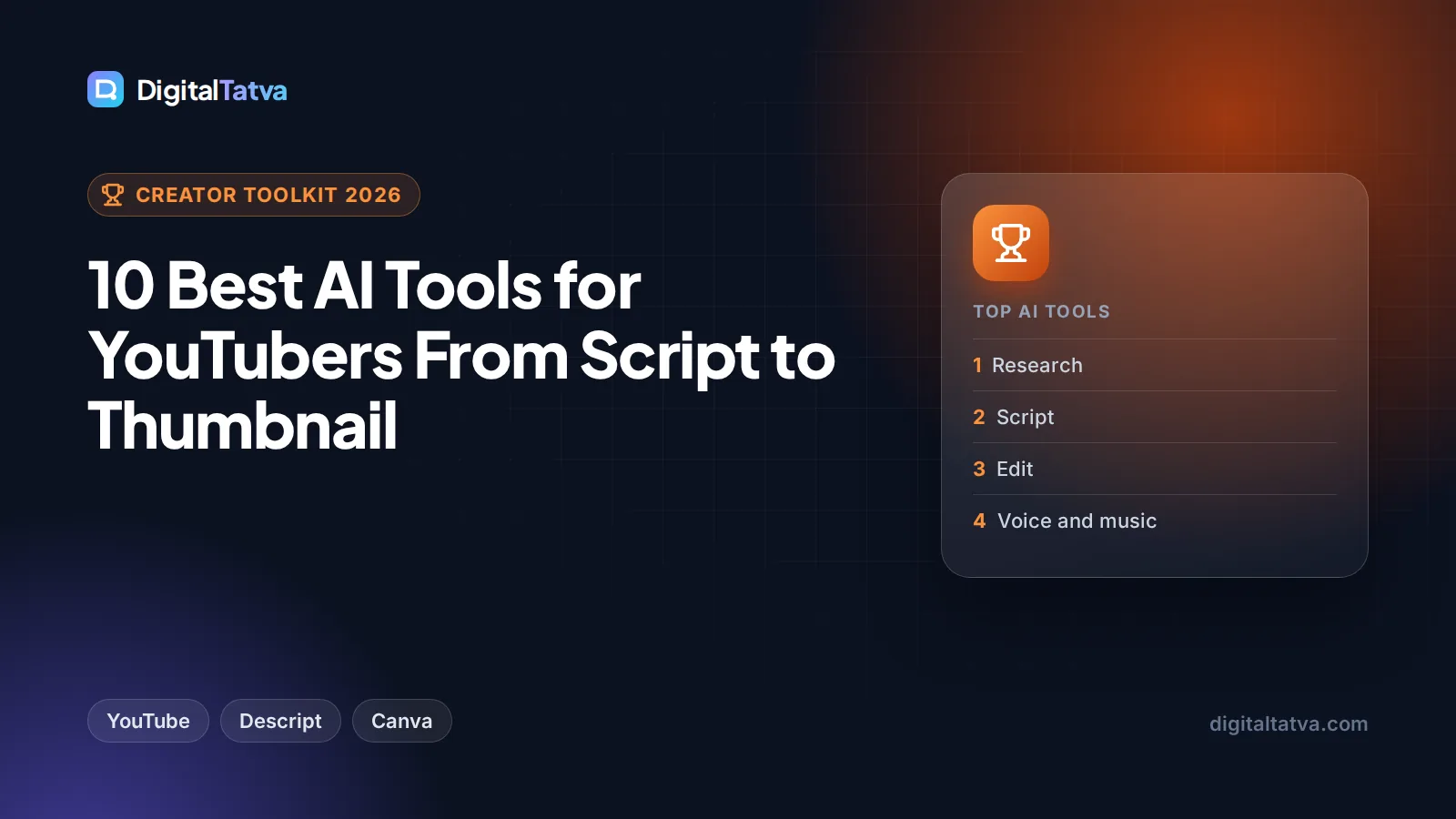
The best AI tools for YouTubers in 2026 cover every stage of a video: ChatGPT or Claude for ideas and scripts, vidIQ and YouTube’s own Ask Studio for research, Descript for editing, OpusClip for turning long videos into Shorts, ElevenLabs for voiceovers and dubbing, and Canva or Midjourney for thumbnails. You can start with free plans on almost all of them, and YouTube Studio now includes free AI thumbnail testing, script feedback and automatic dubbing.
Below we rank 10 tools in workflow order, from script to thumbnail, with prices checked on 8 October 2026 and a lean starter stack for new channels. The aim is fewer subscriptions, not more.
Key takeaways
- YouTube Studio’s free AI tools (Ask Studio, dynamic thumbnail testing, automatic dubbing) should be your first stop before paying for anything.
- One $20 chatbot (ChatGPT Plus or Claude Pro) covers ideas, outlines, scripts, titles and descriptions for most creators.
- Descript (from $16 a month yearly) and OpusClip (Pro $14.50 a month yearly) handle editing and Shorts.
- ElevenLabs Starter at $6 a month includes a commercial license and instant voice cloning for faceless channels.
- A lean paid stack costs about $50 to $60 a month; many channels can start on $0.
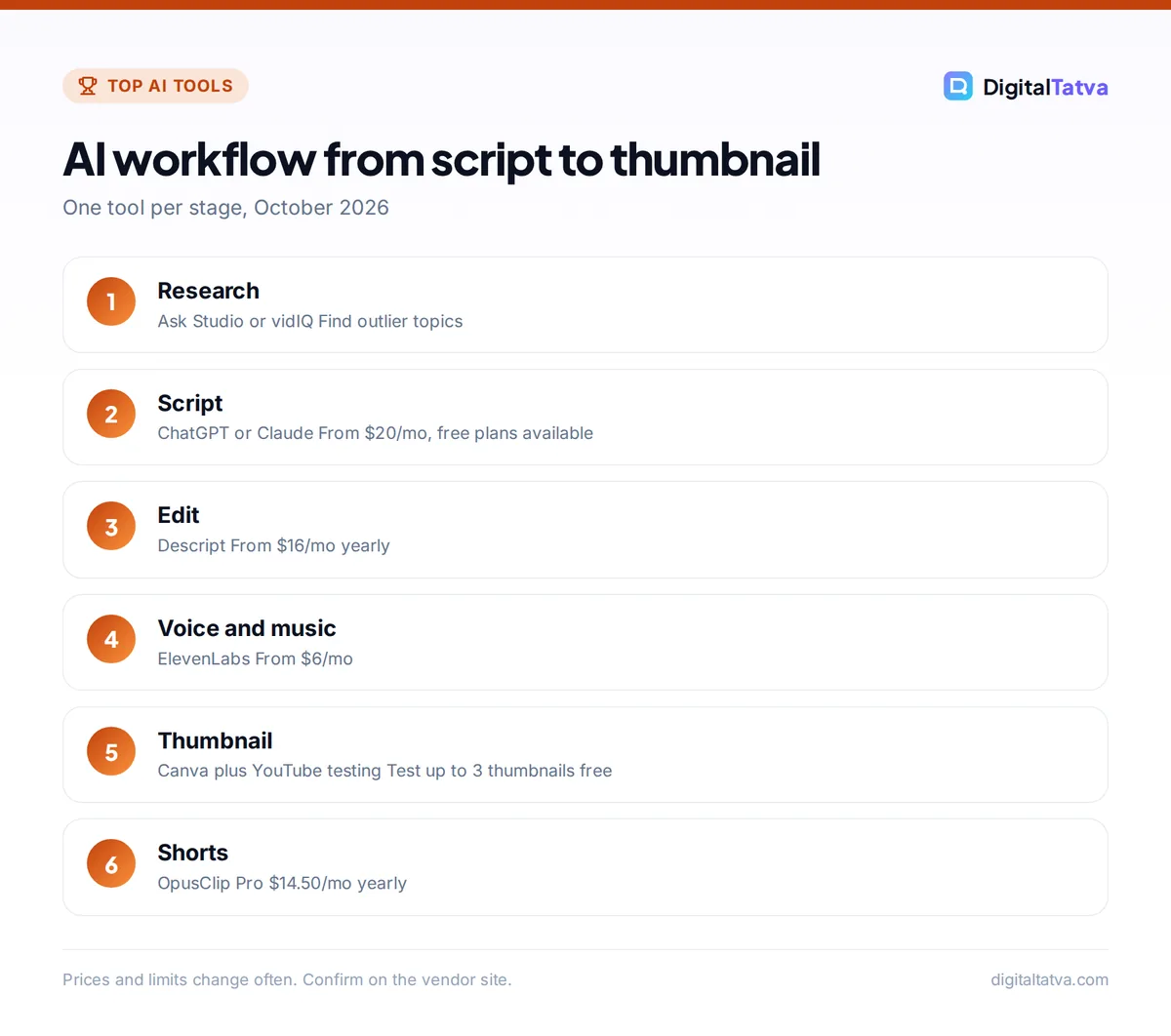
Quick picks: AI tools for every stage of a YouTube video
| Stage | Tool | Starting paid price | Free option |
|---|---|---|---|
| Ideas and scripts | ChatGPT | $20/mo (Plus) | Yes |
| Long scripts and editing drafts | Claude | $20/mo ($17/mo yearly) | Yes |
| Keyword and idea research | vidIQ | Check plans page | Yes, 150 AI credits/mo |
| Analytics, feedback, thumbnails, dubbing | YouTube Studio AI | Free | Yes |
| Editing | Descript | $24/mo ($16/mo yearly) | 1 media hour/mo |
| Shorts from long videos | OpusClip | $15/mo Starter | 60 credits/mo |
| Voiceover and dubbing | ElevenLabs | $6/mo (Starter) | 10k credits/mo |
| Thumbnails and channel art | Canva | US$144/yr (Rs 4,000/yr India) | Yes |
| Custom thumbnail images | Midjourney | $10/mo ($8/mo yearly) | No |
| Intro and background music | Suno | About $10/mo ($8/mo yearly) | No downloads on Free |
The 10 best AI tools for YouTubers reviewed
1. ChatGPT: Best for ideas, titles and first-draft scripts
- Starting price: Plus $20/mo; Go $8/mo in the US
- Free plan: Yes
- Best for: brainstorming, outlines, titles, descriptions
ChatGPT is the fastest way to go from a vague topic to 20 angles, a hook, an outline and a first draft. Ask it to write for a specific viewer, to match a target length (about 150 words per minute of speech is a common rule of thumb), and to suggest five titles under 60 characters. Plus adds deep research, projects for keeping each series’ context in one place, and image creation for rough thumbnail concepts.
Always rewrite the draft in your own voice. Viewers can tell when a script is generic. Our ChatGPT pricing guide explains Free, Go, Plus and Pro, and our 75 ChatGPT prompts for marketing include title and hook prompts you can adapt.
Skip it if: you already pay for Claude or Gemini and are happy with it.
2. Claude: Best for long scripts and natural voice
- Starting price: Pro $20/mo, or $17/mo billed yearly
- Free plan: Yes
- Best for: essay channels, explainers, documentaries
Claude is a favorite of writers for long, natural-sounding drafts that need fewer edits. Its large context window lets you paste a full research pack (transcripts, articles, notes) and ask for a structured script with sources. Projects keep your channel style guide and past scripts on hand for every new video. Our 40 Claude prompts for writing and editing work well for script polishing, and our ChatGPT vs Claude comparison helps you pick one rather than paying for both.
Skip it if: you need built-in image generation for thumbnail ideas.
3. vidIQ: Best for keyword and idea research
- Starting price: check vidIQ’s plans page (Boost has a 7-day free trial)
- Free plan: Yes, 150 AI credits a month
- Best for: growing channels that want data-led topics
vidIQ shows keyword scores, “outlier” videos that beat a channel’s usual views, daily video ideas, competitor tracking and a browser extension with stats on every video. The free plan is limited (three keyword results per search and three daily ideas), while Boost unlocks unlimited keyword research and outliers, 50 personalized ideas a day and up to 20 tracked competitors. Paid plans range from 1,000 AI credits a month on Pro to 10,000 on the top Max tier. Prices were not shown on the pages we read, so check the plan page for your region.
Skip it if: YouTube Studio’s free Research and Insights tools already give you enough ideas.
4. YouTube Studio AI: Best free tools (use these first)
- Starting price: Free
- Free plan: Yes, for eligible creators
- Best for: every creator on YouTube
YouTube’s built-in AI has grown fast. Ask Studio, an AI assistant inside YouTube Studio on desktop, helps you brainstorm ideas, analyze performance, troubleshoot problems and get feedback on scripts and unpublished videos. At Made on YouTube on September 23, 2026, YouTube announced channel-matched thumbnail generation, dynamic thumbnails that test up to three options and show the best performer to different audiences, background thumbnail refreshes for older videos, and video A/B testing of up to three cuts (coming soon).
Automatic dubbing is on by default for eligible creators, and can translate your voice into other languages, with expressive speech in some languages and experimental lip sync for select channels. Videos over 120 minutes are not eligible. For Indian creators targeting both Hindi and English audiences, this is a free way to test a second language. See YouTube’s automatic dubbing help page for current languages.
Skip it if: never. These tools are free, so try them before buying alternatives.
5. Descript: Best for editing talking videos
- Starting price: Hobbyist $24/mo, or $16/mo yearly
- Free plan: Yes, 1 media hour a month
- Best for: talking-head, tutorial and podcast channels
Descript transcribes your footage and lets you edit by deleting words in the transcript. It removes filler words and long pauses, cleans audio with Studio Sound, generates captions, and its Underlord AI agent can handle multi-step edits on request. Hobbyist gives 10 media hours a month at 1080p, and Creator ($35 monthly or $24 yearly) gives 30 hours and 4K export. For other editors, including free DaVinci Resolve, see our list of the best AI video editors for YouTube and Reels.
Skip it if: your videos are mostly gameplay, music or B-roll with little speech.
6. OpusClip: Best for Shorts from long videos
- Starting price: Starter $15/mo; Pro $29/mo or $14.50/mo yearly
- Free plan: Yes, 60 credits a month, watermark
- Best for: long-form channels that want daily Shorts
OpusClip scans a long video, picks the strongest moments, cuts vertical clips, adds animated captions and reframes the speaker. Paid plans add a virality score to rank clips and remove the watermark, and Pro adds more aspect ratios, brand templates and direct posting to social accounts. One long video can become a week of Shorts, which is one of the best returns on time in this list.
Skip it if: you only make Shorts and never long videos.
7. ElevenLabs: Best for voiceovers, cloning and dubbing
- Starting price: Starter $6/mo
- Free plan: Yes, 10k credits a month, no commercial license
- Best for: faceless channels, narration and multilingual versions
ElevenLabs produces some of the most natural AI voices available. Starter ($6) includes a commercial license, instant voice cloning and about 30 minutes of speech a month, and Creator ($22) adds professional voice cloning and about 121 minutes. It also offers dubbing, sound effects and Music v2 for background tracks. Only clone your own voice or one you have clear permission to use. Our guide on how to clone your voice with ElevenLabs safely walks through the steps.
Skip it if: you narrate your own videos and do not need translations.
8. Canva: Best for thumbnails and channel art
- Starting price: Pro US$144/year (Rs 4,000/year in India)
- Free plan: Yes, up to 20 AI uses
- Best for: consistent thumbnails, banners and end screens
Canva makes it easy to keep thumbnails on brand with templates, a Brand Kit, background removal, Magic Resize for turning a thumbnail into a Shorts cover or social post, and AI image generation. Pro gives 10 times the AI usage of Free. Many creators design every thumbnail in Canva and only use an image generator for the background art. Our Canva pricing guide covers Pro, Pro Lite in India and Business.
Skip it if: you already design in Photoshop.
9. Midjourney: Best for custom thumbnail artwork
- Starting price: Basic $10/mo, or $8/mo yearly
- Free plan: No
- Best for: gaming, story and documentary channels
Midjourney V8.2 creates striking, stylized images that stand out in a crowded feed. Use it for backgrounds, scenes and characters, then add your face and text in Canva. Use the 16:9 aspect ratio for thumbnails and 9:16 for Shorts covers. Basic includes about 3.3 fast GPU hours a month. Companies earning more than $1M a year must use Pro or Mega. Our Midjourney pricing guide compares the plans, and our list of the best AI image generators covers cheaper options.
Skip it if: your thumbnails are mainly photos of you with bold text.
10. Suno: Best for intro and background music
- Starting price: Pro about $10/mo, or $8/mo yearly
- Free plan: Yes, but no downloads or commercial rights
- Best for: channel themes, intros and custom songs
Suno can write a channel theme or a short jingle in seconds. Pro includes 20 song downloads a month and commercial use rights for songs made while subscribed. Note that Suno faces an active lawsuit from Universal and Sony, so cautious channels may prefer background music from licensed tools like Adobe Firefly or Stable Audio. Our list of the best AI music generators explains which tools are safe for monetized videos.
Skip it if: YouTube’s free Audio Library already covers your needs.
A lean AI stack for new YouTube channels
You do not need ten subscriptions. Here are three stacks by budget, using the prices above.
| Stack | Tools | Monthly cost |
|---|---|---|
| Starter ($0) | Free ChatGPT or Claude, YouTube Studio AI, YouTube Create, Canva Free, OpusClip Free | $0 |
| Growing channel | ChatGPT Plus ($20), Descript Hobbyist yearly ($16), OpusClip Pro yearly ($14.50), Canva Pro ($12 a month on yearly) | About $62.50 |
| Faceless channel | Claude Pro yearly ($17), ElevenLabs Creator ($22), Midjourney Basic yearly ($8), Canva Pro ($12) | About $59 |
The arithmetic for the growing channel: $20 + $16 + $14.50 + $12 = $62.50 a month. Yearly plans need upfront payment, so start monthly and switch once a tool proves itself. Our guide to saving money on AI subscriptions lists more ways to cut the bill, and students should check our roundup of AI student discounts.
Save money: Before buying a thumbnail testing tool, use YouTube’s free dynamic thumbnails test. Before buying a dubbing tool, check whether automatic dubbing is available for your channel. Free platform features keep improving.
How to use AI from script to thumbnail
- Research the topic. Use YouTube Studio’s Research and Insights views, Ask Studio or vidIQ to find topics your audience already watches, and note outlier videos in your niche.
- Outline and script. Give ChatGPT or Claude your audience, angle, length and three key points. Ask for a hook in the first 15 seconds, then rewrite in your voice.
- Record and edit. Edit in Descript by cutting the transcript, remove filler words, and run Studio Sound on the audio.
- Add voice and music if needed. Use ElevenLabs for narration and a licensed music tool for background tracks.
- Design two or three thumbnails. Build them in Canva (with Midjourney art if you like) and let YouTube’s dynamic thumbnail test choose the winner.
- Write titles and descriptions. Ask your chatbot for options, keep the main keyword near the start, and check them in YouTube search. Our guide on how to use ChatGPT for SEO covers keyword-led writing.
- Repurpose. Turn the video into Shorts with OpusClip and schedule them with one of the best AI tools for social media.
Watch out: YouTube expects creators to disclose realistic altered or synthetic content, and it now offers likeness detection to all creators aged 18 and up. Never use AI to imitate a real person’s face or voice without permission, and label realistic AI scenes when YouTube’s upload flow asks.
Frequently asked questions
What AI tools do YouTubers use?
Most YouTubers use a chatbot such as ChatGPT or Claude for ideas and scripts, a research tool like vidIQ or YouTube’s Ask Studio, an editor like Descript, a clipping tool like OpusClip for Shorts, and Canva for thumbnails. Faceless channels add ElevenLabs for voiceovers. Many also rely on YouTube Studio’s free AI features for thumbnails and dubbing.
Can I make a faceless YouTube channel with AI?
Yes. A common setup is Claude or ChatGPT for scripts, ElevenLabs for narration, stock or AI-generated visuals, and Descript or Canva for editing. Add real value with research, opinions or teaching, because low-effort, mass-produced AI videos tend to perform poorly and may run into YouTube’s monetization rules on mass-produced content.
Are YouTube’s AI tools free?
Yes, for eligible creators. Ask Studio, automatic dubbing and the thumbnail testing features in YouTube Studio do not list any fee, and the YouTube Create app is free. Availability depends on your channel, age and region, and some features roll out gradually, so check YouTube Studio to see what your channel can use.
What is the best AI tool for YouTube thumbnails?
Canva is the best all-round choice because templates, a Brand Kit and background removal keep thumbnails consistent. Use Midjourney or another image generator for custom background art. Then test two or three versions with YouTube’s free dynamic thumbnails feature, which shows the best-performing option to different audience segments.
How much does an AI toolkit for YouTube cost?
You can start for $0 with free plans and YouTube Studio’s built-in AI. A typical paid stack of ChatGPT Plus, Descript Hobbyist and OpusClip Pro on yearly billing, plus Canva Pro, costs about $62.50 a month. Add tools only when they save you more time than they cost.
Our verdict on the best AI tools for YouTubers
Start with YouTube Studio’s free AI and one $20 chatbot, then add Descript and OpusClip once you publish every week. Faceless channels should add ElevenLabs, and design-led channels will get the most from Canva plus Midjourney. That combination covers script to thumbnail for around $60 a month, and much less if you stay on free plans while you grow. Prices and features change often, so confirm current plans on each vendor’s site before you subscribe.
Related reading: the best AI transcription tools and the best AI writing tools.
Pricing and features are checked at the time of writing and can change. Some links may be affiliate links, which never affect our verdicts.