10 Best AI Transcription Tools for Audio and Video
TurboScribe, Otter, Fireflies, Descript, Rev, Happy Scribe and four more AI transcription tools ranked for 2026, with prices, free plans and a 20-hour cost example.

On this page
The best AI transcription tools in 2026 are TurboScribe for unlimited transcription at $10 a month, Otter.ai and Fireflies.ai for meetings, Descript for transcribing and editing video in one place, and Rev when you need a human-checked transcript with guaranteed accuracy. Developers and high-volume teams get the lowest cost per hour from speech-to-text APIs such as AssemblyAI, Deepgram and OpenAI’s GPT-Transcribe, which cost a few cents or less per minute.
We rank 10 tools below by what they transcribe best (meetings, interviews, podcasts, videos or bulk files), what they cost as of 8 October 2026, and how they handle accuracy, languages and privacy. We also show a worked cost example for 20 hours of audio a month.
Key takeaways
- Best value: TurboScribe Unlimited at $10 a month ($120 a year) for unlimited files of up to 10 hours each.
- Best for meetings: Otter.ai (300 free minutes a month) and Fireflies.ai (unlimited transcription on Pro).
- Best for human accuracy: Rev, with human transcription at $1.99 per minute and a 99%+ accuracy guarantee.
- Cheapest at scale: APIs like AssemblyAI ($0.15 to $0.21 per hour) and Deepgram Nova-3 ($0.0043 per minute pre-recorded).
- Always proofread names, numbers and technical terms, whichever tool you use.
Quick picks: best AI transcription tools at a glance
| Tool | Best for | Starting paid price | Free plan |
|---|---|---|---|
| TurboScribe | Unlimited bulk transcription | $10/mo ($120/yr) | 3 files a day, 30 min each |
| Otter.ai | Live meeting notes | $16.99/mo ($8.33/mo yearly) | 300 min/mo |
| Fireflies.ai | Searchable meeting notes for teams | $18/seat/mo ($10 yearly) | Limited storage and AI |
| Descript | Transcribe and edit video or podcasts | $24/mo ($16/mo yearly) | 1 media hour/mo |
| Rev | Human-verified transcripts | Essentials from about $25/seat/mo; human $1.99/min | 45 AI min/mo |
| Happy Scribe | Subtitles and many languages | $17/mo ($8.50/mo yearly) | 10-minute trial |
| Sonix | Pay as you go | $10 per audio hour | 30 free minutes |
| ElevenLabs Scribe | Accuracy across 90+ languages | Included in ElevenLabs plans and API | Yes, limited credits |
| AssemblyAI and Deepgram | Developers and high volume | From $0.15/hr (AssemblyAI) | Free credits |
| Whisper (open source) | Private, offline transcription | Free | Yes |
The 10 best AI transcription tools reviewed
1. TurboScribe: Best value for unlimited transcription
- Starting price: $10/mo, or $120/yr
- Free plan: Yes, 3 transcripts a day, up to 30 minutes each
- Best for: students, journalists, researchers and podcasters with lots of files
TurboScribe’s pitch is simple: one flat price for unlimited transcription. The Unlimited plan handles files of up to 10 hours or 5 GB, lets you upload 50 files at once, translates transcripts into 134+ languages, and offers bulk exports and unlimited storage. For anyone transcribing more than a few hours a month, it is hard to beat on price.
It is a file tool, not a meeting bot, so you upload recordings rather than having it join calls. Details are on the official TurboScribe pricing page.
Skip it if: you want live meeting notes or a team workspace.
2. Otter.ai: Best for live meeting transcription
- Starting price: Pro $16.99/user/mo, or $8.33/mo yearly
- Free plan: Yes, 300 minutes a month, 30 minutes per conversation
- Best for: professionals in Zoom, Meet and Teams calls
Otter joins your meetings, transcribes them live and produces summaries and action items. Pro gives 1,200 minutes a month with up to 90 minutes per conversation and 10 file imports. Business ($30 monthly, $19.99 yearly) removes the meeting cap and allows four hours per conversation. Students and teachers with a .edu address get 20% off Pro.
Our Otter vs Fireflies comparison covers the meeting features in detail.
Skip it if: you mainly transcribe long recorded files rather than meetings.
3. Fireflies.ai: Best for searchable team meetings
- Starting price: Pro $18/seat/mo, or $10 yearly
- Free plan: Yes, 400 minutes of storage per team
- Best for: sales and customer teams
Fireflies records and transcribes meetings, then makes them searchable across your team. Pro includes unlimited transcription and 8,000 minutes of storage per seat. Business ($29 monthly, $19 yearly) adds unlimited storage, video recording, conversation intelligence and team analytics. For a wider look at meeting bots, see our list of the best AI meeting assistants.
Skip it if: you do not need a bot in your calls.
4. Descript: Best for transcribing and editing video
- Starting price: Hobbyist $24/mo, or $16/mo yearly
- Free plan: Yes, 1 media hour a month
- Best for: YouTubers and podcasters
Descript transcribes audio and video in 25 languages and lets you edit the media by editing the text. Delete a sentence, and the clip is cut. It also removes filler words, cleans audio with Studio Sound and exports captions. Hobbyist includes 10 media hours a month, Creator ($35 or $24 yearly) 30 hours, and Business ($65 or $50 yearly) 40 hours plus translation and dubbing. Our list of the best AI video editors covers its editing tools.
Skip it if: you only need text and never edit the media.
5. Rev: Best for human-verified accuracy
- Starting price: Essentials about $25.49 to $29.99/seat/mo; human transcription $1.99/min
- Free plan: Yes, 45 AI minutes a month
- Best for: legal, research and publishing work
Rev combines AI transcription with professional human transcribers. Its human service costs $1.99 per minute with 99%+ accuracy guaranteed, and legal-formatted transcripts are priced per page. Subscription plans include large AI allowances: Essentials gives 5,000 AI minutes per user a month and Pro gives 10,000, with discounts on human work. Rev’s page shows two prices per plan without a clear billing label, so check at checkout.
Skip it if: you only need rough transcripts for your own notes.
6. Happy Scribe: Best for subtitles and many languages
- Starting price: Basic $17/mo, or $8.50/mo yearly
- Free plan: 10-minute AI trial
- Best for: subtitle work and multilingual content
Happy Scribe handles transcription, subtitles and translation, with AI transcription in a very wide range of languages and human proofreading from $2.00 per minute. Basic includes 120 AI minutes a month, Pro ($29 or $19 yearly) 600 minutes and three seats, and Business ($89 or $59 yearly) 6,000 minutes. Extra AI minutes cost $0.20 each. It exports subtitle formats like SRT, which suits video teams.
Skip it if: you transcribe many hours a month on a tight budget.
7. Sonix: Best pay-as-you-go option
- Starting price: $10 per audio hour, no subscription
- Free plan: 30 free minutes, no card
- Best for: occasional users and agencies billing per project
Sonix charges per hour of audio with no monthly fee, which suits people who transcribe in bursts. It supports 54+ languages, offers an in-browser editor with timestamps and speaker labels, and has volume discounts for larger users. At $10 an hour it is pricier than TurboScribe for heavy use, but you never pay for months you do not use.
Skip it if: you transcribe more than a couple of hours every month.
8. ElevenLabs Scribe: Best for accuracy across languages
- Starting price: included in ElevenLabs plans (Starter $6/mo) and the API
- Free plan: Yes, limited credits
- Best for: multilingual audio and creators already using ElevenLabs
ElevenLabs’ Scribe v2 transcribes 90+ languages with word-level timestamps, speaker labels for up to 32 speakers, tags for audio events like laughter and applause, and files of up to 10 hours. A realtime version targets about 150 ms latency, and a medical version is tuned for clinical audio. It is a strong candidate for Indian creators who record in Indian languages or mix English with them, but test your own audio first, because accuracy varies by language. See our ElevenLabs pricing guide for how credits work.
Skip it if: you want a simple flat-fee app with no credits.
9. AssemblyAI and Deepgram: Best for developers and high volume
- Starting price: AssemblyAI from $0.15/hr; Deepgram Nova-3 from $0.0043/min
- Free plan: Free credits (Deepgram $200; AssemblyAI up to 185 hours pre-recorded)
- Best for: apps, automations and bulk archives
If you can call an API, or connect one through an automation tool, transcription becomes very cheap. AssemblyAI’s pricing page lists Universal-3.5 Pro at $0.21 per hour (18 languages) and Universal-2 at $0.15 per hour (99 languages). Deepgram lists Nova-3 at $0.0043 per minute for pre-recorded English audio and $0.0052 multilingual. OpenAI’s GPT-Transcribe costs $0.0045 per minute; see our OpenAI API pricing guide.
You can wire these into a no-code flow: new file in Google Drive, send to the API, save the transcript to Notion. Our guide on how to build your first AI workflow in n8n shows the pattern.
Skip it if: you are not comfortable with API keys or automations.
10. Whisper (open source): Best for private, offline transcription
- Starting price: Free
- Free plan: Yes, runs on your own computer
- Best for: privacy-sensitive interviews and technical users
OpenAI’s open-source Whisper models can run entirely on your own machine, so sensitive audio never leaves your computer. Many desktop apps wrap Whisper in a simple interface. Speed depends on your hardware, and you will not get the polished editors, speaker labels or team features of paid tools. If you already run models locally, our guide on how to run an LLM locally explains the hardware basics.
Skip it if: you want a ready-made app with summaries and sharing.
What 20 hours of audio a month really costs
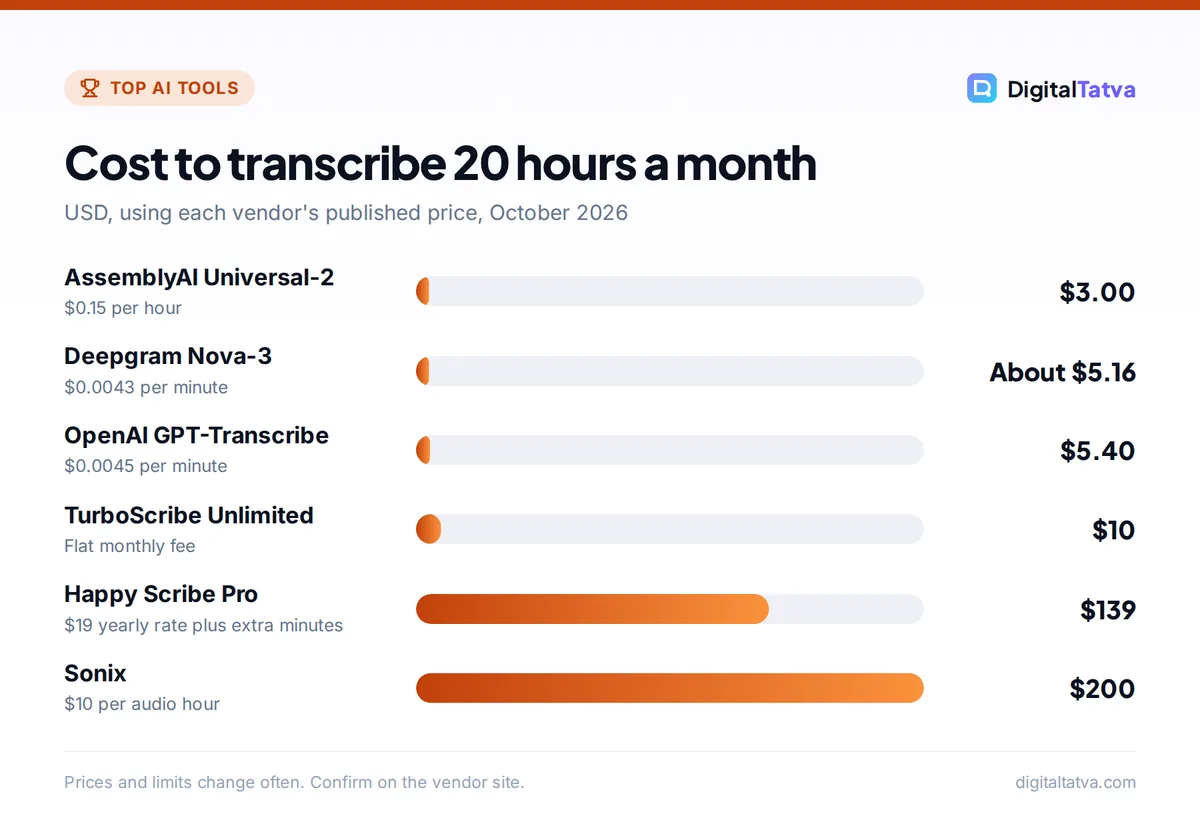
Here is a worked example for a podcaster or researcher who transcribes 20 hours (1,200 minutes) a month, using each tool’s published price.
| Tool | How it is billed | Monthly cost for 20 hours |
|---|---|---|
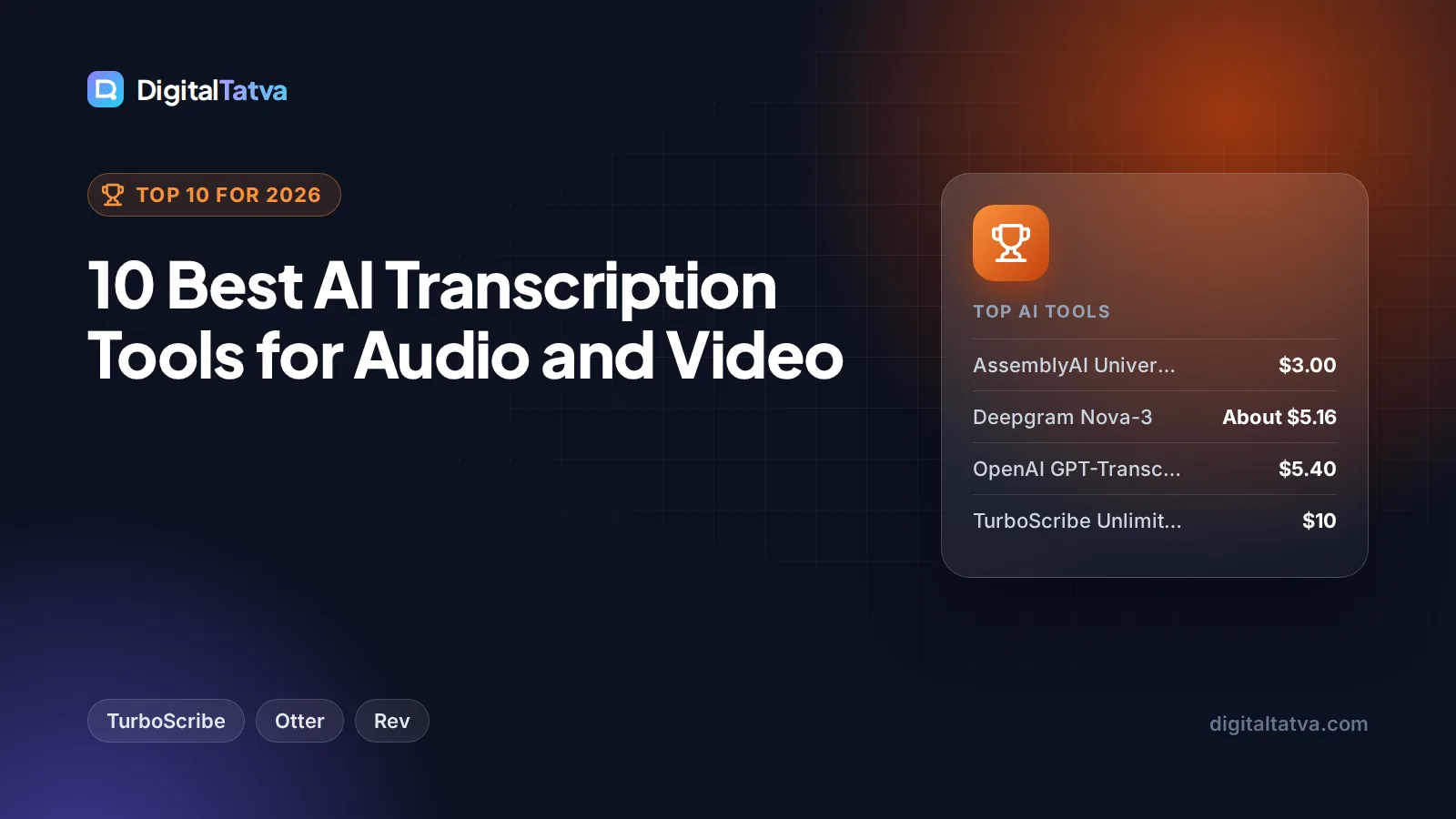
| AssemblyAI Universal-2 | $0.15 per hour | 20 x $0.15 = $3.00 |
| Deepgram Nova-3 | $0.0043 per minute | 1,200 x $0.0043 = about $5.16 |
| OpenAI GPT-Transcribe | $0.0045 per minute | 1,200 x $0.0045 = $5.40 |
| TurboScribe Unlimited | Flat fee | $10 (or $10 a month on $120 yearly) |
| Happy Scribe Pro (yearly) | 600 min included, then $0.20/min | $19 + 600 x $0.20 = $139 |
| Sonix | $10 per hour | 20 x $10 = $200 |
| Rev human transcription | $1.99 per minute | 1,200 x $1.99 = $2,388 |
The gap is huge. APIs and TurboScribe cost a few dollars, while human transcription costs thousands. Use human services only where accuracy is legally or editorially critical, and AI for everything else.
Save money: Transcribe with a cheap AI tool first, then pay for human review only on the passages you will quote or publish. You can also summarize long transcripts with a chatbot instead of reading them in full. Our guide to the cheapest AI model for each task helps you pick a low-cost model for summaries.
How to choose an AI transcription tool
- Name your audio type. Live meetings need a bot (Otter, Fireflies). Recorded files suit TurboScribe, Sonix or Happy Scribe. Video you will edit suits Descript.
- Check your languages. Coverage varies a lot. If you record in Hindi, Hinglish or regional languages, test ElevenLabs Scribe, Happy Scribe and AssemblyAI’s multilingual model with your own clip.
- Estimate monthly hours. Flat fees win above a few hours a month. Pay-as-you-go wins for occasional use.
- Decide on accuracy needs. For court, compliance or published quotes, budget for human review.
- Review privacy terms. Check whether recordings are used for training and how long they are stored, especially for client calls. Our AI data privacy guide lists what to ask.
Tip: Accuracy depends more on your recording than the tool. Use a decent microphone, reduce background noise, keep speakers from talking over each other, and add custom vocabulary (names, brands, jargon) where the tool supports it.
Once you have a transcript, an AI note-taking app can organize it into searchable notes. See our list of the best AI note taking apps, or load transcripts into Google’s research notebook with our guide on how to use NotebookLM.
Frequently asked questions
What is the most accurate AI transcription tool?
Accuracy depends on your audio, accent and language, so test with your own recordings. For clean English, most leading tools perform well. For many languages, ElevenLabs Scribe v2 and AssemblyAI are strong. When accuracy must be guaranteed, Rev’s human transcription promises 99%+ at $1.99 per minute.
Is there a free AI transcription tool?
Yes. Otter.ai’s free plan gives 300 minutes a month, TurboScribe’s free plan allows three files a day up to 30 minutes each, Rev gives 45 free AI minutes a month, and Descript includes one media hour. Open-source Whisper is completely free if you run it on your own computer.
Which transcription tool is best for YouTube videos?
Descript is the best fit because it transcribes, edits and exports captions in one app. For subtitles in many languages, Happy Scribe and Kapwing work well. YouTube also generates automatic captions for free, but they usually need cleaning before you publish them as an official subtitle track.
Can AI transcribe Hindi and other Indian languages?
Many tools now support Hindi and several regional languages, but quality varies. ElevenLabs Scribe covers 90+ languages, AssemblyAI’s Universal-2 covers 99, and Happy Scribe lists a very wide range. Always run a short test clip in your language, including any English mixed in, before paying for a plan.
Is TurboScribe really unlimited?
TurboScribe’s Unlimited plan, at $10 a month or $120 a year, advertises unlimited transcription for one person, with files of up to 10 hours or 5 GB and up to 50 files uploaded at once. As with any unlimited plan, fair use rules may apply, so read the terms if you plan to process very large archives.
Our verdict on the best AI transcription tools
For most individuals, TurboScribe at $10 a month is the best value AI transcription tool, and Otter.ai’s free plan covers light meeting use. Teams that live in calls should pick Fireflies or Otter Business, video creators should choose Descript, and anyone who needs guaranteed accuracy should budget for Rev’s human service. Developers will save the most with AssemblyAI, Deepgram or GPT-Transcribe. Transcription prices change often, so confirm current plans and per-minute rates on each vendor’s site before you subscribe.
Related reading: the best AI tools for students and the best AI research tools.
Pricing and features are checked at the time of writing and can change. Some links may be affiliate links, which never affect our verdicts.