10 Best AI Note Taking Apps for Work and Study
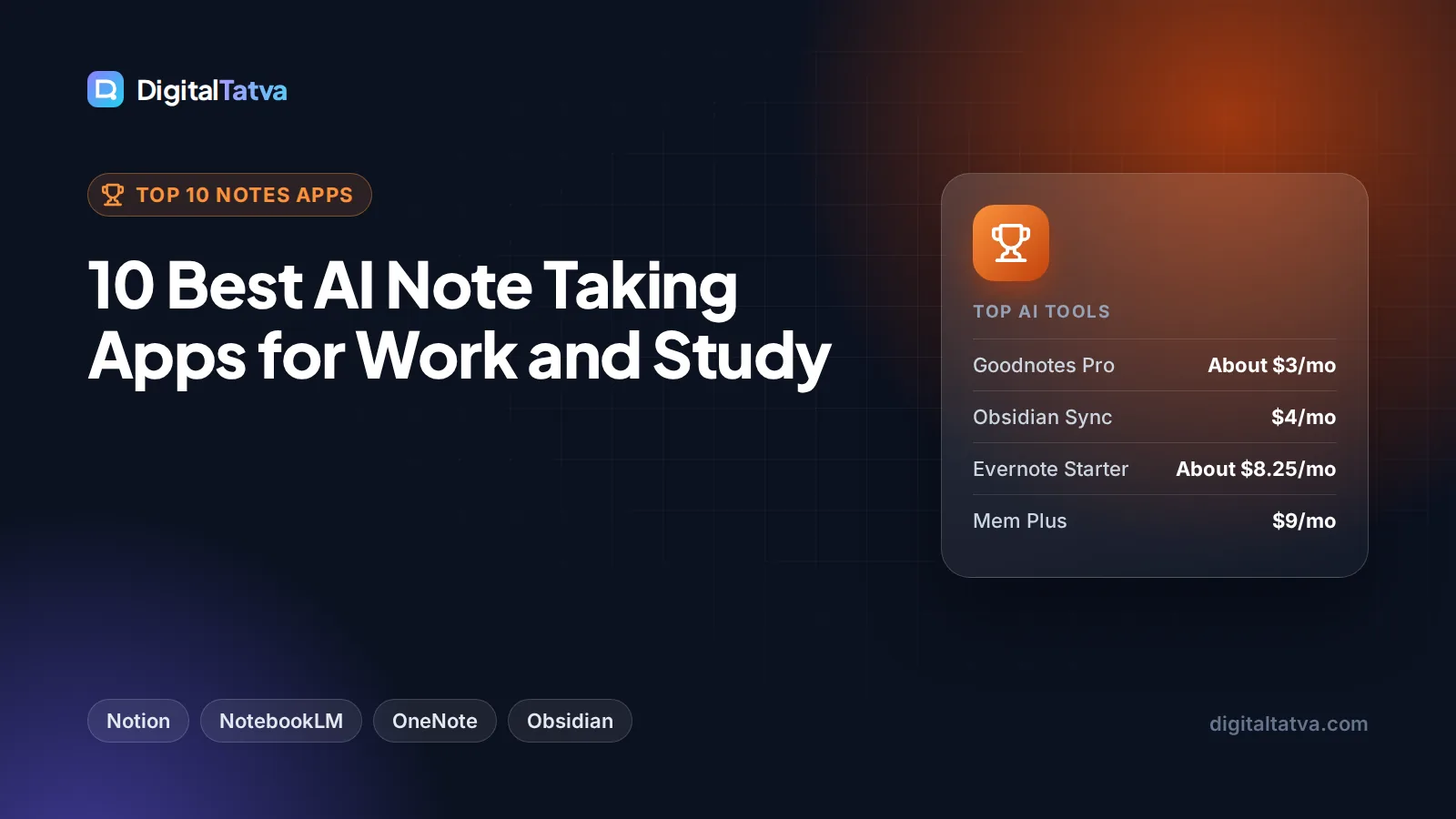
The 10 best AI note taking apps for 2026, from Notion AI and Gemini Notebook to OneNote with Copilot, Evernote, Obsidian, Mem and Goodnotes, with prices and student deals.

On this page
The best AI note taking app for work is Notion, whose Business plan ($20 per seat a month, about $16 on annual billing) includes full Notion AI, Notion Agent and AI Meeting Notes. For study, the best choice is Gemini Notebook (the renamed NotebookLM), which is free and answers questions only from the lectures, PDFs and links you upload. If you already pay for Microsoft 365, OneNote with Copilot costs nothing extra, and Obsidian is the best free option if you want private, local notes.
Below you will find a quick picks table, ten app cards with prices from official pages, a guide to choosing between typed, handwritten and meeting notes, and tips for keeping notes private when AI can read them.
Key takeaways
- Notion is the best AI note taking app for teams: full AI, Notion Agent and AI Meeting Notes on Business at $20 per seat a month (about $16 annual); Free and Plus get only a trial of Notion AI.
- Gemini Notebook is the best for students: free for 100 notebooks with 50 sources each, plus Audio and Video Overviews.
- Microsoft 365 Personal ($9.99 a month) includes OneNote enhanced with Copilot, and Evernote’s new Starter plan costs $99 a year with AI meeting notes and transcription.
- Obsidian is free without limits and keeps notes on your device; AI comes from community plugins and your own model or API key.
- Students get deals: Notion Plus is free with a school email, and Evernote offers 40% off a year of Advanced.
Quick picks: best AI note taking apps compared
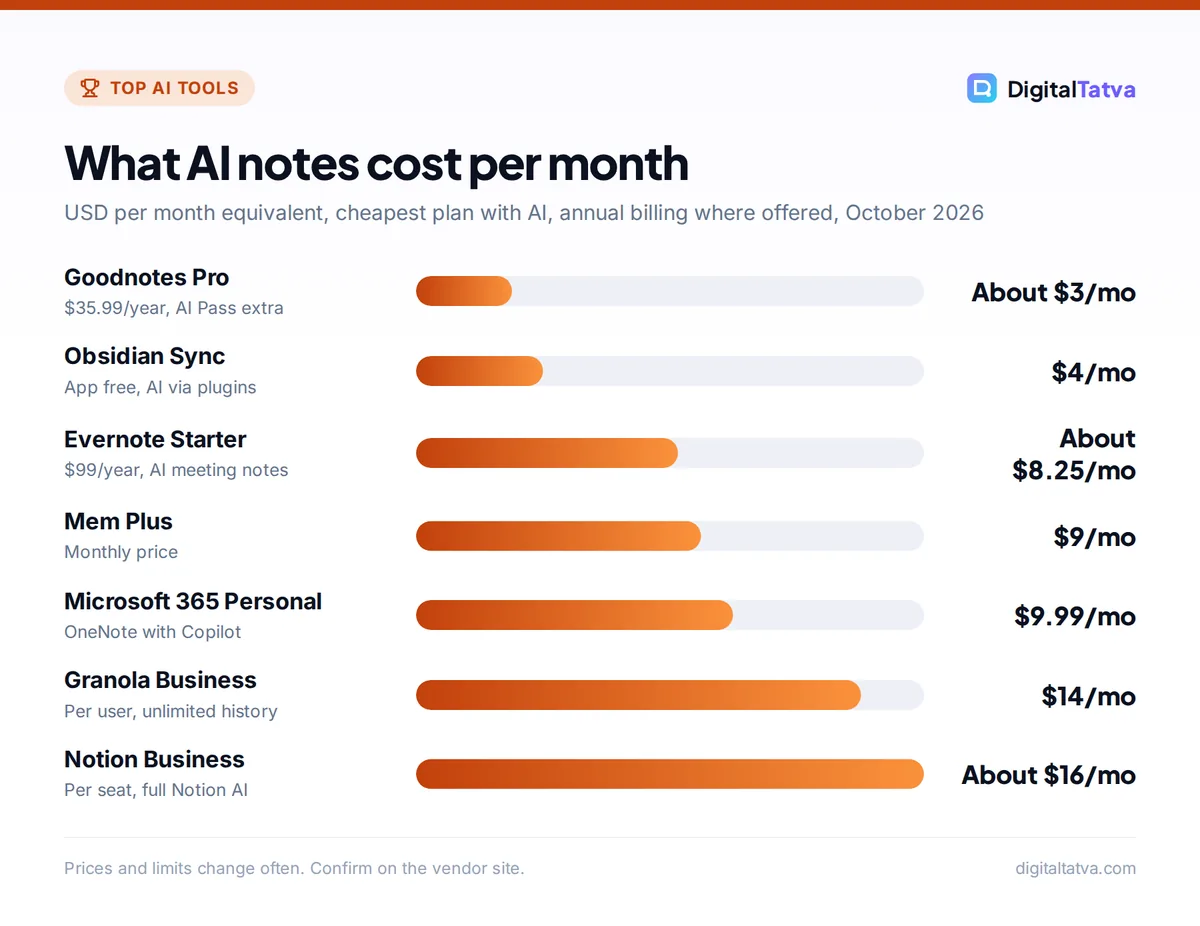
Starting prices are the cheapest plan that includes AI features, in USD. Some apps bill only yearly, so we show the yearly price where that is the main option.
| App | Best for | Starting price with AI | Free plan |
|---|---|---|---|
| Notion AI | Best overall for work and teams | $20/seat (Business), about $16 annual | AI trial only |
| Gemini Notebook | Studying your own sources | Free; more via Google AI plans | Yes, generous |
| OneNote with Copilot | Microsoft 365 users | $9.99 (Microsoft 365 Personal) | No Copilot |
| Evernote | Capturing everything in one place | $14.99, or $99/year (Starter) | Yes, 50 notes |
| Obsidian | Private, local-first notes | Free (AI via plugins) | Yes |
| Mem | Notes that organize themselves | $9 (Plus) | Yes, limited |
| Goodnotes | Handwritten notes on tablets | $11.99/year (Essential) | Yes, 3 notebooks |
| Tana | Outliner plus meeting notes | About $20 to $30/user | Yes, 5 meetings/month |
| Reflect | Simple Mac notes with your own AI key | Free on Mac (AI billed by your provider) | Yes, on Mac |
| Granola | AI notes from meetings | $14/user (Business) | Yes, 30 days history |
What makes a note taking app “AI”?
A few years ago, AI in notes meant a “summarize” button. In 2026 the useful features are deeper:
- Ask your notes: type a question and get an answer drawn from everything you have written, with links back to the source note.
- Meeting and lecture capture: record audio, get a transcript, a summary and action items.
- Auto-organization: the app tags, links and files notes for you instead of you building folders.
- Writing help: turning rough bullet points into a clean document, email or study guide.
- Agents: tools such as Notion Agent and Mem’s Routines that create pages, track tasks or prepare briefings on a schedule.
No single app is best at all five, so pick by the job you do most.
The 10 best AI note taking apps
1. Notion AI: Best AI note taking app for work
- Starting price: Business $20/seat/month, about $16 on annual billing
- Free plan: Yes, with a limited trial of Notion AI
- Best for: Startups, agencies and teams that run projects and docs in one place
Notion combines notes, documents, wikis and databases, and on the Business plan its AI covers chat, writing, autofill and translation, plus Notion Agent (which creates and edits pages and databases), AI Meeting Notes and Enterprise Search across connected apps such as Slack and Google Drive. Custom Agents that run on triggers or schedules are free to try, then use credits at $10 per 1,000 a month.
Free and Plus ($10 per seat) include only a trial of Notion AI, which is the main catch. Students and educators get Plus free with a school email. Our Notion AI pricing guide breaks down every tier, and our Notion AI review covers how well it works.
Skip it if: you only want quick personal notes; Notion is a whole workspace.
2. Gemini Notebook (NotebookLM): Best for students and research
- Starting price: Free; higher limits with Google AI Plus, Pro or Ultra
- Free plan: Yes, 100 notebooks, 50 sources each, 50 chats a day
- Best for: Students, teachers and anyone studying a stack of material
Google renamed NotebookLM to Gemini Notebook in July 2026. You add lecture slides, PDFs, Google Docs, web pages, YouTube videos or audio, and it answers only from those sources, with citations. It can also turn your sources into Audio Overviews (podcast-style summaries), Video Overviews, flashcards, quizzes and mind maps.
The free tier gives 3 Audio Overviews and 10 reports, flashcard sets or quizzes a day. Eligible students in India can get Google AI Plus free for a year (redeem by 31 December 2026), which doubles many limits. Our guide on how to use NotebookLM for study and research shows a full workflow.
Skip it if: you want a place to write and organize everyday notes; it is a study tool, not a notebook app.
3. OneNote with Copilot: Best for Microsoft 365 users
- Starting price: Microsoft 365 Personal $9.99/month or $99.99/year
- Free plan: OneNote is free, but Copilot needs a paid plan
- Best for: Students and professionals already on Word, Outlook and Teams
Microsoft says Microsoft 365 Personal, Family and Premium include Word, Excel, PowerPoint, OneNote and Outlook desktop apps “enhanced with Copilot”. In OneNote, that means help summarizing and drafting right next to your notes, and Microsoft has announced Copilot Notebooks for Personal, Family and Premium accounts for gathering notes and files around a topic.
Copilot usage on personal plans runs on a credit model, and Microsoft does not state the monthly number on its main support page. Family costs $12.99 a month, but AI features apply only to the subscription owner. See our Microsoft Copilot pricing guide for the business options.
Skip it if: you live in Google Workspace.
4. Evernote: Best for capturing everything in one place
- Starting price: Starter $14.99/month or $99/year; Advanced $24.99/month or $249.99/year
- Free plan: Yes, 50 notes, 1 notebook, 1 device
- Best for: Long-time note hoarders, researchers and people who clip a lot from the web
Evernote replaced its Personal and Professional plans with Starter and Advanced in 2026. Both include AI Meeting Notes, transcription of voice, images and video, and AI Edit. Semantic Search and the AI Assistant were listed as “coming soon” on Evernote’s help page, updated in April 2026.
Starter allows 1,000 notes, 20 notebooks and 3 devices, while Advanced removes most limits. Eligible college students get 40% off a one-year Advanced subscription, and paid plans have a 7-day free trial.
Skip it if: you want the most advanced AI today; some features are still rolling out.
5. Obsidian: Best private, local-first notes
- Starting price: Free; Sync $4/month billed annually ($5 monthly)
- Free plan: Yes, “free without limits”, no sign-up needed
- Best for: Writers, developers, students and anyone who wants full control
Obsidian stores notes as plain Markdown files on your device, so they stay private and portable. It is free for personal and work use, with an optional $50 a year commercial license for organizations that want to support it. Obsidian’s pricing page does not list built-in AI; instead, community plugins connect your notes to AI models using your own API key, or to a local model.
That makes Obsidian the best fit if you care about privacy and are comfortable setting things up. Our guide on how to run an LLM locally with Ollama explains how to keep AI processing on your own machine too.
Skip it if: you want AI that works out of the box with no setup.
6. Mem: Best for notes that organize themselves
- Starting price: Plus $9/month; Pro $29/month
- Free plan: Yes, 25 messages to Mem and 25 new notes a month
- Best for: Busy professionals who hate filing notes
Mem’s idea is that you just write, and AI finds, links and surfaces notes when you need them. It detects tasks and projects in your notes automatically, offers Deep Search on every plan, and includes Voice Mode for turning spoken thoughts or meetings into structured notes.
Pro adds Custom Routines (scheduled briefings, research and reminders) and Connections to sources such as Gmail and Slack. Higher Pro tiers scale usage up to $199 a month. Mem’s pricing page showed monthly prices only.
Skip it if: you like neat folders and manual structure.
7. Goodnotes: Best for handwritten notes
- Starting price: Essential $11.99/year; Pro $35.99/year; AI Pass add-on $9.99/month
- Free plan: Yes, 3 notebooks
- Best for: Students and professionals who write with a stylus on a tablet
Goodnotes is the go-to app for handwriting on an iPad and other tablets, with AI that helps with handwritten notes, such as answering questions and generating quizzes from your notes. Free users get up to 5 Q&A and quiz uses a month, while Essential and above list them as unlimited.
For the full AI experience, Goodnotes sells an AI Pass add-on at $9.99 a month on top of Essential or Pro. Education accounts are free through schools. Our list of the best AI tools for students includes more study apps.
Skip it if: you type everything.
8. Tana: Best outliner with built-in meeting notes
- Starting price: Pro shown at $20 (early bird) and $30 per user/month
- Free plan: Yes, 5 hosted meetings a month and 50 AI queries
- Best for: Product managers, founders and structured thinkers
Tana is an outliner where every note can become structured data, with AI that fills fields, summarizes and answers questions. It also includes a botless meeting agent for Zoom, Teams and Google Meet, so your call notes land in the same graph as everything else.
The free plan covers 5 meetings a month with AI transcripts and summaries. Pro offers unlimited hosted meetings and “20x more AI” than free; the pricing page showed both $20 early bird and $30 figures without saying which is standard, so check before buying.
Skip it if: you want a simple notes app with no learning curve.
9. Reflect: Best simple notes with your own AI key
- Starting price: Free on Mac; iPhone and iPad app is a paid subscription
- Free plan: Yes, on Mac
- Best for: Mac users who want clean, fast notes and pay-as-you-go AI
Reflect is a minimal notes app with optional AI: find answers with links to your notes, summarize, improve writing, transcribe voice notes and pull key takeaways from meeting notes. You bring your own API key, and AI usage is billed separately by your provider, which can be cheap if you use it lightly.
Notes marked private are excluded from AI access. The iPhone and iPad apps use App Store pricing that varies by country.
Skip it if: you are on Windows or Android, or do not want to manage an API key.
10. Granola: Best for AI meeting notes
- Starting price: Business $14/user/month
- Free plan: Yes, Basic with 30 days of meeting history
- Best for: Founders, consultants and investors who take their own notes in calls
Granola listens to your meetings and enhances the notes you type with AI, rather than sending a bot into the call. The free Basic plan includes AI notes, AI chat across meetings and templates, but keeps only 30 days of history. Business removes that limit and connects to Notion, HubSpot, Zapier, Affinity and Attio, plus MCP and an API.
If meetings are your main source of notes, compare Granola with dedicated recorders in our guide to the best AI meeting assistants and our list of AI transcription tools.
Skip it if: you need full recordings and video clips.
How to choose the right AI note taking app
Start with how you capture notes, then where your work happens.
| Your situation | First choice | Runner-up |
|---|---|---|
| Team projects and company wiki | Notion AI | OneNote with Copilot |
| Studying for exams | Gemini Notebook | Goodnotes |
| Handwritten notes on a tablet | Goodnotes | OneNote |
| Privacy and offline access | Obsidian | Reflect |
| Lots of meetings | Granola | Tana |
| Already on Microsoft 365 | OneNote with Copilot | Evernote |
| Hate organizing notes | Mem | Notion AI |
Think about getting your notes out
Notes are long-lived. Obsidian and Reflect store plain files you can take anywhere, while Notion, Evernote and Mem keep notes in their own systems with export tools. If you might switch later, test the export before you commit years of notes.
Use AI chat apps as a companion, not a replacement
Many people pair a notes app with a general assistant. For example, you can keep source documents in a Claude Project and ask questions across them; our guide on how to use Claude Projects shows how. For finding new sources rather than organizing your own, see our list of the best AI research tools.
Save money: Check what you already pay for. Microsoft 365 includes OneNote with Copilot, Google AI plans raise Gemini Notebook limits, and students can get Notion Plus free. Our roundup of AI student discounts lists more offers.
Privacy tips for AI notes
Notes often hold the most sensitive things you write: client details, health information, passwords and half-formed ideas.
- Know where AI processing happens. Cloud apps send note content to AI providers. Notion says its AI subprocessors are contractually barred from training on customer data, and Enterprise adds zero data retention.
- Use private sections. Reflect excludes private notes from AI access; in other apps, keep sensitive material in separate notebooks you never send to AI.
- Prefer work accounts for work. Google says Workspace and Education data in Gemini Notebook is not reviewed by humans or used to train models.
- Record meetings with consent. Tell people when AI is capturing a call.
Watch out: AI summaries of lectures and meetings can drop important caveats or misquote numbers. Keep the original transcript or source and check key facts before you study from or share a summary.
Frequently asked questions
What is the best free AI note taking app?
Gemini Notebook is the best free AI note taking app for study, with 100 notebooks, 50 sources each and free Audio Overviews. Obsidian is the best free app for everyday notes, though its AI comes from plugins. Granola’s free plan is good for meeting notes, and Notion’s free plan is solid for notes but includes only a trial of Notion AI.
Is Notion AI free?
Not fully. Notion’s Free and Plus plans include only a limited trial of Notion AI. Full AI features, including Notion Agent and AI Meeting Notes, come with the Business plan at $20 per seat a month, or about $16 on annual billing. Students and educators can get Notion Plus free with a school email, but that still includes only the AI trial.
Which AI note taking app is best for students?
Gemini Notebook is the best for studying because it turns your lecture notes and readings into summaries, flashcards, quizzes and Audio Overviews for free. Goodnotes is best if you handwrite on a tablet, and Notion Plus is free for students for organizing coursework. Many students combine Gemini Notebook with one of these.
Can AI take notes during meetings and lectures?
Yes. Granola, Tana, Evernote and Notion Business all capture meetings and produce AI summaries, and Mem’s Voice Mode turns spoken notes into structured text. For lectures, you can record audio and upload it to Gemini Notebook. Always get permission before recording other people, and check the summary against the original.
Is Obsidian better than Notion for AI notes?
It depends on what you value. Notion has far stronger built-in AI, including agents and meeting notes, but your notes live in Notion’s cloud. Obsidian keeps notes as local files and is free without limits, but AI requires community plugins and your own model or API key. Choose Notion for convenience and teamwork, Obsidian for privacy and control.
Our verdict: the best AI note taking app for you
Pick Notion AI if you want one workspace for team notes, docs and projects, and Gemini Notebook if you mainly study or research from source material. Use OneNote with Copilot if you already pay for Microsoft 365, Goodnotes for handwriting, Obsidian for private local notes, and Granola or Tana if meetings generate most of your notes. For more no-cost tools to pair with your notes, see our list of the best free AI tools. Plans and AI limits change often, so confirm current pricing on each vendor’s site before you subscribe.
Pricing and features are checked at the time of writing and can change. Some links may be affiliate links, which never affect our verdicts.