Notion AI Pricing: What You Get on Free, Plus, Business and Enterprise
Notion AI now comes with the Business plan at $20 per seat. See what Free, Plus, Business and Enterprise include, how Custom Agent credits work and who should upgrade.

On this page
- Key takeaways
- Notion AI pricing table: all plans compared
- What happened to the Notion AI add-on?
- Each Notion plan in detail
- Custom Agents and Notion credits explained
- What Notion AI really costs for a team
- Notion AI vs other AI workspace tools on price
- How to save money on Notion AI
- Which Notion plan should you choose?
- Frequently asked questions
- Our verdict on Notion AI pricing
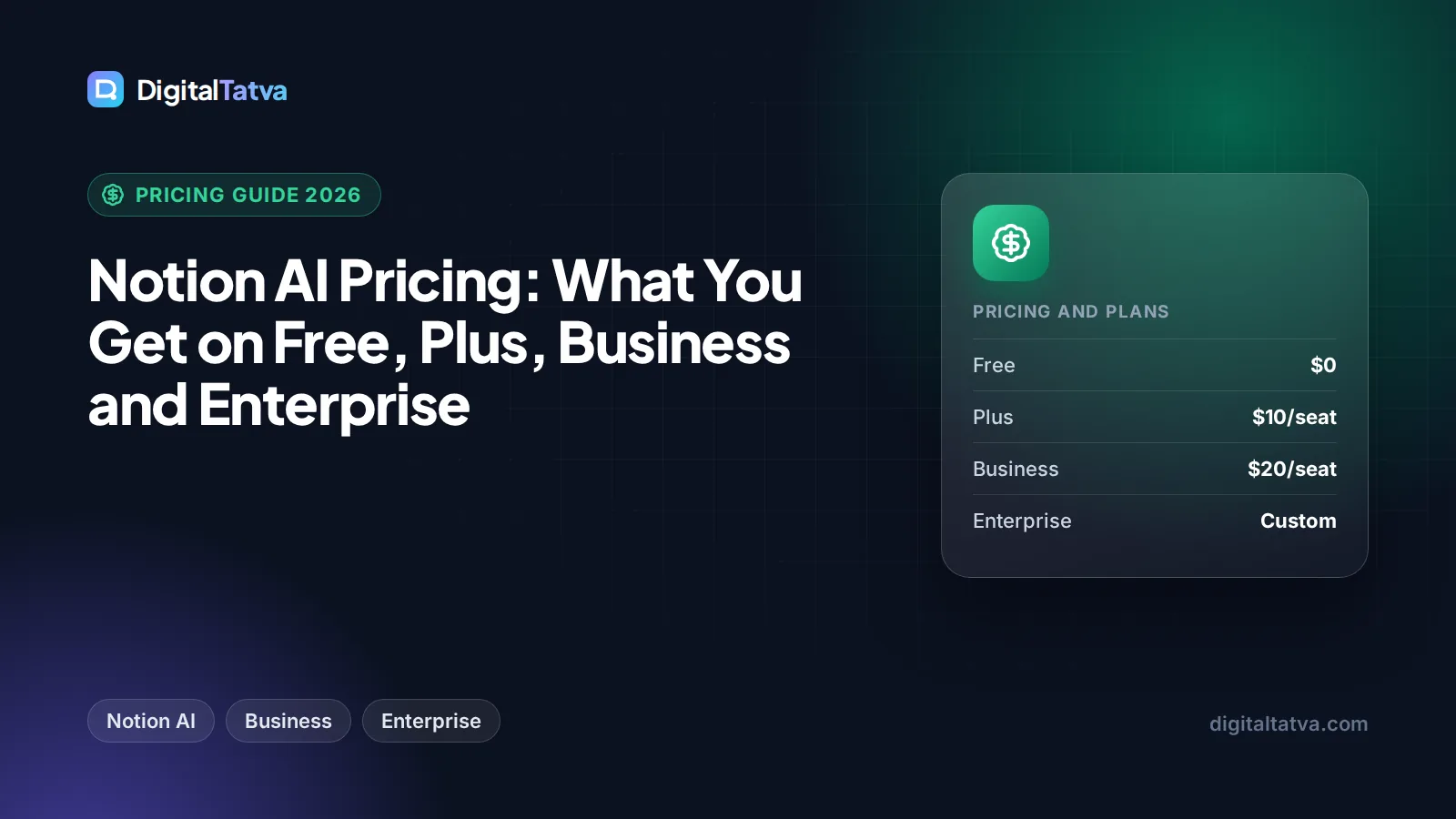
Notion AI is no longer sold as a separate add-on for most buyers. As of September 2026, full Notion AI is included in the Business plan at $20 per seat per month (about $16 per seat on annual billing) and in the custom-priced Enterprise plan. The Free and Plus plans only get a limited AI trial.
That shift changes the math. If you want Notion AI for real work, you are really paying for the Business plan, and every member of the workspace is billed per seat. This guide explains what each plan includes, what the AI features actually do, how Custom Agents credits work, and whether Business is worth it for you or your team.
Key takeaways
- Free and Plus include only a limited Notion AI trial, not ongoing AI use.
- Business costs $20 per seat per month, or about $16 per seat on annual billing, and unlocks full Notion AI, Notion Agent, AI Meeting Notes and Enterprise Search (beta).
- Enterprise is custom priced and adds zero data retention with the AI model providers.
- Custom Agents are free to try, then cost $10 per 1,000 monthly Notion credits.
- Students and educators can get the Plus plan free with a school email, but Plus does not include full AI.
Notion AI pricing table: all plans compared
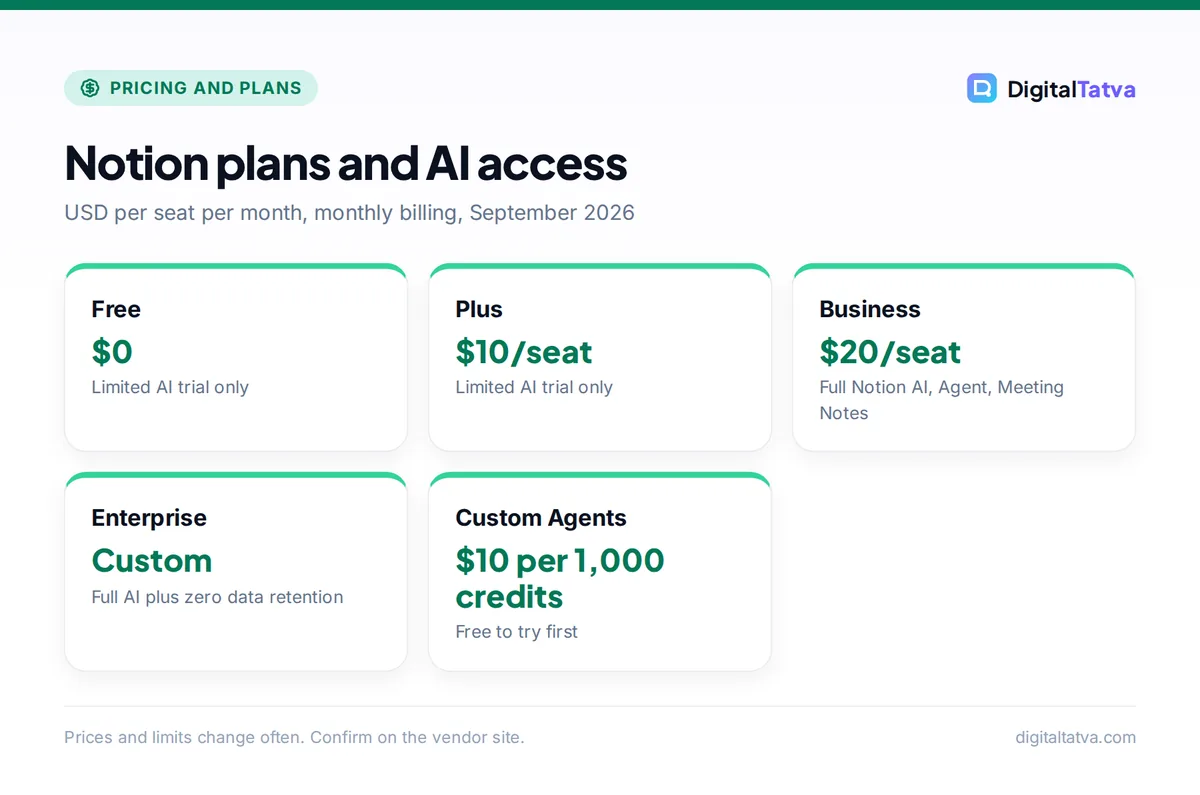
Here is how Notion’s plans compare on price and AI access, based on the official Notion pricing page. Annual figures are approximate because Notion shows them as a roughly 20% discount.
| Plan | Monthly billing | Annual billing | Notion AI access | Best for |
|---|---|---|---|---|
| Free | $0 | $0 | Limited trial only | Individuals testing Notion |
| Plus | $10/seat/month | About $8/seat/month | Limited trial only | Small teams that do not need AI |
| Business | $20/seat/month | About $16/seat/month | Full Notion AI, Notion Agent, AI Meeting Notes, Enterprise Search (beta) | Teams that want AI built into their docs |
| Enterprise | Custom | Custom | Full AI plus zero data retention with LLM providers | Larger or regulated companies |
Watch out: Many older articles still say Notion Business costs $24 per seat monthly or $20 on annual billing. The live pricing page shows $20 monthly and about $16 annual. Trust the official page over older blog posts.
What happened to the Notion AI add-on?
For a long time, Notion sold AI as a paid add-on you could attach to any plan, including Free and Plus. That option is no longer shown on the current pricing page, and it appears to be discontinued for new buyers. Existing subscribers who still have the old add-on may keep it for now, but we could not confirm the terms, so check your own billing page.
The practical effect: to get full Notion AI today, you upgrade the whole workspace to Business. For a solo user on Plus, that means going from $10 to $20 per month on monthly billing, a $10 difference that is effectively the price of AI. For a team, the difference is $10 per seat for every member.
Our full Notion AI review looks at whether the AI features justify that jump in everyday use.
Each Notion plan in detail
Free plan: try Notion AI, do not rely on it
The Free plan costs nothing and is a good way to learn Notion. Its AI access is a limited trial, which lets you see how AI writing, summaries and Q&A work inside pages. Once the trial is used up, you will need to upgrade to keep using AI. Free suits students, personal note-taking and anyone deciding whether Notion fits their workflow.
Plus plan: collaboration without AI
Plus costs $10 per seat per month, or about $8 on annual billing. It is aimed at small teams that want more collaboration features than Free. However, AI on Plus is still only a limited trial. If your team mainly needs shared docs, wikis and project boards, Plus is great value. If AI is the reason you are paying, skip Plus and look at Business.
Business plan: where full Notion AI lives
Business costs $20 per seat per month, or about $16 per seat on annual billing. This is the plan that unlocks the complete AI toolkit:
- Notion AI chat, generate, autofill and translate: ask questions, draft and rewrite content, fill database properties automatically and translate pages.
- Notion Agent: an AI agent that can carry out multi-step work across your workspace.
- AI Meeting Notes: captures and summarizes meetings directly in Notion.
- Enterprise Search (beta): searches across your workspace and connected tools from one place.
Business fits startups, agencies and small businesses that already run on Notion and want AI inside the tool they use all day.
Enterprise plan: AI with stricter data controls
Enterprise has custom pricing, so you need to talk to Notion’s sales team. It includes everything in Business plus zero data retention with the LLM providers that power Notion AI. That means the AI model vendors do not keep your data after processing, which matters for legal, finance, healthcare and other sensitive teams. If you are rolling AI out company-wide, pair this with a clear AI usage policy for your team.
Custom Agents and Notion credits explained
Beyond the built-in AI, Notion offers Custom Agents: AI agents you configure for specific jobs, such as triaging requests, updating databases or preparing weekly summaries. They are free to try. After that, they run on Notion credits priced at $10 per 1,000 monthly credits.
Notion does not publish a simple “credits per task” table on its pricing page, so the cost of an agent depends on how often it runs and how much work it does. A sensible approach:
- Start with the free trial. Build one agent for your most repetitive workflow and watch how many credits it uses in a normal week.
- Project a monthly figure. If your agent uses about 2,500 credits a month, you would buy 3,000 credits, which is 3 x $10 = $30 a month.
- Compare with time saved. If that agent saves a team member two hours a week, $30 is usually easy to justify. Our guide on measuring ROI from AI tools shows how to put numbers on this.
Note: Custom Agent credits are on top of your per-seat plan cost. Budget for them separately, especially if several people in your workspace start building agents.
What Notion AI really costs for a team
Because pricing is per seat, team size drives the bill. Here is the arithmetic for common team sizes, using the Business plan rates.
| Team size | Business, monthly billing | Business, annual billing (about $16/seat) | Extra cost vs Plus (monthly) |
|---|---|---|---|
| 1 person | $20/month | About $192/year | $10/month |
| 5 people | $100/month | About $960/year | $50/month |
| 10 people | $200/month | About $1,920/year | $100/month |
| 25 people | $500/month | About $4,800/year | $250/month |
The key question for a team is whether everyone needs AI. On Notion, AI comes with the workspace plan, so you cannot give AI to only three people on a 10-person team by buying three AI licenses. If only a few people want AI, a separate AI assistant for those individuals may be cheaper. Our guide to AI team plans explains when business seats actually save money.
Notion AI vs other AI workspace tools on price
Notion Business is not the only way to get AI into your team’s documents. Here is how it stacks up against popular alternatives, per user per month.
| Tool | Price per user | What you get |
|---|---|---|
| Notion Business | $20 monthly, about $16 annual | Docs, wikis, databases plus full AI and Notion Agent |
| ChatGPT Business (Standard seat) | $25 monthly, $20 annual | ChatGPT, Codex, deep research, company knowledge |
| Claude Team (Standard seat) | $25 monthly, $20 annual | Claude, Claude Code, Projects, knowledge bases |
| Microsoft 365 Copilot Business | $21 annual list, $25.20 monthly | Copilot add-on for Microsoft 365 apps |
The comparison depends on where your team works. If your knowledge already lives in Notion, Notion AI is usually the cheapest way to get AI that understands your workspace. If you live in Microsoft 365 or Google Workspace, their built-in AI may be a better fit; see our Microsoft Copilot pricing guide and our guide to Gemini in Gmail, Docs and Sheets. If you want a stronger general assistant, compare ChatGPT plans and Claude plans.
Notion AI Meeting Notes vs dedicated note takers
AI Meeting Notes is one of the most useful Business features, and it can replace a separate meeting tool for some teams. Dedicated tools still offer more depth. For reference, Otter.ai Pro is $16.99 monthly or $8.33 per month on annual billing, and Fireflies.ai Pro is $18 monthly or $10 on annual billing. If meetings are your main use case, read our Otter vs Fireflies comparison or our list of the best AI meeting assistants first.
How to save money on Notion AI
- Pay annually once you are sure. Annual billing takes Business from $20 to about $16 per seat, roughly 20% off. Our guide to annual vs monthly AI plans explains when committing makes sense.
- Use the free trial properly. Test AI on real work (meeting notes, database autofill, Q&A over your wiki) before upgrading the whole workspace.
- Remove inactive members. Every seat costs money on Business. Audit your member list each quarter.
- Students should claim the free Plus plan. It is free for one member with a school email, though AI remains a trial. See our roundup of AI student discounts for free AI options that pair well with it.
- Control Custom Agent credits. Set a clear owner for agents and review credit use monthly so small experiments do not become a surprise bill.
Save money: A five-person team on Business annual pays about $960 a year instead of $1,200 on monthly billing. That is about $240 saved just by switching billing cycles.
Which Notion plan should you choose?
- Solo freelancer who wants AI in their notes: Business on monthly billing first, then annual once it sticks. If you only want occasional AI, a free AI chatbot alongside Notion Free may be enough.
- Student: the free Plus plan with your school email, plus a free AI assistant for heavier AI work.
- Small team that uses Notion as its wiki and project hub: Business. AI search, meeting notes and autofill get more valuable as your workspace grows.
- Team that barely uses Notion: stay on Plus or Free and buy AI elsewhere.
- Company with strict data requirements: Enterprise, for zero data retention with LLM providers.
For a broader view of which paid tools earn their keep, see which AI subscriptions are actually worth paying for.
Frequently asked questions
Is Notion AI free?
Only as a limited trial. The Free and Plus plans let you try Notion AI features, but ongoing full access requires the Business plan at $20 per seat per month, or about $16 on annual billing, or a custom Enterprise plan. Custom Agents are also free to try before they switch to paid Notion credits at $10 per 1,000 monthly credits.
How much does Notion AI cost per month?
Full Notion AI comes with the Business plan, which costs $20 per seat per month on monthly billing or about $16 per seat on annual billing. For a single user that is $20 a month. Custom Agents, if you use them beyond the trial, add $10 per 1,000 monthly credits on top of the seat price.
Can I still buy Notion AI as an add-on?
The standalone Notion AI add-on for Free and Plus plans is no longer shown on Notion’s pricing page, and it appears to be discontinued for new buyers. Existing add-on subscribers should check their billing settings for current terms. For new customers, the way to get full Notion AI is to upgrade the workspace to Business or Enterprise.
Is Notion AI worth it for small teams?
It is worth it if your team already keeps its docs, wikis and projects in Notion, because AI search, meeting notes and database autofill work directly on that content. The catch is per-seat pricing: every member pays $20 monthly. If only a few people need AI, a separate AI assistant for those users can be cheaper.
How much does Notion AI cost in India?
Notion’s pricing page lists plans in US dollars, and we could not confirm an official rupee price for the Business plan. Indian users typically pay the USD rate by card, so the final amount depends on exchange rates, bank fees and GST. Check the pricing page while logged in from India, as local display can differ.
Our verdict on Notion AI pricing
Notion has made AI part of its Business plan rather than a bolt-on, and at $20 per seat monthly (about $16 annual) it is fairly priced for teams that genuinely live in Notion. You get AI chat and writing, Notion Agent, AI Meeting Notes and workspace search in one place, which can replace one or two other subscriptions.
The weak spot is flexibility: you cannot buy AI for just a few people, and Free and Plus users only get a trial. Test the trial on real work, count how many members truly need AI, and then decide. Pricing changes regularly, so confirm the latest rates on Notion’s official pricing page before you upgrade.
Pricing and features are checked at the time of writing and can change. Some links may be affiliate links, which never affect our verdicts.