How to Run an LLM Locally With Ollama
Run an LLM locally with Ollama in minutes: install it on Mac, Windows or Linux, pick a model that fits your RAM, fix the 4,096 token context default and use the local API.

On this page
- Key takeaways
- Why run an LLM locally?
- What you need before you start
- How to install Ollama and run your first model
- Use Ollama from your own apps with the local API
- Common mistakes when running LLMs locally
- Local LLM vs cloud API: is it actually cheaper?
- Advanced tips for local LLMs
- Frequently asked questions
- Next steps
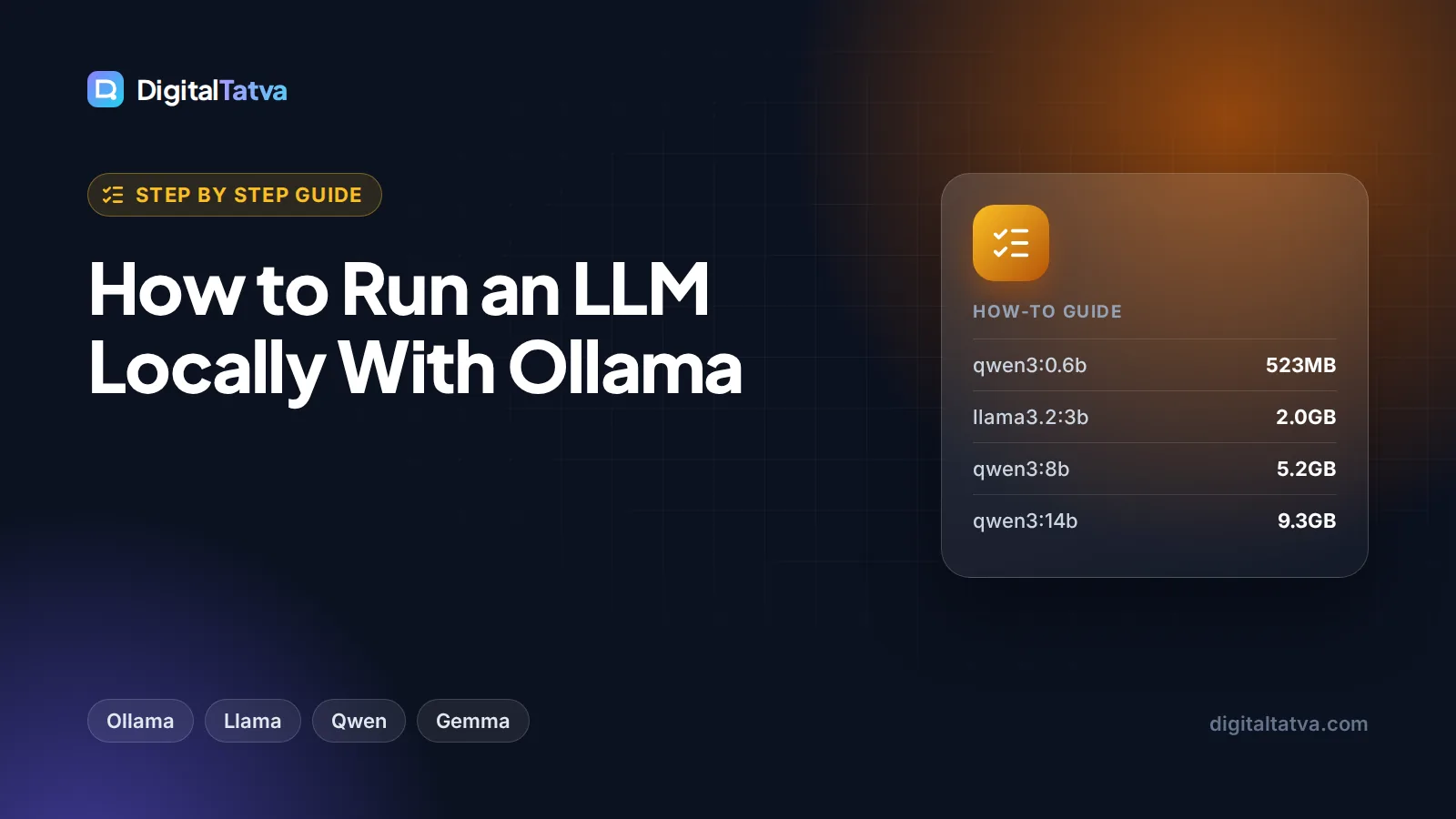
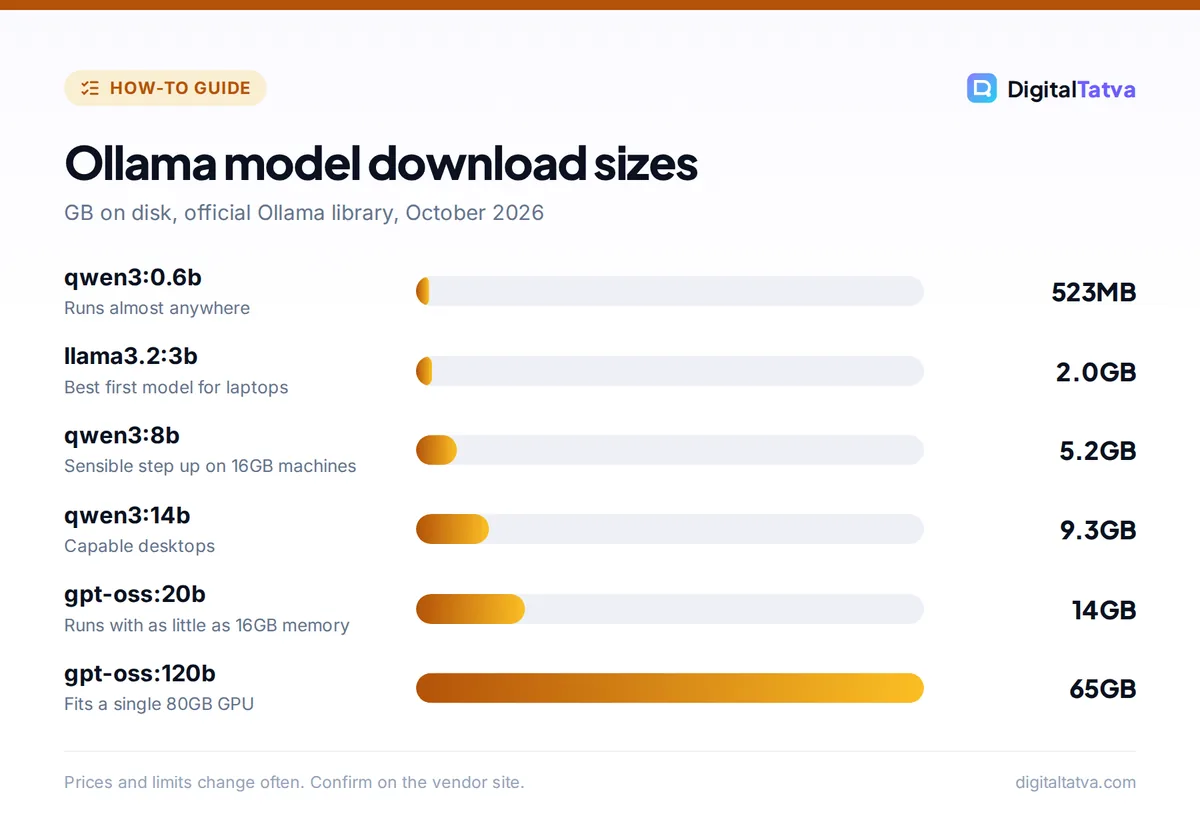
To run an LLM locally with Ollama, install Ollama from ollama.com, open a terminal and type ollama run gemma4 (or another model name). Ollama downloads the model once, then you chat with it on your own computer, offline and free, with no prompts sent to the cloud. A small model such as Llama 3.2 3B is a 2.0GB download, so even an ordinary laptop can run one; bigger models need much more memory.
This guide walks you through choosing hardware and a model, installing Ollama on Mac, Windows or Linux, chatting in the terminal, using the local API from your own code, and avoiding the mistakes that make local models feel slow or forgetful.
Key takeaways
- Ollama is free and open source for local use. On macOS and Linux install it with one curl command; on Windows use the PowerShell installer or the download page.
- Run a model with
ollama run MODEL. Verified download sizes range from 523MB (qwen3:0.6b) to 2.0GB (llama3.2:3b), 14GB (gpt-oss:20b) and 142GB (qwen3:235b). - Ollama’s default context window is 4,096 tokens. Raise it with OLLAMA_CONTEXT_LENGTH if the model forgets long documents.
- Ollama serves a local API at localhost port 11434, including an OpenAI-compatible endpoint, so many existing apps work with a one-line change.
- Local AI wins on privacy and offline use. On cost alone, cheap cloud models such as GPT-6 Luna are often only a few dollars a month.
Why run an LLM locally?
A large language model (LLM) is the engine behind chatbots like ChatGPT and Claude. Running one locally means the model file sits on your disk and the computing happens on your own CPU or GPU. Ollama is a free tool that handles the hard parts: downloading models, loading them into memory and giving you a chat window and an API.
There are four good reasons to do it:
- Privacy. Ollama’s FAQ states: “Ollama runs locally. We don’t see your prompts or data when you run locally.” That matters for client files, contracts, health or financial data, and anything covered by your company’s AI usage policy.
- Offline use. Once a model is downloaded, it works on a plane or a weak connection.
- No per-token bills. You pay only for hardware and electricity, which helps with high-volume, repetitive jobs.
- Control. You choose the exact model and version, set a custom system prompt, and nothing changes under you overnight.
The trade-off is quality and speed. Small open models are capable for summaries, drafts, classification and coding help, but they do not match frontier cloud models such as Claude Opus 5.5 or GPT-6 Astra on hard reasoning. If you mainly want free access to a strong assistant, our list of free ChatGPT Plus alternatives may suit you better.
What you need before you start
Hardware
The key rule: the model has to fit in memory with room to spare. A model needs at least as much free RAM (or GPU memory) as its download size, plus extra for the conversation and your other apps. Ollama’s own guidance for gpt-oss:20b, a 14GB download, is that it can “run on systems with as little as 16GB memory”.
Ollama uses your GPU when it can. Its GPU documentation lists support for NVIDIA cards with compute capability 5.0 or newer (driver 550 or later), AMD Radeon cards through ROCm v7 (broadest on Linux), Apple Silicon Macs through Metal, and extra Intel and AMD support on Windows and Linux through Vulkan. Without a supported GPU, Ollama runs on the CPU, which works but is slower.
Choosing your first model
These sizes come from the official Ollama library pages. Context is the maximum the model supports, which is different from Ollama’s default setting explained later.
| Model tag | Download size | Max context | Good for |
|---|---|---|---|
| qwen3:0.6b | 523MB | 40K | Testing on very old or low-memory machines |
| llama3.2:1b | 1.3GB | 128K | Fast simple tasks, summaries |
| llama3.2:3b | 2.0GB | 128K | Best first model for most laptops |
| qwen3:8b | 5.2GB | 40K | Better reasoning and writing on 16GB machines |
| gemma4:12b | About 7.7 to 8GB | 256K | Text and image input, long documents |
| qwen3:14b | 9.3GB | 40K | Stronger general model for capable desktops |
| gpt-oss:20b | 14GB | 128K | OpenAI’s open-weight reasoning model, 16GB+ memory |
| gemma4:31b | About 19 to 20GB | 256K | High quality on workstations with lots of memory |
The library also lists coding models such as qwen2.5-coder and qwen3-coder, DeepSeek’s deepseek-r1 reasoning models, Microsoft’s phi4 and Mistral’s mistral 7B. Very large models such as qwen3:235b (142GB) and gpt-oss:120b (65GB, designed to “fit on a single 80GB GPU”) are for servers, not laptops.
Tip: “B” in a model name means billions of parameters, a rough measure of size. More parameters usually means better answers but more memory and slower replies. Start small, then step up only if the answers are not good enough.
How to install Ollama and run your first model
- Install Ollama. On macOS or Linux, open Terminal and run the official install script shown below. On Windows, open PowerShell and run the Windows command, or download the installer from the Ollama download page. On macOS and Windows you can also use the desktop app, which updates itself automatically.
- Check it works. Type
ollamain a new terminal window. You should see a list of commands. If you get “command not found”, close and reopen the terminal. - Download and run a model. Type
ollama run llama3.2. The first run downloads the model (about 2.0GB), then shows a prompt where you can type. Replies stream back word by word. - Chat. Ask a question, paste text to summarize, or request a draft. Type
/byeto leave the chat. The model stays loaded in memory for 5 minutes by default, so the next run starts faster. - Try a second model. Run
ollama pull qwen3:8bto download without chatting, thenollama run qwen3:8b. Compare answers to the same prompt to see which suits your work. - Manage your models. Use
ollama listto see what is installed,ollama psto see what is loaded (the Processor column shows whether it is on CPU or GPU),ollama stop MODELto unload it andollama rm MODELto delete it and free disk space.
The install commands from Ollama’s official GitHub README:
macOS and Linux:
curl -fsSL https://ollama.com/install.sh | sh

Windows (PowerShell):
irm https://ollama.com/install.ps1 | iex

Docker:
docker pull ollama/ollama
Models are stored in ~/.ollama/models on macOS, /usr/share/ollama/.ollama/models on Linux and C:\Users\%username%\.ollama\models on Windows. Check your free disk space before pulling large models.
Use Ollama from your own apps with the local API
While Ollama is running, it serves an API on your machine. By default it binds to 127.0.0.1 port 11434, which means only your own computer can reach it. Here is the chat request from Ollama’s README:
curl http://localhost:11434/api/chat -d '{
  "model": "gemma4",
  "messages": [{"role": "user", "content": "Why is the sky blue?"}],
  "stream": false
}'
OpenAI-compatible endpoint
Ollama also offers an OpenAI-compatible API at http://localhost:11434/v1/, with chat completions, completions, models, embeddings and the Responses API. Code written for OpenAI’s Python library works by changing the base URL. The API key is required by the library but ignored by Ollama:
from openai import OpenAI

client = OpenAI(base_url="http://localhost:11434/v1/", api_key="ollama")

reply = client.chat.completions.create(
    model="gpt-oss:20b",
    messages=[{"role": "user", "content": "Write a 3 line product summary."}],
)
print(reply.choices[0].message.content)
This is how you connect local models to coding tools, note apps, automation tools and chat interfaces. It is also a cheap way to prototype before you pay for a cloud API. If you later move to the cloud, our guide on how to estimate AI API costs before you build helps you budget, and our guide to adding an AI chatbot to your website covers the hosted route. For Python projects there is also an official library: pip install ollama.
Create a custom model with a Modelfile
A Modelfile lets you save a base model plus your own settings and system prompt under a new name. This is ideal for a reusable “brand voice writer” or “invoice classifier”:
FROM llama3.2
PARAMETER temperature 0.7
PARAMETER num_ctx 8192
SYSTEM You are a concise marketing copywriter for an Indian D2C brand. Use simple English.
Save it as a file named Modelfile, then run ollama create brand-writer -f ./Modelfile and ollama run brand-writer. Good system prompts matter even more for small models; our prompt engineering guide has techniques that transfer directly.
Common mistakes when running LLMs locally
1. Ignoring the 4,096 token default context
Ollama’s default context window is 4,096 tokens, even if the model supports 128K or more. Paste a long report and the model quietly loses the beginning. Raise it with an environment variable, for example OLLAMA_CONTEXT_LENGTH=8192 ollama serve, or set num_ctx in a Modelfile. Larger contexts use more memory, so increase in steps. Our explainers on context windows and what tokens are cover the basics.
2. Picking a model that does not fit in memory
If replies crawl at a word every few seconds, the model is probably too big for your RAM or GPU and is spilling over. Run ollama ps and check the Processor column. Drop to a smaller tag such as llama3.2:3b or qwen3:8b.
3. Exposing the API to the network by accident
Ollama listens only on your own machine by default. Changing OLLAMA_HOST to listen on all network interfaces makes your model reachable by other devices, with no password. Only do it on a trusted network or behind a firewall or reverse proxy with authentication.
4. Expecting frontier-model quality
Local models are good assistants, not replacements for the best cloud models on complex research, tricky code or high-stakes writing. Always check facts, because small models invent details more often.
5. Forgetting that cloud models are not local
The Ollama library includes cloud variants (tags such as gpt-oss:20b-cloud and gemma4:cloud). These run on Ollama’s servers, not your computer. Ollama says it processes those prompts to provide the service but does not store or log the content. If privacy is your reason for going local, stick to non-cloud tags.
Local LLM vs cloud API: is it actually cheaper?
Local inference has no per-token fee, but it is not automatically the cheapest option. Here is a worked example using official API prices from our facts.
Say a small business processes 10 million input tokens and 2 million output tokens a month (thousands of support emails summarized and tagged):
- GPT-6 Luna at $0.10 per 1M input and $0.50 per 1M output: 10 x $0.10 = $1.00, plus 2 x $0.50 = $1.00, total about $2 a month.
- Claude Haiku 4.5 at $1 input and $5 output: 10 x $1 = $10, plus 2 x $5 = $10, total about $20 a month.
- Ollama on hardware you already own: $0 in API fees, plus electricity and slower processing.
So for light workloads, the main reason to go local is privacy, offline access or control, not savings. Local starts to pay off when volumes are very high, data cannot leave your machine, or you already own a capable GPU. For a wider view of model costs, see how to pick the cheapest AI model for each task and our OpenAI API pricing breakdown.
| Option | Price | Where it runs | Best for |
|---|---|---|---|
| Ollama local | Free | Your computer | Private and offline work |
| Ollama Cloud Free | $0, starter credits | Ollama servers | Trying bigger models, 1 concurrent request |
| Ollama Pro | $20/month or $200/year | Ollama servers | $60 usage credits a month, 3 concurrent requests |
| Ollama Max | $100/month | Ollama servers | $300 usage credits a month, 10 concurrent requests |
Advanced tips for local LLMs
- Use a coding model in your editor. Point an editor extension at the OpenAI-compatible endpoint and use qwen2.5-coder or qwen3-coder for private code help. For full agentic coding, cloud tools are still stronger; compare them in our list of best AI coding assistants.
- Build private document search. Pair an embedding model such as nomic-embed-text or mxbai-embed-large with a chat model to answer questions over your own files without uploading them.
- Keep models warm. Models unload after 5 minutes idle. Set OLLAMA_KEEP_ALIVE or the keep_alive parameter if you call the API in bursts and want to avoid reload delays.
- Use vision models. Gemma 4 accepts images as well as text, useful for reading screenshots or product photos locally.
- Update regularly. The Mac and Windows apps update automatically. On Linux, re-run the install script.
- Prefer a graphical app? Desktop apps such as LM Studio also run open models locally with a point-and-click interface, but Ollama’s command line and API make it the easier choice for automation.
Frequently asked questions
Is Ollama free to use?
Yes. Running models locally with Ollama is free and open source, and you only pay for your own hardware and electricity. Ollama also sells optional cloud plans for running larger models on its servers: a Free cloud tier with starter credits, Pro at $20 a month or $200 a year with $60 of monthly usage credits, and Max at $100 a month.
How much RAM do I need to run an LLM locally?
You need more free memory than the model’s download size. Small models like llama3.2:3b (2.0GB) run on most modern laptops, qwen3:8b (5.2GB) is a sensible choice on a 16GB machine, and Ollama says gpt-oss:20b (14GB) can run with as little as 16GB of memory. A supported GPU or Apple Silicon Mac makes replies much faster.
Does Ollama send my data to the internet?
Not for local models. Ollama’s FAQ says “Ollama runs locally. We don’t see your prompts or data when you run locally.” The internet is used to download models and updates. Cloud model tags are different: they run on Ollama’s servers, which process prompts to provide the service but, according to Ollama, do not store or log that content.
What is the best model to run locally with Ollama?
For most laptops, start with llama3.2:3b because it is a small 2.0GB download and fast. On a 16GB machine, try qwen3:8b or gemma4:12b for better writing and reasoning. For coding, try qwen2.5-coder. For OpenAI-style reasoning on stronger hardware, gpt-oss:20b is a good step up. Test the same prompts across two or three models.
Can I use Ollama with apps built for the OpenAI API?
Usually yes. Ollama exposes an OpenAI-compatible API at http://localhost:11434/v1/ that supports chat completions, completions, embeddings, model listing and the Responses API. In most apps you change the base URL, enter any placeholder API key such as “ollama”, and select a local model name like gpt-oss:20b.
Next steps
Install Ollama, run llama3.2:3b, and spend an hour testing it on your real tasks: summarizing documents, drafting emails or tagging data. If quality is good enough, increase the context window, save a custom Modelfile for your most common job, and connect it to your tools through the local API. If it is not, keep sensitive work local and use a cloud model for the hard problems; our DeepSeek vs ChatGPT comparison and roundup of the best free AI tools are good next reads. Ollama’s cloud plans and model library change often, so confirm current details on the official Ollama site before you rely on them.
Pricing and features are checked at the time of writing and can change. Some links may be affiliate links, which never affect our verdicts.