How to Use OpenAI Codex: Setup and Real Workflows (2026)
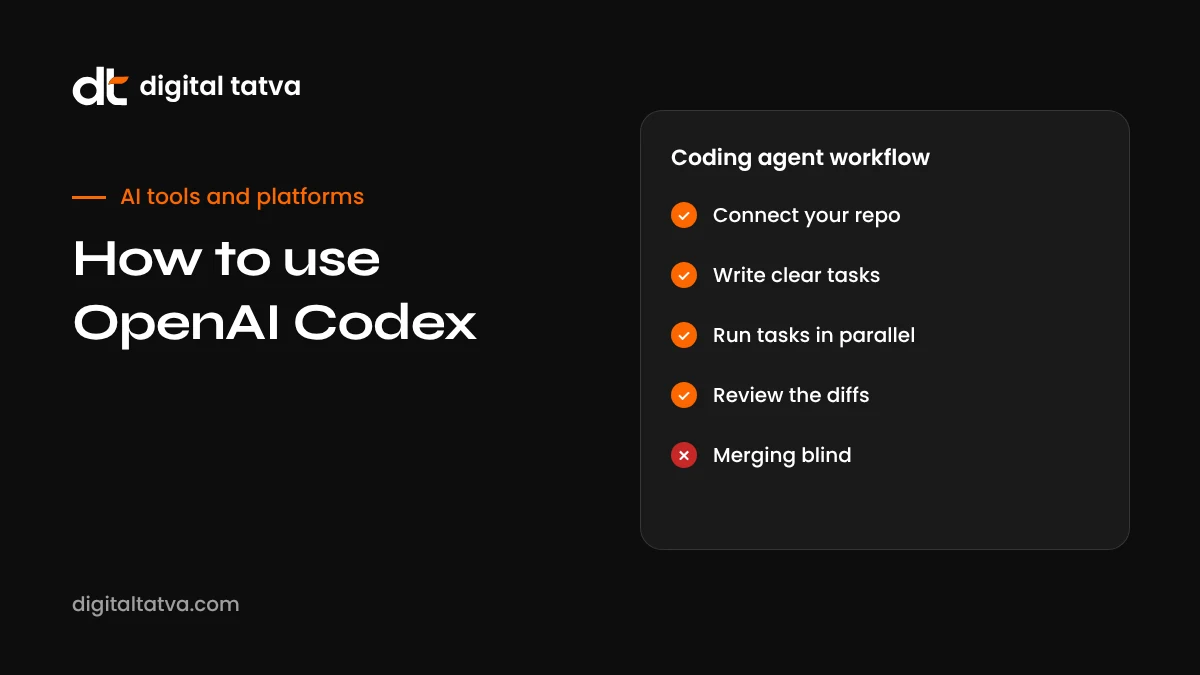
OpenAI Codex is a coding agent that reads your repository, writes and tests changes, and can work in the cloud while you do other things. This guide covers where Codex runs, setup, writing good tasks, AGENTS.md, reviewing changes, pull requests, safety and costs.
On this page
- Key takeaways
- What is OpenAI Codex today?
- Where you can use Codex
- Getting started
- Writing an AGENTS.md file
- How to write tasks Codex can succeed at
- Reviewing Codex’s work
- Local vs cloud tasks
- Real workflows that work well
- Safety, permissions and security
- Managing usage and cost
- Codex vs other coding agents and tools
- Codex for teams
- Common mistakes
- Codex for non-developers and small teams
- An illustrative first week with Codex
- Using the Codex CLI
- Automations, plugins and computer use
- Our take
- Bottom line for busy teams
- Frequently asked questions
Last updated: 13 November 2026
Quick answer: OpenAI Codex is a coding agent that works directly on your codebase. You give it a task, such as “add input validation to the signup form and write tests”, and it reads the relevant files, makes changes, runs commands and tests, and shows you a diff to review. You can use Codex in the ChatGPT desktop app (Codex mode, on macOS, Windows and Linux), in the terminal with the open-source Codex CLI, inside VS Code and other editors with the IDE extension, or in the cloud, where it works on tasks in the background and can open pull requests. Access comes with paid ChatGPT plans or API usage. Start with small, well-defined tasks, add an AGENTS.md file describing your project conventions, review every change, and never give it production credentials.
Key takeaways
- Codex is an agent, not autocomplete: it plans, edits multiple files, runs tests and iterates.
- You can run it locally (desktop app, CLI, IDE) or delegate to the cloud for background work.
- An AGENTS.md file in your repository tells Codex how to build, test and follow your conventions.
- Clear tasks with acceptance criteria produce far better results than vague requests.
- Always review diffs, run tests and use pull requests before merging.
- Use sandboxing and approval settings, and keep secrets and production access away from the agent.
What is OpenAI Codex today?
The name Codex has a long history. In 2021 it referred to a code model that powered early GitHub Copilot. Since 2025 it has meant OpenAI’s coding agent: first the open-source Codex CLI in April 2025, then Codex in the cloud, an IDE extension, and in February 2026 a dedicated Codex app. In July 2026, Codex moved into the unified ChatGPT desktop app alongside Chat and Work, after OpenAI combined its desktop products. Along the way it gained plugins, computer use, automations, remote environments, pull request review and security scanning.
Codex runs on OpenAI’s latest coding-capable models, and the available models change frequently; in late 2026 these include the GPT-6 family. Check the model picker in Codex for what your plan offers.
Where you can use Codex
| Surface | How it works | Best for |
|---|---|---|
| ChatGPT desktop app (Codex mode) | Manage agents and projects in a graphical app, with voice control and multiple agents | Most users who want an easy, visual workflow |
| Codex CLI | An open-source agent in your terminal working on local files | Developers who live in the terminal |
| IDE extension | Codex inside VS Code and compatible editors | Working alongside your normal editing |
| Codex cloud | Tasks run in cloud environments connected to your repository | Background tasks, parallel work, pull requests |
| Mobile | Check task status and send follow-ups from the ChatGPT app | Steering long tasks while away from your desk |
| API and SDK | Build Codex-powered automation into your own tools | Platform teams and custom workflows |
Getting started
- Check your plan. Codex is included with paid ChatGPT plans, with limits that vary by tier, and is also available through the API.
- Install the ChatGPT desktop app and switch to Codex mode, or install the Codex CLI or IDE extension.
- Sign in with your ChatGPT account or configure API access.
- Open a project folder or connect a GitHub repository for cloud tasks.
- Set permissions. Choose how much Codex can do without asking: read-only, edit with approval, or more autonomous modes inside a sandbox.
- Add an AGENTS.md file describing how to install, build, test and style the project.
- Start with a small task and review the result carefully.
Writing an AGENTS.md file
AGENTS.md is a plain Markdown file at the root of your repository that briefs coding agents, much like onboarding notes for a new developer. A good one is short and practical:
- Project overview: what the app does and the main folders.
- Setup commands: how to install dependencies and run the app locally.
- Test commands: how to run unit, integration and lint checks, and which must pass before a change is done.
- Conventions: language versions, formatting, naming, error handling and logging.
- Boundaries: files or folders the agent must not change, such as generated code or migrations.
- Definition of done: for example, “tests pass, lint passes, no new warnings, update the changelog”.
You can also add AGENTS.md files in subfolders for specific parts of a monorepo. Keep them updated as the project changes; an outdated briefing leads to outdated behaviour.
How to write tasks Codex can succeed at
Codex performs best when a task is specific, scoped and testable. Think of how you would brief a capable new team member.
| Weak task | Strong task |
|---|---|
| Improve the signup page | On the signup form, validate email format and require passwords of at least 12 characters. Show inline errors. Add unit tests for the validation function. Do not change styles. |
| Fix the bug | Orders with a discount code show the wrong total on the invoice PDF. Reproduce with test order 1042 data, find the cause, fix it and add a regression test. |
| Add dark mode | Add a dark theme using our existing CSS variables, with a toggle in the header that remembers the user’s choice. Check contrast meets WCAG AA. |
| Refactor the code | Split the 600-line reportService into smaller modules by responsibility without changing public behaviour. All existing tests must pass. |
Good tasks name the outcome, the constraints, what not to touch and how success is measured.
Reviewing Codex’s work
Codex shows a summary of what it did, the commands it ran and a diff of changes. Review it as you would a colleague’s pull request:
- Read the summary and check it matches what you asked for.
- Review the diff file by file. Look for unrelated changes, removed tests or suspicious shortcuts.
- Check the test output Codex reports, then run tests yourself if it is a local task.
- Ask for explanations of anything unclear: “Why did you change the date parsing here?”
- Request adjustments as follow-ups rather than starting over.
- Open a pull request and run your normal CI checks and human review.
Never merge agent changes you do not understand. Speed is only valuable if the code is correct and maintainable.
Local vs cloud tasks
| Local (desktop app, CLI, IDE) | Cloud |
|---|---|
| Works on files on your machine | Works in a cloud environment connected to your repository |
| You can watch and approve steps in real time | Runs in the background; you review when it finishes |
| Uses your local tools and setup | Uses a configured environment, reusable across tasks |
| Good for interactive, exploratory work | Good for parallel tasks, chores and pull requests |
A common pattern is to explore and plan locally, then delegate well-defined tasks to the cloud in parallel, such as updating dependencies in one task, adding tests in another and fixing a reported bug in a third.
Real workflows that work well
1. Bug fixing from issues
Paste a bug report or link an issue, including steps to reproduce and expected behaviour. Ask Codex to reproduce the bug with a failing test first, then fix it. The failing test proves the bug existed and protects against regressions.
2. Writing tests for untested code
Point Codex at a module and ask for tests that cover normal cases, edge cases and errors, without changing the module itself. This is low risk and high value, and it makes later refactors safer.
3. Dependency updates
Ask Codex to upgrade a library, update code for breaking changes, and run the full test suite. Review carefully, as upgrades can have subtle effects.
4. Small features
Well-defined features, such as adding a filter to a list, exporting data to CSV or adding a settings option, are a sweet spot for agents.
5. Refactoring with guardrails
Refactors are safe when tests are strong. Ask Codex to keep public behaviour unchanged and confirm all tests pass.
6. Documentation
Ask for README updates, API documentation or code comments based on the actual code. Review for accuracy.
7. Code review assistant
Use Codex to review pull requests for bugs, security issues and missing tests before human review, so reviewers can focus on design and product questions.
8. Website and marketing tech tasks
For marketing teams with developers, Codex can handle tasks like adding structured data across templates, fixing broken internal links, improving page speed or implementing tracking. See our guide to schema markup for AEO for what to ask for.
Safety, permissions and security
A coding agent can run commands on your machine or in the cloud, so permissions matter.
- Use the sandbox. Keep Codex in a sandboxed mode that limits file access and network access unless a task truly needs more.
- Start with approvals on. Require approval for commands and edits until you trust its behaviour in your project.
- Never share production credentials. Use test databases and test API keys. Keep secrets in environment variables the agent does not need.
- Watch for prompt injection. Content in issues, web pages or files can contain instructions aimed at agents. Review what the agent read and did, especially when it browsed the web.
- Review dependency additions. Check any new package for legitimacy and licence.
- Use branches and pull requests so nothing reaches your main branch without review.
- Follow company policy on AI tools and data; see our AI usage policy template.
Managing usage and cost
Codex usage counts against your ChatGPT plan’s limits or your API spending. Larger repositories, long-running tasks, parallel agents and the most capable models use more. To keep usage efficient:
- Break big goals into focused tasks.
- Give precise file paths and context so the agent does not search the whole codebase.
- Use lighter models for routine tasks where available.
- Cancel tasks that are clearly going in the wrong direction rather than letting them run.
- Review usage dashboards regularly. For API pricing comparisons, see LLM API pricing comparison.
Codex vs other coding agents and tools
| Tool | Approach | Consider when |
|---|---|---|
| OpenAI Codex | Agent across desktop app, CLI, IDE, cloud and mobile | You use ChatGPT and want local plus background agents |
| Claude Code | Anthropic’s terminal and IDE coding agent | You prefer Claude models for code reasoning |
| Google Antigravity | Google’s agent-first development platform and CLI | You work in Google’s ecosystem; see how to use Google Antigravity |
| Cursor and Devin Desktop (formerly Windsurf) | AI-native code editors with agents built in | You want AI inside your main editor; see Windsurf vs Cursor |
| GitHub Copilot | Assistant and agents integrated with GitHub | Your team is centred on GitHub |
| Replit Agent and v0 | Build apps from prompts with hosting | You are building a new app rather than working in an existing codebase |
For a broader comparison, see our list of the best AI coding assistants.
Codex for teams
When several developers use Codex on the same repository, a little coordination prevents chaos:
- Share one AGENTS.md and treat it like code: changes go through review.
- Use branches per task so agent changes never collide on the main branch.
- Label agent pull requests so reviewers know to check for typical agent mistakes, such as unnecessary changes or weakened tests.
- Agree on autonomy levels for different kinds of work, for example full autonomy for documentation but approvals for database changes.
- Track outcomes. Measure cycle time and bug rates before and after adopting Codex to see real impact.
Common mistakes
- Vague tasks that leave the agent guessing about scope and success.
- No tests in the project, so neither you nor the agent can verify changes.
- Giving full autonomy too soon, before you understand how Codex behaves in your codebase.
- Merging without review because the summary sounded convincing.
- Huge tasks that touch dozens of files at once and are hard to review.
- Exposing secrets in the environment or repository.
- Ignoring AGENTS.md, leaving the agent to rediscover your conventions every time.
Codex for non-developers and small teams
Codex is designed for developers, but small businesses with a website or simple app can still benefit through a developer or technically minded team member. Typical wins include fixing long-standing small bugs, adding analytics events, improving page speed, cleaning up broken links and adding structured data. The key is to describe outcomes clearly and have someone who understands the code review the changes. For simpler one-off tasks, ChatGPT itself may be enough; see how to use ChatGPT for coding.
An illustrative first week with Codex
- Day 1: Install, connect your repository, write AGENTS.md and ask Codex to explain the architecture back to you.
- Day 2: Ask for tests on one untested module. Review and merge.
- Day 3: Fix two small bugs from your backlog with failing tests first.
- Day 4: Try cloud tasks: delegate a dependency update and a documentation update in parallel.
- Day 5: Use Codex to review a teammate’s pull request and compare with human review.
By the end of the week you will know where Codex saves time in your project, where it needs tighter instructions, and how much autonomy feels comfortable.
Using the Codex CLI
The Codex CLI is open source and runs in your terminal. It is popular with developers who prefer keyboard-driven workflows and scripts. Typical use looks like this: open a terminal in your project, start Codex, describe the task, and approve or deny the commands it proposes. Recent versions add an agent command centre for managing several agents from the terminal. Because it runs locally, it uses your local tools, environment and Git setup, which makes it easy to combine with your existing scripts. Keep the CLI updated, as new releases arrive frequently with improvements and fixes.
Automations, plugins and computer use
During 2026 Codex gained features that extend it beyond editing code:
- Plugins connect Codex to tools such as issue trackers, documentation and cloud services, so it can read tickets or update status.
- Automations let you schedule recurring tasks, such as a weekly dependency check or a nightly test of a critical flow.
- Computer use and browser tools allow Codex to interact with applications and web pages, for example to test a user flow in a browser.
- Security scanning and pull request review help catch issues before they reach production.
Each of these increases what the agent can touch, so apply the same caution: limit permissions, review results and keep humans in the approval loop for anything that affects users or data.
Our take
Codex has matured from an experimental terminal tool into a full agent platform that lives in the ChatGPT desktop app, your terminal, your editor, the cloud and even your phone. For developers, the biggest gains come from delegating well-defined work, such as tests, bug fixes, upgrades and reviews, while keeping humans responsible for design decisions and final approval. Invest an hour in a good AGENTS.md, write tasks with clear acceptance criteria, and treat every diff like a colleague’s pull request. Do that and Codex can take a meaningful share of routine engineering work off your plate.
Bottom line for busy teams
If you only remember a few things about Codex, make them these. First, the quality of what Codex produces depends heavily on the quality of your instructions: a clear AGENTS.md and tasks with acceptance criteria make a bigger difference than switching models. Second, tests are the safety net that makes agent work trustworthy; invest in them before delegating larger changes. Third, every change still needs human review, ideally through the same pull request process your team already uses. Fourth, permissions matter: keep the agent sandboxed, approvals on for risky actions, and production credentials far away. Fifth, measure the impact in real terms, such as time to merge and bugs after release, rather than relying on how fast it feels.
Teams that follow these principles usually find Codex takes on a growing share of routine work over a few months, starting with tests and small fixes and moving towards larger, well-specified features. Teams that skip them often end up with large, hard-to-review diffs and a sense that the agent creates as much work as it saves. The tool is powerful; the discipline around it is what turns that power into reliable output. Start small this week with one well-defined task, review it carefully, and build from there.
Frequently asked questions
Is OpenAI Codex free?
Codex is included with paid ChatGPT plans, with usage limits by tier, and is available through the API on a usage basis. Free plans may have limited or no access.
What is the difference between Codex and ChatGPT?
ChatGPT is a conversational assistant. Codex is an agent that works on your actual codebase: editing files, running commands and tests, and producing diffs and pull requests.
Can Codex work while I do something else?
Yes. Cloud tasks run in the background, and you can check progress and send follow-ups from the desktop or mobile app.
What is AGENTS.md?
A file in your repository that tells coding agents how to build, test and follow your conventions. Codex reads it to work more reliably.
Is Codex safe to use on company code?
It can be, with the right plan, data controls, sandboxing and review process. Follow your company’s policies and never give it production secrets.
Does Codex replace GitHub Copilot or Cursor?
They overlap. Many developers use an AI editor for everyday coding and Codex for larger delegated tasks and reviews.
Can Codex run on Linux?
Yes. The Codex CLI runs on Linux, and the ChatGPT desktop app added Linux support for project workflows in 2026.
How do I stop Codex from changing too much?
State the scope clearly, list files it must not touch, keep approvals on, and ask for the smallest change that meets the acceptance criteria.
Which languages does Codex support?
Most mainstream languages and frameworks, including Python, JavaScript, TypeScript, Go, Java, Rust, PHP and more.
Can Codex review pull requests?
Yes. Codex can review pull requests and flag issues. See also our list of the best AI code review tools.
How long does a Codex task take?
Small tasks often finish in minutes. Larger tasks in the cloud can run longer, and you can check progress or steer them from the desktop or mobile app while they work.
Do I need GitHub to use Codex?
No. You can use Codex locally on any project folder. GitHub or another Git host is needed for cloud tasks that open pull requests.
Product details, prices and features are checked at the time of writing and can change. Sources are linked in the text so you can check them yourself.
How does your brand appear in AI answers?
We test the questions your buyers ask across the major AI assistants and search engines, then show you what to fix first.
Get an AI Visibility Audit