How to Use ChatGPT for Coding (Without Breaking Things)
ChatGPT can write, explain, debug and refactor code, but only if you use it carefully. This practical guide covers how to prompt for code, debug with error messages, review AI code safely, use code blocks and Projects, and when to move to Codex or an AI code editor.
On this page
- Key takeaways
- What ChatGPT is good at, and where it struggles
- How to prompt ChatGPT for code
- Debugging with ChatGPT
- Reviewing AI-generated code safely
- Using code blocks and Projects
- When to move beyond chat
- 20 useful coding prompts
- Common mistakes developers make with ChatGPT
- Security and privacy checklist
- A worked example: fixing a broken script
- Learning to code with ChatGPT
- ChatGPT for non-developers
- ChatGPT vs other AI coding tools
- Our take
- Getting better code from long conversations
- Measuring whether it is helping
- Bottom line
- Frequently asked questions
Last updated: 13 November 2026
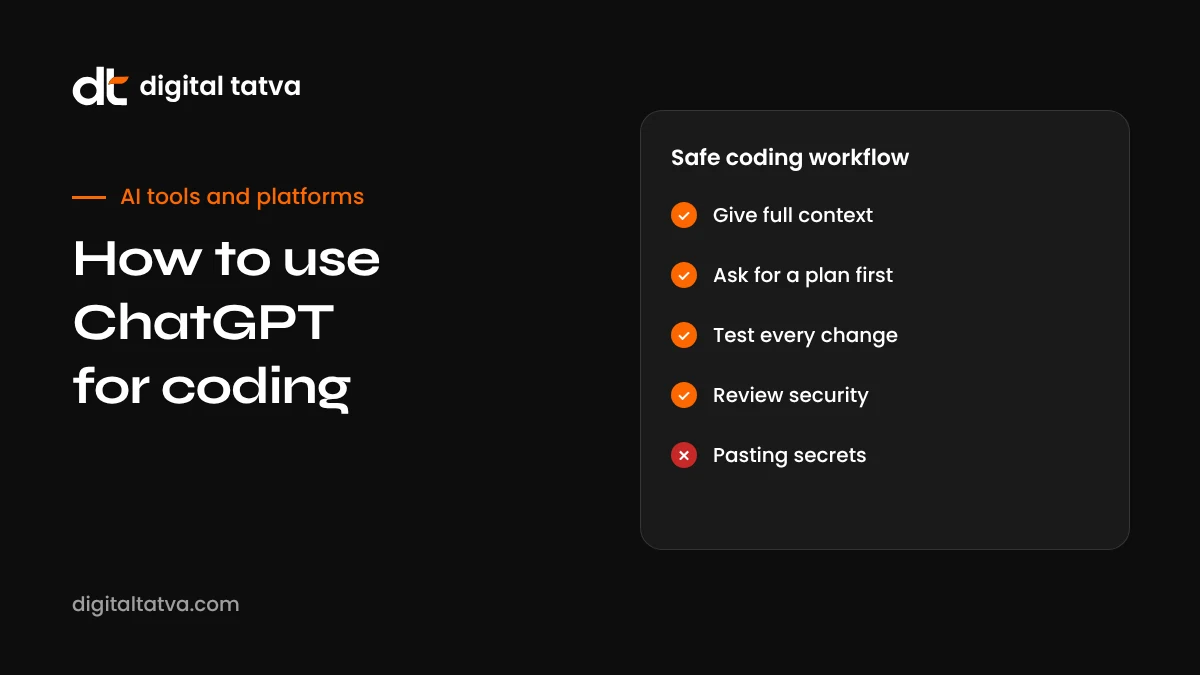
Quick answer: To use ChatGPT for coding safely, give it full context (language, framework, versions, what the code should do and any constraints), ask for small, focused pieces of code rather than whole applications, paste exact error messages when debugging, ask it to explain its code and list assumptions, and always review, test and run the code yourself before it touches production. Use code blocks for snippets, ChatGPT Projects to keep your project files and conventions in context, and move to an agent like OpenAI Codex or an AI code editor when you need changes across a real codebase. Never paste secrets such as API keys or passwords into prompts.
Key takeaways
- ChatGPT is excellent for explaining code, writing small functions, debugging and learning new languages.
- Better context produces better code: versions, file structure, inputs and expected outputs matter.
- Ask for one change at a time and review every line before you use it.
- Tests are your safety net: ask ChatGPT to write them, then run them yourself.
- For multi-file changes in a real repository, use Codex or an AI code editor instead of copy-paste.
- Never share secrets, customer data or proprietary code your company has not approved for AI tools.
What ChatGPT is good at, and where it struggles
| Strong at | Weaker at |
|---|---|
| Explaining unfamiliar code line by line | Understanding a large codebase it cannot see |
| Writing small functions, scripts and queries | Designing complex systems without clear requirements |
| Debugging from error messages and stack traces | Bugs that depend on your environment, data or configuration |
| Converting code between languages | Very new libraries or APIs released after its training data, unless it searches |
| Writing tests, regex, SQL and shell commands | Security-sensitive code without expert review |
| Teaching concepts with examples | Guaranteeing that code is correct or efficient |
The pattern is simple: ChatGPT shines when the problem is well defined and fits in a conversation. It struggles when it needs knowledge it does not have, such as your project’s structure, your data or your deployment setup.
How to prompt ChatGPT for code
A good coding prompt answers the questions a senior developer would ask before writing anything:
- Language and versions: “Python 3.12 with pandas 2.x” or “Next.js 15 with the App Router and TypeScript”.
- Goal: what the code should do, in one or two sentences.
- Inputs and outputs: example input data and the exact output you expect.
- Constraints: no external libraries, must run on a shared host, must handle 100,000 rows, and so on.
- Existing code: paste the relevant function or file, not the whole project.
- Style: naming conventions, comments, error handling expectations.
- Format: “Return only the changed function” or “Explain first, then show the code”.
Example: “Write a Python 3.12 function that reads a CSV of orders with columns order_id, date (YYYY-MM-DD) and amount_inr, and returns total revenue per month as a dictionary like {‘2026-10’: 125000.0}. Skip rows with missing amounts and log how many were skipped. Use only the standard library. Include three pytest tests.”
Debugging with ChatGPT
Debugging is where ChatGPT often saves the most time. The key is giving it the evidence a human debugger would need.
- Paste the exact error message and stack trace, not a summary.
- Include the code that triggers it, with line numbers if possible.
- Describe what you expected and what actually happened.
- Mention your environment: operating system, runtime version, framework and any recent changes.
- Say what you have already tried, so it does not repeat the same suggestions.
- Ask for the likely cause first, then the fix. Understanding the cause prevents repeat bugs.
If the first fix does not work, paste the new error rather than saying “still broken”. Each new piece of evidence narrows the problem. If you go round in circles for more than three or four attempts, step back: ask ChatGPT to list all possible causes and a test to confirm each one, or simplify the code to a minimal example that reproduces the bug.
Reviewing AI-generated code safely
AI code can look polished and still be wrong. Treat it like code from a talented but new team member: helpful, fast and in need of review.
- Read every line. If you do not understand a line, ask ChatGPT to explain it before using it.
- Check for invented functions. AI sometimes uses library functions or options that do not exist. Look them up in official documentation.
- Run tests. Ask for unit tests covering normal cases, edge cases and errors, then run them yourself.
- Look for security issues: SQL injection, unsafe file handling, missing input validation, hard-coded secrets, overly broad permissions.
- Check performance with realistic data sizes, not just tiny examples.
- Review dependencies. Do not install packages ChatGPT suggests without checking they are real, maintained and trustworthy. Fake or look-alike package names are a known risk.
- Use version control. Commit before applying AI changes so you can roll back easily.
Using code blocks and Projects
Since ChatGPT retired Canvas in June 2026, code appears in inline code blocks with options to copy, preview or run supported content. For anything larger than a snippet, copy the code into your editor, where you have version control, linting and your real environment. See ChatGPT Canvas is gone for details on the change.
ChatGPT Projects make coding sessions much more consistent. Create a project for each codebase and add:
- A short architecture overview: main folders, frameworks, how data flows.
- Your coding conventions: naming, formatting, error handling, testing approach.
- Key files that rarely change, such as data models or API schemas.
- Project instructions such as “TypeScript strict mode, no any, use our logger, write Vitest tests”.
Each new chat in the project then starts with that context. See how to use ChatGPT Projects.
When to move beyond chat
Copying code between ChatGPT and your editor works for small tasks but becomes error-prone for bigger ones. Consider other tools when:
| Situation | Better tool |
|---|---|
| Changes across many files in a repository | OpenAI Codex; see how to use OpenAI Codex |
| Daily coding with autocomplete and inline edits | AI code editors such as Cursor; see Windsurf vs Cursor |
| Building a full web app from a description | Replit Agent or v0; see Replit Agent and v0 |
| Terminal-based agent workflows | Coding agents such as Google Antigravity’s CLI or Claude Code; see Google Antigravity |
| Automated review of pull requests | AI code review tools; see the best AI code review tools |
20 useful coding prompts
| Task | Prompt |
|---|---|
| Explain code | “Explain what this function does line by line, then summarise it in two sentences for a non-developer.” |
| Find bugs | “Review this code for bugs and edge cases. List each issue with the line, why it is a problem and a fix.” |
| Refactor | “Refactor this function for readability without changing behaviour. Keep the same signature. Show only the new function.” |
| Write tests | “Write pytest tests for this function covering normal input, empty input, invalid types and large input.” |
| Add types | “Add TypeScript types to this JavaScript file. Avoid any. Explain any assumptions.” |
| SQL query | “Write a PostgreSQL query that returns the top 10 customers by revenue in the last 90 days from these tables: (paste schema).” |
| Regex | “Write a regex that matches Indian mobile numbers with optional +91 and explain each part.” |
| Shell command | “Give me a bash command to find files larger than 100 MB in this folder, sorted by size. Explain the flags.” |
| Convert language | “Convert this Python script to Node.js using only built-in modules.” |
| Performance | “This loop is slow on 1 million rows. Suggest faster approaches and explain the trade-offs.” |
| Error handling | “Add proper error handling and logging to this API call. Retry twice on network errors.” |
| Documentation | “Write a README section explaining how to install and run this project, based on these files.” |
| Code review style | “Act as a strict senior reviewer. Comment on naming, structure, security and tests.” |
| Learn a concept | “Teach me async and await in JavaScript with three small examples, then give me an exercise.” |
| API integration | “Show how to call this REST endpoint with fetch, handle errors and parse JSON. Here is the documentation: (paste).” |
| Data analysis | “Here is a CSV sample. Write pandas code to clean it, remove duplicates and summarise sales by region.” |
| Accessibility | “Review this HTML form for accessibility issues and fix them.” |
| WordPress | “Write a small WordPress plugin that adds FAQ schema to posts with an FAQ block. Follow WordPress coding standards.” |
| Git help | “I committed to the wrong branch. Explain how to move the last commit to a new branch safely.” |
| Architecture | “Compare three ways to structure this feature and recommend one for a small team, with reasons.” |
Common mistakes developers make with ChatGPT
- Asking for too much at once. “Build me a SaaS app” produces fragile code. Break work into small, testable steps.
- Not giving versions. Code for an old framework version can fail silently or use deprecated features.
- Accepting confident answers. Fluent explanations are not proof. Run the code and tests.
- Pasting secrets. Remove API keys, passwords and tokens before sharing code. Rotate any key you accidentally pasted.
- Losing track of versions. Long chats with many code blocks become confusing. Keep the master copy in your editor and Git.
- Skipping understanding. If you cannot explain the code, you cannot maintain it. Ask ChatGPT to teach you.
- Ignoring licences. If code looks copied from a well-known project, check licensing before using it commercially.
Security and privacy checklist
- Use a business plan with appropriate data controls for company code.
- Follow your organisation’s AI policy; our AI usage policy template is a starting point.
- Replace real customer data with anonymised samples.
- Have security-sensitive code, such as authentication, payments and encryption, reviewed by an experienced developer.
- Scan dependencies and AI-generated code with your normal security tools.
A worked example: fixing a broken script
Here is an illustrative example of a productive debugging conversation.
- First message: “Python 3.12. This script should read orders.csv and print monthly totals, but it crashes. Here is the code and the full traceback. Expected output: one line per month like 2026-10: 125000.0.”
- ChatGPT’s diagnosis: the traceback shows a ValueError when converting an empty amount to float. It explains the cause and suggests skipping empty values.
- Follow-up: “Some amounts include commas, like 1,250.50. Handle that too, and log skipped rows.”
- Tests: “Write pytest tests for empty, comma-formatted and normal amounts.”
- Verification: You run the tests locally. One fails because some dates use DD-MM-YYYY. You paste the failing test output.
- Final fix: ChatGPT updates the date parsing to handle both formats, and all tests pass.
Notice the pattern: specific context, exact errors, small steps, tests and verification in your own environment. That loop is what makes AI-assisted coding reliable.
Learning to code with ChatGPT
ChatGPT can be a patient, always-available tutor. To learn effectively rather than just copying answers:
- Ask for explanations before code: “Explain how I would approach this, but do not write the code yet.”
- Write your own attempt first, then ask for feedback on it.
- Request exercises at your level, with hints instead of solutions.
- Ask “why” whenever a solution uses something unfamiliar.
- Build small real projects, such as a budget tracker or a script that renames files, which keep you motivated.
- Use voice mode to talk through concepts on the go; see ChatGPT voice mode.
ChatGPT for non-developers
You do not have to be a programmer to benefit. Marketers and business owners use ChatGPT for small technical tasks such as writing spreadsheet formulas, creating simple scripts to clean data, generating schema markup, building tracking snippets or fixing a small website issue. The same rules apply: describe the goal clearly, test on a copy first, and ask a developer to review anything that touches your live website, customer data or payments. For example, if you want to add structured data to your pages, our guide to schema markup for AEO shows what to ask for.
ChatGPT vs other AI coding tools
| Tool | How you use it | Best for |
|---|---|---|
| ChatGPT | Chat in the browser, desktop or mobile app | Explanations, snippets, debugging, learning, planning |
| OpenAI Codex | Agent in the ChatGPT desktop app, CLI or IDE that works on your repository | Multi-file changes, tests, refactors and pull requests |
| Cursor and similar AI editors | An editor with AI built into every file | Day-to-day development with inline suggestions |
| GitHub Copilot | Inside VS Code, JetBrains and GitHub | Autocomplete and chat for teams on GitHub |
| Claude | Chat with artifacts, plus coding agents | Long, careful reasoning on code and documents; see how to use Claude |
| Gemini and Antigravity | Chat and Google’s agent-first development tools | Google Cloud and Android developers |
Many developers use several: ChatGPT or Claude for thinking and explanations, an AI editor for daily work, and an agent for larger tasks. Our list of the best AI coding assistants compares them in more depth.
Our take
ChatGPT has become an everyday tool for developers of every level, and for good reason: it explains, drafts and debugs faster than searching through forums. Used carelessly, though, it can introduce subtle bugs, security holes and code nobody on the team understands. The developers who get the most from it give precise context, work in small steps, insist on tests and keep a human firmly responsible for every line that ships. Do that, and ChatGPT becomes a genuine productivity multiplier rather than a source of technical debt.
Getting better code from long conversations
Coding chats tend to grow long, and quality can drift as earlier details fall out of focus. A few habits keep results sharp:
- Restate the current version. When asking for a change, paste the latest version of the function rather than referring to “the code above”.
- Start a fresh chat per task. One bug or feature per conversation keeps context clean.
- Summarise decisions. Ask ChatGPT to list agreed decisions, such as library choices and naming, and save them in your Project instructions.
- Ask for diffs. “Show the changes as a unified diff” makes reviewing easier and reduces accidental rewrites.
- Set a definition of done. “Done means all tests pass, no new warnings and the function stays under 40 lines.”
- Use reasoning models for hard problems. For tricky bugs or design questions, choose the most capable reasoning model on your plan and give it time to think.
Measuring whether it is helping
It is easy to feel faster with AI while actually spending time fixing its mistakes. After a few weeks, check honestly: are tasks finishing sooner, are bugs in review going down or up, and do you and your team understand the code that ships? Adjust how you use ChatGPT based on the answers. Teams that track a simple measure, such as time from ticket to merged pull request, get a much clearer picture than those who rely on impressions.
Bottom line
ChatGPT is one of the most useful coding tools available, but it rewards careful use. Give it precise context, ask for small changes, paste exact errors, insist on tests and review every line before it reaches production. Use Projects to keep project conventions in context, and move to Codex or an AI code editor when tasks span many files. Keep secrets and customer data out of prompts, and make sure you understand the code you ship.
For beginners, use it as a patient tutor: ask for explanations, attempt problems yourself and request feedback. For experienced developers, use it to skip boilerplate, explore unfamiliar libraries and get a second opinion on tricky bugs. In both cases, the human stays responsible for quality, and that responsibility is exactly what makes AI-assisted coding sustainable over the long term rather than a quick source of technical debt.
Frequently asked questions
Is ChatGPT good for coding?
Yes, for explaining code, writing small to medium pieces, debugging and learning. It still makes mistakes, so all code needs review and testing.
Which ChatGPT model is best for coding?
Use the most capable reasoning model available on your plan for complex debugging and design, and a faster model for quick snippets. For repository-wide work, use Codex.
Can ChatGPT build a whole app?
It can help build simple apps step by step, but a working, secure application needs structure, testing and review. Tools like Codex, Replit Agent or v0 are better suited to full projects.
Is it safe to paste my company’s code into ChatGPT?
Only if your company allows it and your plan’s data controls are appropriate. Never paste secrets, credentials or customer data.
Can ChatGPT run my code?
ChatGPT can run some code, such as Python for data analysis, in its own environment, and code blocks can preview supported content. Your own environment is still where you must test.
How do I stop ChatGPT from rewriting my whole file?
Ask it to change only a named function, return only the changed parts, or show a diff, and state what must stay the same.
Does ChatGPT know the latest library versions?
Not always. Tell it which version you use, paste relevant documentation, or ask it to search for current docs when available.
Can ChatGPT read my GitHub repository?
Through connectors and Codex, ChatGPT can work with repositories you authorise. In a normal chat, it only sees the code you paste or upload.
Will ChatGPT replace developers?
It changes the work rather than removing it. Developers who can define problems, review AI output and own quality become more productive, while routine typing matters less.
What is the best way to get ChatGPT to write tests?
Give it the function, describe expected behaviour and edge cases, name your test framework and ask it to cover normal, boundary and error cases. Then run the tests and paste back any failures.
Should beginners learn to code with ChatGPT?
Yes, as a tutor. Ask it to explain and quiz you, and write code yourself before asking for the answer.
Can ChatGPT help with WordPress or Shopify code?
Yes. It can write theme snippets, plugin functions and Liquid templates. Test on a staging site first and back up before changing a live store or website.
What should I never paste into ChatGPT when coding?
Passwords, API keys, tokens, private customer data and any code your employer has not approved for AI tools.
Product details, prices and features are checked at the time of writing and can change. Sources are linked in the text so you can check them yourself.
How does your brand appear in AI answers?
We test the questions your buyers ask across the major AI assistants and search engines, then show you what to fix first.
Get an AI Visibility Audit