Descript Review 2026: Edit Video Like a Document (Pros, Cons and Pricing)
Descript lets you edit audio and video by editing a transcript, with AI tools for filler word removal, studio-quality sound, voice correction and an AI co-editor called Underlord. This review covers features, pricing, strengths, weaknesses and who it suits best.
On this page
- Key takeaways
- What is Descript?
- Descript pricing in 2026
- Key features reviewed
- Pros and cons
- Who should use Descript?
- A typical Descript workflow
- Descript vs alternatives
- Tips to get more from Descript
- Descript for marketing teams
- Descript for Indian creators and businesses
- Privacy and responsible use
- Verdict
- Getting started: your first project
- Common mistakes
- The bottom line on pricing
- How Descript has changed in recent years
- What we would like to see improve
- Who should skip Descript
- Frequently asked questions
Last updated: 13 November 2026
Quick answer: Descript is a video and podcast editor where you edit the media by editing its transcript: delete a sentence in the text and it disappears from the video. Its AI features include one-click filler word removal, Studio Sound audio cleanup, Overdub voice correction, Eye Contact correction, green screen, automatic captions and Underlord, an AI co-editor that carries out multi-step edits from plain-language requests. It is excellent for talking-head videos, podcasts, webinars, tutorials and social clips. Weaknesses include usage meters that can run out quickly, weaker accuracy with many speakers, and less precise control than traditional editors for complex visual work. Paid plans start at around $16 a month billed annually, and there is a free plan to try it.
Key takeaways
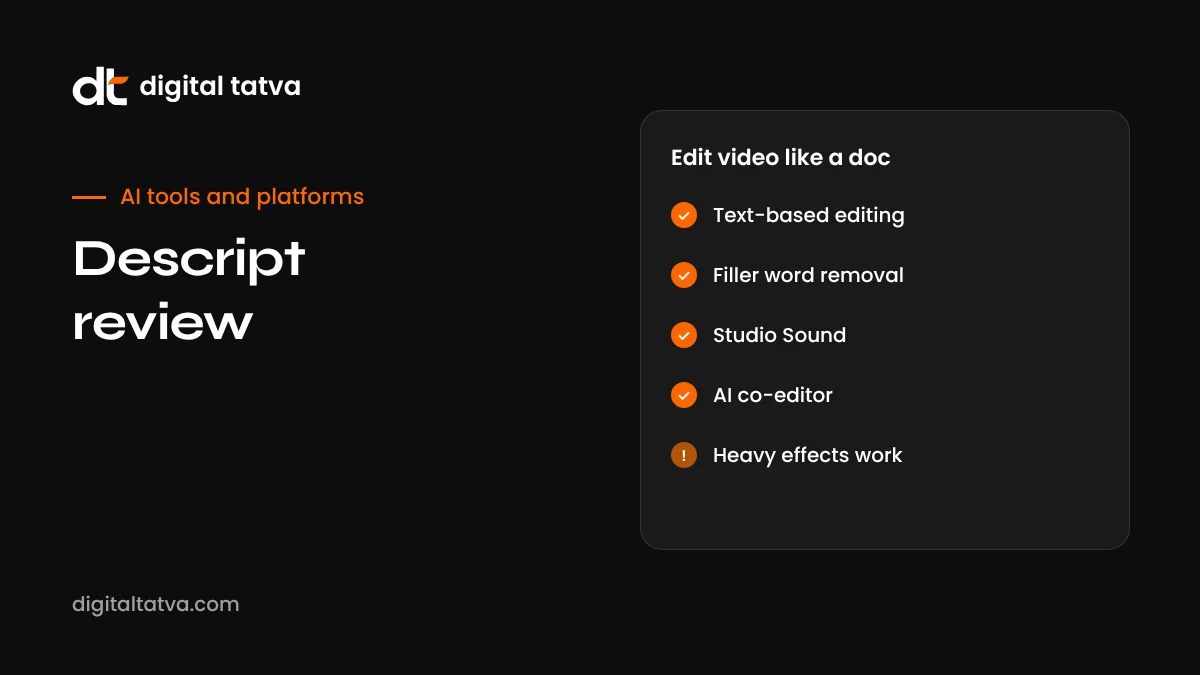
- Descript’s text-based editing is the fastest way to edit spoken-word video and audio.
- Studio Sound and filler word removal save hours on every recording.
- Underlord can handle multi-step edits, show notes and clip creation from simple instructions.
- Media minutes and AI credits are separate meters; heavy AI use can exhaust credits.
- It suits podcasters, educators, marketers and founders more than cinematic editors.
- Always review AI edits, because transcription and automatic cuts are not perfect.
What is Descript?
Descript started as a transcription tool and became one of the most popular editors for creators who work with speech. When you import a recording, Descript transcribes it and links each word to the matching moment in the audio and video. Editing the text edits the media. For anyone who has spent hours scrubbing a timeline to cut “ums” and false starts, this feels like a superpower.
Over time Descript added a full multitrack timeline, screen and camera recording, remote recording, templates, captions, AI audio enhancement, voice cloning, eye contact correction and, more recently, an AI co-editor called Underlord that can take on larger editing tasks from a single instruction.
This review is based on Descript’s documentation, its published plans and the experiences reported by creators and independent reviewers in 2026. Features and prices change often, so check Descript’s site for the latest details.
Descript pricing in 2026
| Plan | Approximate price (annual billing) | Media minutes per month | Good for |
|---|---|---|---|
| Free | $0 | Limited, about 60 | Trying the editing workflow |
| Hobbyist | Around $16 (about $24 monthly) | About 10 hours | Occasional creators |
| Creator | Around $24 (about $35 monthly) | About 30 hours | Weekly podcasters and video creators; adds features like Eye Contact and 4K export |
| Business | Around $50 per seat (about $65 monthly) | More hours plus bonuses | Teams and agencies |
| Enterprise | Custom | Custom | Large organisations needing security and admin controls |
Each plan also includes a monthly allowance of AI credits, used by features such as Studio Sound, Underlord and AI voices. Media minutes and AI credits are counted separately, and credits generally do not roll over. If you apply AI effects to every long recording, you may need a higher plan than the minutes alone suggest.
Key features reviewed
Text-based editing
This is the heart of Descript and still its best feature. After transcription, the transcript sits beside the video. Highlight a sentence and delete it, and the matching video is cut. Drag a paragraph to a new position and the clip moves. For interviews, webinars and podcasts, it turns hours of timeline work into minutes of reading and deleting. It also changes who can edit: a marketer or founder who has never used a video editor can produce a clean cut by working with text they already understand.
Filler word and silence removal
Descript detects words like “um”, “uh”, “you know” and repeated words, and removes them in one click. It can also shorten long pauses. Used lightly, this makes speakers sound confident and tight. Used aggressively, it can make speech sound rushed or unnatural, so review the result and keep some natural pauses.
Studio Sound
Studio Sound uses AI to reduce background noise and room echo and to even out voice tone. It is impressive on laptop microphone recordings and calls, though it can make voices sound slightly processed at high strength. Adjust the intensity rather than leaving it at maximum, and remember it uses AI credits each time.
Underlord, the AI co-editor
Underlord accepts plain-language requests and carries out multi-step edits: remove retakes, add chapters, create a set of short social clips, suggest B-roll, write titles and show notes, or tighten pacing. It is most useful as a first pass that you then review. Think of it as a capable assistant editor: it saves time, but it does not know your audience or brand as well as you do.
Overdub voice correction
Overdub lets you train a voice clone (after verifying consent) and then fix small mistakes by typing. If you said “Tuesday” when you meant “Thursday”, you can correct the word without re-recording. It works best for short fixes; long passages of synthetic voice are more noticeable.
Eye Contact, green screen and visual tools
Eye Contact adjusts your gaze so it looks like you are looking at the camera even when reading a script. Green screen removes backgrounds without a physical green screen. Layouts, templates, captions, progress bars and transitions help you produce polished social videos inside Descript.
Recording
Descript can record your screen and camera, and supports remote recording for interviews, so you can capture and edit in one place. Recording locally at high quality and letting Descript upload afterwards usually beats editing a compressed video call recording.
Captions and clips
Because every word is already transcribed, captions are quick to generate and style. You can also turn highlights from a long recording into vertical clips for Reels, Shorts and LinkedIn, with captions burned in.
Pros and cons
| Pros | Cons |
|---|---|
| Fastest way to edit spoken-word content | Media minutes and AI credits can run out quickly with heavy use |
| Accessible to non-editors | Transcription accuracy drops with many speakers and poor audio |
| Strong AI audio cleanup with Studio Sound | Less precise than professional editors for complex visual work |
| Underlord automates repetitive steps | AI edits still need careful human review |
| Captions and social clips are quick | Best suited to recordings under about an hour |
| Free plan for testing | Some features need a stable internet connection |
| Team features for agencies and businesses | Language support narrower than English-first workflows suggest |
Who should use Descript?
| User | Fit | Why |
|---|---|---|
| Podcasters | Excellent | Transcript editing, filler removal, Studio Sound and show notes in one tool |
| YouTube educators and tutorial creators | Excellent | Screen recording, quick cuts, captions and chapters |
| Marketers and founders | Very good | Turn webinars and talks into clips without learning a complex editor |
| Agencies | Good | Fast turnaround for talking-head content; team plans for collaboration |
| Course creators | Very good | Clean lesson videos and easy corrections with Overdub |
| Cinematic or music video editors | Limited | Traditional editors offer finer visual control |
| Multi-speaker panel recordings | Mixed | Works, but expect more transcript corrections |
A typical Descript workflow
- Record or import. Record in Descript or import your video or audio file.
- Review the transcript. Correct speaker names and obvious transcription errors so later edits are accurate.
- Rough cut by text. Delete tangents, mistakes and repeated takes directly in the transcript.
- Remove filler words and shorten long pauses, keeping the delivery natural.
- Apply Studio Sound at a moderate level.
- Ask Underlord for extras, such as chapters, a title, show notes and three short clips.
- Polish visually: layouts, captions, B-roll, lower thirds and your brand template.
- Export and publish in the right formats for each platform.
For a 30-minute interview, this workflow can reduce editing time dramatically compared with a traditional timeline, which is why Descript is popular with busy founders and small marketing teams.
Descript vs alternatives
| Tool | Best for | Compared with Descript |
|---|---|---|
| Adobe Premiere Pro | Professional video editing | More powerful visually, slower for speech editing; has added text-based editing features |
| CapCut | Social video and effects | Strong templates and effects, less focused on long-form speech editing |
| Riverside | Remote podcast recording | Excellent recording quality; editing tools are lighter |
| HeyGen | AI avatar presenter videos | Creates videos from scripts rather than editing real footage; see how to use HeyGen |
| Opus Clip and similar | Automatic short clips from long videos | Faster for clipping only; less control over full edits |
| DaVinci Resolve | Colour grading and advanced editing | Professional power with a steep learning curve |
For AI-generated footage rather than editing your own recordings, see our guide to the best Sora alternatives.
Tips to get more from Descript
- Record good audio first. Studio Sound is helpful, but a decent microphone in a quiet room always gives better results.
- Fix the transcript early. Accurate text makes every later edit, caption and clip better.
- Use templates for intros, outros, captions and layouts so every video looks consistent.
- Be specific with Underlord. “Create three 45-second vertical clips about pricing objections with captions” works better than “make clips”.
- Watch your credits. Check your AI credit balance before batch-applying effects to long files.
- Keep originals. Archive raw recordings in case you need to re-edit later.
Descript for marketing teams
For marketing teams, Descript’s biggest value is repurposing. One long recording, such as a webinar, podcast episode, founder interview or customer conversation (with permission), can become many assets:
- A cleaned-up full video for YouTube with chapters.
- Five to ten short vertical clips for Reels, Shorts and LinkedIn.
- A transcript you can edit into a blog post or newsletter.
- Quote graphics from the strongest lines.
- Show notes and an episode summary for your website.
This repurposing approach also helps visibility. Publishing a clear transcript and summary alongside video gives search engines and AI assistants text they can understand and cite. Our guides to YouTube for AEO and content chunking for AI explain how to structure that text.
Descript for Indian creators and businesses
Indian creators often record in English, Hindi or a mix of both. Descript performs best on clear English, so for Hinglish or regional-language recordings, expect to correct more of the transcript, or use it mainly for its timeline and visual tools. Pricing is in US dollars, so compare the annual plan cost against your monthly output before subscribing. For multilingual versions of your videos, pair Descript with a dedicated dubbing tool; see the best AI dubbing tools.
Privacy and responsible use
Descript processes your recordings in the cloud. Before uploading client calls, customer interviews or internal meetings, make sure participants have agreed to recording and editing, and check whether your plan’s security and compliance features match your needs. Voice cloning should only ever be used with the speaker’s clear consent, and synthetic corrections should not change the meaning of what someone said. For company guidance, see our AI usage policy template.
Verdict
Descript remains one of the most useful AI tools for anyone who creates spoken-word content. Its transcript-based editing genuinely changes how fast you can produce clean videos and podcasts, and features like Studio Sound and Underlord remove much of the tedious work. It is not the right choice for every editor: cinematic projects, complex effects and multi-speaker recordings with poor audio expose its limits, and heavy AI use means watching your credits.
If you record talking-head videos, tutorials, webinars or podcasts and want to publish more without hiring an editor, Descript is well worth trying on the free plan. Most creators will know within one or two projects whether it fits their workflow.
| Category | Our assessment |
|---|---|
| Ease of use | Excellent for anyone comfortable editing a document |
| Speech editing speed | Best in class |
| AI features | Strong and practical, with credits to manage |
| Visual editing depth | Good for social and educational video, limited for cinematic work |
| Value | Good for regular creators; check credits if you use AI heavily |
Getting started: your first project
- Pick a short recording. A five to ten minute talk or interview is ideal for learning.
- Create a project and drag the file in. Wait for transcription to finish.
- Label speakers so the transcript shows who said what.
- Read through once and strike out anything you would never publish: false starts, long tangents, technical hiccups.
- Run filler word removal and preview a few sections to check it still sounds natural.
- Apply Studio Sound, then compare with the original to choose the right strength.
- Add captions using a template and adjust the style to your brand.
- Export a landscape version, then duplicate the composition and create a vertical version for social media.
After this first project, try Underlord on a second recording and compare the time spent. Most people find the combination of manual text editing and targeted AI requests gives the best balance of speed and quality.
Common mistakes
- Trusting the transcript blindly. A misheard product name will appear in captions and clips.
- Over-cutting pauses. Natural breathing room makes speakers sound human.
- Maximum Studio Sound on everything. It can make voices sound artificial.
- Ignoring the credit meter. Plan AI-heavy projects around your monthly allowance.
- Editing very long files in one project. Split multi-hour recordings into sections for smoother performance.
- Changing meaning with Overdub. Use it to fix slips, not to put new statements in someone’s mouth.
The bottom line on pricing
For an occasional creator publishing a few short videos a month, the Hobbyist plan is usually enough. Weekly podcasters and YouTubers typically need Creator for the extra hours, Eye Contact and 4K export. Agencies and in-house teams editing many recordings should look at Business for collaboration and larger allowances. Whatever the plan, track how many minutes and credits you actually use over the first two months, then adjust. Our guide to API credits and AI subscriptions explains how to compare usage-based AI pricing across tools.
How Descript has changed in recent years
Descript’s early reputation was built on transcription and podcast editing. Since then it has moved steadily towards being an AI-first video studio. The addition of Underlord shifted the experience from “edit by text” to “describe the edit you want”, and features like Eye Contact, green screen and AI-generated B-roll suggestions brought it closer to a complete video tool for creators. Descript has also opened a public API in beta with support for connecting AI agents, which points towards automated workflows, such as an agent that turns every new recording into clips, show notes and a blog draft.
The trade-off of this AI-heavy direction is complexity in pricing. Separate meters for media minutes and AI credits make it harder to predict monthly costs than a simple subscription. For most creators the value is still strong, but it pays to understand which features use credits before building your workflow around them.
What we would like to see improve
- Better multi-speaker accuracy for panels and group discussions.
- Stronger support for Indian languages and code-mixed speech such as Hinglish.
- Clearer credit estimates before applying AI features to long recordings.
- Smoother performance on very long projects.
None of these are deal-breakers for the creators Descript is designed for, but they matter if your work regularly involves long, multi-voice or multilingual recordings.
Who should skip Descript
Descript is not for everyone. If your work is mostly cinematic storytelling, music videos, heavy motion graphics or colour-critical projects, a professional editor such as Premiere Pro, Final Cut Pro or DaVinci Resolve will give you finer control. If you only publish one or two short clips a month, a free mobile editor may be enough. And if most of your recordings involve many people talking over each other in noisy rooms, expect to spend significant time correcting transcripts before the text-based workflow pays off. For everyone else who works with spoken content regularly, it is one of the most time-saving tools available.
Frequently asked questions
Is Descript free?
Descript has a free plan with limited media minutes and a one-time allowance of AI credits, enough to test the editing workflow.
What is Underlord in Descript?
Underlord is Descript’s AI co-editor. You describe what you want, such as removing silences, creating social clips or writing show notes, and it carries out the steps for you to review.
Is Descript good for YouTube videos?
Yes, especially talking-head videos, tutorials and podcasts. For heavily visual edits with complex effects, a traditional editor may still be better.
How accurate is Descript transcription?
It is generally very accurate for clear, single-speaker English recordings, and less accurate with several speakers, heavy accents, crosstalk or poor audio.
Does Descript support Hindi?
Descript supports transcription in a range of languages. Check its current language list, and expect English to perform best.
What is Studio Sound?
Studio Sound is an AI audio enhancement that reduces background noise and room echo so voices sound closer to a studio recording.
Is Descript better than Premiere Pro?
For editing speech quickly, many people find Descript faster. For detailed visual effects, colour grading and complex timelines, Premiere Pro and similar editors are more powerful.
What are AI credits in Descript?
AI credits are a separate monthly allowance used by features such as Studio Sound, Underlord and AI voices. They are counted separately from media minutes and generally do not roll over.
Can Descript make short clips automatically?
Yes. You can ask Underlord to find highlights and create vertical clips with captions, then review and adjust them before publishing.
Does Descript work on Windows and Mac?
Yes. Descript has desktop apps for both and a browser-based experience, with projects stored in the cloud for collaboration.
Is Descript worth it for beginners?
Yes. Because you edit text rather than a complex timeline, beginners can produce clean videos quickly. Start on the free plan to confirm it suits your content.
Can Descript clone my voice?
Yes. Overdub lets you create a voice clone, after a consent process, to fix small mistakes by typing corrected words.
Can Descript remove background noise?
Yes. Studio Sound reduces background noise and echo. Use a moderate setting and compare with the original to keep voices natural.
Can I collaborate with my team in Descript?
Yes. Projects live in the cloud, and team plans add shared workspaces, comments and permissions for collaborative editing.
Does Descript add captions automatically?
Yes. Because recordings are transcribed, captions can be generated and styled quickly, then corrected where needed.
Product details, prices and features are checked at the time of writing and can change. Sources are linked in the text so you can check them yourself.
How does your brand appear in AI answers?
We test the questions your buyers ask across the major AI assistants and search engines, then show you what to fix first.
Get an AI Visibility Audit