Content Chunking for AI Search: Write Passages AI Can Quote
AI search engines read your pages in chunks, not as whole documents. Learn what content chunking is, how passage retrieval works, and how to structure every section so ChatGPT, Gemini and Google AI can quote it accurately.
On this page
- Key takeaways
- What is content chunking?
- How AI search engines read your page
- What makes a good chunk
- Before and after: rewriting a weak chunk
- Ten rules for writing chunk-friendly content
- How long should a chunk be?
- Chunking and HTML structure
- Does chunking hurt readability?
- Common chunking mistakes
- How to chunk an existing page in an hour
- Chunking, fan-out and topical authority
- Chunking different types of pages
- How to test whether your chunks work
- Chunking for multilingual and regional content
- Tools that help with chunking
- A typical service page rewrite
- How Digital Tatva can help
- Chunking and accessibility go together
- Chunking FAQs for your own team
- A quick chunking scorecard
- Frequently asked questions
Last updated: 13 November 2026
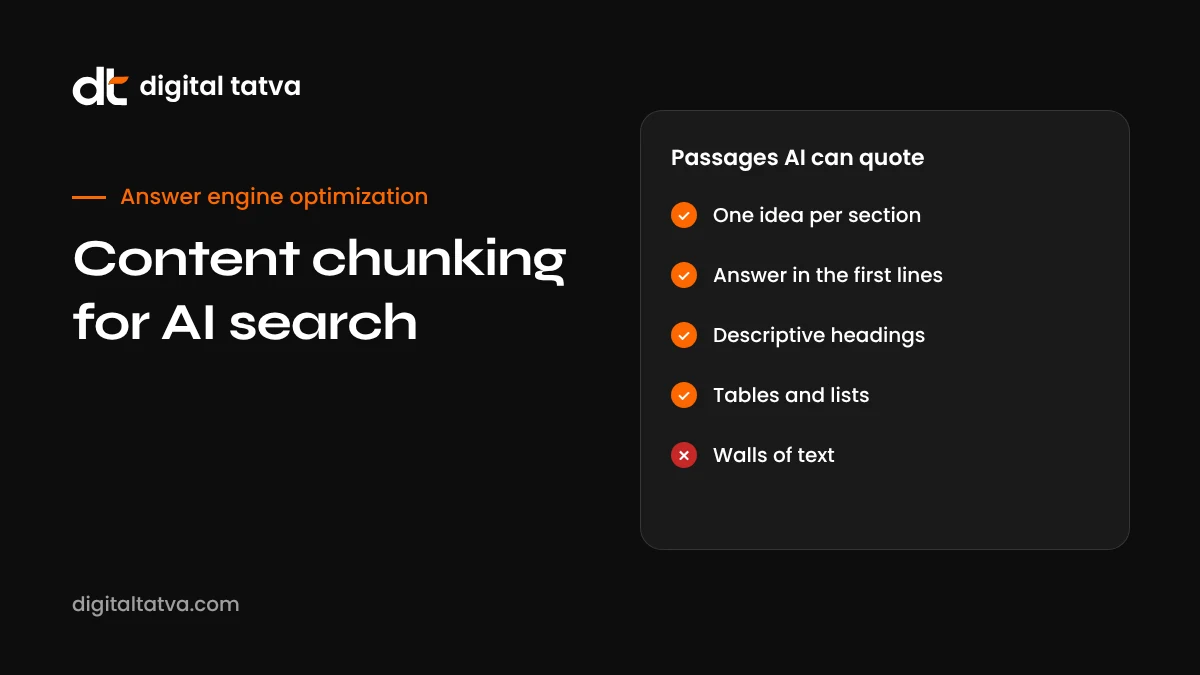
Quick answer: Content chunking for AI means writing and structuring a page so that each section works as a self-contained passage that an AI system can find, understand and quote on its own. AI search engines split pages into chunks, turn each chunk into a mathematical representation of its meaning, and retrieve the chunks that best match a question. To write for that, give each section one clear idea, a descriptive heading, a direct answer in the first one or two sentences, and enough context to make sense without the rest of the page. Tables, lists and short paragraphs help. Long, rambling sections that depend on earlier text are hard to retrieve and easy to misquote.
Key takeaways
- AI systems retrieve passages, not whole pages, so each section competes on its own.
- A good chunk has one topic, a clear heading, an answer up front and its own context.
- Pronouns like “this” and “it” that point back to earlier sections weaken a chunk when it is read alone.
- Structure such as headings, lists and tables helps systems split your page in sensible places.
- Chunking makes content better for human readers too, especially skimmers and mobile users.
What is content chunking?
In the world of AI and search, “chunking” has two related meanings. The first is technical: when an AI system indexes a document, it breaks it into smaller pieces called chunks so it can search them efficiently. The second is editorial: writing your content so those pieces make sense on their own.
This guide is about the second meaning, but understanding the first helps. When you know how a system cuts up and searches your page, you can write in a way that survives the process.
How AI search engines read your page
Most AI search systems follow a similar process, often called retrieval-augmented generation. Our explainer on what RAG is covers it in depth. In short:
- Fetch. The system downloads your page or reads it from its index.
- Split. It breaks the text into chunks, often guided by headings, paragraphs and a target length.
- Embed. Each chunk is converted into a vector, a list of numbers that represents its meaning.
- Match. When someone asks a question, the question is also converted into a vector, and the system finds the chunks whose meaning is closest.
- Rank and use. The best chunks from many pages are passed to the language model, which writes the answer and may cite where they came from.
Exact methods differ between Google, OpenAI, Microsoft, Perplexity and others, and they are not fully public. But the key point holds across all of them: the system is matching and quoting passages. Your page wins or loses one section at a time. Our guide to how AI search engines work explains the full pipeline.
What makes a good chunk
| Quality | What it means | Why AI cares |
|---|---|---|
| One idea | The section is about one specific question or topic | Its meaning is clear and matches precisely |
| Descriptive heading | The heading says exactly what the section covers | Helps splitting and matching |
| Answer first | The first one or two sentences answer the question | The quotable part is easy to find |
| Self-contained | Makes sense without reading earlier sections | Chunks are often read alone |
| Specific | Includes names, numbers, dates and conditions | Specific facts are safer to repeat |
| Right length | Long enough to answer, short enough to stay focused | Mixed topics dilute meaning |
Before and after: rewriting a weak chunk
Here is a typical paragraph from a service page, followed by a chunked rewrite.
Before:
As we touched on above, this is something a lot of our clients ask about. It really depends on a number of things, and every situation is different, but generally speaking we find that it tends to take a while before you start to see the kind of results you are hoping for, especially in competitive markets.
Read on its own, that paragraph does not say what “this” is, what “it” depends on, or how long “a while” is. An AI system retrieving it would have nothing useful to quote.
After:
How long does AEO take to show results? Most businesses see early changes in AI answers within 6 to 12 weeks, once AI crawlers can access their site and key pages are rewritten in an answer-first format. Building enough third-party authority to be recommended consistently usually takes 4 to 9 months, depending on how competitive the category is.
The rewrite names the topic, answers directly, gives specific ranges and explains what drives them. It works perfectly as a standalone passage. Our guide on how long AEO takes expands on exactly this question.
Ten rules for writing chunk-friendly content
1. Write headings as questions or clear labels
“How much does a website audit cost?” or “Website audit pricing in India” are far more useful than “Our approach” or “More details”. The heading is part of the chunk’s meaning.
2. Answer in the first sentence or two
Put the direct answer at the top of each section, then expand. This is the core of answer-first content.
3. Repeat the subject instead of using vague pronouns
“Google AI Mode uses query fan-out” is better than “It uses this technique” when the section might be read alone. You do not need to be robotic about it, but the first sentence of each section should name its subject.
4. Keep one main idea per section
If a section covers pricing, setup and troubleshooting, split it into three. Mixed topics produce mixed meaning.
5. Keep paragraphs short
Two to four sentences per paragraph is a good default for web content. Short paragraphs give splitting tools clean boundaries.
6. Use lists for steps and options
Numbered steps and bulleted options are easy for machines to extract accurately, and easy for people to scan.
7. Use tables for comparisons and specs
Prices, features, pros and cons, and specifications belong in tables. They keep related data together in one chunk.
8. Include specifics
Numbers, dates, names, locations and conditions make a passage more useful and more trustworthy. “Starts at Rs 25,000 per month for up to 30 tracked prompts” beats “affordable pricing”.
9. Add a short summary near the top
A quick answer box at the top of the page acts as a strong standalone chunk for the main question. This guide has one for exactly that reason.
10. Close with an FAQ
FAQ sections create many small, self-contained question and answer pairs, which are ideal chunks for follow-up questions. See our FAQ best practices.
How long should a chunk be?
There is no single correct length, because each AI system splits text differently. A practical guide:
| Content type | Typical section length | Notes |
|---|---|---|
| Direct answer or definition | 40 to 80 words | Ideal for quick answers and FAQ responses |
| Explanatory section | 150 to 300 words | One heading, answer first, then detail |
| Step-by-step process | One list of 4 to 10 steps | Each step one or two sentences |
| Comparison | One table plus a short summary | Keep the table and summary together |
| Deep dive topic | Several sub-sections | Use H3 headings to break it up |
The aim is not to hit a word count. It is to make sure each section has one job and does it completely.
Chunking and HTML structure
Clean HTML helps systems split your content in the right places.
- Use real heading tags (H2, H3) in a logical order, not bold text styled to look like headings.
- Use proper list tags for lists and table tags for tables.
- Keep important text in the HTML, not inside images, sliders or tabs that need JavaScript to open.
- Avoid splitting one idea across multiple visual blocks that might be separated in the code.
- Make sure the page renders without JavaScript for crawlers that do not run it. See JavaScript rendering and AI crawlers.
Schema markup adds another layer of clarity, especially FAQPage, HowTo, Product and Article. Our schema markup guide explains which types help.
Does chunking hurt readability?
A common worry is that writing for machines makes content robotic. Done well, the opposite is true. Chunked content is what good web writing always looked like: clear headings, short paragraphs, direct answers and scannable structure. Most people skim online, especially on phones. They want the answer fast, then the detail if they need it.
The trick is to keep your voice. You can still tell stories, share opinions and write with personality. Just make sure each section starts with something useful and makes sense on its own.
Common chunking mistakes
- Long introductions. Three paragraphs of scene-setting before the first useful fact.
- Clever but vague headings. “The secret sauce” tells a machine nothing.
- Answers hidden in accordions or tabs that load only with JavaScript.
- Key data inside images. Prices and specs in a graphic are invisible to text-based retrieval.
- Cross-references everywhere. “See above”, “as discussed” and “this” without a clear subject.
- Splitting into tiny fragments. Over-chunking into one-sentence sections removes useful context.
How to chunk an existing page in an hour
- List the questions the page should answer. Use real buyer questions from prompt research.
- Check that each question has its own heading. Add headings where answers are buried.
- Rewrite the first one or two sentences of each section as a direct answer.
- Replace vague pronouns at the start of sections with the actual subject.
- Break long paragraphs into two to four sentence blocks.
- Turn comparisons into tables and processes into numbered lists.
- Add a quick answer box at the top and an FAQ at the bottom.
- Move important text out of images and JavaScript-only elements.
- Update the “last updated” date and publish.
- Re-test your key prompts after a few weeks to see if the page is cited.
For a site-wide approach, combine this with our content refresh guide.
Chunking, fan-out and topical authority
Chunking works hand in hand with two other ideas. Query fan-out means AI systems search for many sub-questions at once. Well-chunked content gives each sub-question a clear match. Topical authority means covering a subject thoroughly across a cluster of pages. Chunking makes sure each part of that coverage is usable.
Together, they explain why some smaller sites get cited ahead of big brands: their content is simply easier to quote.
Chunking different types of pages
Every page type has its own natural chunks. Here is how to approach the most common ones.
Product pages
Break product information into clear sections: what it is, who it is for, key specifications, sizes or variants, price, delivery, returns and reviews. Put specifications in a table rather than a paragraph. Write the product description so the first sentence says exactly what the product is, for example “A 1.5-ton 5-star inverter split AC designed for rooms up to 180 square feet”. See AEO for ecommerce.
Service pages
Use sections for what the service includes, who it is for, the process, timelines, pricing or price ranges, results you can expect, and FAQs. Each section should answer one buyer question directly. Avoid long “why choose us” blocks full of adjectives.
Local pages
For each location, give the address, area served, hours, services available at that location, directions or parking, and local reviews. Each of these is a likely sub-question in local AI answers. See AEO for local businesses.
Help and documentation
One task per article, with the steps numbered and the expected result stated. Put error messages in text exactly as users see them, because people paste them into AI assistants.
Blog posts and guides
A quick answer at the top, key takeaways, question-style headings, tables for comparisons and an FAQ at the end. This guide follows that pattern.
How to test whether your chunks work
You do not need special tools to check whether your content is chunk-friendly. Try these tests:
- The cut-out test. Copy any single section into a blank document. Does it still make sense? Does it answer a clear question? If not, rewrite the opening.
- The heading test. Read only the headings on the page. Could someone guess what each section answers? If headings are vague, rewrite them.
- The AI reading test. Paste the page URL into ChatGPT or Claude and ask it to answer a specific question using only that page. If it struggles or quotes the wrong section, the right chunk is not clear enough.
- The live AI test. Ask the question in AI search tools and check whether your page is cited. Repeat over a few weeks.
- The Bing test. In Bing Webmaster Tools, the AI Performance report shows which pages are cited and for which grounding queries. That is direct evidence of which chunks work.
Chunking for multilingual and regional content
If you publish in several languages, chunk each language version properly rather than relying on machine translation of long paragraphs. Translated text often loses clear subjects and becomes harder to quote. Keep headings and answer-first openings in each language, use proper hreflang tags, and write numbers, prices and units in the local format. Our guide to multilingual AEO covers this in detail.
Tools that help with chunking
A few kinds of tools make chunking easier at scale:
| Tool type | How it helps | Example use |
|---|---|---|
| Content optimisation tools | Show common sub-topics and questions for a query | Plan which sections a page needs |
| SEO crawlers | Find pages with missing headings, very long paragraphs or thin sections | Prioritise pages to rewrite |
| AI writing assistants | Suggest tighter openings and section summaries | Draft answer-first first sentences |
| Readability checkers | Flag long sentences and complex wording | Simplify dense passages |
| Schema validators | Check FAQ, HowTo and Product markup | Make structure machine-readable |
See our lists of the best content optimisation tools and best SEO crawlers for AI search.
A typical service page rewrite
Here is an illustrative example, not a specific client case. Imagine a service page where one section is titled “Our method” and opens with a sentence about the company’s philosophy. Changing the heading to “How does an AEO audit work?” and rewriting the opening to answer directly, covering what is tested, across which assistants, how long it takes and what the client receives, makes the section easier to skim and gives AI assistants a clear passage to quote when someone asks how AEO audits work.
It is a small change. Most chunking improvements are. That is why they are worth doing on every important page.
How Digital Tatva can help
We audit your most important pages for how AI systems read them, then restructure them into clear, answer-first, self-contained sections without losing your voice. We combine that with technical fixes for rendering and schema, and we track which passages start appearing in AI answers. We cannot promise any AI system will quote you, but we can make your content far easier to quote.
Want your key pages rewritten for AI search? Request an AEO audit and we will show you which passages AI can and cannot use today, or check crawler access with our free AI visibility checker.
Chunking and accessibility go together
Many chunking practices are also accessibility best practices. Screen reader users navigate by headings, so descriptive headings in a logical order help them as much as they help machines. Short paragraphs and lists help people with cognitive or attention difficulties. Tables with proper header cells are easier to understand with assistive technology. Putting key information in text rather than images helps everyone who cannot see the image.
That overlap is a useful sanity check. If a change makes your content easier for a person using a screen reader to understand, it almost certainly makes it easier for an AI system too.
Chunking FAQs for your own team
When you introduce chunking to writers and editors, the same questions come up. Here are short answers you can share internally:
- “Do I need to repeat the keyword in every heading?” No. Use natural, descriptive headings. Name the subject where it adds clarity.
- “Can I still write long-form content?” Yes. Long-form works well when it is broken into clear, self-contained sections.
- “Should every page have an FAQ?” Most informational and commercial pages benefit from one. Keep answers short and genuinely useful.
- “What about storytelling?” Keep it. Just make sure the useful answer comes before or right after the story, not buried in the middle.
- “How do I know it worked?” Track whether the page is cited in AI answers for its target questions over the following weeks.
A quick chunking scorecard
| Check | Score 0 to 2 |
|---|---|
| Every major question has its own descriptive heading | |
| Each section opens with a direct answer | |
| Sections make sense when read alone | |
| Paragraphs are two to four sentences | |
| Comparisons and specs are in tables | |
| Key facts are in text, not images | |
| Page has a quick answer and an FAQ | |
| Content renders without JavaScript |
A page scoring 12 or more out of 16 is in good shape. Below 8, it is worth a rewrite before you invest in anything else for that page.
Frequently asked questions
What is content chunking in SEO?
It is the practice of structuring content into clear, self-contained sections, each focused on one topic with a descriptive heading and a direct answer, so search engines and AI systems can retrieve and quote them accurately.
Why does chunking matter for AI search?
AI search engines split pages into passages and retrieve the ones that best match a question. Well-chunked sections are easier to match and quote, so they are more likely to be used in AI answers.
How long should each section be?
Long enough to fully answer one question and short enough to stay on one topic. Many sections work well at 150 to 300 words, with direct answers of 40 to 80 words.
Does chunking make content less readable?
No. Clear headings, short paragraphs and direct answers make content easier to skim and understand, especially on mobile.
Should every section start with a definition?
Not a definition, but a direct answer to the question the heading poses. That might be a definition, a number, a recommendation or a short explanation.
Do tables and lists help AI understand content?
Yes. They keep related information together in a clear structure that machines can extract accurately.
Is chunking the same as answer-first writing?
They overlap. Answer-first writing is one part of chunking. Chunking also covers headings, section focus, self-contained context and HTML structure.
Can Digital Tatva restructure our content for AI search?
Yes. Content restructuring is part of our AEO service, starting with an audit of how AI systems read and use your pages today.
Product details, prices and features are checked at the time of writing and can change. Sources are linked in the text so you can check them yourself.
How does your brand appear in AI answers?
We test the questions your buyers ask across the major AI assistants and search engines, then show you what to fix first.
Get an AI Visibility Audit