10 Best AI Logo Generators for Small Businesses
The 10 best AI logo generators for small businesses in 2026, from Looka and Canva to Ideogram, Recraft, Adobe Firefly and Midjourney, with prices and ownership rules.

On this page
- Key takeaways
- Quick picks: best AI logo generators compared
- Two kinds of AI logo tools
- The 10 best AI logo generators
- How to create a logo with AI, step by step
- Ownership, copyright and trademark: what to check
- Pricing notes: one-time vs subscription
- Frequently asked questions
- Our verdict: the best AI logo generator for you
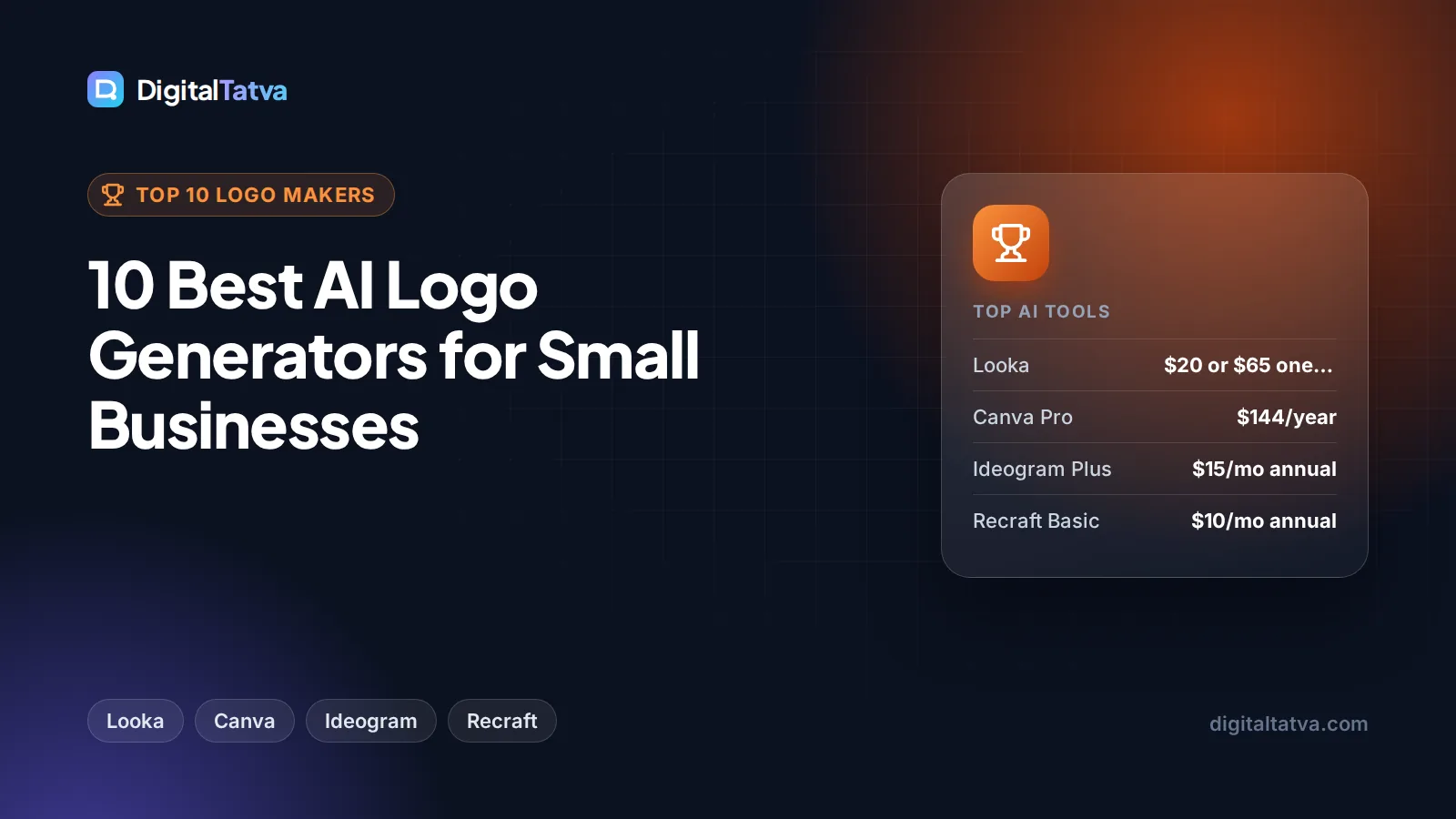
The best AI logo generator for most small businesses is Looka, which lets you design for free and pay once for files, with a basic PNG package listed at $20 and a high-resolution package with SVG and EPS files at $65 on Looka’s own blog. Canva is the best free option if you also need social posts and business cards, Ideogram is the best at getting text right inside a logo, and Recraft is the pick when you need true vector (SVG) files for print and signage.
This guide includes a quick picks table, ten tool cards with prices from official pages where we could confirm them, a step-by-step process for getting a usable logo, and the ownership and trademark questions every business should check before printing anything.
Key takeaways
- Looka is the best dedicated AI logo maker: free to design, one-time logo packages, and a Brand Kit subscription with full ownership even after you cancel.
- Canva Free includes up to 20 AI uses, and Canva Pro costs US$144 a year (Rs 4,000 a year in India) with 10x more AI and 5 Brand Kits.
- Ideogram handles typography best; its free plan allows commercial use, and Plus costs $15 a month on annual billing.
- Recraft and Wix Logo Maker’s Advanced plan give SVG vector files, which printers and sign makers need.
- AI logos may look similar to others and can be hard to trademark, so make your design distinctive and check before you register it.
Quick picks: best AI logo generators compared
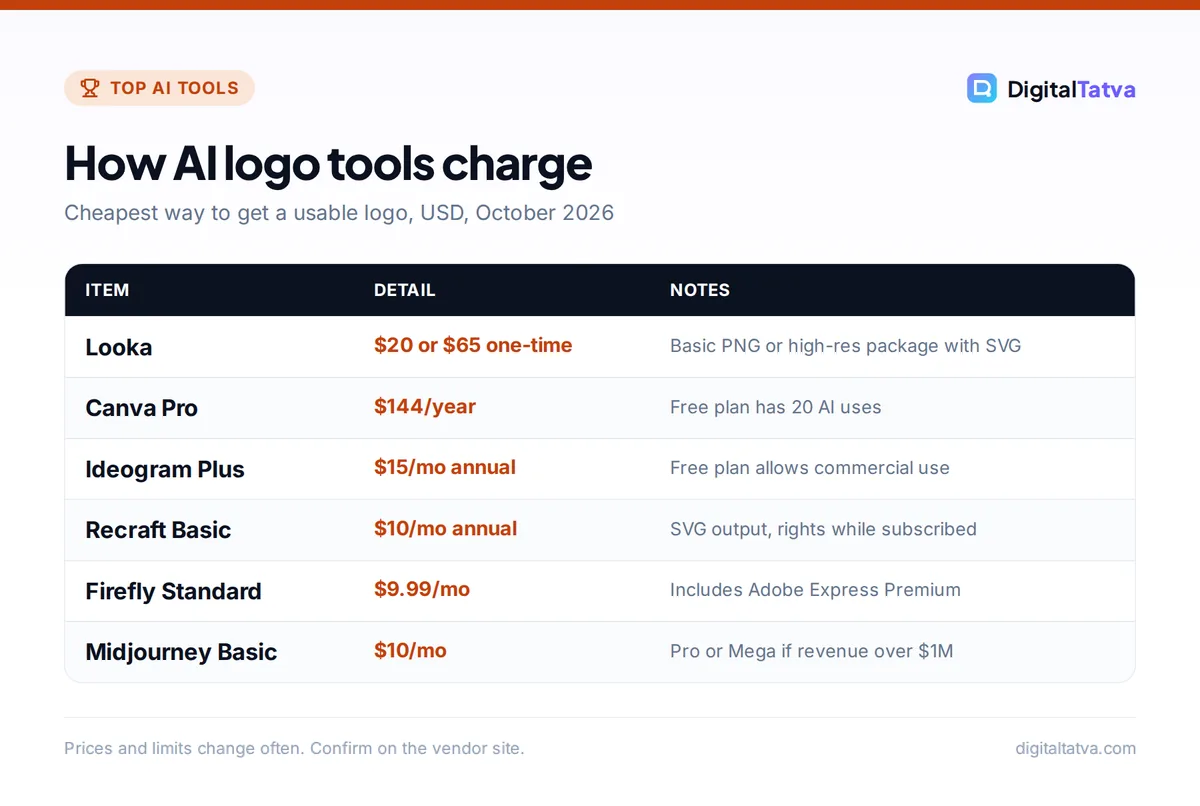
Prices are the cheapest way to get a usable logo file, in USD. Some tools charge once per logo, others a monthly subscription, so read the price column carefully.
| Tool | Best for | Starting price | Free option |
|---|---|---|---|
| Looka | Best overall logo maker | $20 one-time (basic PNG), $65 high-res | Free to design |
| Canva | Free logo plus brand materials | $144/year (Pro) | Yes, 20 AI uses |
| Ideogram | Logos with text and lettering | $15/month annual, $20 monthly | Yes, commercial use allowed |
| Recraft | Vector (SVG) logos and icons | $10/month annual, $12 monthly | Yes, public images |
| Adobe Express and Firefly | Commercially safe AI output | $9.99/month (Firefly Standard) | Yes |
| Brandmark | One-time payment with full copyright | One-time, check site | Free to design |
| Wix Logo Maker | Logo plus a Wix website | One-time plans, check site | Free to design |
| ChatGPT | Brainstorming logo concepts | $20/month (Plus) | Yes, limited images |
| Midjourney | Artistic marks and mascots | $10/month (Basic) | No |
| Tailor Brands | Logo bundled with business setup | Bundled plans from $249/year | Free to design |
Two kinds of AI logo tools
Logo makers (Looka, Brandmark, Wix, Tailor Brands) ask for your business name, industry and style, then generate dozens of ready-to-use logos built from icons and fonts. They are fast, produce clean files and include brand kits, but designs can look generic.
AI image generators (Ideogram, Recraft, Firefly, ChatGPT, Midjourney) create a logo from a text prompt. They give more original concepts, but you may need to clean up the result, convert it to vector and check that the text is spelled correctly. Many businesses use both: an image generator for ideas, then a logo maker or designer for the final files. Our list of the best AI image generators covers these tools in more depth.
The 10 best AI logo generators
1. Looka: Best AI logo generator overall
- Starting price: Basic logo package $20 one-time; high-resolution package $65 (prices from Looka’s blog, check current rates)
- Free option: Free to design and preview
- Best for: Small businesses and startups that want a complete logo quickly
Looka asks about your industry, colors and style, then generates logo options you can edit. The Basic package gives one low-resolution PNG, while the Premium package includes high-resolution PNG, EPS, SVG and PDF files in multiple color variations with transparent backgrounds, plus unlimited changes after purchase.
The Brand Kit subscription (billed annually) adds social media assets, business cards, email signatures, letterheads, invoices and brand guidelines. Looka states you keep “full ownership of your logo, even after your subscription ends”. Its pricing page did not show prices when we checked, so the figures above come from Looka’s own 2025 blog post.
Skip it if: you need a truly unique mark; template-based logos can resemble others in your industry.
2. Canva: Best free logo maker with brand materials
- Starting price: Pro US$144/year (Rs 4,000/year in India; Pro Lite Rs 1,590/year)
- Free option: Yes, up to 20 AI uses
- Best for: Owners who also need social posts, flyers and business cards
Canva combines thousands of logo templates with AI tools such as its photo and shape generators, Magic Write and Magic Resize. You can design a logo, then reuse the same fonts and colors across every marketing asset. Pro adds 10x more AI than Free, 5 Brand Kits and 100 GB of storage.
Canva’s AI Product Terms say you own your output, except where it incorporates Canva’s licensed content, and warn that “outputs may not be unique”. Logos built from stock template elements may also have restrictions, so customize heavily. Our Canva pricing guide and Canva Magic Studio review go deeper.
Skip it if: you plan to trademark the logo and want an entirely original design.
3. Ideogram: Best for logos with text
- Starting price: Plus $15/month billed annually ($180/year), $20 monthly
- Free option: Yes, slow generations, commercial use allowed
- Best for: Wordmarks, lettering, badges and logos that include your business name
Most image generators mangle text. Ideogram is built to render words accurately, which matters for wordmarks and logos that include a tagline. Its free plan allows commercial use (“free to use them for any purpose, including commercial use”), but images are not private.
Plus adds 1,000 priority credits a month, unlimited slow generations and private generation. Pro costs $42 a month annually for 3,500 credits, and a Team plan starts at $20 per user a month annually. You will still want to recreate the final design as a vector for print.
Skip it if: you need ready-made brand kits and file packages.
4. Recraft: Best for vector logos and icons
- Starting price: Basic $10/month annual ($120/year) or $12 monthly, 1,000 credits
- Free option: Yes, limited credits, images are public
- Best for: Businesses that need SVG files for print, signage and merchandise
Recraft’s models generate both raster images and SVG vectors, and its Vectorize tool converts an existing PNG or JPG into an editable SVG. That solves the biggest problem with AI logos: printers and sign makers need scalable vector files, not pixels.
All paid plans include private generation and commercial usage rights “while subscribed”, so keep your subscription active while you rely on new generations, and download your final files. Free plan images are public and may appear in Recraft’s community gallery.
Skip it if: you want a guided logo wizard rather than a design tool.
5. Adobe Express and Firefly: Best for commercially safe AI output
- Starting price: Firefly Standard $9.99/month (2,000 credits, includes Adobe Express Premium)
- Free option: Yes, Adobe Express free plan and free daily Firefly generations
- Best for: Brands that care about licensing and already use Adobe
Adobe Express has a free AI logo generator: type a description, generate options in seconds, refine in the editor and download a transparent PNG. Firefly Standard includes Adobe Express Premium, Photoshop on web and mobile, and Adobe Fonts.
Adobe says outputs from its own Firefly models are “safe for commercial use” because they are trained on licensed and public domain content, though partner models may have different terms. Our Canva vs Adobe Firefly comparison explains which suits marketers better.
Skip it if: you want a logo in two minutes with no design decisions.
6. Brandmark: Best one-time purchase with full copyright
- Starting price: One-time packages (prices not shown when we checked)
- Free option: Free to design and preview
- Best for: Owners who want to pay once and own the result
Brandmark generates logos with AI and sells them as one-time packages: “Pay once, get access to our branding tools forever.” Exports include SVG, PNG and PDF, and Brandmark states “Full copyright included” for commercial and personal use.
The pricing page would not load when we checked, so confirm package prices on Brandmark’s site. It also offers free tools such as Logo Rank for scoring a design.
Skip it if: you want ongoing brand asset templates.
7. Wix Logo Maker: Best if you are building a Wix site
- Starting price: One-time “Just Logo” plans (price shown in the Logo Maker)
- Free option: Free to design
- Best for: Businesses launching a Wix website at the same time
Wix’s Logo Maker generates logos from a short questionnaire. The Basic plan gives 8 PNG files at 3000 x 3000 pixels with full commercial usage rights, and Advanced adds resizable SVG vector files, social media files, an email signature and app store logos. Bundles add a Wix website plan.
That is convenient if you also need a site; our guide to the best AI website builders compares Wix with other options.
Skip it if: you need print-ready vectors on the cheapest plan; Basic is PNG only.
8. ChatGPT: Best for brainstorming logo concepts
- Starting price: Plus $20/month for more complex image creation
- Free option: Yes, limited image creation
- Best for: Exploring ideas, styles and color directions before committing
ChatGPT’s image generation is good at following detailed instructions and refining an idea through conversation (“make the icon simpler, use blue and green, remove the gradient”). That makes it a fast way to test ten directions in an evening.
Output is a raster image, so you will need to vectorize and clean it up for real use. Our Midjourney vs ChatGPT image comparison shows where each is stronger, and ChatGPT pricing explains the plans.
Skip it if: you need finished, print-ready files today.
9. Midjourney: Best for artistic marks and mascots
- Starting price: Basic $10/month or $96/year
- Free option: No free trial listed
- Best for: Illustrated mascots, emblems and distinctive visual identities
Midjourney V8.2 produces striking, stylized images, which suits illustrated logos, mascots and badges. Use simple prompts and parameters such as --no to remove unwanted detail; our guides on how to use Midjourney and 50 Midjourney prompts help.
Watch the terms: companies with more than $1M in annual revenue must use Pro or Mega, and only those plans include Stealth mode, so images on Basic and Standard are visible to others. See Midjourney pricing for every tier.
Skip it if: you need clean, minimal marks or accurate text.
10. Tailor Brands: Best logo bundled with business setup
- Starting price: Logos included in bundled plans such as LLC Elite at $249/year plus state fees
- Free option: Free to design
- Best for: US founders forming a company who want branding in the same package
Tailor Brands combines an AI logo maker with business services such as LLC formation, a website and online store builder, and a digital business card. Its LLC Elite plan lists “8 free logos” alongside a free domain for a year.
Standalone logo prices were not shown on the page we checked, so compare carefully if you only want a logo.
Skip it if: you are outside the US or do not need business formation.
How to create a logo with AI, step by step
- Write a short brief. Business name, what you do, who your customers are, three words for the feel (for example “trustworthy, local, modern”) and colors to use or avoid.
- Explore concepts. Generate 20 to 30 options in ChatGPT, Ideogram or Midjourney, or let Looka or Brandmark suggest designs.
- Shortlist three. Pick designs that are simple, readable at small sizes and work in one color.
- Test in real places. Mock them up as a website header, social profile picture, invoice and shop sign. Ask a few customers which feels right.
- Get proper files. Buy the high-resolution package, or convert your final design to SVG with Recraft’s Vectorize tool or a designer.
- Check before you register. Search your country’s trademark database and run a reverse image search for similar logos.
Tip: A logo must work at 32 pixels wide as a favicon and in black and white on a receipt. If yours does not, simplify it before you pay for files.
Ownership, copyright and trademark: what to check
This is where many small businesses get caught out. A logo you cannot protect is a weak brand asset.
- Read the license. Looka, Brandmark and Wix state full ownership or commercial rights for purchased logos. Recraft grants commercial rights while you subscribe, and Midjourney requires Pro or Mega for larger companies.
- Uniqueness is not guaranteed. Canva’s AI terms note that other users may receive similar outputs, and template logo makers reuse icons and fonts.
- Copyright in purely AI-generated art may be limited. In many countries, protection depends on human creative input. Editing and refining the design yourself, or with a designer, strengthens your position.
- Trademark is separate from copyright. Registering a trademark protects your brand in your market. Speak to a trademark attorney before investing in signage and packaging.
Watch out: Never prompt an AI to make a logo “like” a famous brand. Close copies can infringe trademarks, and a dispute after launch costs far more than designing something original.
Pricing notes: one-time vs subscription
Logo makers such as Looka, Brandmark and Wix let you pay once for files, which is cheapest if you only need a logo. Subscriptions (Canva, Ideogram, Recraft, Firefly, Midjourney) make sense if you will keep creating marketing visuals every month. A common budget path is to brainstorm on free tiers, buy a one-time high-resolution package, and use Canva Free for everyday graphics. Our guide to cheaper Midjourney alternatives lists more low-cost image tools, and AI for small business on a budget shows where else AI can save you money.
Frequently asked questions
What is the best AI logo generator?
Looka is the best AI logo generator for most small businesses because it turns a short questionnaire into editable logos, sells one-time file packages and offers a Brand Kit with full ownership after you cancel. Canva is the best free option, Ideogram is best for logos with text, and Recraft is best when you need vector SVG files for print.
Can I use an AI-generated logo for my business?
Usually yes, if the tool’s license allows commercial use. Looka, Brandmark and Wix grant ownership or commercial rights for purchased logos, Ideogram’s free plan allows commercial use, and Recraft’s paid plans include commercial rights while subscribed. Check each tool’s terms, avoid copying famous brands, and keep records of how you created and edited the design.
Is there a free AI logo generator?
Yes. Canva Free includes up to 20 AI uses and logo templates, Adobe Express has a free AI logo generator that exports a transparent PNG, and Ideogram’s free plan allows commercial use. Looka, Brandmark and Wix let you design for free and pay only when you download high-quality files.
Can I trademark an AI logo?
Often you can register a logo as a trademark if it is distinctive and not confusingly similar to existing marks, but copyright protection for purely AI-generated art may be limited in many countries. Adding your own creative edits helps. Search your national trademark database and talk to a trademark attorney before registering or printing.
How much does an AI logo cost in India?
Canva lists rupee pricing, with Pro at Rs 4,000 a year and Pro Lite at Rs 1,590 a year. Most dedicated logo makers, such as Looka and Brandmark, charge in USD, so you pay their price plus your card’s foreign exchange markup. Free tools like Canva Free and Adobe Express can produce a starter logo at no cost.
Our verdict: the best AI logo generator for you
Choose Looka if you want a complete, usable logo and brand kit with the least effort, and Canva if you also need social posts and print materials on a budget. Use Ideogram for wordmarks, Recraft for vector files, Adobe Firefly when licensing matters, and ChatGPT or Midjourney to explore bold ideas before you finalize. Whatever you pick, keep the design simple, test it in real places, and check trademarks before you print. Prices and license terms change, so confirm current details on each vendor’s site before you buy.
Pricing and features are checked at the time of writing and can change. Some links may be affiliate links, which never affect our verdicts.