50 Midjourney Prompts With Styles and Parameters
50 copy-ready Midjourney prompts for V8.2, from product shots and portraits to logos, social posts, interiors and seamless patterns, with the parameters that work.

On this page
- Key takeaways
- The Midjourney prompt formula
- Midjourney parameters cheat sheet for V8.2
- Photography prompts (1 to 8)
- Product and ecommerce prompts (9 to 16)
- Portrait and character prompts (17 to 22)
- Illustration and art style prompts (23 to 29)
- Logo and branding prompts (30 to 35)
- Social media and marketing prompts (36 to 41)
- Architecture and interior prompts (42 to 46)
- Pattern and texture prompts (47 to 50)
- How to customize these prompts
- Common Midjourney prompt mistakes
- Frequently asked questions
- Next steps: build your own Midjourney prompt library
The best Midjourney prompts describe a subject, setting, style, lighting and camera in one clear sentence, then add a few parameters such as --ar for shape and --stylize for how artistic the result looks. Below are 50 copy-ready Midjourney prompts for the current V8.2 model, grouped by use case, with the parameters that make each one work.
Every prompt uses only parameters that Midjourney’s documentation lists as working in V8.1 and V8.2 (as of October 2026). Swap the bracketed details for your own product, brand or subject and you have a starting point for photography, product shots, illustrations, logos, social posts, interiors and seamless patterns.
Key takeaways
- Use the formula: subject + setting + style or medium + lighting and mood + camera or composition + parameters.
- V8.2 understands natural sentences. Specific nouns and adjectives beat keyword lists like “8k, masterpiece”.
- Add
--rawand a low--stylizefor accurate product and real-estate images; raise--stylizefor artistic work. - Avoid old parameters that V8.1 and V8.2 do not support:
--quality,::multi-prompts,--orefand Turbo mode. - Test new prompts in Draft or Relax mode to save fast GPU hours.
The Midjourney prompt formula
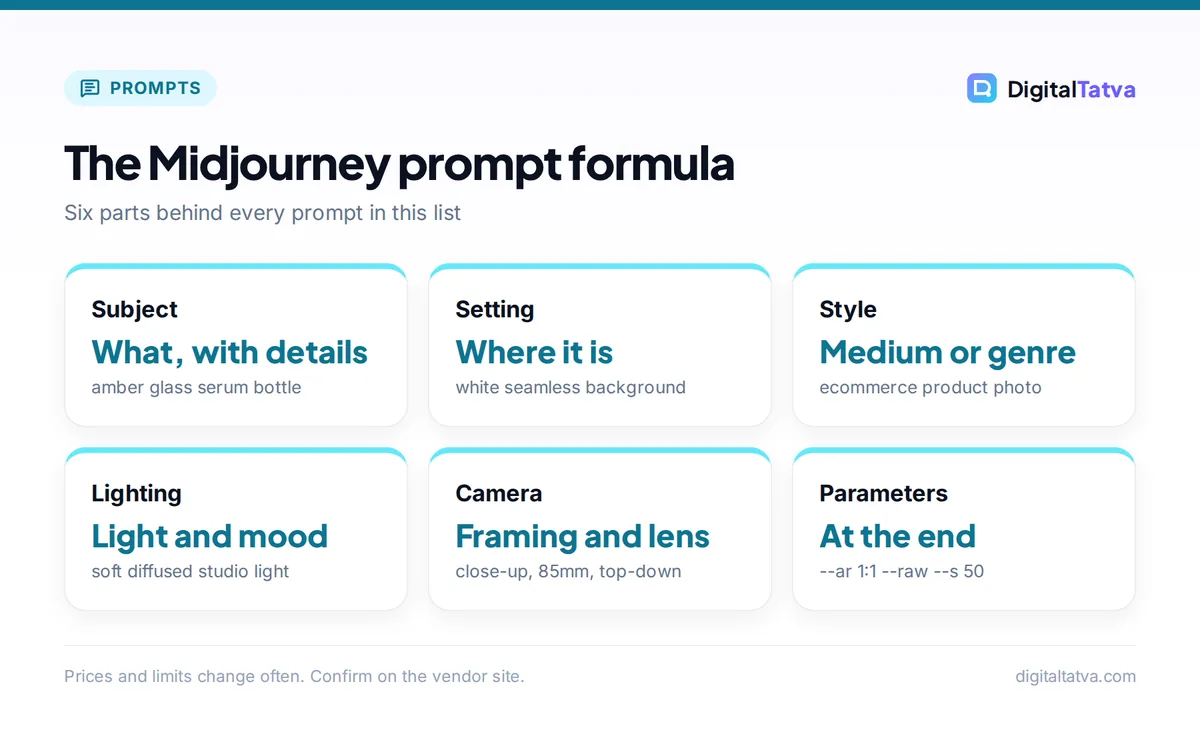
Almost every strong prompt in this list follows the same six-part structure. Use it as a checklist when you write your own.
- Subject: the main thing, with concrete details (material, color, age, pose).
- Setting: where it is and what surrounds it.
- Style or medium: photograph, watercolor, flat vector, 3D render, linocut, film still.
- Lighting and mood: golden hour, soft overcast, neon, high-key studio, moody.
- Camera or composition: close-up, wide shot, top-down, 85mm portrait, symmetrical.
- Parameters: aspect ratio, stylize, chaos, raw and exclusions, always at the end.
If you are new to the interface, read our step-by-step guide on how to use Midjourney first. For prompt principles that work across every AI tool, see our prompt engineering guide.
Midjourney parameters cheat sheet for V8.2
These are the parameters used in the prompts below. Ranges and defaults come from the official Midjourney parameter list.
| Parameter | Effect | Range or default | When to use it |
|---|---|---|---|
--ar W:H |
Aspect ratio | Default 1:1, whole numbers only | 4:5 for Instagram feed, 9:16 for Stories and Reels, 16:9 for YouTube and web banners |
--s |
Stylize: strength of Midjourney’s aesthetic | 0 to 1000, default 100 | 50 for realism, 250 to 600 for artistic looks |
--c |
Chaos: variety across the four images | 0 to 100, default 0 | 20 to 50 when brainstorming |
--w |
Weird: unusual, quirky results | 0 to 3000, default 0 | 100 to 500 for surreal concepts |
--raw |
Turns off default styling | On or off | Products, mockups, documentary photos |
--no |
Excludes elements | Comma separated words | Removing text, people or clutter |
--tile |
Seamless repeating pattern | On or off | Textures, fabric, wallpaper |
--sref |
Style reference (URL, code or random) | Weight --sw 0 to 1000, default 100 |
Matching a brand look |
--seed |
Repeatable starting point | 0 to 4294967295 | Testing small prompt changes |
Watch out: Many prompt lists online were written for V5 to V7 and include --quality, :: weights or --oref. Those do not work in V8.1 or V8.2. Remove them, or the prompt may fail or behave unexpectedly.
Photography prompts (1 to 8)
These prompts produce realistic, editorial-style photographs. Keep --s low and add --raw when you want the image to look like a real photo rather than an illustration.
- 1. Street portrait:
candid street portrait of a chai seller in Old Delhi at dawn, steam rising from brass kettles, soft blue morning light, documentary photography, 50mm lens --ar 4:5 --s 75 --raw - 2. Golden hour landscape:
rolling tea plantations in Munnar at golden hour, mist in the valleys, a single worker walking a narrow path, wide landscape photograph, long shadows --ar 16:9 --s 100 - 3. Food overhead:
top-down photo of a South Indian breakfast thali on a banana leaf, dosa, idli, three chutneys, natural window light, food magazine styling --ar 1:1 --raw --s 50 - 4. Moody interior:
quiet bookshop at night lit only by warm desk lamps, rain on the front window, a cat asleep on a stack of books, cinematic photograph --ar 3:2 --s 150 - 5. Sports action:
cricket fast bowler mid-delivery, dust kicking up from the crease, stadium floodlights, frozen motion, sports photography, telephoto lens --ar 16:9 --raw - 6. Macro nature:
macro photo of dew drops on a spider web at sunrise, each drop reflecting the sky, shallow depth of field, soft bokeh background --ar 4:5 --s 100 - 7. Travel hero image:
colorful houseboats on the backwaters of Kerala at sunset, palm reflections on still water, travel brochure photograph --ar 16:9 --s 120 --no text - 8. Black and white portrait:
black and white portrait of an elderly fisherman with deep wrinkles, harsh side light, high contrast, fine grain film photography --ar 2:3 --raw
Product and ecommerce prompts (9 to 16)
Product prompts work best with --raw, simple backgrounds and clear lighting directions. Use the Edit Model with a photo of your real product as a reference to keep it accurate. Our guide to AI for ecommerce shows where these images fit in a store.
- 9. Clean studio packshot:
[amber glass serum bottle] on a white seamless background, soft diffused studio lighting, subtle reflection below, ecommerce product photo --ar 1:1 --raw --s 50 --no text - 10. Lifestyle flat lay:
flat lay of [handmade soy candles] with dried flowers, linen cloth and a matchbox on a pale oak table, soft morning light, lifestyle product photography --ar 4:5 --raw - 11. Splash shot:
[cold brew coffee can] bursting through a splash of coffee and ice cubes, dark background, rim lighting, high-speed commercial photography --ar 4:5 --s 150 - 12. Podium display:
[wireless earbuds] on a pastel stone podium, geometric shapes, soft shadows, minimal 3D product render --ar 1:1 --s 100 --no text - 13. Fashion catalog:
model wearing [an indigo block-print cotton kurta] standing against a terracotta wall, natural daylight, full-length fashion catalog photo --ar 2:3 --raw - 14. Jewelry close-up:
close-up of [a gold filigree jhumka earring] on dark velvet, sparkling highlights, macro jewelry photography --ar 4:5 --raw --s 75 - 15. Seasonal campaign:
[gift box of artisan chocolates] surrounded by diyas and marigold petals, warm festive glow, Diwali campaign photography --ar 4:5 --s 150 --no text - 16. Kitchen in-use shot:
hands pouring olive oil from [a ceramic bottle] onto a salad in a sunlit kitchen, motion blur on the pour, lifestyle advertising photo --ar 16:9 --raw
Tip: Add --no text to product prompts. Midjourney sometimes invents fake labels and lettering, and it is easier to add your real branding later in Canva or Photoshop.
Portrait and character prompts (17 to 22)
- 17. Professional headshot style:
professional headshot of a confident woman in a navy blazer, soft neutral grey background, even studio lighting, corporate photography --ar 4:5 --raw --s 50 - 18. Fantasy hero:
young warrior princess in ornate bronze armor standing on a cliff edge, wind in her hair, stormy sky, epic fantasy painting --ar 2:3 --s 400 - 19. 3D animated character:
cheerful 3D animated character of a little robot gardener watering plants, big expressive eyes, soft colorful lighting, family animation film style --ar 1:1 --s 250 - 20. Renaissance pet portrait:
regal Renaissance oil portrait of a golden retriever wearing a velvet cloak and lace collar, dark background, museum painting --ar 4:5 --s 300 - 21. Cyberpunk character:
cyberpunk courier on a motorbike in a rain-soaked Mumbai street, neon signs reflecting in puddles, cinematic film still --ar 16:9 --s 250 --c 20 - 22. Consistent mascot:
friendly cartoon mascot of an owl wearing round glasses and an orange scarf, simple shapes, clean outlines, front view, character sheet --ar 3:2 --s 150
For a consistent character across many images, generate prompt 22 once, then use the best result as a reference image in the Edit Model (it accepts up to four references) instead of re-describing the mascot every time.
Illustration and art style prompts (23 to 29)
Higher --stylize values push Midjourney’s own artistic taste. Try --c between 20 and 40 when you want four very different interpretations.
- 23. Watercolor:
loose watercolor illustration of a Kolkata tram on a rainy street, soft washes of color, white paper showing through --ar 3:2 --s 300 - 24. Flat vector:
flat vector illustration of a remote worker at a laptop with plants and a coffee mug, limited palette of navy and orange, clean shapes --ar 16:9 --s 100 --no text - 25. Linocut print:
linocut print of a heron standing in reeds, bold black lines, cream paper texture, two-color print --ar 4:5 --s 200 - 26. Children’s book:
whimsical children's book illustration of a tiger cub reading under a banyan tree, soft gouache textures, gentle colors --ar 3:2 --s 350 - 27. Isometric scene:
isometric 3D illustration of a tiny coworking office with desks, plants and a coffee bar, soft pastel colors, clean render --ar 1:1 --s 150 - 28. Surreal concept art:
a giant teacup floating above the clouds with a waterfall pouring out, tiny boats sailing inside, surreal dreamlike painting --ar 16:9 --s 500 --w 300 - 29. Indian miniature style:
Mughal miniature painting style scene of a modern startup team in a palace garden, intricate borders, rich gold and lapis blue --ar 2:3 --s 400
Logo and branding prompts (30 to 35)
Midjourney is excellent for logo concepts and brand imagery, but treat results as starting points. Recreate final logos as vectors, and check that your concept does not resemble an existing trademark.
- 30. Minimal emblem:
minimal flat logo emblem of a mountain and rising sun inside a circle, single line weight, navy on white background, vector style --ar 1:1 --s 50 --no text, gradients - 31. Mascot logo:
playful mascot logo of a fox holding a paintbrush, bold outlines, orange and cream, sticker style, white background --ar 1:1 --s 100 - 32. Monogram:
elegant monogram of interlocking letters D and T, gold foil on deep green, luxury branding --ar 1:1 --raw - 33. Brand pattern:
abstract brand pattern of overlapping circles and waves in navy, orange and white, modern corporate style --ar 16:9 --s 150 - 34. Mockup scene:
stationery mockup with business cards, letterhead and envelope on a concrete surface, soft shadows, blank surfaces ready for branding --ar 3:2 --raw --no text - 35. App icon:
rounded square app icon of a paper plane with a soft gradient from orange to coral, glossy 3D style, centered --ar 1:1 --s 100 --no text
Social media and marketing prompts (36 to 41)
Social images need empty space for headlines and the right aspect ratio for the platform. Pair these with copy from our ChatGPT prompts for marketing, and schedule them with one of the best AI social media tools.
- 36. Instagram background with space:
pastel peach background with soft paper texture and a few dried flowers in the bottom corner, large empty space for text, minimal --ar 4:5 --s 75 --no text - 37. YouTube thumbnail scene:
excited young man pointing at a glowing laptop screen, bright studio lighting, bold saturated colors, shallow depth of field, room on the right for a headline --ar 16:9 --raw - 38. Story backdrop:
vertical gradient of sunrise colors with floating abstract 3D shapes, clean and modern --ar 9:16 --s 150 --no text - 39. Blog header:
conceptual illustration of a person climbing a staircase made of books toward a lightbulb, flat editorial style, navy and orange --ar 16:9 --s 150 --no text - 40. Event promo:
rooftop networking event at dusk with string lights and city skyline, people chatting in small groups, warm candid photography --ar 4:5 --s 100 - 41. Testimonial background:
soft-focus modern office with plants and natural light, blurred background, calm and professional, space in the center for a quote --ar 1:1 --raw --s 50
Save money: Explore social concepts with --draft in V8.1, which costs 0.4 GPU minutes for 24 small images. Only render the winners at full quality in V8.2. This stretches the Basic plan’s 200 fast minutes much further; see our Midjourney pricing guide for how fast hours work.
Architecture and interior prompts (42 to 46)
These are useful for real-estate marketing, interior design mood boards and concept pitches. Our guide to AI tools for real estate agents covers the rules for using AI images in listings honestly.
- 42. Modern living room:
bright modern living room with a low linen sofa, terrazzo floor, large windows onto a garden, Scandinavian interior design photography --ar 3:2 --raw --s 75 - 43. Indian courtyard home:
contemporary Indian courtyard home with jaali screens, a central tree and brick walls, afternoon light, architectural photography --ar 16:9 --raw - 44. Cafe concept:
cozy specialty coffee shop interior with exposed brick, hanging plants and warm pendant lights, morning crowd, interior design render --ar 4:5 --s 150 - 45. Futuristic building:
futuristic eco skyscraper covered in vertical gardens, solar panels, sunset sky, architectural concept visualization --ar 2:3 --s 300 - 46. Bedroom mood board:
calm bedroom in sage green and natural wood, rattan headboard, soft morning light through sheer curtains, interior styling photo --ar 4:5 --raw
Pattern and texture prompts (47 to 50)
The --tile parameter creates seamless patterns for packaging, fabric, wallpaper and website backgrounds.
- 47. Block print pattern:
traditional Indian block print pattern of paisleys and small flowers, indigo on off-white cotton --tile --s 150 - 48. Terrazzo texture:
terrazzo texture with chips of orange, navy and cream on white --tile --s 50 - 49. Botanical wallpaper:
lush tropical leaves and birds of paradise, vintage botanical illustration wallpaper --tile --s 250 - 50. Abstract tech background:
subtle abstract pattern of thin glowing lines and dots on deep navy, modern tech background --tile --s 100
How to customize these prompts
- Swap the subject first. Replace the bracketed product or person with yours and keep the rest. The style, lighting and parameters usually transfer well.
- Change one thing per rerun. Adjust only lighting, or only stylize, so you learn what each change does. Use
--seedwith the same number to keep the base composition stable while testing. - Add a style reference for brand consistency. Drop one of your best images into the Imagine bar as a Style Reference, or try
--sref randomto discover new looks and save the codes you like. - Apply your Personalization. Once your profile is unlocked, add
--p. Your--svalue controls how strongly it is applied. - Use Niji 7 for anime. For anime and manga styles, switch to the Niji 7 model in settings. Note that Niji is not compatible with V8 generations.
Common Midjourney prompt mistakes
- Using decimals in aspect ratios. Write
--ar 139:100, never--ar 1.39:1. - Stacking contradictory styles. “Photorealistic watercolor anime 3D render” confuses the model. Pick one medium.
- Negative phrasing in the main prompt. Writing “no people” inside the sentence can backfire, because the model may latch onto the word “people”. Use
--no peopleinstead. - Expecting perfect text. Short words can work, but for headlines and labels add text later in a design tool. If text matters, consider tools in our list of Midjourney alternatives such as Ideogram.
- Overloading with filler words. “Ultra detailed, 8k, masterpiece, trending” adds length but little control in V8.
Want prompts for other jobs? Try our 60 AI prompts for small business owners, and if you plan to animate these images, follow our guide on how to make an AI video from text.
Frequently asked questions
What is the best prompt format for Midjourney?
Write one clear sentence covering the subject, setting, style or medium, lighting and camera angle, then add parameters at the end. For example: “ceramic mug on a wooden table by a rainy window, soft morning light, editorial product photo –ar 4:5 –raw”. Specific nouns and adjectives give better control than long keyword lists.
Do old Midjourney prompts still work in V8?
Most of the descriptive text still works, but some parameters do not. Midjourney’s version notes say V8.1 and V8.2 do not support --quality, multi-prompting with double colons, Omni Reference (--oref) or Turbo mode. Remove those from older prompts, and replace character references with the new Edit Model.
What does –stylize do in Midjourney?
The --stylize parameter (or --s) controls how strongly Midjourney applies its own aesthetic and your Personalization profile. The range is 0 to 1000 and the default is 100. Low values such as 50 stay close to your words and look more realistic, while high values such as 500 look more artistic and creative.
Can I use these Midjourney prompts for commercial work?
Yes. You can use the prompts freely, and images made on any paid Midjourney plan come with its General Commercial Terms. Companies earning more than $1 million a year must be on Pro or Mega. Always check that logos and characters you create do not copy existing trademarks before using them in a business.
How do I keep the same character across Midjourney images?
Generate one strong image of the character, then use it as a reference in Midjourney’s Edit Model, which accepts up to four reference images in V8.1 and V8.2. Keep the description of clothing and colors identical in each prompt, and use the same style reference or Moodboard so every image shares one look.
Next steps: build your own Midjourney prompt library
Pick the five prompts above closest to your work, swap in your subjects, and save every version that works along with its parameters. Within a week you will have a reusable prompt library for your brand. If you are still deciding whether Midjourney is worth the subscription, read our Midjourney review or compare options in our list of the best AI image generators. Midjourney’s plans, models and supported parameters change regularly, so confirm the current details on the official Midjourney site before you subscribe.
Pricing and features are checked at the time of writing and can change. Some links may be affiliate links, which never affect our verdicts.