How to Make an AI Video From Text in 30 Minutes
A 30 minute workflow to make an AI video from text: script with a chatbot, AI voiceover, key frames, animated clips and captions, with tools and real costs.

On this page
- Key takeaways
- What you need before you start
- Choose your AI video type
- How to make an AI video from text: step by step
- How much it costs to make one AI video
- Common mistakes that waste time and credits
- Advanced tips for better AI videos
- Which tool should you use for each type of video?
- Frequently asked questions
- Next steps: make your first AI video today
To make an AI video from text in about 30 minutes, write a short script with an AI chatbot, turn it into a voiceover, generate a handful of five-second clips (or an AI avatar) from your script, and assemble everything with captions in a simple editor. You can do the whole thing on free plans for a test, and for under $30 a month once you want clean, watermark-free exports.
This guide walks you through the exact workflow we recommend for a 30 to 60 second marketing or social video in October 2026, including which tools to use at each step, how long each step takes, and the mistakes that waste time and credits.
Key takeaways
- Decide the video type first: a talking AI avatar, cinematic B-roll with voiceover, or a faceless image slideshow. Each needs different tools.
- Script first, visuals second. A 45 second video needs only about 110 to 130 words of narration and six to nine shots.
- Generate a still image for each shot, then animate it. Image to video gives far more control than text alone and cuts wasted retries.
- OpenAI’s Sora is no longer available: the app shut down in April 2026 and the API in September 2026. Use Runway, Google Veo, Kling or Midjourney video instead.
- Free plans are fine for practice, but most add watermarks or block commercial use, so budget for one paid tool before you publish client work.
What you need before you start
You need four things: a script tool, a voice tool, a visual generator and an editor. Some all-in-one tools cover two or three of these, but mixing specialists usually gives better results.
| Job | Good options | Free option | Paid starting point |
|---|---|---|---|
| Script | ChatGPT, Claude, Gemini | Free plans on all three | Not required |
| Voiceover | ElevenLabs | 10k credits a month (about 10 minutes), no commercial license | Starter $6/mo with commercial license |
| Cinematic clips | Runway, Google Veo, Kling, Midjourney video | Runway 125 one-time credits | Runway Standard $15/mo, Google AI Pro $19.99/mo |
| AI avatar presenter | HeyGen, Synthesia | HeyGen 3 videos a month up to 1 minute (watermarked); Synthesia up to 10 minutes a month | HeyGen Creator $29/mo, Synthesia Starter $29/mo |
| Editing and captions | Descript, CapCut, Canva | Descript Free (720p, watermark), Canva Free | Varies, check vendor pages |
For a deeper comparison of the generators themselves, see our ranking of the 10 best AI video generators. If you have a budget of zero, our list of the best free AI tools covers the most generous free tiers.
Note: Sora is no longer an option. OpenAI announced the discontinuation in March 2026, closed the Sora web and app experiences on 26 April 2026, and ended the Sora API on 24 September 2026, according to OpenAI’s Sora discontinuation notice. Older tutorials that start with Sora will not work.
Choose your AI video type
The biggest time saver is picking the right format before you open any tool. Here are the three formats that work well in 30 minutes.
1. Talking avatar video
An AI presenter reads your script on camera. This is the fastest route for explainers, training clips, product walkthroughs and sales videos. You paste the script, pick an avatar and voice, and the tool renders it. HeyGen and Synthesia lead here; our Synthesia vs HeyGen comparison explains which suits marketing and which suits training.
2. Cinematic B-roll with voiceover
You generate short, film-like clips (a coffee being poured, a city at dusk, a product on a desk) and lay a voiceover on top. This is best for ads, brand stories and Reels. It takes more effort but looks far more premium. Runway, Google Veo, Kling and Midjourney’s video feature are the main tools.
3. Faceless image slideshow
You generate still images, add gentle motion (pans and zooms) in an editor, and narrate over them. It is the cheapest and most reliable format, popular for YouTube Shorts, listicles and educational content.
This guide follows format 2, the cinematic route, because it covers every step. If you choose an avatar, skip steps 4 and 5 and render inside HeyGen or Synthesia.
How to make an AI video from text: step by step
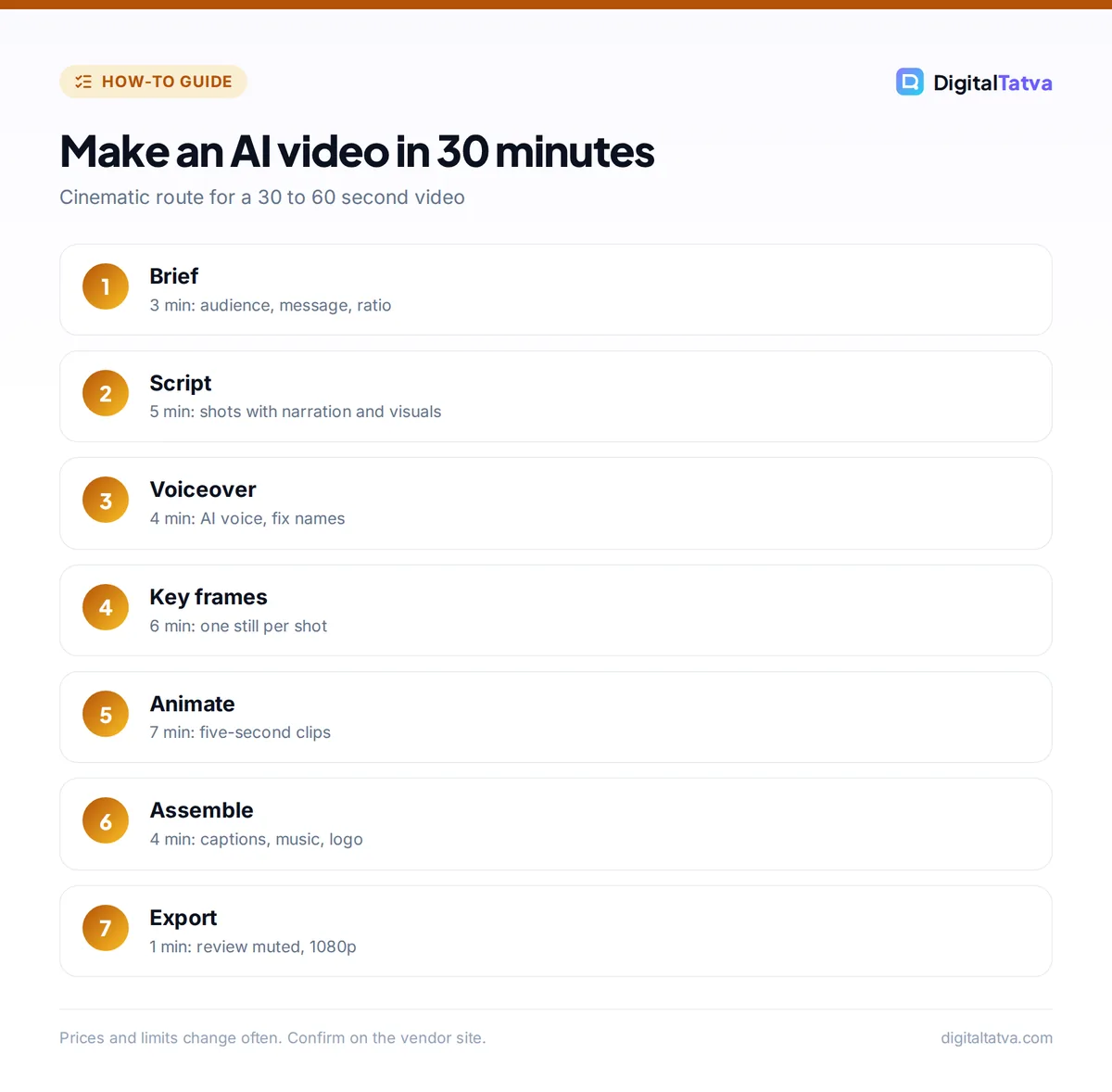
Here is the 30 minute workflow. Times assume a 30 to 60 second video and that you have accounts set up already.
- Define the brief (3 minutes). Write one sentence each for: the audience, the single message, the call to action, the platform and the aspect ratio. Vertical 9:16 suits Reels, Shorts and TikTok; 16:9 suits YouTube and websites. Decide the length now. A 45 second video at a natural speaking pace needs roughly 110 to 130 words.
- Write the script with AI (5 minutes). Open ChatGPT, Claude or Gemini and give it your brief. Ask for a script split into numbered shots, each with one line of narration and one line of visual description. Example prompt: “Write a 45 second video script for Instagram Reels promoting a handmade soy candle brand to working women in Mumbai. Split it into 7 shots. For each shot give: narration (max 18 words), visual description (camera angle, subject, lighting, motion). End with a call to visit our website.” Edit the narration out loud until it sounds like a person talking. Our ChatGPT prompts for marketing include more script and hook prompts.
- Record the voiceover (4 minutes). Paste the full narration into an AI voice tool such as ElevenLabs, pick a voice, and generate. Listen once, fix any mispronounced brand names by spelling them phonetically, and regenerate only that line. Export as MP3 or WAV. Pricing details are in our ElevenLabs pricing guide, and if you want the video in your own voice, follow how to clone your voice with ElevenLabs safely.
- Create a key frame for each shot (6 minutes). Turn each visual description into a still image using Midjourney, Gemini, ChatGPT, Runway’s Gen-4 Image or another image tool. Keep the same style words in every prompt (for example “warm golden light, shallow depth of field, 35mm film look”) so the shots match. Generate in the same aspect ratio as your final video. Our guide on how to use Midjourney explains aspect ratios and style references if you go that route.
- Animate the frames into clips (7 minutes). Upload each still to your video generator as the starting frame and describe only the motion: “slow push in, steam rising from the candle, flame flickers gently.” Keep clips to five seconds. In Runway, prototype on Gen-4 Turbo and re-render only your favorites on Gen-4.5. Generate two versions of the shots that matter most and pick the best.
- Assemble and caption (4 minutes). Import the voiceover and clips into Descript, CapCut or Canva. Lay the voiceover down first, then drop clips on top so each shot changes on a sentence. Trim to the beat, add auto captions, a quiet music bed and your logo on the last frame.
- Review and export (1 minute). Watch it once with the sound off (most social viewers do) to confirm the captions carry the message. Export at 1080p in your target aspect ratio.
Tip: Describe camera motion in film terms: “slow dolly in”, “static wide shot”, “handheld follow”, “overhead top-down”. Video models respond much better to camera language than to vague words like “dynamic”.
How much it costs to make one AI video
Costs depend mostly on how many clip attempts you need. Here is a worked example for a 45 second Reel with seven five-second Runway Gen-4.5 shots, using Runway’s published rate of 12 credits per second from its official pricing page.
- One take per shot: 7 shots x 60 credits = 420 credits.
- Two takes per shot (an editorial assumption, real rates vary): 840 credits.
- Runway Standard includes 625 credits for $15 a month, so two takes per shot would not fit. Pro’s 2,250 credits for $35 cover it with room left, at about 840 x $0.0156 = roughly $13 of credits.
- Prototyping on Gen-4 Turbo first (about 5 to 6 credits per second) and only finishing on Gen-4.5 can bring that close to the one-take figure.
Add a voice plan if you need commercial rights (ElevenLabs Starter is $6 a month on the ElevenLabs pricing page) and an editor if your free tier watermarks exports. The full credit math is in our Runway pricing breakdown. If you already pay for Gemini, Google AI Pro ($19.99 a month) includes Veo 3.1 Lite video and 1,000 Google Flow credits, which can be the cheapest bundle for occasional clips; see our Gemini pricing guide.
Save money: Make the faceless slideshow version first. If a still-image version performs well on social, then spend credits animating the winning concept. It is cheaper to test ideas with images than with video.
Common mistakes that waste time and credits
- Writing visuals before the script. You end up with pretty clips that do not match the narration and need re-generating.
- Prompting long clips. Ten-second generations fail more often and cost double. Cut between five-second shots instead.
- Changing style words between shots. Shots stop looking like the same video. Keep a fixed style line and paste it into every prompt.
- Asking for readable text in the clip. AI video still struggles with legible signage and labels. Add text as captions or overlays in the editor.
- Skipping the rights check. Several free and entry plans do not include commercial use. ElevenLabs Free and Pika’s paid Starter plan both exclude it, and Kling’s free tier reportedly does too. Check before you publish an ad.
- Using a real person’s face or voice without consent. Never clone a voice or likeness you do not have permission to use.
Advanced tips for better AI videos
Keep characters consistent
Use the same reference image of your character or product for every shot. Midjourney’s Edit Model accepts up to four reference images, and Runway’s image to video starts from your frame, so the subject stays recognizable. Describe clothing and colors identically in each prompt.
Use a shot list template
Ask your chatbot to output the script as a table with columns for shot number, narration, visual, camera move and duration. Paste the visual and camera columns straight into your image and video tools. Our prompt engineering guide covers how to get structured outputs like this reliably.
Mix AI clips with real footage
A short real clip of your product or team between AI shots makes the whole video feel more trustworthy. Runway’s Aleph models can restyle real footage so it blends with generated shots.
Plan for repurposing
Generate in 16:9 if you need a YouTube version, then crop to 9:16 for Reels, keeping the subject centered. One set of clips can then feed several platforms; our list of AI tools for social media marketing covers scheduling and repurposing tools.
Which tool should you use for each type of video?
| Your goal | Best route | Why |
|---|---|---|
| Explainer or training video | HeyGen or Synthesia avatar | Fastest, no clip generation needed |
| Premium ad or brand film | Runway (Gen-4.5) plus ElevenLabs voice | Best control and cinematic look |
| Occasional clips on a budget | Google AI Pro with Veo | Video bundled with Gemini and storage |
| Artistic, stylized visuals | Midjourney images and video | Strongest aesthetic, video included in plans |
| Faceless Shorts at volume | Image generator plus Canva or CapCut | Cheapest and most predictable |
If your visuals start in Midjourney, our collection of 50 Midjourney prompts with styles and parameters gives you ready-made key frame prompts to adapt.
Frequently asked questions
Can I make an AI video for free?
Yes, for practice. You can write the script on a free ChatGPT, Claude or Gemini plan, voice it with ElevenLabs Free, generate a few clips with Runway’s 125 free credits, and edit in Canva or Descript Free. Expect watermarks or no commercial license on several of these, so upgrade at least one tool before publishing business content.
What is the best AI tool to make a video from text?
For a talking presenter, HeyGen or Synthesia turn a script into a finished video fastest. For cinematic clips, Runway offers the most control, while Google Veo inside Google AI Pro is good value if you already use Gemini. The best result usually comes from combining a chatbot for the script, a voice tool and a video generator.
Is Sora still available for AI video?
No. OpenAI discontinued Sora in 2026. The Sora web and app experiences closed on 26 April 2026, and the Sora API ended on 24 September 2026, so it cannot be bought or used as a standalone product. Use Runway, Google Veo, Kling, Midjourney video or Adobe Firefly instead.
How long can an AI-generated video clip be?
Most generators produce clips of a few seconds at a time. Midjourney, for example, reaches a maximum of 21 seconds with extensions. For anything longer, generate several short shots and edit them together. Five-second shots are cheaper, fail less often and are easier to cut to the rhythm of a voiceover.
Can I use AI videos for commercial purposes?
Usually, on paid plans, but check each tool. ElevenLabs includes a commercial license from Starter upward, Pika only from Creator, and Midjourney on all paid plans. Runway, HeyGen and Synthesia do not state commercial terms on their pricing pages, so read their terms of service before delivering client work.
Next steps: make your first AI video today
Start small: pick one 30 second idea, write the script, and run through the seven steps above on free plans. Once you know which format works for your audience, upgrade the one tool that limits you most, usually the video generator or the voice. Track which concepts get views and spend your credits on those. Prices and free allowances for these tools change often, so confirm current plans on each vendor’s site before you subscribe.
Pricing and features are checked at the time of writing and can change. Some links may be affiliate links, which never affect our verdicts.