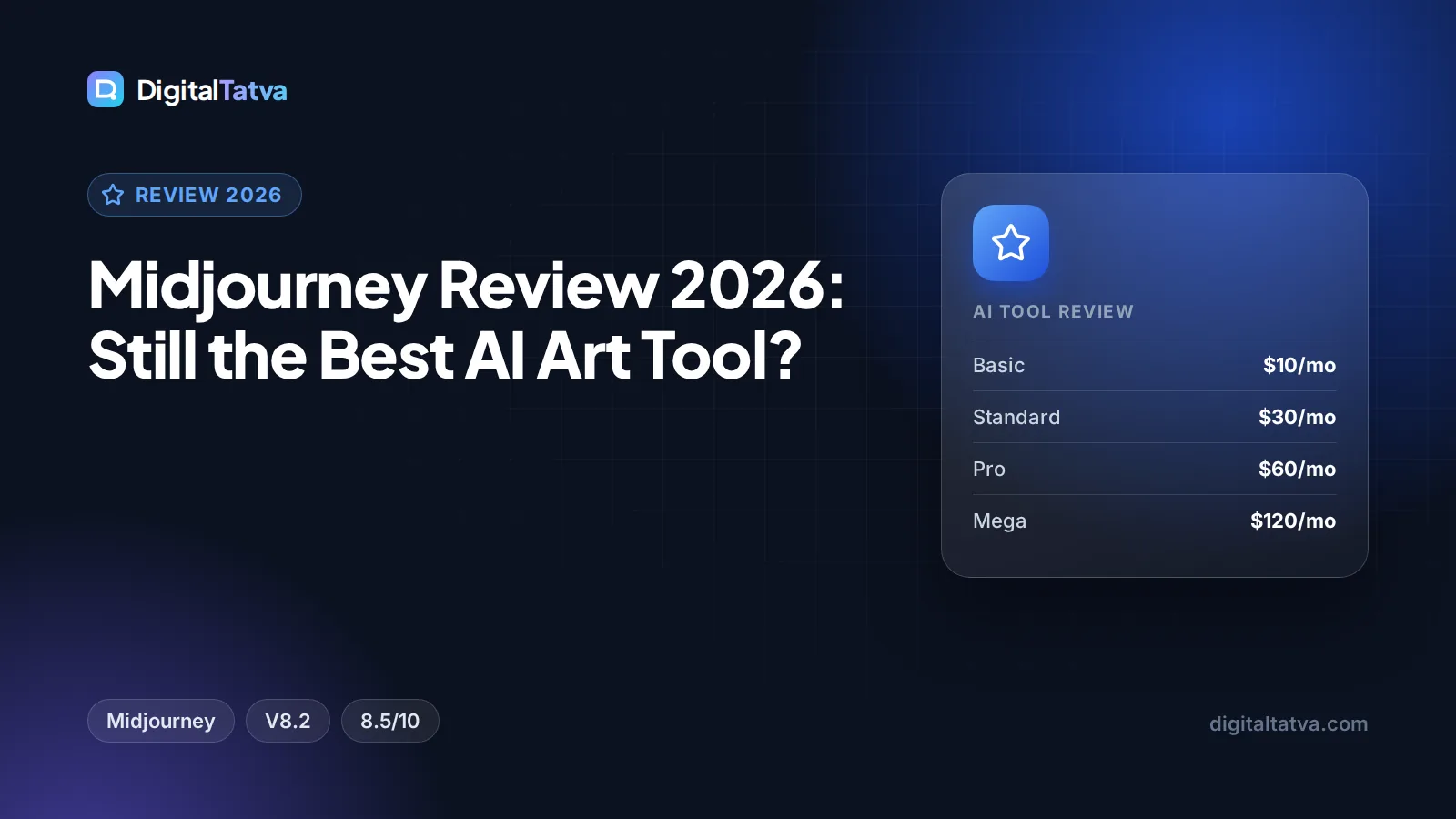
Midjourney Review 2026: Still the Best AI Art Tool?
Our Midjourney review for 2026: V8.2 features, the new Edit Model, video, Basic to Mega pricing, pros and cons, and the best alternatives. Rated 8.5/10.

On this page
- Key takeaways
- Our verdict
- What is Midjourney?
- Key features of Midjourney in 2026
- Midjourney pricing in 2026
- Midjourney pros and cons
- Midjourney vs the best alternatives
- Who should use Midjourney?
- Tips to get better results from Midjourney
- Frequently asked questions
- Final verdict: is Midjourney still worth it?
Midjourney is still the best AI art tool in 2026 if image quality and style are what you care about most. The current V8.2 model produces bold, polished images, V8.1 added native 2K HD output and much faster rendering, and a single subscription now covers both images and short video. The trade-offs are clear: there is no free trial, the cheapest $10 Basic plan has no Relax mode, and tools like ChatGPT or Ideogram are easier for quick, text-heavy marketing graphics.
This review covers what Midjourney does well, its key features, current pricing, pros and cons, the best alternatives and who should pay for it.
Key takeaways
- Our rating: 8.5/10. Midjourney remains the top choice for artistic, high-aesthetic images.
- Plans: Basic $10, Standard $30, Pro $60 and Mega $120 per month, or 20% less on annual billing.
- V8.2 became the default model on July 24, 2026, with a new Edit Model that replaces Omni Reference, Character Reference and Retexture.
- Standard is the sweet spot: 15 fast GPU hours plus unlimited Relax images for $30 per month.
- Companies with more than $1M in annual revenue must use Pro or Mega for commercial use.
Our verdict
8.5/10
Midjourney is still the AI art tool to beat for style and image quality. It is less convenient than chatbot image tools for quick text-heavy graphics, and the lack of a free trial means you pay before you try.
What is Midjourney?
Midjourney is an AI image and video generator. You describe what you want in a text prompt, optionally add reference images, and Midjourney returns a grid of images you can vary, upscale, edit or animate. It works on the Midjourney website and on Discord, where it first became popular.
Unlike chatbots that generate images as a side feature, Midjourney is built entirely around visual quality. That focus shows in its default look: lighting, composition and texture tend to feel art-directed rather than generic. If you have never used it, our guide on how to use Midjourney, with prompts, settings and tips gets you started.
Model history in brief
V7 arrived on April 3, 2025. Niji 7, the anime and illustration model, launched on January 9, 2026. V8.1 followed on April 14, 2026, and V8.2 became the default on July 24, 2026, according to the Midjourney version documentation.
Key features of Midjourney in 2026
V8.2: bolder default aesthetics
Midjourney describes V8.2 images as “more creative, bold, sophisticated, and edgy”. It also improves personalization, so the model better reflects your own taste, especially if you have built up a detailed profile. In everyday use, this means fewer prompt tweaks to get a striking result, though you may need to rein the style in for plain product shots.
V8.1: faster jobs and native 2K HD
V8.1 brought two practical upgrades. Standard jobs render about 4 to 5 times faster than earlier versions, and HD images let you generate 2K resolution without a separate upscale step. V8.1 also reads prompts more carefully and holds on to small details better, which matters for client work where specifics count.
The new Edit Model
V8.1 and V8.2 introduced an Edit Model that replaces older inpainting and outpainting tools, and also replaces Omni Reference, Character Reference and the Retexture tool. Instead of juggling several separate features, you edit images through one system. If you followed older tutorials that mention Character Reference or Omni Reference, expect the workflow to look different now.
Personalization, Moodboards and Style References
Personalization learns your preferences from images you rate. Moodboards let you collect reference images that define a look. Style References, with Style Reference Codes and a style weight parameter, let you reuse a visual style across many prompts. Together, these are Midjourney’s best tools for brand consistency, for example keeping a campaign’s illustrations in the same style. Our collection of 50 Midjourney prompts with styles and parameters shows them in action.
Video generation
Every paid tier can make video in Fast mode, with clips up to 21 seconds using extensions. Standard and above can make HD video, while Basic is limited to SD. Relax mode video (SD only) is available on Pro and Mega. HD video is expensive in GPU time: a batch of four HD clips costs about 26 GPU minutes, so a Basic plan’s 200 fast minutes would cover only a handful of HD batches. For serious video work, compare dedicated tools in our roundup of the best AI video generators.
Fast, Relax and Stealth modes
- Fast mode uses your monthly fast GPU hours and returns results quickly.
- Relax mode queues jobs at lower priority but does not use fast hours. Standard, Pro and Mega get unlimited Relax images. Basic has no Relax mode at all.
- Stealth mode keeps your images out of the public gallery. It is only included on Pro and Mega, which matters for agencies working on unreleased client campaigns.
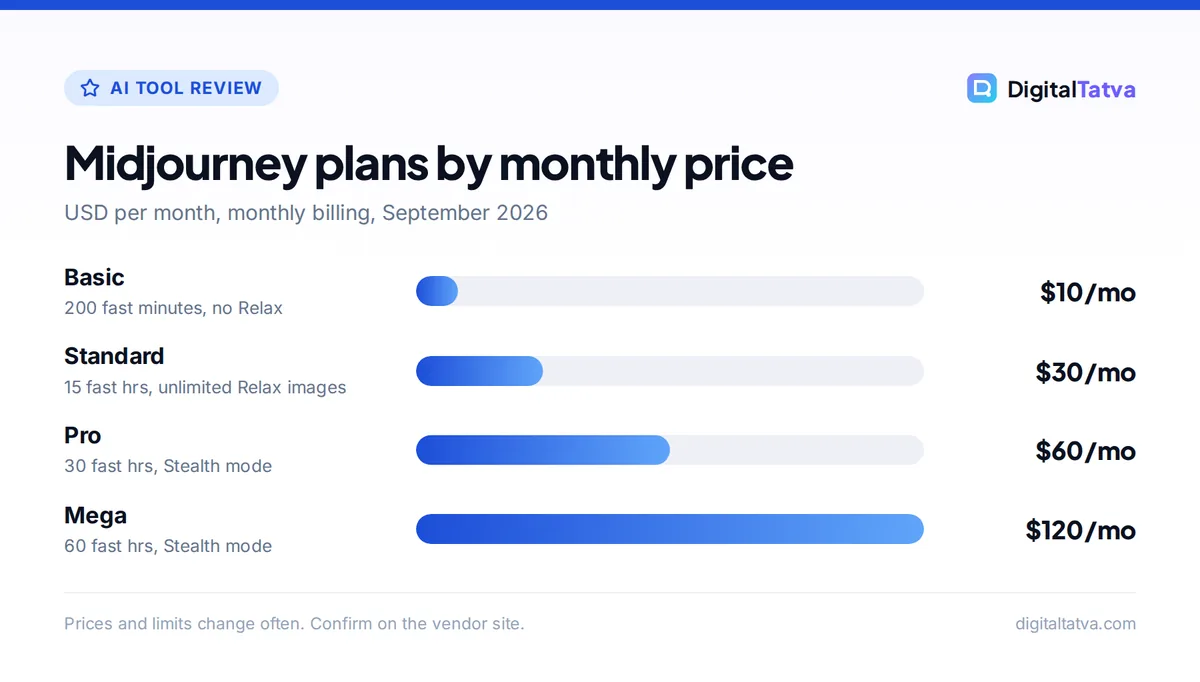
Midjourney pricing in 2026
All prices below come from the official Midjourney plan comparison. There is no free plan or free trial listed.
| Plan | Monthly | Annual (per month) | Fast GPU time | Relax mode | Stealth |
|---|---|---|---|---|---|
| Basic | $10 | $8 ($96/yr) | 3.3 hrs (200 min) | No | No |
| Standard | $30 | $24 ($288/yr) | 15 hrs | Unlimited images | No |
| Pro | $60 | $48 ($576/yr) | 30 hrs | Unlimited images and SD video | Yes |
| Mega | $120 | $96 ($1,152/yr) | 60 hrs | Unlimited images and SD video | Yes |
For a deeper look at each tier, including how far fast hours stretch, read our Midjourney pricing guide.
Save money: Annual billing cuts every plan by 20%, so Standard drops from $30 to $24 per month. Commit only after a month or two on monthly billing, once you know your usage. Our guide to annual vs monthly AI plans explains when committing makes sense.
Watch out: All paid plans include Midjourney’s General Commercial Terms, but if your company earns more than $1M USD per year, you must be on Pro or Mega. Agencies producing work for larger clients should check which entity holds the subscription.
Midjourney pros and cons
Pros
- Best-in-class aesthetics and art direction out of the box
- V8.1 renders standard jobs about 4 to 5 times faster than earlier versions
- Native 2K HD images without upscaling
- Personalization, Moodboards and Style References for consistent brand looks
- Images and video in one subscription
- Unlimited Relax images from the $30 Standard plan
Cons
- No free plan or free trial
- Basic plan has no Relax mode, so the 200 fast minutes run out quickly
- Stealth mode only on Pro and Mega
- HD video uses a lot of GPU time
- Less convenient than chatbot image tools for quick edits through conversation
- Recent feature changes mean many online tutorials are out of date
Midjourney vs the best alternatives
Midjourney is not the only strong option, and several rivals are cheaper or better for specific jobs. This table uses list prices from our tracked facts.
| Tool | Entry paid plan | Free option | Best for |
|---|---|---|---|
| Midjourney | $10/month Basic | No | Artistic, high-aesthetic images |
| ChatGPT images | $20/month Plus | Limited image creation on Free | Conversational edits and everyday graphics |
| Adobe Firefly | $9.99/month Standard | Free daily generations | Commercially safe images and Adobe workflows |
| Ideogram | $20/month Plus ($15 annual) | Yes, slow generations | Images with readable text |
| Leonardo.ai | $12/month Essential ($9.60 annual) | 150 fast tokens per day | Budget creators who want ownership |
If you are deciding between Midjourney and ChatGPT, our Midjourney vs ChatGPT image generation comparison covers quality, speed and price in detail. Budget buyers should read our list of cheaper Midjourney alternatives, and our ranking of the best AI image generators covers the whole field. Designers working in Adobe or Canva may prefer our Canva AI vs Adobe Firefly comparison.
Who should use Midjourney?
Midjourney is worth paying for if you are
- A designer or illustrator who needs concept art, mood boards and stylized visuals with real polish.
- A marketing agency producing campaign imagery and wanting consistent styles across many assets. Pro adds Stealth mode for confidential work.
- A content creator who wants eye-catching thumbnails, blog headers and social visuals. Pair it with the tools in our guide to AI tools for social media marketing.
- A heavy user who will benefit from unlimited Relax images on Standard and above.
Skip Midjourney if you
- Need a free tool. Firefly, Ideogram and Leonardo all have free options.
- Mostly make graphics with lots of text, such as posters and banners, where a template tool fits better. Our Canva Magic Studio review covers that workflow.
- Only need a few images a month and already pay for ChatGPT Plus, which includes image creation.
Tips to get better results from Midjourney
- Start on Standard, monthly. Unlimited Relax images let you experiment without watching the meter.
- Build your personalization profile. Rate images early so V8.2’s personalization reflects your taste.
- Create a Moodboard per brand or project. It keeps a campaign’s look consistent across dozens of images.
- Use Relax for exploration, Fast for deadlines. Save fast hours for final renders and HD video.
- Write clear, specific prompts. Describe subject, setting, lighting and mood. Our prompt engineering guide covers techniques that work across AI tools.
Frequently asked questions
Is Midjourney still the best AI art tool in 2026?
For artistic quality and style, yes. V8.2 produces bold, polished images, V8.1 added native 2K HD output and faster rendering, and Moodboards and Style References help keep a consistent look. Rivals such as ChatGPT, Ideogram and Firefly are better for text-heavy graphics, conversational editing or commercially safe stock-style images.
Is there a free version of Midjourney?
No. Midjourney’s plan comparison page does not list a free plan or free trial. The cheapest option is Basic at $10 per month, or $8 per month on annual billing. If you want to try AI image generation for free first, Adobe Firefly, Ideogram and Leonardo.ai all offer free tiers with daily or weekly limits.
Which Midjourney plan is best?
Standard at $30 per month is the best fit for most people. It includes 15 fast GPU hours, unlimited Relax images and HD video. Choose Pro at $60 if you need Stealth mode for private client work or your company earns more than $1M a year. Basic suits only light, occasional use.
Can I use Midjourney images commercially?
Yes. All paid plans include Midjourney’s General Commercial Terms. However, companies with more than $1M USD in annual revenue must subscribe to Pro or Mega. Images made without Stealth mode also appear publicly, so agencies working on unreleased campaigns should use Pro or Mega for privacy as well.
Can Midjourney make videos?
Yes. All paid plans can generate video in Fast mode, with clips up to 21 seconds using extensions. Basic is limited to SD video, while Standard and above add HD. Relax mode video, in SD only, is available on Pro and Mega. HD video uses a lot of GPU time, so heavy video users need a higher tier.
Final verdict: is Midjourney still worth it?
Yes, for anyone who cares about how images look. Midjourney earns an 8.5 out of 10 from us because V8.2 delivers some of the most polished default aesthetics of any AI art tool, V8.1’s speed and native HD output make it more practical for real projects, and Standard’s unlimited Relax images give excellent value at $30 per month. It loses points for having no free trial, a weak Basic tier, and Stealth mode locked to the pricier plans. Start on Standard with monthly billing, switch to annual once it becomes part of your workflow, and keep a cheaper tool for quick text-heavy graphics. Plans and features change often, so confirm current pricing on Midjourney’s official plans page before you subscribe.
Pricing and features are checked at the time of writing and can change. Some links may be affiliate links, which never affect our verdicts.