Canva Magic Studio Review: Can It Replace a Designer?
Our Canva Magic Studio review covers Canva AI 2.0 tools, how the AI allowance works on Free, Pro and Business, India prices, and which design jobs still need a human designer.

On this page
- Our verdict
- Key takeaways
- What is Canva Magic Studio (now Canva AI)?
- Key Canva AI features in 2026
- Canva AI pricing and allowances
- Can Canva Magic Studio replace a designer?
- Pros and cons
- Canva AI vs Adobe Firefly and other alternatives
- Who should pay for Canva Pro for its AI?
- Frequently asked questions
- Final verdict
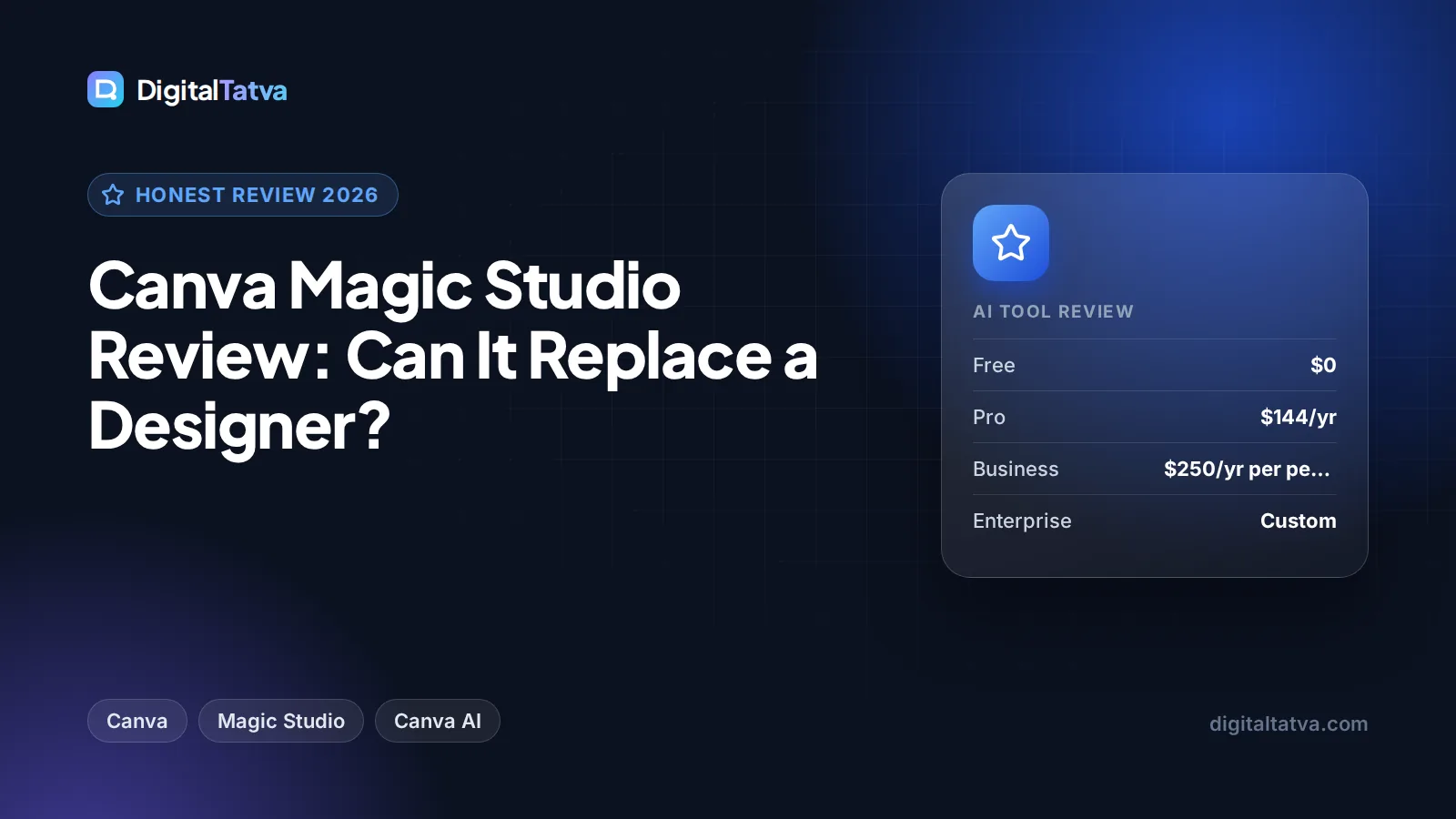
Canva Magic Studio, now branded as Canva AI on Canva’s site, can replace a designer for everyday marketing work such as social posts, simple ads, presentations and resized campaign assets, but not for brand identity, complex layouts or truly original creative direction. The free plan includes up to 20 AI uses, and Canva Pro at US$144 a year (Rs 4,000 a year in India) gives 10x more AI plus Magic Resize, Background Remover and Magic Layers. For most small businesses and freelancers, Pro is one of the best-value AI design tools available.
This review explains what is in Canva’s AI toolkit in 2026, how the AI allowance works, what it does well, where it falls short, how it compares with Adobe Firefly, and who should pay.
Our verdict
8/10
Our rating: the fastest way for non-designers to produce on-brand, good-looking marketing assets, with strong value on Pro. It falls short on originality, fine control and AI allowances you cannot see in exact numbers.
Key takeaways
- “Magic Studio” launched in late 2023. Canva now presents its AI tools as Canva AI 2.0, grouped into Standard, Premium and Ultra AI tiers.
- Free includes up to 20 Standard or Premium AI uses. Pro (US$144/year) gives 10x more, and Business (US$250/year per person) gives 20x more.
- Pro unlocks key tools such as Magic Resize, Background Remover, Magic Layers and Style Match.
- In India, Pro costs Rs 4,000 a year and Business Rs 6,800 a year per person. Pro Lite (Rs 1,590) gets only the same 20 AI uses as Free.
- Canva AI speeds up routine design dramatically, but it does not replace a skilled designer for brand strategy or original concepts.
What is Canva Magic Studio (now Canva AI)?
Magic Studio was the name Canva gave its collection of AI design tools when it launched in October 2023. Canva’s launch announcement listed Magic Design (designs from a prompt), Resize and Magic Switch (change formats and languages), Magic Grab, Magic Expand, Magic Edit, Magic Morph, Magic Media (images and short videos from text), Magic Animate and Magic Write with a brand voice feature, all inside the Canva editor. It also introduced Canva Shield, a set of safety, privacy and security controls.
In 2026 the branding has shifted. Canva’s AI hub page is titled “Canva AI 2.0”, and the official Canva pricing page no longer uses the Magic Studio name. Instead, every AI tool falls into a Standard, Premium or Ultra AI tier and draws from one shared allowance. Many people still search for “Magic Studio”, and several tools keep the “Magic” prefix, so you will see both names.
The core idea is unchanged: AI lives inside the same drag-and-drop editor you already use, so you can generate, edit and resize without switching apps. If you are new to Canva’s plans, our Canva pricing guide breaks down every tier.
Key Canva AI features in 2026
Here are the tools listed on Canva’s Canva AI page, grouped by what marketers actually use them for.
| Tool | What it does | Plan |
|---|---|---|
| AI-powered templates and design generation | Design anything from a prompt, including on-brand designs | Free and Pro |
| Magic Write | Writes and rewrites copy in your designs and docs | Free and Pro |
| Photo Generator and AI elements | Generate images and graphics inside the editor | Free and Pro |
| AI photo editor and Magic Background | Point-and-click photo edits and blended backgrounds | Free and Pro |
| Background Remover | Removes photo backgrounds in one click | Pro |
| Magic Resize | Swaps formats, languages and dimensions in one step | Pro |
| Magic Layers | Turns AI designs into editable layouts | Pro |
| Style Match | Keeps designs on-style in one click | Pro |
| Video Generator | Creates short clips from a prompt | Free and Pro |
| 3D content generator | Adds 3D elements to designs | Pro |
| Canva Code | Builds interactive widgets and mini apps from prompts | Free and Pro |
| Magic Insights and Magic Formulas | Data analysis and formula help in Canva Sheets | Free and Pro |
| Translate | Translates designs into other languages | Pro on pricing page |
Design generation: the biggest time saver
Typing “Instagram carousel announcing a Diwali sale for a handmade jewelry brand, warm colors” gives you several editable starting points in seconds. In everyday use, the results are polished enough for social media after a few tweaks to text and images. They tend to look template-like, which is fine for volume content and weaker for standout campaigns.
Magic Resize and Translate: the Pro killer features
For marketers, Magic Resize is often the single reason to pay. One design becomes a story, a post, a banner and a LinkedIn image in a few clicks, and it can also swap languages. If you run campaigns in English and Hindi or across several platforms, this saves hours every week.
Photo editing tools
Background Remover, Magic Background and the AI photo editor make product shots and headshots usable without Photoshop. They handle clean product photos well. Complex edges like hair and transparent objects sometimes need manual cleanup.
Magic Write and copy
Magic Write drafts captions, headlines and slide text. It is handy for quick copy inside a design, but for longer content or brand voice consistency, a dedicated writer does better. See our list of the best AI writing tools.
Canva AI pricing and allowances
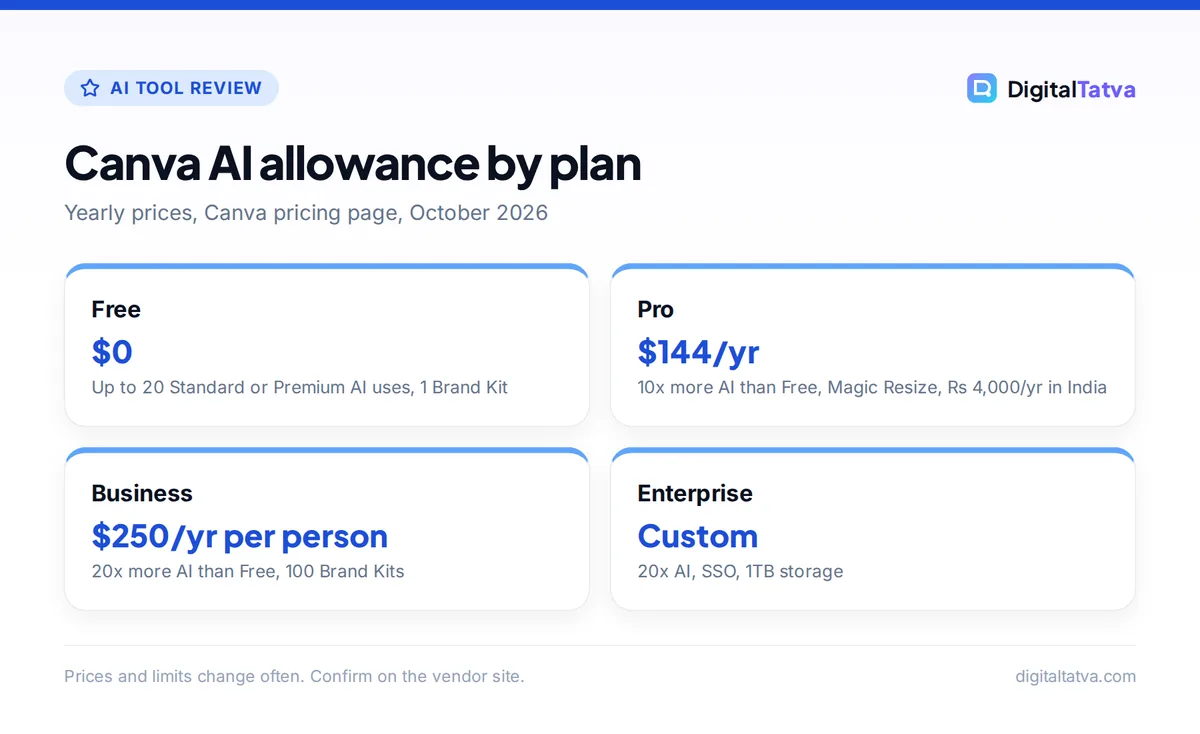
Canva lists yearly prices on its pricing page. The monthly USD price for Pro was not shown when we checked, so confirm it on the live page.
Free
$0
- Up to 20 Standard or Premium AI uses
- 5GB storage, 1 Brand Kit
Pro
$144/yr
- 10x more AI than Free
- Magic Resize, Background Remover, Magic Layers
- 5 Brand Kits, 100GB
Business
$250/yr per person
- 20x more AI than Free
- 100 Brand Kits, 500GB storage
Enterprise
Custom
- 20x more AI than Free
- SSO, 1TB storage
India pricing (yearly): Pro Lite Rs 1,590, Pro Rs 4,000 and Business Rs 6,800 per person. Pro Lite gets the same 20 AI uses as Free, so it is not the right plan if AI is your main reason to upgrade. The old Teams plan is no longer available for new sign-ups; Business has replaced it.
Watch out: Canva does not publish exact AI use counts for each plan, only multiples of the Free allowance. Premium and Ultra AI tools use up the shared pool faster than Standard tools, and a fair use policy applies. If you plan heavy AI image or video generation, test your usage for a month before committing a team.
Save money: Canva Education is free for K-12 teachers and students. College students are not eligible, but some universities offer Canva for Campus. Our roundup of AI student discounts lists other free options.
Can Canva Magic Studio replace a designer?
For routine production work, largely yes. For creative leadership, no. Here is a realistic split.
| Task | Canva AI alone | Still need a designer? |
|---|---|---|
| Daily social posts and stories | Yes, very fast | No, once templates and Brand Kit are set |
| Resizing a campaign for every platform | Yes, with Magic Resize | No |
| Simple ads and banners | Mostly | For high-budget campaigns |
| Pitch decks and presentations | Yes for internal decks | For investor or flagship decks |
| Logo and brand identity | No | Yes |
| Packaging and print production | Limited | Yes |
| Original campaign concepts | Gives starting ideas | Yes |
The best setup for a small business is often a designer who builds the Brand Kit and a set of master templates once, and then the marketing team uses Canva AI to produce everything else. That combination cuts design costs without making your brand look generic. Our guide to the best AI social media tools shows how Canva fits into a content workflow.
Note: Under Canva’s AI Product Terms, you own what Canva AI generates for you and can use it for any lawful purpose, but you do not own AI edits of Canva library photos, outputs may not be unique, and you must not remove provenance tags such as C2PA metadata. That uniqueness point is another reason to keep a designer involved for logos and brand marks.
Pros and cons
Pros
- AI sits inside an editor that non-designers already know.
- Magic Resize and Translate save hours on multi-platform, multi-language campaigns.
- Pro is affordable at US$144 a year or Rs 4,000 a year in India.
- Brand Kits keep AI output closer to your colors and fonts.
- Wide range: images, video, docs, presentations, interactive Canva Code widgets and data tools in one place.
Cons
- Generated designs can look template-like and similar to other brands.
- AI allowances are described as multiples, not exact numbers.
- Image generation quality trails specialist tools like Midjourney.
- Fine control over layout and typography is limited compared with pro design software.
- Pro Lite in India does not add more AI uses.
Canva AI vs Adobe Firefly and other alternatives
Adobe Firefly is the closest rival. Firefly Standard costs $9.99 a month with 2,000 generative credits and includes Adobe Express Premium and Photoshop on web and mobile. Adobe states Firefly model outputs are safe for commercial use. Canva is easier for quick marketing layouts, while Firefly gives stronger image editing for people who also want Photoshop. Read our full Canva AI vs Adobe Firefly comparison.
- For the best AI images: Midjourney still leads on artistic quality. See our Midjourney review and the list of best AI image generators.
- For presentations: Gamma builds decks from a prompt faster. Compare options in our best AI presentation makers.
- For video: dedicated tools handle longer AI video better. See the best AI video generators.
Who should pay for Canva Pro for its AI?
- Buy Pro if you are a freelancer, creator or small business making social content every week. Magic Resize alone usually justifies it.
- Buy Business if several people design on-brand assets and you need more Brand Kits, storage and AI allowance than Pro.
- Stay on Free if you design occasionally. Twenty AI uses are enough to try the tools.
- Skip Canva AI if you are a professional designer who needs precise control. Adobe’s tools fit better.
For small business owners building a full AI stack, our guide on how small businesses can use AI without a big budget shows where Canva fits.
Frequently asked questions
Is Canva Magic Studio free?
Partly. Canva Free includes up to 20 Standard or Premium AI uses, which lets you try design generation, Magic Write and the photo generator. Key tools such as Magic Resize, Background Remover, Magic Layers and Style Match need Pro or above. Pro gives 10x more AI than Free, and Business gives 20x more.
Is Canva Magic Studio still called Magic Studio?
Not on Canva’s main pages. Canva now presents its AI features as Canva AI 2.0 and groups them into Standard, Premium and Ultra AI tiers. Many individual tools keep the Magic name, such as Magic Write, Magic Resize and Magic Layers, so people still search for Magic Studio.
How much does Canva Pro cost in India?
Canva Pro costs Rs 4,000 per year in India, and Business costs Rs 6,800 per year per person. There is also a cheaper Pro Lite plan at Rs 1,590 a year, but it only includes the same 20 AI uses as the free plan, so it is not ideal if you want more AI.
Can I use Canva AI designs commercially?
Generally yes. Canva’s AI Product Terms say you own your output and may use it for any lawful purpose, except output that modifies or incorporates Canva library content, which stays licensed rather than owned. Canva also warns outputs may not be unique, so other users can get similar results. For logos or trademarks, have a designer create original artwork you fully control.
Is Canva Pro worth it for AI features?
For most small businesses, freelancers and creators, yes. At US$144 a year you get 10x the free AI allowance, Magic Resize, Background Remover and Brand Kits. If you only design occasionally, the free plan is enough. Professional designers who need fine control may get more from Adobe.
Final verdict
Canva’s AI toolkit, whether you call it Magic Studio or Canva AI, is the most practical AI design option for non-designers in 2026. It will not replace a skilled designer for brand identity or big creative ideas, but it can handle most of the weekly production work a small marketing team does. Start on Free, upgrade to Pro once you need Magic Resize and more AI, and consider Business only when several people design together. See our list of AI subscriptions worth paying for to plan your budget. Canva’s plans and AI allowances change often, so confirm current prices on the official Canva pricing page before you buy.
Pricing and features are checked at the time of writing and can change. Some links may be affiliate links, which never affect our verdicts.