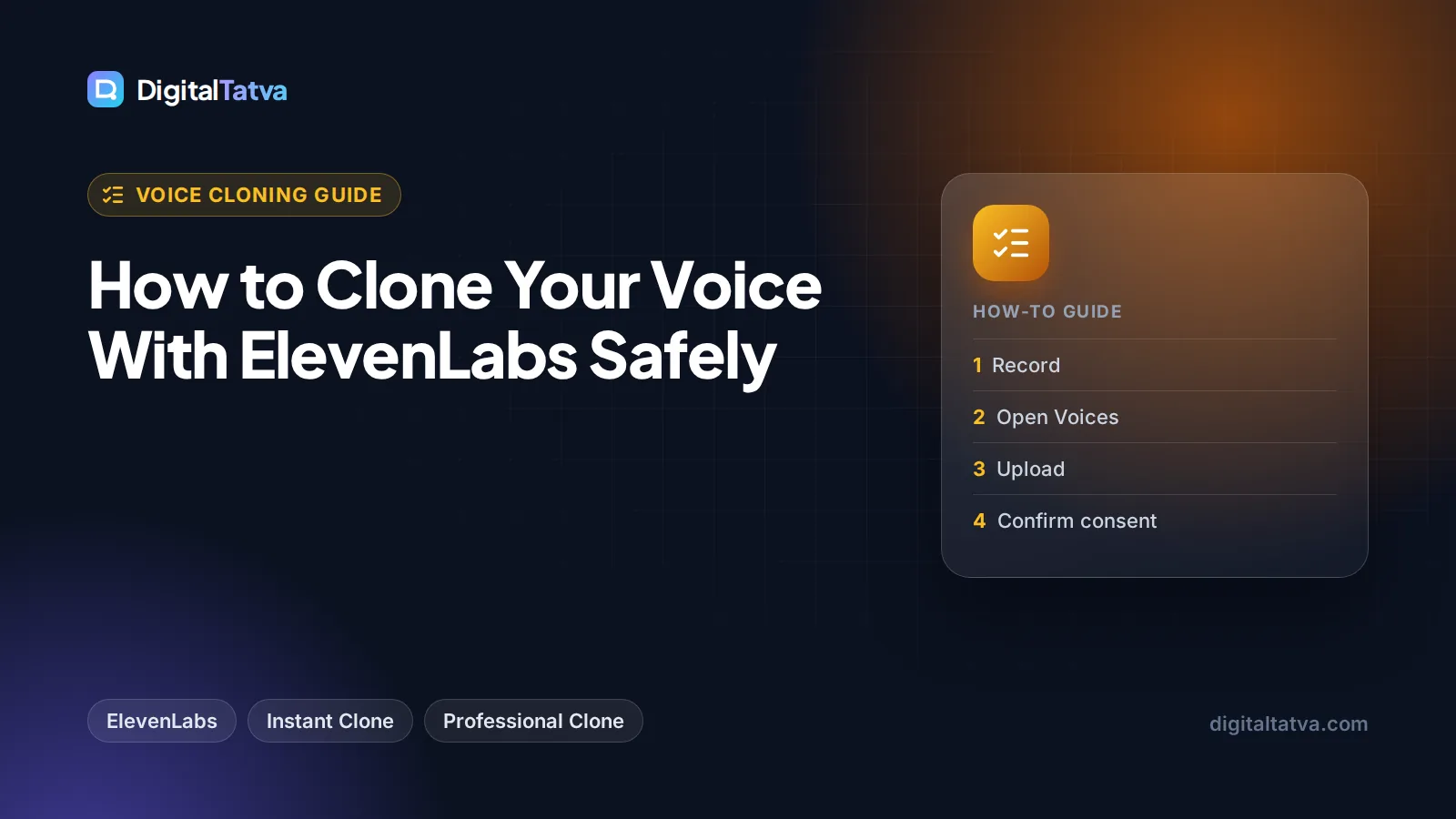
How to Clone Your Voice With ElevenLabs Safely
Step by step guide to ElevenLabs voice cloning: Instant vs Professional clones, how much audio you need, recording tips, plan costs and the consent rules to follow.

On this page
- Key takeaways
- Instant vs Professional Voice Cloning: which one you need
- What you need before you start
- How to create an Instant Voice Clone (step by step)
- How to create a Professional Voice Clone
- Recording tips that make the biggest difference
- Voice cloning safety and consent rules
- Using your cloned voice and what it costs
- Common mistakes to avoid
- Advanced tips for better results
- Frequently asked questions
- Next steps: clone your voice the right way
To clone your voice with ElevenLabs, subscribe to at least the Starter plan ($6 a month), open Voices, click the plus icon, choose Instant Voice Clone, upload or record about 1 to 2 minutes of clean speech, confirm you have the right and consent to clone the voice, and save it. For a near-identical studio copy, use Professional Voice Cloning on Creator ($22 a month) or higher, which needs at least 30 minutes of audio, a voice verification step and a few hours of training.
This guide walks through both methods step by step, explains how to record audio that clones well, and covers the safety and consent rules you must follow. ElevenLabs only lets you make a Professional clone of your own voice, and that is a good rule to follow for every clone you create.
Key takeaways
- Instant Voice Cloning (IVC) needs about 1 to 2 minutes of clean audio and is available from the $6 Starter plan. More than 3 minutes can actually make results worse.
- Professional Voice Cloning (PVC) needs at least 30 minutes of audio, ideally 2 to 3 hours, and is available from the $22 Creator plan. Training usually takes 3 to 6 hours.
- The Free plan does not include any voice cloning and has no commercial license.
- Recording quality matters more than file format: one speaker, no reverb, no background noise, and levels between -23 dB and -18 dB RMS.
- Only clone a voice you own or have clear written permission to use. ElevenLabs requires a consent confirmation, verifies PVC voices and can trace generated audio back to your account.
Instant vs Professional Voice Cloning: which one you need
ElevenLabs offers two cloning methods. Instant Voice Cloning builds a usable voice from a short sample in seconds, without training a new model. Professional Voice Cloning fine-tunes a dedicated model on a much larger set of your recordings, so it captures your voice more faithfully across long scripts.
| Feature | Instant Voice Cloning | Professional Voice Cloning |
|---|---|---|
| Cheapest plan | Starter, $6/month | Creator, $22/month ($11 first month) |
| Audio needed | About 1 to 2 minutes | Minimum 30 minutes, ideally 2 to 3 hours |
| Recommended format | MP3, 128 kbps minimum, 192 kbps or higher preferred | MP3, 192 kbps or higher |
| Verification | Consent confirmation | Consent plus voice verification recording |
| Ready in | Immediately after saving | Usually 3 to 6 hours of fine-tuning |
| Whose voice | Voices you have the right and consent to clone | Your own voice only |
| Best for | Tests, short social clips, quick drafts | Audiobooks, courses, YouTube narration, brand voice |
If you are unsure, start with an Instant clone on Starter. It is enough to judge whether an AI version of your voice works for your audience. Move to Professional when you need consistent quality across hours of narration. Our ElevenLabs pricing guide explains how credits translate into minutes on each tier.
What you need before you start
- An ElevenLabs paid plan. Starter for Instant cloning, Creator or higher for Professional cloning. Plans and features are listed on the official ElevenLabs pricing page.
- A decent microphone. A USB condenser or a dynamic mic is fine for Instant clones. ElevenLabs recommends an XLR microphone with an audio interface and a pop filter for Professional clones.
- A quiet, soft room. Reverb is the most common reason clones sound hollow.
- A script or natural material. Read text that matches how you will use the voice: conversational for YouTube, measured for courses, expressive for audiobooks.
- Basic editing software. Any free audio editor lets you cut long pauses, coughs and filler words before uploading.
- Consent, in writing, if the voice is not yours. More on this in the safety section below.
Tip: The model “will attempt to mimic everything it hears”, according to ElevenLabs, including your accent, breathing and speaking speed. If you rush through a sample, your clone will rush too. Record in the exact style you want to hear back.
How to create an Instant Voice Clone (step by step)
These steps follow the ElevenLabs Instant Voice Cloning documentation. The whole process takes about ten minutes once your audio is ready.
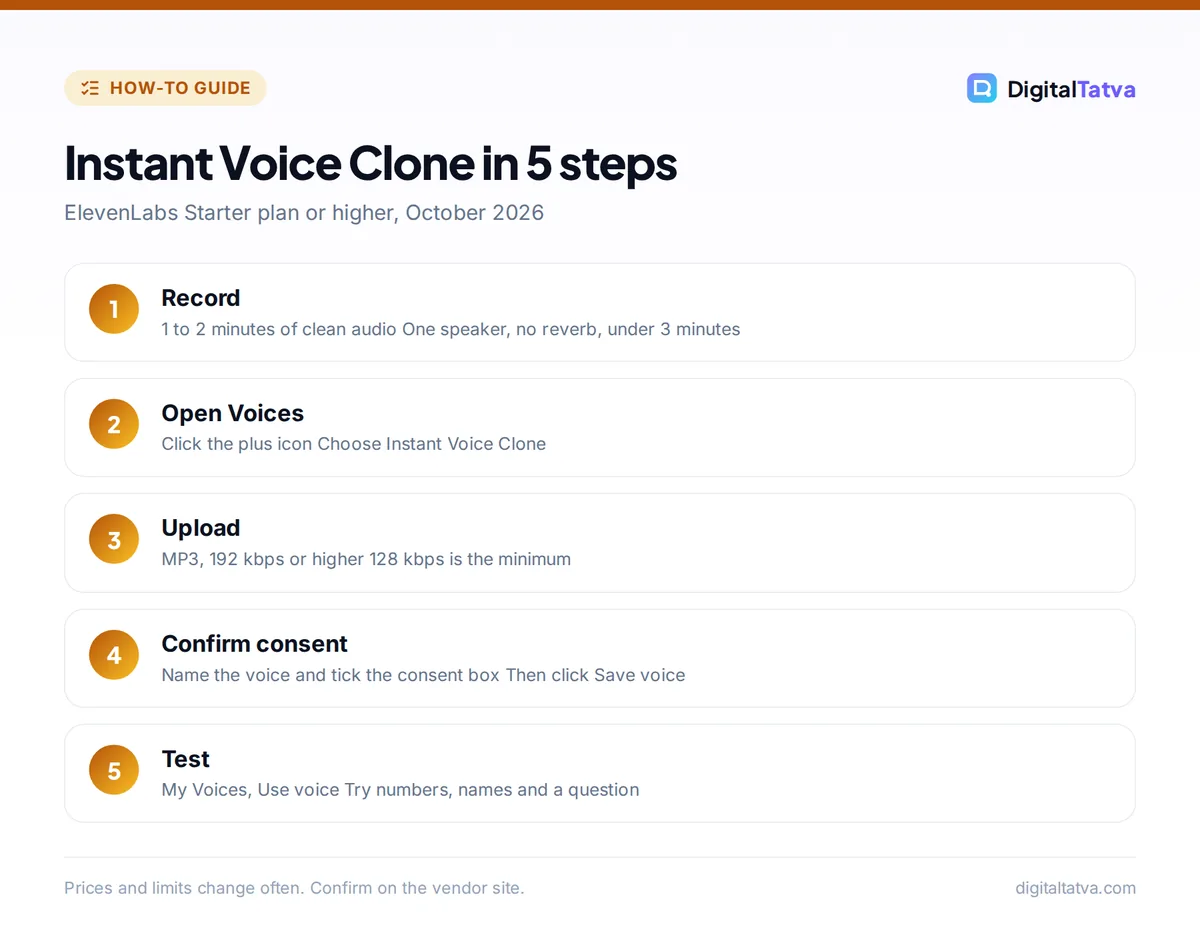
- Record 1 to 2 minutes of clean audio. Read a natural passage in one consistent tone. Avoid big swings in pitch and volume, and stop before 3 minutes, because ElevenLabs says longer samples bring little improvement and can be detrimental.
- Clean the file. Trim silence at the start and end, cut coughs and mouth clicks, and export as MP3 at 192 kbps or higher if you can (128 kbps is the minimum).
- Open the Voices section. Sign in to ElevenLabs, go to Voices in the left sidebar and click the plus icon to add a new voice.
- Choose Instant Voice Clone. In the modal that opens, pick Instant Voice Clone, then upload your file or record directly in the browser following the on-screen prompts.
- Name, label and confirm consent. Give the voice a clear name (for example “My narration, calm”) and add labels such as accent or use case. Tick the box confirming you have the right and consent to clone the voice, then click Save voice.
- Test it. Open My Voices, click Use voice, and generate a short paragraph that includes numbers, brand names and a question. Listen on headphones and on a phone speaker.
- Iterate if needed. If the clone sounds off, re-record rather than adding more audio. Each clone sounds slightly different even from identical samples, so a second attempt with a cleaner recording often fixes it.
How to create a Professional Voice Clone
Professional Voice Cloning takes more effort but gives the closest match. ElevenLabs’ Professional Voice Cloning guide lists the full requirements; here is the practical version.
- Upgrade to Creator or higher. Free and Starter have no Professional clone slots. Creator costs $22 a month, with 50% off the first month.
- Record at least 30 minutes, ideally 2 to 3 hours. Spoken voice only (no singing), one speaker, consistent mic distance (about two fists away), in a treated room. Keep levels between -23 dB and -18 dB RMS with a true peak of -3 dB.
- Edit out problems. Remove long pauses, filler words, laughter and any second voice. Split very long recordings into several files if your editor makes that easier.
- Start the clone. Go to Voices, choose Create Voice, then Professional Voice Clone, and upload your samples.
- Use the audio settings. ElevenLabs offers processing options to remove background noise or separate speakers. Use them only if your recording needs it, since heavy processing can color the voice.
- Verify your voice. You will record a short verification sample. Use the same or similar equipment and the same delivery as your training audio, and speak each line once. If all attempts fail, wait 24 hours or contact support.
- Wait for fine-tuning. Training usually takes 3 to 6 hours, sometimes longer when the queue is busy. ElevenLabs emails you when the voice is ready, and it appears in your Voices list.
Note: For narration in Hindi, Tamil or another language, record your training samples in that language for the best result.
Recording tips that make the biggest difference
Most poor clones come from poor input, not from the AI.
Control the room before the mic
An expensive microphone in an echoey room still sounds echoey. Soft furnishings absorb reflections. Switch off fans and air conditioners while recording.
Keep one consistent performance
ElevenLabs advises a consistent tone across all samples. If you want a calm course voice and an energetic ad voice, create two separate clones with separate recordings instead of mixing styles in one upload.
Watch your levels
Too quiet and the clone picks up hiss; too loud and it clips. Aim for the -23 dB to -18 dB RMS range ElevenLabs recommends, and check that nothing peaks above -3 dB. Most audio editors show RMS and peak in a loudness or statistics panel.
Read material close to your real use
If you will narrate tutorials, read tutorial-style text with numbers and technical terms. If you will narrate stories, read dialogue. The clone learns rhythm as well as tone. If you plan to turn scripts into videos, our guide on how to make an AI video from text shows where voiceover fits in the workflow.
Voice cloning safety and consent rules
Voice cloning is powerful, and misuse can hurt real people. ElevenLabs has built several safeguards, described on its safety page: a consent confirmation for every clone, technical verification before Professional cloning, blocks on celebrity and other high-risk voices, an AI Audio Classifier that detects audio made with ElevenLabs, C2PA content provenance standards, and monitoring with classifiers and human review. The company also states that all audio generated by its models can be traced back to the user responsible.
Follow these rules regardless of what the software allows:
- Clone only your own voice by default. For anyone else, including a colleague, client or family member, get written permission that names the specific use, duration and where the audio will appear.
- Never impersonate. Do not use a clone to pose as someone, approve payments, pass voice-based security checks or make it seem a person said something they did not.
- Disclose AI narration where listeners would reasonably assume a human is speaking, and follow each platform’s rules on synthetic media.
- Protect your account. Your clone lives inside your ElevenLabs account and cannot be exported as a file, so a strong, unique password is what protects your voice.
- Set team rules. Agencies should write down who can create and use cloned voices (see our guide to AI for marketing agencies). Our AI usage policy template has a section you can adapt for voice.
Watch out: Cloning a client’s voice for an ad without a signed release can expose you to legal claims, and voice owners can report infringement to ElevenLabs. Treat a voice like a photo of a person: you need permission to use it commercially.
Using your cloned voice and what it costs
Once saved, your clone appears alongside the stock voices. You can select it in the text to speech screen, in Studio for long-form projects such as audiobooks and courses, and in Dubbing Studio (from Starter) for translated versions of your videos. The voice settings panel lets you trade consistency for expressiveness; start with the defaults and adjust only if delivery feels flat or unstable.
How credits translate to minutes
ElevenLabs bills in credits, and roughly 1,000 credits equal one minute of speech. That gives these approximate monthly allowances:
| Plan | Price | Credits per month | About this much speech | Cloning |
|---|---|---|---|---|
| Free | $0 | 10,000 | 10 minutes | None |
| Starter | $6/month | 30,000 | 30 minutes | Instant |
| Creator | $22/month | 121,000 | 121 minutes | Instant and Professional |
| Pro | $99/month | 600,000 | 600 minutes | Instant and Professional |
Worked example: a creator publishing four 5-minute videos a month needs about 20 minutes of narration. Add 50% for retakes and that is about 30 minutes, which just fits Starter at $6. Double the output to eight videos and you need roughly 60 minutes, so Creator at $22 is the right tier, and it also unlocks a Professional clone. Our ElevenLabs review covers voice quality and the rest of the toolkit in more detail.
Save money: Take Creator’s 50% first-month discount ($11) to record and train your Professional clone, then decide whether you need Creator every month or can drop to Starter for lighter months. Indian buyers are billed in USD, so expect your card’s foreign exchange markup on top.
Common mistakes to avoid
- Uploading too much audio for an Instant clone. More than 3 minutes does not help and can hurt.
- Recording in a bare room. Echo gets baked into the voice and cannot be fully removed later.
- Using background music or a second speaker. Both confuse the model. Use voice-only files.
- Failing verification with different gear. Record the PVC verification on the same mic and in the same room as your training audio.
- Publishing commercially on Free. Free has no commercial license, and it has no cloning anyway, so any monetized work needs a paid plan.
Advanced tips for better results
- Write for the ear. Short sentences, commas where you would breathe and no long parentheticals. If you draft scripts with AI, our guide to writing with AI that still sounds human applies to voice scripts too.
- Generate in paragraphs, not whole chapters. Shorter generations are easier to fix and waste fewer credits when one line comes out wrong.
- Keep a pronunciation list. Note how you spelled product names to get the right sound, and reuse those spellings in every script.
- Build a voice for each style. A separate calm, neutral and energetic clone often beats one clone pushed through extreme settings.
- Pair with avatars carefully. If you want a video presenter with your voice, compare Synthesia vs HeyGen, and check our list of the best AI video generators for tools that accept custom audio.
Frequently asked questions
Can I clone my voice on ElevenLabs for free?
No. The Free plan gives 10,000 credits a month (about 10 minutes of speech) but does not include voice cloning or a commercial license. The cheapest way to clone is the Starter plan at $6 a month, which includes Instant Voice Cloning. Professional Voice Cloning starts on the Creator plan at $22 a month, or $11 for the first month.
How much audio do I need to clone my voice?
For an Instant Voice Clone, ElevenLabs recommends about 1 to 2 minutes of clean audio and warns that more than 3 minutes can be detrimental. For a Professional Voice Clone you need at least 30 minutes, and the docs suggest closer to 2 to 3 hours for the best results. Clean, consistent audio matters more than length.
Is ElevenLabs voice cloning safe and legal?
Cloning your own voice is generally safe, and ElevenLabs adds consent checks, verification for Professional clones, blocks on high-risk voices and traceable audio. Cloning someone else without permission can break ElevenLabs’ rules and local laws on likeness and fraud. Get written consent for any voice that is not yours, and never use a clone to impersonate anyone.
How long does a Professional Voice Clone take?
After you upload your audio and pass voice verification, fine-tuning usually takes 3 to 6 hours, according to ElevenLabs, and can take longer when demand is high. You receive an email when the voice is ready. Instant Voice Clones, by contrast, are usable as soon as you click Save voice, with no training wait.
Can my cloned voice speak other languages?
Yes. ElevenLabs says Professional clones work across 90+ languages through its multilingual models. Quality is best when your training samples are in the language you want to generate, so record Hindi samples for Hindi narration, for example. An English-trained clone can still speak other languages, but accent and rhythm may drift.
Next steps: clone your voice the right way
Start small: record two clean minutes, create an Instant clone on Starter, and test it on a real script. If you like the result and publish regularly, move to Creator, record 30 minutes to a few hours, and train a Professional clone for audiobooks, courses or YouTube. Keep consent and disclosure at the center of everything you do with a cloned voice. If you want to compare other tools first, see our ranking of the best AI voice generators and our ElevenLabs vs Murf comparison. Plans, prices and cloning rules change, so confirm the current details on the ElevenLabs website before you subscribe.
Pricing and features are checked at the time of writing and can change. Some links may be affiliate links, which never affect our verdicts.