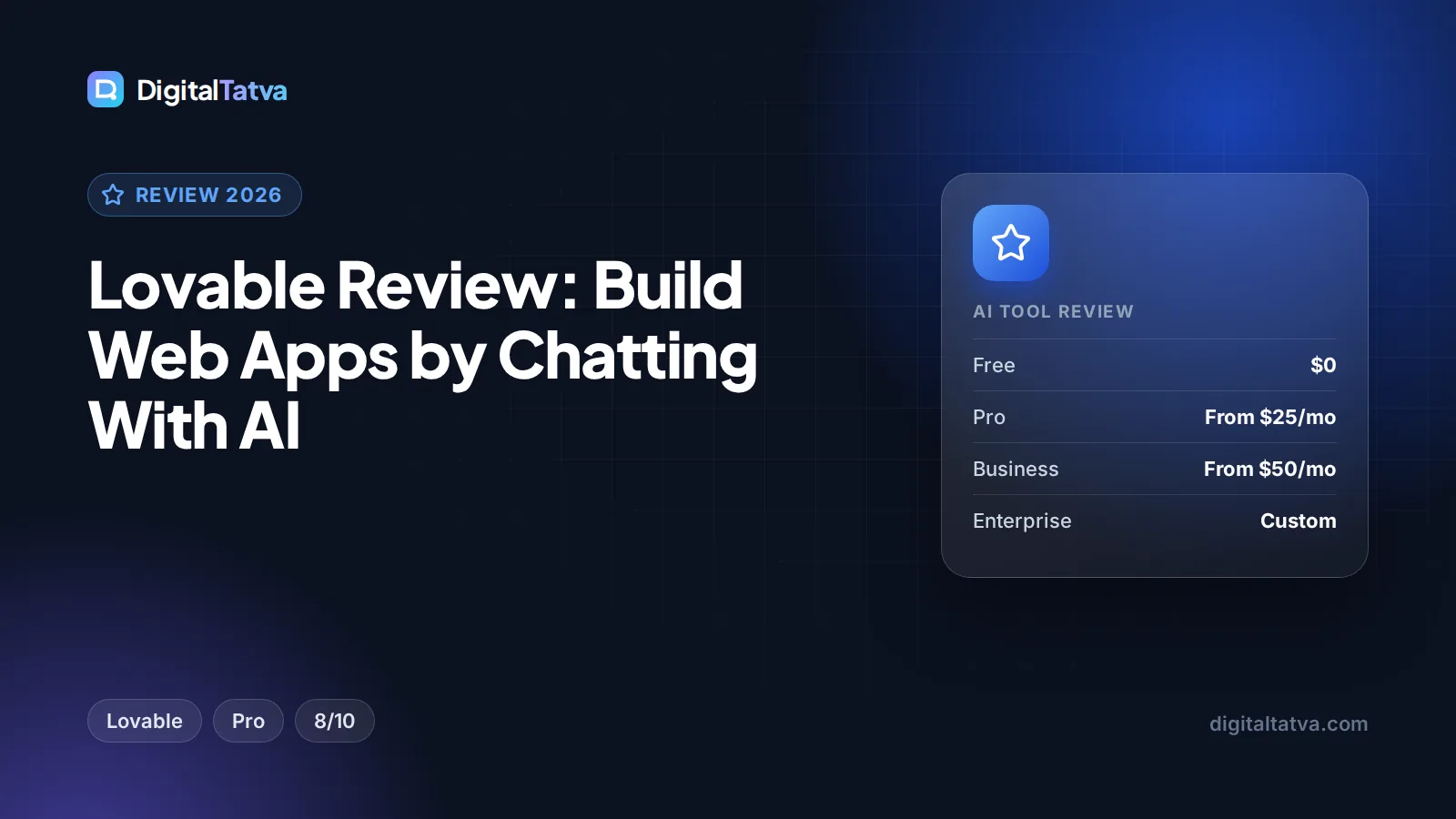
Lovable Review: Build Web Apps by Chatting With AI
Our Lovable review: chat-to-app building, Lovable Cloud, Git sync, credit-based pricing from $25 a month, pros and cons, and the best alternatives. Rated 8/10.

On this page
Lovable is the easiest way for a non-coder to build a real web app in 2026: you describe what you want in a chat, and it builds the frontend, backend, database, user login and integrations, then publishes it to a live URL. It is excellent for MVPs, internal tools and client prototypes, and you keep full ownership of the code. The main catch is credits: Pro starts at $25 per month for 100 credits, and complex apps with many fix loops can burn through them quickly.
This review covers what Lovable is, its key features, how the credit pricing works, the pros and cons, who should use it, and the best alternatives.
Key takeaways
- Our rating: 8/10. Lovable is the most complete chat-to-app builder for non-technical founders and marketers.
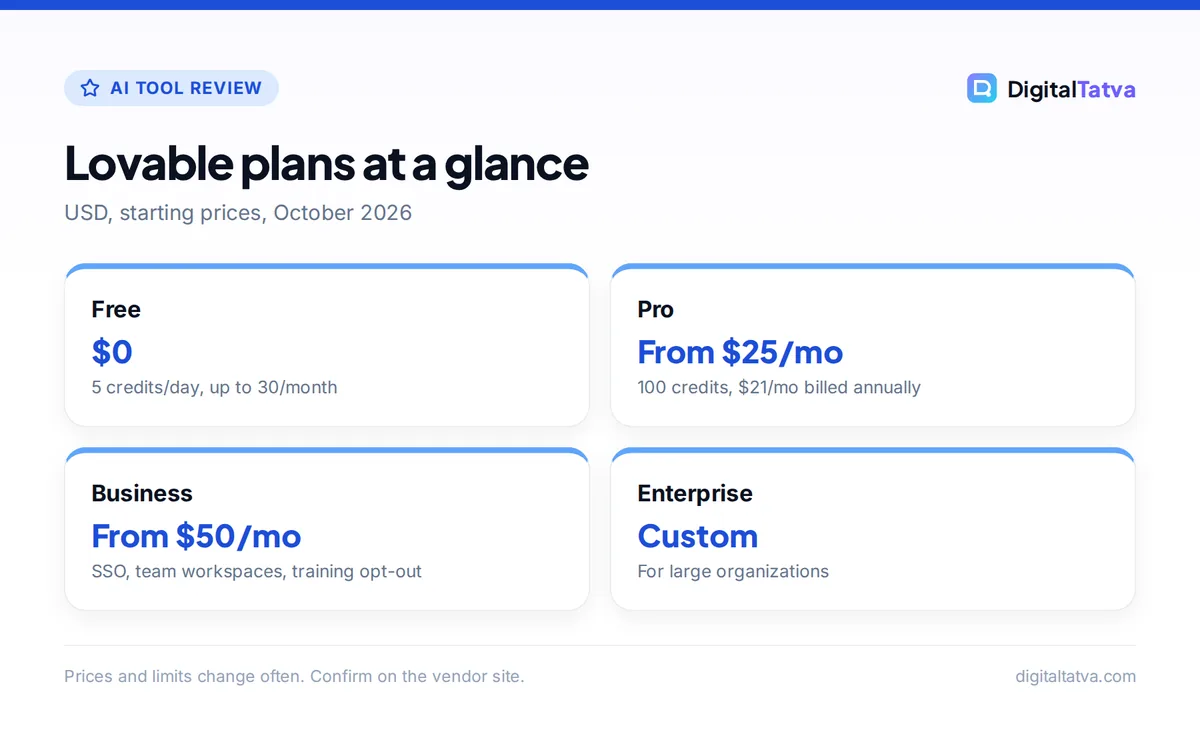
- Free gives 5 credits a day (up to 30 a month); Pro is from $25 per month or $21 per month billed annually; Business is from $50 per month.
- Lovable Cloud, built on Supabase’s open-source foundation, provides the database, authentication, storage and serverless functions without separate setup.
- Chat mode costs a fraction of a credit per message, so you can plan cheaply before you build.
- Git sync to GitHub, GitLab or Bitbucket means a developer can take over your project later.
Our verdict
8/10
Lovable is the AI app builder we recommend first to non-coders. It goes from idea to a working, published web app faster than most tools in its category, but credit costs grow with complexity, and serious apps still need a careful security review.
What is Lovable?
Lovable is an AI app builder that creates production-grade web applications from natural language. Instead of starting from a blank codebase, you type something like “build a booking app for a yoga studio with class schedules, sign-up, payments and an admin dashboard”, and Lovable generates the app, shows a live preview, and lets you refine it by chatting.
Unlike AI code editors such as Cursor, which help developers write code faster, Lovable is aimed at people who do not want to touch code at all. It handles the full stack: frontend, backend, database, authentication and integrations. If you are a developer, our Cursor review is likely the better starting point.
Key features of Lovable
Chat, Plan and Build modes
Lovable separates thinking from doing. Chat mode lets you discuss your app and possible changes without any code changes, and a message typically costs a fraction of a credit, with a daily chat allowance used first. Plan mode creates a plan for a change (one credit per message plus any subagent research), and Build mode, the agent, actually implements changes and checks the outcome, priced on the work it does.
In everyday use, this is the habit that saves the most money: talk through a feature in Chat mode, agree on an approach, then build it once.
Lovable Cloud: the built-in backend
Lovable Cloud is the default backend for new projects. Built on Supabase’s open-source foundation, it gives you a database with table management and security policies, user authentication and sign-in methods, file storage, edge functions (serverless backend code), real-time updates, email, scheduled jobs and secrets management. You can still connect your own external Supabase project instead, but Lovable says migrating between Cloud and an external Supabase setup is not currently supported, so choose at the start.
Preview toolbar for direct edits
The older Visual Edits panel has been replaced by a preview toolbar. You pick a mode, point at what you want to change and describe it. You can select elements, draw annotations, edit text inline, replace images and leave comments. Inline text edits come with 100 free edits per account every 24 hours plus 2,000 shared workspace edits per day, and comments are free until you send them to Lovable to act on.
Code ownership and Git sync
You keep full ownership of the code. Projects sync to GitHub, GitLab or Bitbucket, which means you can hand the app to a developer, keep editing in a tool like Cursor, or move hosting later. Our guide on how to use Cursor AI is a good next step if you or a developer take the code further.
Publishing, integrations and security
Apps publish to a live URL with custom domain support. Integrations include Stripe for payments, Slack and Supabase, plus the Lovable MCP server for connecting custom AI tools. On the security side, Lovable runs built-in security checks, offers a workspace-wide Security center, audit logs and sensitive data scanning. Shared workspaces come with roles and permissions for teams.
Watch out: Built-in checks are helpful, but they are not a full security audit. Before real users or payments touch your app, review who can read and write each table and have a developer check the login and data rules.
Lovable pricing in 2026
Lovable prices plans by credits. These figures come from Lovable’s official plans and credits documentation.
| Plan | Monthly price | Annual price | Credits | Best for |
|---|---|---|---|---|
| Free | $0 | $0 | 5 per day, up to 30 per month | Trying Lovable, tiny projects |
| Pro | From $25 | From $21/month ($250/year) | From 100 per month plus 5 daily | Solo founders, freelancers |
| Business | From $50 | From $42/month ($500/year) | From 100 per month plus 5 daily | Teams needing SSO and controls |
| Enterprise | Custom | Custom | Custom | Large organizations |
Pro and Business tiers scale up with more credits: Pro goes up to 10,000 credits at $2,250 per month, and Business to 10,000 credits at $4,300 per month. Business adds SSO, team workspaces and an opt-out from data training, which matters for agencies and companies handling client data.
How Lovable credits work
There are two kinds of credits. Build credits cover Plan and Build mode messages and image or video generation. Run credits cover Cloud hosting, AI gateway calls and connector usage once your app is live. Free, Pro and Business plans each get monthly grants of 20 Cloud credits and 4 AI credits, and Pro and Business get 5 daily build credits with no monthly cap on those.
Unused monthly plan credits roll over while your subscription stays active. On monthly plans they expire two months after they are issued, and on annual plans one month after the billing period ends. If you run out, top-ups cost $0.30 per credit on Pro and $0.60 per credit on Business, and top-up credits expire 12 months after purchase.
Save money: Plan features in Chat mode, change one thing per Build message, and use the preview toolbar’s free inline text edits for copy tweaks instead of prompting. Annual Pro billing works out to $21 per month instead of $25. Our guide to annual vs monthly AI plans explains when committing makes sense.
Lovable pros and cons
Pros
- Builds a full-stack web app from plain English, including database and login
- Lovable Cloud removes the need to set up a separate backend
- Chat mode lets you plan for a fraction of a credit
- Full code ownership with GitHub, GitLab or Bitbucket sync
- Stripe, Slack and Supabase integrations plus an MCP server
- Unused monthly credits roll over while subscribed
Cons
- Credit use is hard to predict on complex apps with many fix loops
- Live apps also consume run credits for hosting and AI calls
- Builds web apps, not native app store apps
- No migration between Lovable Cloud and an external Supabase project yet
- Security checks help but do not replace a professional review
Who should use Lovable?
Lovable is a strong fit for
- Non-technical founders who want to validate an idea with a working MVP before hiring developers.
- Marketers and agencies building client portals, calculators, lead capture tools and campaign microsites. Our guide to AI for marketing agencies covers how to package this as a service.
- Small business owners who need booking systems, internal dashboards or simple customer apps. See our guide to AI for small business for more use cases.
- Product managers and designers who want clickable, working prototypes instead of static mockups.
Consider skipping Lovable if
- You need a native iOS or Android app for the app stores.
- You are a developer who prefers to write code with AI help. An AI editor fits better; compare options in our Cursor vs GitHub Copilot guide.
- You need a fixed, predictable monthly cost for a large, constantly changing app.
How to get good results with Lovable
- Write a short brief first. List your users, main screens, data and the one key action. Paste it into Chat mode and ask Lovable to suggest a plan.
- Build the core flow. Get sign-up, the main screen and the main action working before adding extras.
- Change one thing at a time. Small Build messages are cheaper, easier to test and easier to undo.
- Use the preview toolbar for small fixes. Edit text inline and point at elements instead of describing where they are.
- Connect Git early. Sync to GitHub so you always have a copy of your code and its history.
- Review security before launch. Check the Security center, data rules and who can access what.
Clear, structured prompts make a big difference to credit use. Our prompt engineering guide covers the basics that apply here.
Lovable alternatives
| Tool | Entry paid plan | Free plan | Best for |
|---|---|---|---|
| Bolt.new | $25/month Pro | 300K tokens/day, 1M/month | Fast full-stack prototypes |
| Replit | $20/month Core | Starter, 1 published app | Build, host and learn code in one place |
| v0 by Vercel | $30/user/month Plus | $5 credits/month | Polished interfaces |
| Base44 | $16/month billed annually | 25 message credits | Budget internal tools |
| Bubble | $59/month Starter | Development only | Scalable visual no-code products |
Our full ranking of the best AI app builders for non-coders compares all of these in detail, and developers should also browse the best AI coding assistants. If you are trimming your tool stack, our list of AI subscriptions worth paying for helps you decide where Lovable fits.
Frequently asked questions
Is Lovable worth it?
For non-coders who want a working web app quickly, yes. Pro from $25 per month gives 100 monthly credits plus 5 daily credits, enough to build and refine a focused MVP. It is less worth it for very large, constantly changing apps where credit use climbs, or for developers who would be faster in an AI code editor.
Is Lovable free?
Lovable has a free plan with 5 credits per day, up to 30 per month, plus small monthly grants for Cloud and AI usage. That is enough to try the tool and build a simple app. Most people building something real will need Pro, which starts at $25 per month or $21 per month billed annually.
Do I own the code Lovable creates?
Yes. Lovable says you keep full ownership of your code, and you can sync projects to GitHub, GitLab or Bitbucket. That means a developer can take over the project, you can keep editing it in another tool, or you can move it elsewhere later. Connect Git early so you always have a backup.
Does Lovable use Supabase?
Lovable Cloud, the built-in backend, is built on Supabase’s open-source foundation and provides a database, authentication, storage and edge functions. You can also connect your own external Supabase project instead. Lovable notes that migrating between Lovable Cloud and an external Supabase setup is not currently supported, so pick one when you start.
How much does Lovable cost in India?
Lovable prices its plans in USD. Pro starts at $25 per month or $21 per month billed annually, and Business starts at $50 per month. Indian cards are charged a converted amount, and your bank may add currency conversion fees and taxes. Check the final rupee amount at checkout before you subscribe.
Final verdict: is Lovable the right AI app builder for you?
Lovable earns an 8 out of 10 from us. It is the most complete chat-to-app builder for non-coders: it handles the full stack, includes a backend through Lovable Cloud, lets you plan cheaply in Chat mode, and gives you full ownership of your code. It loses points for credit costs that are hard to predict on complex apps, extra run credits once your app is live, and the need for a proper security review before launch. Start on the free plan, build your core flow, and upgrade to Pro once you are sure the app is worth finishing. Pricing and credit rules change often, so confirm the current details on Lovable’s official pricing and documentation pages before you subscribe.
Pricing and features are checked at the time of writing and can change. Some links may be affiliate links, which never affect our verdicts.