10 Best AI Music Generators for Creators and Brands
Suno, ElevenLabs Music, Google Lyria, Adobe Firefly, Stable Audio and five more AI music generators ranked for 2026, with prices, download limits and commercial rights.

On this page
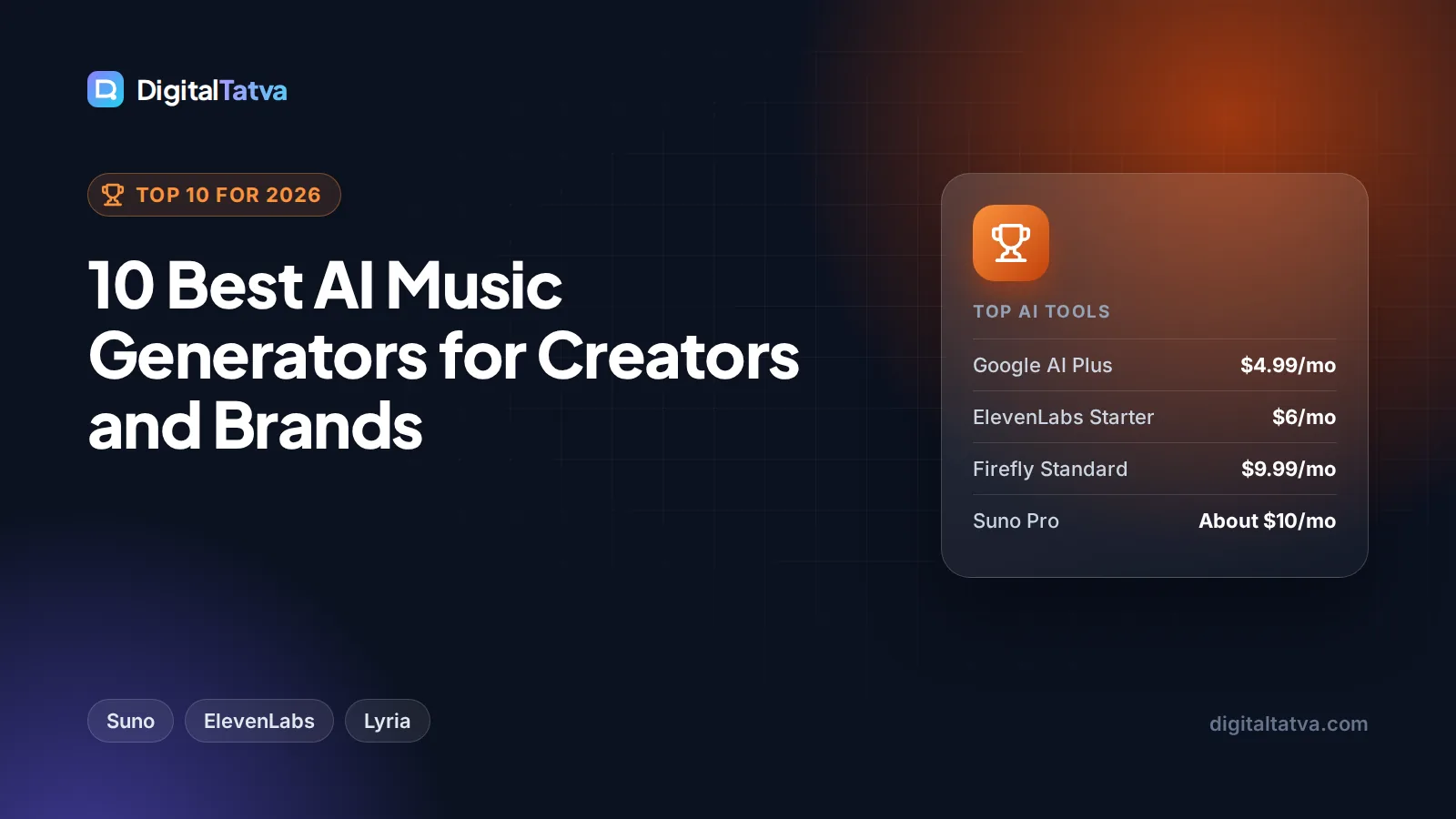
The best AI music generators in 2026 are Suno for full songs with vocals you can download, ElevenLabs Music for commercially cleared tracks alongside voiceovers, and Google’s Lyria models (in the Gemini app and Flow Music) for quick songs at no extra cost if you already pay for Google AI. For background music that brands can use safely, Adobe Firefly, Stable Audio and Mubert are stronger picks, and AIVA suits composers who want to own the copyright on a paid plan.
We rank 10 tools below by what they make best, what they cost as of 8 October 2026, and, most importantly, what you are allowed to do with the music. In AI music, the license matters as much as the sound.
Key takeaways
- Best for songs: Suno, with v6 models, 20 downloads a month and commercial rights on Pro (about $10 a month, $8 yearly).
- Best for commercial clearance: ElevenLabs Music v2, from $6 a month on Starter, with stems on paid plans.
- Best for licensed background music: Stable Audio 3.0 (trained on licensed data) and Adobe Firefly Generate Music.
- Avoid for exports: Udio has disabled downloads on every plan since October 2025.
- Free plans rarely include commercial rights, so read the license before you publish.
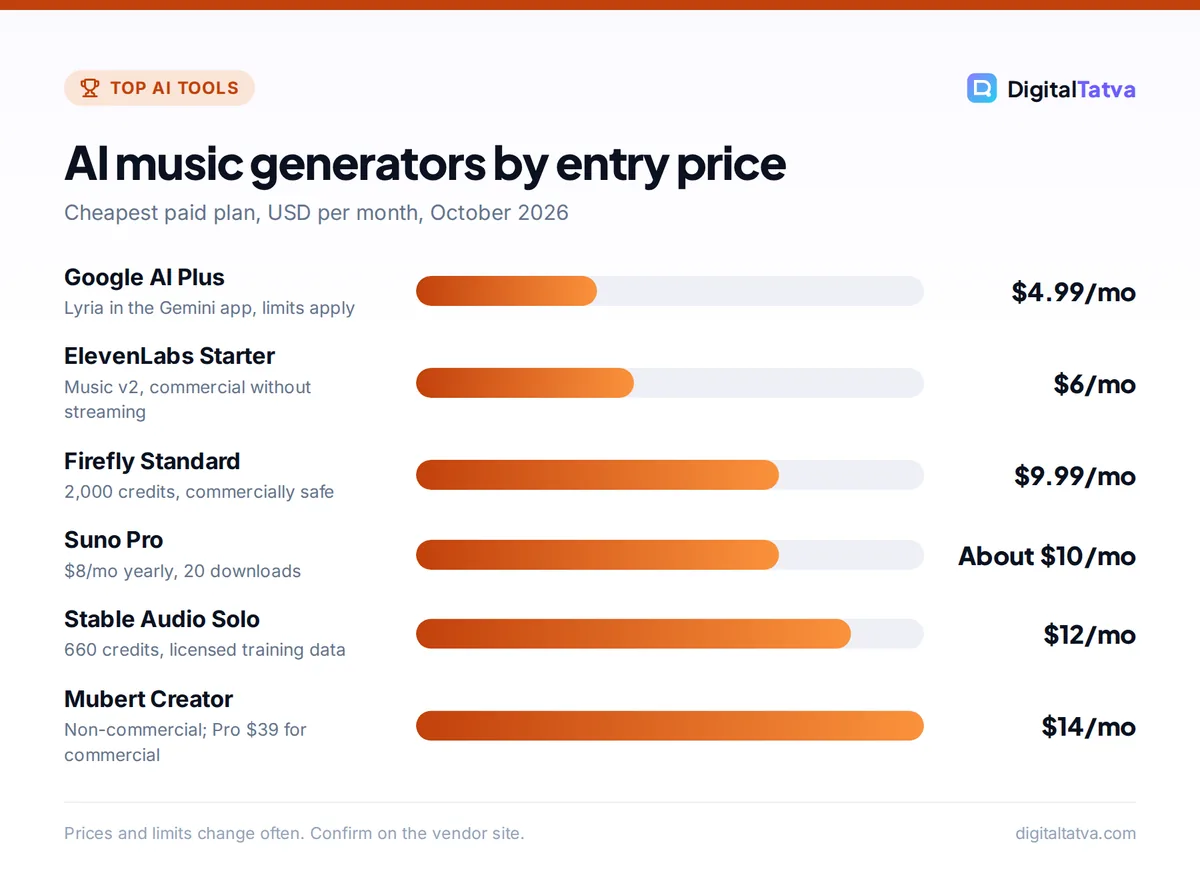
Quick picks: best AI music generators at a glance
| Tool | Best for | Starting paid price | Free plan |
|---|---|---|---|
| Suno | Full songs with vocals | About $10/mo ($8/mo yearly) | 50 credits/day, no downloads |
| ElevenLabs Music | Cleared tracks plus voice | $6/mo (Starter) | 10k credits/mo, personal use |
| Google Lyria (Gemini, Flow Music) | Quick songs inside Google | Included in Google AI plans | Limited |
| Adobe Firefly Generate Music | Commercially safe video soundtracks | $9.99/mo (Firefly Standard) | Daily free generations |
| Stable Audio | Licensed instrumentals and SFX | $12/mo (Solo) | Open models for self-hosting |
| AIVA | Owning the copyright | EUR 11/mo yearly (Standard) | 3 downloads/mo |
| Soundraw | Royalty-free beats for creators | About $11/mo yearly (Creator) | Generate and preview |
| Mubert | Long background tracks | $14/mo ($11.69 yearly) | 25 tracks/mo |
| Beatoven.ai | Music that fits a video | Check site | Yes |
| Udio | In-app song editing | About $10/mo | About 10 credits/day |
Watch out: “Royalty free” does not always mean “monetizable everywhere”. Mubert, for example, does not allow tracks to be published on streaming services or registered in Content ID on any plan, and AIVA keeps the copyright on its Free and Standard plans.
The 10 best AI music generators reviewed
1. Suno: Best for full songs with vocals
- Starting price: about $10/mo Pro, or $8/mo billed yearly
- Free plan: Yes, 50 credits a day, no downloads or commercial rights
- Best for: YouTubers, hobby songwriters, jingles and social content
Suno turns a short prompt or your own lyrics into a complete song with vocals, verses and a chorus in seconds. Its v6 models launched on September 9, 2026, and Pro users get v6 and the more experimental v6-wild. Pro includes 2,500 credits and 20 song downloads a month with commercial use rights. Premier (about $30 a month, or $24 yearly) raises that to 10,000 credits and 60 downloads, and adds Suno Studio, advanced stem splitting and uploads of up to 30 minutes of audio.
Two caveats. Downloads are now capped separately from generation, so you cannot export everything you make. And Universal and Sony filed a new lawsuit against Suno on September 18, 2026, even as Warner, BMG and Believe signed licensing deals. Our Suno vs Udio comparison covers the details. Prices are on the official Suno pricing page.
Skip it if: you need legally conservative music for a large brand campaign.
2. ElevenLabs Music: Best for commercially cleared tracks
- Starting price: $6/mo Starter (first month shown at $1)
- Free plan: Yes, 10k credits a month, personal use only
- Best for: marketers who also need voiceovers and sound effects
ElevenLabs launched Music v2 in May 2026. It composes songs section by section, handles fast rap and genre switches, supports lyrics in many languages, and lets you regenerate one section (such as a bridge) without changing the rest. ElevenLabs says the model was “built in partnership with artists, labels, and publishers” and is “cleared for commercial use”, with rights that vary by plan, according to the official ElevenLabs Music page: Free is personal use, Starter is commercial without streaming distribution, and Creator ($22) and Pro ($99) are commercial.
The big advantage is having music, voice, dubbing and sound effects on one credit balance. Starter and Creator include 2 and 4 stem separation, and Pro offers up to 6 stems. See our ElevenLabs pricing guide for how credits work.
Skip it if: you only need music and want the most songs per dollar.
3. Google Lyria in Gemini and Flow Music: Best value inside Google
- Starting price: included in Google AI plans (AI Plus $4.99/mo, AI Pro $19.99/mo)
- Free plan: Limited, with usage caps
- Best for: people already paying for Gemini or Google storage
The Gemini app can now generate music with Google’s Lyria models. You choose a short track (about one minute) or a full track (about two to three minutes) and download it as an MP3 or as an MP4 with cover art. Lyria 3 Pro, released in March 2026, makes tracks of up to three minutes and also powers music in Google Vids. For more control, Google Flow Music (formerly ProducerAI) is a dedicated music app, and it began rolling out the newer Lyria 3.5 model on July 29, 2026, with better lyrics, vocals and tempo control.
Every Lyria track carries SynthID, Google’s invisible AI watermark. Google does not publish exact track limits per plan, and commercial terms for Flow Music were not clear when we checked. Our guide to Gemini pricing explains what each Google AI plan includes.
Skip it if: you need clear, written commercial rights for client work.
4. Adobe Firefly Generate Music: Best for commercially safe video soundtracks
- Starting price: $9.99/mo Firefly Standard (2,000 credits)
- Free plan: Yes, daily free generations
- Best for: brands and agencies already using Adobe
Adobe’s Firefly Music Model creates “universally licensed original tracks” tuned to the length and mood of your video, and Adobe made its audio tools generally available in August 2026. Adobe positions Firefly outputs as safe for commercial use. In September 2026, Adobe also brought Generate Music (in beta) into the Premiere timeline, so editors can score a cut without leaving the app.
Firefly Standard ($9.99), Pro ($19.99) and higher plans share one credit pool for images, video and audio. It is best for background scores rather than songs with lyrics. Our Canva vs Adobe Firefly comparison covers Firefly’s plans in more depth.
Skip it if: you want a vocal song with your own lyrics.
5. Stable Audio: Best for licensed instrumentals and sound effects
- Starting price: $12/mo Solo (660 credits)
- Free plan: Open-weight models you can run yourself
- Best for: producers, game developers and cautious brands
Stability AI’s Stable Audio 3.0 family, announced in May 2026, is “trained on fully licensed data”. The Small, Small SFX and Medium models are open weights on Hugging Face, and Medium can generate tracks of up to about 6 minutes 20 seconds. Outputs fall under Stability’s Community License, which allows commercial use for organizations under $1M in annual revenue; larger companies need an Enterprise license.
On stableaudio.com, Stability lists Solo at $12 a month, Session at $30, Producer at $90 and Studio at $199. Stable Audio does not generate vocals or lyrics, so it is an instrumental and sound design tool.
Skip it if: you need sung vocals.
6. AIVA: Best for owning the copyright
- Starting price: EUR 11/mo Standard, billed yearly, plus VAT
- Free plan: Yes, 3 downloads a month
- Best for: composers, film and game soundtracks
AIVA composes orchestral, cinematic and many other styles, and exports MIDI so you can refine the arrangement in your own music software. Its licensing is unusually clear. On Free and Standard, AIVA owns the copyright; Standard allows limited monetization on YouTube, Twitch, TikTok and Instagram. On Pro (EUR 33 a month, billed yearly), you own the copyright, get full monetization, 300 downloads a month and high-quality WAV.
Skip it if: you want pop songs with vocals.
7. Soundraw: Best for royalty-free beats for creators
- Starting price: about $11/mo on yearly billing (Creator)
- Free plan: Generate and preview
- Best for: YouTubers and podcasters who need beats fast
Soundraw generates instrumental tracks you can shape by genre, mood, length and energy. The Creator plan lists unlimited MP3 downloads and commercial use, and Artist plans add WAV, stems and distribution to platforms like Spotify and Apple Music. Soundraw says music made while you are subscribed stays licensed after you cancel. The page did not clearly label which price is monthly and which is yearly, so check at checkout.
Skip it if: you need lyrics and vocals.
8. Mubert: Best for long background tracks
- Starting price: $14/mo Creator ($11.69/mo yearly)
- Free plan: Yes, 25 tracks a month, 5 downloads
- Best for: streamers, apps and ambient content
Mubert Render creates background music from a text prompt or a mood, and is good for long, loopable tracks. Read the tiers carefully: Creator is non-commercial, Pro ($39, or $32.49 yearly) adds commercial use and monetization, and Business ($199, or $149.29 yearly) covers apps, games and agency work. No plan lets you publish tracks to streaming services or register them in Content ID.
Skip it if: you want to release music as an artist.
9. Beatoven.ai: Best for music that fits a video
- Starting price: check the Beatoven pricing page
- Free plan: Yes
- Best for: editors scoring ads, reels and podcasts
Beatoven.ai supports text-to-music, audio-to-music and video-to-music, so you can upload a clip and get a track that matches its mood. A text-based editor lets you change instruments, tempo, genre and mood after generation. Every track comes with a royalty-free, “lifetime, non-exclusive” license for videos, podcasts and ads. Prices were not shown on the page we read, so confirm them on the site.
Skip it if: you need full songs with vocals.
10. Udio: Best for in-app song editing (no downloads)
- Starting price: about $10/mo Standard ($8 yearly), per third-party reviews
- Free plan: Yes, about 10 credits a day
- Best for: hobbyists who enjoy refining songs inside the app
Udio offers detailed controls for regenerating sections, extending and remixing songs, and guiding them with style references. But downloads of audio, video and stems have been disabled since late October 2025, after Udio settled with Universal Music Group. It is building a licensed platform with Universal and Warner that had not launched publicly by late September 2026.
Skip it if: you need files for YouTube, ads or client work.
How to choose an AI music generator
- Decide if you need vocals. For songs with lyrics, look at Suno, ElevenLabs Music and Google Lyria. For background music, Firefly, Stable Audio, Soundraw, Mubert and Beatoven are simpler and often safer.
- Check where the music will go. YouTube monetization, paid ads, apps and Spotify releases each need different rights. Read the plan’s license, not just the marketing page.
- Check the training story. Brands with legal teams often prefer tools that say they train on licensed data, such as Stable Audio and Adobe Firefly.
- Count downloads, not just credits. Suno caps downloads, AIVA caps them by plan, and Udio does not allow them at all.
- Test on a free plan first. Run the same prompt through two or three tools and compare.
Tip: Write better prompts by naming genre, tempo, instruments, mood and structure, for example “upbeat lo-fi hip hop, 90 BPM, warm piano and vinyl crackle, 30-second loop for a cooking video”. Our prompt engineering guide covers techniques that also work for music.
AI music pricing and licensing notes
| Tool | Commercial use | Who owns the output | Downloads |
|---|---|---|---|
| Suno | Paid plans | Subject to Suno terms | 20/mo Pro, 60/mo Premier |
| ElevenLabs Music | Starter and up (Starter excludes streaming) | “Yours to use” per ElevenLabs | Limited by credits |
| Adobe Firefly | Yes, positioned as commercially safe | You, under Adobe terms | Credit based |
| Stable Audio | Yes under $1M revenue; Enterprise above | You | Credit based |
| AIVA | Limited on Standard, full on Pro | AIVA (Free, Standard), you (Pro) | 3, 15 or 300 a month |
| Mubert | Pro and Business only | License, not ownership | Unlimited on paid plans |
| Udio | Unclear without exports | Unclear | Disabled |
Most of these tools bill in USD or EUR, so Indian buyers pay in foreign currency plus bank fees. If you only need a few tracks a month, a free plan plus one paid month when a project needs it is often the cheapest route. Our tips on saving money on AI subscriptions and our list of the best free AI tools help you keep costs down.
Making videos as well as music? Pair your soundtrack with a voiceover from our list of the best AI voice generators, then edit it all together with one of the best AI video editors.
Frequently asked questions
What is the best free AI music generator?
Suno’s free plan (50 credits a day) is the best for testing full songs, but it has no downloads or commercial rights. For free music you can actually use, Adobe Firefly offers daily free generations, AIVA allows three downloads a month (AIVA keeps the copyright), and Mubert’s free tier gives 25 tracks a month for non-commercial use.
Can I use AI-generated music on YouTube?
Usually yes, if your plan’s license allows it. Suno Pro and Premier, ElevenLabs Creator and Pro, Adobe Firefly, Stable Audio, Soundraw Creator and AIVA’s paid plans all include some commercial or monetization rights. Free plans often do not. Some tools, like Mubert, forbid registering tracks in Content ID, so read the license first.
Which AI music generator is safest for brands?
Tools that say they train on licensed data are generally the safest. Stable Audio 3.0 is “trained on fully licensed data”, and Adobe describes Firefly music as universally licensed and commercially safe. ElevenLabs says Music v2 was built with artists, labels and publishers. Suno and Udio have faced label lawsuits, which some legal teams avoid.
Is Udio still worth using in 2026?
Only if you are happy to create and listen inside the app. Udio disabled downloads of audio, video and stems in late October 2025, and its new licensed platform had not launched publicly by late September 2026. For songs you can export and publish, Suno or ElevenLabs Music are better choices.
Can AI generate songs with vocals and lyrics?
Yes. Suno, ElevenLabs Music, Google Lyria (in Gemini and Flow Music) and Udio all generate sung vocals from your lyrics or a prompt. Stable Audio, Soundraw, Mubert and Beatoven focus on instrumentals. For the most natural results, write your own lyrics and specify the song structure in the prompt.
Our verdict on the best AI music generators
For most creators, Suno Pro is the best all-round AI music generator: real songs with vocals, downloads and commercial rights for about $10 a month. Choose ElevenLabs Music if you also need voiceovers and clearer commercial clearance, Adobe Firefly or Stable Audio for licensed background music in brand work, and AIVA if owning the copyright matters most. AI music licensing is changing month to month, so confirm current prices and terms on each vendor’s site before you publish.
Related reading: 10 best AI tools for YouTubers and the best AI tools for social media marketing.
Pricing and features are checked at the time of writing and can change. Some links may be affiliate links, which never affect our verdicts.