WhatsApp AI for Business: Chatbots, Broadcasts and Tools
How to use a WhatsApp AI chatbot for your business in 2026: Meta Business Agent, platforms like WATI and AiSensy, per-message pricing in India, broadcast costs and Meta's chatbot rules.

On this page
- Key takeaways
- Three ways to add AI to WhatsApp for business
- WhatsApp Business API pricing explained
- The WhatsApp AI chatbot rules you must follow
- How to set up a WhatsApp AI chatbot step by step
- Best WhatsApp AI use cases by industry
- Common mistakes with WhatsApp AI chatbots
- Frequently asked questions
- Our verdict: which WhatsApp AI setup should you choose?
A WhatsApp AI chatbot lets your business answer customer questions, take bookings, share catalog items and send order updates on WhatsApp automatically, 24 hours a day. In 2026 you have three practical routes: Meta’s own free Business Agent inside WhatsApp, a WhatsApp Business Platform provider such as WATI or AiSensy with an AI agent add-on, or a custom bot built on the WhatsApp API with an automation tool like n8n. Small shops can start for free; growing businesses usually pay a monthly platform fee plus Meta’s per-message charges.
One rule matters before you build anything: Meta’s terms now ban general-purpose AI assistants on the WhatsApp Business Platform. Your bot must support your business (orders, support, bookings, sales), not act as an open “ask me anything” ChatGPT clone. This guide covers the options, what they really cost, how broadcasts are billed, and how to set up your first WhatsApp AI bot.
Key takeaways
- Meta Business Agent, available globally since June 2026 after pilots in India, can answer questions, recommend catalog products, book appointments and hand off to a human. It was free to activate at launch, with paid tiers announced.
- On the WhatsApp Business Platform, Meta charges per delivered template message (marketing, utility, authentication). Replies inside the 24-hour customer service window are free.
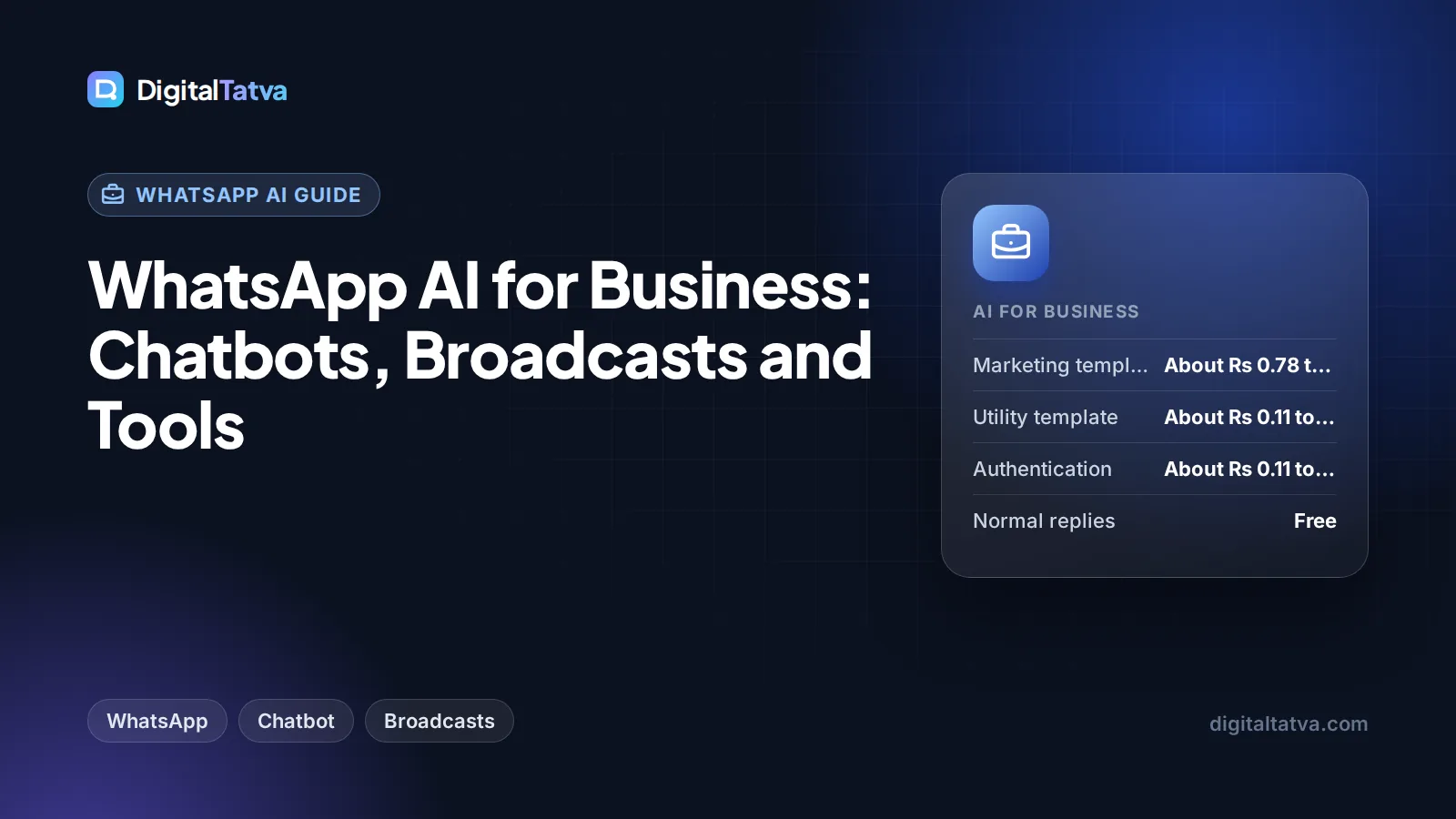
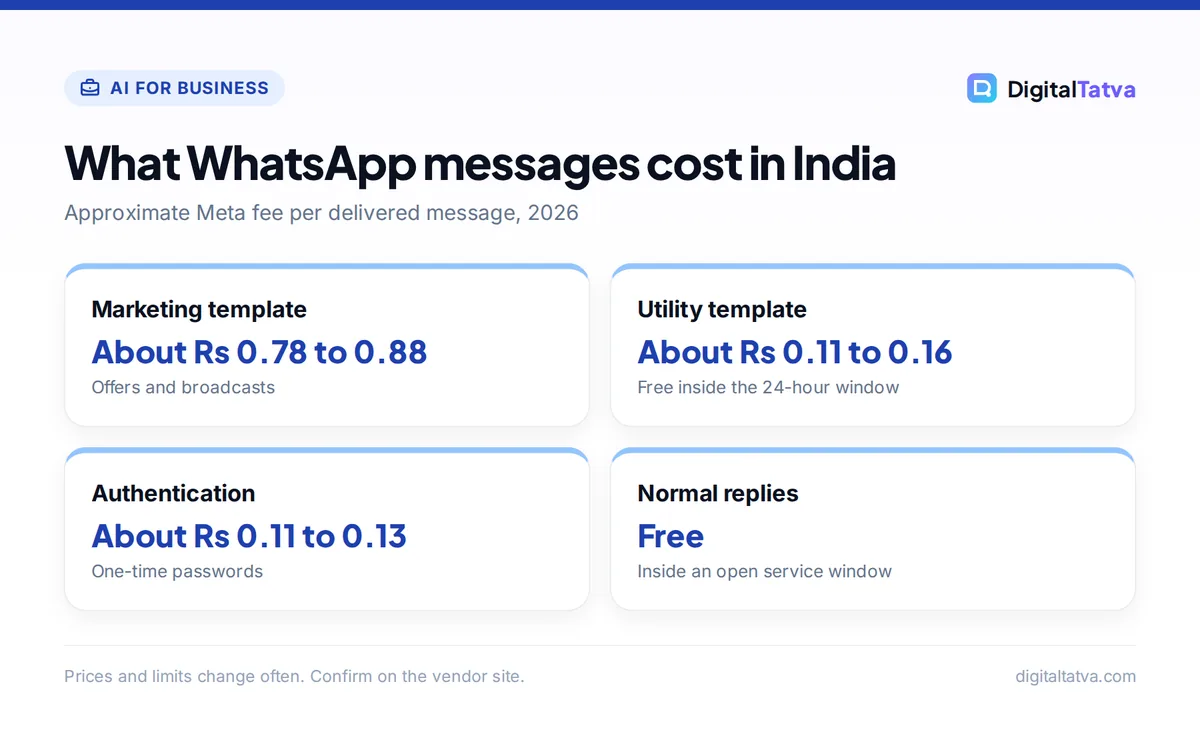
- Third-party estimates put India marketing messages at roughly Rs 0.78 to Rs 0.88 each, and utility or authentication at about Rs 0.11 to Rs 0.16. Check Meta’s rate card for exact figures.
- Platforms like WATI start at $20 to $25 a month; AiSensy’s WhatsApp AI Agent add-on lists $50 a month for 1,000 AI messages. Meta message charges are extra.
- General-purpose AI chatbots are banned on the WhatsApp Business Platform since 15 January 2026; business-specific support and sales bots are allowed.
Three ways to add AI to WhatsApp for business
Your best route depends on your size, message volume and how much control you want.
| Option | Best for | Starting cost | Broadcasts | Setup effort |
|---|---|---|---|---|
| Meta Business Agent (WhatsApp and Messenger) | Small shops, salons, local services | Free to activate at launch; paid tiers coming | No bulk broadcast tools in the free agent | Minutes |
| WhatsApp platform provider (WATI, AiSensy, Interakt) | Growing D2C brands, clinics, education, real estate | About $20 to $25/mo plus Meta message fees | Yes, with templates and segments | A few hours to a day |
| Custom bot on the WhatsApp Cloud API (n8n, Zapier or code) | Agencies, tech teams, unusual workflows | Automation tool fee plus AI tokens plus Meta fees | Yes, if you build it | Days |
Option 1: Meta Business Agent
Meta Business Agent is Meta’s own AI assistant for businesses. It answers business-specific questions, recommends products from your catalog, books appointments, qualifies leads and hands tricky conversations to a human. Meta launched it at its Business Summit in Mumbai in July 2026 for Indian businesses, after pilots in India, Mexico and Brazil and a global rollout announced in June 2026. Meta also offers a separate Meta Business Agent Platform for large companies that want custom agents connected to their ecommerce and CRM systems; Swiggy is one named user.
At launch the self-serve agent was free to activate, and Meta said paid subscription offerings would follow. Third-party coverage notes it lacks a shared team inbox, CRM sync, webhooks and website chat, so it suits single-owner businesses more than sales teams.
Choose it if you run a small business on the WhatsApp Business app and mainly need instant answers to repeated questions like prices, timings and availability.
Option 2: A WhatsApp Business Platform provider
Providers (Meta calls them Business Solution Providers) give you access to the WhatsApp Business Platform, the official API, without coding. You get a shared team inbox, approved message templates, broadcasts to opted-in customers, chatbot flow builders and, increasingly, AI agents trained on your documents.
- WATI: Growth costs $25 a month or $20 a month billed annually, with 3 users. Pro is $99 monthly or $79 annually, includes 500 AI credits a month and supports WATI’s Astra AI Agents add-on. Business is $399 monthly or $319 annually. Meta message charges are billed on top.
- AiSensy: popular with Indian SMBs. Its USD pricing page lists a WhatsApp AI Agent Builder add-on at $50 a month for 1,000 AI messages (with knowledge base answers, memory and tool calling) and a drag and drop Chatbot Builder at $80 a month for 5 chatbots, on top of a base plan. WhatsApp message credits are recharged separately.
- Interakt: another India-focused option that bills in rupees. We could not verify its current prices on the official page, so check it directly.
For a wider comparison of support platforms with AI agents, see our guide to AI customer support tools.
Option 3: Build your own with the WhatsApp Cloud API
If you want full control, connect Meta’s WhatsApp Cloud API to an automation tool and an AI model. For example, n8n can receive a WhatsApp message, look up the order in your database, ask an AI model to draft a reply in the customer’s language, and send it back. You pay for the automation tool, AI tokens and Meta’s message fees. Our guides to building your first AI workflow in n8n and n8n vs Zapier help you pick the engine.
WhatsApp Business API pricing explained
This is where most businesses get surprised, so here is the plain version, based on Meta’s official WhatsApp pricing documentation.
- Per-message billing: since 1 July 2025, Meta charges each time a template message is delivered. Templates are pre-approved message formats you need to start a conversation or message someone outside an active chat.
- Three paid categories: Marketing (offers, broadcasts), Utility (order updates, reminders) and Authentication (one-time passwords). Rates differ by category and the recipient’s country.
- 24-hour customer service window: when a customer messages you, a 24-hour window opens. Inside it, all normal (non-template) replies are free, and utility templates are free too. This is exactly where your AI chatbot does most of its work, so most bot replies cost nothing in Meta fees.
- Free entry points: if a customer reaches you from a Click to WhatsApp ad or a Facebook Page button and you reply within 24 hours, all messages are free for 72 hours.
- Volume tiers: utility and authentication rates get cheaper at higher monthly volumes. Marketing rates do not.
| Message type (India) | Approximate cost per message | When it is free |
|---|---|---|
| Marketing template | About Rs 0.78 to Rs 0.88 | Inside a 72-hour free entry point window |
| Utility template | About Rs 0.11 to Rs 0.16 | Inside an open 24-hour service window |
| Authentication template | About Rs 0.11 to Rs 0.13 | Not free |
| Normal replies (non-template) | Free | Always free, but only inside an open window |
The India figures are third-party estimates from mid 2026, and Meta raised India marketing rates on 1 January 2026, so treat them as a guide and check Meta’s current rate card. Also note: Meta launched rupee billing for eligible Indian businesses on 1 January 2026 and requires all WhatsApp Business accounts in a portfolio to migrate to INR billing by 31 December 2026. Ask your provider whether you are covered.
Worked example: a festive broadcast
A clothing store in Ahmedabad sends a Diwali offer to 5,000 opted-in customers. At about Rs 0.78 to Rs 0.88 per marketing message, that is 5,000 x Rs 0.78 = Rs 3,900 up to 5,000 x Rs 0.88 = Rs 4,400 in Meta fees. When 600 customers reply with questions, the AI chatbot answers them inside the 24-hour window, and those replies cost nothing extra from Meta (your provider’s AI credits may still apply). If the store adds a platform fee of around $20 to $25 a month, the whole campaign stays well under the cost of a print flyer run.
Save money: Run Click to WhatsApp ads instead of cold broadcasts where you can. Conversations that start from those ads get a 72-hour free window, so your bot and sales team can follow up without per-message charges.
The WhatsApp AI chatbot rules you must follow
No general-purpose AI assistants
Meta changed its WhatsApp Business Solution terms to bar “AI providers”, meaning companies whose AI chatbot is the product itself, such as ChatGPT-style assistants that answer any question. The change applied to new users from 15 October 2025 and to all users from 15 January 2026. Meta’s pricing documentation also lists a separate pricing policy for AI providers from 16 February 2026.
What is still allowed: bots whose AI is ancillary to a real business service, such as answering product questions, tracking orders, booking appointments, triaging support and qualifying leads. Keep your bot focused on your business and give it instructions to politely decline unrelated questions.
Consent and opt-in
Only send templates to customers who opted in to hear from you on WhatsApp, and make it easy to stop messages. Spammy broadcasts get blocked and reported, which can lower your quality rating and messaging limits. If you collect personal data in chats, India’s Digital Personal Data Protection (DPDP) Act also applies; our business guide to AI data privacy explains what to do.
Watch out: Avoid unofficial “WhatsApp automation” tools that control a phone or WhatsApp Web to send bulk messages. They break WhatsApp’s terms and can get your number banned. Use the official app, Meta Business Agent or an official platform provider.
How to set up a WhatsApp AI chatbot step by step
These steps assume you use a WhatsApp platform provider, the most common choice for growing businesses.
- List your top 20 customer questions. Pull them from your chat history: prices, delivery times, return policy, store hours, appointment slots. These become the bot’s knowledge base and test cases.
- Pick a dedicated phone number. Use a number that will be your official business line. Moving an existing WhatsApp Business app number to the platform changes how you use it, so read your provider’s migration notes first.
- Sign up with a provider and verify your business. Connect your Meta Business account, complete business verification and set your display name and profile.
- Upload knowledge and write instructions. Add FAQs, price lists, policies and catalog data. Write clear instructions: answer only about our business, reply in the customer’s language, never invent prices, and hand off to a human for refunds or complaints.
- Create message templates. Submit utility templates (order confirmations, reminders) and a few marketing templates for offers. Meta reviews them before you can send.
- Set up human handoff. Route conversations to a team inbox when the customer types “agent”, the AI is unsure, or the topic is sensitive. Fast human follow-up is what makes customers trust the bot.
- Test with real questions, then go live. Ask your 20 questions in English, Hindi or your regional language, fix wrong answers, then add a WhatsApp button to your website, Instagram and Google Business Profile.
Want the same assistant on your website too? Our guide on adding an AI chatbot to your website covers web chat tools that can share one knowledge base.
Best WhatsApp AI use cases by industry
- Ecommerce and D2C: order tracking, cart recovery messages, size and product recommendations from your catalog, and cash on delivery confirmation. More ideas in our guide to AI for ecommerce.
- Real estate: instant replies to property enquiries, sharing brochures, qualifying budget and location, and booking site visits. See AI tools for real estate agents.
- Clinics, salons and coaching centers: appointment booking, reminders and rescheduling, which are utility messages and cheap to send.
- Agencies: building and managing WhatsApp bots for clients is a growing service line, covered in AI for marketing agencies.
For broadcast copy, our AI prompts for small business owners include message and offer templates you can adapt.
Common mistakes with WhatsApp AI chatbots
- Letting the bot guess. If the knowledge base has no answer, the bot should say so and hand off, not invent a price or delivery date.
- Hiding the human option. Customers who cannot reach a person leave. Always show a way to talk to your team.
- Broadcasting too often. Frequent marketing messages raise costs and block rates. Segment by interest and send fewer, better offers.
- Ignoring language. Many Indian customers switch between English, Hindi and regional languages. Test your bot in the languages your customers actually use.
- Not measuring results. Track resolution rate, handoff rate, response time and sales from WhatsApp. Our guide to measuring ROI from AI tools shows how.
Frequently asked questions
Is there a free WhatsApp AI chatbot for business?
Yes. Meta Business Agent was free to activate at launch for businesses on WhatsApp and Messenger, and it answers questions, recommends catalog products and books appointments. Meta has said paid subscription tiers are coming, so features may change. Platform providers usually charge a monthly fee, and Meta charges for template messages on the API.
How much does a WhatsApp chatbot cost in India?
Expect two costs: a platform fee and Meta’s per-message charges. Platforms like WATI start around $20 to $25 a month, and AI agent add-ons such as AiSensy’s list about $50 a month for 1,000 AI messages. Third-party estimates put Indian marketing messages near Rs 0.78 to Rs 0.88 each, while replies inside the 24-hour window are free.
Can I connect ChatGPT to WhatsApp Business?
You can use an AI model like GPT-6 Luna or Claude behind a business chatbot, as long as the bot serves your business, for example answering product or order questions. What Meta bans since 15 January 2026 is offering a general-purpose AI assistant as the product itself on the WhatsApp Business Platform.
Are WhatsApp broadcast messages free?
No. Broadcasts use marketing templates, which Meta charges per delivered message, with rates depending on the recipient’s country. In India, third-party estimates suggest roughly Rs 0.78 to Rs 0.88 per marketing message. Conversations that start from Click to WhatsApp ads get a free 72-hour window if you reply within 24 hours.
Do I need the WhatsApp Business API for a chatbot?
Not always. Small businesses can use Meta Business Agent directly. You need the WhatsApp Business Platform (through a provider or the Cloud API) for team inboxes, large broadcasts, CRM integrations, custom AI agents and higher volumes. Most growing businesses move to the platform once several people handle chats.
Our verdict: which WhatsApp AI setup should you choose?
If you are a solo or small business, start with Meta Business Agent and see how many questions it answers on its own. If several people handle chats or you run regular broadcasts, a provider like WATI or AiSensy with an AI agent add-on is the practical middle ground. If you are an agency or have a developer, a custom bot on the Cloud API with n8n gives the most control and the lowest per-conversation cost at scale. Whatever you pick, keep the bot business-focused to stay within Meta’s rules, and compare options in our list of the best AI automation tools. Meta’s message rates and provider plans change often, so confirm current prices on WATI’s pricing page, your provider’s site and Meta’s rate card before you launch.
Pricing and features are checked at the time of writing and can change. Some links may be affiliate links, which never affect our verdicts.