Kimi K3.1 Pro Review: Pricing, Benchmarks, Open Weights and Licence
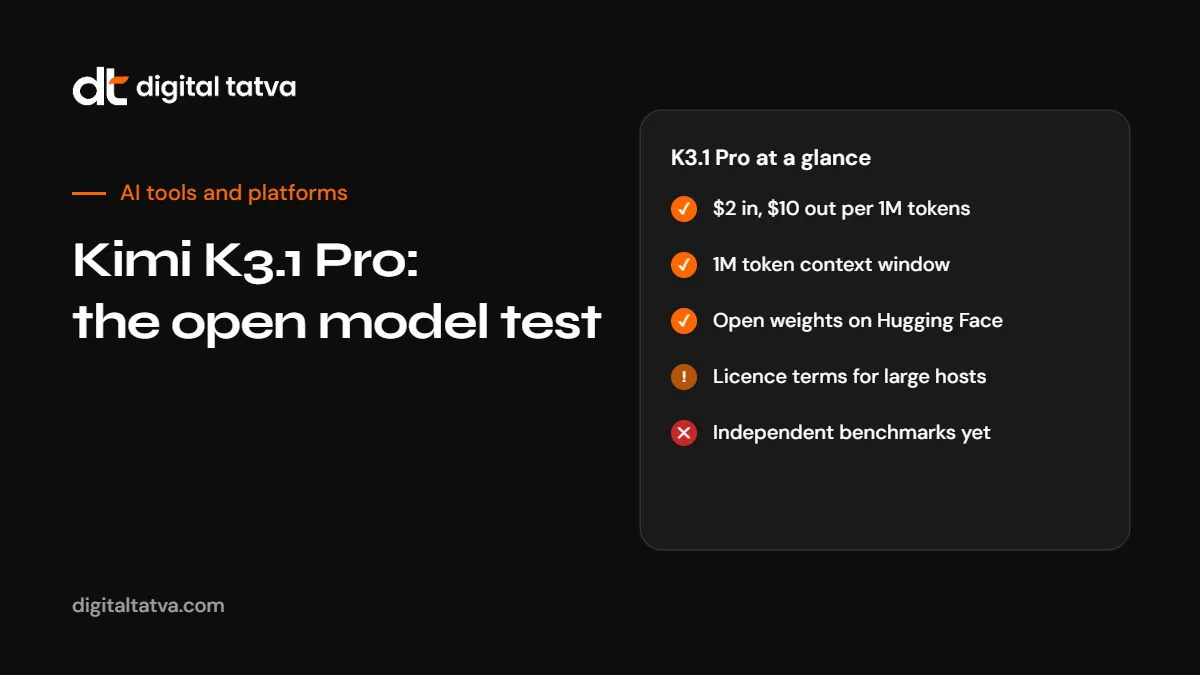
Moonshot AI's Kimi K3.1 Pro is a 2.8 trillion parameter open-weight model with a 1M token context window, priced at $2 and $10 per million tokens. Here is what Moonshot claims, what independent testers have not yet confirmed, and how the licence works.
On this page
- Key takeaways
- Kimi K3.1 Pro at a glance
- What Moonshot claims about performance
- Pricing compared
- The licence
- Running it yourself
- Safety and data considerations
- Best uses for Kimi K3.1 Pro
- How to test it fairly
- How to call Kimi K3.1 Pro from your code
- Where to access it: options compared
- Working with a 1M token context window
- Open-weight model checklist for businesses
- Kimi K3.1 Pro vs closed frontier models: when to choose which
- Frequently asked questions
Last updated: 9 November 2026
Quick answer: Kimi K3.1 Pro is a large open-weight model from China’s Moonshot AI, released through the Kimi API on 23 October 2026 with weights published on Hugging Face on 4 November 2026. It is a Mixture-of-Experts model with 2.8 trillion total parameters and 104 billion active per token, and a context window of about 1 million tokens. API pricing is $2 per million input tokens and $10 per million output tokens. Moonshot’s own benchmark table puts it close to Claude Opus 5.5 on many tests and ahead on some, but independent results on the released weights were not yet available. The licence allows broad use, with conditions for very large hosting businesses and very large products. It is a strong option for coding, agent work and long documents if you test it on your own tasks first.
Key takeaways
- One of the largest open-weight models available, focused on coding, agentic tasks, 3D workflows and financial research.
- About half the per-token price of leading closed frontier models, based on OpenRouter’s listing.
- All benchmark figures so far come from Moonshot. Wait for independent tests or run your own.
- Self-hosting needs data-centre hardware; the weights are about 1.5 TB.
- Moonshot removed cyber-related training data from the open-weight release.
Kimi K3.1 Pro at a glance
| Item | Kimi K3.1 Pro |
|---|---|
| Developer | Moonshot AI |
| API release | 23 October 2026 |
| Open weights | 4 November 2026 on Hugging Face |
| Lineage | A post-trained variant of Kimi K3 |
| Total parameters | 2.8 trillion |
| Active parameters | 104 billion per token (about 3.7%) |
| Architecture | Mixture-of-Experts, 896 experts with 16 selected per token, 93 layers |
| Context window | 1,048,576 tokens |
| Precision | MXFP4 weights with quantisation-aware training |
| API price | $2 input, $10 output per million tokens |
| Access | Kimi app, Kimi Code, Kimi API (including an OpenAI-compatible endpoint), OpenRouter and NVIDIA’s API catalogue |
If you are new to Kimi, see how to use Kimi.
What Moonshot claims about performance
Moonshot published a long comparison table against leading models. One analysis counted 37 rows with scores for both Kimi K3.1 Pro and Claude Opus 5.5, with Kimi ahead on 16. Highlights from Moonshot’s figures:
| Test | Kimi K3.1 Pro | Comparison |
|---|---|---|
| SWE Marathon v1.1 | 51.7 | Opus 5.5: 46.3 |
| Terminal-Bench 4.0 | 65.7% | Opus 5.5: 66.4% |
| HLE-Diamond (no tools) | 39.4% | GPT-6 Astra: 65.8% |
| Cyber exploitation tests | Behind by 13 to 16 points | Expected, given removed cyber data |
Important caveats: Kimi was run at maximum reasoning effort, many comparison scores came from other labs’ reports or leaderboards, and no independent results on the released weights had been published at the time of writing. Outside testers were not yet convinced it matches Opus in everyday use. Treat these as promising claims, not settled facts.
Pricing compared
| Model | Input per 1M | Output per 1M |
|---|---|---|
| Kimi K3.1 Pro | $2.00 | $10.00 |
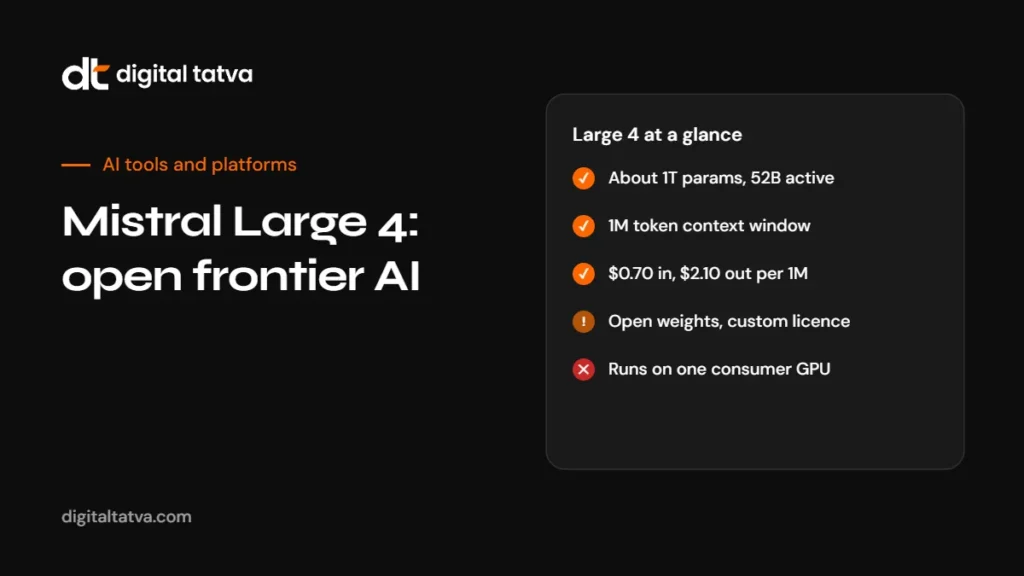
| Mistral Large 4 | $0.70 | $2.10 |
| GPT-6.1 Terra | $1.00 | $5.00 |
OpenRouter listed Kimi K3.1 Pro at about half the price of Claude Opus 5.5 when checked on 4 November 2026. NVIDIA’s API catalogue also lists a free prototype endpoint with rate limits of 40 requests per minute and 10,000 per day, useful for testing. See Mistral Large 4, GPT-6.1 Terra and LLM API pricing comparison.
The licence
Kimi K3.1 Pro uses its own licence, not a standard open-source one. It grants broad rights to use, copy, modify, distribute and sell, with conditions:
- Large model-as-a-service hosts with more than $20 million in revenue (including affiliates) in any 12 months must sign a separate agreement with Moonshot before commercial use.
- Very large products, with more than 100 million monthly active users or more than $20 million monthly revenue, must display the Kimi name prominently in the interface.
- Internal use is exempt from both conditions.
For almost all businesses, these conditions will not apply. Large platforms should read the licence carefully.
Running it yourself
The weights are about 1.56 TB across 96 files. Moonshot recommends vLLM, SGLang and TokenSpeed for inference but does not state hardware requirements. One third-party estimate suggested eight NVIDIA B300 GPUs, a setup costing hundreds of thousands of dollars. For most teams, the API, OpenRouter or a cloud host is far more practical. See how to run an LLM locally for models that fit smaller hardware.
Safety and data considerations
- Cyber data removed. Moonshot says it removed cyber-related data from both training stages for the open-weight release while keeping general coding data.
- Data location. Using Moonshot’s API sends data to Moonshot’s servers. Self-hosting or a third-party host in your region gives more control.
- Company policy. Some organisations restrict AI services based in certain countries. Check your policy and clients’ requirements. See AI data privacy for business.
For a related discussion, see is DeepSeek safe.
Best uses for Kimi K3.1 Pro
- Coding agents through Kimi Code or other agent tools that accept OpenAI-compatible APIs.
- Long document analysis using the 1M token context.
- Financial and business research, one of Moonshot’s stated focus areas.
- 3D and design-adjacent workflows, another stated focus.
- Cost-sensitive high-volume tasks where a frontier-class model is needed but closed-model prices are too high.
How to test it fairly
- Pick 20 to 50 real tasks from your work, not benchmark questions.
- Run them on Kimi K3.1 Pro and your current model with the same prompts.
- Score results blind if possible.
- Track cost per task, including reasoning tokens.
- Check latency at your expected volume.
- Decide based on quality per dollar, not leaderboard rank.
How to call Kimi K3.1 Pro from your code
Because Moonshot offers an OpenAI-compatible endpoint, many existing tools and scripts can switch to Kimi by changing the base URL, API key and model name. The exact model identifier and base URL are listed in Moonshot’s and OpenRouter’s documentation; check them before you deploy. A typical pattern in Python looks like this:
from openai import OpenAI

client = OpenAI(
    base_url="YOUR_PROVIDER_BASE_URL",   # Moonshot or OpenRouter endpoint
    api_key="YOUR_API_KEY",
)

response = client.chat.completions.create(
    model="KIMI_K3_1_PRO_MODEL_ID",       # copy from the provider's model list
    messages=[
        {"role": "system", "content": "You are a careful financial research assistant."},
        {"role": "user", "content": "Summarise the key risks in the attached annual report."},
    ],
)
print(response.choices[0].message.content)
Keep your API key out of source code, set a spending limit with your provider, and log token usage per request so you can compare costs with your current model.
Where to access it: options compared
| Option | Best for | Trade-offs |
|---|---|---|
| Kimi app | Trying the model by hand | Consumer product, not for business data without checking terms |
| Kimi Code | Coding agent workflows | Tied to Moonshot’s tooling |
| Kimi API | Direct access at list price | Data processed by Moonshot |
| OpenRouter | Switching between many models with one key | An extra intermediary; check its data policy |
| NVIDIA API catalogue prototype | Free testing within rate limits | Not for production volume |
| Self-hosting | Full data control | Data-centre GPUs, engineering effort and high cost |
Working with a 1M token context window
A one million token window can hold several long reports or a large codebase in a single request. That is powerful, but it is easy to waste money. Practical tips:
- Only send what the task needs. Long inputs cost more on every request.
- Put instructions at the start and repeat the key question at the end of very long prompts, so the model does not lose the thread.
- Ask for structured output, such as a table or JSON, when you will process the answer in code.
- Use retrieval for very large collections. For thousands of documents, search first and send only the relevant ones. See what is RAG.
- Check for missed details in long-document answers by asking the model to quote the passages it relied on.
Open-weight model checklist for businesses
Before adopting Kimi K3.1 Pro or any open-weight model in a business process, work through these questions:
- Quality: does it match or beat your current model on your own test set?
- Cost: what is the cost per completed task, including reasoning tokens and retries?
- Latency: is it fast enough at your expected volume?
- Data: where will prompts and outputs be processed and stored?
- Licence: do any conditions apply to your use?
- Support: who will you call when something breaks?
- Exit plan: can you switch models easily if needed?
Kimi K3.1 Pro vs closed frontier models: when to choose which
| Situation | Lean towards |
|---|---|
| High-volume coding or agent tasks where cost matters | Kimi K3.1 Pro, after testing |
| Need to self-host for data control and have the hardware | Kimi K3.1 Pro or another open-weight model |
| Hardest reasoning tasks where every point of accuracy matters | A leading closed model |
| Security research or cyber tasks | Not Kimi’s open release, which had cyber data removed |
| Strict policies on AI providers by country | Check policy; consider self-hosting or a regional host |
Many teams end up using several models: an open model for volume work and a closed model for the hardest steps. See model routing explained.
Frequently asked questions
What is Kimi K3.1 Pro?
An open-weight Mixture-of-Experts model from Moonshot AI with 2.8 trillion parameters, 104 billion active, and a 1M token context window.
How much does Kimi K3.1 Pro cost?
$2 per million input tokens and $10 per million output tokens through the API.
Are Kimi K3.1 Pro’s weights open?
Yes. Moonshot released them on Hugging Face on 4 November 2026 under its own licence.
Is Kimi K3.1 Pro better than Claude Opus 5.5?
Moonshot’s table shows it ahead on some tests and behind on others. Independent results were not yet available.
Can I use Kimi K3.1 Pro commercially?
Yes for most businesses. Very large hosting services and products have extra conditions.
Can I try Kimi K3.1 Pro for free?
The Kimi app and NVIDIA’s prototype endpoint offer ways to test it, with limits.
What hardware do I need to self-host it?
Data-centre GPUs. The weights are about 1.5 TB, and Moonshot does not publish exact requirements.
Is my data safe with Kimi?
The API processes data on Moonshot’s servers. For sensitive data, consider self-hosting or a host in your region, and check your policies.
Product details, prices and features are checked at the time of writing and can change. Sources are linked in the text so you can check them yourself.
How does your brand appear in AI answers?
We test the questions your buyers ask across the major AI assistants and search engines, then show you what to fix first.
Get an AI Visibility Audit