GitHub Copilot Pricing 2026: Free, Pro, Pro+ and Business Plans
GitHub Copilot costs $0 to $100 a month for individuals and $19 to $39 per seat for teams. Here is how the new AI Credits work and which plan fits you.

On this page
- Key takeaways
- GitHub Copilot plans and prices at a glance
- How AI Credits work since June 2026
- Each GitHub Copilot plan in detail
- Legacy premium requests: what happened to the 300 limit
- Hidden costs and how overage works
- How to save money on GitHub Copilot
- Which GitHub Copilot plan should you pick?
- GitHub Copilot vs Cursor on price
- Frequently asked questions
- Final verdict on GitHub Copilot pricing
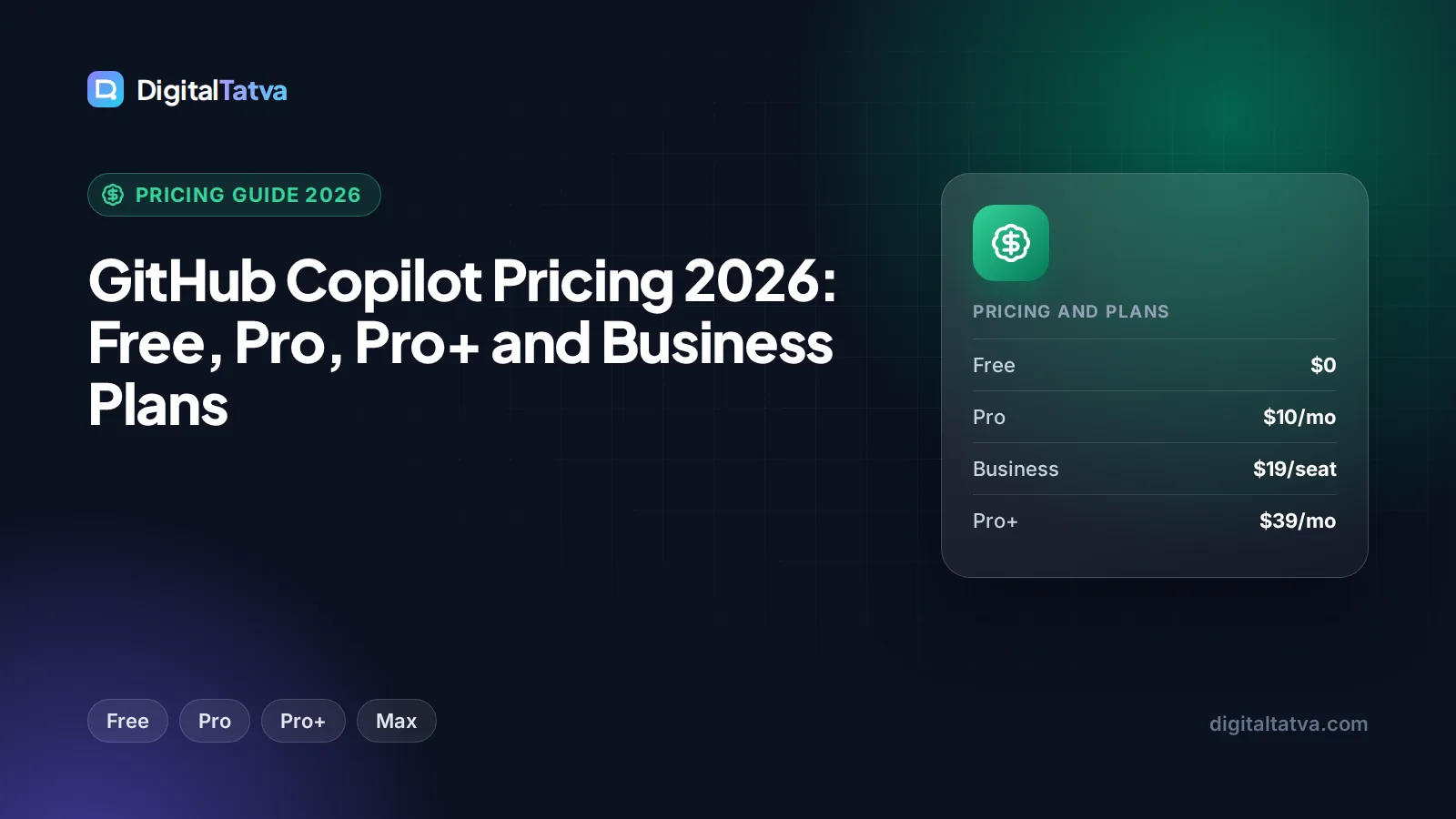
GitHub Copilot pricing in 2026 starts at $0 for the Free plan, then $10/month for Pro, $39/month for Pro+ and $100/month for the new Max tier. Teams pay $19 per seat per month on Business and $39 per seat on Enterprise. The big change is how usage works: since June 1, 2026, Copilot bills chat and agent work in “AI Credits” instead of premium requests, while code completions stay unlimited on paid plans and never touch your credits.
If you mainly want autocomplete in your editor, Pro at $10 is still one of the best value tools in software. If you lean on agent mode and frontier models all day, the credit allowance is what you are really buying, and that changes which plan makes sense. This guide walks through every plan, shows how AI Credits get used with real arithmetic, and tells you which tier to pick.
Key takeaways
- Copilot Free costs $0 and includes 2,000 code completions per month plus limited chat and agent usage.
- Pro ($10/month) includes 1,500 AI Credits, Pro+ ($39) includes 7,000 and Max ($100) includes 20,000. One credit is worth $0.01.
- Completions and Next Edit suggestions do not consume AI Credits on any plan, so light users rarely run out.
- Business ($19/seat) and Enterprise ($39/seat) pool credits across the organization with admin controls.
- Verified students get a free Copilot Student plan, and eligible teachers and popular open source maintainers can get Pro free.
GitHub Copilot plans and prices at a glance
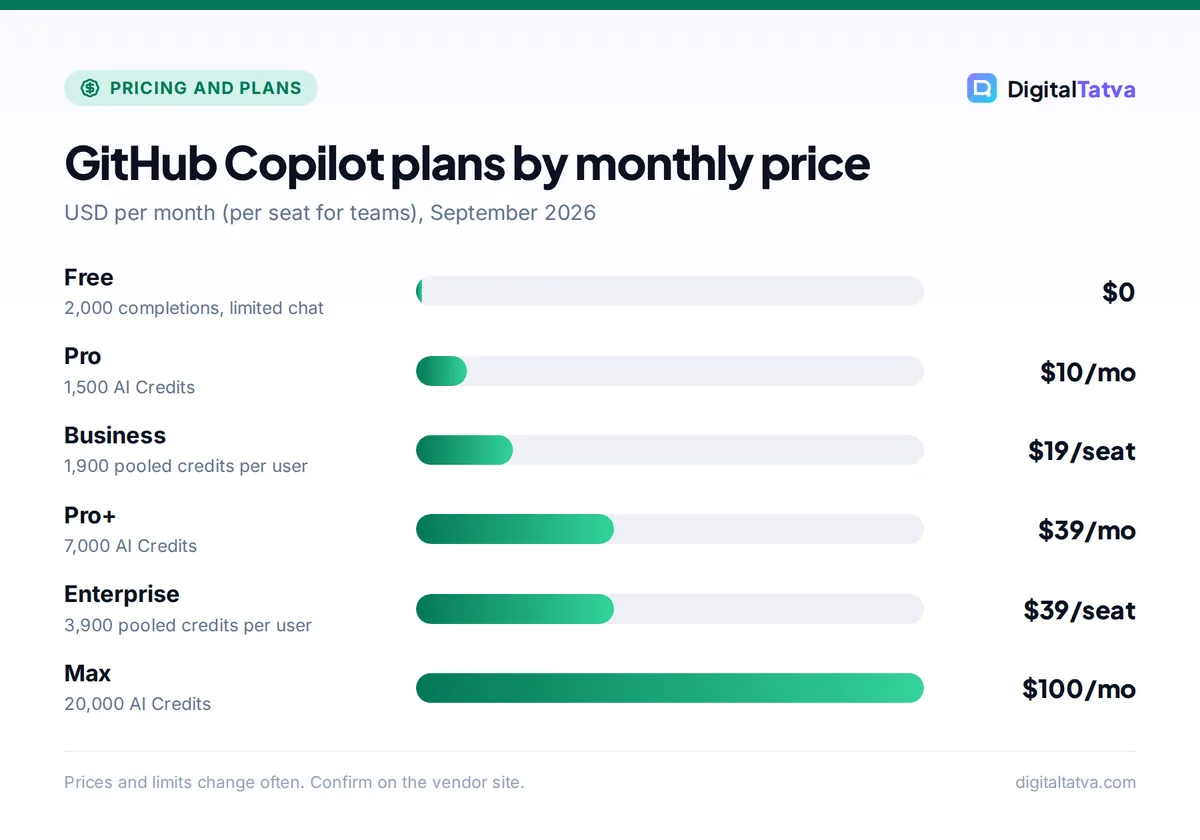
Here is the full lineup as listed on GitHub’s plans page and docs in September 2026. The “credits value” column is how GitHub itself presents each allowance, since one AI Credit equals one cent.
| Plan | Price | AI Credits per month | Credits value | Best for |
|---|---|---|---|---|
| Free | $0 | Limited chat and agent usage | Not stated | Trying Copilot, hobby projects |
| Pro | $10/month | 1,500 (1,000 base + 500 flex) | $15 | Most individual developers |
| Pro+ | $39/month | 7,000 (3,900 base + 3,100 flex) | $70 | Heavy agent and frontier model users |
| Max | $100/month | 20,000 (10,000 base + 10,000 flex) | $200 | Full-time agent workflows |
| Business | $19/seat/month | 1,900 per user, pooled | $19 per user | Small and mid-size teams |
| Enterprise | $39/seat/month | 3,900 per user, pooled | $39 per user | Large organizations |
Extra credits on any plan cost $0.01 each. You can confirm the current numbers on the official Copilot plans page.
How AI Credits work since June 2026
On June 1, 2026, GitHub replaced the old premium request system with usage-based AI Credits. Instead of counting each chat message as one request, Copilot now meters the tokens each request uses and charges credits at that model’s published API rate. A token is a small chunk of text, roughly three quarters of a word; if the idea is new to you, our plain English guide to AI tokens explains it in a few minutes.
The practical effect is simple. Short questions to a cheap model cost almost nothing. Long agent sessions that read dozens of files and use a frontier model cost much more. GitHub explains the reasoning in its announcement of usage-based billing.
What never uses credits
Code completions (the grey ghost text that appears as you type) and Next Edit suggestions stay included on every plan and do not consume AI Credits. On Free you get 2,000 completions a month; on paid plans completions are not metered against your credit pool. For many developers, completions deliver most of the day-to-day value, which is why the $10 Pro plan still feels generous.
Base credits vs flex credits
Each individual plan splits its allowance into base credits and flex credits. Pro, for example, lists 1,000 base plus 500 flex for a total of 1,500. For budgeting, treat the total as your monthly allowance and check your usage dashboard to see how GitHub is drawing it down.
A worked example of credit usage
Because credits follow API rates, you can estimate costs with real token prices. Assume a model priced like Claude Sonnet 5.5 on Anthropic’s API, at $2 per million input tokens and $10 per million output tokens. (GitHub bills at each model’s published rate, so check the model list in your settings for the exact figure.)
- Quick chat question: 20,000 input tokens (your question plus some file context) and 2,000 output tokens. Input: 20,000 x $2 / 1,000,000 = $0.04. Output: 2,000 x $10 / 1,000,000 = $0.02. Total $0.06, or about 6 credits.
- Agent session: 400,000 input tokens (the agent reads many files over several steps) and 40,000 output tokens. Input: $0.80. Output: $0.40. Total $1.20, or about 120 credits.
On Pro’s 1,500 credits, that is roughly 250 quick questions, or about 12 substantial agent sessions, per month. On Pro+ with 7,000 credits, the same agent session fits about 58 times. Pick a pricier flagship model and those numbers shrink; pick a budget model and they grow a lot. Our guide to picking the cheapest AI model for each task applies directly here.
Tip: Use a cheaper model for routine chat (explaining an error, writing a test stub) and save frontier models for hard refactors. Model choice is the single biggest lever on how fast your credits drain.
Each GitHub Copilot plan in detail
Copilot Free: $0
Free gives you 2,000 code completions per month plus “limited chat and agent usage.” GitHub lists the coding agent as available on Free, and individual plans include access to more than 30 models from providers such as Anthropic (Claude), OpenAI (GPT), Google (Gemini), xAI (Grok) and Kimi. No card is needed.
Who it is for: students waiting on verification, hobbyists, and anyone evaluating Copilot before paying. Who should skip it: anyone coding daily. 2,000 completions can disappear in a couple of busy weeks. For more no-cost options, see our list of the best free AI tools you can use today.
Copilot Pro: $10/month
Pro is the default pick for individual developers. You get completions without the Free cap, 1,500 AI Credits per month (shown as $15 in credits, so you receive more credit value than you pay), the full model picker and the coding agent.
Who it is for: professional developers who mostly use autocomplete and ask chat questions a few times a day. Who should skip it: people who run long agent tasks every day. They will likely buy overage or move up to Pro+.
Copilot Pro+: $39/month
Pro+ raises the allowance to 7,000 credits ($70 of value for $39) and adds third-party coding agent delegation, which lets you hand tasks to other vendors’ agents from inside GitHub. The value per dollar is the best of the individual tiers.
Who it is for: developers who use agent mode or frontier models for several hours a day. If you regularly spend $15 to $30 a month in overage on Pro, Pro+ is cheaper.
Copilot Max: $100/month
Max is the new top individual tier, with 20,000 credits ($200 of value). It targets people who treat Copilot’s agent as a full-time pair programmer, running multiple long sessions a day.
Who it is for: freelancers and consultants who bill by output and run agents constantly. Who should skip it: almost everyone else. Start on Pro+ and upgrade only if your dashboard shows you exhausting 7,000 credits by mid-month.
Copilot Business: $19 per seat per month
Business includes 1,900 credits per user per month, and the credits are pooled across the organization. Pooling matters: a lead engineer who runs heavy agent sessions can draw on credits that lighter users leave untouched. Admins get central controls over seats and usage. Our explainer on when AI team plans actually save money covers the seat math in more depth.
Copilot Enterprise: $39 per seat per month
Enterprise doubles the pooled allowance to 3,900 credits per user and adds the governance features larger companies need. See the Copilot plans documentation for the full feature matrix.
Note: When usage billing launched, GitHub gave Business $30/month and Enterprise $70/month in credits for the first three months as a promotion. That offer has likely ended, so budget on the standard 1,900 and 3,900 credit allowances.
Legacy premium requests: what happened to the 300 limit
Older articles say Copilot Pro includes 300 premium requests per month, with overage at $0.04 per request. That no longer applies to new or monthly subscribers. Annual Pro and Pro+ subscribers who signed up before the change keep premium requests (300 on Pro, 1,500 on Pro+) until their term ends. After that, they drop to Free and can upgrade to a credit-based plan.
Watch out: If you are on a legacy annual plan, note your renewal date. When the term ends you fall back to Free, not automatically onto the new Pro, so set a reminder to re-subscribe if you rely on Copilot for work.
Hidden costs and how overage works
The sticker price is only part of the bill for heavy users. Keep these costs in mind:
- Overage at $0.01 per credit. A Pro user who burns 3,000 credits in a month pays $10 plus 1,500 x $0.01 = $15 in overage, for $25 total. At that point, Pro+ at $39 with 7,000 credits gives you far more headroom for only $14 more.
- Frontier model premiums. Credits follow API prices, so the most capable models burn credits several times faster than budget ones. Compare rates in our breakdowns of OpenAI API pricing and Claude API token costs.
- Big context. Agents that read your whole repository send a lot of input tokens. Tight, well-scoped tasks cost less. Our context window explainer shows why more context is not always better.
- Annual pricing. GitHub’s current pages do not show annual prices for Pro, Pro+ or Max. Historically Pro was $100/year, but confirm before assuming a discount exists.
How to save money on GitHub Copilot
- Check free eligibility first. Verified students get the free Copilot Student plan. Verified teachers and maintainers of popular open source projects can get Copilot Pro free, with eligibility rechecked monthly. Details are in GitHub’s docs, and our roundup of AI student discounts lists similar offers.
- Start on Pro and watch the dashboard. Run one full month on Pro and look at your credit usage before upgrading. Many developers never exceed 1,500.
- Match the model to the task. Use a budget model for boilerplate and explanations. Reserve flagship models for architecture and tricky bugs.
- Keep prompts and context tight. Point the agent at the specific files it needs. The techniques in our guide to reducing token usage apply to Copilot as well.
- Upgrade when overage passes the gap. If overage on Pro regularly exceeds $29 (the difference to Pro+), move up. The same logic applies from Pro+ to Max at $61.
Save money: Do not stack subscriptions. If you already pay for Claude Pro (which includes Claude Code) or a ChatGPT plan (which includes Codex), you may only need Copilot Free or Pro for completions. Our list of 12 ways to save on AI subscriptions covers this overlap.
Which GitHub Copilot plan should you pick?
| You are… | Pick | Why |
|---|---|---|
| A student | Copilot Student (free) | Dedicated free plan once your student status is verified |
| A hobbyist coding on weekends | Free | 2,000 completions and some chat cover occasional use |
| A full-time developer who mostly uses autocomplete | Pro ($10) | Completions do not use credits, and 1,500 credits cover regular chat |
| A developer who runs agent mode daily | Pro+ ($39) | 7,000 credits and third-party agent delegation |
| A freelancer running agents all day | Max ($100) | 20,000 credits avoids overage surprises |
| A team of 5 to 50 | Business ($19/seat) | Pooled credits and admin controls |
| A regulated or large enterprise | Enterprise ($39/seat) | Double the pooled credits plus governance |
Pros
- Pro at $10 is still one of the cheapest paid AI coding tools
- Completions never consume credits
- 30+ models from multiple vendors in one subscription
- Credit allowances are worth more than the plan price on individual tiers
Cons
- Credit usage is harder to predict than the old request counts
- Heavy agent use on frontier models can drain Pro quickly
- Annual pricing is not clearly published for 2026
GitHub Copilot vs Cursor on price
Cursor Pro costs $20/month, double Copilot Pro, and also bills frontier models at API rates once included usage runs out. Copilot is cheaper for autocomplete-first developers and fits neatly if your code already lives on GitHub. Cursor tends to win for people who want an AI-first editor built around agents. Read our full Cursor vs GitHub Copilot comparison and the Cursor pricing breakdown before you decide, or browse the best AI coding assistants for 2026.
Frequently asked questions
Is GitHub Copilot free?
Yes. Copilot Free costs $0 and includes 2,000 code completions per month plus limited chat and agent usage, with access to multiple models. It is enough to evaluate Copilot or code occasionally. Verified students also get a dedicated free Copilot Student plan, and eligible teachers and popular open source maintainers can get Copilot Pro at no cost.
How much does GitHub Copilot cost per month?
Individual plans cost $10/month for Pro, $39/month for Pro+ and $100/month for Max. Business costs $19 per seat per month and Enterprise $39 per seat per month. Each plan includes a monthly AI Credit allowance, and extra credits cost $0.01 each. Prices exclude tax, so your final bill may be higher depending on your country.
What are GitHub Copilot AI Credits?
AI Credits are the usage unit Copilot introduced on June 1, 2026, replacing premium requests. Chat and agent requests consume credits based on the tokens they use, at each model’s published API rate. One credit equals $0.01. Code completions and Next Edit suggestions are included on every plan and do not consume credits.
Is GitHub Copilot Pro worth it?
For most developers, yes. At $10/month you get completions without the Free cap, 1,500 AI Credits and the full model picker. If completions and moderate chat are your main uses, you will rarely pay overage. If you run long agent sessions daily with frontier models, Pro+ at $39 usually works out cheaper than Pro plus overage.
Does GitHub Copilot still have 300 premium requests?
Not for new subscribers. The 300 premium requests figure belongs to the old system. Only legacy annual Pro and Pro+ subscribers keep premium requests until their current term ends, after which they move to Free and can upgrade. Everyone else is on AI Credits: 1,500 on Pro, 7,000 on Pro+ and 20,000 on Max.
Final verdict on GitHub Copilot pricing
GitHub Copilot remains excellent value in 2026. Pro at $10 is the right starting point for nearly every individual developer, because completions are unmetered and 1,500 credits cover regular chat. Move to Pro+ once agent mode becomes a daily habit, and consider Max only if your usage dashboard proves you need it. Teams should start on Business and use pooled credits to absorb uneven usage. Copilot pricing changed significantly this year and may change again, so confirm the current plans and credit amounts on GitHub’s official site before you subscribe.
Related reading:
Pricing and features are checked at the time of writing and can change. Some links may be affiliate links, which never affect our verdicts.