Google Gemini Agent for Work: What It Does and How It Compares
Google's Gemini agent is a single work agent that plans tasks, connects to company systems and can route jobs to Gemini or Anthropic's Claude models. Here is what it does, who can use it and how it compares with ChatGPT dots, Claude Duet and Microsoft Copilot.
On this page
- Key takeaways
- What the Gemini agent does
- Gemini and Claude: why Google routes to a competitor
- Where it works
- Coworker agents
- Availability and pricing
- Gemini agent vs other work agents
- What businesses could use it for
- Questions to ask before adopting it
- Risks to manage
- What it means for marketers and AEO
- How to prepare your organisation for a work agent
- Writing good objectives for an agent
- Governance features explained
- Gemini agent and Gemini 4 models
- Is it right for small businesses?
- Frequently asked questions
Last updated: 9 November 2026
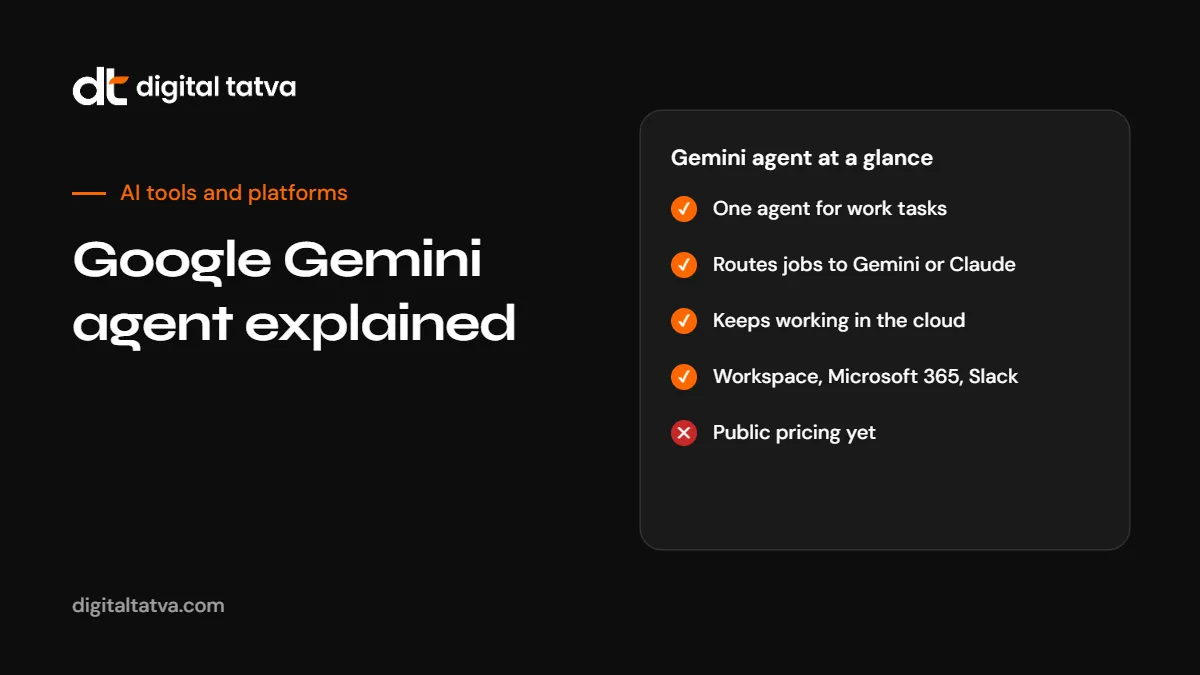
Quick answer: The Gemini agent is Google Cloud’s single, general-purpose AI agent for work, announced on 8 October 2026 at Gemini at Work. You give it an objective rather than step-by-step instructions, and it plans the work, uses tools and company systems, and returns finished output in your documents, inbox or code environment. It runs in the cloud, so long tasks continue after you close your laptop. Unusually, Google says it picks the best model for each job, and that includes Anthropic’s Claude models as well as Gemini. It works across Google Workspace, Microsoft 365 and Slack, with connectors for tools such as Jira, Salesforce and any MCP server. It started in a private beta for businesses, and Google had not published official pricing at the time of writing.
Key takeaways
- One agent for many kinds of work: research, writing, analysis, images and media, and code.
- Google treats the agent and the model as separate choices, routing jobs across Gemini and Claude models.
- “Coworker” agents can have a persistent role, their own identity and an @agents email address at your company.
- Governance features include attested agent identities, audit trails, an Agent Gateway and spend caps.
- Availability started with a business private beta and industry previews. Public pricing was not confirmed.
What the Gemini agent does
Google describes the Gemini agent as a universal agent for work. Instead of switching between a chatbot, a research tool, an image generator and a coding assistant, people give one agent a goal and let it work out the steps.
| Capability | What it means in practice |
|---|---|
| Knowledge work | Research, summarise, draft documents and presentations, answer questions about company data |
| Creative work | Create images and other media |
| Coding | Write and run code |
| Planning | Break an objective into steps and choose skills and tools |
| Long-running tasks | Keep working in the cloud after you close your laptop |
| Memory | Session, semantic, procedural and episodic memory, so it can learn how your team works |
| Sub-agents | Create temporary helper agents for parts of a task |
Gemini and Claude: why Google routes to a competitor
The most surprising part of the announcement is model routing. Google says the agent runs each job on the model that fits best, and today that means orchestrating across Gemini models and Anthropic’s Claude models, with other private and open models planned. Google’s framing is that Gemini is the agent and the model underneath is a separate choice.
This reflects a wider trend: businesses care about results and cost more than brand loyalty to a model. Routing lets the agent pick a cheaper model for simple steps and a stronger one for hard reasoning. For background, see model routing explained. Google has not said what share of work runs on Claude.
Where it works
- Access points: web, mobile, desktop, command line, Google Workspace, Microsoft 365 and Slack.
- Inside Workspace: Gmail, Drive, Docs, Slides, Sheets, Chat and Calendar.
- Connectors: Confluence, Microsoft Office, Teams, Slack, Git, Jira, Salesforce, ServiceNow, BigQuery, Databricks, Postgres, Snowflake and any Model Context Protocol server. See what is MCP.
Support for Microsoft 365 is notable. Google is pitching the agent to companies that do not use Workspace at all.
Coworker agents
Google also described “coworker” agents: agents with a persistent role, their own identity and an email address such as name@agents.yourcompany.com. Think of a reporting agent that prepares a weekly sales summary, or an operations agent that monitors tickets. Each agent has a cryptographically attested identity and an audit trail, and traffic passes through an Agent Gateway that enforces company policies.
Availability and pricing
| Item | Status at the time of writing |
|---|---|
| General release | Business private beta first; no general availability date published |
| Industry versions | Financial services and legal in preview; government, healthcare and retail “coming soon” |
| Pricing | Not officially published. A figure of $30 per user per month was reported but not confirmed by Google. |
| Cost controls | Multi-model orchestration, smart routing and real-time spend caps that pause a project’s agent when its limit is reached |
If you already use Gemini in Workspace, see how to use Gemini in Google Workspace for what is available now.
Gemini agent vs other work agents
| Agent | Company | Main idea | Status |
|---|---|---|---|
| Gemini agent | One work agent across Workspace, Microsoft 365 and Slack, routing across Gemini and Claude | Business beta and industry previews | |
| ChatGPT dots | OpenAI | Always-on personal agents with their own cloud computer and 4,000+ app connections | Pro and Business Premium; Enterprise rolling out. See ChatGPT dots |
| Claude Duet | Anthropic | Proactive agent that prepares briefs and works in a cloud browser, asking before sensitive actions | US research preview. See Claude Duet |
| Microsoft Copilot | Microsoft | Copilot and agents across Microsoft 365 | Available with licences. See Microsoft Copilot Cowork |
| Meta Muse | Meta | Agent-focused models and assistant | See Meta Muse Wonder |
What businesses could use it for
- Marketing: research competitors, draft campaign briefs, produce first drafts of content and images, and prepare performance summaries.
- Sales: prepare account research before calls and update CRM records from meeting notes.
- Finance: reconcile reports from several systems and flag anomalies.
- Operations: monitor tickets and draft responses for approval.
- Engineering: plan, write and test code across repositories.
In each case, keep a person responsible for checking and approving the output.
Questions to ask before adopting it
- Which tasks would save the most time if an agent did the first 80%?
- Which systems would it need to connect to, and who approves that access?
- How will you review its work before it reaches customers?
- What spend caps and audit requirements do you need?
- Where is your data processed, and does that meet your obligations? See AI data privacy for business.
- What happens when it makes a mistake?
Risks to manage
- Over-broad access. Give agents only the permissions they need.
- Unreviewed output. Agents can be confidently wrong.
- Cost creep. Long-running tasks consume tokens. Use spend caps.
- Prompt injection. Agents reading emails and web pages can be misled by malicious instructions. See AI agent security.
- Vendor claims. Adoption figures and case studies are Google’s own accounts.
What it means for marketers and AEO
Agents like this increasingly research suppliers and products on behalf of the people who use them. When a Gemini agent compiles a vendor shortlist for a procurement team, it draws on public web information. Clear, accurate, crawlable information about your business makes you easier for agents to include. See how to make your website agent-ready and agentic search.
How to prepare your organisation for a work agent
- Pick two or three pilot use cases with clear outputs, such as weekly reporting or meeting follow-ups.
- Clean up the data the agent will use. Out-of-date documents and messy shared drives lead to poor answers.
- Define permissions by role. Decide which systems the agent may read and which it may change.
- Set spend caps per project from day one.
- Decide review rules: what must a person approve before it leaves the company?
- Train a small group to write good objectives and review outputs.
- Measure time saved and errors for a month before expanding.
Writing good objectives for an agent
Agents work from objectives rather than step-by-step instructions, so the quality of the objective matters.
| Weak objective | Strong objective |
|---|---|
| “Do a report on sales.” | “Every Monday, prepare a one-page summary of last week’s sales by region from the CRM, compare with the previous week, flag any region down more than 10% and save it as a Google Doc in the Sales folder.” |
| “Look into competitors.” | “List the pricing, main features and target customers of these five competitors from their public websites, in a table, with links to each source page.” |
| “Help with support.” | “Draft replies to new support tickets tagged ‘billing’, using our refund policy document, and leave them for a human to approve.” |
Governance features explained
| Feature | Why it matters |
|---|---|
| Attested agent identity | Each agent can be identified, so actions are traceable |
| Audit trail | You can see what an agent did, when and why |
| Agent Gateway | Company policies are enforced on all agent traffic |
| Spend caps | Projects pause when they reach their limit |
| Model routing | Cheaper models handle simple steps, stronger ones handle hard steps |
Gemini agent and Gemini 4 models
The agent runs on top of Google’s latest models, including Gemini 4 Argon for complex reasoning, as well as Anthropic’s Claude models where they fit better. That means improvements in the underlying models can improve the agent without changing how you use it. See Gemini 4 Argon and Claude vs Gemini.
Is it right for small businesses?
At launch, the Gemini agent is aimed at businesses through Google Cloud, starting with a private beta. Small businesses on Google Workspace can already use Gemini in Gmail, Docs and Sheets for many everyday tasks, and can watch for wider agent availability. If you mainly need help drafting and summarising, existing Gemini, ChatGPT or Claude plans may be enough for now. See the best AI tools for small business.
Frequently asked questions
What is the Gemini agent?
A single, general-purpose AI agent for work from Google Cloud, announced on 8 October 2026, that plans tasks, connects to company systems and returns finished work.
Does the Gemini agent use Claude?
Google says it routes each job to the best-fitting model, including Anthropic’s Claude models as well as Gemini models.
Is the Gemini agent available to everyone?
Not yet. It began with a business private beta and industry previews.
How much does the Gemini agent cost?
Google had not published official pricing at the time of writing. Reported figures were unconfirmed.
Does it work with Microsoft 365?
Yes. Google lists Microsoft 365 and Slack as access points, along with Google Workspace.
What are coworker agents?
Agents with a persistent role, their own identity and an @agents email address at your company, with audit trails.
How is it different from Gemini in Workspace?
Gemini in Workspace helps inside individual apps. The Gemini agent takes an objective, plans multi-step work across systems and keeps working in the cloud.
Is it safe to give the agent access to company systems?
With least-privilege access, spend caps, audit trails and human review of important actions, risks are manageable. Treat it like a new employee with limited permissions.
Product details, prices and features are checked at the time of writing and can change. Sources are linked in the text so you can check them yourself.
How does your brand appear in AI answers?
We test the questions your buyers ask across the major AI assistants and search engines, then show you what to fix first.
Get an AI Visibility Audit