
50 Best ChatGPT Prompts for LinkedIn (Posts, Profile and Outreach)
50 copy-ready ChatGPT prompts for LinkedIn: posts, hooks, carousels, headlines, About sections, comments, outreach messages, job search and company pages, plus a prompt formula.

On this page
- Key takeaways
- The LinkedIn prompt formula
- Prompts for LinkedIn posts
- Prompts for LinkedIn carousels and newsletters
- Prompts to optimize your LinkedIn profile
- Prompts for comments and engagement
- Prompts for outreach and networking
- Prompts for job seekers
- Prompts for company pages and founders
- How to make AI posts sound like you
- Frequently asked questions
- The bottom line
The best ChatGPT prompts for LinkedIn give the AI your role, audience, goal, a real story or data point, the format and the tone you want. Use them to write posts that start conversations, carousel outlines, headlines, About sections, comments, connection requests and job-search messages. Below are 50 copy-ready prompts organized by goal, plus a simple formula for writing your own and tips to keep AI-written posts sounding like you.
These prompts work in ChatGPT, Claude, Gemini and other assistants. Replace the text in square brackets with your details. The more specific your input, the less generic the output.
Key takeaways
- A great LinkedIn prompt includes five parts: who you are, who you are writing for, the goal, your raw material (story, lesson or data) and the format.
- AI is best for structure, hooks and editing; your experiences and opinions are what make posts perform.
- Use separate prompts for posts, profile optimization, comments, outreach and job search.
- Always edit AI drafts: cut generic phrases, add specifics and read it aloud before posting.
- Save your best prompts and past top posts so the AI can learn your voice over time.
The LinkedIn prompt formula
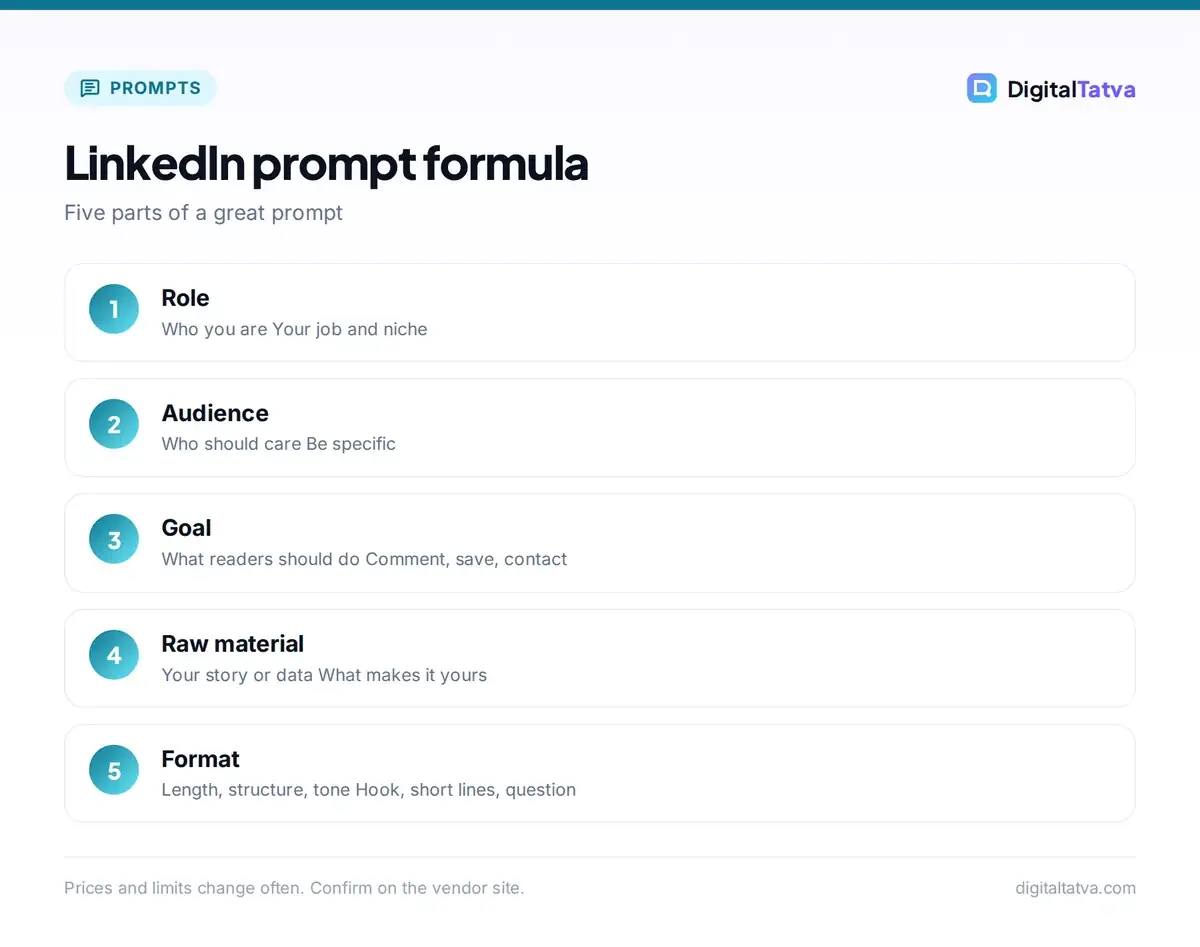
Most weak LinkedIn posts come from weak prompts like “write a LinkedIn post about leadership”. Use this structure instead:
| Part | What to include | Example |
|---|---|---|
| Role | Who you are | “I am an SEO consultant in Ahmedabad working with D2C brands.” |
| Audience | Who should care | “Founders of small ecommerce brands in India.” |
| Goal | What you want readers to do or feel | “Save the post and comment with their biggest SEO question.” |
| Raw material | Your story, lesson, numbers or opinion | “A client’s organic traffic grew after we fixed internal links.” |
| Format and tone | Length, structure, voice | “Under 200 words, short lines, a strong hook, practical, no hashtags spam.” |
Put it together and the AI has what it needs to write something specific. For more on structuring prompts, see our prompt engineering guide.
Prompts for LinkedIn posts
- “Write a LinkedIn post about [lesson] I learned from [experience]. Start with a one-line hook, tell the story in 5 to 7 short lines, end with the takeaway and a question. Under 200 words.”
- “Turn these rough notes into a LinkedIn post in my voice: [notes]. Keep my phrases where possible and remove anything generic.”
- “Write 10 hooks for a LinkedIn post about [topic] for [audience]. Mix curiosity, contrarian, data and story hooks. Max 12 words each.”
- “Write a contrarian LinkedIn post arguing that [common belief] is wrong for [audience], with three reasons and one example from [my experience].”
- “Create a ‘mistakes to avoid’ post: 5 mistakes [audience] make with [topic], one line each with a fix.”
- “Write a post sharing this data point: [statistic and source]. Explain why it matters for [audience] and what they should do next.”
- “Write a behind-the-scenes post about how we [process or project], with three steps and one surprising lesson.”
- “Write a client success story post about [result] for a [type of client], without naming them, focusing on the problem, what we did and the outcome.”
- “Write a post announcing [launch, job change or milestone] that is humble, thanks the people involved and shares one lesson.”
- “Rewrite this post to be 40% shorter with a stronger opening line and clearer ending: [post].”
- “Give me 30 LinkedIn post ideas for a [role] targeting [audience], grouped into stories, how-tos, opinions and data.”
- “Turn this blog article into three different LinkedIn posts with different angles: [paste or link].”
Repurposing long content is one of the best uses of AI; our guide on writing blog posts with AI shows how to create the source material in the first place.
Prompts for LinkedIn carousels and newsletters
- “Outline a 10-slide LinkedIn carousel on [topic] for [audience]. Slide 1 hook, slides 2 to 9 one idea each with under 25 words, slide 10 a call to action.”
- “Turn this checklist into carousel copy with a title slide and one tip per slide: [checklist].”
- “Write a LinkedIn newsletter issue on [topic]: a personal intro, three key insights with examples, one tool recommendation and a question for readers. About 600 words.”
- “Suggest 12 newsletter titles for a LinkedIn newsletter about [niche] for [audience].”
To design carousels, use the tools in our best AI presentation makers or Canva Magic Studio guides.
Prompts to optimize your LinkedIn profile
- “Write 10 LinkedIn headline options for a [role] who helps [audience] achieve [result]. Under 220 characters, include keywords [keywords].”
- “Write my LinkedIn About section in first person, 250 to 300 words: who I help, how, proof points [list], what makes me different and how to contact me.”
- “Rewrite this experience entry with achievement-focused bullet points and numbers: [entry].”
- “Suggest 15 skills I should add to my LinkedIn profile as a [role] in [industry] in 2026.”
- “Review my LinkedIn profile text and suggest improvements for clarity, keywords and credibility: [paste].”
- “Write a Featured section description for [project or portfolio link].”
If you are updating your profile for a job search, pair these with our guides to AI resume builders and AI skills to learn, since AI skills are increasingly listed by recruiters.
Prompts for comments and engagement
- “Here is a post: [paste]. Suggest three thoughtful comments that add a new point or example, not just praise. Under 50 words each.”
- “Help me reply to this comment on my post in a friendly way that continues the conversation: [comment].”
- “Turn this comment I wrote into a full post with more detail: [comment].”
- “Write five questions I can ask at the end of my posts about [topic] to encourage meaningful comments.”
Avoid fully automated commenting. Authentic, specific comments build relationships; generic AI comments are easy to spot and can hurt your reputation.
Prompts for outreach and networking
- “Write a LinkedIn connection request to [role] at [company] mentioning [shared interest or their post]. Under 300 characters, no sales pitch.”
- “Write a follow-up message after connecting with [name], who works on [topic], asking a single specific question.”
- “Write a polite message asking [person] for a 15-minute call to learn about [topic], offering something useful in return.”
- “Write a message congratulating [name] on [news] that feels personal, not templated.”
- “Write a cold outreach message to a [prospect role] about [problem] we solve, with one proof point and a low-pressure question. Under 80 words.”
- “Write a thank-you message to someone who referred me, mentioning [what they did].”
For larger prospecting workflows, see our guide to the best AI sales tools and ChatGPT email prompts.
Prompts for job seekers
- “Write a LinkedIn post announcing I am open to [role] opportunities in [location], highlighting three achievements and the kind of team I want to join.”
- “Write a message to a recruiter at [company] about the [role] opening, linking my experience in [area] to the job requirements: [requirements].”
- “Write a message asking a former colleague for a LinkedIn recommendation, suggesting two points they could mention.”
- “Draft a LinkedIn recommendation for [colleague] who [contributions].”
- “Summarize this job description and list the five keywords I should use in my profile and messages: [JD].”
- “Prepare me for an interview at [company]: likely questions for [role], and how to connect my LinkedIn posts to my answers.”
Our AI interview prep prompts go deeper on practice questions.
Prompts for company pages and founders
- “Write a company page post introducing [product] to [audience] with a customer problem, the solution and a soft call to action.”
- “Write a hiring post for a [role] that sells our culture with specifics: [details].”
- “Create a monthly content calendar for our company page with four themes: education, customer stories, team and product.”
- “Write a founder post about a hard decision we made [situation], what we learned and what we would do differently.”
- “Turn this customer review into a post that thanks the customer and explains the result: [review].”
- “Write an employee spotlight post about [name, role, achievements] in a warm tone.”
- “Write a post explaining our approach to [topic, such as AI use or sustainability] for transparency with customers.”
- “Write a post sharing three lessons from [event or webinar] we attended, tagging placeholders for speakers.”
- “Rewrite this press release as a human, story-led LinkedIn post: [press release].”
- “Suggest five post formats our [industry] company page has not tried yet.”
- “Create a 7-day launch sequence of LinkedIn posts for [product].”
- “Analyze these five past posts and their engagement numbers and tell me what patterns work best: [posts and numbers].”
For broader marketing workflows, see ChatGPT prompts for marketing and our list of the best AI social media tools.
How to make AI posts sound like you
- Feed it your voice: paste three of your best past posts and say “match this style”.
- Bring real material: a specific client story, number or mistake beats any AI idea.
- Ban generic phrases: tell the AI to avoid overused buzzwords, empty openers about how quickly the world is changing, and excessive emojis.
- Edit hard: cut the first and last lines if they are filler, and add one detail only you would know.
- Read it aloud: if it does not sound like you talking, rewrite it.
LinkedIn’s own Professional Community Policies apply to AI-assisted content too, so keep claims honest. Many professionals also create a custom GPT or Claude Project with their bio, best posts and audience details so every draft starts in their voice; see how to create a custom GPT.
Frequently asked questions
Can I use ChatGPT to write LinkedIn posts?
Yes. ChatGPT is very useful for brainstorming ideas, writing hooks, structuring posts and editing drafts. For the best results, give it your real story or data and your audience, then edit the draft so it sounds like you and adds your own perspective.
What is the best ChatGPT prompt for a LinkedIn post?
A strong all-purpose prompt is: “Write a LinkedIn post about [lesson] I learned from [experience] for [audience]. Start with a one-line hook, use short lines, end with a takeaway and a question, under 200 words.” Adding your own notes improves it further.
Does LinkedIn penalize AI-generated content?
LinkedIn focuses on whether content is valuable, authentic and follows its community policies. Generic, low-effort posts tend to get less engagement regardless of how they were written. AI-assisted posts that share real experience and insight can perform well.
How do I make ChatGPT write in my style?
Paste three to five of your past posts and ask ChatGPT to analyze your style, then use that description in future prompts. Saving your style notes in a custom GPT, Claude Project or custom instructions keeps drafts consistent.
Which AI is best for LinkedIn content?
ChatGPT, Claude and Gemini all write good LinkedIn posts. Claude is often praised for natural writing, ChatGPT for variety and images, and Gemini for research. The prompt and your own input matter more than the tool.
The bottom line
ChatGPT can make LinkedIn faster and more consistent, but your stories, opinions and expertise are what get noticed. Use the formula, start with the prompts above, edit every draft and track which posts work. Within a few weeks you will have a reusable prompt library and a stronger, more regular LinkedIn presence.
Pricing and features are checked at the time of writing and can change. Some links may be affiliate links, which never affect our verdicts.



