Best AI Tools for Startups in 2026: A Lean Stack for Every Stage
The right AI tools let a small startup team research, build, sell and support like a much larger company. Here are the best AI tools for startups in 2026 by function, a lean starter stack by stage, budget tips for Indian founders and the mistakes to avoid.
On this page
- Key takeaways
- The lean AI stack at a glance
- AI stacks by startup stage
- Best AI tools by function
- A sample stack for a five-person startup
- AI tools by role in a small team
- Budget tips for Indian startups
- Security, privacy and compliance
- Mistakes startups make with AI tools
- How to evaluate a new AI tool in one week
- Setting up company context once
- AI agents: what startups should know
- When to upgrade from free tiers
- Measuring the impact of AI on your startup
- An illustrative founder’s week with AI
- Our take
- What investors and customers notice
- Frequently asked questions
Last updated: 13 November 2026
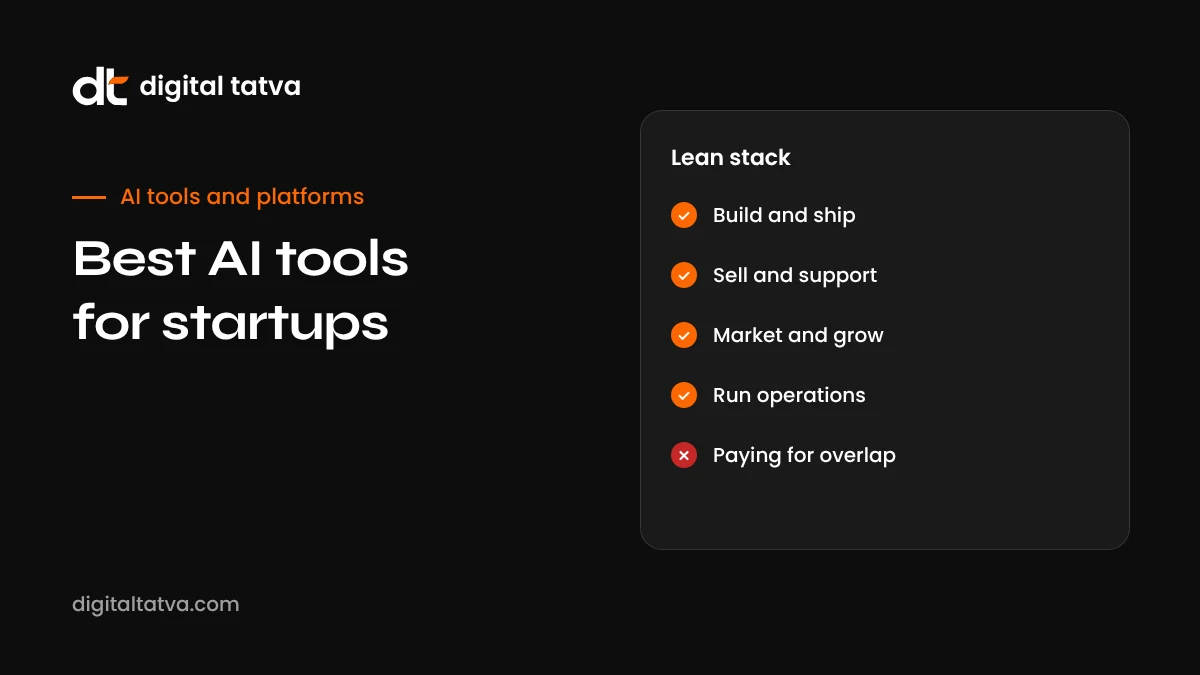
Quick answer: Most startups need far fewer AI tools than they think. A strong 2026 stack starts with one general AI assistant (ChatGPT, Claude or Gemini) with Projects or notebooks for company context, one building tool (Replit Agent or v0 for founders without engineers; Codex, Claude Code, Cursor or Antigravity for technical teams), one design tool (Figma Make or Google Stitch), AI features inside your existing workspace (Google Workspace or Microsoft 365), and focused tools for your bottleneck: Descript or HeyGen for video, an AI-enabled CRM for sales, an AI help desk for support, and NotebookLM or Perplexity for research. Add tools only when a specific workflow is slowing you down, and review subscriptions every quarter.
Key takeaways
- One good general assistant, set up with your company context, covers a large share of startup tasks.
- Building tools now let non-technical founders ship working prototypes and MVPs.
- Use AI features already included in tools you pay for before adding new subscriptions.
- Choose tools by bottleneck: research, building, marketing, sales or support.
- Protect customer data and investor information with business plans and clear rules.
- Review your AI spend quarterly; small subscriptions add up quickly.
The lean AI stack at a glance
| Function | Recommended tools | What they do for a startup |
|---|---|---|
| General assistant | ChatGPT, Claude, Gemini | Writing, analysis, planning, research, coding help |
| Research | Perplexity, NotebookLM, deep research modes | Market research, competitor analysis, document analysis |
| Building (no engineers) | Replit Agent, v0, Lovable | Prototypes, MVPs, internal tools, landing pages |
| Building (engineers) | OpenAI Codex, Claude Code, Cursor, Google Antigravity, GitHub Copilot | Faster development, tests, refactoring |
| Code quality | CodeRabbit, Copilot code review | Automated pull request review |
| Design | Figma Make, Google Stitch, Uizard | Wireframes, UI, prototypes |
| Visuals | Ideogram, Leonardo, ChatGPT and Gemini image tools | Social graphics, ads, product visuals |
| Video | Descript, HeyGen, Google Flow | Demos, explainers, social clips, translations |
| Productivity | Gemini in Google Workspace, Microsoft 365 Copilot, Notion AI | Docs, email, meetings and knowledge base |
| Sales | AI features in your CRM, prospecting and enrichment tools | Lead research, outreach drafts, call summaries |
| Support | AI help desk agents and chatbots trained on your docs | Instant answers, ticket triage |
AI stacks by startup stage
Idea stage: validate cheaply
At the idea stage, your goal is learning, not building. Use a general assistant and research tools to understand the market, then prototype only enough to test demand.
- Research: Perplexity or deep research for market size, competitors and customer pain points, checking sources carefully.
- Customer interviews: AI to draft interview guides; NotebookLM to synthesise transcripts with citations.
- Landing page: v0, Framer AI or a website builder to test messaging and collect sign-ups.
- Clickable prototype: Google Stitch or Uizard to show the concept.
MVP stage: build and launch
- Build: Replit Agent or v0 for non-technical founders; Codex, Claude Code, Cursor or Antigravity for technical teams. See Replit Agent and OpenAI Codex.
- Design: Figma Make once you have a design system.
- Launch content: Descript for demo videos, Ideogram for launch graphics, an assistant for copy.
- Support: a simple FAQ assistant trained on your documentation.
Early traction: grow efficiently
- Marketing: AI for content drafts, social clips from long videos, ad creative variations and SEO research.
- Sales: CRM AI features for lead research, follow-up drafts and call summaries.
- Analytics: AI analysis of product and revenue data in spreadsheets or BI tools.
- Code quality: AI code review as the team grows; see best AI code review tools.
Scaling: systematise
- Internal knowledge: AI search across documents, wikis and tickets.
- Support automation: AI agents resolving common tickets with human escalation.
- Agents and automation: scheduled AI tasks for reporting, data hygiene and routine engineering work.
- Governance: an AI usage policy, data controls and approved tool list.
Best AI tools by function
General assistants
ChatGPT, Claude and Gemini each offer strong reasoning, writing and analysis. The biggest productivity gain comes from setting them up with company context: a project or notebook containing your one-pager, positioning, pricing, customer personas and tone guide. Every chat then starts informed. See how to use ChatGPT Projects and how to use Claude.
Research and strategy
Perplexity is fast for cited market research, NotebookLM is best for analysing documents such as interview transcripts and reports, and deep research modes in ChatGPT and Gemini produce longer reports. Compare them in Gemini vs Perplexity and NotebookLM vs ChatGPT.
Product and engineering
For technical founders, coding agents can take a meaningful share of routine work, from tests and bug fixes to dependency updates, while AI editors speed up daily coding. Non-technical founders can use app builders to reach a working MVP faster, then bring in engineers to harden it.
Design
Figma Make, Google Stitch, Uizard and UX Pilot make it possible to explore and refine UI quickly. See best AI tools for UI and UX design.
Marketing
AI helps small marketing teams do more with less: drafting blog posts and emails, repurposing long videos into short clips, generating ad and social graphics, and analysing campaign data. The key is to keep a strong human voice and accurate claims. Useful tools include Descript for video editing, HeyGen for explainer videos and translations, Ideogram and Leonardo for visuals, and AI writing assistants for first drafts. See Descript review, how to use HeyGen and AI writing tools for AEO.
Visibility in AI search
Startups increasingly get discovered when people ask ChatGPT, Gemini or Perplexity for recommendations. Early investment in clear product pages, comparison pages, reviews and press mentions pays off. Track how assistants describe you using AI visibility tools; see best AI visibility tools and AEO for startups.
Sales
Most CRMs now include AI that summarises calls, drafts follow-ups, scores leads and researches accounts. Prospecting tools can enrich contact data and suggest messaging. Keep outreach personal and relevant, follow anti-spam rules and data protection laws, and avoid fully automated mass messaging that damages your reputation.
Customer support
AI help desk agents trained on your documentation can answer common questions instantly and route complex issues to humans. Start with your top 20 questions, write clear help articles, and review AI answers weekly. Good documentation also helps AI search engines describe your product accurately.
Operations and finance
AI features in spreadsheets, accounting software and workspace tools help with forecasting, expense categorisation, contract summaries and meeting notes. Always have a human check financial figures and legal documents, and use professional advisers for tax and compliance.
Hiring
AI can draft job descriptions, structure interview questions and summarise candidate notes. Use it carefully: avoid automated decisions that could introduce bias, keep candidate data secure, and make final decisions yourself.
A sample stack for a five-person startup
| Need | Tool choice | Notes |
|---|---|---|
| Workspace | Google Workspace with Gemini | Email, docs, meetings and AI in one bill |
| Assistant | One team plan of ChatGPT or Claude | Shared projects with company context |
| Engineering | AI code editor plus coding agent | Choose one editor for the whole team |
| Code review | CodeRabbit or Copilot review | Turn on once you have regular pull requests |
| Design | Figma with Figma Make | Build a small design system early |
| Video | Descript | Demos, webinars and social clips |
| Research | Perplexity and NotebookLM free tiers | Upgrade only if used daily |
| Support | AI features in your help desk | Train on your docs and review weekly |
This is an illustrative stack, not a recommendation for every startup. Your product, market and team skills should drive the choices.
AI tools by role in a small team
| Role | Most useful AI help |
|---|---|
| Founder or CEO | Research, investor updates, pitch preparation, hiring documents, decision memos |
| Engineer | Coding agents, AI editor, code review, documentation |
| Designer | Figma Make, Stitch, AI research synthesis, UX copy drafts |
| Marketer | Content drafts, video repurposing, graphics, SEO and AI visibility research |
| Sales | Account research, call summaries, follow-up drafts, proposal outlines |
| Customer success | Help desk AI, ticket summaries, help article drafts |
| Operations | Spreadsheet analysis, meeting notes, process documentation |
Ask each person to share one prompt or workflow that saves them time each month. Over a few months, these become a valuable internal playbook.
Budget tips for Indian startups
- Check rupee pricing and local plans. Some AI companies offer India-specific plans or pricing, such as lower-cost tiers.
- Look for bundles. Google AI plans, telecom partnerships and student or startup programmes have offered free or discounted access in India.
- Use startup credits. Cloud providers and AI companies run startup programmes with credits for API usage and infrastructure; apply through accelerators or directly.
- Share seats wisely within the terms of service, and give power users paid plans while others use free tiers.
- Pay annually only for tools you have used heavily for at least two months.
- Track GST and foreign currency charges on international subscriptions.
- Audit quarterly. Cancel anything nobody opened last month.
For more on managing AI costs, see API credits and AI subscriptions and LLM API pricing comparison.
Security, privacy and compliance
Startups often move fast and paste sensitive data into AI tools without thinking. A few simple rules prevent most problems:
- Use business plans for company work, with data excluded from training.
- Never paste passwords, API keys, customer personal data, investor terms or unreleased financials into consumer AI accounts.
- Write a one-page AI policy covering approved tools, data rules and review requirements. See our AI usage policy template.
- Understand your obligations under data protection laws, including India’s Digital Personal Data Protection Act, if you process customer data with AI tools.
- Review AI-built code for security before launch, especially authentication and payments.
Mistakes startups make with AI tools
- Tool sprawl: ten overlapping subscriptions that nobody fully uses.
- No company context: using assistants without projects or instructions, so output stays generic.
- Trusting AI research blindly: making strategic decisions from unverified AI summaries.
- Shipping unreviewed AI code to real customers.
- Generic AI content that sounds like every other startup and damages credibility.
- Automating relationships: sending mass AI outreach that harms your brand.
- Ignoring AI search: not checking how ChatGPT and Gemini describe your company.
How to evaluate a new AI tool in one week
- Define the job. Write one sentence: “We need this tool to reduce the time to produce weekly social clips from four hours to one.”
- Pick a real task from this week’s work, not a demo scenario.
- Run it on the free tier or trial with the person who will actually use it.
- Measure the result: time saved, quality compared with the current approach, and any rework needed.
- Check the basics: data terms, export options, team features and pricing at your expected usage.
- Decide: adopt, keep testing for another week, or drop it.
This keeps your stack lean and ensures every subscription earns its place.
Setting up company context once
The biggest difference between startups that get great results from AI and those that get generic output is context. Spend an hour creating a “company brain” document and reuse it across tools:
- One-paragraph company description and mission.
- Product overview with key features and pricing.
- Ideal customer profiles and their main problems.
- Competitors and how you differ.
- Brand voice guidelines with examples of good and bad copy.
- Facts AI must never get wrong, such as founding year, locations and legal name.
Upload it to your assistant’s projects, notebooks and support tools. Update it whenever positioning or pricing changes. The same document also helps keep your public information consistent, which supports how AI search engines describe you; see entity SEO for AEO.
AI agents: what startups should know
2026 has been the year of agents: AI that completes multi-step tasks rather than just answering questions. ChatGPT Work, Codex, Claude’s agents, Google Antigravity, Replit Agent and Perplexity’s agent tools can research, build, write documents and operate software. For startups, agents are most useful for well-defined, repeatable work such as competitor monitoring, report generation, code maintenance and data cleanup. Start with low-risk tasks, keep humans approving anything that sends messages, spends money or changes customer data, and review results regularly. See agentic search for how agents are also changing how customers find products.
When to upgrade from free tiers
Free tiers are generous enough for most early experimentation. Upgrade a tool when one of these is true: someone on the team hits its limits several times a week; the paid plan adds a capability that directly saves hours, such as longer videos, team sharing or a stronger model; or you need business data protections for customer information. Upgrade one person at a time, not the whole team, and confirm the time saved justifies the cost after a month. This approach keeps your AI budget tied to real productivity rather than enthusiasm for new tools.
Measuring the impact of AI on your startup
- Time saved on recurring tasks such as reports, content and support replies.
- Speed of shipping: time from idea to released feature.
- Quality signals: bug rates, customer satisfaction and content performance.
- Cost per outcome: for example, cost per published video or per resolved ticket.
- Team feedback: which tools people would fight to keep, and which they would not miss.
An illustrative founder’s week with AI
To make this concrete, here is how a solo founder of an early-stage B2B SaaS might use AI across a week. On Monday, she asks Perplexity for a cited overview of new competitors and saves it to a research notebook. On Tuesday, she uses a coding agent to fix two bugs reported by beta users and add tests, reviewing each change before merging. On Wednesday, she records a ten-minute product walkthrough, edits it in Descript, and cuts three short clips for LinkedIn. On Thursday, she drafts a blog post answering the most common question from sales calls, using her company context project, then rewrites the introduction in her own voice. On Friday, she reviews support tickets the AI help desk escalated, updates two help articles, and checks how ChatGPT and Gemini currently describe her product. None of these tasks are fully automated, but each is faster, which gives her more time for customer conversations.
Our take
The best AI stack for a startup is small, focused and well set up. One strong assistant with company context, the AI already in your workspace, the right building tool for your team’s skills and a few specialist tools for your biggest bottlenecks will carry most startups from idea to traction. Resist tool sprawl, protect sensitive data, keep a human voice in everything customers see, and check every important fact and line of code. Used this way, AI lets a small team move with the speed and polish of a much larger one.
What investors and customers notice
Using AI well is increasingly visible from the outside. Investors notice when a small team ships quickly, communicates clearly and understands its numbers, all areas where AI can help. Customers notice when support answers are fast and accurate, when documentation is clear, and when content genuinely helps them. They also notice when AI is used carelessly: generic emails, chatbots that cannot answer simple questions, inaccurate claims and impersonal outreach.
A useful test before anything goes out under your brand is to ask: would I be comfortable if the customer knew AI helped write this? If the answer is yes because the content is accurate, specific and genuinely useful, you are using AI well. If the answer is no, rewrite it. Startups that keep this standard build trust faster than those that chase volume, and trust is one of the few advantages a small company can build before larger competitors notice the market. It also shows up in how AI assistants describe you, because clear, accurate public information is exactly what they draw on when recommending products.
Frequently asked questions
What AI tools should a startup use first?
Start with one general assistant set up with your company context, the AI built into your workspace, and one tool for your biggest bottleneck, such as building, marketing or support.
How much should a startup spend on AI tools?
Many early-stage startups run a strong stack for a modest monthly budget per person by relying on free tiers and bundled features. Review spend quarterly and cancel unused tools.
Can a non-technical founder build an MVP with AI?
Yes. Tools like Replit Agent, v0 and Lovable can produce working prototypes and simple MVPs. Have an experienced developer review anything handling payments or personal data.
Which AI assistant is best for startups?
ChatGPT, Claude and Gemini are all strong. Choose based on your workspace (Google users often prefer Gemini), the tasks you do most and team preferences.
Should startups build their own AI features?
Only when AI directly improves the core product for customers. For internal productivity, use existing tools first; building custom AI systems takes engineering time that early startups rarely have.
Are AI tools safe for confidential startup data?
Use business plans with data protections, avoid pasting sensitive customer or investor data into consumer accounts, and set a simple AI usage policy.
Can AI replace hiring early employees?
AI can delay some hires and make small teams more productive, but it does not replace people for judgement, relationships and accountability.
What are the best free AI tools for startups?
Free tiers of ChatGPT, Claude, Gemini, Perplexity, NotebookLM, Google Stitch and many design and video tools cover a lot for early-stage teams.
How do startups get mentioned in AI search results?
Publish clear, factual content, keep company details consistent, earn reviews and press mentions, and make your site accessible to AI crawlers. See our guide to AEO for startups.
Which AI tool helps most with fundraising?
A general assistant set up with your metrics and story helps draft investor updates, pitch narratives and answers to likely questions. Always verify figures and keep the narrative in your own words.
Is it worth paying for several AI assistants?
Usually not at the start. Pick one main assistant for the team and use free tiers of others for occasional comparison.
How often should we review our AI tools?
Every quarter. Cancel tools nobody uses and upgrade only those that clearly save time.
Do AI tools help with compliance?
They can summarise regulations and draft policies, but compliance decisions should always be checked by qualified professionals.
Product details, prices and features are checked at the time of writing and can change. Sources are linked in the text so you can check them yourself.
How does your brand appear in AI answers?
We test the questions your buyers ask across the major AI assistants and search engines, then show you what to fix first.
Get an AI Visibility Audit