How to Use Canva AI: Magic Studio, Canva Code and More
How to use Canva AI step by step: Canva AI 2.0 conversational design, Brand Intelligence, Canva Code, Magic tools, marketing prompts and AI limits by plan.

On this page
- Key takeaways
- What is Canva AI?
- How do you use Canva AI, step by step?
- What can Canva AI 2.0 do?
- Which classic Canva AI tools are still useful?
- What are the best Canva AI prompts for marketing?
- How much AI do you get on each Canva plan?
- How do you keep Canva AI designs on brand?
- Frequently asked questions
- Next steps
- Sources
Last updated: 22 October 2026
Quick answer: To use Canva AI, open Canva, click the Canva AI option on the home page and describe what you want, such as “an Instagram carousel announcing our Diwali sale in our brand colors”. Canva AI 2.0, launched at Canva Create on 16 April 2026, creates editable designs, documents, sheets and interactive Canva Code apps from prompts. Canva Free includes limited AI uses; Pro (US$144 a year) gives about 10 times more.
Canva, the Australian design platform used by more than a quarter of a billion people every month, rebuilt its AI in 2026. Instead of separate Magic tools scattered across menus, Canva AI 2.0 works as a conversational assistant that understands your brand, uses Canva’s own Design Model and can run tasks on a schedule.
This guide shows how to use Canva AI step by step, the most useful AI tools inside Canva, prompts that work, plan limits, and tips for keeping AI designs on brand.
Key takeaways
- Canva AI 2.0 creates fully editable, layered designs from a prompt, sketch or brief, not flat images.
- Brand Intelligence applies your fonts, colors and style automatically; Memory Library remembers how you work.
- Canva Code 2.0 builds interactive web experiences and forms from a prompt and can publish to your own domain.
- Connectors bring in content from Slack, Gmail, Google Drive, Notion, Zoom, HubSpot and more.
- Canva Pro costs US$144 a year with about 10x the AI of Free; Business costs US$250 a year per person with about 20x.
What is Canva AI?
Canva AI is the set of generative AI features built into Canva that create and edit designs, text, images, video, documents, spreadsheets and interactive apps from natural-language prompts. Its latest version, Canva AI 2.0, works as an agent that chooses the right Canva tools to complete a goal.
| Key fact | Detail |
|---|---|
| Company | Canva (Australia) |
| Latest version | Canva AI 2.0, announced at Canva Create, 16 April 2026 |
| Model | Canva Design Model, Canva’s own foundation model for design (October 2025) |
| Free plan | Yes, with limited AI uses |
| Pro | US$144/year for one person, about 10x Free AI, 5 Brand Kits |
| Business | US$250/year per person, about 20x Free AI, 100 Brand Kits |
| Users | More than a quarter of a billion people monthly (Canva, 2026) |
See every plan in detail in our Canva pricing guide, and our earlier Canva Magic Studio review for the tools that preceded AI 2.0.
How do you use Canva AI, step by step?
You use Canva AI by describing what you want in the Canva AI prompt box, reviewing the editable drafts it creates, and refining them with follow-up instructions or manual edits. The process is the same for social posts, presentations, documents and websites.
- Set up your Brand Kit first. Add your logo, colors and fonts under Brand. Canva’s Brand Intelligence uses these from the first draft.
- Open Canva AI. On the Canva home page, select the Canva AI option to open the conversational prompt.
- Describe the design. Include format, audience, message and style, for example “A 5-slide LinkedIn carousel for HR managers explaining our new leave policy app, clean and friendly, using our brand kit.”
- Add inputs. Attach a sketch, a document, images or a brief, or connect a source such as Google Drive or Notion.
- Review the drafts. Canva builds designs from separate editable objects, so you can change one element without breaking the rest.
- Refine in conversation. Ask for changes like “make the headline shorter”, “swap the photo for a diverse office team” or “turn this into a 9:16 Story”.
- Finish manually. Check spelling, facts and alignment, then download, schedule or publish.
Tip: Canva AI 2.0 rolled out as a research preview in April 2026 and reached users gradually over the following weeks. If you do not see a feature, check that your app is updated and your plan includes it.
What can Canva AI 2.0 do?
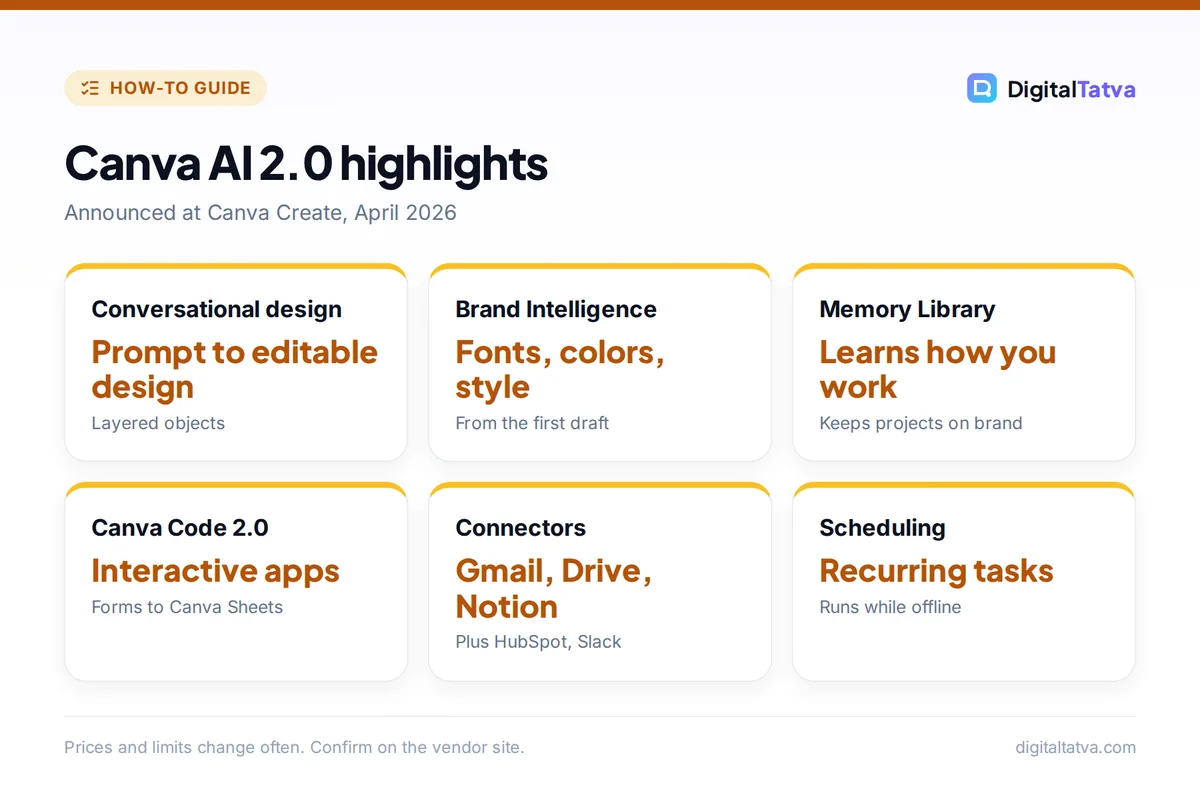
Canva AI 2.0 can create designs from conversation, orchestrate multiple tools, remember your preferences, connect to work apps, run scheduled tasks, research the web and build interactive experiences. These are the headline capabilities Canva announced in April 2026.
| Feature | What it does |
|---|---|
| Conversational design | Creates editable designs with layout and hierarchy from a prompt, sketch or brief |
| Agentic orchestration | Chooses and coordinates Canva tools to complete a multi-step goal |
| Layered object intelligence | Builds designs from separate objects so edits stay contained |
| Memory Library | Remembers how you work and applies your style automatically |
| Brand Intelligence | Applies fonts, colors and style; updates older work to your latest brand |
| Connectors | Slack, Gmail, Google Drive, Google Calendar, Notion, Zoom, HubSpot, Microsoft, Atlassian, Linear |
| Scheduling | Runs recurring tasks in the background, even when you are offline |
| Web research | Gathers web information into editable content |
| Canva Code 2.0 | Builds interactive experiences, imports HTML, adds forms that save to Canva Sheets, publishes to your domain |
| Sheets AI | Creates populated spreadsheets such as budgets and content calendars from a description |
Which classic Canva AI tools are still useful?
Canva’s earlier Magic tools remain in the editor and are still the fastest way to do specific jobs. These are the ones marketers use most.
- Magic Write: drafts and rewrites text inside any design or document.
- Magic Resize (Pro): turns one design into every size you need, from Instagram post to YouTube thumbnail.
- Magic Layers (Pro): splits a flat image into editable layers.
- Background remover and Magic Background: cut out products and generate new backgrounds; background removal is included with paid plans. Compare tools in best background removers.
- Photo Generator and Video Generator: create images and short clips from prompts.
- Style Match (Pro): applies the look of one design to another.
- Translate: localizes a design’s text into other languages.
- Magic Insights and Magic Formulas: analyze data and write formulas in Canva Sheets.
What are the best Canva AI prompts for marketing?
The best Canva AI prompts state the format, audience, message, brand and style in one sentence or two. Use these as starting points.
- “Create 4 Instagram posts announcing our 20% festive sale on handmade candles, warm and cozy, using our brand kit, with space for product photos.”
- “Turn this blog post into a 10-slide presentation for small business owners, one idea per slide, simple charts where useful.”
- “Design a one-page flyer for our cafe’s weekend breakfast menu, playful style, include prices from the attached list.”
- “Build an interactive quiz with Canva Code that recommends one of our three skincare products based on 5 questions, and save answers to a Canva Sheet.”
- “Every Monday, create a branded LinkedIn post summarizing last week’s top 3 updates from our Notion page.”
For ad-specific creative tools, see the best AI ad generators. For presentations, compare Canva with Gamma in our best AI presentation makers.
How much AI do you get on each Canva plan?
Canva Free includes a limited number of AI uses, Pro includes about 10 times more AI than Free, and Business about 20 times more, according to Canva’s plan pages. Canva also lists an AI Pass add-on for heavier use, priced by contact.
| Plan | Price | AI allowance | Brand Kits |
|---|---|---|---|
| Free | $0 | Limited AI uses | Basic |
| Pro | US$144/year, one person | About 10x Free | 5 |
| Business | US$250/year per person | About 20x Free | 100 |
| Enterprise | Contact sales | Custom | Custom |
Canva does not publish exact AI use counts on these pages, and Indian prices differ; see our Canva pricing breakdown. Canva also made Affinity, its professional design suite, free in October 2025, with Canva AI built in.
Save money: Do bulk resizing and background removal in one session, and write copy in ChatGPT or Claude first, so you spend Canva AI uses on design work only.
How do you keep Canva AI designs on brand?
You keep Canva AI designs on brand by maintaining a complete Brand Kit, building your own templates and reviewing every AI draft against your guidelines. Brand Intelligence helps, but it can only follow the rules you give it.
- Complete the Brand Kit: primary and secondary logos, exact HEX colors, heading and body fonts, and photo style examples.
- Build your own templates: save approved layouts for each format so the team starts from a brand-safe design instead of a blank page.
- Write voice rules: add your tone guidance so Magic Write sounds like you; see training AI on your brand voice.
- Check AI images: fix distorted hands, text and products before publishing.
Building a brand from scratch? Follow how to create a brand identity with AI. For other design tools, see Canva vs Adobe Firefly and best AI tools for graphic design. Canva Code works like vibe coding for designers; for full sites see best AI website builders.
Frequently asked questions
Is Canva AI free?
Partly. Canva’s free plan includes a limited number of AI uses across tools such as Magic Write and image generation. Canva Pro, at US$144 a year, includes about 10 times more AI and unlocks Pro-only tools like Magic Resize, Magic Layers and Style Match.
What is Canva AI 2.0?
Canva AI 2.0 is Canva’s rebuilt AI, announced at Canva Create on 16 April 2026. It creates editable designs through conversation, coordinates Canva tools as an agent, remembers your style, applies brand rules, connects to work apps, runs scheduled tasks and builds interactive Canva Code experiences.
Can Canva AI make presentations?
Yes. Describe the topic, audience and number of slides, or attach a document, and Canva AI creates an editable presentation in your brand style. You can then ask it to shorten slides, add charts or change the layout, and present directly from Canva.
Is Canva AI better than ChatGPT for design?
For finished, on-brand designs, usually yes, because Canva creates editable layouts in every format and applies your Brand Kit. ChatGPT is better for brainstorming, copywriting and one-off images. Many marketers write in ChatGPT and design in Canva.
Does Canva AI work on mobile in India?
Yes. Canva AI features are available in Canva’s mobile apps as well as on the web. Canva says India leads South Asia with more than 70% of its users designing on mobile. Some new features roll out gradually, so update the app to get them.
Next steps
Set up your Brand Kit, try three prompts from this guide for your next campaign, and use Magic Resize to turn each winner into every format you need. If you hit Free limits often, Pro usually pays for itself in saved time. Canva’s AI features and plan allowances change frequently, so check Canva’s pricing page for current details.
Sources
- Introducing Canva AI 2.0, Canva Newsroom, April 2026, checked 22 October 2026
- Canva AI tools, Canva, checked 22 October 2026
- Canva launches its own design model, TechCrunch, 30 October 2025, checked 22 October 2026
- Canva pricing, Canva, checked 22 October 2026
Pricing and features are checked at the time of writing and can change. Some links may be affiliate links, which never affect our verdicts.