10 Best AI Tools for Graphic Design in 2026 (Free and Paid)
The 10 best AI tools for graphic design in 2026, including Canva, Adobe Firefly, ChatGPT Images, Gemini, Midjourney, Ideogram, Recraft and Figma AI, with prices, free plans and a design workflow.

On this page
The best AI tools for graphic design in 2026 are Canva for fast, all-round design, Adobe Firefly with Photoshop for professional editing and commercially safe generation, ChatGPT Images and Google’s Gemini image tools for prompt-based creation and editing, Midjourney for striking artistic visuals, Ideogram for images with accurate text, Recraft for vectors and brand-consistent illustrations, Figma AI for UI design, Microsoft Designer for free quick graphics, and Looka for logos and brand kits.
This guide compares the ten tools on what they do best, pricing, free plans and commercial use, then explains how to choose, how designers actually fit AI into a workflow, and what to watch out for with copyright and brand consistency.
Key takeaways
- Canva is the best all-round AI design tool for non-designers, small businesses and social media teams.
- Adobe Firefly and Photoshop are best for professionals who need precise editing and outputs Adobe describes as safe for commercial use.
- ChatGPT and Gemini have become powerful design helpers: you can describe or upload an image and edit it with plain language.
- For specialist jobs, use Ideogram for text in images, Recraft for vector graphics, Midjourney for artistic visuals and Figma AI for interfaces.
- AI speeds up drafts and variations, but brand consistency, layout judgment and final checks still need a designer’s eye.
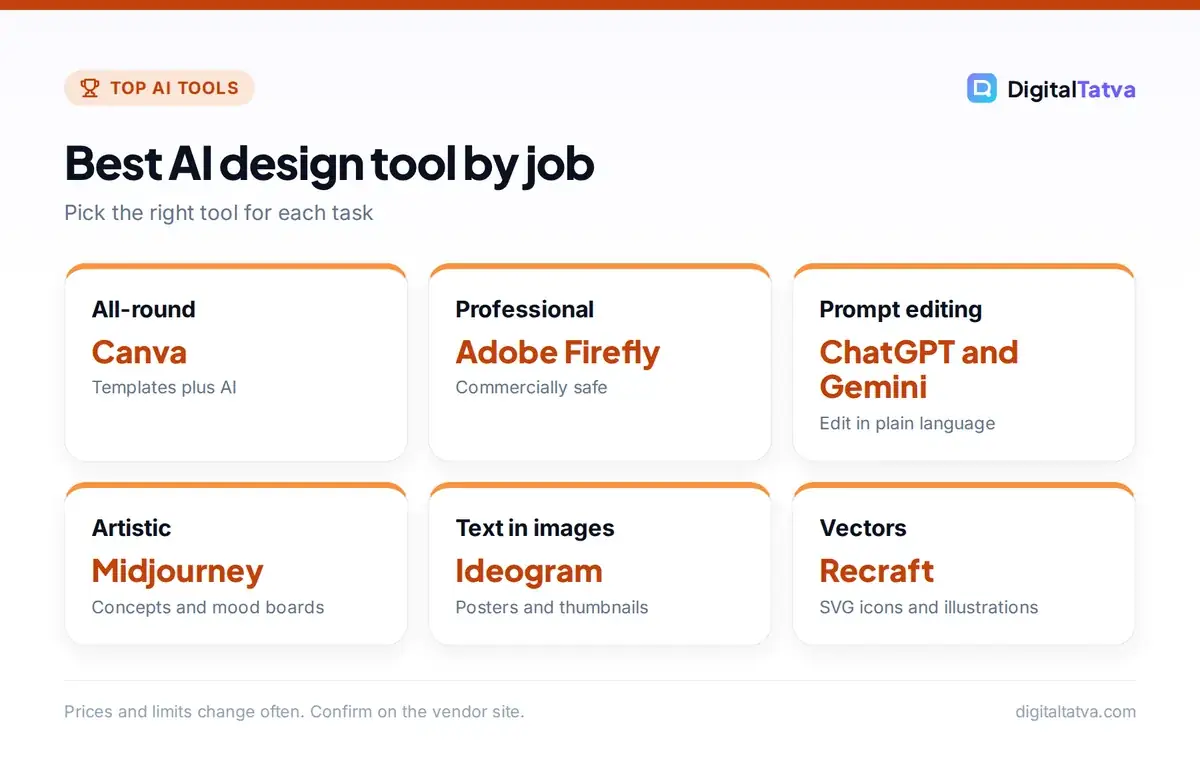
Quick picks: best AI graphic design tools
| Tool | Best for | Starting price | Free plan |
|---|---|---|---|
| Canva | All-round design for non-designers | Pro US$144/year | Yes |
| Adobe Firefly and Photoshop | Professional editing, commercial safety | Firefly Standard $9.99/month | Limited |
| ChatGPT Images | Prompt-based creation and editing | Included in ChatGPT; Plus $20/month | Yes, limited |
| Gemini (Nano Banana) | Photo editing and consistent characters | Google AI Plus $4.99/month | Yes, limited |
| Midjourney | Artistic, high-impact visuals | Basic $10/month | No |
| Ideogram | Posters and images with text | Plus $20/month ($15 yearly) | Yes |
| Recraft | Vectors, icons and brand styles | Basic $12/month ($10 annual) | Yes |
| Figma AI | UI and product design | Included in paid Figma plans | Yes, limited |
| Microsoft Designer | Free quick graphics | Free; more with Microsoft 365 | Yes |
| Looka | Logos and brand kits | One-time logo packages | Free to design, pay to download |
The 10 best AI tools for graphic design
1. Canva: Best all-round AI design tool
Canva’s Magic Studio brings AI into a design tool that millions already use. Magic Design suggests layouts from a prompt or upload, Magic Write drafts copy, Magic Edit and Magic Eraser change or remove parts of images, background removal is one click, and Magic Resize turns one design into versions for every social platform. Brand Kits keep fonts, colors and logos consistent across a team. Canva Pro costs US$144 a year for one person and the Business plan US$250 a year per person, with more AI usage on higher plans. It is the best starting point for small businesses, marketers and creators. Read our Canva Magic Studio review and Canva pricing guide.
2. Adobe Firefly and Photoshop: Best for professional designers
Adobe’s Firefly models power Generative Fill and Generative Expand in Photoshop, text effects and vector generation in Illustrator, and the standalone Firefly app for images and video. Adobe says outputs from its Firefly models are safe for commercial use because they are trained on licensed and public domain content, and it attaches Content Credentials. Firefly Standard costs $9.99 a month with 2,000 generative credits and includes Adobe Express Premium and Photoshop on web and mobile; Creative Cloud Pro includes the full desktop apps. For agencies and brands with legal teams, this is the safest professional choice. Compare it in Canva vs Adobe Firefly.
3. ChatGPT Images: Best for describing and editing designs in plain language
ChatGPT’s built-in image generation follows long, detailed prompts, renders readable text, keeps a style across a series and edits uploaded images when you describe the change, such as “make the background navy and add our tagline at the top”. It is excellent for social posts, ad concepts, mockups, infographics and quick product scenes. It is included in ChatGPT with tighter limits on the free plan. See how to generate images in ChatGPT and our AI image prompts collection.
4. Gemini image editing (Nano Banana): Best for photo edits and consistency
Google’s Gemini image models, nicknamed Nano Banana, are known for editing photos while keeping faces, products and characters consistent, blending several images and making precise changes from short instructions. They are available in the Gemini app, Google AI Studio and other Google products. Google AI Plus starts at $4.99 a month (Rs 399 in India) with higher limits. Our Gemini image editing guide shows the best prompts.
5. Midjourney: Best for artistic and high-impact visuals
Midjourney remains a favorite for mood boards, concept art, editorial illustrations and campaign visuals with a strong aesthetic. Style references and personalization help keep a consistent look. It is less suited to precise layouts or exact text, so designers often generate imagery in Midjourney and finish layouts in Canva, Figma or Photoshop. Plans start at $10 a month for Basic. Read our Midjourney review and how to use Midjourney.
6. Ideogram: Best for posters and images with text
Ideogram built its reputation on getting typography right, which makes it great for posters, event flyers, thumbnails, quote graphics and t-shirt designs. It offers style presets, a canvas for editing and a free plan with weekly credits, though free images are public. Ideogram Plus costs $20 a month or $15 a month billed yearly.
7. Recraft: Best for vector graphics and brand styles
Recraft focuses on what designers need for production: vector output in SVG, icon sets, illustrations in a consistent custom style, mockups and image vectorizing. You can define a brand style once and generate many matching assets. Basic costs $12 a month ($10 billed annually) and Pro starts at $20 ($16 annually). It is one of the most practical tools for web and app graphics.
8. Figma AI: Best for UI and product design
Figma’s AI features help designers generate first drafts of screens, rename and organize layers, rewrite and translate interface copy, find similar components and turn designs into interactive prototypes faster. For teams building websites and apps, it saves hours of repetitive work inside the tool they already use. AI features are tied to Figma plans and usage limits. If you want to go from idea to working app, see our best AI website builders and best AI app builders.
9. Microsoft Designer: Best free option for quick graphics
Microsoft Designer creates social posts, invitations, cards and simple graphics from a prompt, with templates and image editing like background removal. It is free with a Microsoft account, and Microsoft 365 subscribers get more AI usage. It is a good choice for occasional users who want something quick without learning a full design tool.
10. Looka: Best for logos and brand kits
Looka asks about your business and style preferences, then generates logo options and a full brand kit with business cards, social media templates and brand guidelines. You can design for free and pay to download files. For a deeper comparison of logo tools, see our best AI logo generators.
How to choose the right AI design tool
- Non-designers and small businesses: start with Canva, and add ChatGPT or Gemini for custom images.
- Professional designers and agencies: use Adobe Firefly and Photoshop for production, with Midjourney for concepts.
- Social media teams: Canva plus Ideogram for text-heavy posts; see our best AI social media tools.
- Web and app designers: Figma AI for interfaces and Recraft for icons and illustrations.
- Startups on a budget: Canva Free, Microsoft Designer, Gemini free and ChatGPT free cover most needs.
For photo-specific jobs such as retouching and upscaling, see our guides to the best AI photo editors and best background removers.
A practical AI design workflow
- Brief: use ChatGPT or Claude to turn a client request into a clear creative brief with audience, message, formats and constraints.
- Concepts: generate 10 to 20 visual directions in Midjourney, ChatGPT or Gemini in minutes instead of hours.
- Select and refine: pick two or three directions and refine them with precise edits.
- Layout: build the final design in Canva, Figma or Photoshop, using brand fonts, colors and grids.
- Variations: resize for each platform and create A/B versions with AI resize and generative expand.
- Check: review text, hands, logos and small details, and confirm usage rights before publishing.
Copyright, licensing and brand safety
Commercial use rules differ by tool and plan. Adobe positions Firefly as commercially safe; others grant rights on paid plans, and some free plans make your images public. In many countries, purely AI-generated images may not be protected by copyright, which matters for logos and brand assets you want to own. Avoid prompts that copy a living artist’s style or use trademarked characters. Our guide on whether you can copyright AI content explains the rules, and Adobe’s Firefly plans page and Canva pricing page list current terms.
What AI does well in design
- Fast concepts and mood boards
- Background removal and object cleanup
- Resizing for many formats
- Stock-style imagery on demand
- Copy for headlines and captions
Where humans still matter
- Brand strategy and consistency
- Layout, hierarchy and typography judgment
- Checking small errors in text and details
- Original concepts that stand out
- Client relationships and feedback
Frequently asked questions
What is the best AI tool for graphic design?
Canva is the best all-round AI design tool for most people because it combines templates, AI image editing, copywriting and resizing in one easy app. Professional designers often prefer Adobe Firefly with Photoshop for precise editing and commercially safe generation.
Is there a free AI tool for graphic design?
Yes. Canva Free, Microsoft Designer, the Gemini app, ChatGPT’s free plan and Ideogram’s free plan all let you create AI graphics at no cost, with usage limits. Some free plans make your images public or restrict commercial use, so check the terms.
Will AI replace graphic designers?
AI is replacing some routine tasks such as simple social graphics, resizing and background removal, but brand strategy, layout judgment, creative concepts and client work still need designers. Designers who use AI well can deliver more work, faster.
Can I use AI-generated designs commercially?
Often yes, depending on the tool and plan. Adobe says Firefly outputs are safe for commercial use, and most paid plans of tools like Midjourney, Ideogram and Recraft grant commercial rights. Purely AI-generated work may not be protected by copyright in many countries.
Which AI tool is best for logos?
Looka is a simple choice for logos with a full brand kit. Recraft is great for vector logos and icons you can edit, and Canva offers logo templates with AI help. For a trademarkable logo, have a designer refine the final version.
The bottom line
For most people, Canva plus ChatGPT or Gemini covers everyday design needs. Professionals should build around Adobe Firefly and Photoshop, using Midjourney for concepts, Ideogram for text-heavy graphics, Recraft for vectors and Figma AI for interfaces. Use AI to move faster through drafts and variations, and keep human judgment for the final design.
Pricing and features are checked at the time of writing and can change. Some links may be affiliate links, which never affect our verdicts.