
AI for HR: Use Cases, Best Tools and Prompts for HR Teams (2026)
AI for HR explained: use cases across recruiting, onboarding, employee support and performance, the best AI tools for HR teams, 15 ready prompts, legal rules and a safe rollout plan.

On this page
- Key takeaways
- How AI helps across the employee lifecycle
- AI in recruiting
- Best AI tools for HR teams
- 15 ChatGPT and Claude prompts for HR
- Building an HR helpdesk chatbot
- Legal and ethical rules for AI in HR
- AI for HR in India: what is different
- How to roll out AI in your HR team
- Frequently asked questions
- The bottom line
AI for HR means using artificial intelligence to speed up recruiting, onboarding, employee support, learning, performance reviews and people analytics. The quickest wins come from general assistants such as ChatGPT, Claude and Gemini for job descriptions, interview questions, policies and communications, while specialist tools such as LinkedIn Hiring Assistant, Manatal, Gem, Paradox and Eightfold handle sourcing, screening and scheduling at scale. Because hiring decisions affect people’s livelihoods, HR teams must keep humans in charge of decisions, check AI for bias and protect candidate data under laws like India’s DPDP Act.
This guide covers the best AI use cases across the employee lifecycle, the top AI tools for HR teams, ready-to-use prompts, a safe rollout plan, legal and ethical rules, and how to measure results.
Key takeaways
- HR teams use AI most for writing tasks: job descriptions, offer letters, policies, FAQs and announcements.
- Recruiting is the biggest area for specialist tools: AI sourcing, resume screening, interview scheduling and candidate chatbots.
- AI can save recruiters hours per hire, but final hiring and firing decisions should always stay with people.
- Laws increasingly regulate AI in hiring, including bias audit rules in New York City, the EU AI Act’s high-risk category for recruitment, and data protection rules under India’s DPDP Act.
- Start with low-risk, high-volume tasks, measure time saved and expand carefully.
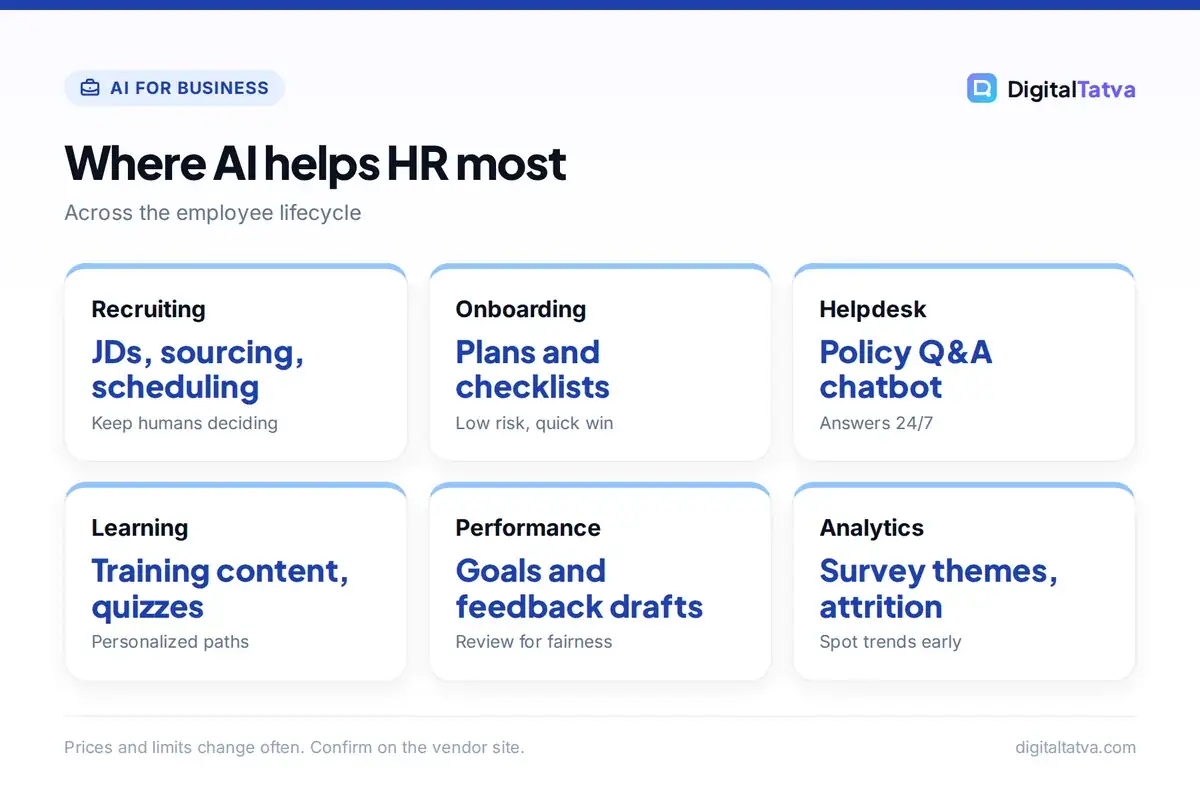
How AI helps across the employee lifecycle
| HR stage | AI use cases | Risk level |
|---|---|---|
| Workforce planning | Skills gap analysis, headcount scenarios | Low |
| Recruiting | Job descriptions, sourcing, screening, scheduling, candidate FAQs | Medium to high |
| Interviewing | Structured questions, scorecards, interview summaries | Medium |
| Onboarding | Welcome plans, checklists, onboarding chatbots | Low |
| Employee support | HR helpdesk bots answering policy questions | Low to medium |
| Learning and development | Personalized learning paths, training content, quizzes | Low |
| Performance | Goal drafting, review summaries, feedback coaching | Medium |
| Engagement and analytics | Survey analysis, attrition signals, sentiment trends | Medium |
| Offboarding | Exit survey analysis, knowledge handover documents | Low |
AI in recruiting
Recruiting is where AI has moved fastest. Typical uses include:
- Job descriptions: generate clear, inclusive JDs from a few bullet points and check them for biased language.
- Sourcing: AI sourcing tools search profiles across the web and professional networks using natural-language queries like “backend engineers in Pune with fintech experience”.
- Screening: rank or summarize applications against job requirements so recruiters review the best matches first.
- Scheduling: conversational assistants book interviews with candidates by chat or WhatsApp.
- Candidate questions: chatbots answer common questions about roles, benefits and process 24/7.
- Interview notes: meeting assistants transcribe and summarize interviews into scorecards; see the best AI meeting assistants.
Candidates are using AI too, for resumes and interview preparation; our guides to AI resume builders and AI interview prep prompts show what they see, which helps recruiters design better assessments.
Best AI tools for HR teams
| Tool | Category | Best for | Pricing (approx.) |
|---|---|---|---|
| ChatGPT, Claude, Gemini | General assistants | Writing, policies, analysis | Free; business plans about $20 to $25/user/month |
| LinkedIn Hiring Assistant | Sourcing agent | Large recruiting teams on LinkedIn Recruiter | Add-on to Recruiter Corporate |
| Manatal | ATS with AI | Small and mid-size teams, agencies | About $15 to $55/user/month (annual) |
| Gem | Recruiting CRM and sourcing | Startups and scaling tech teams | From about $130/month for startups |
| Juicebox (PeopleGPT) | AI sourcing | Natural-language candidate search | About $99 to $119/seat/month |
| Paradox (Olivia) | Conversational hiring | High-volume hourly hiring | Custom |
| Eightfold, Workday HiredScore | Talent intelligence | Enterprises | Custom |
| HireVue | Assessments and video interviews | Enterprise high-volume hiring | Custom |
Prices are approximate from vendor and third-party sources in 2026 and change often, so confirm with each vendor. HR leaders comparing assistants for the whole company can read ChatGPT for business and AI team plans explained.
15 ChatGPT and Claude prompts for HR
- “Write an inclusive job description for a [role] in [city] with responsibilities, must-have and nice-to-have skills, salary range [range] and benefits.”
- “Review this job description for biased or exclusionary language and suggest neutral alternatives.”
- “Create 10 structured interview questions for [role] testing [skills], with what a strong answer looks like.”
- “Build a scorecard with five criteria and a 1 to 5 scale for evaluating [role] candidates.”
- “Draft a warm rejection email for candidates who reached the final round.”
- “Write an offer letter template for [role] including [key terms].”
- “Create a 30-60-90 day onboarding plan for a new [role].”
- “Draft an FAQ for new employees about leave, payroll, IT setup and reimbursements based on this policy: [paste].”
- “Rewrite this policy in simple English that a new graduate can understand.”
- “Summarize these 200 engagement survey comments into themes, sentiment and top five actions.”
- “Help me write balanced performance review feedback for an employee who [situation].”
- “Create a training outline and quiz for [topic] for frontline staff.”
- “Draft an internal announcement about [change] that is clear, empathetic and answers likely questions.”
- “Suggest exit interview questions that will reveal reasons for attrition in [team].”
- “Create a hybrid work policy draft covering eligibility, core hours and equipment.”
Remove names and personal details before pasting employee data into any AI tool unless your company has an approved business plan. For more templates, see our best ChatGPT prompts and prompt engineering guide.
Building an HR helpdesk chatbot
Employees ask the same questions again and again: How many leaves do I have left? How do I claim travel expenses? When is payroll? An AI helpdesk trained on your policies can answer instantly and hand complex or sensitive cases to HR. You can build a simple version with a custom GPT or Claude Project holding your handbook, or use helpdesk tools with AI built in. The technique behind it is retrieval-augmented generation, explained in what RAG is, and our guide on creating a custom GPT shows the setup. Keep policies up to date, because the bot can only be as accurate as the documents behind it.
Legal and ethical rules for AI in HR
AI in hiring and employment carries real legal risk because decisions affect people’s jobs and income.
- Bias: AI trained on past hiring data can repeat past discrimination. Test screening tools for unequal outcomes across gender, age, caste, religion, disability and other groups, and never use AI to infer protected characteristics.
- Transparency: tell candidates when AI is used in the process and offer a human contact.
- Human decisions: AI can recommend; people decide on hiring, promotions, discipline and terminations.
- Data protection: in India, the Digital Personal Data Protection Act, 2023 governs how candidate and employee data is collected and used, including consent and purpose limits.
- Regulation abroad: New York City’s Local Law 144 requires bias audits for automated employment decision tools, and the EU AI Act classifies AI used for recruitment and worker management as high-risk.
Write these rules into your AI usage policy and review vendor contracts with legal. The MeitY data protection framework page and the NYC AEDT guidance are useful references. For wider data rules, see AI data privacy for business.
AI for HR in India: what is different
Indian HR teams face a few specific conditions. Hiring volumes are often very high, especially in IT services, retail, banking and BPO, so screening and scheduling automation can save enormous time. Candidates frequently prefer WhatsApp over email, which is why conversational hiring tools that work on WhatsApp are popular. Many roles need communication in Hindi or regional languages, so check whether a tool handles Indian languages well before buying; our guide to AI tools for Indian languages helps here.
Adoption is also moving fast. Stanford’s AI Index reports that a large majority of employees in India use AI at work at least semi-regularly, among the highest rates surveyed. That means your employees are probably already using AI, with or without a policy. Providing approved tools, training and clear rules is safer than pretending it is not happening. For more numbers, see our AI in India statistics.
How to roll out AI in your HR team
- Map tasks: list repetitive HR tasks and estimate hours spent per month.
- Start low risk: pick writing and employee support tasks first, not screening decisions.
- Choose approved tools: use business plans that do not train on your data.
- Create templates: build a shared prompt library and review standards.
- Pilot one recruiting tool: test on a few roles, check outcomes for bias and candidate experience.
- Measure: track time to hire, recruiter hours, candidate satisfaction and quality of hire.
Our guide to measuring AI ROI gives a framework for reporting results to leadership.
Benefits
- Faster hiring and less admin
- Instant answers for employees
- Better written policies and communications
- Insights from surveys and data
- More time for people-focused work
Risks
- Bias in screening and ranking
- Privacy breaches with employee data
- Generic, impersonal candidate experience
- Over-reliance on AI judgments
- Legal exposure from unaudited tools
Frequently asked questions
How is AI used in HR?
HR teams use AI to write job descriptions and policies, source and screen candidates, schedule interviews, answer employee questions through chatbots, personalize training, summarize performance feedback and analyze engagement surveys. People still make the final decisions on hiring and employment.
What are the best AI tools for HR?
General assistants like ChatGPT, Claude and Gemini handle most writing and analysis tasks. For recruiting, popular tools include LinkedIn Hiring Assistant, Manatal, Gem, Juicebox, Paradox, Eightfold and HireVue. The best choice depends on hiring volume and budget.
Is it legal to use AI in hiring?
Generally yes, but rules are growing. Employers must avoid discrimination, protect personal data under laws such as India’s DPDP Act, and in some places meet specific rules, such as bias audits in New York City or high-risk requirements under the EU AI Act. Keep humans responsible for decisions.
Will AI replace HR professionals?
AI will automate many administrative HR tasks, but core HR work such as handling sensitive conversations, building culture, negotiating, coaching managers and making fair decisions needs people. HR professionals who use AI well will have more time for that strategic work.
Can I upload employee data to ChatGPT?
Only if your company uses an approved business plan with proper data protections and your policy allows it. Remove names and personal identifiers where possible, and never share sensitive personal data such as health information or ID numbers with personal AI accounts.
The bottom line
AI can make HR faster, more consistent and more responsive, from the first job post to the exit interview. Start with writing and employee support, add recruiting tools carefully with bias checks and candidate transparency, protect personal data and keep people accountable for decisions. Done well, AI frees HR to focus on what matters most: people.
Pricing and features are checked at the time of writing and can change. Some links may be affiliate links, which never affect our verdicts.



