12 Best Local LLM Tools in 2026: Run AI Privately on Your Own Computer
Ollama, LM Studio, Open WebUI and nine more tools for running AI models privately, with hardware guidance.
On this page
Last updated: 22 November 2026
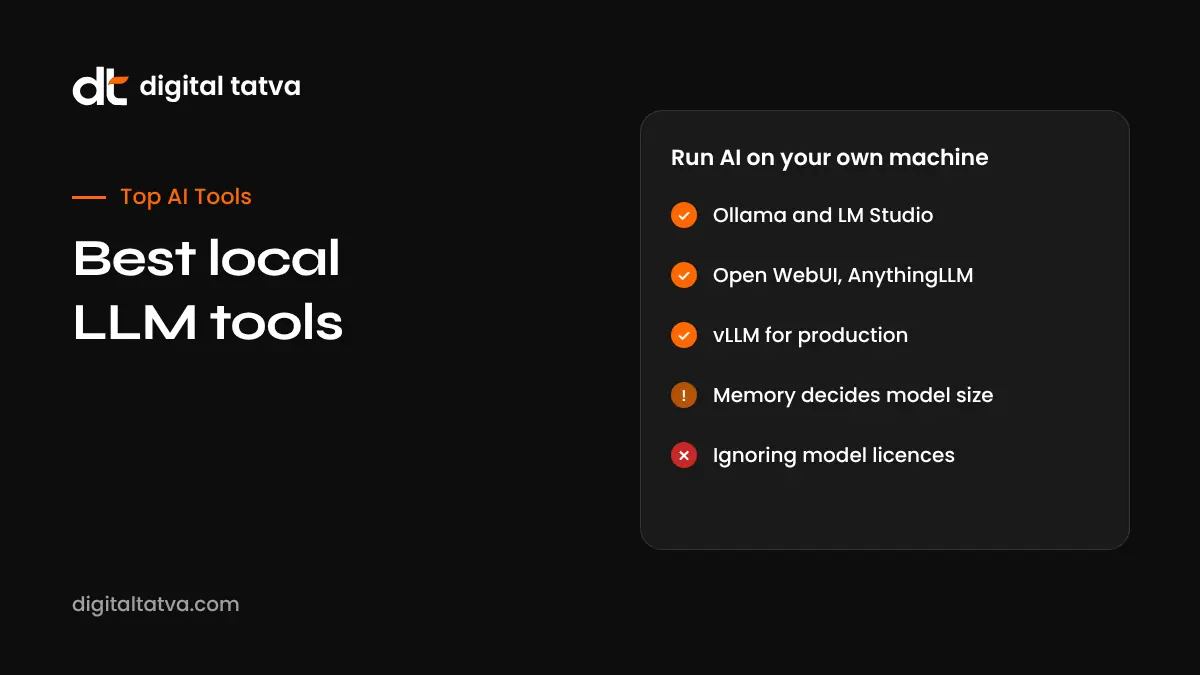
Quick answer: The best tools for running LLMs locally in 2026 are Ollama (the simplest way to download and run models from the command line), LM Studio (the easiest desktop app with a model browser), llama.cpp (the fast engine behind many other tools), Jan (an open-source ChatGPT-style desktop app), Open WebUI (a self-hosted chat interface for teams), AnythingLLM (chat with your documents), GPT4All (beginner-friendly and offline), vLLM (high-throughput serving on GPUs), LocalAI (an OpenAI-compatible local server), MLX (fast on Apple silicon), Msty (polished desktop app) and the new open-source inferd for running many agents on a Mac. Most people should start with Ollama or LM Studio, add Open WebUI or AnythingLLM for a friendly interface, and move to vLLM for production serving.
Key takeaways
- Running models locally keeps data on your machine, works offline and has no per-token cost.
- Your hardware, especially memory, decides which models you can run.
- Open models from Qwen, DeepSeek, Mistral, Meta, Google and others are strong enough for many everyday tasks.
- Local models are usually weaker than frontier cloud models for the hardest reasoning and coding.
- Check each model’s licence before commercial use.
Why run an LLM locally?
Local AI went from a hobby to a practical choice in 2026. Open-weight models improved quickly, many from Chinese labs, and desktop hardware got better at AI work. Searches for terms like “private AI platform” and “AI server hardware” grew sharply in RisingTrends data, and devices such as Nvidia’s DGX Spark brought desktop AI computers to developers.
The main reasons people run models locally:
- Privacy: prompts and documents never leave your device or network.
- Cost: no per-token bills for high-volume tasks.
- Offline use: works without internet.
- Control: no surprise model changes or usage limits.
- Customisation: fine-tune or pick models for specific tasks.
If you have never done it, follow our step-by-step guide to running an LLM locally with Ollama.
Best local LLM tools compared
| # | Tool | Type | Platforms | Best for |
|---|---|---|---|---|
| 1 | Ollama | Model runner and local API | macOS, Windows, Linux | Simplest setup, developers |
| 2 | LM Studio | Desktop app | macOS, Windows, Linux | Beginners who want a GUI |
| 3 | llama.cpp | Inference engine | All major platforms | Maximum control and efficiency |
| 4 | Jan | Open-source desktop app | macOS, Windows, Linux | Private ChatGPT-style chat |
| 5 | Open WebUI | Self-hosted web interface | Any (Docker) | Teams sharing local models |
| 6 | AnythingLLM | Desktop and server app | macOS, Windows, Linux | Chatting with documents |
| 7 | GPT4All | Desktop app | macOS, Windows, Linux | Offline beginners |
| 8 | vLLM | Serving engine | Linux with GPUs | Production throughput |
| 9 | LocalAI | OpenAI-compatible server | Any (Docker) | Drop-in local API |
| 10 | MLX | Apple machine learning framework | Apple silicon Macs | Speed on Macs |
| 11 | Msty | Desktop app | macOS, Windows, Linux | Comparing local and cloud models |
| 12 | inferd | Open-source Mac inference engine | macOS | Many concurrent agents on one Mac |
The 12 best local LLM tools in detail
1. Ollama
Ollama is the most popular way to run open models. One command downloads and runs a model, and Ollama exposes a local API that many apps and coding agents can use. It handles model formats and hardware acceleration for you.
Best for: developers and anyone comfortable with a terminal.
Watch out for: the default interface is minimal; pair it with Open WebUI for a friendlier chat.
2. LM Studio
LM Studio is a polished desktop app where you browse, download and chat with models, with clear guidance on which versions fit your hardware. It can also run a local server compatible with the OpenAI API.
Best for: beginners and anyone who prefers a graphical app.
Watch out for: check licence terms if you use it at work.
3. llama.cpp
llama.cpp is the open-source engine that made running models on ordinary computers practical. It powers many other tools and supports quantised models that use far less memory.
Best for: advanced users who want fine control and top efficiency.
Watch out for: command-line setup and many options.
4. Jan
Jan is an open-source desktop app that looks and feels like ChatGPT but runs models locally, with optional connections to cloud APIs.
Best for: people who want private everyday chat.
Watch out for: performance depends on your hardware.
5. Open WebUI
Open WebUI is a self-hosted web interface that connects to Ollama and OpenAI-compatible servers. It supports multiple users, document uploads, tools and model switching, which makes it popular for small teams.
Best for: offices and teams sharing a local AI server.
Watch out for: you are responsible for security and updates.
6. AnythingLLM
AnythingLLM focuses on chatting with your own documents using retrieval-augmented generation, with workspaces, agents and support for local or cloud models.
Best for: private knowledge bases and document Q and A.
Watch out for: answer quality depends on how documents are split and indexed. See what is RAG.
7. GPT4All
GPT4All, from Nomic, is a simple desktop app designed to run on ordinary laptops, with local document chat and no need for a GPU.
Best for: beginners with modest hardware.
Watch out for: smaller models mean simpler answers.
8. vLLM
vLLM is an open-source serving engine built for speed and many simultaneous users on GPUs. It is a standard choice for companies hosting open models in production.
Best for: serving models to apps and many users.
Watch out for: needs Linux and capable GPUs; overkill for one person.
9. LocalAI
LocalAI is an open-source server that mimics the OpenAI API, so apps built for OpenAI can switch to local models with minimal changes. It also supports images and audio.
Best for: developers replacing cloud APIs with local ones.
Watch out for: setup takes more effort than Ollama.
10. MLX
MLX is Apple’s open-source machine learning framework for Apple silicon. MLX-converted models often run very efficiently on Macs, and several apps, including LM Studio, can use it.
Best for: Mac users who want maximum speed.
Watch out for: Apple hardware only.
11. Msty
Msty is a desktop app that lets you use local and cloud models side by side, compare answers and organise chats.
Best for: people mixing local privacy with cloud power.
Watch out for: check which features need a paid licence.
12. inferd
inferd is a new open-source (Apache 2.0) inference engine for Macs, released in November 2026 and designed to serve many AI agents at once, up to 128 according to its developers. They report running a 27-billion-parameter Qwen model on a 32 GB Mac mini.
Best for: developers running local multi-agent systems.
Watch out for: very new; expect rough edges.
What hardware do you need?
| Hardware | What you can run comfortably | Good for |
|---|---|---|
| Laptop with 16 GB memory | Small models (roughly 3 to 8 billion parameters, quantised) | Drafting, summaries, simple Q and A |
| 32 GB Mac or PC with a mid-range GPU | Medium models (around 14 to 32 billion parameters) | Better writing, coding help, document chat |
| 64 to 128 GB unified memory or high-end GPUs | Large models (70 billion and up, quantised) | Near cloud-quality on many tasks |
| Multi-GPU servers | Very large open models | Team and production serving |
These are rough guides; actual needs depend on model architecture, quantisation and context length. Mixture-of-experts models can need lots of memory even when only part of the model is active.
Which models should you run locally?
- General chat and writing: mid-sized Qwen, Mistral, Gemma or Llama models.
- Coding: coding-tuned Qwen, DeepSeek or Mistral models.
- Reasoning: distilled reasoning models from DeepSeek and Qwen.
- Documents: any good instruction model plus an embedding model for search.
See open source AI models, best Chinese AI models and Hugging Face explained for where to find them.
How to get started in 30 minutes
- Check your memory. Note your RAM or unified memory and GPU memory.
- Install Ollama or LM Studio. Both have one-click installers.
- Download a small model first. Start with a 7 to 8 billion parameter model to test speed.
- Add an interface. Use LM Studio’s chat, or install Open WebUI or AnythingLLM.
- Test real tasks. Compare answers with your usual cloud assistant.
- Scale up if needed. Try bigger models if your hardware allows.
Illustrative example: A small law office wants AI help summarising documents without sending them to a cloud service. It installs Ollama and AnythingLLM on a 64 GB desktop in the office, loads a mid-sized open model and limits access to staff accounts. Lawyers use it for first-draft summaries and still review every output. This is an illustrative scenario, not a client story.
Checklist for local AI at work
- Hardware sized for the models you need.
- Model licences reviewed for commercial use.
- Access controls on shared servers.
- Updates and security patches scheduled.
- Output quality compared with cloud models.
- Clear rules for when to use local versus cloud AI.
How Digital Tatva can help
Whether people use cloud or local AI, they increasingly ask AI for recommendations. Digital Tatva helps brands appear accurately in AI answers. See our AEO services.
Want to know how AI describes your business? Request an AEO audit or try the free AI visibility checker.
Frequently asked questions
What is the easiest way to run an LLM locally?
LM Studio for a graphical app, or Ollama if you are comfortable typing one command in a terminal.
Is Ollama better than LM Studio?
Ollama is simpler for developers and integrations; LM Studio is friendlier for browsing models and chatting. Many people use both.
Can I run an LLM without a GPU?
Yes. Small quantised models run on CPUs and Apple silicon, though more slowly than on a dedicated GPU.
Are local LLMs as good as ChatGPT?
For many everyday tasks, mid-sized and large open models are close. For the hardest reasoning and coding, frontier cloud models still lead.
Is running AI locally private?
Yes, as long as the app does not send data to a cloud service. Check settings for telemetry or optional cloud connections.
How much RAM do I need for a local LLM?
16 GB for small models, 32 GB for medium models and 64 GB or more for large models, as a rough guide.
Can I use local models with coding agents?
Yes. OpenCode, Aider, Goose and others can connect to Ollama or LM Studio. See best AI coding agents for the terminal.
Are local LLM tools free?
Most are free and open source. Some desktop apps charge for business use or extra features.
Can I use local LLMs commercially?
Often yes, but each model has its own licence. Check for limits on users, attribution or specific uses.
What is the best local LLM for Mac?
On Apple silicon, LM Studio with MLX models or Ollama work very well. Macs with large unified memory can run surprisingly big models.
Product details, prices and features are checked at the time of writing and can change. Sources are linked in the text so you can check them yourself.
How does your brand appear in AI answers?
We test the questions your buyers ask across the major AI assistants and search engines, then show you what to fix first.
Get an AI Visibility Audit