Open Source AI Models You Can Use for Free
The best open source AI models you can use for free in 2026, including gpt-oss, Gemma 4, Qwen and DeepSeek V4, with licenses, hardware needs and when free really beats paid APIs.

On this page
- Key takeaways
- Open source vs open weights: what “free” really means
- The best open source AI models in 2026
- How to run open source AI models for free
- How much hardware do you need?
- Are free open models actually cheaper than paid AI?
- Who should use open source AI models (and who should not)
- Frequently asked questions
- Next steps: try one open model this week
The best open source AI models you can use for free in 2026 are OpenAI’s gpt-oss, Google’s Gemma 4, Alibaba’s Qwen 3.x family, DeepSeek V4 and Meta’s Llama models. You can download their weights at no cost and run them on your own computer with a free tool like Ollama, so there is no subscription and no per-token bill. The trade-off is hardware: small models run on an ordinary laptop, while the largest need a serious GPU or a paid cloud host.
This guide explains which open models are worth your time, what each license actually lets you do, how much hardware you need, and when a free open model really saves money compared with a cheap paid API.
Key takeaways
- gpt-oss (OpenAI), Gemma 4 (Google) and the open Qwen 3.6 model are released under Apache 2.0, and DeepSeek V4 under MIT, which are permissive licenses that allow commercial use.
- Llama uses Meta’s own community license, which has extra conditions, so read it before building a product on it.
- gpt-oss-20b runs on devices with 16 GB of memory; small Gemma 4, Qwen and Llama variants fit in a few gigabytes.
- Running locally with Ollama is free and keeps your data on your machine, but you pay in hardware, electricity and setup time.
- For light use, budget APIs such as GPT-6 Luna can cost pennies a month, so “free” open models win mainly on privacy, offline use and heavy volume.
Open source vs open weights: what “free” really means
Most AI models called “open source” are technically open weights. The weights are the trained numbers that make the model work. When a company publishes them, anyone can download and run the model. True open source would also include the training data and code, which almost no major lab releases.
For most readers this distinction matters less than the license, because the license decides what you can legally do:
- Apache 2.0 and MIT: permissive. You can use the model commercially, modify it, fine-tune it and ship it in a product, as long as you keep the license notice.
- Custom community licenses (such as Llama’s): free to use, but with conditions such as acceptable use rules and limits for very large companies. The Open Source Initiative disputes calling these “open source”.
Note: “Free to download” does not mean “free to run”. You still pay for the computer or cloud server the model runs on. We cover real costs further down.
The best open source AI models in 2026
Here is a quick comparison of the main open model families you can download today.
| Model family | Maker | License | Sizes available | Best for |
|---|---|---|---|---|
| gpt-oss | OpenAI | Apache 2.0 | 20b and 120b | Reasoning, general assistant, agents |
| Gemma 4 | Google DeepMind | Apache 2.0 | E2B, E4B, 26B MoE, 31B (plus a 12B tag on Ollama) | Laptops and phones, multimodal input |
| Qwen 3.x | Alibaba | Apache 2.0 (Qwen3.6-35B-A3B) | 0.6B to 235B across Qwen3, Qwen3.5, Qwen3.6 | Coding, multilingual, agentic tasks |
| DeepSeek V4 | DeepSeek | MIT | V4-Flash (284B), V4-Pro (1.6T) | Frontier-level quality on big servers |
| Llama 4 | Meta | Llama 4 Community License | Scout, Maverick | Teams already invested in Llama tooling |
1. gpt-oss: best all-rounder from OpenAI
OpenAI released gpt-oss on 5 August 2025, its first open-weight language models since GPT-2. There are two sizes. gpt-oss-120b has 117 billion parameters but only activates 5.1 billion per token, and it runs on a single 80 GB GPU. gpt-oss-20b has 21 billion parameters with 3.6 billion active and runs on devices with 16 GB of memory. Both support a 128K token context window and use the Apache 2.0 license.
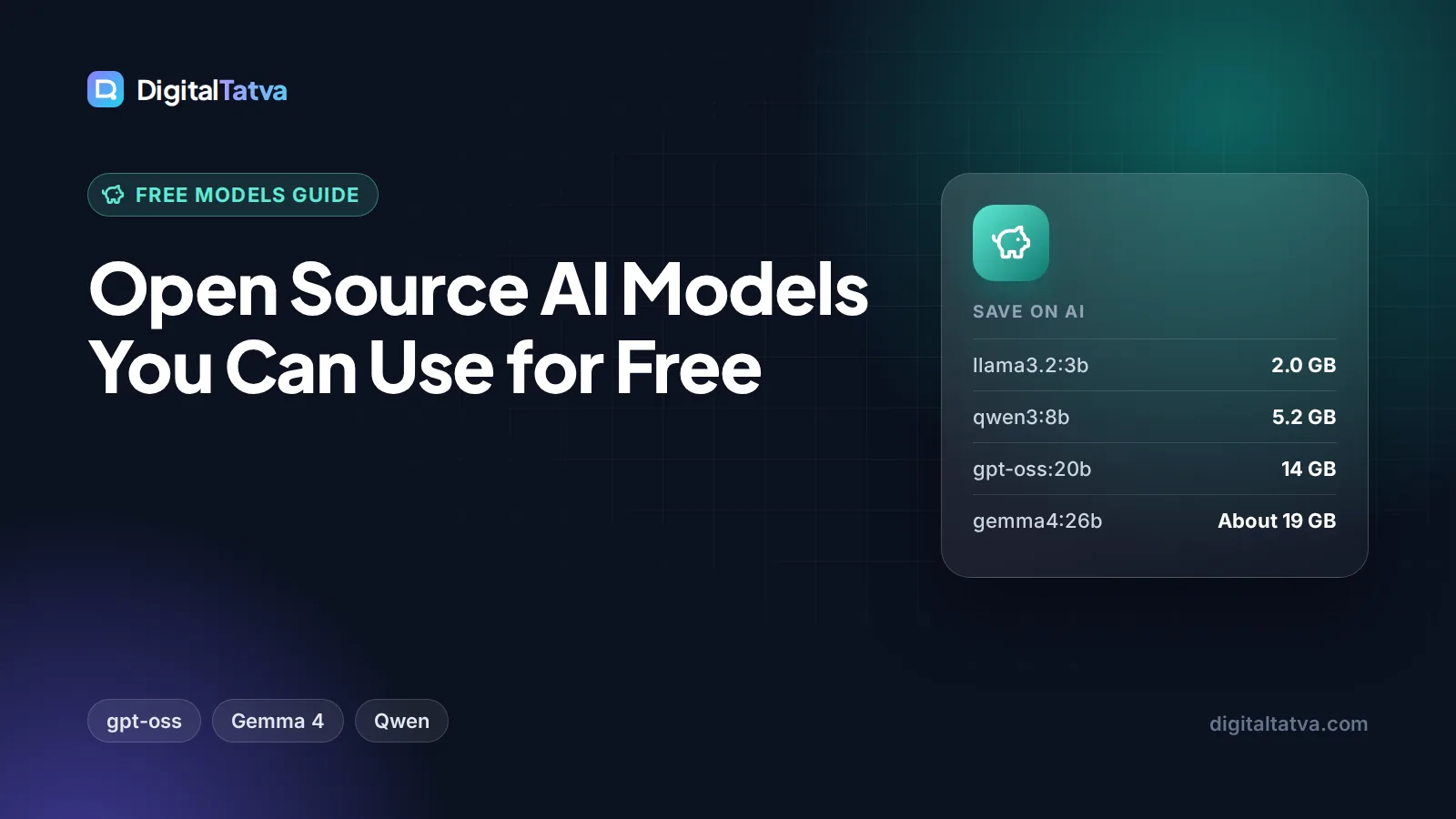
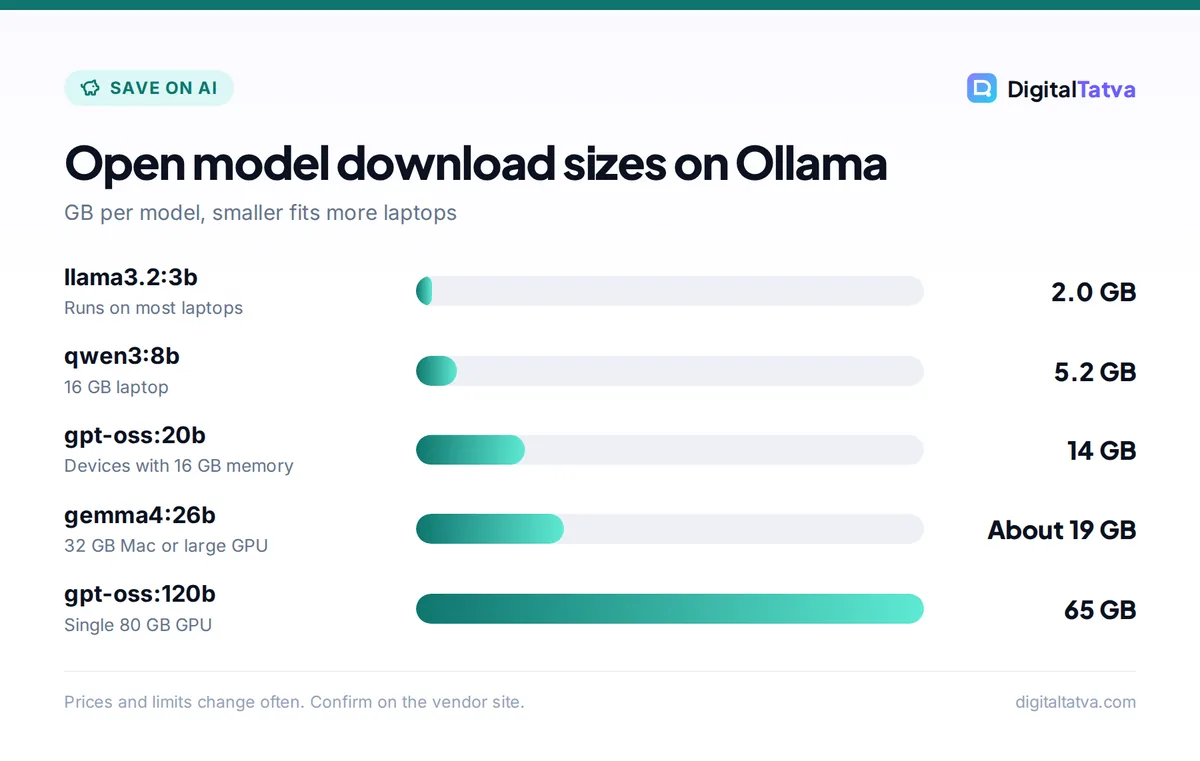
The “active parameters” detail matters. These are mixture-of-experts (MoE) models: only a slice of the network works on each word, which makes them faster and cheaper to run than their total size suggests. On Ollama, gpt-oss:20b is a 14 GB download and gpt-oss:120b is 65 GB.
Pick it if you want a capable general assistant that runs well on a good laptop or desktop with 16 GB or more of memory.
2. Gemma 4: best for laptops and small devices
Google DeepMind released Gemma 4 on 2 April 2026 and, for the first time, switched Gemma to the standard Apache 2.0 license. The family includes small “edge” models (E2B and E4B) built for phones and small boards, a 26B mixture-of-experts model with about 3.8 billion active parameters, and a 31B dense model. The larger models support a 256K context window, the edge models 128K.
All Gemma 4 variants accept text and images, and the small edge models also accept audio. On Ollama, the default gemma4 tag is roughly a 6.6 to 9.5 GB download, which makes it one of the easiest strong models to try. Run ollama run gemma4 and you are chatting in minutes.
Pick it if you have an ordinary laptop, want image understanding, or need a clean commercial license from a major company.
3. Qwen 3.x: best for coding and many languages
Alibaba’s Qwen family is the widest range of open models available. Ollama’s library lists Qwen3 from 0.6B (523 MB) up to 235B (142 GB), Qwen3.5 multimodal models, Qwen3.6 models built for agentic coding, and dedicated Qwen coder models. The first open Qwen3.6 model, Qwen3.6-35B-A3B, was released on 17 April 2026 under Apache 2.0. Note that Alibaba keeps its top models, Qwen3.6-Plus and Max, as hosted services only.
Pick it if you need a coding helper, strong multilingual output, or a very small model for a low-end machine.
4. DeepSeek V4: best quality if you have server hardware
DeepSeek published its V4 models with open weights under the MIT license, one of the most permissive licenses there is. They are huge: V4-Flash has 284 billion parameters and V4-Pro about 1.6 trillion. That puts them out of reach for laptops; you need a multi-GPU server or cloud cluster. Most individuals use DeepSeek through its very cheap API instead, which we cover in our DeepSeek API pricing guide. For privacy trade-offs of the hosted app, read DeepSeek vs ChatGPT.
For a smaller DeepSeek option, Ollama still lists the deepseek-r1 reasoning models from 1.5B up to 671B.
Pick it if you are a company with GPU servers and want near-frontier quality with no license fees.
5. Llama: popular, but read the license
Meta’s Llama 4 (Scout and Maverick) arrived in April 2025 under the Llama 4 Community License. Llama has huge community support and many fine-tuned versions, and smaller Llama 3.x models such as llama3.2:3b (a 2 GB download) remain popular for light local use. However, the Llama license carries acceptable use rules and has historically restricted the very largest companies, and Meta launched a separate model, Muse Spark, in April 2026 to power its own chatbots. If you are building a product, Apache 2.0 or MIT models are simpler choices.
How to run open source AI models for free
You have three main ways to use these models without paying a subscription.
- Run locally with Ollama. Install Ollama from its website, open a terminal and type
ollama runfollowed by a model name, such as gemma4 or gpt-oss:20b. Local use is free and open source, and Ollama states it does not see your prompts or data when you run locally. Our step-by-step guide to running an LLM locally with Ollama walks through every command. - Use a desktop app. Tools like LM Studio give you a point-and-click interface for downloading and chatting with open models, if you prefer not to use a terminal.
- Use a free cloud tier. Ollama’s free cloud plan includes starter credits and starter models with one concurrent request, useful when your laptop is too small for a big model. If you need more, Ollama Pro costs $20 a month (or $200 a year) with $60 of usage credits.
Tip: Ollama exposes an OpenAI-compatible API on your own machine at http://localhost:11434/v1/. That means many apps and automation tools built for ChatGPT can point at your local model instead. Pair it with self-hosted n8n, as shown in our guide on building your first AI workflow in n8n, for fully private automations.
How much hardware do you need?
The main constraint is memory: RAM on a regular computer, or unified memory on a Mac, or VRAM on a graphics card. As a rough guide, you need more free memory than the model’s download size, plus extra room for longer conversations. Here are real download sizes from the Ollama library:
| Model (Ollama tag) | Download size | Typical machine |
|---|---|---|
| qwen3:0.6b | 523 MB | Almost any laptop |
| llama3.2:3b | 2.0 GB | 8 GB laptop |
| qwen3:8b | 5.2 GB | 16 GB laptop |
| gemma4 (default) | About 6.6 to 9.5 GB | 16 GB laptop or Mac |
| gpt-oss:20b | 14 GB | 16 GB or more, ideally a GPU |
| gemma4:26b | About 16 to 19 GB | 32 GB Mac or a large GPU |
| gpt-oss:120b | 65 GB | Single 80 GB GPU or high-memory workstation |
Ollama supports NVIDIA GPUs (compute capability 5.0 and newer), AMD GPUs through ROCm on Linux, Apple Silicon through Metal, and Vulkan on Windows and Linux. Without a supported GPU, models still run on the CPU, just slower. Also note that Ollama’s default context window is 4,096 tokens; raise it if you paste long documents. Our explainer on context windows covers why.
Are free open models actually cheaper than paid AI?
Not always. This is the part most “free AI” articles skip. Budget API models have become extremely cheap, so the savings from going open depend on your volume.
Worked example: a small business assistant
Imagine you process 2 million input tokens and 500,000 output tokens a month, roughly a few hundred customer emails summarized and answered. Compare the costs:
- GPT-6 Luna API ($0.10 input, $0.50 output per 1M): $0.20 + $0.25 = $0.45 a month.
- Gemini 3.8 Flash API ($0.75 input, $3.75 output per 1M, through 2026): $1.50 + $1.88 = about $3.38 a month.
- Claude Sonnet 5.5 API ($2 input, $10 output per 1M): $4 + $5 = $9 a month.
- Local gpt-oss-20b or Gemma 4: $0 in fees on a computer you already own, plus electricity.
At this volume, buying a new GPU just to save $0.45 a month makes no sense. Open models start to win when volume is very high (tens or hundreds of millions of tokens), when data must never leave your premises, or when you need the model to work offline. Our guide to picking the cheapest AI model for each task and the OpenAI API pricing rate card help you run this math for your own workload.
Save money: A hybrid setup often works best. Run a small local model for private, repetitive jobs, and send only hard tasks to a paid frontier model. This is called model routing, and it can cut API bills sharply.
Who should use open source AI models (and who should not)
Good fit
- Businesses handling sensitive client or customer data
- Developers building products who want no per-token fees
- Students and hobbyists who want to learn how models work
- Anyone needing offline AI, for example while traveling
- High-volume batch jobs like tagging thousands of records
Poor fit
- People who want the best possible answers with no setup
- Users with old laptops and less than 8 GB of memory
- Teams with no one to maintain servers or updates
- Light users, where cheap APIs or free chat apps cost less
If you simply want a free chatbot with no setup, the free tiers of ChatGPT, Gemini and Claude are easier. See our roundups of the best free AI tools and free alternatives to ChatGPT Plus. If privacy is your main reason for going open, read our business guide to AI data privacy too.
Frequently asked questions
What is the best free open source AI model?
For most people, gpt-oss-20b or Gemma 4 is the best starting point. Both are released under the permissive Apache 2.0 license and run on a computer with about 16 GB of memory. Gemma 4 is easier on smaller machines and understands images, while gpt-oss-20b is a strong general reasoning model. For coding, try a Qwen coder model.
Can I use open source AI models commercially?
Usually yes, but it depends on the license. gpt-oss, Gemma 4 and the open Qwen3.6 model use Apache 2.0, and DeepSeek V4 uses MIT, both of which allow commercial use with a license notice. Llama uses Meta’s community license, which adds acceptable use rules and other conditions, so read it carefully before building a product.
Do I need a GPU to run open source AI models?
No, but it helps a lot. Small models such as llama3.2:3b or qwen3:0.6b run on an ordinary CPU, just more slowly. Larger models like gpt-oss-20b work best with 16 GB or more of memory and a supported NVIDIA, AMD or Apple Silicon GPU. The biggest models, such as gpt-oss-120b, need an 80 GB class GPU.
Are open source AI models safe for private data?
Running a model locally is one of the safest ways to use AI with private data, because prompts stay on your own machine. Ollama states it does not see your prompts when you run locally. You are still responsible for securing that computer, controlling who can access it, and following data protection laws such as India’s DPDP Act.
Is DeepSeek open source?
DeepSeek V4 weights are published under the MIT license, so you can download, modify and use them commercially. However, the V4 models are very large (284 billion and 1.6 trillion parameters) and need server-class hardware. Most individuals use the cheap hosted DeepSeek API instead, which sends your data to DeepSeek’s servers.
Next steps: try one open model this week
Start small. Install Ollama, run Gemma 4 or gpt-oss-20b, and give it a real task from your work, such as summarizing a report or drafting replies. If it handles the job well, you have a free, private assistant. If it struggles, keep it for simple tasks and use a paid model for the rest. For more ways to cut your AI spend, see our list of 12 ways to save money on AI subscriptions. Model releases, licenses and cloud pricing change often, so check each vendor’s official page, such as the gpt-oss announcement and Ollama pricing, before you commit.
Pricing and features are checked at the time of writing and can change. Some links may be affiliate links, which never affect our verdicts.